Home Blog Page 18

How Roberta Williams Transformed Adventure Games Into A Beloved Genre

0

Roberta Williams
You may not recognize the name Roberta Williams like you would Shigeru Miyamoto or Sid Meier.

And we think that’s a huge problem.

As you’ll see, Roberta Williams is one of the most important figures in adventure gaming and the evolution of video games as a whole. Let’s dig in and see what makes Roberta Williams one of the most impactful video gaming figures.

Where She Got Her Start


Roberta Williams’ career started off pretty unexpectedly. By the late 1970s, Williams was a full-time housewife, caring for her children while her husband worked in software.

Not a video gamer at all, Roberta Williams was transformed by her husband’s decisions to bring the then brand new Apple computer home. Through playing games like the 1977 adventure title, Colossal Cave Adventure, Roberta Williams unknowingly started the journey towards full-time game design.

Joining her husband, Ken, Roberta went on to form what would become Sierra On-Line, Inc. in 1980.

Games Credited

Here are some of the most prominent and most influential titles credited to Roberta Williams.

Mystery House


Roberta Williams - Mystery House

Mystery House, the 1980 adventure game, was fully illustrated and written by Roberta Williams. She had her husband, Ken, help her program the title.

Drawing from the mystery novels of Agatha Christie, Mystery House takes place in a Victorian mansion, where the player must discover and catch the murderer wreaking havoc.

This was Roberta Williams’s first title, and it paved the way for future titles in her repertoire.

The King’s Quest Series (I-VIII)


Roberta Williams - The King’s Quest Series

This is where Roberta Williams made her enduring mark on gaming forever.

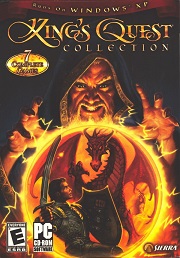
King’s Quest I, aka Roberta Williams’ King’s Quest I: Quest for the Crown, was the quintessential 1984 adventure game developed by Sierra On-Line, Inc. From 1984 to 2016, the long-running King’s Quest series spawned spin-offs, remakes, and books.

Following the adventures of those in the Kingdom of Daventry, the King’s Quest series contains all of the fantasy genre goodies: witches, warlocks, kings, and bards. Using her preferred adventure game format, Roberta Williams designed colorful visuals, included humor, and created a truly unique fantasy world for gamers to play in.

Williams went on record to say that the character personalities were the main parts of the King’s Quest games that she enjoyed most. A close second was the brain-busting puzzles she formulated for gamers.

The most recent entry in the series, 2015’s King’s Quest, developed by The Odd Gentlemen, followed a more modern adventure game approach. Taking influence from Telltale Games like The Walking Dead and The Wolf Among Us, Roberta Williams’ franchise’s newest iterations an episodic, comedic fantasy tale, with more updated graphics and a whimsical art style.

If you love games like Monkey Island and other point-and-click adventures, the King’s Quest series is well worth your time.

Phantasmagoria


Roberta Williams - Phantasmagoria

Citing the works of literary horror giants like Edgar Alan Poe, Williams wanted to bring emotion, terror, and immersion to gaming.

Released in 1995, Phantasmagoria was a little different from Sierra’s past adventure games. This point-and-click adventure was a tour de force in supernatural horror.

Roberta had always wanted to create a good horror game but felt that the current software available wouldn’t be a good fit for what she had planned.

Phantasmagoria was based on a hefty script written entirely by Roberta. It follows the story of a writer, Adrienne Delaney, and her subsequent terrifying experience upon moving into a mansion. Who would’ve thought?

The seven-disc game received mixed praise and was a financial hit, garnering over $12 million dollars upon release. Blending the styles of Roberta’s past games and interactive movies (FMVs), Phantasmagoria dialed up the horror and the controversy as well: the game included graphic scenes of violence.

Roberta committed to making the user interface simple. This would effectively pull gamers into the story and gameplay, rather than bogging them down in useless displays.

However, Phantasmagoria was criticized for more simple puzzles, something that Roberta’s past games didn’t have. The sacrifice of puzzle difficulty was instead used to make the game more immersive and horrific. A sequel, Phantasmagoria: A Puzzle of Flesh, was released in 1996. Unlike the first, Roberta had no involvement, and the game was an abject failure in nearly every way.

Her Impact on the Industry


Roberta Williams’ impact on the industry is astounding. Her creation of Sierra On-Line, Inc. with Ken alone was enough to solidify her legacy in the gaming world. Sierra On-Line, Inc., eventually renamed Sierra Entertainment, has been a fantastic company for game development.

The company developed King’s Quest, Police Quest, Space Quest, Carcassonne, Gabriel Knight: Sins of the Fathers, Phantasmagoria, You Don’t Know Jack, Diablo: Hellfire, Half-Life, Caesar III, Counter-Strike, Team Fortress Classic, F.E.A.R., and Crash Bandicoot: The Wrath of Cortex. My god, let that all set in. And that’s only a fraction of what the company has released.

In addition to Sierra, Roberta simply transformed the adventure game niche into a full-fledged, beloved genre.

Legacy


Roberta Williams has received the Industry Icon Award and the Game Developers Choice Awards’ Pioneer Award.

Now that you know more about one of gaming’s most famous feminine voices, why not give one of the many King’s Quest games a spin? The series is readily available via GOG.com. See where it all began with King’s Quest 1+2+3, or maybe give the later games a spin to see how well the franchise developed over the next decade.

Roberta Williams retired from game development in 1999.

A Glimpse into the Work Life of A Game Developer

0

A Game Developer's Career Roadmap
Aaron Hunter of Austin, Texas has been making digital games for over 20 years. He played video games extensively when he was young. His fascination for games turned into curiosity about how they were made which then paved the way to a career path in game development.

“I started with a language called BASIC. I started making simple games, on my own at first, and then with some friends in high school. I studied and tinkered with C++ on my own time until I was good enough to get my first job in the field when I was 18,” he recalled.

Fast forward to today, he is currently the lead developer of Starport: Galactic Empires: “It’s a real-time action, multi-player, online, persistent-world game for desktop PCs. I’m focused on improving product quality for the small group of people who play this game, and moving on to port it to other platforms besides Windows and to make a sequel to it as well.”

His Work-Life


He has built a fair amount of games for Windows, and some for Unity.

“I built Starport using a Windows client app and a Linux server app, both using C++. It took about a year to get Starport off the ground, working with one other programmer, and then I’ve also been updating it live for the past 16 years as well!” Aaron said.

“The last Unity game I wrote is called Georgia Golf and it took me 3 years, most of that working on my own, on the engineering side, with one artist providing art assets. It’s always nice to have a good artist to work with if you can find one,” he added.

Game Engine and Tools of the Trade


According to Austin, the game development process is mature enough now that it’s hard to justify not using an engine.

“I’ve enjoyed working with Unity because it has good standard game engine features like 3D rendering, physics, and input-handling. The best part about Unity is its ability to build out your executable for multiple platforms like iOS and Android without much extra work required,” he explained.

He likes Unity for a number of reasons. For one, it has a nice rendering engine. But its most appealing feature would have to be its ease of use while at the same time supports specially-coded behavior with C# script quite well:

“On the last game I made in Unity, called Georgia Golf, I was able to customize a huge amount of behavior using C# script. I even did a lot of modifications and filters on the art and geometry assets in the game world. This was only possible because Unity does such a nice job of exposing game world data in its script environment.”

For image editing, he uses GIMP, a free tool you can use without sacrificing quality.

Typical Workday


He starts work at 10:00 am and that’s basically what he does throughout the day. Sometimes, his work stretches late into the night.

“Software development can be rough in that there is so much possibility, so many things you want to get done, but each of them is time-consuming to correctly integrate into the product as a whole. Testing and debugging are mandatory and they also take time.”

Some days can be a little stressful like when he publishes changes to a live game and if something goes wrong, it could affect their live customers’ experience.

“So sometimes I publish new updates late at night when there are fewer players online, though this has the drawback of me being asleep during the first 12 hours of new code being live.”

The Best Advice


Aaron loves that there’s always room for a lot of creativity and world creation in his career. The worst part, he said, is finding gamers to play his video games is a real challenge with all the competition out there.

And he’s not about to do something drastic like creating complex game architecture: “Keep your game designs as simple as possible. That gives you the best chance to get your project done with a high level of quality.”

When asked about what he wishes he’d known going into game development, he said:

“I wish I had known more about the run-time efficiency of algorithms since that’s where much of the artistry of programming lies. If you do programming, my advice is to learn best practices from the beginning. I will admit though, my personal path throughout my career involved a lot of just going in and getting things done quickly, which is also a good skill to have.”

Future of Gaming


“Games will continue to become even more user-friendly, more connected. Games that can be played on smaller, mobile devices have a bright future too,” he said.

Connect with Aaron


You can download Starport: Galactic: Empire here. And check out Georgia Golf on the PlayStore if you fancy playing golf online.

Building 2D Video Games With the Monogame Engine

0

Monogame Engine
For those of you who have played the game Bastion, you have a specific piece of software to look out for: the Monogame engine. Coders and programmers from Supergiant Games struck it out of the park with Bastion. More notably, their use of the Monogame engine turned a lot of heads in the gaming community.

Rising from the flames of various projects like XNA Touch and Silver Sprite, the Monogame engine was born. Monogame is a C# framework used for multiple game projects.

Let’s take a closer look at the Monogame engine and determine if it can help you create great games (it totally can).

Who’s It For?


It’s for game developers, of course. Okay, to be more specific, game developers want to develop games for multiple platforms.

The earlier versions of Monogame only allowed game developers to create sprite-based 2D games, but the Monogame team discontinued this halfway into June 2012. Since 2012, Monogame has been able to handle 3D very well.

For those who want to start developing for Windows and Windows Phone, Monogame should frankly be the only game engine you should concern yourself with.

What Are Its Components?


Using both SharpDX and DirectX, Monogame is perfect for Microsoft Windows platforms.

Monogame uses the Microsoft XNA 4 API (application programming interface). The XNA framework is basically a set of software development tools developed by Microsoft for comprehensive game creation. As such, XNA has a great wealth of information, tools, and resources for any development type.

Monogame gets its graphics capabilities from OpenGL. More specifically, OpenGL helped Monogame with shading effects and renders.

Cost and Supported Platforms


Monogame Engine supported platforms
What are Monogame’s supported platforms? Get ready. It’s a lot.

  • iOS
  • macOS
  • Android
  • Linux
  • Windows Phone 8
  • Windows Desktop
  • Windows 10
  • PlayStation 4
  • PlayStation Vita
  • Xbox One
  • Nintendo Switch
  • tvOS

As we previously mentioned, the framework is completely free. It uses the Microsoft Public License (Ms-PL) and Microsoft Reciprocal License (Ms-RL).

Since it’s free of charge, why aren’t you downloading it right now?! Okay, fair enough, we should give you some more information to know before taking a deep dive into Monogame.

What Are Its Strengths?


There are a few great ways that Monogame sets itself apart from other game engines, even engines like Unity. Here are but a few strengths.

  • Customization
  • Made for Programmers
  • Open Source
  • Uses the Microsoft XNA
  • Ideal for cross-platform projects and
  • Good graphic capability

Why It Is Great for 2D Development


Monogame is great for 2D development, as it was initially built for 2D projects and has great customization tools specifically for 2D development.

What makes it ideal for coders and allows for a fast iteration process:

If you are a programmer proficient in C#, you can harness the iterative process to get ideas into prototypes in no time at all. The iterative process and Monogame are perfect for no-nonsense development.

Game engines like Unity can add unnecessary assets and updates that can fundamentally change your projects and graphics. Not so with Monogame. The iterative processes keep programmers and C# coding.

Disadvantages


Of course, no tool is not without its drawbacks.

  • XNA can be outdated
  • Not optimized for non-Windows platforms
  • Not a ton of updates

Tips For For A Successful Game Dev

Tips on Video Game Development
If you want to be a better programmer, along with creating fantastic and iconic games to launch on nearly every platform, Monogame is one of the best frameworks to use. Here are some tips to help you get the hang of Monogame.

Become a Programmer, Take a Course.


Okay, so there is a little more to this than merely declaring ‘I’m a programmer!’ We highly recommend checking out some tutorials and enrolling in some C# courses online to brush up on programmer knowledge.

Courses can range from a few hours to a few months, mostly coding bootcamps. Coding bootcamps are intensive courses specializing in specific languages and aspects of software development. It’s well worth looking into a course to master things like Monogame’s XNA-derived toolkit.

Some useful tools for programming, especially with C-like languages, are using things like GitHub, a great place where source code resides.

Create a Project


Creating projects is a great way to practice with a framework like Monogame and beef up your game developer portfolio. While you may not have a large arsenal of great projects at first, you need to stick with it. It takes a lot to learn how to develop your knowledge of graphics, utilizing OpenGL, DirectX, and 3D games.

Creating a project requires users to understand many information and services, so don’t be afraid to read up, experiment, and learn the ropes.

Check Out The Community


There are quite a few different avenues to explore with Monogame. Need help with your first project? Can’t seem to master the basics of using OpenGL?

Check out the official forum, where there are tons of members, topics, and answers to all of your questions.

Discussion about various Monogame-related topics in the community can give you valuable answers and ideas for your career-making game.

Explore the Official Site


Since Monogame is open source, the code is all there, just waiting for you to create. Will you make the next Fez or other smash hit cross-platform title?

Conclusion


Even if you are a new programmer or a veteran coder, using Monogame in your gaming project is a solid idea. You really don’t have a lot to lose since it’s completely free and capable of some pretty impressive 2D and 3D visuals and interfaces.

Keep in mind our tips, information, and the process to download the source code. If you do, you will be well on your way to creating the next Bastion.

All the tools are right there, perfect for your first project.

How To Make an Awesome Video Game Logo

0

Video Game Logo
When we boot up our console or PC game of choice, we are always met by the company’s logo that created them. While this logo screen is merely a pit stop on the way to the main game, this display is crucial for punching a gaming company’s brand and giving credit where credit is due.

I booted up Yakuza O the other day. A bright white screen with the crisp blue ‘SEGA’ logo popped up with a pleasant noise when it started.

How did the company come up with such a short, sweet intro and display? Who made those crisp blue letters?

Let’s take a closer look at video game logos, why they are essential, and which logos are the most iconic in gaming.

What Makes A Good Gaming Logo?


A good gaming logo needs to do a few things. First, it needs to look pleasing to the eye. As you’ll see on our list, some of the biggest companies’ gaming logos are really lovely to look at. A striking contrast, brightness levels, color choice, it all matters.

However, a ‘good’ logo is one of those pesky things that are subjective to the viewer. I might love the Atari logo, but someone else could think it looks underwhelming or boring. That’s what makes creating an effective game logo even more difficult.

Nevertheless, talented designers at ten particular companies, we believe, have transcended the subjective barriers for video game logo design.

Making Your Own Gaming Logo?


We wish we could give you a definitive answer about what makes a video game logo design perfect. It simply doesn’t exist. However, there are some great tips and ideas to consider when designing a logo of your own.

First, you don’t want it to be too ‘busy.’ What we mean by that is you don’t want too much happening with it, distracting the viewer from the overall message. As you’ll see on our list, many of the companies have simple yet elegant and compelling designs that are entirely their own.

Keep it simple. Use the vibe and feel of your company or game to drive the creative force behind designing the logo.

The Fundamentals of Logo Design


People make the logo design look easy. Whether it’s Facebook or Google, it honestly looks like logo design is a piece of cake. However, there are fundamentals nearly everyone must follow to make an effective logo. Let’s look at some of the fundamentals.

  • Keep it Simple. No need to get all flashy and distract users from your product or video game
  • Color Use. Use the colors of your design to your benefit. You need to be aware of how the consumer will view your logo, if it’s aesthetically pleasing, etc.
  • The Rule of Black and White. An ideal logo should be versatile. As such, it should look good if it’s transformed into a black or white design. If it can survive the black and white test, you may have a great video game logo on your hands.

How to Get A Logo


You don’t need to go crazy searching for talented graphic design artists to create a video game logo for you. You also don’t need to spend hours deliberating on what makes a good logo, frankly.

There are plenty of resources out there to help you make a logo right now. Here are some notable ways to make a video game logo.

10 Iconic Gaming Logos

Sony PlayStation


Sony PlayStation - logo
You knew it was coming. This logo by Sony is one of the best video game logos in existence.

Look at the dominant ‘P’ with the subtle ‘S’ right under it. This game logo is both attractive and gets the point across immediately. It’s easily one of the most recognizable gaming logos on the market. It works as both a symbol and as letters, a fantastic combo.

Sega


Sega - logo
Look at that! For decades, this iconic logo from Sega has been, quite literally, at the forefront of gaming.

Sega has been around since the 1940s. Since then, its logo has stayed relatively the same, barring a few minor tweaks. Sega had a lot of fun with its logo, incorporating it into its stable of games like those in the Sonic franchise, Altered Beast, Shenmue, Yakuza, and ClayFighter.

When you saw the Sega logo, you knew you were in for a ride.

EA – Electronic Arts


EA - Electronic Arts logo
Okay, so EA hasn’t exactly been in the good graces of gamers lately, but it doesn’t mean its logo is totally killer. This logo, a simple ‘EA’ with some embellishments, communicates that yes, this is, in fact, an Electronic Arts game.

Those of you who played sports games will likely remember EA’s catchphrase, “EA Sports – It’s In the Game.” This not only made the logo and company famous, but it made the EA logo a substantial part of the game.

Now that’s successfully pushing a brand.

Rockstar


Rockstar - logo
I love this one. Rockstar, the developers of games like Max Payne and Grand Theft Auto not only know how to make a great action game, but the company is also great at making a killer logo. It’s simple, recognizable, and tells the gamer precisely what they’re getting: a great Rockstar game.

Surrounded by a yellow background, a stark ‘R’ with a star on the lower right side of the letter somehow ‘pops’ with its simplicity. There are also pretty cool variants, depending on where the company’s office is. For example, Rockstar North, based in the UK, has a blue logo.

Zynga


Zynga - logo
Back in the day, you may have received a pesky invite from your aunt on Facebook for games like FarmVille. Sure, it was annoying, but the company who created it, while creating addictive games, creating a great logo.

With a striking red background, the company’s name and a white silhouette of a dog make Zynga’s logo stand out. Word with Friends, Mafia Wars, FarmVille. These massively popular games compose Zynga’s roster of games and make Zynga one of the world’s most profitable companies.

Valve


Valve - logo
Valve has a fantastic logo. Straightforward, practical, and no flashy nonsense.

Gabe Newell’s company capitalizes on simplicity, as well as making it unique. The smaller ‘E’ on the end makes it stand out as the quintessential logo for Valve and signals to gamers that Valve’s unique games are right around the corner.

Naughty Dog


Naughty Dog - logo
From the company that brought us the Uncharted series and The Last of Us comes this sick logo.

With a red paw print separating the words, this is an extremely practical design that is entirely no-nonsense and communicates the kind of vibe that the games Naughty Dog releases are so well known for. Whether it’s Crash Bandicoot or Jak & Daxter, Naughty Dog premises adventure with its logo.

Atari


Atari - logo
Come on. You knew Atari was going to make the list.

Atari has had that fantastic font, along with the three bars on top, forever. One of the first major game companies, Atari’s logo has become synonymous with gaming itself, representing fun, creativity, and immersion in all of its titles.

This is just one of the few variants.

Skyrim


Skyrim - logo
Okay, so this may not be a company logo, but it’s powerful enough on its own to command a spot on the list.

The Skyrim logo, a beautiful yet straightforward dragon design, communicates the majesty, action, adventure, and intrigue that you will encounter while playing the game. This logo is intimately connected with the lore of the game. Technically, this is called ‘The Seal of Akatosh”, one of the nine divines in the game.

If you have played Skyrim, you’ll immediately recognize the significance Akatosh plays in the story, as well as the impact on the in-game world of Tamriel.

Nintendo


Nintendo - logo
Where would we be without Nintendo and Shigeru Miyamoto?

With its logo, Nintendo, much like its games, communicates a simple, yet creative logo. White text on a striking red background creates a vivid yet welcoming site, something that is integral in Nintendo games.

Conclusion


Game company logos have been an integral part of gaming. It opens the game you play and communicates messages to gamers.

What is your favorite game company logo? Is it PlayStation? Maybe Electronic Arts?

While logo design (and design in general) is entirely objective, I think we can all agree that video game logos in general, kick-ass and represent fantastic worlds, characters, graphics, gameplay mechanics, and stories.

Lessons From An Indie Game Studio Owner

0

Video Game Development Career Lessons
A common misconception that people have about getting into video game development is that the only skill you need to learn is to code. This couldn’t be further from the truth.

“I wish I had known about the many different parts of game development. You need to try all the different aspects of game development such as VFX, 3D Modeling, Animation, and a lot more,” said Usman Salim, owner of Liontech Studios, a video game development studio in the UK. “My advice to all beginners is to get on YouTube, watch tutorials, and try as many things as possible. It’s all free to learn and you will 100% find an area that is of interest to you,” advised Usman.

When you find the field in game development that you enjoy, start practicing right away. Don’t worry about being perfect. Always start with the basics. Establish a routine to practice your new skill. It may be tough at first but you will reap the rewards of your hard work.

“This will also help build your portfolio of work which is essential when trying to get a job in the industry. A good portfolio of work with no formal education is better than a formal education with no portfolio of work,” added Usman.

And he’s right. Your portfolio is your way of showing what sets you apart from others in the same profession as you do. You may have the same skill set as the next developer but no one does it quite like it as you do.

How did Usman get into the video game industry?

Well, like all game developers’ stories, it all started with a love for video games.

Early Start


“I have always had an interest in video games at a very young age. My first system was the master system in the 1990s and since then I fell in love with games and always wanted to work in the field,” Usman said as he looked back on his childhood.

He officially started his video game development journey using Buildbox, a 2D drag-and-drop engine, with no coding experience required: “It allowed me to get right into making games and receiving visual feedback very quickly.”

Education


He studied Interactive Systems & Video Games Design at the University of Bradford. His first few jobs after he graduated in 2013 were in the game testing roles. Unable to secure a permanent position, he decided to work in administration until 2016.

It was in that year when he decided to break free from the 9-to-5 grind and turned to freelance work. Not long after, he created his video game studio: Liontech Studios.

Career


His work focuses mainly on hyper-casual games. But more recently he has shifted his focus to creating educational games targeted at both adults & children. “I am interested in exploring the benefits of delivering educational content through gaming for a variety of age groups.” Learning Lions, a game he created to help children learn the alphabet, was born out of his interest in educational games.

He had his 15 minutes of fame on national TV:

“I have had one of my games, Tuk Tuk Trials, marketed across national tv on the catch-up platform for Channel 4 in the UK. One of my games last year was featured in over 130 countries and received over 100,000 downloads worldwide in around 10 days.”

As for the workload, he mostly works by himself. However, from time to time, he hires a programmer to help speed up his workflow.

On top of having his own game studio, he has worked alongside other developers and artists on multiple projects.
Favorite Tools

“Unity for game development,” Usman tells me. Unity has given him more free rein in creating complex games. “If I have an idea, I am now able to create beautiful 3D environments as well as create VFX and character animations, which is great,” he added.

Blender, it seems is everyone’s favorite 3D tool and for two good reasons. First, it’s free. Secondly, it’s open-source. “So if you need a new feature you can request it. And the likelihood of it being implemented is a lot higher than other 3D software.”

To create 2D assets such as UI, he leans on the Adobe Creative Suite such as Illustrator, Photoshop. He uses Premiere Pro and After Effects to edit gameplay trailers and dev logs for TikTok.

Typical Workday


Usman doesn’t have a typical workday because there’s nothing typical about his work schedule. Working with clients located across the globe, and in different time zones, he aligns his work hours with his clients.

When he doesn’t have client projects, he works between 8-12 hours a day. He starts his workday at half-past 9 in the morning and finishes at 8:00 in the evening. That, of course, includes taking breaks in the middle of the day, either to go to the gym or spend time with his family.

The Best and Worst


Asked about the best advice he received as a game developer, Usman replied: “Always stick to your principles and values.”

He discourages anyone from sacrificing their principles for money. “You could be offered jobs or work based on something which you don’t agree with in terms of the story, or possibly the game may have nudity. If you don’t agree with these things then you must stick to your principles and not just accept work in order to have an income.”

So far, it’s been solid advice that’s at the core with everything he does.

“The best by far is being able to do something I love every day and allow my creativity to flourish. I love being able to have an idea for a game and within a few days have a working prototype,” he said about his choice of career.

But just like in any business, there are highs and lows. For Usman, he finds growing a community around his games challenging. Even with all the hard work that you put into creating your game if it doesn’t appeal to your audience, no one is going to download it.

Future of Gaming


“I think the future of gaming is VR and AR. I think the more immersive games will be successful in the future,” Usman envisioned. He added that with the technology constantly improving and becoming more accessible to the general public, the number of genres in games will increase. “I also expect educational content to start to be delivered through AR/VR as well,” he said.

And as for game development skills, he has this to say: “I think these skills can take you to any other field not restricted just to games. Recently, I read an article from Boston Dynamics where they suggested games development would be the perfect job for aspiring roboticists.”

You can read the article here.

Connect with Usman


If you want to learn more about Usman and his work, check out:

Explore The Many Worlds of Shigeru Miyamoto

0

Shigeru Miyamoto
When you think of video games, what comes to mind?

Sure, you probably think of a few modern examples of game protagonists. However, the chances are good that you thought of Mario, Donkey Kong, or Link. These characters and other Nintendo creations are synonymous with video games.

But what creative genius hatched all those ideas into iconic characters? The incomparable Shigeru Miyamoto. Let’s explore his background and what makes him the linchpin that holds gaming together.

Miyamoto’s Humble Beginnings


Born on November 16, 1952, in Kyoto, Japan, Shigeru Miyamoto was always driven by art and creativity. A particularly poignant and stark example of his childhood’s influence on his future career is his forays into the Kyoto wilderness, which directly inspired him to craft the first game in the Legend of Zelda series.

Initially aiming to cut it as a manga artist in the mid to late 1970s, Miyamoto joined a little-known company called Nintendo as its first artist. For the first three years of his time at Nintendo, he was their go-to artist.

Eventually, Nintendo executives asked him to help design games. His first experience with game design, Radar Scope, opened the floodgates of creativity and opportunity.

After the game’s success, Nintendo’s president personally asked Shigeru Miyamoto to make Radar Scope into a different, more modern arcade game to help Nintendo make it into the western game market.

Luckily for Nintendo, it had just stumbled upon its golden goose.

Miyamoto immediately began hatching creative plans for his pet project. To anyone familiar with Nintendo’s first arcade hit, Donkey Kong, you know what happened next.

A plumber, an ape, and a princess.

The combination would take Shigeru Miyamoto from amateur game designer and talented game artist to the top of the heap.

The 1980s was Miyamoto’s decade to shine. With the Nintendo Entertainment System (NES) development, Miyamoto had more advanced hardware to work with. Out came Super Mario Bros., The Legend of Zelda, and Kid Icarus.

By this point, many game developers would be minor celebrities, content with their work. Not Miyamoto. He doubled down, working extra hard, eventually going through game after game on the Super Nintendo Entertainment System, followed by smash success with the Nintendo 64.

Sequels and iterations of his beloved creations made their way from the 2D world to fully 3D, captivating a new generation of gamers. We all know what happens next. The Wii, GameCube, Nintendo Switch. Where does this guy get his energy!?

Games Credited


Where to begin with the games credited to Miyamoto’s creative brain? There are a lot, but let’s narrow down some of our favorites.

Super Mario Bros.


After Donkey Kong, this title cemented his legacy on NES. Focusing more on a narrative (the classic ‘Bowser steals Peach’), Mario didn’t focus on high scores like past arcade games. The simple concept of moving from left to right, along with the multiplayer help from our second favorite Italian plumber, Luigi, vaulted Super Mario Bros. into legend.

The Legend of Zelda


Bringing his adventuring spirit and high fantasy together, Kiyamoto developed the first Legend of Zelda game in the mid to late 1980s. Link, our hero, must quest through different screens filled with enemies to save the titular princess from the clutches of evil.

This concept spawned almost 20 main games in the series.

Star Fox


If you didn’t know that Star Fox existed, was popular, and spawned future games, would you believe Miyamoto dabbled in flight combat simulators? Probably not. Up until that point, he mainly focused on platformers.

In 1993, Nintendo and Miyamoto brought 3D graphics to the Super Nintendo in the iconic game, Star Fox. The Super FX chip helped the team at Nintendo create more three-dimensional graphics and game mechanics.

What followed was the beloved story of Star Fox and his pilot pals, Slippy Toad, Falco Lombardi, and our favorite barrel roller, Peppy Hare.

Game Development Philosophy


Although many see Miyamoto as a creative genius, writing, designing, and implementing fantastic characters into likewise fantastic games, Miyamoto himself says that his design philosophy is more than just being a good artist.

“People have paid me a lot of lip service, calling me a genius storyteller or a talented animator, and have gone so far as to suggest that I try my hand at movies, since my style of game design is, in their words, quite similar to making movies. But I feel that I am not a movie maker, but rather that my strength lies in my pioneering spirit to make use of technology to create the best interactive commodities possible and use that interactivity to give users a game they can enjoy and play comfortably.”

Miyamoto nails precisely what makes his games and systems successful. His undefeatable spirit, optimism, and belief in his creations spur on his continued success well into his 60s.

Something unique that can’t be said for other game studios is that Nintendo totally ignores focus groups. Instead of seeing if the new Far Cry or Assassin’s Creed works with a particular demographic, Shigeru Miyamoto just tries the game himself.

Is it fun? Does it work? Will it satisfy Nintendo players?

He has all of this in mind. If it passes muster, then Miyamoto is satisfied with the product.

This unique process strips game development of its corporate goals and somewhat ingenious development veneer. It brings pure fun and optimism back into game development, which we need more of.

His Impact on the Industry


How to even begin to describe his long-lasting legacy? It’s iconic and perhaps one of the most influential ones in game history. It’s improbable someone with his design philosophies, and spirit will come around in our lifetimes to topple the king of Nintendo.

How Does Miyamoto Come Up with His Ideas?


Once the shift towards narratives in games became popular, Miyamoto started to apply everyday activities into his game designs. Simple aspects of life, like walking his dog, or shopping, inspired him to bring real life into the virtual space.

While there’s no ‘dog walking simulator,’ Miyamoto dedicated himself to bringing real-life experiences and making them into captivating stories and immersive games.

The Importance of Making A Successful Game


For Shigeru Miyamoto, the most crucial aspect of game creation is innovation and its unique idea. He shuns rehashing old ideas and played-out concepts. That’s what sets games like Donkey Kong Country and The Legend of Zelda: Ocarina of Time apart from titles like Call of Duty and Halo.

What makes a game unique? What makes it fun?

This is where Shigeru Miyamoto’s thinking goes. And it has made gaming a wonderful world to play in because of it.

Hironobu Sakaguchi Embraced An Uncertain Future; Tremendous Success Follows

0

Hironobu Sakaguchi
With the release of the excellent Final Fantasy VII Remake in 2020, gamers the world over once again experienced the magic of one of gaming’s most celebrated franchises.

But where did such a wonderful and influential series begin? It wasn’t born out of a vacuum: it was due to talented game designers like Hironobu Sakaguchi.

Short Bio


While you may not immediately recognize Hironobu Sakaguchi’s name like other game creators, his far-reaching influence over the state of the gaming industry is breathtaking. If it wasn’t for him and other talented developers at Square, (now Square Enix), we wouldn’t have fantastic titles like Kingdom Hearts those in the Final Fantasy series.

Born on November 25, 1962, in Hitachi, Ibaraki, Japan, Hironobu Sakaguchi gravitated towards becoming a musician. While we would have no doubt been graced with a talented artist, we’re extremely grateful that he chose game development in the mid-1980s at Square Co., Ltd. Back then, Square was a minor division of the Denyūsha Electric Company.

He eventually helped create Square’s first game, The Death Trap in 1984, a text-based adventure game. The Death Trap set the stage for Sakaguchi’s creative ambitions. Fast forward almost four decades later, and Sakaguchi has had a direct hand in over 60 games.

Games Credited


Here are some of the most notable games that Sakaguchi was responsible for.

Final Fantasy


Yep, he started it all. Anyone who enjoys any old school Final Fantasy game owes some serious props to Hironobu Sakaguchi.

He was the executive director of the first 5 Final Fantasy games. After Final Fantasy 5, he became the lead supervisor, executive producer, and story developer for subsequent games. That includes the iconic Final Fantasy VII, Final Fantasy Tactics, and Final Fantasy X.

It’s safe to say that Final Fantasy would not be the global phenomenon it is without his amazing creative influence.

Kingdom Hearts


Hironobu Sakaguchi’s legacy as gaming great could have been solidified with the creation of Final Fantasy. However, he was determined to keep creating. His next award-winning story would take the form of the absolutely unique and beloved Kingdom Hearts series.

Blending Disney characters like Mickey Mouse and Final Fantasy characters like Cloud Strife and Sephiroth, (it works, trust us), Hironobu Sakaguchi created one of the most unique JRPG stories.

While he didn’t have a part in the subsequent sequels, his role as executive producer set off a wildfire of creativity that would last over almost 20 years.

Game Development Philosophy


Sakaguchi’s game development philosophy is rooted in his last-ditch gambit to save Square as a game development studio. When faced with financial ruin, Sakaguchi faced an intimidating prospect: create a great game or Square is essentially dead in the water.

Sakaguchi, torn between feeling incompetent in game design (which he absolutely wasn’t), decided that Square needed to make a last stand. His idea to save Square? Developing the iconic JRPG, Final Fantasy.

Yeah, I’m thinking that paid off big time. That’s like saying you invented the light bulb to pay rent.

His philosophy? Tearing yourself from the fads and trends of the current gaming era. He states that this defiant act not only saved Square, but gave him the confidence to create ambitious titles like Kingdom Hearts and Parasite Eve.

His Impact on the Industry


To say Hironobu Sakaguchi had an important impact on the video game industry would be the understatement of the century. His invaluable creative touches to all the games he created or oversaw were responsible for some of the most influential games from Square, and arguably, all of Japan.

For those who adore the Final Fantasy series (like me) and all the story-based magic it’s responsible for, we owe Sakaguchi a huge thanks.

When he eventually stepped down from his coveted position at Square in the early 2000s, he actually significantly reduced Square’s influential and financial capital.

It’s a pretty good sign a person is invaluable when their leaving triggers a company-wide crisis. This eventually led to Square merging with Enix, creating Square Enix, a fantastic company in its won right.

He went on to form the Mistwalker Corporation with the help of executives from Microsoft.

What is Hironobu Sakaguchi Doing Now?


As you would expect from a devilishly creative mind like Sakaguchi, he’s still developing games. While he’s no longer with Square developing Final Fantasy games, he’s dabbling mainly in iOS games at his personal company, the Mistwalker Corporation in Japan.

At Mistwalker, Sakaguchi has already created over 10 games, including Blue Dragon, Lost Odyssey, and his popular Terra Battles series.

Self-Learning and Standing Out in A Saturated Job Market

0

A Video Game Developer's Journey to Success
How far will you go to achieve your dreams? Soyhan Yazgan jumped through hoops to become a game developer. He is a Turkish national who moved to Finland in 2012 to pursue his education.

“I spent many years playing video games and being fascinated with technology. I’ve always wanted to be a programmer for as long as I can remember,” he said. When he was in high school, he was confronted with the reality that Turkey was not ready to accommodate a culture of technological innovations. But he gave it a chance.

He studied architecture for 3 years but his heart wasn’t in it. That’s when he knew he needed to make his dream a reality abroad. He settled in Finland. “After some years of searching, I found myself in Finland. Finland has great software and game companies. I got into university to study software engineering. Today, I am a bachelor’s degree, I am making video games, and I am enjoying it,” Soyhan said, retracing his education path.

A Road Less Traveled


In 2016, Soyhan ran into a problem with his visa in Finland: “I needed to get a student visa. My original goal was to continue my education in architecture in Finland. But I didn’t make it to the university. I tried my luck in some other category. Then I realized where I am and how much more of a chance I have in Finland to pursue the job I’ve always wanted.”

He applied to three different schools. Two schools offered game design degrees. And one school with a software engineering program. “I got accepted to the school offering software engineering program,” he revealed.

And as luck would have it, the school he attended offered a major in Games. But it was only for students studying the Finnish language. “I tried my best to get as many courses as possible from that major, even if it wasn’t on my curriculum. In the end, I had a lot of game-related courses to get me to kickstart my own game company.”

Soyhan made everything sound like it was a walk in the park. Determined to learn about game development, he took control of the situation, persevered, and overcame every roadblock that threatened to slow his progress down.

But you’ll be facing a very different reality when you leave school.

Building His Portfolio


Soyhan has his own one-person indie company called Black Poodle Entertainment. “I developed 2 VR games and sold them on Steam,” he said, proud of what he has accomplished. He has worked with video game companies as a 3D designer and game programmer. And has mastered the art of realistic renderings.

He is showing no sign of slowing down. “I would like to collect enough budget for my company and make my own games with my team,” he said. He wants to get ahead of the game by gaining more experience and growing his network of connections.

Work Schedule


His contracts dictate the project’s schedule hence, he doesn’t have a fixed schedule. He’s worked the 9 to 5 grind while on other projects, he had more flexibility with his hours.

“The latter is more efficient because many computer people are night owls. The important thing is that I finish the task on time. And the quality meets the company’s standards,” Soyhan observed.

A Game Developer’s Tools


Soyhan prefers using tools that are easy to use, popular, and with a community of users to share tips and ideas with.

He uses the 3Ds Max for 3D modeling. He relies on Adobe Photoshop for editing images, and Adobe Premiere Pro for video editing. VRay is his go-to rendering engine for high-quality, pre-rendered stills, and animations.

He learned a lot of new skills from watching free tutorials on Youtube. For paid courses with access to video game experts and instructors, he turns to Udemy for help.

How to Stand Out In A Saturated Job Market

Job Market in the Gaming Industry
For Soyhan, the best part of game development is building the games and introducing them to the world. As a gamer, he knows the thrill of playing video games. The thought of other players enjoying the game he created is mind-blowing. “To see someone play your game, leaving comments about their experience on YouTube, it tugs at my heart. It’s so emotional and heartwarming.”

The worst part of being in this industry? Like other industries, the job search is the least favorite of the job seekers. And in a saturated job market like the video game industry, it can get overwhelming.

“When I see an ad looking for developers with 5+ years working on AAA title, it makes me furious. That as specific qualification as that is a job requirement. The number of years is such a big issue for these companies. A new, talented, hard-working developer can be very competent. He or she is capable of delivering as good a job as a person who spent at least 5 years in the industry,” argued Soyhan.

So how do you make yourself stand out in the gaming job market?

Choose A Specialization


“I wish someone told me that the programming skill is easily accessible and learned today. The job search sites are exploding with skilled programmers. Had I known, I would have put more effort into studying design and modeling. Even 2d drawing, rather than spending more time on learning the programming languages. Those positions are more valued as far as I see,” Soyhan regretfully admitted.

Self-Learn


Soyhan preferred using Unreal engine over Unity. Unfortunately, his school used Unity in all its design courses. “I had to learn all the knowledge myself from documentations and YouTube videos. I built my first game with Unreal after six months of learning. Making the game took one month. After that, another month and I made my second game,” he said.

Be A Team Player


A self-starter with an insatiable thirst for continuous learning is a desirable asset. True, having a community may help enhance your knowledge. But nothing compares to learning it on the job. Soyhan agrees: “I decided to gain experience by working for other companies for the time being. I worked with two companies with less than 10 people and one company with around 100 people.”

Working with a team does have its challenges. “Honestly, I cannot say it is easy to work with others all the time. Everyone has different ideas, ethics, and quality of work,” Soyhan tells us reluctantly. “But in the end, being a group player is important. I must respect other members and try to make the project go forward,” he added.

Execute Successful Ideas (MVP)


In a seminar that Soyhan attended, one of the speakers said: Your ideas are worth nothing.

“He meant that everyone has ideas that they want to sell. And a lot of people think they can make millions out of those ideas. But ideas are worthless without execution,” he said. A lot of work needs to go into the execution of those ideas. One has to consider the cost of building the prototypes, of pitching the idea, and on marketing cost.

“It’s easy to say you have an idea. But it’s not easy to spend thousands of dollars in executing the idea. You need to spend to create a team. Then you need to buy assets and all the things you need to build a game. The project could go on for months. Months of hard work, and spending money on advertisements.”

Soyhan knows the importance of marketing all too well. He knows how crucial it is to have a  Minimum Viable Product (MVP). He released his VR video game without a budget in marketing. Then there’s the issue of needing to have access to a VR headset to play the game. Needless to say, his game didn’t sell as well as he hoped it would.

Unity vs Unreal Engine


Soyhan uses both Unity and Unreal engines. “Unity is a widely used and known engine. They use it to teach at schools. It is older. It uses C#, which is easy to learn. Unity is simple enough to get in. Making 2D games and that doesn’t need too much graphics power is easy to do with Unity.”

But, when it comes to more advanced programmings, Unity can be challenging to use. “Like in creating multiplayer, particles, graphics, making big projects.”

“Every coder has his or her own style. Sometimes, I check on the code that I wrote 6 months ago, I’d wonder to myself how I made such messy code.” The bottom line, according to Soyhan, is that Unity is good for small, simple projects. For complex projects, he prefers to use another engine.

Yes, there are great games made with Unity. But his personal choice is Unreal engine. “Unreal Engine uses Blueprints, a visual coding. It also uses C++ in the background. As long as modifying the source code is not necessary, C++ is not needed every day.”

Blueprints are very easy to learn. It is not possible to make syntax errors. All Blueprint modules come with input and output modules, color-coded and self-explained. According to Soyhan, this makes programming very convenient and easy. On top of that, Unreal Engine has superior graphics.

“Unreal was a paid engine when it was first released. Epic Games offered the software for free not long ago. That’s why most schools use Unity to teach students game development,” Soyhan said.

The community around Unreal Engine has been rapidly growing. Epic Games has committed to giving a $100M grant to support developers who are using the engine. “Unreal Engine is much more modern, it gets upgraded very often, and superior compared to Unity. If I was a teacher, I would teach Unreal Engine instead. I do not talk about other engines as they are less common to indie developers like me,” he asserted.

The Future of Gaming


The gaming industry continues to expand and grow. People from all walks of life, from toddlers to senior citizens, they play video games. “Video games are not going anywhere. Better technology arrives every day. People will continue to explore Virtual Reality. It won’t be long until the technology is available to users,” Soyhan said as he remains hopeful for the future.

If you want to connect with Zoyhan, visit his website: blackpoodleent.com.

Surviving Freelance Game Development: The Ins and Outs of Finding Work

0

Freelance Game Developer
“As a freelance game developer, I have a flexible schedule and the freedom to choose what project to work on,” Guillaume Letaeron, a French expat living in Japan, said. He is one of the growing numbers of foreign game developers settling in the land of the rising sun, searching for opportunities to work with video game company giants or start an indie game studio.

The toxic working environment prevalent in video game studios has some game developers take the huge leap from employee to freelancer. But it’s not just that.

As creatives and tech experts, they want to have control over the projects that they get to create. They want to explore and work on other video game genres. “You are going to be spending much of your time developing the same type of video games repeatedly,” Guillaume said, sharing his experience from working in mobile games and in Japanese companies.

But freelance work comes with risks. For one thing, you lose your job security. “It’s tough when you don’t have regular clients and long-term projects,” admits Guillaume.

And unless you have a portfolio that clearly demonstrates your expertise in the field and a reference from one of the heavyweights in the gaming industry, looking for projects can be hard. You need to prepare yourself for the lean times. In the interim, freelancers resort to contract works, bidding against newbies and some other cheap competitions to earn money.

In this article, we explore the ins-and-outs of being a freelance game developer, as Guillaume talks candidly about his experience.

From Audio Engineer to Game Developer


Guillaume is from the era of Computer Games: Amstrad CPC, Atari ST, Amiga 500; and consoles like the N64, Playstation 1, Sega Saturn. He dabbled in BASIC (Beginners’ All-purpose Symbolic Instruction Code) when he had his first computer, a Canon MSX 1.

Professionally, he entered the gaming industry as an audio engineer: “I wanted to become a music composer for video games. I was using a framework called Darkbasic and did some programming with it.”

He worked on 3D low poly modeling for games before becoming a full-time programmer.

He tinkered with map tools, experimented with game engines, and taught himself how to create video games. For his first serious project, he used the XNA framework and the Shiva engine before moving on to Unity. And he never looked back.

A Daily Routine


It’s hard to establish a routine when you’re working irregular hours, taking on short-term projects. But when he’s working on projects, Guillaume starts his mornings by checking his emails and project management tool for client feedback. He organizes his day around his project tasks.

Freelance Work


He used to work for a company making casual games, JRPG, and battle RPG on a 9 to 12 month development time.

As a freelancer, he has worked on various video game genres from a few weeks to a couple of months.

His work involves implementing core gameplay and UI. “We used Unity engine to develop those games, so that was mainly the tool I used to work on my part.”

Add Logic Audio, Blender 3D, and Photoshop to his list of tools. He relies on Trello for project management and to stay organized. Github or Bitbucket to store and manage his digital assets.

Why Math Matters


“I wish I had been more serious in my math class. My advice for newbies would be: don’t neglect your math class,” Guillaume regretfully admits.

Math is the foundation of game design. We wrote an article about the importance of Math, which you can read it here. The branches of Math that programmers use in game development are the following:

  • Algebra
  • Trigonometry
  • Calculus
  • Linear Algebra
  • Discrete Mathematics
  • Applied Mathematics

It looks daunting, I know. And yes, there are game engines that let you drag and drop the elements of your design. But if you want to be indispensable in an already saturated job market, you need to stand out by having the technical skills video game company giants are seeking.

Second, self-learning is a must-have skill if you want to stay relevant. There’s no way for you to know everything. Thanks to the internet, you now have limitless information at your disposal. Use it well.

KISS and Don’t Fall In Love…


…with your prototype. You are not making the final product. In this line of work, a failure is an option. It’s easier for you to let go and move on when things don’t work out.

KISS stands for ‘Keep It Simple Stupid’, a term coined by Kelly Johnson, the lead engineer at Lockheed Skunk Works. This principle is still very relevant today and is widely used by software engineers. The challenge is on the designers to design a product with the end-users in mind. Thus, simple.

In video game development, apply the KISS principle when you’re building a prototype. “It’s something to keep in mind. Things may radically change based on feedback and other factors.”

Final Thoughts


“I believe that mobile platforms are going to stay strong,” Guillaume said with a hint of uncertainty when asked about the future of gaming. “The only thing I can say without being wrong is that whatever happens, developers will have to continue to adapt over time to stay in the loop.”

If you want to connect with Guillaume, visit his website here.

There’s A Time For Everything: How to Be Happy Working in the Gaming Industry

0

Work-Life Balance For Video Game Developers
Can game developers achieve work-life balance?

Game Developers work with only one goal in mind: finish a video game project. Achieving work-life balance is unheard of in a career in which crunch time is part of the job description. And though they’re not exactly shy in calling for office reform, most have embraced their fate and have settled into a routine of bottomless coffee, endless meetings, and overtime work.

The situation looks dire but what if I tell you it’s possible for game developers to achieve work-life balance?

We recently caught up with Edward Bennett, an Authorised Unreal Engine trainer living in London, UK. “I run workshops to teach companies the distinct elements of the engine. When I’m not training, I work as a developer with indie game companies,” Edward tells me. He does all of those and still finds the time to bond with his 2-year-old son.

I got the impression that even with those activities on his to-do list, he still has room to do more. There is no magic formula for achieving work-life balance. And for a highly-competitive job market like the gaming industry, in a stressful working environment, you’ll have to create your own balance. How?

Choose a Specialization


For Edward, it means taking the time to make sure he is committed to a role he will be happy with: “I recommend you specialize since most jobs rarely require a generalist.”

But before you’ll get there, he encourages newbies to get a broad experience of all the potential roles they could do.

“Learn a little of the design pipeline, try some coding, do some animation, and even help with the marketing. This will help you have a broader view of the industry. It will make it easier to work with others and understand how your work fits in with the overall project,” he recommends. “It also gives you a chance to see what other roles are available to you. You can get pigeonholed very quickly,” he added.

How It Started


Edward has been programming games since he was 12 years old. “My first game was a platformer called ‘Bob’ made on Amstrad 464,” he recalled.

Equipped with general technical qualifications, he entered the gaming industry as a programmer. However, he gained all of his game-relevant skills through self-education and the job. An accomplishment that he’s proud of:

“The nature of my role means I need to be constantly learning new skills, most of which have little formal qualifications connected to them. In a lot of cases, I would be the person writing the tutorials and teaching the workshops.”

The Daily Routine


The Daily Routine
Edward works from home. He has a small office with a lot of monitors and a big box full of random broken tech as a permanent fixture.

He starts work at 9:00 am and will work through to 6:00 in the evening. “If I am running a training course, I will usually teach from 10:00 am onwards. If I am not training, I will start the day doing an hour’s training with an expert and then it would be a mixture of meeting and coding.”

He spends most of his time training.

“Development-wise, the project I’m most proud of was a level layout tool. It’s used to procedurally generate levels in an upcoming FPS, and made of the unreal engine and built in C++.”

Video Game Engines


He’s worked with both Unreal Engine and Unity. And he has a favorite: “Unreal is my engine of choice. I really like the blueprints system, it allows me to create a prototype quickly without having to type a line of code. It also makes the engine very accessible for any non-programmers involved in a project.”

He gushes over his second choice:

“I think Blender is the most exciting software at the moment. It is capable of so much – from rigging, modeling, sculpting, texturing, and animation. Other software is arguably better than Blender at single functions, however, the speed of development and the sheer amount of support provided by the open-source community means in a couple of years other software will have trouble keeping up.”

Not only is Blender free, but it has had massive cash investments from the likes of Epic, Amazon, Microsoft, and Facebook.

“I believe in the next 5 years we will see Blender become industry standard,” he boldly predicted.

Love – ’Is This Even Worth It’ Relationship


For Edward, the best part of working in games is he’s almost always working on something that he loves: “It is rare to find someone who works in a job they are genuinely passionate about, however, that is the norm in the game industry.”

This can also be the worst part. Once he’s in a roll, it’s hard to switch off: “You’ll find yourself caught in 10-15-hour workdays. Crunch is very real in this industry and a lot of time it is self-inflicted.”

Video game companies now offer unlimited holiday benefits. But not all are interested to go on a holiday with a deadline to beat.

“In reality, this usually results in people taking less holiday since they do not want to let down their team get behind in work.”

Finish the Game (Build Your Portfolio)


Game Developer's Portfolio
“Complete things! Be part of things that finish!” It’s a declaration. And Edward is right. Video game companies, specifically hiring managers, will judge you on your body of work. It’s insane to think that there are a lot of computer games that never see the light of day. Make sure that you attach your name to shipped titles rather than canceled projects.

Your video game portfolio will determine the success of your career. There is now a shift in how video game companies look for the perfect candidate to fill the job vacancy.

If you browse through job advertisements, you’ll notice that companies have become more specific in their messaging.

“You will see a lot of job adverts, ‘must have worked on X amount of AAA titles’, in most cases,” noticed Edward. Once you have one or two games under your belt, hiring managers are only interested in that now.

“Here, I feel that the value of any game development degree is very short-lived. It may get you an interview, but it would likely be quicker to self educate and take any role on any semi-respectable project which actually ships.”

The Future of Gaming


Brace yourself for Edward’s 3 predictions:

“The power of computers and improvements in software is going to make optimization in game development less vital. “

Already in the demo for Unreal Engine 5, they have shown off their new technology called Ninite which removes the limitation on the number of polygons shown on screen. For game development, this means that a lot of optimization work on models can be done away with.
Virtual Reality is going to explode. (Not a shocker)

With Facebook Oculus Quest 2 being a tremendous success, this is now close to hitting a tipping point. What is more exciting is the new brain-computer interfaces, now in their building process.
This technology can only get better and combining these two together is going to create an amazing new level of immersion.

“Google’s Stadia will be an immense success and that this will mark a massive change in the gaming market.”

Edward considers Stadia to be a colossal failure now – it lags, and it houses a poor selection of games. But not for long. As 5G becomes standard, it will solve the lagging problem.

“At the rate TV is losing market share to small content providers on YouTube, I predict that large development companies are going to lose market share to small indie developers on Stadia, people who push out updates to their games periodically.”

It’s a lot to take in, I know. But with game development becoming easier, more accessible, and more affordable, the only barriers standing in your way are the marketing and publishing of games.

Connect with Edward


Edward is currently working on an awesome fast-paced, parko hero shooter called BulletVille. You can check it out here.


He’s a host on the Game Dev London Podcast which you can listen to here. If you would like to get in touch with him professionally, connect with him on LinkedIn.

Gamer to Studio Co-Owner: A Unique Path to Success

0

Finding Success in Indie Game Development
The indie game industry is perhaps more widely known for its financial failures than its success, and yet it shows no sign of slowing down.

This comes as no surprise. Developers are some of the most passionate and dedicated individuals to walk this earth. And with a multi-billion dollar gaming market to invest in, it’s definitely worth the time, money, and all risk associated with it.

But why do game designers who dip their toes in indie development fail? They have the best intention for their career goals, but most are not entrepreneurs and they lack the skills to handle the business side of things.

“I wish I had known more about the business side of the industry when I had started, and I would advise any beginners to take the time to learn it for themselves,” Zachary Bennett, co-founder of Silent Man Games studio, tells us.

Zach belongs to the lucky few who found success in the industry. How did he get there? It took more than luck, for sure. Opportunity and hard-work also play major roles.

Before you take the plunge, make sure you learn from someone with first-hand experience. In this article, we map out Zach’s career path into life lessons that you can learn from. Be sure to take notes!

12 Lessons For Indie Game Dev Success

You Must Be Passionate About Video Games.


Like all video game players, Zach had an early start: “I got my start playing around with YoYo Games’ GameMaker and Flash in the early 2000s. At the time, I was a huge fan of the Megaman Battle Network games, and would try to recreate them on my own.”

Learn Programming.


Zach attended the University of Michigan in 2010. He learned the basics of programming and began to experiment with Unity and video game creation with C#.

Explore and Expand.


“I have been making games as a hobby since 2010, have periodically worked as a freelance game developer and design consultant, and recently started my own studio: Silent Man Games.”

Start with the Basics and Make Room for Growth.


His first video games were all made with simple drag-and-drop software like GameMaker and Construct. He has since moved on to more robust game engines:

“These days I do all of my development in Unity, but still work on the occasional project in Unreal. Unity is especially great. It’s easy to learn and has an incredible amount of flexibility whether you’re creating for PC, consoles, mobile, or any combination of platforms.”

Choose the Right Game Design Tools For You.


Zach is a fan of pixel art and a ton of other tools:

“Aseprite is easily my favorite tool for creating art and animations. It’s cheap, easy to use, and offers a lot of flexibility in designing sprite sheets. Also, for some lessons in design, I find the GameMaker’s Toolkit channel on YouTube to be very informative.”

Establish a Routine.


“I start my day by checking in with business partners to stay up-to-date on any recent developments with publishing, funding, and promotional opportunities. Then, I’ll check the status of any ongoing marketing campaigns and make adjustments as needed. I spend the remaining part of my day focusing on development: fixing bugs, adding content, streamlining gameplay, etc.”

Start Small and Keep Going.


He has built dozens of prototypes over the years. The average completion period? One week!

“After about 2 years of development, I just released my first complete project, Hilt Arena. I made it with one other developer in Unity and uses a combination of Photon and SmartFoxServer to handle matchmaking and multiplayer.”

Be Ready to Wear Multiple Hats and Learn How to Balance Them.


“I am currently working on the continued development and success of our first title, Hilt Arena. I don’t have an official title or position, but take on responsibilities from many unique positions. Some days I work on development and coding, other days I manage marketing and analytics.”

Understand the Basics of Business.


Remember what I said about wearing many hats? Indie game developers are more than just technical experts and creatives. They’re entrepreneurs, too. You need to have the entrepreneurial skills needed to run a successful business.

“Funding, publishing, and marketing are all important aspects of making a successful game that many aspiring developers overlook,” says Zach.

He learned the basics of business with the help of a consulting group:

“Luckily, I came across The Powell Group Consulting as I was finishing up the first build of Hilt Arena. They held seminars and networking events that provided me with the perspective on the industry beyond simply building the game, and I even joined their partner program to gain access to their expert consulting services. The knowledge and connections I made through them became invaluable in launching my projects.”

Let Your Game Be Played.


How do you improve the development of your game? Zach tells us:

“Good or bad, getting people to play your game is the single best thing you can do to improve development. Growing your player base and getting constructive feedback is crucial to building a great gaming experience. Plus, it’s incredibly motivating and inspiring when you see players having fun, or when someone praises your game.”

You’ll Have Better Days and You’ll Have Worst Days. Learn to Live With It.


“The best part of being a video game designer is seeing your work come to life and watching others experience it. I never tire of watching players get drawn into and appreciate the games I create. The worst part is definitely the enormous work involved. Creating games, especially as an indie dev, requires an incredible amount of time and effort.”

Zach recognizes that passion is the key motivator to remain engaged in your work.

Watch Out For Game Design Trends.


“VR will definitely continue to grow,” he tells us. He added that games that put a unique twist on multiplayer competition will continue to find outstanding success:

“Between pre-made assets and open-minded players who don’t care so much about the graphical and technical aspects of games, the barrier of entry into game development is lower than ever. While AAA titles will always have their place, it’s the intensely creative, low-budget games that are the future of game development.”

Connect with Zach


Feeling Inspired? You can learn more about Zach and his works by visiting his website: https://silentmangames.com/. His video game, Hilt Arena is now out on Android and iOS. He is active on Discord and loves hearing feedback from players.

How A Game Designer Turned A Job Loss Into an Opportunity

0

Darrell: A Veteran Game Designer’s Journey To Freelance Work
For the first time in his 20-year career, Darrell finds himself in between jobs, taking on freelance work as much as he could.

“It’s new territory for me as I’m very much used to being in an office with a large group of people,” says the former Lead Level Designer from Sheffield, UK. “But seeing as the world is working from home at the moment it seemed a good time to try it out.”

He is only one of the many in the workforce impacted by the pandemic. While the video game industry saw a rise in the demand for more video games in 2020, it’s mostly the game studio giants who are thriving and have seen big success in their businesses.

The Rise: From Game Tester to Designer


But Darrell doesn’t see himself as a victim of company downsizing. In fact, he’s currently working on his own video game and is considering becoming his own boss. As a veteran in the industry, he knows what hard work is.

“Back when I was starting out, there was no such thing as a degree in video game design so I had to approach it in the (at the time) standard way – game testing!”

He got his break in the industry in 2000 as a Game Tester at Infogrames UK and worked his way up to senior test positions. “I’ve worked as a professional Game/Level Designer since 2005, from a Junior position up to Lead Level Design roles.”

He worked long hours, barely making any decent income, constantly replaying the same bits of broken game. But he loved it! He relished the reaction he got from people when they asked him what he did for work.

He’s a great team player at work and enjoyed spending the time after work with his colleagues for a happy hour.

But the bar was more than a place for him to wind down, it became an opportunity for him to prove to the designers that he has what it takes to become one of them. He engaged in meaningful conversations with them about work. He rose through the ranks and became a senior designer.

Game Design Career

Game Design Career - Darrell

Video Game Companies


Darrell has worked at Rebellion, Revolution, Infogrames, EA, Sony, Cloud Imperium, and a couple of smaller companies. Among the titles he’s worked with are:

“Broken Sword 3 (Revolution Software), Call of Duty: World At War PS2 (Rebellion), Black Hawk Down: Team Sabre (Rebellion), Starship Troopers (Rebellion), Wipeout 2048 PSVita (Sony) and Star Citizen (Cloud Imperium) to name a few.”

He’s held mainly Senior Designer or Senior Level Designer positions on some of those companies with project lengths varying from short-term: 6 to 12 months; or a longer-term of up to 5+ years.

Team Player


He’s been in 10-man game development teams all the way up to multinational of over 300-people teams and each place and office culture has its own unique flavor.

Game Engines and Design Tools


He has worked with many game engines, mostly in-house ones that have varied in quality and functionality:

“Most companies I have worked at have had their own proprietary tools, sometimes using middleware to bridge gaps in the tech, and as such it’s like starting again each place you go – which is half the fun!”

Typical Work Day


So, what does Darrell do on a normal day? Drink a lot of coffee, of course!

“Over the last 20 years it would generally involve a lot of coffee, a lot of talking with fellow designers about our assigned work, be it a level or a particular mechanic or issues with them, followed by hours of headphone-wearing, music-blasting, non-blinking dev work!”

Working in a highly collaborative industry, a lot of time is spent in level and game meetings involving seniors from each discipline to plan and discuss current progress and issues.

“I always loved the days more when I was a few weeks into some level design that was going well and I was able to be creative and try things out for review, confident in my vision for the level in the wider game,” he added wistfully.

Freelance Tools of the Trade


When asked about his engine of choice at the moment, he said:

Unreal Engine 4. It is a fantastic environment to work in and has really helped designers like me see their games come to life without the need for advanced programming skills – which I don’t have!”

When prototyping assets, he relies on Maya rather than Max as the modeling tool. “This is just personal preference as I used it extensively when I was making collision meshes for Wipeout 2048 so became pretty familiar with it,” he said, defending his choice.

He uses Photoshop for texture creation and UI creation and editing; and ‘free for commercial use’ fonts from various websites: “as there are so many good ones so no need to pay for them.”

When it comes to music, he does think it’s worth investing in a few audio assets to ensure he’s getting premium quality.

Not All Companies Are The Same


Game Designer Working Long Hours
It’s no secret that most, if not all, who work in the video game industry are there because of their passion for video games. Getting paid to do what you love is the ultimate dream job.

Darrell thinks so, too: “The best is that most people who work in the game industry are passionate about games and have been since being a child, so there are already a lot of common bonds between employees from the get-go.

However, not all companies are the same:

“Overtime is expected at most companies (though it has got better IMO in a lot of places) and in some, it is even written into the contract of employment that ‘reasonable’ unpaid hours are expected to be worked in addition to contracted hours when required.”

Even with the best teams, working in a high-pressure environment can lead to burnout. When he was just starting out, he would breeze through a day, and on some projects, through the night, and nothing could take the fun out of his work.

But marriage and having kids can tip the scale of work-life balance against your favor.

“I’ve worked several 48-hour shifts, and on some projects I have worked 15 – 20 hours each day, gone home and collapsed on the bed, and got up a few hours later to start it all again – sometimes for weeks at a time. That’s the reality of how it can be, but not all the time obviously and some places are better than others and some even pay overtime. Others just provide food, which is nice but is not the same as seeing your kids on an evening!”

“Survival of the Fittest”


Don’t burn any bridges – that was the best advice Darrel was given in his 20-year career. Community is the foundation on which the gaming industry is built. You need each other in order to thrive.

He reasoned: “Firstly it makes the working day much more enjoyable but secondly, reputation is half the battle in the games industry as it is fairly insular and often the same people will be working together on multiple occasions at completely different companies at different times.”

You never know who’s hands your CV is going to fall into when you apply for a job, it just might be somebody you worked with previously and at that moment you’re going to want them to remember you fondly.

His Unique Advice for Beginners


With the augment of technology, the development landscape has changed so much since Darrell started. When before you need to fight tooth and nail to be elevated to a higher designation, new recruits today take the fast lane to promotions.

“You are classed as an experienced designer when you have worked for a couple of years fresh from college/university…That is in stark contrast to when I became a designer, where you were regarded as a rookie for many years and many projects down the road!”

His advice to the newbies? Be humble.

“Never be afraid to admit you don’t know something, and build great relationships with the coders and artists, because having that mutual trust between the disciplines REALLY helps when you’ve done a 48-hour shift for a deadline and you need some support, believe me!”

The Future of Gaming


We all know it’s virtual reality. With the ubiquity of VR technology, does this mean the future is now? Darrell thinks there’s still room for improvement:

“I think VR will have another wave in the next 5 – 10 years where the tech improves and some of the issues holding it back now will be removed. Whether you like it or not, immersion is important, and actually having the image right next to your eyes and trying to fool your brain into believing you are there is the goal for some. This will get more sophisticated but will not be the holy grail for a long time to come.”

There is no telling what the next tech advances will be and the impact they will have on the gaming industry. With the world slowing down, it seems innovation is also taking a pause.

Darrell opined that: “There was a time when there were exponential improvements over short spaces of time and each ‘generation’ felt light years ahead of the previous one. That has slowed down in recent times but maybe we’re just awaiting those cyborg-like implants wiring data straight into our brains?”

How Sid Meier, Creator of Civilization

0

Godfather of Computer Game Engineering
Staying up late at night, playing video games seems pretty normal. After all, if you’re playing an addictive game, what good is sleep when you can have fun?

I first experienced this phenomenon in the 1990s with a game called Civilization. Thanks to some guy named Sid Meier, I was losing a ton of sleep. But it was totally worth it.

The king of just ‘one more turn’ strategy games, Sid Meier, has had an incredible impact on the world of video gaming.

Who is Sid Meier?


Sid Meier, born Sidney K. Meier in Canada, is the world-famous creator of the Civilization series of video games. These games put a strong emphasis on history, science, and learning.

While there were games that taught video gamers things, Civ did it with style and addictive gameplay. However, Civ isn’t the only gaming project he has worked on, not by a long shot.

After leaving MicroProse, Meier and his colleagues formed what is now Firaxis. Meier wished for Firaxis to focus more on design principles than hardcore computer engineering.

Firaxis has been the steady developer of Civ games since 2001 with the release of Civilization III.

What Games Has Sid Meier Developed?


While this is by no means a definitive list, these are the most notable video games and projects Sid Meier worked on. A common theme of these games is the melding of history, science, industry, and technology.

The Civilization Series


No matter how far along you are in your game of Civ, you swear you’ll stop playing after just ‘one more turn.’

However, the game never stops evolving, having players answer various crises, develop new buildings, and settle new cities at every opportunity.

Sid Meier’s Pirates!


For those who yearn for a life on the high seas, Sid Meier’s Pirates! is the game for you. Initially released in the 1980s from Meier’s previous company, MicroProse, the more notable version is the remake for consoles and PC in 2004.

Along with death-defying ship combat, pitting crew against crew, the player must partake in resource management and use strategy to dominate the high seas.

XCOM: Enemy Unknown


Mixing hard science fiction with tried and true 4X combat, XCOM is an unforgettable adventure of vanquishing invading aliens. XCOM: Enemy Unknown is the continuation of the celebrated XCOM series of PC games stretching back into the 1980s.

Like Civ, it follows the ‘4x’ concept: explore, expand, exploit, and exterminate.

Sid Meier’s Memoir!: A Life in Computer Games


Sid Meier’s Memoir!

If you were curious about the inner depths of Sid Meier’s book, Sid Meier’s Memoir!: A Life in Computer Games is a remarkable memoir, as well as a description of his rise in the video game industry.

Part life story, part in-depth examination of the video game industry, Sid’s book explores how a young, eager computer developer turned a vision into a multimillion-dollar reality.

Be sure to check out the book for some more interesting inside looks at the video game industry. Meier is also a fantastic writer as well, injecting humor and his personality into the work.

Game Development Philosophy


If there’s one thing made clear in Meier’s book, it’s that he believes games should be ‘a series of interesting decisions’. Meier and his team at Firaxis have easily fulfilled this goal of making video games all about interesting decisions.

Whether it’s attempting to conquer an enemy in Civ with diplomacy or choosing to attack a gang of swashbuckling pirates, Firaxis games have always taken this philosophy seriously.

His Impact on the Industry


Where would strategy games be without someone like Sid Meier?

Meier’s contribution to video games has been monumental. His stalwart dedication to education, history, science, and industry earned him a coveted spot in the Academy of Interactive Arts and Sciences Hall of Fame.

GameSpot, in 1996, had this brilliant piece to say about Meier when naming him one of the most influential game designers of our time:

“Any game designer who tries to tell you that he hasn’t taken anything away from a Sid Meier game is akin to a film director saying he has never watched a Hitchcock movie. For Sid is our Hitchcock, our Spielberg, our Ellington, holding to his gameplay muse, rather than being seduced by the latest technology.”

And that sums Sid up: someone who doesn’t bend to the latest trends, shunning what popular games of the modern era are doing now. He adds his own unique perspective to game design, allowing for the quality and dedication shown in the final product.

Sid Recommends


What sort of games does a game developing genius like Sid Meier recommend to other players?

The one game he recommends is Overland, a turn-based strategy game. In Overland, you control a family trying to survive on the road in the post-apocalyptic United States.

What Is Sid Working On These Days?


Meier’s most recent Civ output, Civilization VI, continued the rich legacy of his iconic strategy game series. Adding more gameplay elements, tweaking others, and creating a vibrant, unique world, Meier has again mastered his own project.

Other than that, Meier is aiming to complete a game centered around dinosaurs. For now, it has been put on the shelf, but Meier hopes to get to it.

All in all, no one can do it like Sid Meier.

Quick Start Guide to Animate in Krita

0

Krita: Tools and Techniques
Animation and 2D painting are fantastic ways to express creativity and pull viewers in. Let’s see how to start an education in animation, and most importantly, how to animate in Krita.

How to Get Started With Animation


How do I animate? You use tools like Krita! Other than that, animation is the process of taking frames, stagnant pictures, and making the character or object move using different methods.

Before you start with programs like Krita, layers, paint, apps, and whatever else applies, you need to start with animation. How do you get there? Can you start making the next best-animated series?

There are a few ways.

We recommend checking out a few people on YouTube or online communities like Reddit.

Here are a few resources, tutorials, and more to get you started in your artistic journey.

Getting Started in art/animation from Jazza

In this comprehensive yet entirely simple video tutorial, YouTube user Jazza takes aspiring animators and shows them exactly what they need. Whether it’s a particular drawing tablet, paint application, this is the perfect tutorial for beginners.

12 Principles of Animation (Official Full Series) by AlanBeckerTutorials

This excellent video series compiles all the essential animation principles in one place. This is how to effectively illustrate, keep objects consistent, how to draw frames, and other significant steps involved in good animation.

About Krita


Okay, so what is Krita? Krita is a great little graphics editor. Artists and designers use Krita primarily for animation and 2D painting.

Developed over 15 years ago, it is open-source and available on Windows, macOS, Linux, Android, Chrome OS. It uses C++ and Qt as its programming languages.

Krita has several prominent tools, which we’ll get into later on.

How Good is Krita for 2D Animation?


Is Krita good for animation? Yes. It’s a fan favorite and is perfect for frame by frame animation techniques. Overall, it is an invaluable resource for any budding animators or 2D painters.

To introduce you to Krita before you download, let’s see some of the program’s most unique settings, aspects, and workflow.

Animation Curves


The animation curves docker in Krita allows for comprehensive edits in your work. This combines math, as Krita will recognize your animation as a variable or value. This is called Tweening.

Workflow


Let’s take a brief look at some great tools Krita offers for a workflow.

Timeline Docker


The timeline docker is the primary way that you measure the time of animation and drawing. This is where you tweak and edit your work. Want to add audio to your animation? This is the place to scrub through your work and insert other aspects.

Animation Docker


In the animation docker, you will see the playback of your project. Based on your settings, frames will start at 0 and will cycle to 10.

Depending on hotkeys and animation settings, the next few options may vary. Let’s look at the rest of Krita’s workflow.

Onion Skin Docker


The onion skin docker essentially shows the animation frames layered on top of one another. This allows for a valuable look at frames and how they connect with one another.

Your Questions Answered

What if I want to draw on a screen and see where I’m drawing?


It depends on the settings of your drawing tablet. For drawing tablets in general, you draw on the tablet, and you see your work on the screen. However, if you are using just a tablet (think of an iPad, etc.), you can see your pictures and art right on the screen. It also depends on the stylus, pencil, or other accessories.

So what if I can’t afford a Cintiq?


Okay, so Cintiqs can be rather expensive. If you are an amateur painter or animator, it might be a tall order.

Luckily for you, there are tons of great, cheaper tablet options. Great brands like Wacom and Huion develop fantastic budget tablets, along with more expensive options. If you can’t afford a Cintiq tablet, you can opt for any of these options by these companies.

What program should I use?


There are, luckily, many programs and settings that allow you to animate and draw. Krita is a great option, as it is open-source, relatively easy to use, and overall pretty decent.

Ultimately, it’s up to you to choose your program of choice. However, we highly recommend Krita, as it offers both digital drawing and animation.

How to Draw in Krita


Drawing in Krita

Okay, enough delay! Let’s break down the basics of drawing in Krita.

Layers


You have heard of layers before. Whether it’s Adobe Photoshop or other art programs, layers allow you to pull your art together. Layers allow you to draw, animate, and otherwise create various aspects of art and combine them together into a cohesive piece.

Brush Tool


The many brush tools in Krita allow you to control the brushes’ size and opacity in your digital paintings. Want a heavy brush? Choose a larger size, opacity, and more.

Shape Tools


Krita’s shape tool is pretty impressive. This is perfect for vector graphics. You have a fantastic amount of control over the shapes and motions of your work.

Selection and Transform


Selection and transforming your art allows you to take something and increase, move, and decrease the size. Want to rotate objects? Want to crop? This is the option you are looking for.

Saving Your File


So, you’ve put a ton of work into your file. Now comes time to save. Simply click on ‘Save As,’ as with other files in nearly every major computer program. However, keep in mind that you need to save your Krita file in its native format, represented as ‘.kra.’

From there, you can export your objects and work to any file format, so don’t worry about compatibility issues.

How to Animate in Krita


Animation in Krita
Okay, now that you know more about drawing basic stuff in Krita, let’s start with animation.

Set-Up


Those familiar with the now discontinued Adobe Flash will recognize Krita’s user interface right away. It shares many similarities.

Right-click, create a new frame.


Right-click to add a new frame to your basic animation. Not much to it!

Your second frame


Once again, right-click to add your second frame. A helpful aspect Krita allows for is the ‘Auto Frame Mode.’ This automatically adds frames to an empty workspace.

Onion skinning
Remember onion skinning? The overall look of all the animation frames in one cohesive screen. This allows you to essentially see the bigger picture, both literally and figuratively. Think of it as a ‘bird’s eye view.’

Start animating


Now that you can use these fantastic tools to create, edit, and transform frames, get to work! The only limit is your own creativity.

Export your animation


Remember, save your animation with the ‘.kra’ file format. Then choose to export your animation in whichever file format you need. You can also export to the web.

Introduction to Animation: How to Make A Walk Cycle


A great exercise to start animation projects is learning how to create a walk cycle. A walk cycle, as you probably guessed, involves creating a character and making it walk.

There are critical points of walk cycle animations. Let’s take a look:

  • Arcs
  • Timing and Spacing
  • Squash and Stretch
  • Easing
  • Overlapping Action
  • Secondary Action
  • Exaggeration
  • Appeal

All of these principles of animation ensure that a walk cycle isn’t only realistic but convincing. Using things like the shape tools, you will need to manipulate the legs, arms, head, and torso to make the animation appear realistic. No matter how cartoonish your art design, you need a basic grasp of how movements work for it to really come together.

How Do I Add Audio to Krita Animation?


Once you nailed a few crucial animation techniques in Krita, what about audio. Sure, you can have a silent film, but let’s be realistic: you need good audio.

If you access the Krita documentation, you will see how simple it is to add audio to animation. First, you will want to decide which audio format fits in with your animation: WAV, MP3, or OGM.

You simply take an audio file, upload it to your animation, and put it in the animation timeline to your desired location. Simply press play to see how the audio links up with your frames.

Conclusion


There has never been a better time to dig into animation techniques, artistic resources, and other programs that help you create.

Krita can be an excellent program for beginners and even a stepping stone to more significant animation avenues in the future. Since it’s open-source* and free, there’s no downside to trying it out.

Since it’s free, maybe think of dropping the developers a few dollars to show your appreciation! Whatever the case, Krita will be a great animation and drawing resource for many years to come.

Image Source:


How to Animate in Krita Source

Do You Really Need a Graphic Design Degree?

0

Graphic Design Degree
Interactive media and entertainment have never been more prevalent. Talented designers visually communicate through fantastic and compelling pieces of digital media. Through savvy advertising campaigns, well-designed websites, and video game art graphic design, graphic designers are masters of visual communication.

That’s why earning a graphic design degree is crucial for exciting and fulfilling careers.

Students earning their BA degree or BFA in graphic design have the unique opportunity to create how the public perceives art and digital media.

But let’s go a step further.

What is Graphic Design?


Graphic design is a broad medium that encompasses aspects of visual media, visual communication, design theory, and typography. It’s not something summed up in a few sentences.

Graphic design has been around for decades, helping craft magazine covers, advertisement campaigns, and more. We often associate graphic design with new media: websites, mobile applications, and interactive animation and motion graphics.

Students of graphic design have immense opportunities for different career options.

Who Can Become A Graphic Designer?


Anyone! Graphic design is like any medium. If you dedicate yourself to studying and practicing methods, you can become a talented student of design.

Sure, some people will have an easier time with software like Adobe Illustrator, color theory, and practice. But that doesn’t mean that prospective students worldwide can’t learn the ins and outs of graphic design. It takes time and dedication.

Pros of Graphic Design


Advantages of Graphic Design
Let’s look at some great ways in which graphic design can be a blast for artists.

Creativity


Possibly the biggest, overarching aspect of graphic design is the higher level of creative freedom designers receive. While those who work for agencies and companies will need to follow the company’s guidelines, graphic artists can still flex creative muscles, often more so than other jobs.

Titles like a multimedia artist allow for excellent communication between an audience and their work.

Work at Home


These days, working from home is a viable and even preferable option for work (depending on who you are). Digital media designers can create fantastic works of art, 3D animation, and more all from their bed. Now that’s a pretty sweet deal.

Plenty of Opportunities


Graduating students, whether earning a BA or BFA in graphic design, have many job opportunities and are prepared for careers. Games or companies, local businesses, or small companies that need an attractive social media presence are in dire need of talented digital media designers.

It Provides Structure in Your Life


Along with literal structure via graphic designs, joining this field can provide your life with a tremendous amount of structure. A lot of people can benefit significantly from said structure. With design deadlines and more, the structure can be a blessing.

Creates Connections


We’ve said it before, but it bears repeating: graphic design creates a relationship, a crucial visual communication method, with the viewer. The effective graphic design achieves a unique aspect of attention that captivates the user, pulls them in, and immerse them into different ways of thinking about art.

Appreciation


A great benefit to creating digital media is quick and effective recognition of work. If you have an Instagram account, Twitter, or other social media avenues, you can see what people think of your work. This ties into the importance of building a comprehensive portfolio for your work.

With Instagram in particular, you can create polls to see which digital media pieces click best with your audience.

Cons of Graphic Design


Disadvantages of Graphic Design
Okay, so while design students experience many pros, there exist cons for this multifaceted career.

Constraints


When you aren’t designing on your own, you will likely create digital media for companies. This means that you will work within the guidelines and criteria of someone else. For some artists, this can be a stifling of creativity.

Beauty is in the Eye of the Creator


Something that you think really works with digital design could totally turn someone else off. Design is subjective, meaning that one design is never considered ‘good’ by every person. This can be tough for design students, as using your BA program skills seems like a no-brainer for great design.

However, artists know that everyone sees art differently. That’s what makes a lot of art diverse and multifaceted.

It needs to be continuously updated


Media designers are always improving. So is the software and design techniques. The significant aspect of graphic design is its ability to be flexible.

However, this means that designers need to adapt to sweeping software updates and changes. If they stick with a design career for years, many designers will experience the rise and fall of specific design trends. This could hold up many designers, who are used to designing products, ads, and art in particular ways.

Availability


Careers in graphic designs aren’t guaranteed. While some students who have graduated with their BAs or even BFAs have a better chance of scoring a career, it’s never promised. Even with outstanding credentials, you need to work hard at searching for a job.

Even if you land a job, you need to stay relevant. You can do this by practice, excellent visual communication, and honing your skills with things like Adobe Illustrator, Photoshop, and others.

Competitive Market


Like any career with a strong emphasis on freelance work, it can be rather difficult for some with a design education to land a steady gig. As the Bureau of Labor Statistics projects, graphic designers, over the next decade, will experience some pretty tough competition. However, this can be said of nearly any other art career.

For example, photographers frequently need to assert their dominance in the field by extensive practice, good work ethic, and more.

Will You Major in Graphic Design?


Graphic Design program

It’s not boring when it’s art.


Okay, so don’t think that graphic design work can all be exciting, edge of your seat stuff. Working towards the things you love is, unfortunately, working on some somewhat less than exciting things. Think of the concept ‘meal’ and ‘reel.’

Working for the ‘meal’ means that you do what you have to, even if it’s boring. You can do this work so you can eventually work on your ‘reel,’ or position you like or love.

Collaborate and participate.


You need to drill this into your head. You can accomplish goals on your own. There’s no doubt about that. However, to truly succeed in any company position, you need to be able to collaborate with coworkers and other graphic artists.

This means effective communication, teamwork, and working towards a common goal. Once effective communication breaks down, the chances of you and a team accomplishing goals shrink considerably.

Choose your specialty.


Although a graphic designer is a talented individual, their personal styles may not gel with a particular project. For example, an artist that deals primarily in character portraits may not be suited for a project involving extensive landscape or background art.

It doesn’t mean that the artist isn’t talented. It just means that it isn’t their area of focus.

Expectations don’t always equal reality.


It’s natural to want to succeed in everything, even being perfect in all endeavors. Sadly, it just isn’t realistic to think this way. You need to keep expectations of work, feedback, and more tempered.

Remain humble, open to criticism, and cautiously optimistic, and you’ll knock it out of the park.

No one can get away from data analytics.


Data analytics is the measure of data to come to different conclusions. Businesses often use data analytics to predict trends, finances, and more.

Data analytics affect designers in the way they perceive other trends. A company may experience growth in profits after an effective design campaign, etc.

You have lots of career options.


Job titles don’t always merely say ‘graphic designer.’ There’s a little more to the field than that.

You can be a multimedia designer, a graphic designer specializing in mobile apps, and someone who focuses on something like fashion magazines. There are a variety of different occupations surrounding this facet of the art world.

Continuing education.


Once you finish your degree program, it doesn’t mean the journey is over. Far from it, in fact. Software, design trends, and more are always changing. This means that artists need to move and change with the times to keep up.

You will receive criticism, new ideas, and methods that will change your artwork for the better.

Benefits of Design Degree


Here are but a few benefits to earning a design degree.

Adaptability


Earning your degree isn’t a linear path. You can choose 2-year or 4-year programs that teach you specific or general roles in graphic design. The versatility that graphic design degrees equip artists and students with is invaluable.

The skills add usefulness and efficiency to your resume.

Multi-skilled Roles


Graphic designers wear many hats. They can be 3D animation experts, advertising executives, and game concept artists. Graphic design, being a broad term, encompasses art, digital media, and more.

You can meet a graphic designer that deals only in magazine advertisements, while another graphic designer is the project manager for a small business.

These roles require various skills like software mastery, collaborative skills, and visual communication.

Freelance Work


Depending on the kind of person you are, freelancing could be seen as a blessing or a curse. Let’s take the ‘blessing’ option here. Freelancing offers an artist unfettered freedom in what jobs they accept or decline. You can also stack up multiple positions at once, depending on your workload and potential.

However, a downside to freelance is a lack of job security. Freelance can result in lots of contract work but not steady paychecks. But freedom could attract artists enough to be a great motivator.

Graphic design offers a world of freedom. This means that you can explore and develop your own artistic aesthetic depending on your line of specific work.

Collaboration


Sure, you can go it alone in the world of design. However, you would be limiting your options and doing a great disservice to yourself and your creative potential. Collaboration is the name of the game.

If you land a job as a graphic designer, you will likely work with other great artists regularly. This means you need to not only have solid artistic skills but fantastic communication skills.

If you can’t communicate with other team members, you can’t communicate visually with consumers and fans. Collaboration isn’t always strictly working on projects with others, but even consulting with other artists for opinions.

Collaboration can be talking with a valued colleague or even receiving advice from a respected mentor like past professors and even past clients.

Graphic Design Jobs


There are many different positions to apply to after graduating with a BA or BFA in graphic design. Some great choices are:

  • Multimedia Designer
  • Web Designer
  • Art Director
  • Photo Editor
  • Brand Designer, and more.

College Checklist


You may ask yourself what major should I choose to be a graphic designer? It depends on your preference. Depending on the school you prefer, you can pursue graphic design majors like visual communication, graphic design, animation, and more.

Here are some excellent colleges and universities to consider when applying for a graphic design degree.

Full Sail University Graphic Design Bachelor’s Degree – Campus & Online


Full Sail University - Graphic Design ProgramThis graphic design degree from Full Sail is fantastic. With cheaper tuition and an excellent curriculum, it’s easily one of the many programs to explore. The graphic design BA allows rookie artists to hone their skills and ensure they can land an art career later on.

Some of the major’s best courses are:

  • Typography and Page Layout
  • Digital Publishing
  • Graphic Web Design

Full Sail University also offers a Master’s degree in Media Design for those who want to continue and master their education. Earning a master’s degree in digital design can drastically increase your chances of finding employment, along with gaining unique job opportunities.

University of Maryland Global Campus


UMGC - Graphic Design ProgramThis degree, precisely the Online Bachelor’s Degree in Graphic Communication, is the University of Maryland’s mastering visual communication method. The program aims to equip students with the ways and means of creating a valuable bridge between the artist and the audience.

Many aspects of the major include creating compelling user interfaces, mobile apps, and even 3D animation. Something great that the University of Maryland does is blend graphic design with excellent team-building strategies. The school recognizes that collaboration, cooperation, and excellent social skills make graphic design a fantastic career.

Some great courses are:

  • Introduction to Graphic Communication
  • Introduction to Drawing
  • Design I: Arrangement and Color
  • Intermediate Drawing

Savannah College of Art and Design (SCAD)


Savannah College of Art and Design

Savannah College of Art and Design is a significant and influential design school in Georgia. The school offers multiple graphic design degrees: BA, BFA, MA, MFA.

This great variety and availability to master different aspects of the field make Savannah College of Art and Design one of the best options for serious artists.

Some of the best classes in the BA program are:

  • Drawing I: Form and Space
  • Design I: Elements and Organization
  • Drawing II: Composition and Media
  • Color: Theory and Application

Is Graphic Design A Dying Career?


Not at all. Graphic design is a quickly growing field. However, this can potentially backfire on many designers. According to the Bureau of Labor Statistics, graphic designers will face stiff competition with contemporary artists searching for a design career. This means more freelance design careers, meaning more competition.

Remember, build your portfolio, maybe even earn a certificate. Certificates show employers

Conclusion: Is a Graphic Design Major Worth It?


Yes. If you aren’t familiar with graphic design software or even digital media, you can land a lucrative job. All you need is a graphic design degree or certificate.

You will likely need hours of practice with computers and software, not to mention understanding the value of good visual communication design. Graphic design is equal parts theory and practical application.

Whichever college or degree program you choose, stick it out, work hard, and you will open up avenues to future success.

Becoming A 3D Animator: The Ultimate Guide For A Future Creative Career

0

3D Animator

The Job of a 3D Animator


The job of a 3D animator and designer isn’t all glamour and creating Pixar movies. Well, some of it definitely is, but not without hard work. Let’s take a deep dive into 3D animator as a career choice, what you need to succeed, and how to land a job.

Should I Become a 3D Animator?


Yes! Well, if that’s what you are interested in. It is one of the more creative fields to join these days and can be extremely rewarding.

Is 3D animation a promising career? Yes, it can be gratifying and lucrative. However, there are a few aspects of becoming one of these talented designers.

You won’t be earning six figures right out of art school. However, if you put in enough hard work and use the right software, your work will definitely turn heads.

It can be fun and challenging, and ultimately, rewarding.

The Characteristics of a 3D Animator


The characteristics of an animator, while not universal, follow the same trends. For example, an animator can’t get by being lazy. Or a lousy team player.

What skills do you need to be a 3D animator? Patience, dedication, teamwork, and more. Collaborating within a group is crucial to success, as even big-time animation studios like Pixar have large groups working on important deadlines. We’ll explore this dynamic a bit more later on.

The Technical Skills of a 3D Animator


Okay, now that we know the characteristics of a 3D animator and designer, what technical skills do you need to be a 3d animator? Programming, model rendering, drawing, technology, and VFX. Of course, there are more skills depending on what programs you use and what you specifically animate.

Degree Level


The standard degree that animators need is usually a bachelor’s degree. Many have scored full-time, lucrative animating gigs with a traditional four-year degree. Here’s a list of what we believe to be the 71 best animation schools around the world and online.

Degree Field


Okay, so a four-year degree can usually swing it. But what do you major in? Usually, art students will major in specific fields like animation and design. Some schools have even more particular specializations to choose from to narrow it down and give you more specialized knowledge and skills.

Experience


Arguably one of the essential things an animator or designer needs and art school credentials is raw experience. This can be through various internships, work programs, or university initiatives that pair you with a mentor. You can also take any number of online art courses.

A significant part of these online courses is that many classes are small and intimate, often having under ten people attending. This gives you an excellent opportunity to form a bond with a professor, instructor, or mentor.

Or you can seek out an internship, the old tried and true method of gaining meaningful work experience. Either way, showing a hiring manager that you have raw expertise gives you an edge in an interview.

Getting There


How to become a 3D animator

Know Your Path


So how are you going to go about getting to your destination? Have any idea? There are multiple ways to do it, so don’t be afraid to experiment. Also, you need to know about what to animate.

Know Where to Start


One of the most difficult challenges of starting a career as a designer is finding a good place to start. Whether it’s a lack of motivation or finding a career path too daunting, you can easily get held up.

Know Where to Learn


A great way to break through the paralysis is by research. Research what university, community college, or art school you would like to attend. Do they offer a major in your particular area of interest? Can you get a scholarship? Get online and do some detailed searches.

Learn Body Mechanics


Learning how a body move is how you master animation. Without this crucial knowledge, you have no hope. Study animation techniques, ways in which physics influence movement, and more.

Learn Good Communication Skills


Communicating, while a useful skill in life, is doubly helpful as an animator. You will likely work as part of a team working on strict deadlines. That means you need to be able to communicate thoughts and ideas effectively. If you can’t communicate with your team, your projects will be dead on arrival.

Practice


Once you land a job as an animator, you never stop improving. It’s not time to get complacent. Practicing your craft every day, no matter what it is, is a fantastic strategy to get better at it. Getting better at it opens up better opportunities. Pretty simple, right?

Push Yourself


Don’t be afraid to animate outside your comfort zone. It may feel safe to strictly animate what you know, but by challenging yourself and your expectations, you can end up surprising yourself and others.

Level Your Expectations and Exceed Everyone Else’s


Having high expectations of yourself is okay. However, if you fail to meet sky-high expectations, it could hurt your work. What are other people expecting of you? Focus on those expectations.

Steps to Become A 3D Animator

Build a Portfolio


It can’t be overstated. Building a cohesive and impressive portfolio is a direct way to get hired more easily. Working on your own projects, along with the prior experience of an internship or past position, can really make you stand out to recruiters.

Get Experience


You can’t succeed as an animator if you don’t have experience. Even if you miraculously landed a job right out of high school, you absolutely need that dynamic of earning experience to better prepare yourself for the future. Whether it’s learning teamwork strategies or knowing how to accept constructive criticism, those things can’t be learned in a classroom.

Continue Your Education


Your education doesn’t stop once you receive your diploma. Every day, you will learn something new. Whether it is from talented coworkers or your mistakes, education doesn’t stop merely because you stop taking classes.

Education & Training Requirements


Prospective 3D animators need to keep a few things in mind. You likely won’t be accepted into the art community without some serious credentials. I’m talking about art school, internships, and college courses.

Let’s go over the different challenges and hurdles you need to overcome to become a full-fledged 3D animator and designer.

Education


Possibly one of the most critical pieces of your future portfolio is where you got your art knowledge. During job interviews, hiring managers want to see that you put your time into developing your skills through art courses and more.

Now, these don’t need to be Ivy League schools by any measure. Many successful animators and designers land jobs with associate degrees from a community college or a high school diploma with relevant work experience.

This latter option is relatively rare. Either way, art school is a great way to test your skills for a future career.

Art Skills


Animator Student - Education and Trainings

Life drawings


Since 3D animators spend their entire time animating, they only make sense that they would need to know how things move.

To get a better idea of how figures and other objects move, would-be animators partake in life drawings. This is how artists and designers get a better feel for how a body moves. This is important if they aim to make a realistic animation between multiple characters.

Where Do 3D Animators Work?


3D animators can work in numerous places. You can usually find teams of 3D animators and designers at game companies, movie studios, or even their home office. It depends on what their workloads look like, their job titles, and what company they work for.

For designers and animators, there is no definitive work situation that applies to the job.

3D Animator Salary & Job Outlook


Now that you know more about a team of 3D animators’ daily responsibilities, let’s take a look at salaries and job outlooks for designers.

Salary
How much does a 3D animator make? The average salary for a 3D animator is $75,270 a year. More experienced animators can earn well over $100,000. Again, it entirely depends on your skill level, experience, degree, and company or team you work for.

How much do 3D animators make per hour? Around $36.19 per hour.

Job Outlook
According to the Bureau of Labor Statistics, multimedia artists and animators (which the role of 3D animator falls into) have solid futures. BLS estimates a 4% growth over the next decade. This is about as fast as expected.

This estimate will probably grow, seeing as the animation is becoming seemingly more popular by the day.

3D Software


Being a 3D animator is a job with a lot of tools at your disposal. These software tools, which we think are the best out there, will help you and a team put your skills to the test.

Autodesk Maya


Maya, and many other pieces of software from Autodesk, is a fantastic way to create things for a portfolio. It may have a steeper learning curve for those just beginning their animation journey, but nothing worth doing should be easy.

There are also quite a few online Autodesk courses you can explore for any number of its programs.

Autodesk Maya is an iconic piece of software, helping render models in games, movies, and TV shows.

Blender


Blender is a fantastic 3D art tool. The software is open-source, meaning completely free to use. This is a great way to practice and start your animation.

Blender allows users to create motion graphics, 3D models, different FX, virtual reality games, and applications.

Blender is the software you should start with.

Movies


Will you follow the tradition of great animation teams and have movies be your medium? Animated films are extremely popular and will likely trend that way. Where do your interests lie?

Games


Games are quickly catching up with movies if they haven’t already. Talented game designers and engineers use their animation knowledge and skills to create beautiful worlds populated with compelling and fun characters.

As the newer generation of consoles rolls out, it’s quickly becoming apparent that games give animated movies a run for their money.

Original Character Designs


While honing your skills (something you never truly stop doing), it’s essential to develop your own original work. These can be anything that springs from your mind.

These original character designs must be your OWN IDEAS. No plagiarizing! It’s a crappy thing to do, and people will always sniff it out, so don’t try it! Idea and vision are essential parts of a designer’s life: don’t make the mistake of stealing.

Other Original Work


Non-character work is also great. For example, you can use your skills to create something like a floating logo or website design. No matter the idea, you must put it into a portfolio to bring to a job interview.

Prop and Location Designs


While it’s easy to hyper-focus on character design, it’s one of the biggest priorities in an animator’s job. Knowing how an environment and various props fit in arguably as important.

Animators need to have the skills to create an entire scene. Moving trees, the wind through the grass, a waterfall: it’s all there. Along with important facets of the environment that tie a scene together, animators need to use their skills to create and animate props.

Conclusion


In the end, a lot of these decisions come down to you. Will you attend a world-famous art school? Or do you prefer to take online courses provided by your local university?

As long as you have an extensive and impressive portfolio to showcase your work, your knowledge and skill will pull you through towards a rewarding career. Most importantly, have fun in what you do.

Motion Graphics: History, Types of Graphics, and Creative Inspiration

0

Motion Graphics
Ever see a great intro or beginning to a movie or television show? One that had a great mix of graphic design, animation, and visualization? Art and culture have played huge parts in forming the experience of millions of viewers via motion graphics.

In particular, motion graphics have significantly impacted how we, as viewers, partake in storytelling, topics, and learning skills.

Let’s look a little closer at this unique visualization and graphic design style that has been around for quite a while.

The Term ‘Motion Graphics’


First off, is motion graphics graphic design? Yes, absolutely. It’s much more than drawing on your tablet or designing a new logo. Not that those aren’t essential parts of art and design.

The actual term ‘motion graphics’ sprang up around the 19th century. While there is no concrete timeline for the exact beginning of motion graphics, experts agree that it began in the 1800s.

Specifically, Walter Ruttmann, a German filmmaker, was the first director to actually employ visualization techniques like motion graphics. He used oil paints on glass plates for more straightforward graphic effects and motion.

Further on, in 1960, graphic designer John Whitney actually founded a company called Motion Graphics Inc. John Whitney, a fantastic graphic designer, created the art for the Alfred Hitchcock film, Vertigo.

Whitney’s use of the newly dubbed ‘motion graphics’ paved the way for the medium’s future. However, the big breakthrough for the term was via a book titled Creating Motion Graphics, written with Adobe After Effects in mind.

What’s the Story with Animation?


What is the difference between animation and motion graphics? Animation is the broader term for anything and everything that has animated facets to it. Motion graphics are graphic design in motion.

Something that sets motion graphics apart from more reasonable animation practices is that motion graphics and other visualization techniques usually cover more abstract concepts. Instead of a linear story, these animation pieces represent concepts surrounding politics, history, and different types of subjects.

Motion graphics are pretty diverse, and you can find them in 2D and 3D, computer-generated, or hand-drawn. Let’s explore some of the most prevalent forms of motion graphics and how they transform an idea into a story.

Computer-Generated Motion Graphics


It isn’t a surprise that with the rise of widespread computer usage from accounting to playing video games, that a graphic designer’s job became more diverse. Different software, like Adobe Photoshop or Illustrator, allows production teams to forge worlds, capture full stories, and more.

When the 1980s turned into the 1990s, motion graphics quickly became even more advanced. They were even called 2.5D, being a unique mix of 2D and 3D animation.

Particle Systems


You may have heard of particle systems, especially in video gaming. Under the scope of motion graphics, particle systems are enacted to empty multiple animations. This could range from having a few different characters moving at once on a screen or other background elements in play.

Particles themselves are 2D or 3D (or both) points where things can be displayed.

Particle systems, especially in Adobe programs, are included as part of packs. Crowd scenes are perfect examples of particle systems in effect. If the graphic designer wants to create the illusion of a crowded city street, a particle system needs to be employed. Once that’s activated, a production team can create multiple animated elements at once.

Particle effects are just some of the many parts of the detailed and nuanced machine that make up motion graphics.

Animation: Tell the Story in Motion


The animation is where motion graphics really shine. The special effects of influential motion graphic designers make it seem like stationary objects or characters are moving. A great example of the meld between animation and motion graphics is author John Green’s video series.

In his Crash Course video series, the types of animation are helping educate through simple computer-generated movement. The effect? Powerful explainer videos and cohesive character animation, powerful stories from history, and more.

It also works as a piece of effective data visualization, furthering the significance of design skills and programs like Adobe Illustrator.

Notable Motion Graphics Artists


Now let’s see some sterling examples of motion graphic design mastery by looking at famous illustrators who executed great ideas.

Saul Bass


Among many talented graphic designers, few have had the impact that Saul Bass had. Responsible for hundreds of iconic animations, illustrations, logos, and every other type of graphic design, all before advances in computer animation took hold.

Saul Bass won Oscars for his special effects for movies like Psycho, The Man With the Golden Arm, Goodfellas, Casino, and North By Northwest.

He also crafted the iconic logos for AT&T, United Airlines, Minolta, Dixie, Quaker Oats, and Girl Scouts of the USA. His uncanny talents as a graphic designer formed a vast swatch of pop culture and the way we view logos.

Alexsander Barhøn


Moving into the present, Alexsander Barhøn is a fantastic motion graphics designer who focuses heavily on UX/UI design in his work.

Alexsander Barhøn has also worked extensively with big name brands like Nike and Calvin Klein.

Nidia Dias


Nidia Dias is a talented artist who breaks down animations of 2D and 3D art into its barest, most simple aspects to create fully comprehensive motion graphics. It’s all about the individual frames for her, and her work with Adidas and Nike is impressive.

Studios


Studios
There are quite a few world-famous motion graphics animation studios creating amazing content at a break-neck pace.

Thought Café


Thought Café, formerly Thought Bubble, is the talented studio responsible for John Green’s Crash Course series of lectures. For years, Thought Café has illustrated and animated hundreds of videos for John Green’s History course and spin-off lectures in the Crash Course series, like statistics, sociology, and mathematics.

Buck.tv


Buck.tv is an impressive group of individuals. The prevailing philosophy at this company is the sheer power of effective collaboration. They believe, along with talent and computer programs, that the art of collaboration and communication can give way to breathtaking design. And they’re not wrong. The company has worked alongside Amazon, Hulu and had a hand in PSAs and more.

Jumbla


Jumbla is an impressive company that has a significant presence in motion graphics. They primarily work in developing art for commercials and YouTube ads and logos, gaming, and television.

Blur


If you have seen the movie Deadpool, then you are already familiar with Blur’s impressive work. These animators specifically work in TV and movie motion graphics. They bring characters to life in feature films, game cutscenes, and more.

Motion Design and Digital Compositing Software Packages


Some of the most famous pieces of animation and illustration software are perfect for the medium. Most notably, Adobe has been perhaps the most influential force in creating art.

Adobe Illustrator and Photoshop are motion graphics animators’ go-to artistic programs. Let’s see a more comprehensive list of software you can get right now. Prepare yourself. It’s a pretty long list. What software is used for motion graphics? Let’s see:

  • Adobe Illustrator
  • Adobe Photoshop
  • Adobe After Effects
  • Mocha AE
  • Cinema 4D
  • Red Giant
  • Premiere Pro
  • The Trapcode Suite
  • Adobe Animate
  • Moho
  • The Unreal Engine
  • Zbrush
  • Blender
  • Cavalry
  • Nuke
  • Houdini
  • Autodesk Maya
  • SynthEyes
  • TurbulenceFd
  • EmberGen
  • 3D Coat
  • Substance Painter

I told you it was long. Make sure you explore a few of these programs. A lot of your success can derive from how comfortable you are with particular 3D software.

Motion Graphics Examples


  • Branding
  • Television title sequence
  • Telling a story
  • Creating awareness
  • Explaining a concept
  • Telling a story
  • Share a product video

Motion Graphics Templates


So now you want to be a graphic designer. More specifically, you want to be a graphic designer that specializes in 2D and 3D animations and visualizations. Whether you want to tell powerful stories or teach others skills, creating killer visual strategies has never been more accessible.

Here are some great templates to get you started on your motion graphics production process.

Can You Become A World-Class Illustrator?


There is quite a lot of info to digest regarding motion graphics. It only goes to show how much of a staggering influence the art form has had on our society. Transforming pop culture, the way we view media, and more motion graphics are integral parts of the human experience.

With these tools, histories, and links to various templates, the ball is in your court now. Are you the next Saul Bass? Get to work and find out!

How to Use SideQuest to Sideload Games on Oculus (Turn On The Fun!)

0

Sidequest Oculus
While we all love some of the most popular games for different gaming platforms, there are some hidden gems out there. What happens when a game you have been itching to play is released on a different platform?

It’s a drag, right? Well, what if a game you want to play isn’t even included on the platform’s network? More specifically, what if you have the Oculus Quest and you’re bored with the current lineup of games?

That’s where SideQuest comes into play. But before we delve into what SideQuest can accomplish for you and your gaming needs, let’s dig a bit deeper with ‘sideloading.’

What is Sideloading?


You may have heard of sideloading. It basically just means downloading things that aren’t in a developer’s particular store or marketplace.

Sideloading has users transfer data via WiFi, USB drives, and other methods to transfer data from one place to another. This data could make its way to PCs, tablets, or other storage devices.

Android Sideloading


Android sideloading refers to when a user downloads apps or games in the Android application package (APK) format. Since this is sideloading, these apps and games don’t originate from the usual Android marketplace, Google Play.

Android users need to have specific security settings disabled for this to occur.

iOS Sideloading


When it comes to sideloading on an iOS device, the user needs to get apps or games in the IPA format. You may have heard of ‘Jailbreaking,’ basically overriding Apple iOS restrictions.

Sideloading and jailbreaking, while somewhat related, are by no means the same thing. Not to mention it’s not a good idea if you want to stay in the good graces of Apple.

Advantages and Disadvantages of Sideloading to Your Device


Sideloading is excellent for curious gamers, but it also has some issues holding it back. Let’s take a quick look at the good and bad of sideloading.

Sideloading Pros

  • Access to new content. Having unfettered access to cool apps and games is a pretty big pro. Gamers who sideload can enjoy access to games on different platforms.
  • No geographic limitations. Theoretically, you could sideload APK files from a different country. This bypasses previous restrictions on you and your device. Play games that aren’t available anymore. Anyone who has had a favorite game or app disappear from a platform’s marketplace will love sideloading. You can access beta versions, former builds, and more.

Sideloading Issues

You put your device at risk. APK files usually have the Google stamp of approval. This means that you can pretty much trust that everything’s ok.

With sideloading APK files, they may be corrupted or otherwise cause problems for your device. It can anger the company. With Apple as an example, doing things like sideloading can nullify the end-user agreement, leaving you out in the proverbial rain.

How do I Sideload?


Sideloading
Getting new content, in general, is pretty simple, and you can do it in multiple ways. The primary method for a long time was via USB. Using a USB storage device was the most common way of sideloading.

Since USB devices can’t initiate file downloads and transfers, they rely on PC users to initiate contact. A user would take the device with sideloaded content and transfer it to the device of their choice.

What is SideQuest?


SideQuest is a platform that allows players to access games and apps that aren’t available through the Oculus store. It takes its name from the Oculus Quest. Get it? SideQuest? Pretty clever.

The Oculus Quest is the successor to the Oculus Go and was released on May 21, 2019. It uses Android as its base software, so remember when we went over the distinction of Android sideloading.

Now, let’s get your Oculus Quest to sideload underway.

Setting Up


Since the Oculus Quest uses the Android platform, that means that APK files from Google will be the device’s central intake of content. That being said, let’s see how you can quickly jump into SideQuest and start playing great games.

Download and Install SideQuest on Your PC/Mac
First, download the desktop app version of SideQuest from your browser. It comes in both Mac, Linux, and PC download files. Connect your Oculus Quest and SideQuest

Next, connect the Oculus Quest to your PC using a USB cable. Approve your Quest to connect to the PC, then put on the VR headset. The next window you see will ask to Allow USB debugging. Approve. Check off ‘always allow from this device,’ and you should be good to go.

Install apps through SideQuest
Once your Quest is up and running, it’s time to install some apps via SideQuest. Simply find the app or game you want to download and click on the ‘install latest.’ This, you guessed it, installs the latest version of the files.

Launch sideloaded games
Now it’s time to explore your Quest. In the Quest menu, go to ‘Library,’ then ‘Unknown Sources.’ This will show the files you have downloaded to the platform.

Final Thoughts on Oculus Quest & Sideloading


Although sideloading can present some risks to your Oculus 2 VR device, there are huge benefits that can easily be worth the risk for many gamers.

SideQuest is an excellent platform for exhibiting, downloading, and playing different types of content. Whether it’s past apps or new exciting games, SideQuest can make your Oculus 2 experience even more rewarding.

Photon Engine For Multiplayer Games

0

Photon For Multiplayer Games
Let’s face it: one of, if not the most popular, method of gaming is through multiplayer. Whether it’s gunning down your buddies in a competitive deathmatch or working together, à la Left 4 Dead, multiplayer is the king of the hill.

That’s why learning to develop games with a multiplayer engine (especially one with multiplayer solutions) is a great idea. Meet the Photon engine.

What’s the Photon Engine?


The Photon engine is a game engine specializing in multiplayer game development. It’s a series of products, software, technology, and networking components that bring great speed, performance, and more to online play.

With a vast network often totaling over 20,000,000 online users, the Photon engine is fantastic for multiplayer game development. The Photon engine works exceptionally well with Unity, too, making the methods in which to develop games even broader.

There are some impressive products in Photon’s repertoire. Let’s see what Realtime and PUN have to offer users.

Realtime


Realtime is a networking engine that functions primarily for fixing issues with low-latency games. It’s cross-platform, meaning that Realtime can work for games in the same vein as Fortnite, Rocket League, and Smite.

Low latency affects online games, and Photon Realtime aims to eradicate all the common fast-paced online play issues. Its solution? Using cutting edge technology to end match issues,

Realtime offers snippets of source code right on its site for curious users and is a compelling piece of software. Using a self-hosted server, the need for AppID is moot.

PUN (Photon Unity)


PUN stands for ‘Photon Unity Networking.’ It’s a way for players and game developers to integrate the Unity framework with Photon easily. Doing this helps create the components for fast server speeds, lag-free rooms, and a cohesive network.

In conjunction with Realtime, PUN is a fantastic and quick way to tweak servers, rooms, and other functions that allow games to run smoothly.

Before undertaking a project, let’s explore some components of online multiplayer in general.

How Does Multiplayer Work?


In general, it seems like multiplayer is a miracle of technology. And it kind of is. You have players from all over the world, interacting with one another in real-time. To do this, players interact via a server network.

For example, in Call of Duty, players have the option of gunning down opponents. Player A shoots a gun, the ‘message’ (or deadly bullets in this case) is received by Player B through the network server.

Multiplayer is a series of networks, players, matches, rooms, and other components that create a truly unique experience. Let’s see how to set up Photon to get started with Realtime, Pun, and other aspects and functions of the engine.

Setting up Photon


Before installation, you are going to want to see your access to different pricing plans. These pricing plans can run the gamut from a one-time fee of $95 for 60 months to 6 terabytes at $370 a month.

You can try the Photon engine’s free access plan before committing to a purchase. Namely, free access users have 20 CCU (60.0 GB) at their disposal. This is essentially how users can harness much of Photon’s cloud server for gaming development. Obviously, the more you spend, the more access a user has to quality 3D game development software.

Learn more about pricing here.

Setting Up and Connecting Photon Unity 3D


The first step is to register and sign in with a free Photon Unity account. Then in the client, type this code:’PhotonNetwork. ConnectUsingSettings()’ to automatically connect.

The Photon Server Settings


Next, explore the various components and user settings that make up Photon Unity. This is where you connect with Photon Unity’s cloud, allowing you to play and develop games.

Server Settings


The server settings are where users configure the methods in which rooms, matches, and players connect. Users have the option of connecting to regional servers, AppId, and the game version.

Once you nail down the methods to your server, you’re on the home stretch.

Next Steps


There are some great resources available to you for further Photon software exploration and trials. We highly recommend the Photon engine YouTube channel for useful tutorials, helpful comments, and more.

Additionally, feel free to check out Photon engine’s informative site to learn more about the capabilities you will have at your disposal. What will you do with some of the gaming industry’s most impressive multiplayer software?

With aspects like Realtime, Pun, Bolt, and Quantum, the Photon engine has a lot of going for it. The potential of technology is excellent, and so are your chances of developing software that changes the face of the gaming industry.

How to Create A Game With Valhalla Engine

0

Valhalla Engine
The Valhalla game engine is a useful tool, mostly utilized via a plugin for the Unreal Engine. However, it has moved well past that phase of its lifecycle.

No, no, not the hit PS5 version of Assassin’s Creed: Valhalla: the Valhalla game engine. Let’s explore a little background information of the Valhalla game engine and what lies on the horizon for games built with it.

The Valhalla game engine has a spotty and complicated history. Let’s see why it made headlines and why it’s even a bit controversial.

History


While there isn’t much regarding the Valhalla engine in the news before the months of May and June 2015, it caught the eye of a very prominent game developer.

The Swedish game publisher, Starbreeze, acquired the Valhalla game engine in 2015 for a staggering $8.6 million (paid out in 3.3 million shares. Trust us, this is a lot.) Why did they do this? Even the shareholders and game developers themselves were a bit perplexed.

Starbreeze CEO Bo Andersson Klint summed up the usefulness of the Valhalla engine going forward: “By acquiring Valhalla, we gain access to a powerful future-proofed engine and production pipeline.”

Starbreeze chairman Michael Hjorth also stated that acquiring something useful like Valhalla is crucial to developing both their company and their potential output of games.

The Valhalla game engine is relatively new. With that in mind, there are still a few kinks to work out. According to those at Starbreeze, the engine only worked well about half of the time. While this may seem a little discouraging, this engine has potential. That’s what a company like Starbreeze is banking on for future game releases.

Payday 3’s Future Development


Payday 3
Although the actual release of Payday 3 is a few years away, we have been getting exciting tidbits regarding the development of Payday.

If you don’t know, Payday is the wildly successful co-op crime game where you and a few friends pull off exciting heists.

The success of Payday allowed the studio to branch out and explore other engines, namely Valhalla. The Valhalla game engine allows for better randomization of game aspects.

For example, finding different crime missions and enemy locations. Perhaps the use of Valhalla will help the troubled Payday developer, Overkill, avoid loot boxes and gambling features that plagued the second title. But how does the acquisition of Valhalla lend itself towards developing games?

Trouble In Paradise?


After around two years, Starbreeze had enough of the Valhalla engine’s issues and decided to shift the development of their Walking Dead title entirely to the Unreal Engine. It’s impressive that the Starbreeze team lasted that long, as, after several months, the group seemed about done with it.

After the first few months of development with the Valhalla game engine, team members at Starbreeze were extremely frustrated. The game engine, to them, seemed to be an uphill battle. This doesn’t help things out. Game development can last for years, and having a shoddy engine at your disposal can increase an already long development cycle with headaches and frustration.

The Future of the Engine: Can It Survive?


With all of this in mind, what does the future hold for the Valhalla game engine? Starbreeze had some plans in the mix for the Valhalla Engine, including games focusing on The Walking Dead and more.

However, the future of the Valhalla game engine is in a precarious balance. The issues that bubbled to the surface, frustrated and angered the team at Starbreeze. Does this spell out the final death knell of the engine? Only time will tell.

With companies like Starbreeze paving the way for virtual reality-ready games and other fantastic features of the Vahalla game engine, things are looking bright for the software and gaming in general.

The Source Engine (Game Engine) Tutorial

0

Make A 3D Game in Source EngineWe are reader-supported. Purchases made through links on our site may earn us a commission. Learn More.

Source Engine History

You may have heard of Valve. The Orange Box, Half-Life 2 Episode One and Episode 2, Left 4 Dead, and Portal.

All of these are not only fantastic games but influential pieces of media that have shaped gaming.

Initially starting as the GoldSrc engine with the first Half-Life game, Source and Source 2 have come a long way.

Valve’s Source engine has roots in other engines. At the same time, you may see unique aspects and features in Valve’s engine, John Carmack’s Quake engine.

Launched in June 2004, Valve’s Source engine gave players and developers new, exciting tools and games to work with.

Source Engine Tools and Resources

So, you want to make your own 3D games, animations, and objects in the Source engine? Good, because it’s a great option to choose.

There are a few things to consider, like what game you want to create. Let’s look at some useful Source engine resources to help you along.

Source SDK Tutorial – First Map tutorial using Hammer


For those who want a crash course in creating maps using Windows, this is a great way to harness the power of Source.

User 3kliksphilip shows creators how to populate different maps with objects, animations, and various effects.

We recommend you follow all of 3kliksphilip’s videos for a comprehensive series of Source tutorials.

The Valve Developer Community

This is a fantastic community to get you started on the right path in game development. Not only does this specific tutorial show you the basics, but it also introduces rookie developers to a great and comprehensive community of like-minded creators.

Source 2 Engine

The Source 2 engine is the successor to the original Source engine build. Valve announced the second build of the engine at the 2015 GDC.

Valve allowed for Source 2 to be used for free, with the only caveat being that the game developers have to launch it through Steam. However, Valve focused on developing their own games before unleashing Source 2 to other game developers.

So far, Valve released just a few games using the Source 2 engine: Half-Life: Alyx, Robot Repair, Artifact, Sandbox, DotA Underlords, and a 2015 version of DotA 2 (titled Dota 2 Reborn).

These titles aren’t just PC exclusives anymore either: Valve made it clear that every one of their games in the future will launch for Windows and Mac by default. Add to that the further developments and compatibility, and you have games run on Windows and Linux.

Games On Source Engine

Source engine games are some of the most popular titles in the gaming world. While Unity, Unreal, and other engines have fantastic games in their repertoires, the Source engine has genuinely unique and creative games. Let’s take a look at some of the best and the brightest.

Half-Life 2

  • Windows, Xbox, Xbox 360, PlayStation 3, Mac OS X, Linux, Android

Half-Life 2 is the fantastic second outing of the silent protagonist, Gordon Freeman.

It’s a unique mix of science fiction, adventure, and action. There are also insanely creative levels and impressive animations (courtesy of the gravity gun). Just thinking about fighting your way out of the lost city of Ravenholm is enough to keep you up at night.

Valve created one of the most beloved single-player game experiences in recent memory. Non-player character AI felt fresh, and most importantly, lifelike.

Valve even added two accompanying expansions, Episode One and Episode Two, to extend the characters and storylines. Episode One scenes running on the Source engine exhibited just how good the engine is for its intended purpose. Now….where is Half-Life 3?!

Counter-Strike: Source

  • Windows, Mac OS X, Linux

Counter-Strike: Source was the game that launched it all. Pitting teams of terrorists and counter-terrorists against one another, some of the most iconic and memorable Internet gaming moments sprang out of these Valve games.

It’s technically a proper remake of Valve’s 2000 PC game, Counter-Strike. The original was a mod of Half-Life, and it was an absolute hit with gamers everywhere. While the concept of a deathmatch lies with gaming visionaries John Carmack and John Romero, Counter-Strike’s addictive version of this game mode made it a global sensation.

Counter-Strike: Source proved to be just as popular if not more. Valve created even more Counter-Strike spin-offs and sequels, including Counter-Strike: Global Offensive (CS: GO), Counter-Strike: Condition Zero, Counter-Strike Online, and Counter-Strike Neo.

Garry’s Mod

  • Windows, Mac OS X, Linux

This game is a little different from what you’re used to. Garry’s Mod is an insane sandbox romp that combines anything you can think of. It’s a haven for modding, game creation, and overall chaos.

The Garry’s mod community can tweak physics, animations, code, textures, models, renderers, and more.

This game is the perfect showcase for what’s possible with the Source engine. Games like Portal have cohesive storylines and characters, Garry’s Mod gives players a chance for maps of New York City to become the battlegrounds between Winnie the Pooh and Max Payne. I wish I were kidding.

10 Popular Source Engine Games

top games created using source engine

Team Fortress 2

Team Fortress 2 is an ever-evolving masterpiece. With its diverse classes, dynamic gameplay, and a community that’s both vast and engaged, it offers a rich multiplayer experience. From intense battles to quirky in-game events, TF2 consistently astonishes, proving its enduring greatness

Counter-Strike: Global Offensive

Counter-Strike: Global Offensive is a masterclass in tactical gameplay. With its unforgiving skill curve, it demands precision and strategy, setting it apart from mainstream shooters.

Its legacy is enriched with revamped maps and modes, ensuring both veterans and newcomers find challenge and thrill. A timeless competitive masterpiece.

Contagion

Contagion masterfully instills a palpable sense of dread, portraying a relentless virus that decimates populations. With its globe-trotting suspense, the film transcends typical ‘virus’ narratives, delving deep into humanity’s reaction to a pandemic.

Its meticulous attention to detail and star-studded cast make it a riveting, if unnerving, experience

Dota 2

Dota 2 stands as the pinnacle of MOBA gaming, blending deep strategy with an expansive roster of heroes. Its high skill ceiling offers unparalleled depth, ensuring both novices and veterans find challenge and reward.

With its immersive combat, informative tutorials, and absence of pay-to-win elements, Dota 2 defines the genre’s excellence

Dino D-Day

Dino D-Day offers a unique twist on the World War II shooter genre, blending Nazis with combat-ready dinosaurs. While the concept is humorously intriguing, with moments like a Velociraptor pouncing on soldiers or a Dilophosaurus launching sheep, the game’s execution falters in controls and balance.

A comedic, yet challenging experience

Titanfall

Titanfall redefines multiplayer shooters, seamlessly integrating jetpack-powered soldiers with colossal titans. Its dynamic gameplay ensures every match is unpredictable, while the maps cater to diverse strategies. Beyond mere gunplay, it’s the exhilarating parkour and titan duels that set it apart. A refreshing, high-octane experience that captivates from drop to extraction

Portal

Portal is a brilliant fusion of mind-bending puzzles and dark humor. With its innovative portal gun, players navigate through Aperture Laboratories, challenging their perception of space. The game’s quirky AI voice adds a layer of eerie charm, making every test chamber a delightful enigma.

A compact masterpiece that leaves a lasting impression

NeoTokyo

NeoTokyo° offers a cyberpunk-infused tactical FPS experience, reminiscent of iconic inspirations like Akira and Ghost in the Shell. Set in a dystopian Tokyo, players navigate through strategic round-based gameplay, choosing from three distinct classes, each with unique abilities.

Vindictus

Vindictus delivers a 3D fantasy MMORPG experience like no other, combining action-packed gameplay with breathtaking boss battles. Dive into a world inspired by Celtic mythology, choosing from nine unique characters, each boasting their own playstyle.

With real-time combat demanding skill and strategy, and interactive environments

Dark Messiah of Might and Magic

Dark Messiah of Might and Magic immerses players in a fantasy realm, blending first-person action with the rich lore of the Might and Magic universe.

While it offers intense combat and a unique setting, the game truly stands out with its intricate physics and atmospheric sound design.

The Source Game Engine Impact

In just over 20 years, the Source engine drastically changed the gaming landscape for the better. From its more humble origins as GoldSrc to the current Source 2, this game engine has been the tool of visionaries and creatives.

Using these resources and tutorials, you too can join the ranks of this talented community of game developers. Remember, all you need to do is market your game through Steam, and you’ll be good to go. Now, who’s up for a quick game in Counter-Strike: Global Offensive?

How to Optimize Windows 10 For Gaming in 3 Easy Steps

0

How to Improve PC Performance of Windows 10
If you are at all familiar with PC gaming, you will immediately know that Windows is perfectly optimized for ideal gaming. Whether it is Death Stranding, Sekiro: Shadows Die Twice, Minecraft, or even some of the best fighting games around (with Xbox LIVE support), Microsoft Windows 10 is perfect for any gaming itch that needs scratching.

But how do you get to the point where you are gaming like a pro? Of course, you can buy high-end PCs right out of the box, but they often cost a fortune, and the last thing you want to do is squander money on expensive hardware only for it not to fit your gaming needs.

Windows 10 is the most recent OS version of Microsoft Windows. Not only does Windows have features like Cortana and Xbox LIVE support, but it allows for compatibility with nearly every game. This is perfect, especially for playing both old and modern games.

About Windows 10


Released on July 29, 2015, Windows 10 is the successor to Windows 8.1. Since its release, Windows 10 has officially been downloaded to over a billion different devices, which took around five years to accomplish. This Windows OS is extremely widespread, well-liked, and isn’t slowing down anytime soon.

After the long successful reign of Windows XP (and the not-so-good launch of Windows Vista), Windows 10 has redesigned the entire Microsoft OS look.

Combining a simplified yet nuanced user interface with some killer quality of life and gaming features, Windows 10 can pack a punch. Especially highly optimized PC controllers for games you just can’t play with a mouse and keyboard.

However, some have been wary of privacy concerns and pesky mandatory automatic updates. Regardless, the release of Windows 10 was the beginning of nonstop, impressive modern gaming.

The Specs


The Specs
Many PCs and devices with Windows 10 installed can come with great hardware. You can find some of the best video cards, like NVIDIA GeForce GTX, and super-fast processors like Intel i5 desktop or Intel i7. This ensures that your game is running like a dream when you boot up your favorite title.

The minimum specs required to have Windows 10 on a computer is as follows:

  • Processor: 1 gigahertz (GHz) or faster processor or SoC.
  • RAM: 1 gigabyte (GB) for 32-bit or 2 GB for 64-bit.
  • Hard disk space: 16 GB for 32-bit OS 20 GB for 64-bit OS.
  • Graphics card: DirectX 9 or later with WDDM 1.0 driver.
  • Display: 1024 x 600 or above.

Price Points


Various great devices carry Windows 10. However, even some of the most impressive Windows computers are probably cheaper comparable to Apple computers. The best Apple computers can sell for a fortune, and they can’t even game like a PC!

Here are the prices:

Regardless, the price for Windows 10 devices varies from laptops and tablets to budget desktop computers.

How to Optimize Windows 10 For Gaming


Best Gaming Experience with Windows
Now that we know that the 10th iteration of Microsoft Windows is the best version for gaming, let’s see how you can squeeze every last bit of in-game performance.

Game Mode


If you have snagged a more recent piece of hardware that runs Windows 10, there is already a game mode built into the interface. To access game mode, type ‘game mode’ in the search menu, or look for it in Windows Explorer. You can also do this by pressing the Windows key + I.

What does game mode do? When you click ‘game mode,’ you communicate to your PC that resources should divert towards making your game experience great.

It allocates memory, GPU, and CPU usage towards gaming. Game mode can make a difference in gameplay, especially if you are sporting a powerful GPU, an AMD or NVIDIA video card, and a 9th-generation Intel core processor.

Say Goodbye to Nagle’s Algorithm


Nagle’s Algorithm is a means of reducing packet use on the Internet. While this works out great for everyday PC usage, what does it mean for your gaming experience?

Having Nagle’s Algorithm enabled can pose some Internet performance issues, and turning it off can free up bandwidth and ensure that you score a ton of headshots in your favorite FPS game.

To nix Nagle’s Algorithm, for now:

  1. Press the Windows Key + X.
  2. From the list, choose ‘Windows Powershell’. Once you select that, a blue window should appear.
  3. Enter ipconfig in the field. We use this to find your PC’s IP address: specifically, look for ‘IPv4 address’.
  4. Next, go to the Windows Registry. Select regedit.
  5. Now type this in: HKEY_LOCAL_MACHINE\SYSTEM\CurrentControlSet\Services\Tcpip\Parameters\Interfaces
  6. Refer to the IP address you acquired and match it up to the ‘DhcpIPAddress’ Find that folder, right-click and add ‘new’. Click DWORD (32-bit) Value, change the title to TcpAckFrequency.
  7. Now repeat the process, creating a new DWORD (32-bit) Value. Now name this one TCPNoDelay. Access both and make sure you set their parameter to 1.

It might seem like a lengthy process, but disabling the algorithm can smooth out your laggy game times and fix latency issues.

Keep Away Those Pesky Updates


Automatic updates or notifications for said updates will become one of the downsides of owning a device with a Windows OS on it. However, you can luckily turn off these notifications, banishing them forever to the bottom right of your screen.

Find your way to Update and Security > Windows Update. You can go in manually to Windows Explorer or simply press the Windows Key + I.

Go to Advanced Options, then Update Options. This allows you to tinker with when and how you receive updates. From this menu, choose to disable notifications (you’ll thank me later).

Conclusion


While you can’t go wrong with gaming on a Windows operating system, some OS versions are better than others. Windows 10 gaming brings you a ton of features for usually a fraction of the cost of a Macbook.

Luckily for gamers, Microsoft Windows 10 has the potential for playing a ton of games through Steam, top quality components, and choices for customization.

Gamers seeking a comprehensive and diverse experience can’t go wrong with the best Windows version, even on a budget desktop. Once you optimize Windows 10 for gaming, meeting the minimum specs for games, and choosing your game of choice, the only thing you have to do is enjoy the smooth gameplay.

A Gamer’s Guide To Linux OS For Gaming

0

Linux OS For Gaming
For a long time, if you wanted to game on Linux seriously, you were sorely out of luck. Over the years, Linux as an operating system has significantly evolved. With Linux’s open software, it’s the perfect environment for gaming.

Through advances in its technology, Linux can host several platforms that allow customization, access, and the ability to game. And it’s only becoming more prevalent.

However, keep in mind that support for Linux is a bit lacking, mostly since many frameworks are made for running Windows games. What is essential is that the excellent potential for Linux gaming is finally here!

The Best Linux OS

Here is our list of some of the best Linux OS for gaming you can get right now.

SteamOS


Steam OS

Your favorite place for killer PC game sales, SteamOS is specially made for the Steam Machine. The Steam Machine aims to bridge the gap between PC gaming and console gaming. The primary way to do this? By connecting your PC to TV for seamless gaming integration.

This is easily one of the best Linux gaming OS to try, as it works like a dream. With Steam’s excellent user interface, it’s one of the best clients optimized for gaming. It also has a smooth user interface.

Pros

  • Free of charge. Like Steam itself, this platform is entirely free.
  • Run games well. Overall, many games experience better performance when utilizing the OpenGL framework.
  • More Linux-friendly games. The inclusion of more Linux-friendly games of course allows for more gameplay. With each passing year, popular games are being released for Linux, as well as Windows and macOS.
  • Encourages market competition with console developers.

Cons

  • SteamOS may spread resources too thin. For example, delayed games like Cyberpunk 2077 are already experiencing setbacks. Now imagine if the developers needed to develop the game to run compatible with SteamOS along with other platforms. Theoretically, it could result in more delays for certain games. As the need to cater to every system and piece of both software and hardware needs consideration, it could put studios in a bind.
  • It could give Valve a monopoly. Listen, we all love Valve. Half-Life 2, The Orange Box are all great. However, we know that any company achieving a monopoly in any field of business can be dangerous. With the rise and success of distros for gaming, Steam could really corner the PC market.

System requirements for SteamOS

  • Intel or AMD 64-bit capable processor
  • 4 GB (or more) RAM
  • 200 GB or larger hard disk
  • NVIDIA (Fermi graphics cards or newer), [16] Intel, or AMD graphics card (RADEON 8500 or newer)
  • USB port for installation
  • UEFI boot support

Click here to visit their website.

Ubuntu


Ubuntu Logo

Ubuntu gamepack is a distro comprised of free and open-source software and Debian. Ubuntu gamepack is one of the more notable Linux distros available. A distro like Ubuntu is perfect for gamers, and many Linux systems come preinstalled with Ubuntu.

Pros

  • Good overall design. The Ubuntu desktop environment is easy to learn. You don’t know how much this matters in navigating around until you experience a terrible UI/UX.
  • Excellent instructions and support. Ubuntu has a great support system for any needs. It also experiences frequent updates, so you aren’t dealing with a piece of outdated software.
  • Open-source. The big one, being open source.
  • Free and easy.

Cons

  • Popular Windows Games may not run smoothly. Since Linux vs. Windows are not running using the same software, it can be challenging to optimize gaming for Ubuntu with popular Windows games.

System Requirements for Ubuntu

  • 2 GHz dual-core processor
  • 4 GiB RAM
  • 25 GB
  • USB port for the installer media

Click here to visit their website.

Lakka OS


Lakka OS

Lakka OS is a more lightweight Linux distro that has excellent potential to turn you into a hardcore console gamer.

How can Lakka OS do this? Its principal function is to act as a console emulator. This means it can basically run games on consoles such as PlayStation and Xbox using emulation software.

So Lakka OS definitely has a lot going for it in terms of Linux gaming potential. The great news is that Lakka OS is probably the best-optimized console emulator and can give any other emulator a real run for its money.

Pros

  • It allows for hardcore gameplay. Having such a great potential for console emulation, Lakka OS is definitely the Linux OS to choose if you are into next-generation console games.
  • Great UI and easy to use. It can’t be understated how important a beautiful user interface is. Luckily, Lakka OS has this in spades. It’s also effortless to pick up, even for total Linux beginners.

Cons

  • Sorely lacking in Windows games support. While having all of this power to emulate is fantastic, if you run into a software issue, you may be out of luck.

System Requirements for Lakka OS

  • CPU: i386, x86_64
  • GPU: Intel/Nvidia/Radeon

Click here to visit their website.

Choosing The Right Gaming Linux Distro


So which is the best gaming distro for you?

Well, it depends on a few factors. One of them being which you prefer. Which one has the best features when it comes to Linux vs. Windows? Look and feel? Hardware support?

Consider all of these fundamental factors to better whittle down your list of choices.

If you want something that resembles Windows or macOS, maybe going with something like SteamOS is your cup of tea. However, if you’re going to get the full experience, we highly recommend the latest version of Ubuntu LTS.

Final Thoughts


Either way, choosing the best Linux OS for gaming is an excellent opportunity to finally play more Linux games. The facts to know like system requirements, software features, games support, and overall preference for customization are essential factors in choosing a Linux distro for gaming.

Linux is no longer the gaming reject of operating systems. Now start downloading and playing!

Famous Video Game Composers

0

Video Game Composers
It seems like we are a million years from when video game soundtracks were MIDI-based music motifs that merely accompanied gameplay. However, the kind of music that players experience these days is of epic scope and talent. Gone are the days when little ‘beeps’ would be your entire soundtrack.

It isn’t unheard of for current game designers to employ the talents of full symphony orchestras, deep choirs, crazy brass, and ominous synthesizers. The main difference between now and 40 years ago is that game soundtracks are more Beethoven than beep.

History


Games have always had soundtracks in one form or another. As we stated before, the earliest game soundtracks were little more than MIDI beeps and boops. However, you have revolutionary innovators at companies like Nintendo.

One of the pioneers of the video games effects industry, Hirokazu Tanaka, worked tirelessly to create the sound effects for the original Donkey Kong.

His simple soundboard would help video game sounds and soundtracks evolve into creative powerhouses that would leave a lasting mark on the industry.

Impact


I think we can all agree that video game soundtracks are essential. Whether you are someone who merely appreciates the music in a game passively, or you are a music enthusiast, the impact that great composers have had on video games has constantly narrowed the fundamental differences between film and game soundtracks.

In our modern era, we have film composers entirely composing game soundtracks. The multimedia world in which we live experiences this beautiful bleeding effect, melding some of our favorite forms of media into a cohesive whole. Their work has further lent credence to the eternal argument of whether video games are art (hint: they totally are).

If you boot up The Last of Us Part II and tell me that the soundtrack isn’t stunning art, I don’t know what to tell you.
Let’s explore game music as a separate genre.

Game Music As A Genre


If you were to look at video game music on Spotify, Apple Music, or YouTube, you would clearly see that it is now a genre all its own. Soundtracks for some of our favorite games have left a lasting impact on gamers. Simple songs, musical motifs, and pieces of theme music have become synonymous with having fun in your favorite game.

Let’s look at some of the titans of the industry who have created some of the most popular game music ever recorded.

There is no shortage of video game music compilations, covers, and more. For Final Fantasy alone, there are hundreds of cover albums, songs, and influences.

Likewise, some of the most famous video game-related albums, mainly from Tommy Tallarico’s Video Games Live, and more. Instances of video games as a standalone genre have become more and more apparent with each passing year.

Need to study and concentrate? Put on Persona 5’s soundtrack.

Want to work out and feel motivated? Crank up Skyrim’s outstanding, booming percussion into your earbuds.

Feel free to go ahead and search the internet for video game genre music. You’ll find some incredible gems.

Famous Video Game Composers in the World

Here are just some of the greatest video game composers of all time. Make sure to explore their various discographies to get a better feel of their style, influence, and mastery of music.

Harry Gregson-Williams


Video Game Composer - Harry Gregson-Williams

  • Video Game: Metal Gear Solid 3: Snake Eater
  • Released Date: November 17, 2004

If you have ever played Hideo Kojima’s masterpiece, Metal Gear Solid 3: Snake Eater, you will know the work of Harry Gregson-Williams right off the bat.

The intense fighting music between Naked Snake and The Boss is an extraordinarily moving piece of video game music. The moving ending, which evokes strong emotions of sorrow, hollow victory, and regret, wouldn’t be at all possible without the talents of Harry-Gregson Williams.

His additions to the hit Konami game were literally instrumental in creating a moving story, relatable characters, and memorable boss fights.

Harry Gregson-Williams also has an awe-inspiring list of movie soundtracks, including the Kingdom of Heaven, The Chronicles of Narnia: The Lion, the Witch, and the Wardrobe, and Man On Fire. Whether it is video games or Hollywood, Harry Gregson-Williams can do it all.

When asked by an IGN reporter the difference between composing for someone like Hideo Kojima and Konami vs. film soundtracks, he had this to say:

“…With a movie, I’m constantly working in sync with the picture, and I score every moment very deliberately. In the MGS games that I’ve done, I have had to write all the music without any visual aid but from detailed, written descriptions given to me by Hideo outlining the mood, tempo, and atmosphere of various situations he was trying to create. “

Using the writing, story, and other game elements, Harry Gregson-Williams was forced to evoke emotions within himself and others to create some of his most memorable soundtrack work.

Follow Harry Gregson-Williams on Spotify.

Nobuo Uematsu


Video Game Composer - Nobuo Uematsu

  • Video Game: The Final Fantasy Franchise
  • Released Date: December 18, 1987 – Present

For decades, Nobuo Uematsu has been a driving force in the creation of Final Fantasy games. He has left his indelible mark on all the games in the series, with memorable songs and tunes.

Think of the small victory fanfare that plays every time you defeat a monster in any Final Fantasy game. Thanks to Nobuo Uematsu, those songs have become well-loved staples in video gaming.

The newest addition to the Final Fantasy series, Final Fantasy VII Remake, takes all of Uematsu’s famous, moving, and intense songs and modernizes them in such a powerful way.

On perhaps his most famous track, ‘One-Winged Angel,’ Uematsu includes frantic, dark classical music with haunting vocals to transport the player into the final boss battle with Sephiroth.

In Guy Dammann’s piece on Nobuo Uematsu, he marvels at the composer’s place in classical music:

“Uematsu has made the top 10 three years running, with his Final Fantasy music slipping from seven to nine in this year’s chart, now nestling between Mozart’s Clarinet Concerto and Beethoven’s Pastoral Symphony – appropriately enough as, according to Classic FM, Uematsu is the “Beethoven of video game music.”

Being considered the Beethoven of video game music? Now that’s an impressive accolade.

Follow Nobuo Uematsu on Spotify.

Koji Kondo


Video Game Composer - Koji Kondo

  • Video Game: The Legend of Zelda
  •  Released Date: February 21, 1986 – Present

Koji Kondo has been Nintendo’s go-to soundtrack composer for The Legend of Zelda series. He has been a pillar of Nintendo’s music in nearly every Zelda title since the mid-1980s.

The moving score that accompanies Link in his adventures to defeat the evil Ganondorf and rescue Zelda has encouraged and motivated players for years.

The most recent Legend of Zelda title, Breath of the Wild, instead uses the talents of Manaka Kataoka, Yasuaki Iwata, and Hajime Wakai. However, they continue Koji Kondo’s excellent work and essence through the memorable soundtrack.

His music transported millions of players into an amazingly rich high fantasy world.

Follow Koji Kondo on Spotify.

Akira Yamaoka


Video Game Composer - Akira Yamaoka

  • Video Game: Silent Hill
  • Released Date: February 23, 1999 – Present

The talented Akira Yamaoka has worked as the video game composer for the iconic Silent Hill series of psychological horror games. With a mix of dark, ambient, droning mixed with haunting, dirty-sounding guitars, the Akira Yamaoka discography is one you can listen to if you’re in a spooky mood.

A standout track, ‘Laura’s Theme’ from Silent Hill 2, combines a wailing guitar with ethereal, faintly detuned synthesizers to create a fantastically creepy and moving atmosphere in-game.

He made his mark on the original PlayStation’s Silent Hill. Spurred on to find his lost daughter in the clearly haunted town of Silent Hill was accompanied by striking percussion and industrial music to scare the living daylights out of players.

Regarding Silent Hill 4: The Room, music reviewer Simon Smith had this to say about Akira Yamaoka’s work:

“Melancholy Requiem” begins the first real instrumental “song” with arpeggios of piano and some distorted keyboards and string implements. The whole piece has a dirty, edgy, and uncomfortable feel to it – it encapsulates the essence of Silent Hill completely, especially as the song degenerates into discorded ambiance – a trait again carried in many songs.”

Smith’s track by track review is a microcosm of what all of Yamaoka’s brilliant work conveys: horror, discomfort, loss, and loneliness.

Follow Akira Yamaoka on Spotify.

Jesper Kyd


Video Game Composer - Jesper Kyd

  • Video Game: Assassin’s Creed II
  • Released Date: November 17, 2009

Composer Jesper Kyd has a fantastic resume. Starting with Eidos and IO Interactive’s fantastic Hitman games, Jesper Kyd quickly moved on to projects like the beloved Assassin’s Creed II.

Although we could wax and wane for hours about his contributions to the fantastic soundtrack for the Hitman games, his surprising contribution to Assassin’s Creed is perhaps his musical magnum opus.

His work in the Ubisoft franchise won him the 2009 G.A.N.G. Awards and Hollywood Music in Media Awards. A blend of haunting choral work with amazingly fitting electronica, Kyd actually somehow makes wildly different genres blend together for a unique and memorable game soundtrack.

IGN’s Brian Linder had high praise for Kyd’s Assassin’s Creed II work:

“Kyd, who utilized a 30-piece orchestra and a 13-person choir while recording the score, has created a beautiful, sweeping soundtrack that’s just as epic as anything you’d hear in a contemporary cinematic epic scored by Hans Zimmer of James Newton Howard.”

If you listen to only one Kyd song, make sure it is the central theme from Assassin’s Creed II. Ezio and his brother race to the top of a building in Renaissance-era Florence. Once they reach the top, players are treated to a hair-raising;y beautiful theme, which sets the tempo for the epic, history-changing scope of the game.

Follow Jesper Kyd on Spotify.

Jeremy Soule


Video Game Composer - Jeremy Soule

  • Video Game: The Elder Scrolls V: Skyrim
  • Released Date: November 11, 2011

For many gamers who have spent countless hours in the rich world of Skyrim, the wonderful music of Jeremy Soule should strike a chord. Ever since his first foray into Skyrim’s world with the beautiful main theme – including breathtaking barbarian choirs and booming percussion – to the more quiet, ambient pieces that accompany the player through dungeons, mountain passes, and temples.

Although he has worked on various projects like Harry Potter, Icewind Dale, and Guild Wars, The Elder Scrolls V: Skyrim is easily his most recognized and appreciated work.

Although it seems like it, Skyrim doesn’t actually employ the talents of live orchestras. Jeremy Soule is a technical wizard and could recreate the same sounds of string instruments, brass, and more to pull the player into the well-known fantasy epic.

If you somehow haven’t heard the fantastic theme, ‘Dragonborn,’ do yourself a favor and listen. I dare you not to install Skyrim after hearing the booming, motivating choral work.

Follow Jeremy Soule on Spotify.

How to Become a Video Game Music Composer


Now that you know that video game composers are talented, accomplished, and creative powerhouses, how do you become one? Let’s see what it takes to get you started on the right path.

Career Path


There are a few key things you can do to ensure a smooth transition from music lover to video game audio engineer or composer. Not everyone’s journey is exactly the same.

Some musicians will do better with a school curriculum in music theory. Other musicians will benefit from experimenting independently, using their innate talent to break new barriers in the video game music sphere.

Education & Training


There has never been a better time to consider getting into video game composing. With the aid of computers, nearly anyone with determination can create fantastic musical pieces.

However, it’s always a great idea to get some training or educational direction. Universities like Full Sail and the Berklee College of Music allows students to indulge in their musical artistry.

If a four-year college curriculum isn’t exactly your style, you can still benefit from training. Guitar and piano lessons, music theory, and more taught to you by private tutors and trainers can give you an edge in musical know-how.

Experience & Skills


Whether your preferred genre of music is rock, funk, industrial, or new age, you need to bring solid skills and experience to job interviews.

Do you have a degree from a musical program? A certificate in music theory? Who taught you your craft? Who are your influences, and how have they shaped your music-making process?

All of these things can determine whether you find success in the video game music industry.

Salary


A consensus on a video game composer’s salary can range anywhere from $30,000 to $75,000+. The salary depends on your education, experience, and job title. It varies greatly and isn’t a linear path like becoming an accountant or doctor.

Where to Look for Composer Jobs


There are a ton of different avenues you can take with this one. Video game composer isn’t a set, concrete position you can find in only a few places, depending on where you live, where the game studio is located, and other factors all determine where you should look for jobs.

A general rule of thumb is to concentrate on looking near cities and metro centers. Moving to a big city or the outskirts of one can offer great networking opportunities, as well as a wealth of different choices for various fields.

Tips on Getting A Big Break As A Video Game Composer


Here are a few helpful hints and tips on how to get a better chance to break into the video game music industry.

Know Your Market

What type of music are you creating? If you are composing music for a game like Viva Pinata, don’t make songs as Akira Yamaoka would. You need to clamp down and familiarize yourself with your target demographic and game genre. To achieve success, you might have to create music that you aren’t used to making.

This is the test of a genuinely great musician: flexibility as an artist.

Networking

Networking is perhaps one of the most valuable and viable job strategies in existence. It’s all about who you know. If you rub shoulders with video game executives and designers regularly, you simply have a better chance at scoring gigs as a composer.

Work Well With a Sound Team

It may seem a bit obvious, but you are going to need to work well with others. Since you are creating a cohesive project, you need to ensure that everyone is on the same page.

In addition, you need to have excellent communication skills. It’s your duty to create great music, so don’t squander that great opportunity by being uncooperative.

Conclusion


Although it may seem daunting trying to enter the field of game composing, it is by no means impossible. If you follow our tips, network, and practice, you could easily find yourself scoring game titles.

While it may take a long time to get to the exalted status of composers like Nobuo Uematsu and the talented Akira Yamaoka, there’s more than enough opportunity to make your musical mark on the video game industry.

Regardless of your decision, we can all agree that without these titans of the video game soundtrack industry, our favorite games might lack emotional nuance, impactful plot developments, and ambient dungeon exploration.

Make sure you explore some of these composers’ tracks and use them as motivation and influence.

Image Sources:


Harry Gregson-Williams
Nobuo Uematsu
Koji Kondo
Jesper Kyd
Jeremy Soule

What Is A Real-Time Strategy Game?

0

RTS Games
RTS, or real-time strategy, is a genre of strategy video game where players build bases, combat units, and attempt to destroy opposing players or AI units to achieve victory. Through a mix of resource management, upgrading units, and vanquishing foes, players ideally create a vast army or empire to crush opposing forces, all in real-time.

The concept of building units, declaring war, and partaking in real-time battles offers the opportunity for fast-paced and intense competitive gameplay.

History of Real-Time Strategy Gaming

The 1990s and 2000s were the golden eras for good RTS games. This is where the classic rock paper scissors formula formed and was perfected. Although the winning formula has remained since the early days, the graphics, stories, and more have evolved with the times.

For example, some of the most iconic games in the genre are Space RTS games. Games like StarCraft, Dune II, and Stellaris. This doesn’t mean that other historical eras or fantastic settings didn’t work. On the contrary, as you’ll soon see. Let’s look at the basics of RTS gameplay.

RTS Gameplay

What differentiates real-time strategy video games from other grand strategy games like Crusader Kings III or Civilization is that all the gameplay occurs in real-time. That means no tactical combat or pausing to consider moves or actions.

Resource management allows you to create more units and buildings, including the ability to research technology through logical tech trees to get an edge over opponents. There’s nothing like taking your advanced technology to an undeveloped opponent and crushing them in real-time.

RTS Graphics

Are RTS graphics a big deal?

While any game benefits from good graphics, there has never really been a significant emphasis on them for RTS games. Since the meat of the games is in the fast-paced gameplay, players don’t exactly have the time to admire breathtaking graphics.
Although it’s entirely possible to have great graphics, that’s not what the game is about. It also depends on what system the player experiences the game. For example, the chances are that RTS graphics will be more impressive on a PC rather than a console like PlayStation or Nintendo 64.

For RTS games, the focus is entirely on the effectiveness of the approach towards defeating foes.

Top RTS Games

Here are some excellent RTS games to test your strategic gameplay expertise.

Age of Empires II: The Age of Kings

RTS Games - Age of Empires II: The Age of Kings

  • Ensemble Studios
  • Microsoft
  • September 30, 1999

With the relatively recent release of Age of Empires II Definitive Edition on PC, it’s always worth reflecting on the immense success of the game. Although the second installment in the Age of Empires franchise, Age of Empires II:

The Age of Kings, the franchise found its perfect balance.

The new version of Age of Empires II allows for excellent, fast-paced multiplayer modes, cooperative gameplay, and story modes, following famous figures from medieval history like Joan of Arc and William Wallace. Take your pick of the extensive list of medieval kingdoms and have unique units rain down punishment on neighboring kingdoms and castles.

Definitely check out the Age of Empires II HD.

StarCraft II: Wings of Liberty

RTS Games - StarCraft II: Wings of Liberty

  • Blizzard Entertainment
  • July 27, 2010

While its predecessor StarCraft and Brood War were absolute smash hits, Blizzard returned to the winning formula over a decade later.

The primary races are back: Terran, Protoss, and of course, the chaotic Zerg. StarCraft is the genesis of the infamous ‘Zerg Rush,’ where players spawn a ton of Zerg combat units and rush the other players on the map. This overwhelms the other players and quickly destroys their units and resource management buildings.

Those familiar with the first StarCraft and its expansion, Brood War, will feel right at home in this fantastic, critically acclaimed space RTS game.

Dune II

RTS Games - Dune II

  • Westwood Studios
  • December 1992

You don’t need to be an avid reader of the wildly famous Dune series of books by Frank Herbert to enjoy this game, but it helps. Dune II may be the most significant RTS game ever made, as it crafted the formula for addictive and other space RTS games.

You can jump right into the rich, unforgiving world of Dune II and shift your focus to farming spice and destroying rival houses on the harsh desert planet of Arrakis.

Players choose from the major houses like House Atreides, House Harkonnen, and House Corrino. Dune II was extremely influential in establishing the format of real-time strategy games to come, including Westwood Studios’s future RTS franchise, Command & Conquer.

Halo Wars

RTS Games - Halo Wars

  • Ensemble Studios
  • February 26, 2009

Developed by the experts at Ensemble Studios, Halo Wars was an ambitious and successful production. Halo Wars brought the iconic FPS franchise from Bungie into the space RTS game genre. You can play as human marines and Covenant forces.

Taking place 21 years before the first Halo game, Halo Wars’s story puts the player against humanity’s rival: the alien Covenant.

Reviews for the game were pretty good and proved that extreme genre shifts are possible. This production had the ambitious goal of transforming a beloved first-person shooter franchise into a space RTS game, and they succeeded rather well.

While reviewers had some gripes, the purpose and ambition of the game developers make Halo Wars genuinely unique.

Company of Heroes 2

RTS Games - Company of Heroes 2

  • Relic Entertainment
  • June 25, 2013

Company of Heroes follows the strategic and intense combat of soldiers in World War II. Where the first game focused on American soldiers, the second title follows the exploits of the Russian Army fighting against the Nazis in Stalingrad.

You can almost feel the harsh winter weather oppress both you and the German armies as you attempt to flank, ambush, and charge the Nazis in this grim, yet exhilarating title from

Honorable Mention: A Total War Saga

RTS Games - A Total War Saga

  • SEGA
  • Creative Assembly

The series of Total War games is interesting, as it isn’t a full-blown RTS, yet shares a ton of the same gameplay elements like real-time battles and controlling units, but mixes it with highly strategic campaigns.

In the Total War games (even Warhammer I and II), players choose a faction to play. Like RTS games, there is extensive resource management, albeit turn-based in the campaign. This is where players make progress through city management, empire expansion, and economic development.

Control of units enters the RTS genre in how the combat unfolds. Usually, two massive armies face off in a ‘rock, paper, scissors’ gameplay type.

Broken down simply, cavalry horsemen defeat archers, archers defeat infantry, and infantry defeat horsemen. While it is more nuanced than that, you can count on steel and arrows to win the battle. Remember to keep the weather and type of terrain in mind as you charge your foes.

Total War games also serve as alternate histories, as you can play as powerful nations, declaring war on others and forging your own empire in the process.

The latest release was Total War: Three Kingdoms.

Do RTS Games Have a Future in Game Design?

Real-time strategy games, being a constant staple in game design for decades, definitely have a promising future in game design. While certain RTS games blend elements and genres like DotA and Kingdom Under Fire, game studios are always innovating the genre.

Whatever is next for good RTS games, it will be a nice mix of thinking, reason, complexity, and maybe a Zerg rush or two.