Home Blog Page 21

Deferred Rendering Is Here To Save The Day!

0

Deferred Rendering

What is Deferred Rendering?

Deferred rendering is when rendering isn’t part of the first part of the animation pipeline, saving it instead for the very end. Think of post-production effects in movies added after filming.

Deferred rendering offers valuable opportunities for animators, as it can cut down the amount of needlessly complicated work by a significant amount.

Both deferred rendering and deferred shading are the same things.

Unity Deferred Rendering

Unity Shading

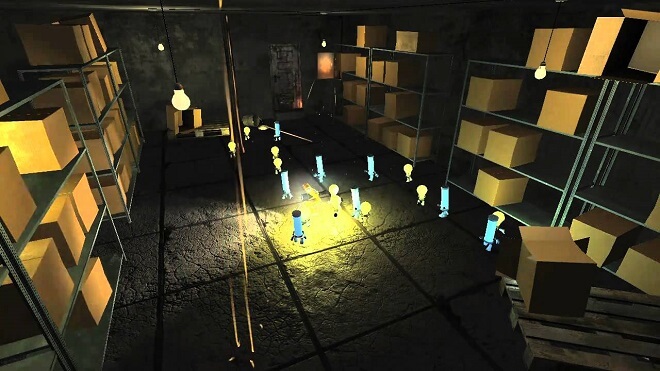
Lighting is Key

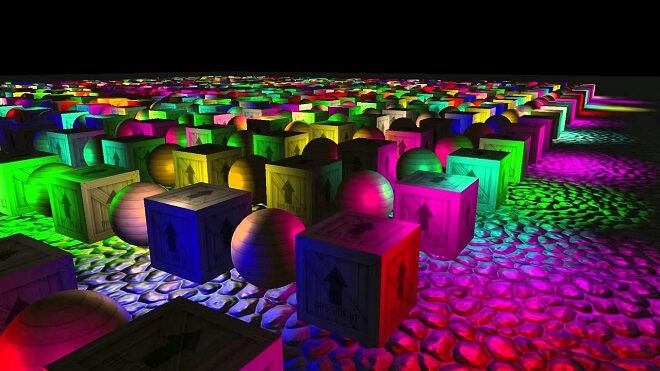
Lighting can be the determining factor in which rendering method is chosen. Lighting can take a long time with tons of different calculations.

It is divided into per-pixel and per-vertex lighting. As with standard rendering, per-pixel shading is the more limiting of the two. As its name implies, it renders pixel by pixel.

Per-vertex lighting renders by vertex, covering all of the shape’s area based on vertices. The upside to per-vertex lighting is that it can be significantly cheaper. However, you get what you pay for, and per-vertex lighting can come off as lower quality.

With per-pixel lighting, the lighting is rendered the same way, individually. This can take quite a while and could be a significant roadblock if not for deferred rendering.

This is Where Deferred Rendering Comes In

So how do you cut through all of the tedious and unnecessary lighting passes and individual rendering? As the name suggests, it defers rendering shadows and lighting until the very end of the process. Your game objects and other aspects will render as a 2D image.

Then simply add lights via deferred rendering. It becomes a more streamlined, more natural process.

Which One Should You Choose?

While this seems fantastic, some downsides could stop you in your tracks. Let’s take a closer look at what could potentially hold you up in terms of deferred rendering.

Downsides and Limitations

One substantial downside (that Unity can help with thankfully), is that deferred shading limits you from using semi-transparent objects in your project. Since they have transparency, it creates an awkward situation where other objects can’t cast a shadow on them. Unity will combine using forward rendering to remedy this to a degree.

There is also no anti-aliasing support, which can create less than ideal visuals for your game. Unfortunately, this time around, Unity doesn’t have a different workaround to help with this problem.

Requirements for Deferred Shading

The requirements for deferred shading are actually more specific than you might think. The possibility only exists with particular graphics cards. Thankfully, this is becoming less of a problem as computers and hardware advances at an accelerated rate.

Performance

This could be a big sticking point for mobile game developers. Since deferred rendering requires a final pass around in the pipeline, this can slow performance and bog your game down. Forward rendering, on the other hand, is much better in terms of performance.

Forward Rendering vs. Deferred Rendering

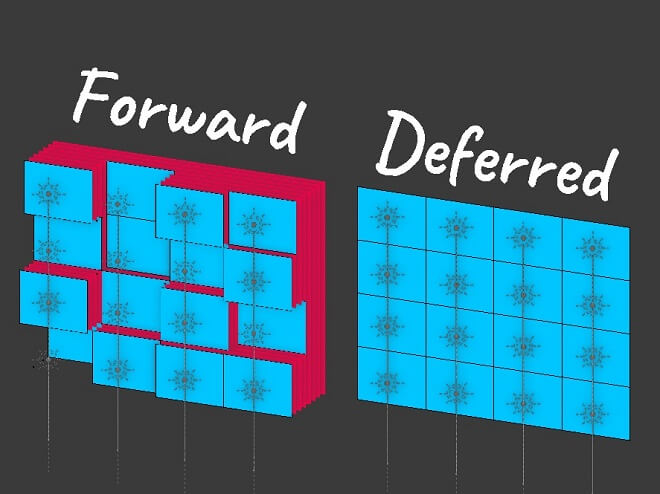
Forward vs Deferred Shading

Modern Graphics Pipelines

In modern graphics pipelines, the process can be boiled down to this: you send various code, containing unique geometry, vertex, and fragments, to the video card. The video card recognizes the code and renders based on your commands.

Forward Rendering

Forward rendering is the underlying rendering technique. This is basically the ‘default’ mode with different game engines. It’s a downward trickle: the rendering is carried out by first performing shading on vertices, fragments into pixels, and finally onto the screen. It’s a simple, tried, and true method that has delivered fantastic results.

Related: Cel Shading Essentials

Deferred Rendering

With deferred rendering, think of that downward motion: where the lighting would be added linearly to each and individual object, it’s compiled all to the end of the process and added in one swoop.

Which to Pick?

If you are scratching your head at which rendering method to use, it’s safe to say that deferred rendering has the overall better process. Its intuitive method of saving all of the backbreaking work of rendering for the end is a breath of fresh air.

While it can be a little tricky with performance issues and lack of anti-aliasing, it’s a reliable and smart option. However, Maintaining forward rendering is probably best if you have an older computer.

Rendering a Scene with Deferred Lighting

Deferred Shading - Lighting

Review Important Concepts

These are vital things to keep in mind when you are rendering a scene. Let’s examine them a little more closely.

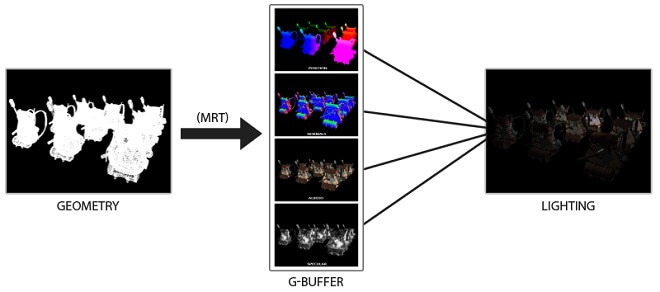
Traditional Deferred Lighting Renderer

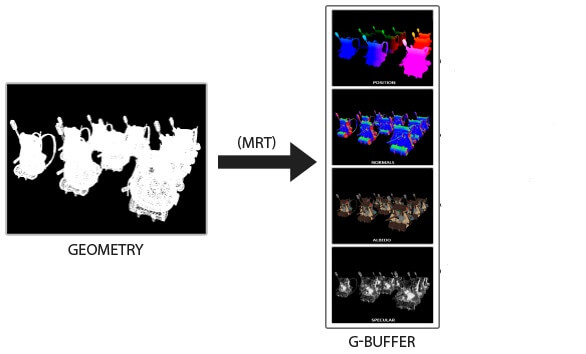
This is split into two passes:

First pass: G-buffer rendering.

First pass: G-buffer rendering
G-buffer stands for geometry buffer, and this is the pass in which objects themselves are rendered on screen. All the depth values, shadows, and shapes are made in this pass.

Second pass: Deferred lighting and composition.

Second pass: Deferred lighting and composition
This is where the choice for deferred lighting comes in. The scene is populated with lights and lighting values and finally followed up with a general full-screen quad, filling in other tertiary data.

Board Game Design Tutorials and Start Guide

0

Board Game Design
You can probably picture it: a cold, dark night. A violent thunderstorm has taken out the power, and you and your friends are forced to make your own fun without the aid of electronics.

This is where the reliable backbone of entertainment comes in: board games.

Whether it’s chess or Settlers of Catan, board games have been a quintessentially human invention and piece of entertainment throughout recorded history.

History


Board games have been a staple in civilization, and they are no new phenomenon. While the electronic counterparts have only been in use within a few generations, physical board games, some still played today, have been played for over five thousand years.

For example, the beloved game of Checkers, or Draughts, has been played since 3000 B.C.E.

Mentions and depictions of board games have been seen as far back as ancient Egypt. This means that people have been creating and playing board games for nearly all of recorded human civilization.

The oldest game is Senet, a game based on grids and pawns. It has a rich history, and the rules on how it was initially played are the subject of heated debate amongst Senet historians.

An Overview of Board Game Genres

As with any detailed medium, there are a ton of variations and genres to choose from. We are always innovating and improving upon inventions and innovations. This is especially apparent with board games and board game design.

There has never been a better time to design or play the many different types of board games. Let’s take a look at some of the more dominant genres that exist.

Abstract Strategy Board Games


Abstract Strategy

About

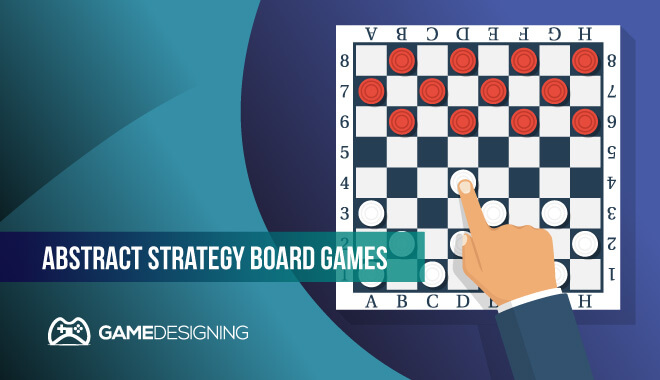
Abstract strategy board games are the heart and soul of the very first board games. In terms of board game design, these games present themselves as a sort of puzzle for each player to solve.

Elements

Common themes and elements in these types of board games are the seemingly infinite number of alternating turns between players, no dice rolls, and card shuffling. There is no simultaneous movement between players and no hidden information.

With Checkers, everything you see on the board is precisely what it appears to be. You take alternating turns with your opponent, attempting to eliminate their pieces.

Examples

Some of the most common and prolific examples of abstract strategy board games are:

  • Xiangqi
  • Shogi
  • Checkers
  • Chess
  • Senet
  • Othello
  • Mancala

Educational Board Games


Educational

About

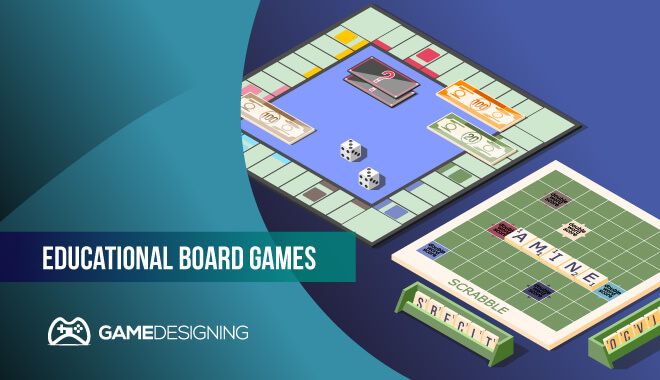
Educational board games are the types of board games that aim to have the player learn some sort of piece of valuable information or skill. These are marketed mostly towards children and can help them with different subjects like reading, math, science, and history.

Some variants are for all ages.

Elements

Critical parts of educational board game design are having the player engage in gameplay that is informative, mentally stimulating, and of course, educational in nature. These could range in style of a more relaxed educational focus to a more massive, concentrated effort to educate in a specific field.

Some famous educational board games are:

  • Scrabble: The famous word game in which players use letters and positioning to score the most points. This can introduce the players to new vocabulary words and adds strategic play.
  • Boggle: A fast-paced word game, Boggle has the players forming words out of randomized letters.
  • Catan: A resource-based game, players must acquire ten victory points to win. They will build settlements, roads, and more to achieve this.
  • Risk: An educational strategy game that encompasses the entire globe. Players choose nations and attempt to take over the world through strategy and combat.
  • Monopoly: Monopoly technically educates the players on financial matters like renting and buying property. Although by no means an actual guide to buy property, it introduces the elements of fiscal responsibility and risk to the players.

Cooperative Board Games


Coop

About

Coop board game design allows for players to accomplish a goal by working together. They will either win or lose entirely as a group dedicated to a common goal.

This is a unique type of board game for socializers. They can also be used as great social icebreakers and team-building exercises.

Some great examples of cooperative games:

  • Pandemic: This fascinating game has a group of people work together to eradicate an ever-changing virus that aims to destroy humanity. Players take on different roles like doctors and army officials to better combat the spared of the virus. The game is over when the infection is eradicated or if humanity meets its doom.
  • At The Mountains of Madness: Based on the works of H.P. Lovecraft, this cooperative board game has players scaling a foreboding mountain in the frozen northern wastes. As players make their way up the mountain, they must work together to expand and gain resources, avoid losing their sanity, and more. Players will die, go insane, and experience horrors that will put friendships to the test.

Eurogame (German-Style Board Games)


Eurogame

About

These unique types of board games emphasize social play and less on social conflict and drama. While American board games tend to emphasize character elimination and open conflict, Eurogames lean into meaningful social interaction, resource gathering, and require a lot of thought and planning.

Some notable Eurogames are:

  • Carcassonne: This game is based on the French countryside, and has players trying to create a medieval landscape using tiles. Along with placing tiles, players must place followers on these tiles. The last tile is set, and the score is calculated.
  • The Settlers of Catan: See above

Hidden Traitor Games


Hidden Traitor

About

These games aim to pit players against each other. Usually, a group of players is trying to accomplish a goal. Unbeknownst to them, one of their friends is a traitor, or a character actively working against the goal, undermining the group’s progress.

Many of these games will have dedicated periods to have the players try and expose the traitors.

Some notable examples are:

  • The Resistance: Players will band together to try and complete different missions. If three various missions are completed successfully, then the game is won. However, there exists a traitor. This person is actively trying to sabotage the game. The leader of the missions must decide who goes on the missions, choosing carefully who could make missions succeed or fail.
  • Battlestar Galactica: Based on the hit TV show, BSG has players taking on the role of the Battlestar Galactica’s space crew. Along with trying to save humanity, the humans must combat the stealthy Cylons: cyborgs that are hellbent on destroying humanity. Each card determines if a player is human or Cylon. It quickly devolves into a cutthroat exercise of trying to find out who the Cylons are, and ultimately protecting your star fleet.

RPGs (Role Playing Games)


RPGS

About

If you have ever played Dungeons and Dragons, this is the quintessential RPG. With RPGs, you take on the role of a character, embody their ideals and actions, and carry out game objectives either cooperatively or head to head.

Some fantastic RPG examples are:

  • Dungeons and Dragons: The original king of RPG tabletop board games. The customization and imagination of the players drive this RPG into a fantastic and entertaining title. Each player creates their character, personality, and skill set to interact with the dungeon master’s world.
  • Gloomhaven: you take on the role of a wandering mercenary in this game. Each player has their own unique skillset and must complete objectives in a dungeon-crawling style of gameplay. This may be a more welcoming version of Dungeons and Dragons for the more casual player.

Okay, so how do you design a board game? There are many steps involved, including ideas, planning, implementation, manufacturing, and player considerations.

Coming Up With A Board Game Idea


This could be an extremely difficult or simple step in board game design. In either case, it should be taken seriously and planned out thoroughly. Having a smashing idea for a board game is crucial to actually make that board game a reality.

Fleshing Out Your Idea


A great way to flesh out a board game design is to brainstorm. Bouncing ideas off others is a fantastic and efficient way of not only forming final thoughts about the game but also improving the original concept.

Player Aids

Why are they important?

Player aids allow players to quickly reference rules or things that have happened in the game thus far. They can streamline the game so that gameplay is hard if ever interrupted by players searching out game rules or happenings.

They allow for seamless gameplay and more immersive styles of play for all players involved.

Be Inclusive With Your Board Game Design!


Be inclusive in your board game design

Color Blind Accessibility

Not everyone can perceive colors the same way. This means that sometimes aspects of game design may be challenging for some players to see or comprehend. It would be best if you had the struggles of those with color blindness or other vision impairments in mind during board game design.

Language Dependency

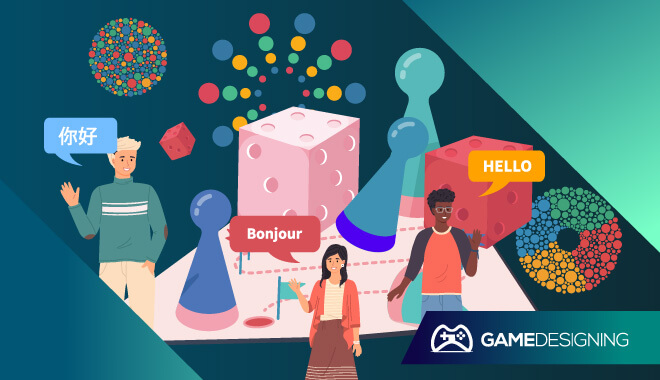
Translating your game into different languages, if possible, is a fantastic idea. With board game design, including players who don’t have English as their first language is an excellent step towards diversifying your game and reaching a much wider audience.

Character Diversity and Portrayal

It’s always important to craft players’ pieces and player profiles to allow for a better feeling of inclusion. This means that different races, genders, and ages should attempt to be displayed. Representing only one race, especially in a global game like Pandemic, doesn’t exactly make sense. You want to pull everyone in. That means reflecting the player in the board game design.

Find the Balance


Balancing your game could be one of the most vital aspects of success. If the pacing and player balance is off, people will most likely not have as much fun as possible. You have to make sure player powers, rules, and more are balanced for a better gaming experience.

Player Count Considerations


How many players?

Classifying a game by how many players are involved can change the pace and gameplay of entire game sessions. You need to make sure you have the right number of players in mind when designing the game to get the best experience.

1-Player Games


1 player
These games are meant to be played solo. Games like solitaire have players moving towards a specific objective rather than combatting players for points of the victory.

2-Player Games


2 players
Asymmetry or Symmetry

Is the symmetry or asymmetry between the two players a facet of the actual gameplay?

Balance Issues

Once again, balancing is key. For example, does the order in which a player starts fundamentally affect the game? If so, you should reconsider the balancing.

Repetition

You need to determine if there are robust enough mechanics that the game doesn’t become a slog to get through with repetition. Back and forth could get boring!

3-Player Games


3 players
What to do for 3-4 player games…

Is There A Crowded market? 3-player games are more ideal in some cases than 2-player games. They allow more people, however, it might not stand out in the marketplace.

Strategy

There need to be multiple victory strategies. If there isn’t, the game could get blocked up in various players trying to do the same things at once.

Pacing

Adding one more person to a game changes the way the game is played drastically. As opposed to the back and forth of a two-player game, 3 players may form alliances, gang up on one player, and strategically pace the game to win.

5-Player Games


5 players
What to do for 5+ player games…

5 player games suffer from downtime; players who aren’t taking a turn have nothing to do. The board game design can lend itself to creating a turn system where everyone goes at once. It would be better to craft some downtime for planning, but too much downtime can distract players and absolutely ruin the pacing of it.

Scalability


Board game design - scalability

Change the size.

As more players join, the bigger the deck or board should be.

Change the starting or ending conditions.

With the increase of players, you need to change the conditions of victory to be better suited to a larger group. Otherwise, the victory will be achieved quickly.

Change the object value.

By changing the object value, you change how a game’s economy works, adjusting it to more player interactions. It adds value to something that was otherwise easier to gain.

Alter the notion of a “player” or a “turn.”

You will need to basically redefine a player or turn, changing what each player’s role can be, and what an actual turn consists of.

Choices


Choices
What is player control?

Player control is the overall effect that the player has on the game’s outcome based on game decisions.

Diminished player control


Quantity of luck

A game could be too luck driven, making rolls of the dice crucial to victory instead of actual planning and strategy. This turns your strategy game into a variant of Candyland at this point.

Player skill

This is where different players can become OP or overpowered. This puts others at an extreme disadvantage and can ruin the game.

Gaming the System

Players can throw the rules and caution to the wind, gaming the system and winning through a combined effort to throw everything off track. While gaming the system can lead to victory, it isn’t how the game was meant to be played at all.

Player Interaction

This can be a massive draw to playing a multiplayer board game. Interacting with players, either working together or against one another, can be amazingly fun. However, it can inadvertently be derailed by bad game design. This is determined through things like how well it scales, and how complicated the game and its rules are.

Loss of Control

As more players are added, control wanes. This also ties into detrimental downtime in games. Interaction between players diminishes, and the game’s pacing is once again thrown off.

Frequently Asked Questions

How do you design a board game?


You need to establish rules. By creating rules, you effectively build a framework for which your game runs on. Decide what the player pieces will be. Will players use cards? Game pieces?

What makes a board game successful?


Significant design aspects like robust rules, visually appealing elements, and quality of play all make a board game successful.

How do you make a professional board game?


You need to do a few things. You need to pick a playstyle, sketch out your ideas, build your board, make pieces, make dice, playing cards, and rules.

How long does it take to design a board game?


It could take anywhere from 6 to 12 months to design a board game.

What are game rules?


Game rules are the framework in which the players conduct gameplay. Following the rules ensures every player is playing the game as it was intended.

What are some rules for a board game?


Some rules for board games are:

  • First to 10 point wins
  • Players must advance to the right side of the board
  • Players must eliminate all monsters
  • The first player to conquer all other players wins the game

Special Effects Artist: Job Description and Career Roadmap

0

SFX Artists

SFX and VFX: What’s the Difference?

Purpose of Special Effects

They are there to illustrate to the audience the creator’s intention of creating a different world in which fantastic things can happen. This is done through various things like simulated weather, complex animatronic beasts, or grisly, gory effects in a horror movie.

Visual Effects in Film

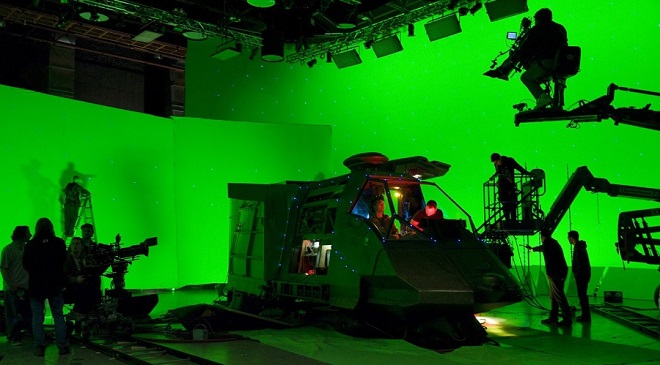
Visual effects take place after shooting a scene or movie. They work around the finished product and add the applicable effects. You’re probably more familiar with these, as they’re the category CGI falls under. Any fan of the Star Wars franchise is well acquainted with CGI and visual effects in general.

History and Evolution of Special and Visual Effects

Both VFX and SFX have long histories. The first commonly accepted special effect in film is in 1895, thanks to Alfred Clark.

He simulated the execution of Mary Queen of Scots by having the actress lay down her head on the chopping block, then as the ax was coming down, had everyone freeze in place as he stopped the cameras.

Then a dummy was placed where the actor was, the cameras started rolling again, and a poor dummy got their head severed.

Why and How are They Different?

To keep it simple, SFX is applied on the set or before shooting a scene, while VFX are added in post-production. SFX are concerned with stage trickery or convincing their audience of the authenticity of the story’s world.

VFX is utilized via graphic design programs and other computer tools to enhance visuals.

Special Effects vs. Visual Effects


SFX vs VFX
While they are both exciting and have some fascinating uses, there is no objective answer to which is best, however. It’s dependent on what you, as a viewer, find more appealing in the film production process.

Depending on your style on a design, you may be more interested in becoming a VFX artist.

Types of Special and Visual Effects


What are Examples of SFX?

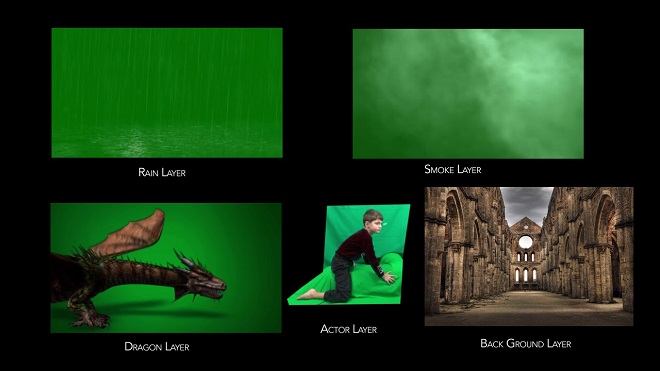
  • Wind
  • Rain
  • Snow
  • Fog
  • Animatronics
  • Pyrotechnics

What are the Types of VFX?

  • Computer-Generated Imagery, (CGI)
  • Virtual Cinematography
  • Stop Motion Animation
  • Matte Painting
  • Digital Compositing
  • Motion Control Photography

Job Description of a Special Effects Artist


Special Effects Artist

Bio

What does a special effects artist do? They are responsible for adding and implementing a wide range of different things like pyrotechnics, mechanical, and digital aspects to a film to enhance and polish the film or work.

Roles and Responsibilities

An SFX artist’s primary role is to create fantastic imagery and effects that aren’t possible by mere filming. Films like The Lord of the Rings, The Avengers, and the entirety of Star Wars lean heavily on the work of talented special effects artists.

Skills

  • Extremely detail-oriented
  • Technical knowledge
  • People skills

The number one skill for special effects artists is the ability to meet deadlines. This is a job that usually comes with a lot of pressure, and the artists need to be able to deliver the product in a timely and professional manner.

Although not impossible, those with type ‘B’ personalities may have a more difficult time adjusting to the fast-paced schedule.

Becoming A Special Effects Makeup Artist

This seems great and all, but how do you become a visual effects artist?

Education


Special Effects Student
Do I need to attend an SFX school?

Not necessarily. Although you can earn degrees in related fields, going to an SFX school can arm you with invaluable knowledge about SFX and VFX, preparing you for a career in entertainment. Regardless, you’re going to need intimate knowledge of the relevant software used by professionals.

Best Special Effects Makeup Schools


MUD (Make-up Designory)

MUD has two main aims with its courses: teaching Character Make-up Artistry and Lab Techniques. One is based on developing a character and adding nuance to them via makeup and effects; the other delves into the lab techniques used by professionals.

E.I. School of Professional Makeup

This school has it all. Located in Hollywood, this school deals in SFX makeup in nearly every facet of the entertainment industry. Whether interested in supermodel makeup or high fantasy creatures, you’ll learn all you need to know here.

Cinema Makeup School

This is a short but intensive course that will teach you blood tubing, prosthetics, life-casting, teeth application, and airbrush. Ve Neill, the famous makeup artist from Beetlejuice and Mrs. Doubtfire, is the current director of the school.

Tom Savini’s Special Make-Up Effects Program

Tom Savini is responsible for some of the most famous horror movie effects ever. The course takes you through the fundamentals of the more advanced concepts and practices. You’ll be able to emulate the horror movie icon after taking this course.

Salary


How much do special effects artists make? The national average for special effects artists is $85,946 a year. If you play your cards right and work hard, you could make well over $100,000 a year in an experienced career.

Where to Find Special Effects Makeup Jobs?


What Can You Do With GIMP? 12 Simple and Easy GIMP Hacks

0

GIMP Beginner's Guide
When I started becoming computer literate in the early to mid-2000s, a thing I noticed quickly was how many clever and funny images existed on the Internet, created using what seemed to be Adobe Photoshop. Of course, my young enquiring mind needed to know how to replicate these images with my own personal touch, of course.

I wanted to be able to take images of my favorite video game characters and blend them with other characters to give an absurd but amusing effect. It was a chance to flex my creative muscles instead of doing math homework.

The only thing was that I quickly found out that Adobe Photoshop requires you to pay for it. I don’t know about you guys, but when I was in middle school, I barely had $20 to my name, (on account of spending it on candy and video games), so finding this out was heartbreaking.

But I soon found out from a close friend that I could do similar image manipulation and drawing in a different program. One that was FREE.

This was fantastic news. Free? Was there any better word to my 13-year-old ears? I could make funny images with NO financial investment whatsoever? Now we’re talking.

He directed me to GIMP, which I was extremely skeptical of. Why would anyone allow for a Photoshop-like program to exist without pay?

It’s an aim that the developers, along with a revolutionary computer activist, had with its creation. But either way, I was satisfied. I could finally put Mario’s head onto Master Chief’s body with stunning, realistic flair.

What Is GIMP?


GIMP Software
What can you do with GIMP?

GIMP is a free image retouching art software program in which users can edit photos, draw their own unique work, and basically get many of the same features from Adobe Photoshop for no cost.

GIMP stands for GNU Image Manipulation Program and deals in all of the different image formats that you’d be familiar with. These include XCF, JPG, PNG, GIF, and TIFF.

GIMP was released in February of 1996 by Peter Mattis and Spencer Kimball, making it a long-lasting, celebrated piece of software that artists and image manipulators have used for well over two decades.

Developers Kimball and Mattis had actually developed GIMP from what was a college project at UC Berkeley. Movie fans immediately will recognize the reference to the minor character in Pulp Fiction.

After meeting with free software visionary Richard Stallman, the two developers finally got GIMP to GNU, a movement for all developers and computer users to make, use, and distribute different pieces of software for free, creating an online sharing community.

After GIMP hit the online market, Kimball, and Mattis, now known as the GIMP Development Team, have been reliably cranking out major updates regularly since the mid-1990s. Since then, GIMP has been ported to many different systems, allowing nearly any computer user experience free image manipulation software. They’re into their GIMP 3.0 build now and are always updating.

Before You Start With GIMP


Okay, now that you know a little more behind the curtain, let’s get down to the important stuff. Is GIMP good for beginners? Yes, absolutely.

It can be a valuable first tool that budding artists use before moving onto more complicated programs, giving you an even better reason to get started with it. It can be intimidating for first-time users of Photoshop trying to navigate layers and more, so finding an alternative is much needed.

It’s a fantastic alternative for artists who are just beginning before they perhaps move onto Photoshop for their professional career.

Getting Started (Installing GIMP)


Once again, GIMP is completely free, so head on over to the downloads page on the GIMP website. On this page, you’ll be treated to the many different versions you can download GIMP in. You’ll then see a banner listing the different operating systems you can download the program into. These are GNU/Linux, OS X, Microsoft Windows, and All.

You can then download either through BitTorrent or download directly through your browser of choice. Let’s take a look at the Windows version for our install example.

  • How do I use GIMP on Windows? To use GIMP on a Windows platform, all you need to do is go to the GIMP website, go to ‘download,’ and find which version fits your system the best, and simply go through with the download.
  • GIMP is supported on Windows 7 and above.
  • There are links to older versions of GIMP, (like 2.0), for those who felt more comfortable with older versions.
  • You can install it in 18 different languages.
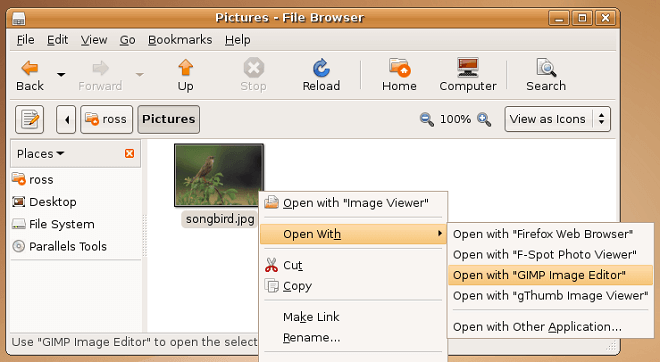
  • After it’s done downloading through your client of choice, open the containing file and run the installer; it will automatically appear on your system after it is done installing.

Using GIMP


Okay, now that we have it downloaded to your system, let’s get a little familiar with the user interface and basics.

Image Scaling/Resizing


Gimp - Image Resizing
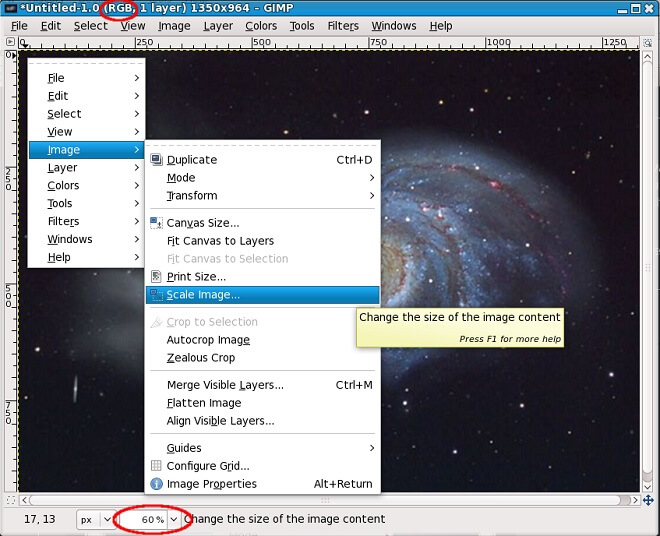
Luckily, image rescaling and resizing is a pretty straightforward kind of deal with nearly all computer software. With image manipulation, resizing and scaling is merely the way that you change the different dimensions of the picture to your desired measurements. It aims to keep the image ‘intact’ so to speak no matter what size you change it to. You want the quality to be the same, whether it’s 900 x 600 vs. 800 x 533.

File Size Reduction


Gimp - File Size Reduction
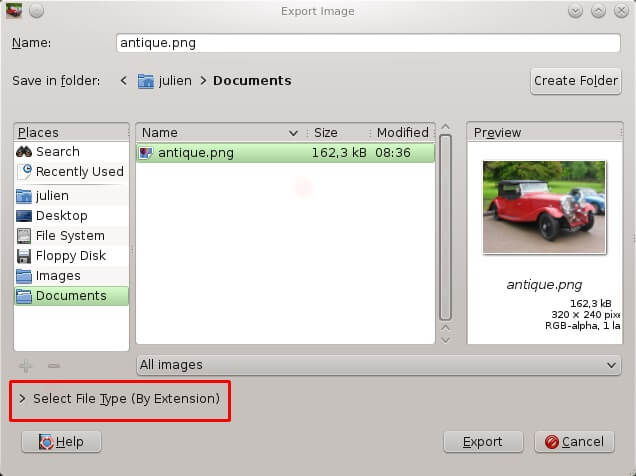
File size reduction is used primarily to save disk space when saving your work. If your project takes up a lot of space, it could potentially slow your system down, making working a slog. You can find this option as ‘Export As’ in the File menu. When saving, you are given a choice to reduce the quality to save disk space. Use the slider to your desired file size and export.

Image Cropping


Gimp - Image Cropping
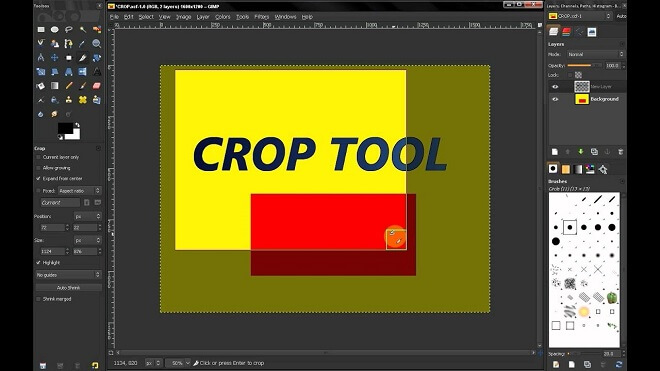
Image cropping is a universally loved and used tool in photo editing. It allows you to cut out certain parts of a photo for a better perspective, gives you a chance to get rid of unseemly or unattractive parts of your edits. You can find the image cropping tool under the aptly named ‘tools’ bar at the top. Scroll down to ‘transform tools,’ and select ‘crop,’ which should be the third one down.

Image Rotation


Gimp - Image Rotation
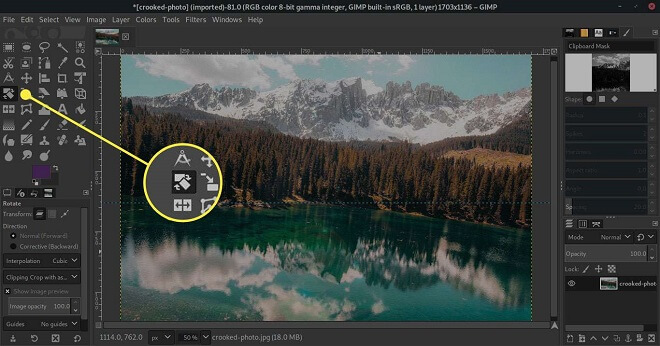
Rotating your image allows you to edit it in a new way, make sure all the dimensions are to your liking, or you could use it for fun. You can find the image rotation tool under the ‘image’ option on the toolbar at the top. Scroll down to ‘transform,’ and you’ll have multiple options to rotate the image in question. You have options like flip vertically and horizontally, rotate 90 degrees clockwise, and rotate 180 degrees.

GIMP Tips


After you get more familiar with using the essential tools and icons in the user interface, you should most definitely scour some tutorials to get a better hang of the program and its capabilities. But overall, let’s go down the list and see some important things to look out for in the GIMP user interface to make your artistic journey a little smoother.

Read the Tutorials


Gimp Tutorial
Luckily for you, there are tons of sites and documentation for new and old users of the program. The GIMP official site offers extensive documentation for those just starting out that are invaluable. This is one example where I feel incredibly confident that the official website might be the best tutorial available.

Of course, you will have YouTube videos with excellent advice and visual examples, but the GIMP Development Team has put together tons of different aspects together in one location.

I also recommend checking out videos like that of TechGumbo’s How to Use GIMP (Beginners Guide), in which he goes over a basic beginner’s guide to GIMP. He is an avid fan of the program, adding extra enthusiasm and know-how to using the free program.

Regardless, there is a treasure trove of free tutorials and resources for any artist looking to break into GIMP.

Use the Shortcut Keys!


Keyboard Shortcuts

For gamers out there, you know how important reassigning the shortcut keys are for any RPG. Assigning your most powerful spell to your ‘3’ key is infinitely more comfortable than going into a menu, scrolling down, and clicking in manually.

It is the same case with image manipulation software. Why go through all the trouble of performing necessary actions by accessing the toolbar and scrolling down each time, especially if you have to keep cross-referencing something. Not impossible, but there’s always a more natural way.

Work smarter, not harder! If you reassign the shortcut keys, you’ll be making your life a whole lot more comfortable with the stroke of a few keys, instead of multiple clicks and drags.

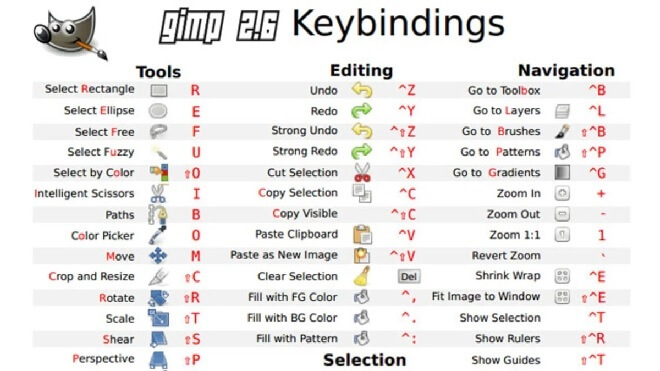
Here are some shortcut key examples:

  • Select All – Ctrl + A
  • Color Picker – O
  • Move – M
  • Crop and Resize – Shift+C
  • Scale + Shift+T
  • New image – Ctrl+N
  • Save image – Ctrl+S
  • Save under a new name – Shift+Ctrl+S

Selection Tools


Selection Tools

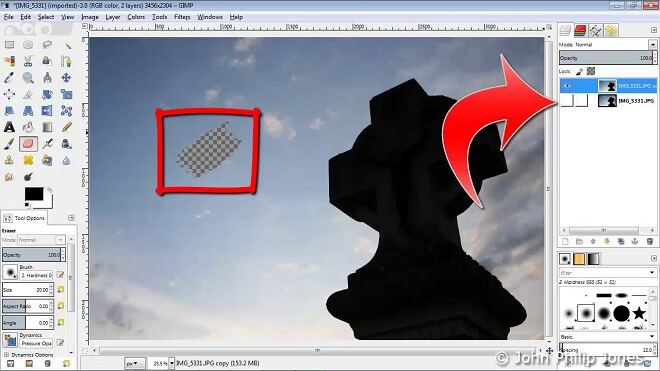
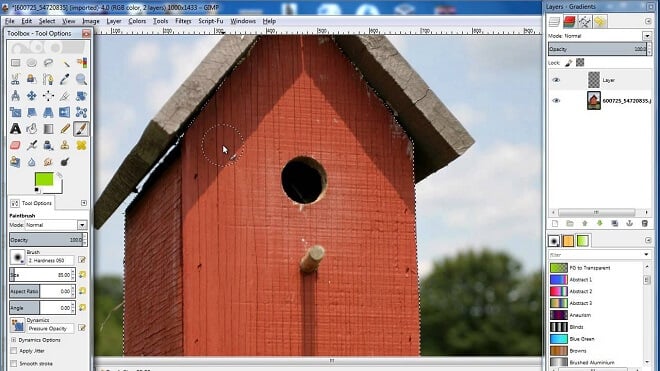
This is a tool that makes everything work. You select objects and everything else with it. It’s basically the universal layer editing tool in GIMP. They can be found in the drop-down menu ‘tools.’ You’ll see various options like ‘free-select,’ ‘rectangle select,’ ‘fuzzy select,’ and ‘intelligent scissors.’

These allow you to edit and manipulate different layers to your images in GIMP.

Transform Tools


Gimp Transform Tools

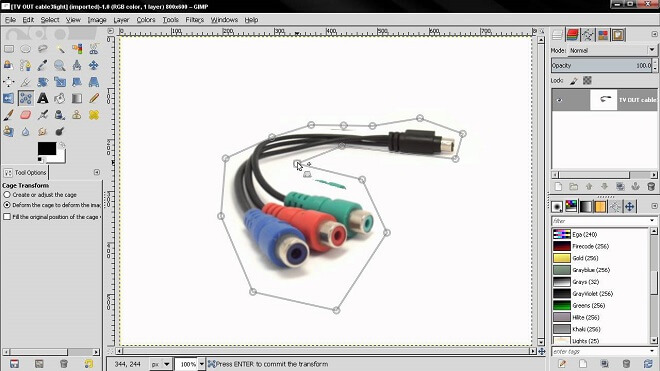
The transformation tools in GIMP are various. They allow you to, you guessed it, transform your projects in different ways. You can find these crucial tools on the bar at the top, under ‘tools.’ They vary from ‘move,’ ‘align,’ ‘crop,’ ‘rotate,’ ‘scale,’ and ‘flip.’

There are more, and they will most likely be extremely significant aspects of any projects you make in GIMP.

Resizing Images Without Losing Quality


This is crucial. Ever tried to resize an image, and it turns into a blurry mess, all pixelated and looking like it came out of the early days of the Internet?

In GIMP, all you have to do is open the image you’re working on or want to resize. Then you go to Image, then ‘Scale Image.’ This is where you enter the specified dimensions and resolution. Then, under the ‘quality’ section, choose Sinc (Lanczos3) as Interpolation. Then simply click ‘scale image.’

Viola, your image will now be immune to turning into a pixelated, blurry mess!

How to Resize Images in GIMP


Resizing Images in Gimp
Resizing images in GIMP is very simple. Just like the option of resizing images without losing quality, you go into the drop-down menu, select ‘scale image,’ then choose what your personal preference is, select the Interpolation method, and click okay to implement your resize.

How To Tweak Photo Colors in GIMP


Tweak Photo Colors
Sometimes you need to make those pictures have the right feel to them, and GIMP can do that. To tweak photo colors in GIMP, go to ‘colors,’ then ‘hue saturation.’ In this section, you will have selection over the saturation of the image. Make sure not to oversaturate your image, as it can look a bit ridiculous.

Part of being a good image manipulator is having the right ‘eye’ for saturation and colors.

Is There More Beyond Photo Manipulation?


Yes! GIMP is a fantastic image retoucher, but you can also create more advanced projects like animation, graphic design, and video implementation. This is just a testament to GIMP’s exceptional staying power and versatility.

Wrapping Up


Hopefully, that gives you a better feel for what you can do for free! Although Photoshop is a fantastic program and the go-to for all companies, both large and small, GIMP is a reliable option to choose if you are beginning a hobby or career in image and graphic design.

The possibility of an image program being free as opposed to Photoshop’s price tag can be daunting for many new artists. They want the best software (and who doesn’t?), but they need guidance, and maybe they aren’t sure that this is their path.

With GIMP and this beginner’s guide, we hope you can get a better idea about how image manipulation and retouching work. Get creating!

6 Drawing Tablets For Aspiring Artists That Work Like A Dream (Highly Recommended)

0

Top drawing tablets for designers of all levels
I remember agreeing to meet up with a friend in a coffee shop one fine summer day. Being the type-A planner I am, I decided to arrive super early for no particular reason at all than to be on time. When I got there, I was, of course, the first one there, but there was something else too.

There was a woman near the fireplace, sketching away at her pieces of art. Sounds kind of like a movie, no? The interesting thing was, this was one of the first times that I had seen a person, a serious artist, toiling away on a tablet rather than a sketchpad.

I was incredibly impressed. This is coming from a guy who, when bored, would create terrible-quality pictures using the Windows XP version of MS Paint. The artist sitting by the fire was sketching out figures, filling her ‘page’ with skillful drawings that saved a lot of paper

This appealed to me so much. At the flick of a finger, you could erase a mistake, rather than use a real eraser, causing the ghost of your past mistakes to plague the page.

Luckily for any artist out there, painting and drawing aren’t confined to paints, canvases, pens, and sketch pads. I can guarantee Leonardo da Vinci and Rembrandt would be extremely jealous.

What Makes a Good Drawing Tablet?


Okay, now that we’ve established that drawing on tablets is, frankly, preferable to getting your hands all inky and dirty sketching, what exactly makes a good drawing tablet? Can you pick up just any old tablet with a stylus and get going to work?

Well, it’s certainly possible. Is it the thing you should do if you’re trying to hone up on your drawing and art skills? Probably not. For that, I would highly recommend a good tablet, preferably one that is made for artistic ventures.

A double-edged sword is that there’s an incredibly huge flood of tablets which you can use, and, I’m sorry to say, that a ‘good’ tablet may vary from person to person.

However, there are some fantastic drawing tablets that exist out there that simply rise above all of the others and should be considered by everyone, whether you are starting your artistic journey, or are a drawing veteran.

Understanding Drawing Tablets


Drawing tablets have many aspects that make many of them unique to each user. Some are objectively good features, while others can be tailored more towards the specific artist.

Drawing tablets offer a fantastic alternative to buying pricey paints, ink, drawing utensils, and paper on which to use them. It’s also a huge plus to be able to press ‘undo’ at the tap of a finger instead of messy erasing.

Let’s take a look at some features that may interest you.

Features of A Good Drawing Tablet

Size


This should be pretty self-explanatory, but let’s explore anyway.

Ideally, what an artist would be looking for in terms of size is the relative size of the ‘canvas’ or screen. You don’t want to have a huge tablet with the area surrounding the screen to be massive, taking up unneeded space.

The space that the screen takes up is called the ‘active space.’ You want this active space to be big enough for whatever you need to do to be executed upon it.

Again, this depends on the artist and what the artist’s goals are. Large active space allows for the artist to work around the screen without doing things like zooming, panning, and other actions that may irritate some people. If you are, quite literally and figuratively, a ‘bigger picture’ person, a larger active space is the way to go.

Another aspect to consider is what your artistic environment is. What I mean by that is where are you drawing? Is it in a home studio? Or are you more in line with drawing solo in a coffee shop?

The size of the tablet can vary by your answer to this question. If you’re primarily using it in your home, I would recommend a larger tablet and compact for on the go drawing.

Stylus


My personal ‘make or break’ for drawing tablets are the styluses; the handy dandy ‘pens’ that you interact with the tablet with. The way a stylus is made and designed could mean a world of difference to different artists and their preferences and art styles. You don’t want to be stuck with a stylus that just doesn’t vibe with your drawing style.

Would you use a pen that makes your hand uncomfortable while writing?

Some tablets come with their stylus, but I would recommend exploring other options if you don’t click with the given tool.

Besides unique designs for styluses, there are several different types of styluses in terms of ease of use and rechargeability. Let’s take a look:

The Main Types of Stylus Pens

  • Rechargeable Stylus
    • This is a stylus that’s able to be hooked into a recharging port or find some other power source to draw from if they ‘die.’ If you’re the kind of person who isn’t into wireless or battery-powered, rechargeable styluses are something to consider. Keep in mind that rechargeable styluses usually tend to be slimmer due to not having to conform to a hefty battery in their design.
  • Battery-Powered
    • These styluses are powered by, you guessed it, a battery. Unlike their rechargeable counterparts, the battery-powered styluses are thicker in design to accommodate for the battery’s presence. If you’re all about wireless drawing and want a thicker stylus, this is the option for you.
  • EMR
    • Now this one is fancy. If you’re at all familiar with things like the solar-powered calculator, you should be familiar with EMR styluses. These styluses require no charge, and no batteries to power them. They use electromagnetic frequency from the artist’s movements to the active space. This is a happy medium for people who love wireless accessories and don’t want to keep replacing batteries.

Although they may sound expensive, they vary in price from the affordable range around $20 to the more expensive, around $100.

Laminated vs Non-Laminated Display


Okay, first off, what exactly is a laminated screen?

Many technological gadgets on the market, drawing tablets included, can have the ability to have a laminated screen. A laminated screen contains the touch glass, the touch sensor, and the display. All of these are combined together to create the laminated screen, which, of course, implements anti-scratch technology most of the time.

With laminated displays, where the three layers are combined, the non-laminated display’s layers are separate. The touch layer and the display in particular create an air gap, reducing the quality of images. This happens due to the air gap affecting the air that gets into the layers.

Overall, this means that laminated screens come out on top. There’s no disadvantage, as the production of laminated screens is seamless, meaning nothing of quality is sacrificed in the process of using your device.

Laminated screens also usually provide sleek appearances, no parallax, and most importantly, better image quality. If you find yourself sitting in a park doodling on your drawing tablet, the laminated screen provides you with great backlight options, increasing outdoor performance so you can truly draw anywhere without sacrificing quality.

The last thing you need to do is drop money on a high end, wireless drawing tablet, only to have it perform outside, nullifying your work entirely.

Parallax


Another aspect, the parallax issue, can be an annoying addition to your troubles that you can avoid.

With parallax, drawing a line or object will show a stark separation from the tip of your stylus on the screen. This can be disorienting and affect your work greatly. Do you want to be putting guesswork into drawing and painting? No, you want it to be as accurate as humanly possible. This is another key benefit of investing in a drawing tablet with a laminated screen.

For a drawing tablet, this is an absolute must. Always make sure that your drawing tablet of choice will have a laminated screen for the best possible quality.

Wired vs Wireless Drawing Tablets


With the rise of widespread wireless technology, it has been no surprise that a large chunk of the population prefers wireless forms of their chosen gadgets. Drawing tablets also come in wireless form for anyone who feels like their technology pins them down and keeps them from exploring, literally and figuratively, their surroundings for artistic influence and creativity.

Wireless is also noted for cutting down on the desk clutter; something that I struggle with. Sorry, I’m still a wire guy through and through!

Besides someone’s personal preference between wired and wireless drawing tablets, is there some sort of supremacy of one form of a tablet over another? Just because wireless can be extremely convenient doesn’t necessarily mean that they’re better in quality.

Wired tablets, like other wired gadgets, will most likely have a more solid performance, as being hardwired right into the system or internet connection provides a large amount of stability.

Along with this stability, since the wired tablet doesn’t have to worry about tethering to a pen, the budget for the company is saved for better features and they’re possibly not able to cut any corners.

So what kind of tablet do you personally prefer? A wired or wireless drawing tablet? Would you be willing to sacrifice performance for some great portability? Or would you sacrifice portability for possible desk clutter? It’s based on one’s preference, above all.

About Anti-Glare Glass and Screen Protectors


Harkening back to outdoor performance, anti-glare glass is super important with drawing tablets.

How many times have you had to adjust your position, or that of the tablet, to make sure the sun’s pesky rays didn’t completely cover your work? It can get extremely frustrating, and it can happen indoors as well.

Sure, you could adjust brightness, move around a room, position yourself so the screen isn’t in the sun’s path. But what if you are tired of doing all of that? The solution? Anti-glare glass and screen protectors.

Anti-glare glass is a fantastic innovation that has the glass of whatever you’re using, whether they be your eyeglasses to your drawing tablet, coated twice over on both sides of the surface of the glass to reduce glare and reduce reflections. Manufacturers accomplish this by acid etching the surfaces of the glass.

Luckily for anyone pulling their hair out about pesky glares from the sun, the availability of anti-glare screen protectors is high and the price is low. You can get many drawing tablets and other devices outfitted with an anti-glare screen protector from the manufacturer or store you purchase your device from.

The matte finish in these anti-glare screen protectors offers not only protection from glare but also protection from the enemy of all technological gadget users: FINGERPRINTS!

That’s right, the screen protectors on the market can easily reduce the number of smudges, unsightly marks, and other things that would normally pollute that expensive screen of yours.

A Screen or No Screen?


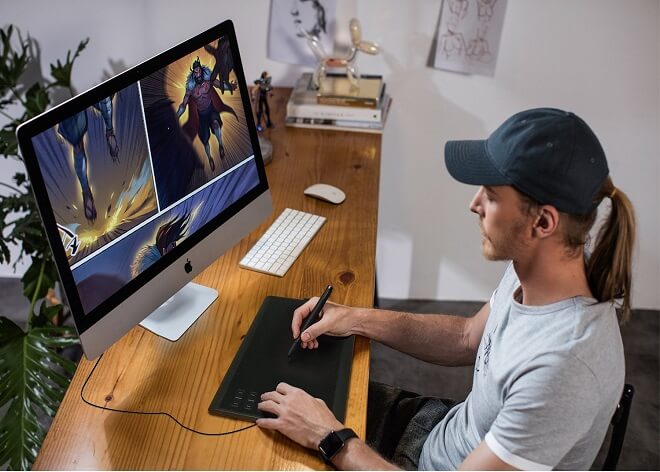
Although drawing tablets can look like other tablets, there are some drawing tablets that are strictly non-screen. This means they look desk-like and represent an empty piece of paper. By hooking it up remotely or through a wired connection to a monitor, you can draw to your heart’s content.

However, non-screen tablets aren’t exactly easy for mobile drawing at your local coffee shop or park. It’s not impossible, but not exactly effective. I would recommend someone buying a non-screen tablet if they plan to hook up the drawing tablet in their home.

The bottom line: are drawing tablets with screens better?

The consensus is different for different artists. As I said, depending on the environment in which you’re creating art, you may be drawn towards a non-screen tablet more than a tablet with a screen. I find that usually, non-screen tablets are more impressive compared to screen tablets.

Battery Life


An extremely important facet of tablets is how long they last without recharging. Much like any electronic gadget that needs a charge once you leave the house, tablets can usually survive some hours after removing from the charger.

The thing is, are you able to take it somewhere to draw without the battery being sapped after 45 minutes? Solid battery life is a universal want and needs in tablets, and this should be one of the top things to look into if you’re into drawing on the go.

There is nothing worse than pouring a bunch of hard work into a project, only for your piece of tech to die on you, and you had forgotten to save your work. I shudder to even think of it.

Make sure that the reviews of the drawing tablet you’re looking for have decent to fantastic battery life! It could save you a bunch of hassle and also your hard work.

Warranty


To be honest, I usually ignore warranties on products I buy. It’s not that I don’t want some sort of insurance, it’s just that I never think about something bad in the future happening to either my laptop or phone. Don’t be like me!

I learned my lesson. I bought an expensive laptop with a warranty for less than a year, and wouldn’t you know it, it died for good a little over its warranty period. I was furious. I didn’t do my research and it ended up biting me later. Again, don’t do what I did!

Tablets can be pretty pricey, and skimping or ignoring the warranty can set you back a good amount. The last thing you’d want is your expensive tablet to crap out after using it only a few times. Make sure to read the fine print from wherever you buy your tablet! This is crucial for having a good experience drawing with tablets.

Beware of tablets that don’t have a warranty that’s usually less than a year. You can sometimes gauge if a piece of hardware is decent by its warranty from the manufacturer.

Touch Sensitivity


Touch Sensitivity, is frankly, something about a tablet that can determine your overall experience. Even if you have the best stylus, best active space available, if the touch sensitivity is too responsive or not responsive enough, you could be finding yourself becoming frustrated when drawing.

You don’t want a screen where you need to press hard against to show a simple line. This is why it’s important to get all of the information upfronts so you know if you’re dealing with a screen that needs pounds of pressure to respond. It could put a real cramp in your artistic style.

How Much Does A Drawing Tablet Cost?


Based on the brand, the number of features, and the quality of both software and hardware, the cost can vary greatly.

For some of the top of the line drawing tablets, you could be paying upwards of a staggering $1,500 or a more reasonable sum of $80. Keep in mind that these are pieces of advanced technology, and both impressive and state of the art tools for artists, so they lean more expensive than not.

With that in mind, what is the best cheap drawing tablet?

The Huion H610 Pro Graphic Drawing Tablet is hands down the best, most cost-effective drawing tablet option for beginners. Along with being Amazon’s Choice, it’s only $50. At that price, the question becomes rather than ‘What’s the cheapest?’ to ‘What do you have to lose at $50?’

I’m not saying that $50 is considered a small change, but compared to heavy-duty tablets that are well over $1,000, a $50 tablet is, frankly, a godsend.

Which Drawing Tablet Should You Get?

I hate to seem indecisive, but it would depend greatly on your personal preference. Other than that, I can recommend some of the higher quality tablets on the market right now, their respective pros and cons, and what people are saying about them to give you a better idea of what to choose to buy.

Many tablets are made by Wacom and Huion.

Is Wacom or Huion better?

While Wacom makes quality tablets, their selection can often be more expensive than those of Huion. Huion makes quality tablets as well, so for those artists on a budget, you may want to explore Huion options over Wacom.

How We Judge Products on This Site

For clarity, this is how we determined our rankings and recommendations: 

We use a combination of hands-on testing, industry reviews, and data-driven performance metrics to determine which products we rank highest. 

Additionally, it’s worth noting that we make sure to remain objective and review all products from the end-users point of view. Making sure to accurately find the balance between effectiveness, efficiency, and return on investment. For any questions about our rankings stands, don’t hesitate to send us any questions. 


What is the Best Drawing Tablet for Beginners?


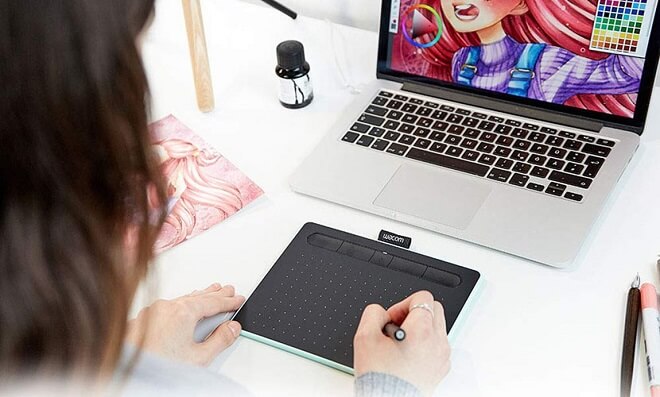
Wacom CTL4100 Intuos Graphics Drawing Tablet

Wacom Intuos SM (CTL4100) Drawing Tablet
A fantastic option for beginners is the Wacom CTL4100 Intuos Graphics Drawing Tablet. As I said, Wacom can be pretty expensive sometimes, but the Wacom CTL4100 Intuos Graphics Drawing Tablet is one of the lower-cost options from the company, giving beginners a more affordable option of a quality tablet.

Wacom does have its benefits over Huion. Greater community and manufacturer support, as well as higher quality features like displays and styluses.

If you’re looking for a first-time tablet, Wacom may be too much while you can easily learn the ins and outs of tablet operation on many Huion products.

The Drawing Tablet Top Pick


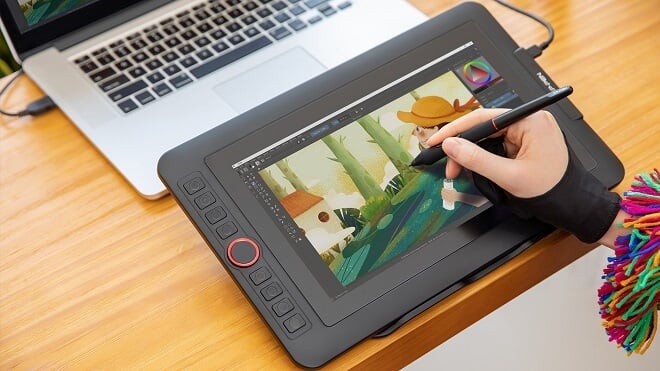
XP-PEN Artist12

XP-PEN Artist12 Drawing Tablet
Overall, the top pick for drawing tablets that both rookies and veterans of drawing can get is XP-PEN Artist12.

  • The XP-PEN Artist12 has a fantastic resolution and screen size, coming in with 1920 x 1080 HD and 11.6 Inch FHD Drawing Monitor Pen Display Graphic Monitor respectively.
  • For those of you who use shortcut keys and the like, the XP-PEN Artist12 has you covered completely. It has a touch bar that helps with customization and ease of use.
  • It’s compatible with all of the most up to date, modern artistic programs
    • Photoshop
    • Illustrator
    • OneNote
    • PowerPoint
  • A stylus with a great, firm grip for easy drawing. For those with a particular tactile feel for your styluses, you can’t go wrong with this one.
  • Works with many different versions of Windows and Mac
    • 7
    • 8
    • 10
    • Newest MacOS
  • And, of course, an effective pen holder.

Cheap Drawing Tablets for Beginners


Maybe the most important pick on the list, the beginner’s tablet of choice is the:

HUION New 1060 Plus Graphic Drawing Tablet

HUION New 1060 Drawing Tablet
As I said before, Huion can manufacture some great options for those artists who don’t want to shell out life savings to get a tablet and has many features in common with their other competitors.

It’s currently sitting at around $90, along with being a coveted Amazon’s Choice. The Huion 1060 Plus is a non-screen drawing tablet that is perfect for artists who need some elbow room to draw their masterpieces.

While Wacom’s software and responsiveness to the stylus may be a bit better tuned than the Huion 1060 Plus, the tablet is a perfect, no-nonsense tablet for those who aren’t sure about drawing tablets. The investment is relatively low, especially compared to Wacom’s products.

For beginners, this is the ideal package for a drawing tablet. It’s sleek, easy, cheap, and will get you better acquainted with the ins and outs of drawing tablets.

Another great option for beginners who aren’t;t thrilled about some of the prices out there is the:

Huion H610 Pro Graphic Drawing Tablet

Huion H610 Pro Drawing Tablet
Another great, cheap option from the people at Huion, this screen tablet has the following:

  • 16.3 x 9.8 x 1.7 inches
  • A drawing area of 10 x 6.25 inches
  • Software: Mac and Windows
  • 8192 levels of pressure sensitivity

The pressure level works well, giving you a better feel for accurate brush and pencil strokes. You have 16 customizable shortcuts, allowing for fast, easy on the go simple interface and workflow.

There are some cons, however.

  • The design could be troublesome for comfort with your hand
  • The Huion H610 doesn’t provide a wireless connection for people who prefer it
  • The stylus included with the tablet has divided the drawing tablet community, as some aren’t satisfied with it

The Best Drawing Tablet for Artists


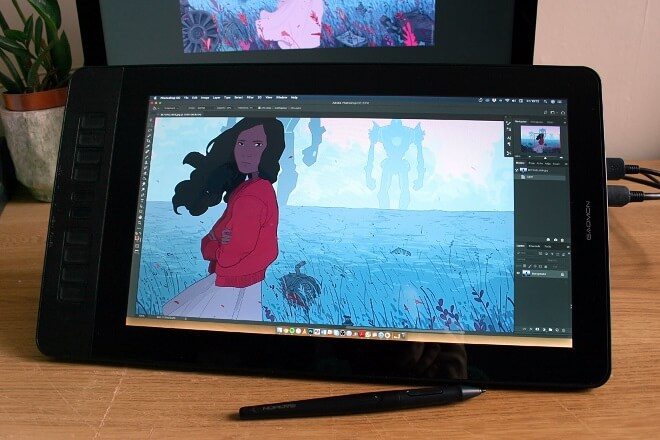
GAOMON PD1560

GAOMON PD1560 Drawing Tablet
Although it’s a bit difficult to come up with a drawing tablet that suits veteran artists, as they can be so varied, I believe that the GAOMON PD1560 is one of the better options to choose from. The GAOMON PD1560 includes features like:

  • 15.6 Inches
  • 8192 Levels
  • Pen Display with Arm Stand
  • 1920 x 1080 HD
  • IPS Screen
  • 10 Shortcut keys

For an accomplished artist who makes their living as an artist, having the tablet serve as an extension of their life’s work, putting forth the money should be no issue here. As of right now, the price rests at around $350. And, most importantly, the GAOMON PD1560 is considered an Amazon Choice.

Some cons of the GAOMON PD1560 include:

  • No eraser on the back of the stylus
  • The screen protector included with the GAOMON PD1560 is a little lackluster. However, you can remedy this problem by purchasing a rather inexpensive replacement screen protector.

The Best Drawing Tablet in 2023


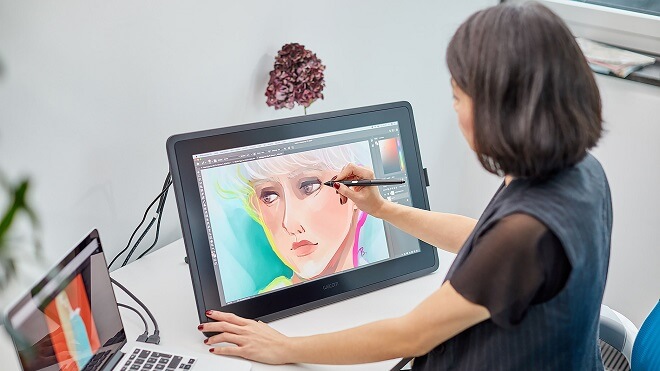
Wacom Cintiq 22 Drawing Tablet

Wacom Cintiq 22 Drawing Tablet
The overall best drawing tablet to get in 2023 is the Wacom Cintiq 22 Drawing Tablet. The Wacom Cintiq 22 is perfect for both artistic veterans.

While undoubtedly usable for beginners, I would recommend something a little simpler. Wacom again has an answer for that in the form of the simple yet effective:

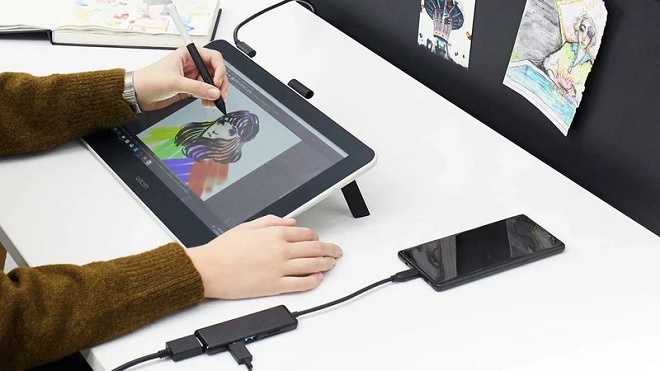
Wacom One

Wacom One Drawing Tablet
The Wacom One is a screen-based tablet that is all about ease of use and portability. You can pack it into your backpack and go nearly anywhere with it and start drawing at a moment’s notice.

The Bottom Line: Are Drawing Tablets Worth It?


Yes. Whether you’re a budding illustrator or the most advanced, veteran artist, tablets offer artists of every stripe to partake in a fantastic, streamlined, and easy process of drawing and painting that opens up new doors of opportunity and creativity.

The advancement of technology for artists is undoubtedly impressive, and the ease in which any artist can pick up and go and start drawing immediately, (and not to mention saving a pretty penny on drawing and art supplies), tablets are a worthwhile investment.

From the artist that enjoys just fooling around and flexing creative muscles to the super-serious graphic designer, tablets are a slam dunk.

The Verdict


So what’s the verdict? What are the best tablets to get? Depending on your style, preference for different aspects like wireless connection and other facets, it would vary greatly.

Overall, the best drawing tablet to get would be the XP-PEN Artist12.

The overall quality of this tablet shines and eclipses the competition. Although maybe not ideal for beginners, it’s not impossible for a rookie artist to pick up the basics on the XP-PEN Artist12.

GameMaker Studio: GameMaker Games and Tutorials

0

GameMaker Studio
We are always on the hunt for some of the best gaming engines around that balance ease of access, quality, and more. So when we came across GameMaker Studio 2, we had to do a deep dive into the games that were created with the engine.

To quickly sum it up, GameMaker Studio 2 is a game engine that utilizes its own coding language, named GameMaker Language, or GML, to introduce players to game creating. It works well and has become a rising star in the game development world.

Knowing this, let’s kick things off by looking at some of the most noteworthy games made with GameMaker. Oh, and keep your wallets handy… something tells me you’re going to be browsing Steam in the VERY near future…

GameMaker Titles That Have Made It Big

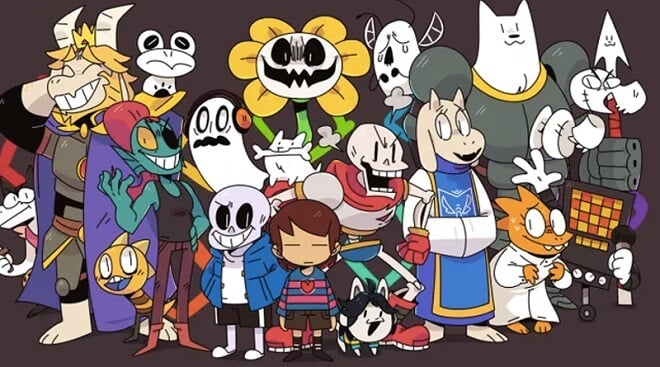
Undertale
There are actually quite a few titles that have hit the big time, transformed from underlying code in GML to your computer and TV screens on multiple platforms. Let’s look at some of the more noteworthy titles that broke through obscurity.

Undertale


This is easily the most widely praised out of the GameMaker-created titles. What more can be said of one of the most beloved indie RPG titles created in the past decade?

Undertale is a fantastic and retro-style RPG where you meet colorful characters, decide to fight them or not, and advance the fascinating and funny story along. It was developed and published by Toby Fox and can be found on Microsoft Windows, OS X, Linux, PlayStation 4, PlayStation Vita, and the Nintendo Switch.

Undertale is unique in that you literally DO NOT have to fight anyone. That’s right, an RPG game in which you can bypass combat entirely. This means you can talk down your opponents, make friends with them, and more.

It creates an interesting dynamic where you need to choose your combat situations wisely. It has spawned the popular character, Sans, the grinning skeleton which the player meets during the course of the game.

Hotline Miami and Hotline Miami 2: Wrong Number


I have so much to say about these two games. Along with being created in GameMaker, these two titles have filled my days and nights with fast, frantic, (and sometimes aggravating) gameplay that has kept me coming back for more.

You play the part of a nameless protagonist who receives mysterious messages through his phone, making him kill Russian mobsters. Sounds insane, right? It’s because it is, but it’s also a lot of fun.

The top-down retro-style game was developed by Dennaton Games. It has a sleek, stylish, and aesthetically pleasing 1980s visual motif that’ll make you want to hop in a DeLorean, crank up some techno, and put on your favorite pair of white Adidas.

The games combine action combat with an almost puzzle-like quality. You need to make your way through stages of enemies, but your character usually only takes one hit to get downed, so you need to be strategic in how you tackle different floors of Russian baddies.

You can find these titles on Microsoft Windows, OS X, Linux, PlayStation 3, PlayStation 4, PlayStation Vita, Android, Nintendo Switch, Xbox One.

Shovel Knight


Shovel Knight is an immensely popular 2D side-scrolling game developed by Yacht Club Games in 2014. It has garnered tons of praise for its retro style of sidescrollers, reminding gamers of the days of Castlevania and Ghosts ‘n Goblins.

You can find it on Amazon Fire TV, Microsoft Windows, Nintendo 3DS, Nintendo Switch, OS X, Linux, PlayStation 3, PlayStation 4, PlayStation Vita, Wii U, and Xbox One.

Shovel Knight has players sidescrolling, fighting against members of the Order of No Quarter. The titular Shovel Knight himself uses his shovel as a weapon, a treasure digging tool, and other unique and fascinating uses.

In retro game fashion, the player is tasked with making their way to the end of the stage by moving all the way to the right of the screen, defeating baddies, and, most importantly, collecting treasure with their shovel.

Hyperlight Drifter


Released in 2016 by Heart Machine, a small team of developers led by Alex Preston, Hyperlight Drifter is a sleek, neon, fantasy RPG that has become a fan favorite on consoles everywhere.

You can find Hyperlight Drifter on Linux, Microsoft Windows, OS X, PlayStation 4, Xbox One, Nintendo Switch, iOS

Hyperlight Drifter is evocative of the fantastic The Legend of Zelda: A Link to the Past, and shares many of its 2D, top-down assets with that celebrated title. Great combat with a light sword, unique and captivating visuals, and more have made Hyperlight Drifter a favorite, earning high accolades and scores from The Escapist, Eurogamer, Game Informer, and GameSpot.

Katana Zero


This one is just totally badass. Katana Zero is a pixel platformer developed by Askiisoft that combines so much to love about the action genre. You have katanas, slicing, dicing, blood, and instant death upon getting hit. You play the part of Subject Zero, making your way across the neo-noir city of New Mecca.

The game contains stylish action that reminds me of a mix of the John Wick movies and Ninja Gaiden, but it also has some fascinating and fantastic storytelling methods. It deals with things like childhood PTSD and ethics.

Story aside, this game runs like a dream, and you will be slicing your way through the future landscape in no time. You can find Katana Zero on Microsoft Windows, macOS, and the Nintendo Switch. Oh, one more thing: you can DEFLECT BULLETS with a SWORD.

That’s all, carry on.

The Best GameMaker Games on Steam


Without a doubt, Hotline Miami, Undertale, Shovel Knight, and Hyperlight Drifter are the best GameMaker games available on Steam, bar none. Let’s look at some of the scores some of these titles received on Steam if we want to break it down further.

The people have spoken! GameMaker Studio is a valuable tool in the hands of the right game developers to crank out some titles that will be loved for decades from now.

What Kinds of Games Can Be Made?


You can make tons of different games using the engine. You are only limited by your own creative limitations. I find that famous games made using GameMaker Studio have been firmly planted in genres we are all familiar with, yet have an incredibly unique and loveable quality to them to set them apart from not only genre titles, but create their own sub-genre.

How do you even begin to classify Undertale? Yes, it’s a turn-based RPG, but it’s also so much more than that. There’s nuance to nearly every title, and I think that’s something valuable to keep in mind.

Can You Sell Games Made with GameMaker?


Multiple platforms
Yes! And it seems to be even easier to do since GameMaker Studio supports compatibility with a vast list of systems and operating systems:

  • Microsoft Windows
  • macOS
  • Ubuntu
  • HTML5
  • Android iOS
  • Amazon Fire TV
  • Android TV
  • Universal Windows Platform
  • PlayStation 4, and
  • Xbox One

You can also sell your game on Steam for easy access for every PC user. Making a distributing your game is actually a super simple process. After you are finished with your game, you can upload it to websites and give it to other people.

Everything is free, granted that the things you have used in your games are yours and yours alone. The last thing you want is to be plagiarizing while you’re trying to make your dream game!

2D or 3D?

2D


This is where GameMaker Studio shines. It’s first and foremost a 2D game engine. There are 3D elements (we’ll get to that) and added all together, we can create fantastic creative projects.

The 2D Dilemma


The dilemma we’re faced with GameMaker Studio is that, while you can absolutely create both 2D and 3D games using the engine, GameMaker is leaps and bounds better at creating 2D games over 3D games.

It’s just the way it is.

Not that it’s impossible at all, the tools and ease of use in which the engine tackles both 3D and 2D are different. The 3D in GameMaker Studio is based more on effects and strict visuals, not more in-depth aspects of gameplay.

Along with these restrictions, it may be markedly more difficult to code in 3D using GML. This depends, of course, on your proficiency with the language, but it may be a lot to handle from a beginner’s perspective.

In fact, many engine users have a stickling complaint who wish to harness the engine’s full power to create addictive 3D Games.

Game Mechanics


2D (and 3D-but-2D) fighting games:

GameMaker Studio can be a fantastic 2d fighting game maker if that’s what you’re looking for.

Are you a fan of the old SNK fighting games?

How about all of the insane iterations of the Street Fighter franchise?

GameMaker is able to help you create 2D fighting games easily. You can also then add 3D effects, like particle effects and special moves, to emphasize and add style to your game.

3D


Can you make 3d games in Game Maker?

Yes and no.

Along with 2D games, you can make 3D games in GameMaker Studio 2. However, keep in mind that this feeds back into our’ 2D Dilemma,’ in that GameMaker Studio probably shouldn’t be your first choice of 3D creation.

It’s not bad, but it’s just not as optimized as the 2D creation is. The 3D in the 3D creation is more about 3D effects, not actual, fully realized gameplay. Take this example from the engine’s official reference page:

“GameMaker: Studio is primarily a program meant for making 2D (2-dimensional) and isometric games, but there is the functionality to create 3D (3-dimensional) graphics and use 3D effects if you wish. Before you start with this though there are a few things you should understand:

The 3D functionality in GameMaker is limited to the graphics part. There is no support for other 3D functionality.

Once you start using 3D graphics, you might get problems with other aspects of GameMaker if you are not used to working with 3D. Things like views, depth ordering, etc… require you to have a sound understanding of how GameMaker: Studio works and how to code 3D in general.”

Tutorials


To get a better idea of where and how to start with GameMaker Studio 2, we found a few fantastic little tutorials for you to peruse at your leisure. These videos are by detailed and thorough GameMaker users that will guide you in the right direction. Plus, seeing it in action rather than taking MY word for it definitely helps!

Mobile Games

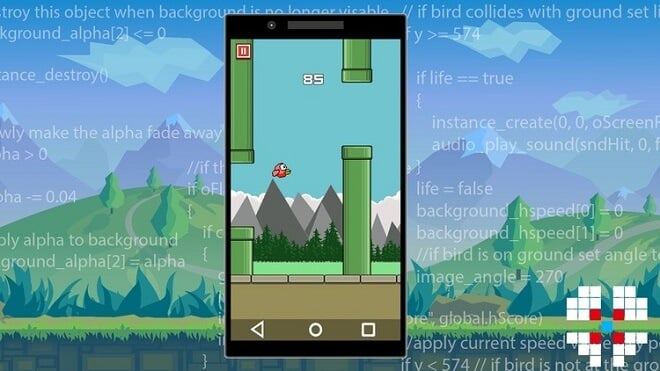
Using GameMaker to Create Mobile Games


Yes! GameMaker Studio 2 is excellent for little mobile titles to win over an audience and have them playing during class or when they should be studying…err..wait nevermind. They’re good! That’s my point.

List of Hit Mobile Games Made in GMS


Mobile Development
While Steam seems to have the lion’s share of great games, mobile is no stranger to addictive and award-winning titles. Let’s take a look.

Sudoku Scramble


What can I say that hasn’t already been said by millions over the world about Sudoku? It’s the extremely popular math and logic brain buster that has you filling out columns so that each one contains the digits 1-9.

If you’ve never played Sudoku, (first off, what rock have you been living under?!), you need to check out this fresh little version of it, brought to you by 81 Monkeys, the development team. You’ll be wracking your brain in no time, and more importantly, you’ll be comparing scores on the Sudoku leaderboards with friends and family.

Bubbles the Cat


Fans of sidescrollers, rejoice. Bubbles the Cat, developed by Team Cats and Bears, is actually a total badass, fast-paced side-scrolling adventure, despite what the name may make you think!

There are 125 levels of platforming goodness where you direct Bubbles the Cat using, you guessed it, bubbles, to make it to the end. It’s smooth and has a great art style.

Downwell


We all like to explore for treasure, right? Of course! That’s why Downwell is such a slam dunk.

Although this search for treasure can get a little hectic. The player is thrown downward at a fast pace to destroy the enemy, dodge obstacles, and of course, secure some sweet, sweet treasure. It’s reminiscent of Super Meat Boy in its helter-skelter manner, but it works so well.

Like many other great titles, it’s a callback to the retro days of gaming by being pixelated and straightforward. It works so well and runs like a dream. Now start finding that treasure! Just watch out for the ghoulish creatures guarding it…

Mobile Game Development


Understand how to set up & use In-App Purchases (IAP), in-game ads, & leaderboards:

Knowing how to set up in-app purchases, game ads, and leaderboards will be crucial to your success with the mobile capabilities of GameMaker Studio. While you can theoretically make a profit with your game alone by charging for it on the marketplace, having ads and IAP’s will make your life a lot easier.

Also, leaderboards!

When we play online games, we always want to see who we’re doing better than, who we need to beat, and what we need to be doing better to get a leg up. Leaderboards offer that added element to your game that can keep friends battling each other for the top score. Knowing the ins and outs of these aspects can make your creative process more profitable and more satisfying.

Create Mobile Games with Gamemaker Studio


Understand how to create and code your own games using Gamemaker Studio’s built-in scripting language GML:

As you have probably seen before, GameMaker Studio 2 forgoes the use of languages like Python and SQL. Instead, it opts for its own programming language, based on the C-like languages (C++, C#). This language is called the GameMaker Language, or GML for short.

Luckily for newer users and rookie programmers alike, GML is straightforward to learn compared to some programming languages. I repeat you do NOT need to have taken computer science classes or spent all night messing around with coding (although it certainly helps).

We hope that this guide for your GameMaker Studio 2 journey helps you along with creating a game. As you can plainly see, GameMaker Studio 2 isn’t some one-trick pony. It has a lot of tricks up its sleeves, and this is only scratching the surface.

Video Game Voice Acting: Starter Guide

0

Video Game Voice Acting
Video game audio had a pretty humble beginning nearly 5 decades ago.

In essence, 8-bit music used a very simple synthesizer to create basic audio for games. Interestingly enough, old-school Atari 2600 ROM cartridges could only hold around 4-8 Kbs of data, and even something like SNES cartridges maxed out at 4Mbs.

With so little space on a cartridge for the game itself, voice acting tended to take a back seat to everything else.

Thankfully things have progressed massively since then, and we no longer rely on a simple synthesizer for video game audio. More advanced hardware has led to the processing of complex audio frequencies allowing for complex orchestral pieces, and larger discs mean we can have several hundreds of hours worth of voice acting.

Video Game Voice Over


Voice Actors
So what is a video game voice over exactly?

Well, putting it simply, a voice-over is when a voice actor ‘acts’ out the lines for one or more characters. This voice acting is recorded and then inserted into the video game files waiting to be triggered by a certain action, such as a cut-scene or when you interact with a character.

Voice-overs can take a lot of different forms (which we’ll get to in a bit), but for the most part, it’s adding a human voice to video games, usually with some form of dramatic acting.

Voice actors are the talent behind voice-overs, and interestingly enough, they sometimes voice more than just one character, even in a single game. Certain actors, like Nolan North, has voiced characters like Nathan Drake from Uncharted, Desmond Miles from Assassin’s Creed, and even Deadpool in the few games for that Marvel franchise that have come out.

Of course, Nolan North is a pretty incredible voice actor, and not every voice actor has hundreds of credits under their belt.

At this point you’re probably asking ‘Is it difficult to become a voice actor?’ and the answer is: Yes, just like any other creative field! You have to work hard at it and spend a lot of time and effort, not to mention that your main instrument, your voice, can be damaged if you don’t take care of it.

Qualifications & Career Path


Qualifications and Career Path
So how do you become a voice actor for video games?

Well, this question is a little bit harder to answer, since getting into any field in video games can be pretty difficult.

For starters, if you have any experience or education in acting, that will massively help you get a voice acting job. Taking part in theater, where you need to project your voice, as well as learn all the intricacies of developing and being a character, can help a ton in doing a good job.

Similarly, having some theater credits under your belt, even amateur ones, can show potential casting directors that you have what it takes to see a project through.

Other than that, it’s mostly getting as many voice-acting auditions as you can, and not only in video games. Truth is, there aren’t many voice actors who only stick to video games, and having a varied portfolio is not only important for getting more work, it’s also important for paying the bills.

Speaking of which, I’m sure you’re wondering ‘How much do video game voice actors get paid?’

What you get paid as a voice actor can vary wildly depending on how much interest there is in you as a voice actor, how well you’re known, and even the type of voice acting you’re doing. For example, you could get paid $30 for a short radio spot all the way to several thousands of dollars for an audiobook.

When it comes to video games, an established voice actor can usually make around $100-$200 an hour, and you might sometimes get performance bonuses if the game does well.
Jobs

How to Look For A Job


Job Hunt
Taking advantage of the gig economy is going to be your best bet starting out. Freelancing sites like Upwork or Fiverr can offer a great platform to build your portfolio off of.

Similarly, voices.com is a website dedicated specifically to voice-over actors, so if you can find work through there, you’ll have a great start. Behindthevoiceactors.com is another great option.

Once you have a portfolio to rely on, you can start looking at the career pages of your favorite studios.

There’s no one central place to find high-paying work, so unless you have an agent, you’ll need to do a lot of legwork.

What A Typical Recording Session Is Like


Recording Session
The first and most important thing is to BE ON TIME.

In fact, you should be in the studio about 15minutes before the actual appointed time. Studio time can be very, very expensive, so being even a couple of minutes late can end up costing your client/employer a ton of money.

Similarly, working in video game voice acting is a bit more difficult than other industries, because the scripts tend to be very secretly guarded, so you might not even see it until a few minutes before going in.

That being said, don’t be afraid, they’ll usually send you a similar script to the one you’ll be reading, so you’ll be able to do some preparation beforehand. This is actually another great reason to come early, as, after the greetings and whatnot, you’ll probably have a quick sit down with the creatives and sound engineers to talk about what they expect for you in that session.

Once that’s done, you’ll be taken to the recording area, which can either be a small booth, or a large soundproof room full of hundreds of instruments. Either way, your environment is irrelevant, and just focus on your microphone and your positioning. If you need to change or alter the microphone in any way, let the sound engineer know.

Speaking of microphones, try not to wear ‘loud’ clothing and jewelry, as those microphones tend to be incredibly sensitive and can even pick up clothes rubbing against each other.

Most video game sessions tend to be between 2-4 hours long, and they’ll let you know beforehand how long they’ve booked you for.

Other than that, it’s pretty straightforward!

You’ll probably get some direction from the director who’s on hand, and they might ask you to change or do things slightly differently. There will also be a few times where the creatives and the sound engineer will talk in mixing/mastering room, and you won’t hear a thing.

Don’t panic, that’s normal, creative stuff like this is very fluid so they might need to change something in how they record, add/remove lines, or a dozen other things.

Type of Video Game Voice Over Jobs


Voice Over Jobs
Voice Acting for video games tends to fall under two main categories:

  • Character Voicing where you play one or more characters in a game.
  • Narration where you will narrate something that is happening on-screen or giving backstory.

There’s also a third category for effects, where you might be asked to voice animals or things of that nature, but these aren’t very common.

Actually, an interesting question here is – what game had the first voice acting?

While this is a bit hard to pin down, probably the first-ever game with any form of voice acting was Gorgar, a pinball machine from 1979. Yeah, not very glamorous!

Make Your Own Green Screen

0

How to Make A Green Screen
You’ve probably heard the term ‘Green Screen’ quite a lot, and you’re probably somewhat familiar with what it is; a flat, green fabric placed in the background that you can impose an image on.

Interestingly, ‘green screen’ is actually a bit of a misnomer, as the whole process itself is called ‘Chroma Key Compositing’ or just ‘Chroma Keying’.

Ironically enough, the color used to do chroma keying was blue, rather than green, and was originally developed all the way back in the 1930s. Before that, filmmakers were mostly relegated to doing superimposition, which is literally just taking a set of images and imposing them on top of each other.

As you can imagine, that process wasn’t great, as it often introduced weird artifact effects and just generally didn’t look that great.

What Is A Green Screen?


What Is A Green Screen?
So how does a green screen actually work?

Well, the process is relatively simple: You have the foreground object (which would be somebody or something you’re filming), the background which is the green screen itself and of course camera and lighting.

Once you’ve finished recording a scene, you take that video data and import it into video editing software. Inside the editing software, you replace the preselected color of your screen with any backdrop video you chose and voila!

You have your green-screened video.

Interestingly, green screens became popular because television presenters tended to wear blue suits, so the original bluescreen was difficult to use as they’d end up keying out parts of the suit.

Therefore, the color you chose to key off of actually plays a pretty big part in what wardrobe and colors are used in the set, and chroma key dress code is actually a thing.

So, if you’ve ever wondered ‘can I make a green screen with any color?’ the answer is yes! You just need to be aware of any color conflicts with the rest of the scene that you’re recording.

Why Do You Use a Green Screen?


Green Screen Effect
Now the real question becomes: why and when would somebody use a green screen?

Putting it simply, a green screen has two general uses; to provide information that isn’t easily inserted into the video (such as weathermen charts and data) or to save money by not having to film on location. It can also be used to insert something into another video, such as how streamers superimpose their faces on games.

As a game developer, green screens can be a ton of help with getting images or animations into games.

For example, the original Street Fighter and Mortal Kombat games had real actors doing all the fighting moves against a green screen. Those moves were isolated from the screen, turned into animations, and inserted into the game, and activated based on what buttons you pushed.

How To Create A Green Screen

Step 1


Step 1: Green Screen
The first part of creating and using a green screen is having the green screen itself. For this, you can pretty much use anything in the color that you need to be.

Can it be a green sheet? Absolutely!

Cardboard papers, sheets, curtains, anything that you can put up, and is completely flat (since you don’t want shadows). There are also professional green screens that come with their own stands and can be folded up for storage, although those can cost a pretty penny.

Step 2


Green Screen Lighting
The second thing you need is lighting, and this is very important if the scene you’re keying in has a lot of shadows. You want to angle your lighting so it creates shadows in the same direction as your scene.

Of course, if you’re just going to be putting yourself on a game or something that doesn’t require that level of detail, having good and diffused lighting will work.

Step 3


Camera Set Up
At this point, you’ll almost certainly need a camera or something to capture the video. In this day and age, pretty much anything goes, can even be your phone or a webcam.

Ultimately, what you use depends on your budget and how polished something needs to be. For example, if you’re just going to superimpose your object so that it’s smaller, you don’t necessarily need a high resolution.

Step 4


Compositing
Compositing, which is the next part, is probably the hardest since you’ll need to import your footage into video editing software and do a bit of work.

There are a few different green screen editors around, but these are some of the better ones:

  • iMovie
  • VSDC Free Video Editor
  • Virtual Dub
  • DaVinci Resolve
  • Lightworks
  • Final Cut Pro
  • OBS Studio

If you see your preferred video editor in there, then great, go for that one! Otherwise, just check a couple out and see which fits your skillset (and wallet) the most.

Final Thoughts


Easy Se Up Green Screen
So how much does a green screen cost?

Well, you’d think after all that it can be pretty expensive, but the truth is you can probably have a complete setup for less than $50 if you include stands and lighting.

There’s free software you can use, and if you have a phone with a camera, you can use that too!

All in all, creating and using a green screen is relatively cheap and simple.

Earn Your Art Degree Online: Online Art Degree Program Map & Accredited Online Art Schools

Online Art Degree
One of my new favorite pastimes is logging onto the Twitch stream one of my artist friends has. On it, she’ll take requests from the viewing audience as to what to draw. What follows is an awesome show of skill and breathtaking talent.

People always ask, “how did you get so good at art?” and things to that effect. She ever calmly tells them that she merely practiced all the time to hone her craft. That and she went to art school online.

People are usually surprised upon hearing this, but it is more common than you would think. Online schools, in general, are increasingly becoming dependable and reliable options for students and learners in which circumstances don’t allow them to attend a face to face school.

Since it seems such an unorthodox way of learning in general (compared to what we’re used to, that is):

  • How do you go about even navigating a degree program?
  • Where do you apply?
  • What do I do about transcripts and other miscellaneous information?

Here we break down the online art degree educational pathway for you.

Why Online Art Schools?


Online Art Schools

Can You Get An Art Degree Online?

Yes! Along with many other degrees, art degrees are not only achievable online, but for some, it may be a more comfortable setup and system than traditional art classes at a college or university.

If you think that online school doesn’t include significant schools and universities, you’re sadly mistaken, as not only do major universities have robust online programs in general, but many have online art components as well.

What Can You Do With An Art Degree?

The possibilities are amazing and extremely nonlinear. You can apply to various art jobs in many different industries, and the list is long. This includes graphic design, advertising, gaming art design, concept artist, freelance artist, art professor, animator, and even an interior designer.

The beautiful thing about online art degrees is the freedom they grant those who earn them.

Online schools have some of the best instructors and professors I’ve experienced. I should know; I got my degree entirely online!

What Are These Art Degree Programs?


Many of these art degrees are very similar, if not outright, the same as classes and degree programs they offer in person. A large number of schools and academies provide programs like Master of Fine Arts in theater, animation, drawing, fashion, art history, museum studies, film & media, and even a degree in songwriting.

Online Art Degree Program Map


Art Degree Program Pathways
The different pathways through an art degree vary depending on where you attend or plan to attend. Some of these pathways can even begin in the latter part of high school with the help of an advisor or counselor.

However, let’s break down what a general path could potentially look like for you if you decided to pursue an online art degree. Here’s the basic breakdown you’ll usually see.

This can vary by school, especially online courses. To distill everything down more simply, I’ll refer to the culmination of all of the varied and uniquely different programs as ‘phases,’ as each school has a different set of semesters, years, and plans.

  • First phase
    • In the first phase, you’ll usually engage in courses that teach you the fundamentals in different art fields. This could be in the form of classes like ‘drawing I,’ ‘Art History I,’ ‘Photography I,’ and other similar courses that aim to introduce the student to the concepts and fundamentals.
    • Included with these classes are your usual general education credits like math classes and the like.
  • Second phase
    • The second term in school will test what you’ve learned in the fundamental classes and take it a step further. Think of this as the ‘medium’ difficult in your schooling journey.
  • Third phase
    • The third phase can range from the most advanced classes to a fully-fledged internship. This is usually where all of your skills are put to the ultimate test, culmination in graduation, and earning your art degree.

Okay, but how much is a Bachelor’s Degree in Art?

That depends. Things like your financial situation, in addition to how much financial aid you can acquire before attending, will determine much of the cost of your online art degree.

For schools in person, the cost can be anywhere from around $30,000 to around $50,000. Keep in mind, much of that price tag includes fees and other on-campus aspects like room and board, local transportation, academic activity, and personal use.

If you are achieving your degree online, it takes a massive chunk out of your possible expenses. No stinky dorm room: just the comfort of your own bedroom, home, or studio to learn the ins and outs of your preferred art field.

A particularly useful aspect of earning an online art degree rather than in person is the amount of freedom you have to pursue other aspects of life. Perhaps you already have a job, either part-time or full time, that occupies so much of your time that you wouldn’t usually be able to attend a class. If you’re supporting your family, this especially comes in handy.

As with all colleges and universities, you will need your high school diploma or G.E.D. equivalent to the bare minimum for gaining admission into these schools.

What Are The Best Art Degrees?

It really depends on what you want to study individually, but I present a list of consistently highly ranked schools offering great art degrees. These are ranked on how often they’re mentioned online as some of the best art schools, as well as the reliability of their online components.

The diversity of arts programs are analyzed and helps them make it on the list. There are also some free options and courses offered through smaller schools and academies. Here are the heavy hitters:

Savannah College of Art and Design


SCAD - online art degree

  • Located in Savannah, Georgia, U.S.A., online
  • Tuition: Average is $41K after aid
  • Website

SCAD has always been a reliable school for all things artistic, and their online degrees are no different. It has everything from traditional design to interior design.

Different types of programs or degrees offered:

  • Bachelor
    • Bachelor of Arts in Visual Communication / Advertising & Branding
    • Bachelor of Arts in Visual Communication / Graphic Design
    • Bachelor of Arts in Visual Communication / Photography
    • Bachelor of Arts in Visual Communication in Sequential Art
    • Bachelor of Fine Arts in Graphic Design
  • Masters
    • Master of Arts in Animation
    • Master of Arts in Design Management
    • Master of Arts in Fashion
    • Master of Arts in Graphic Design & Visual Communication
    • Master of Arts in Illustration
    • Master of Arts in Interior Design
    • Master of Arts in Luxury & Fashion Management
    • Master of Arts in Motion Media Design
    • Master of Arts in Photography
    • Master of Arts in Preservation Design
    • Online Master of Arts in Interactive Design and Game Development
  • M.F.A.
    • Master of Fine Arts in Fashion
    • Master of Fine Arts in Animation
    • Master of Fine Arts in Graphic Design & Visual Communication
    • Master of Fine Arts in Illustration
    • Master of Fine Arts in Motion Media Design
    • Master of Fine Arts in Painting
    • Master of Fine Arts in Photography
    • Master of Fine Arts in Writing

Verdict:

This is overall, the best choice of online art school for any artist. SCAD is a universally celebrated and reliable art school. As time goes on, I can see them adding even more classes to their online program.

Liberty University


Liberty University - online art degree

  • Located in Lynchburg, Virginia, U.S.A., online
  • Tuition: Average is $28K after aid
  • Website

Liberty University is a private Christian college. It has a staggering amount of students who attend online courses, (95,000), rather than on campus, (15,000). The art programs are offered 100% online, allowing you to live your life on your own terms while earning an education.

“The online graphic design program from Liberty University requires a 180-hour internship and a 30-hour practicum to complete. This degree, as well as other online degrees from the institution, are constantly updated to stay current with industry trends…”

Different types of programs or degrees offered:

  • Masters
    • Master of Arts in Composition
    • Master of Arts in History
    • Master of Arts in Visual Communication Design
  • M.F.A.
    • Master of Fine Arts in Graphic Design

Verdict:

Liberty University is a solid choice of online art school. If you take your personal faith seriously as well, this is a great combination. Regardless of politics or religion, it has an excellent reputation for keeping up with industry standards, so whatever you learn will always be up to date and extremely topical.

Southern New Hampshire University


SNHU - online art degree

  • Located in Manchester and Hooksett, New Hampshire, United States, online
  • Tuition: Average is $41K after aid
  • Website

SNHU is another instance of a university having way more students online than off, translating to over 87,000 online-only students, and just under 4,000 on campus. Southern New Hampshire University’s online programs are many, including the arts. They focus mainly on graphic design and especially game development.

This is the perfect avenue for those interested in creating some excellent game concept artwork, or even designing the next big game!

Different types of programs or degrees offered:

  • Bachelors
    • Online B.A. in Digital Photography
    • Online B.A. in Graphic Design – 3D Modeling and Animation
    • Online B.A. in Graphic Design
    • Online B.A. in Game Art & Development

Verdict:

Southern New Hampshire University has great potential to become a powerhouse in the art department. Although they don’t have as many options as SCAD, (which are most other universities), they’re slowly but surely building up their online component to be at the forefront of online learning.

Full Sail University


Full Sail - online art degree

  • Located in Winter Park, Florida, United States, online
  • Tuition: Average is $26K after aid
  • Website

Full Sail is always a reliable option for the arts. Their specialties lie not only with the visual arts, but they also have a fantastic music program in which you can learn history and theory. It was initially a recording studio and workshop but quickly got its act together as a viable and respected university for the arts that are always highly-ranked.

“All of the bachelor’s programs take 29 months or less and are completely online. In the online master of fine arts in media design program, students dive into a full-scale branding project. They learn how to identify a client’s needs and develop creative pieces based on a variety of information.”

It also has a markedly less yearly tuition than other schools, which should attract those who are hesitant or perhaps on the fence about earning an online degree.

Different types of programs or degrees offered:

  • Bachelors
    • Bachelor of Science in Digital Cinematography
    • Bachelor of Science in Graphic Design
    • Bachelor of Science in Game Art
  • M.F.A.
    • Master of Fine Arts in Media Design

Verdict:

Full Sail is totally deserving of its welcoming environment for artists, and that goes for online too. Full Sail’s online programs are a great taste of what the university represents in terms of creative and artistic power.

The following are some great options to actually build yourself up, both mentally and portfolio-wise, before jumping into a full-fledged degree. These classes and courses may warm you up to the idea of classes, as well as a valuable structure of a class to get you in the swing of things. You can even use them as credits for transferring to universities listed above!

Sophia Learning


Sophia Learning - online art degree

  • Located entirely online
  • Tuition: Free
  • Website

They advertise “Low-cost, self-paced courses for college credit in a fresh and fun learning environment.” They guarantee many of their courses can be transferred to other institutions.

Although their programs in art specifically are in its infancy, there is potential to grow into a tour de force of art education. If you’re looking for a fantastic option free of charge, this is probably the best bet for the hesitant art student.

Different types of programs or degrees offered:

  • Art History I

This class is based on introducing the student to the very fundamentals of art and its place in the world. This covers the period of art history from prehistoric times to the Renaissance.

  • Art History II

The second class dealing in art, Sophia Learning’s course is based around continuing the critical look at different pieces of art and artists from the Renaissance to the present day.

Verdict:

Sophia Learning is a new little curriculum that you can follow if you aren’t sure if you’re ready to apply to a university. These classes are free and may be lacking in what you may want or expect from an accredited university. However, Sophia Learning can be everything from a great time killer to a great primer to any sort of college or accredited course you take.

SmART School


SmART School - online art degree

  • Located entirely online

“Real-time feedback, Classroom discussion, weekly social connectivity, and Superior interactive online Art mentoring from anywhere.”

The SmART School is dedicated to teaching students through mentorship programs to make sure students get a valuable hands-on art education. The SmART School has a surprisingly large number of different courses it offers.

Many of these programs are listed as small interactive classes once a week for 14 weeks. They also have extremely small class sizes, so you can bet you’re getting important focus and essential critiques on artwork and projects, all with the assistance of industry professionals. They also often host a special industry guest per semester for whichever class best applies to their talents.

They also offer new lectures from industry professionals and mentors with a Q&A afterward:

  • Courses with Mentor Marc Scheff
    • Beginning Figure Drawing
      • Wed 9 am-12 noon Eastern Time
      • 8 students max
      • $1,050
    • Beginning Illustration
      • Tues 2:30-5:30 pm Eastern Time
      • 8 students max
      • $1,595
  • Courses with Mentor Winona Nelson
    • Gaming Illustration and Character Design
      • Special industry guest: Cynthia Sheppard, illustrator and creative director for Wizards of the Coast
      • Mon 4-7 Eastern Time
      • 10 Students max
      • $2,500
  • Courses with Mentor Donato Giancola
    • Mythology & Narrative Painting
      • Wed 4:30-7:30 Eastern Time
      • Ten students max
      • $2,500
  • Courses with Mentor Dan Dos Santos
    • Science Fiction & Fantasy Illustration for Book Covers
      • Thurs 4-7 Eastern Time
      • 10 students max
      • $2,500
  • Courses with Mentor Sam Weber
    • Conceptual Illustration
      • Special industry guest: Claire Merchlinsky, Illustrator and former freelance art director for the New Yorker and current freelance art director for Medium.com
      • Fri 3-6 pm Eastern Time
      • Ten students maximum class size
      • $2,500
  • Courses with Mentor Rebecca Leveille Guay
    • Contemporary Figurative Painting with Gesture and Emotion
      • Special guests: Erica Berkowitz & Joe Weinreb, owners of Haven Gallery
      • Tues 11 am-2 pm Eastern Time
      • 10 students max
      • $2,500
  • Courses with Mentors Martin Wittfooth & Brad Kunkle
    • Magical Realism: Painting the Figure and Nature
      • Tues 6-10 pm Eastern Time
      • 14 students max
      • $2,500
  • Courses with Greg Manchess & Scott Fischer
    • Comic Covers, Book Covers & Dynamic Storytelling
      • Wed 8-11 pm Eastern Time
      • 14 students max
      • $2500

Verdict:

The SmART School may be the best option for those who are on the fence about joining a university specializing in a particular field. That goes double for those who aren’t sure what they would major in at college.

SmART is perfect for explorers in what you want to take. They offer ‘survey’ classes, or ‘watch only’ enrollments for students who can’t scrounge up the cash. These programs give prospective students and learners the chance to observe these classes without doing the full workload and seeing if they’d be a good fit at SmART School.

Courses provided by the Museum of Modern Art


MoMA - online art degree

  • Located in New York, New York, online

“The Museum of Modern Art is a place that fuels creativity, ignites minds, and provides inspiration. With extraordinary exhibitions and the world’s finest collection of modern and contemporary art, MoMA is dedicated to the conversation between the past and the present, the established and the experimental. Our mission is helping you understand, enjoy, and use the art of our time.”

What can be said that hasn’t already been said about the Museum of Modern Art in New York City? It’s an iconic institution housing some of the world’s most iconic and significant pieces of art. There is art by Vincent Van Gogh (Starry Night), Andy Warhol (Campbell’s Soup Cans), and Claude Monet (Water Lilies).

MoMA is offering free courses through Coursera. These courses are taught by actual members of the staff and experts in their respective fields.

Here are some courses offered through the MoMA. They all have the option to earn a certificate at the end of courses to add to your resume or profiles online:

  • Fashion as Design
    • Beginner Level
    • Approx. 22 hours to complete
  • In the Studio: Postwar Abstract Painting
    • Beginner Level
    • Approx. 38 hours to complete
  • What Is Contemporary Art?
    • Beginner Level
    • Approx. 12 hours to complete
  • Art & Ideas: Teaching with Themes
    • Approx. 11 hours to complete
  • Art & Inquiry: Museum Teaching Strategies For Your Classroom
    • Approx. 8 hours to complete
  • Seeing Through Photographs
    • Approx. 16 hours to complete
  • Art & Activity: Interactive Strategies for Engaging with Art
    • Approx. 10 hours to complete
  • Modern Art & Ideas
    • Beginner Level
    • Approx. 13 hours to complete

Verdict:

I highly recommend these free classes to nearly everyone, not just artists. If you are an artist, these should be mandatory for your continuing education as they go incredibly in-depth about the fundamentals of art.

With most of the classes being able to be completed in a span of several hours, there’s really no excuse not to at least check them out. Their deadlines are entirely flexible, so there’s no pressure on the learner.

I also recommend visiting the actual museum if you’re able to ASAP!

The Final Verdict


Luckily for you, there is no shortage of options, and they’ll only be growing more abundant in the coming months. Online learning is at a critical point where it may become the norm, edging out the traditional model of applying, visiting campuses, and attending a monotonous orientation far from home.

Now, you can hunker down with your computer, log into your school or institution’s program, and get to practicing and learning some unique courses taught by fantastic professors and instructors.

To break it down simply, here is the final verdict:

Value: Full Sail University

The balance between Full Sail’s quality and relatively cheaper tuition than other schools makes it the best value out of the bunch. This is the logical place to explore if you’re on the fence about a university workload. Although you’ll still be paying a large sum, (it I.S. college, after all)

Free Courses: Courses by the Museum of Modern Art

The free courses given out by the staff of the MoMA are without a doubt some of the most useful free resources a budding artist could get. There’s literally nothing to lose, as many of these are entirely free to enroll in, and only a few even begin to crack the 20-hour mark to complete.

A quick and easy exploration into specific topics can help pin down interest for you. These courses are for people who aren’t sure about a university, and perhaps they aren’t sure what to major in.

They are also recommended for people who may have a busy schedule, as they have incredibly flexible deadlines for progress and projects.

Recommended: Savannah College of Art and Design

Savannah College of Art and Design is by far and away, one of the best choices for an art school in the country. They’ve also outdone themselves by providing a fantastic online art degree program where people can experience SCAD’s prestigious reputation and the knowledge of their instructors.

Savannah College of Art and Design is tailored for those who are entirely ready to hit the books and take on a university course load. This is recommended for people who don’t have a busy schedule, as a college load may be intimidating.

SCAD’s coursework and content are the most robust and diverse, allowing for any number of educational pathways through the college’s online portion.

If you are unsure whether or not you’re personally ready for a university workload, (and I wouldn’t blame you!), perhaps taking some of the classes and courses offered by the MoMA and Sophia Learning could be right up your alley.

If you’re ready for a university, any of these is an absolute slam dunk for a great educational choice. No more lugging books; just get out of bed and log on!

How to Get an Associates Degree in Programming

Associate's Degree in Programming

What Is Programming?


If you aren’t familiar with computer programming, it is the creation of executable computer programs and files by using lines of code. In simpler terms, it’s using a ‘language’ to build programs and applications. Everything you access on the computer has been coded in some way, shape, or form.

The versatile world of programming has tons of fantastic potential for those of you who like to tool around and manipulate software. However, if you aren’t familiar with programming like some, never fear! There are now clear and concise ways in which you can easily break through into a career in programming. Allow me to be your guide on your journey in programming.

Programming: Some Basic Information


Programming Information
You may be thinking that you need a heavy-duty master’s degree to even think about becoming a hotshot computer programmer, but you’d be mistaken. There are more than enough paths you can take, both in-person and online, that can provide you with not only a degree or certification but a valuable grasp on one or various programming languages.

Programming can be an extremely lucrative field to get into. On Glassdoor, the salary is ~$57,000 to an impressive $100,000 annually, with the average pay being somewhere around $75,000.

Wage and demand will vary by region. If you’re in an urban hub like San Francisco or Philadelphia, chances are the pay will be more to your liking than programming in Des Moines, Iowa.

Getting An Associate’s in Computer Programming


Associate Degree in Computer Programming
Should you get an Associate Degree in Computer Programming?

Although it’s entirely up to you, yes, it is highly recommended you get some sort of degree in computer programming. While not necessary per se, if your school offers it, you show an aptitude, curiosity, or eagerness to learn, receiving an associate degree in computer programming is a great move.

A degree in computer programming will include topics like logic, Java, Linux, and computer security.

It’s debated amongst some whether an associate degree in computer programming is enough. Still, overall, a lot of companies are willing to hire if you have this certification, have a portfolio of projects, and, perhaps most important, a willingness to learn and grow.

“Sure, if you want to be a network architect, you’re almost certainly going to need a computer science (or related) degree. But for many other tech jobs, a computer-science degree is a nice addition, not a necessity. What matters to many employers is ambition and a willingness to learn on the part of tech candidates.”

It’s one of those situations where it boils down to who’s looking to hire, who you’re applying with, and who you interact with. Luckily with computer programming, it seems the job market and its requirements are pretty flexible compared to many other fields.

What You Can Do With An Associate’s Degree


Computer Programming
You can be employed in three of the most common programming fields: a computer programmer, programmer analyst, and a web developer. Web developers, in particular, enjoy relatively good job security and job growth, and the outlook for them over the next ten years is looking decent.

An added feature of earning an education in computer programming is, of course, the new and exciting ways in which you can network with other computer gurus. Networking itself can help propel you into a career.

“Success is where preparation and opportunity meet.” never has that been more appropriate when talking about networking. You can pick the brains of experts in the field, and even land yourself an entry-level position.

Educational Paths for Computer Programming


Computer Programming Education Map
Computer programming has become an extremely viable course curriculum in schools in recent years. There are many programs, and regardless of which you choose, you will be learning the fundamentals of computer programming, along with new ways to approach programming and computing problems and ideas.

Computer programming is also offered in bachelor’s programs as well, giving you an even more significant advantage once you graduate.

Sometimes high schools can offer computer programming electives or something similar. Web design, in particular, has become a mainstay in technology courses. After that, you applying to a school for that specific major is your best bet in furthering your education.

The best avenues to take are through your local community college or a fully accredited online school or program. Community colleges like Bucks County Community College and Ocean County College offer both face-to-face and online learning. They are some of the most highly ranked in terms of computer science programs.

Courses: Computer Programming Program


Computer Programming - Courses
So we know that computer programming is coding and building programs. But what can you expect in terms of courses? We compiled some classes and subjects that continuously pop up on some of the most common courses for programming majors.

  • Java Programming
  • Information Systems
  • Computer Science
  • Database Design & Application Development
  • Visual Basic Programming
  • Programming Essentials
  • Computer Networks
  • Introduction to Computer Applications

There are many more, including much more specific elective classes that are unique to each college or online course of study.

How Long Does It Take to Get A Degree?


Getting an associate degree in computer programming will take two years, or about 90 credits if you are a full-time student. If life gets in the way, like having a job on top of going to school, it could take longer. However, you can take summer courses to make up for lost time during the regular school year.

With online classes becoming more frequent and more streamlined, you can work out a system that works best for your personal style of learning.

Now we explore what you’ve been waiting for: jobs and careers.

Highest-Paying Associate Degrees in Tech


Highest-Paying Associate's in Technology
There’s a ton of variety to what jobs and careers you can nab as a computer programming graduate. Based on the BLS’s estimate, these jobs are only going to become more prevalent and widespread, especially with remote work and working from home becoming the norm. Some of the highest-paying associate degrees in technology are:

  • Computer Science or Computer Engineering
    • Computer Programmer
    • Support Specialist
    • Systems Analyst
    • Software Engineer
    • Software Developer
    • App Developer
    • Data Engineer
    • Data Scientist
    • Machine Learning Engineer

These degrees seemed to have been more lucrative than even one in biomedical engineering technology and network engineering!

Tips on How to Land A Job


Computer Programmer - How to Land A Job
So now you find yourself on the hunt. You have the information about what kind of jobs you can land with your shiny new degree in computer programming, but you’re not sure where to start. You have that spiffy suit and tie all picked out to impress the hiring manager, but who’s hiring, and how do you get their attention?

There are a few ways to do this:

Build your portfolio

Building an impressive, robust portfolio is one that should be a prerequisite to applying to jobs. Hiring managers will still scope out your application, but it is always helpful to have some sort of meaningful project that you have worked on in the past in your portfolio. You want your potential employer to be seriously impressed with what you can accomplish with just a few lines of code.

Did you develop a website in high school? Your own game using HTML in college? Tell them about it! Words count for a lot in interviews, but tangible results count even more.

Get to know the company, generate questions

You may find the job hunt can be a long, lonely road sometimes, and you could be sending your application out to a bunch of employers at once. Blasting out apps all willy nilly can be dangerous, as you can lose track of who you’ve applied to.

Be aware of who you send out your work to and research them. Browse their site and get to know the key individuals, if possible. This way, you can generate questions you may have about the company and its executives. Questions to the employer matter in interviews, and a well-placed, meaningful question can show you care about the company to which you’re applying.

Network

I can’t stress the importance of networking enough. It could easily be the difference between you having a job overnight and job searching for months. Like it or not, careers have a lot to do with who you know, and if you become part of a valuable and helpful network of like-minded programmers with connections, it can only benefit you.

It’s best if you build up networks during your associate program. These could include professors and students you meet along the way.

Conclusion


Is an associate’s degree in computer programming enough? Sometimes it can be. However, with the world-changing, and computer science becoming a dominant field with some very high-paying career paths, I would overall recommend getting your bachelor’s degree in computer programming.

An associate degree is worth it, but going that extra two years and getting a bachelor’s could give you a valuable leg up on the competition during a job search.

What You Can Do With A Master’s In Animation

0

Master's in Animation
There is a lot to consider when setting out to achieve a degree in any field. Everyone knows it’s somewhat of a Herculean task to get a law degree or medical degree. Maybe you’d be surprised to find out that getting a master’s in a field like animation is also nothing to turn your nose down at.

Don’t believe me?

Let’s examine the ins and outs of earning a master’s degree in animation, and in turn, becoming an animation expert in the process.

Can you get a master’s degree in animation? Yes, absolutely.

When you think of masters, you probably think of an English professor or some other such fancy subject. However, you’d be surprised to find out that along with animation, there are a ton of different possibilities when achieving a master’s degree.

What is a master’s degree in animation?

On a basic level, it’s the most advanced animation degree you can earn. A master’s degree in animation shows to the entire world that you know your stuff, inside and out.

More importantly, it shows your proficiency in different subsets of animation like 2D, 3D, drawing, and stop-motion. It also exhibits that you have a grasp on applicable software like Autodesk Maya, Cinema 4D, Adobe Animate, Blender, and Adobe Animate.

Either way, having your Master’s degree in animation will show that you have what it takes to rub elbows with the best of the best in the industry, and could potentially net you a spot at Pixar, Lucasarts, and Disney.

The best way to break down how best to achieve a master’s degree in animation is by breaking it down into basics to get a better feel for the path you can, (and should) take.

Master of Arts (M.A.) vs. Master of Science (MS)


MA vs MS
If you aren’t familiar with degrees, there are differences abound. You may have heard the term B.A., M.A., M.F.A., M.S., and others. But what’s the difference exactly?

The main two types you have to consider first are a Master’s of Arts and a Master’s of Science.

A master of arts or M.A. is generally a master’s degree in which a student has completed a wide array of different subjects dealing in the humanities. This includes history, sociology, languages, and political science.

More specifically, with a master’s in animation, the curriculum is obviously very art and animation-centric, having students focus entirely on the main subjects of study.

A Master’s of Science, or M.S., is a master’s degree dealing more in fields like medicine, mathematics, and other scientific pursuits. Breaking it down into these two different types and categories helps us understand where we might fit in when choosing a degree program.

If you’re more of a person leaning towards scientific pursuits, a Master’s of Science is your best bet. If you are into animation, a Master’s of Arts is right up your alley.

What Is An M.F.A.?


Master's of Fine Arts
Another term that you may have seen before is an M.F.A. or Master of Fine Arts. Going back to our two definitions of the different degree types, the Master’s of Fine Arts degree obviously lines up with the Masters of Arts.

An M.F.A. is basically one of the highest degrees you can achieve in the artistic field. It is considered a ‘terminal degree’ or a degree that is heavily focused on one track, namely animation), or represents the end of the student’s learning path if they don’t plan on continuing to do doctoral work.

For doctoral work, a terminal degree is one of the lowest rungs if you’re planning on becoming a full-fledged doctor in your field. But with animation, you don’t have to worry about all the stress that comes with a Ph.D.

Think of a Masters of Fine Arts as the degree with the most focus on your specified field, rather than a culmination of other related subjects combined.

How Long Does It Take To Complete?


MFA - Duration
Depending on where you are studying, this could vary. Usually, since students are concentrating on a single subject, it could very well take less time than a regular bachelor’s degree. Some programs require four or so years as well, so it depends on where you study, as well as what subset of animation you’re pursuing.

For example, studying animation at the Pratt Institute will take about two years of constant study. Studying animation at U.S.C. will net you around three years of hard work. It is entirely at the discretion of the institute, college, or university.

With a possibly much shorter length of a bachelor’s degree, and you have both the appropriate finances and work ethic, what do you have to lose in achieving this more advanced degree?

Luckily for many animators, a master’s or Master’s of fine arts aren’t the required degree for much of the field. It does, however, set you apart from other eager animators on the job hunt.

Education and Career Path

Pay/Salary


While examining the potential salary for animators,

“Animators in the bottom 10 percent get under $38,520 a year, and the top 10 percent get higher than $115,960 a year. Animators working for the motion picture industry average $75,630 a year, while those working for computer systems design companies earn a slightly lower $73,800 annually on average.”

Salary also depends on which city you’re currently in. For example, a 2D animator in Philadelphia can make anywhere between ~$43K to ~$87K.

What You Can Do With A Master’s In Animation


What You Can Do With A Master's In Animation
What can you do with a degree in animation? You can work alongside some of the most talented artists in the fields of entertainment today. You can apply for higher up positions and explore more advanced career options. The area of animation is projected to increase in employment rates over the next ten years, opening the doors of possibility for would-be animators.

Keep in mind, being an animator, (as well as merely studying the field), is a very time-intensive craft. Like many art careers, you can easily find yourself spending long nights working to achieve deadlines.

To make this a little more palatable, you’ll most likely be working alongside other talented individuals. It is really a team effort, with different people pulling together their respective strengths to make a project work.

You can work in movies, T.V., or even make simple animations for educational or medical use. Not every animation job is as glamorous as working at Pixar or Disney.

A friend of mine has created an extensive portfolio making animation based on blood vessels and circulatory systems for pharmaceutical companies. While he isn’t shaping the next Star Wars, he has honed his skills enough to be a go-to animator in the medical field.

Finding your animation niche is critical, and can help you along in the job search after achieving your Master’s degree.

A crucial aspect of breaking into any business is networking. I know it may seem like a pain, especially if you’re already going above and beyond with building your animation portfolio. However, networking is one of the most vital things you can do in the arts industry.

“But in today’s world, networking is a necessity. A mountain of research shows that professional networks lead to more job and business opportunities, broader and deeper knowledge, improved capacity to innovate, faster advancement, and greater status and authority. Building and nurturing professional relationships also improves the quality of work and increases job satisfaction.”

If there are events at college or people you know in the business already, make sure to mine those resources. Many career opportunities can knock on your door if you familiarize yourself with the aspects of the market, as well as learning the ‘landscape’ to apply for better jobs, and pad your portfolio with some of your best work.

Mentorships and advice can make a huge difference.

Requirements for a Master’s in Animation


The requirements for a master’s degree or masters of fine arts in animation are at least having your bachelor’s degree in a related field. You can’t apply for a master’s program with just a high school, G.E.D., or certification. You’re going to have to really put in the work to show that you got the stuff for an intensive master’s program.

Best Master’s Animation Degrees


Which degree is best for animation?

Although it can be a subjective answer for many, we compiled a list of some of the best animation master’s degrees and degree programs to help you on the journey to becoming an animation expert. Be sure to explore the different schools and different programs fully, as they may apply to you more than others.

Top Animation Schools and Masters Programs

California Institute of the Arts, (CalArts)


California Institute of the Arts - MFA

  • Located in Santa Clarita, California
  • Founders: Walt Disney, Roy O. Disney, Nelbert Chouinard
  • Tuition: $46,000 after aid
  • Graduation rate: 87%
  • Students: ~1,500
  • Famous Alumni: John Lasseter, Tim Burton, Ed Harris, Alison Brie, Don Cheadle, Craig McCracken

CalArts is consistently ranked as one of the best places to achieve a high degree in animation and other related artistic fields. Animation genius Walt Disney founded it, need I say more?

It’s a fantastic place to get your start on an animation journey. The program takes four years, but that’s 4 years of hard study and nailing don every aspect of animation. Here are some of the courses in the program.

  • Character Animation Program – 4 Years
    • Life Drawing
    • Storytelling and Character Animation
    • Short-form Traditional Animation
    • C.G. Computer Animation
    • Painting
    • Illustration
    • Portfolio Building

School of Visual Arts – S.V.A.


SVA - MFA

  • Located in New York City, New York
  • Founders: Silas H. Rhodes, Burne Hogarth
  • Tuition: $43,000 after aid
  • Graduation Rate: 68%
  • Students: ~4,500
  • Famous Alumni: Keith Haring, Jared Leto, Steve Ditko, Fred Armisen, Gerard Way, Ti West

The School of Visual Arts is an iconic art school in New York, New York fits in perfectly with the wholly unique art scene of the city that never sleeps. Their animation program is modern and ‘with the times,’ as many classes directly reference or examine the work of modern artists and animators.

S.V.A. also provides a class entirely dedicated to strategies on getting animation work after graduating. S.V.A. keeps this fresh and interesting by interspersing their program with lectures by industry experts, workshops, and more.

  • Animation Program – 4 Years
    • Animation: From McCay to Burton
    • Storytelling, Storyboarding and the Art of the Pitch I, II
    • Advanced Animation Workshop I, II
    • Life Drawing: Figure, Form, and Function
    • Career Strategies for Animation
    • Anatomy I, II
    • Animation Thesis I, II

The University of Southern California


The University of Southern California - MFA

  • Located in Los Angeles, California
  • Founder: Robert M. Widney
  • Tuition: $30,000 after aid
  • Graduation Rate: 92%
  • Students: ~45,700
  • Famous Alumni: Will Ferrell, Neil Armstrong, George Lucas, Robert Zemeckis, Judd Apatow, Rian Johnson, Shinzō Abe

Although this sprawling urban campus in Los Angeles, California, isn’t centered specifically on the visual arts, it still has some great programs to apply to, especially in animation. It’s the alma mater of some famous directors, producers, and visual artists working for companies like Pixar, Disney, and DreamWorks.

  • Animation and Digital Arts (M.F.A.) – 3 Years
    • 2D Character Animation
    • Motion Graphics
    • Interactive V.R. Installation
    • 3D Character Animation
    • Stop Motion Animation
    • Fundamentals of Animation
    • The Business of ANimation
    • Master’s Thesis

Pratt Institute


Pratt Institute - MFA

  • Located in Brooklyn, New York
  • Founder: Charles Pratt
  • Tuition: $44,000 after aid
  • Graduation Rate: 64%
  • Students: ~4,800
  • Famous Alumni: Robert Mapplethorpe, Stefan Sagmeister, Rob Zombie, Joseph Barbera, Jack Kirby, Ellsworth Kelly

Aside from S.V.A., the Pratt Institute is the place to be in New York City. Situated in the borough of Brooklyn, the Pratt Institute is one of the only art schools in the city with a full-fledged campus resembling other universities. Hungry artists flock to Pratt for some great arts education.

Many alumni work at the following studios:

  1. N.B.C. Universal, Inc
  2. Psyop
  3. Rhythm and Hues Studios
  4. Shadow Machine Films
  5. Sony Imageworks
  6. Steror D
  7. Thorlabs
  8. Threshold
  9. Thrillist
  10. Titmouse
  11. Walt Disney Animation Studios

Master of Fine Arts Program

  • Digital Animation and Motion Arts M.F.A. – 2 Years
    • Digital Arts Practicum Graphics
    • Digital Animation Studio
    • Thesis I, II
    • Post-Production
    • Languages
    • Graduate Seminar I, II

Savannah College of Art and Design – SCAD


SCAD - MFA

  • Located in Savannah, Georgia
  • Founders: Richard G. Rowan, Paula S. Wallace, May L. Poetter, and Paul E. Poetter
  • Tuition: $41K after aid
  • Graduation rate: 65%
  • Students: ~13,000
  • Famous Alumni: Mir Z. Ali, Matt Davies, Scott Fischer, Azéde Jean-Pierre, Ricardo de Montreuil, M. Alice LeGrow

We are huge fans of Savannah College of Art and Design. It is one of the best hubs or artistic talent in the entire country. Along with a Master’s of fine art in animation, SCAD has multiple other programs, both online and off, in other artistic pursuits. We’re talking almost 50 minors and more masters options. Let’s take a look at what SCAD has to offer

  • SCAD’s Animation M.A. – 45 credit hours
    • Art Criticism
    • Animation Aesthetics and Practice
    • Computer-generated Modeling and Design
    • Drawing in Motion
    • 3-D Cartoon Character Animation
    • Character Look Development
    • 3-D Naturalistic Character Animation
    • Environment Look Development
    • Collaborative Project
    • Animation M.A. Final Project
    • SCADpro Collaboration
    • Graduate Internship
  • SCAD’s Animation M.F.A. – 95 credit hours
    • Art Criticism
    • Animation Aesthetics and Practice
    • Computer-generated Modeling and Design
    • Drawing in Motion
    • Media Theory and Application
    • Storyboarding and Previsualization
    • Collaborative Project
    • Animation M.F.A. Thesis Exploration and Research
    • Animation M.F.A. Thesis Visual Component Production
    • Graduate Internship
    • Animation M.F.A. Thesis Completion
    • SCADpro Collaboration
    • Multiple electives

As you can see, SCAD’s M.F.A. is a bit more intensive than the regular Master’s program. This high focus is to be expected, as you’re going above and beyond to prove your worth!

University of California Los Angeles


UCLA - MFA

  • Located in Los Angeles, California
  • Founders: Reginaldo Francisco del Valle
  • Tuition: $14K after aid
  • Graduation rate: 91%
  • Students: ~45,700
  • Famous Alumni: Francis Ford Coppola, James Franco, Ben Stiller, Jack Black, Steve Martin, Randy Newman, John Williams, Sean Astin

University of California Los Angeles, AKA UCLA, is the iconic southern branch of the University of California. It’s a world-renowned school with over 45,000 students. Specifically, its animation school was founded by William Shull, an animator from Disney.

The M.F.A. program at UCLA is extremely competitive; only around 10-12 students are accepted into the illustrious program. Requirements for applying for the program include having a bachelor’s in a related entertainment field.

UCLA offers a unique feature for students: the Summer Institute Symposium. The Summer Institute Symposium is perfect for networking, as students can meet industry leaders and get a jump on the curriculum.

If you’re able to find yourself amongst the elite of UCLA’s animation program, career options will surely open up for you, having the industry turning its head in your direction.

Rochester Institute of Technology


RIT - MFA

  • Located in Rochester, New York
  • Founders: Nathaniel Rochester
  • Tuition: $30K after aid
  • Graduation rate: 68%
  • Students: ~19,000
  • Famous Alumni: John Resig, George Hotz, Jerry Uelsmann, Bruce Davidson, Walid Raad, Charles Gaines

R.I.T. is a celebrated college in Rochester, New York. Starting as a school that majored in mechanical drawing and design, it has since evolved into a haven of creative photographers, artists, and animators.

RIT School of Film and Animation


The School of Film and Animation - MFA
Film & Animation M.F.A. – 3 years – 65 Credit hours

  • Year One:
    • 2D Animation I: Fundamentals
    • Basic Sound Recording
    • Graduate Seminar
    • History and Aesthetics of Animation
    • 3D Animation Fundamentals
    • Stop Motion Puppet Fundamentals
    • Animated Acting Principles
    • Pre-Production for Animators
    • Animation Writing and Visual Storytelling
    • Concept and Character Design
    • Stop Motion Master Class
    • Animation Film Language
  • Year Two:
    • 2D Animation II: Mechanics
    • Alternate Frame by Frame
    • Business and Careers in Animation
    • After Effects for Animators
    • Animation Workshop
    • Thesis Preparation Seminar
  • Year Three:
    • Research and Thesis I
    • Research and Thesis II

Final Thoughts


Master'sin Animation
Although a master’s degree in animation is an optional path, it could be one that allows you to work with some of the most creative and brilliant minds in popular animation. While you could no doubt find a decent career with a bachelor’s degree (here’s a list of the top 71 animation schools around the globe), don’t you possibly want to take it to the next level?

With some of the best schools to earn a master’s in animation, and some of the necessary tools you need to prepare, you could very well find yourself in some of the best studios in the world. If you are great at working in a team, a master’s degree in animation is a fantastic idea.

Let’s break down the process one last time:

  1. Explore different options for a master’s or Master’s of fine arts in the field of animation
  2. Apply to schools
  3. Choose applicable classes to your specific interests
  4. Network
  5. Build your portfolio
  6. Apply for jobs

Successful animation is the sum of many parts, and no one person can make a massive project come together. Keep your ego in check, study the material, practice, use the software, and collaborate, and you’ll go exceptionally far.

A Guide to Retro Game Collecting

0

retro Game Collecting

What is Video Game Collecting?

While at face value this might seem pretty straightforward, you have to remember that video games are a massive industry that’s been going for nearly 40 years now.

That means that being a video game collector is no longer just about getting a hold of any game you can, but rather, finding a specialization that interests you.

You also have to consider the cost of the things you are collecting, as well as their age and how you’re going to store them.

For example, you could always be a console collector. Of course, the problem then becomes that the majority of consoles to exist are no longer sold or easy to find, so you’ll ultimately have to do a lot of digging.

The other question would be whether you care if the consoles run or not, and if you do, how are you going to get them to run again?

On the other hand, if you’re more interested in the games themselves, then you need to start thinking about whether you want to be collecting games for a specific console, publisher, or maybe even genre.

Most modern PC games don’t come with a physical copy anymore unless they’re from a AAA developer, so you’ll have to make peace with not being able to collect every single game out there if you go that route.

Similarly, a big question is where are you going to store the potentially hundreds or thousands of games.

Profile of A Game Collector

A Game Collector
(Source)
The most important thing you need as a game collector is the willingness to do research and leg work. Before you start buying games, you need to establish your niche and then do the exhaustive research required to make a comprehensive list of games.

This might not be as easy as you think since consoles like the NES sometimes have western/eastern exclusives that aren’t easy to get in other parts of the world. That’s where the leg work comes in since you’re also going to have to actually go and find these rare games.

Now, of course, a lot of people might immediately think that being a collector requires a lot of money, and that isn’t necessarily the case. When you first start out, there are probably dozens if not hundreds of games that are cheap or easy to find.

In fact, you can probably go on eBay or any other online marketplace and find bundles or lots of games for your specific niche. Cost doesn’t really start to be a problem until you go deeper into completing your list, where you’ll have to source rare games.

Another thing to think about is storage and/or display. Buying physical goods, especially in the hundreds, means that you’re going to need lots of space to put things in.

More importantly, you need a proper environment to keep your purchases long-term, and when it comes to electronic goods, that usually means avoiding high temperatures and high humidity.

Again, this doesn’t necessarily have to be that expensive, especially as you’re starting out. There are tons of shelving space you can buy pre-made, even from IKEA, and all you really need is a room that fits the specifications. The cost only really comes into play once you’ve reached a large capacity of items.

The display is another thing you’ll have to consider, and whether you only want to display some items or all items. There are protective cases you can buy for cartridges or have made, but they will take up valuable space.

That being said, any protection is valuable, including getting yourself some insurance for the items.

The Value of Games

This is where it gets tricky since prices can range anywhere from $5-$10 all the way to $10k-$20k for a single game, like some in this article. Ultimately, what value a game has will be decided on its rarity, and what you or other people are willing to pay for it.

Self-Assessment

  1. Is Game Collection For You?
  2. How to Grow Your Collection

Is Game Collection For You?

Video Game Collection - Is It For You?

This is probably the most important thing you need to ask yourself before diving into the world of being a collector. As mentioned above, there are a few things you need to have before going forward:

  • A passion and interest in the thing you’re collecting
  • A niche or specialization
  • A willingness to put time and effort into sourcing your collection
  • A place where you can put a store or display things safely
  • The financial stability to invest in expanding your collection

All of these are important things to consider and can change based on what you’re collecting and the speed that you want to grow your collection. There’s nothing wrong with spreading your collecting over the course of several decades, as most collectors do, and you have to be prepared to keep up with it for long periods of time.

Ultimately, this is going to take up a large portion of your life in terms of time and resources, so be sure you’re willing to do it.

How to Grow Your Collection

Do you have the resources needed to grow your collection?

This question is certainly a difficult one to answer, especially since life can change drastically over the years or decades of being a collector.

Aside from the physical resources required, such as space and financing, the other question you have to ask is whether you live somewhere that sustains your collection. For example, if you live in a country that has strict customs with high customs fees, this might be a significant hurdle to overcome.

Similarly, a large part of collecting is having a good community to work with, and while globalization and the internet have made this easier, it’s still good to have other people who share your passion.

How To Become A Video Game Collector

  • Build Up A Knowledge Base
  • Know the Terminology
  • Analyze and Prioritize
  • Know Where to Look
  • Know Your Worth
  • Tell Everyone You Know
  • Find Your Local Community
  • Conventions
  • Learn to Haggle
  • Keep Track of What You Have
  • Know How to Spot Fakes
  • Follow Collectors-Sellers on Social Media

Build Up A Knowledge Base

Learn More About Video Games
Probably the most important first step in becoming a collector is having a good knowledge base. You shouldn’t only know the value of the games you currently want to buy, but also of games in general. This can help a lot to spot opportunities when they appear, especially for rarer items that you might not come by often.

Not only that, but having a general idea of things such as circulation, age, condition, and release locations can help you properly price the games or consoles you want to collect.

For example, you might find a game that’s very highly-priced, but that price does not at all reflect the value of the game, in which case it’s better to wait than buy it immediately.

Similarly, having this knowledge allows you to see a cheaply priced game that you should snap up as soon as you can.

Most importantly, don’t rely on only one source for your information, and this is where a good community can come in handy.

Know the Terminology

Game Terminology
Being not only aware but knowledgeable of the terminology involved in game collecting can be invaluable. It allows you to understand things immediately without having to go through complex explanations.

More importantly, it allows you to communicate with others in an efficient way, so you don’t have to spend a lot of time grasping for words or terms, or even just explaining things in the wrong way.

Not only that, but knowing the terminology will also expand your knowledge base, and you’ll probably learn a lot of new things about games and game collecting. You’ll also be much more knowledgeable and less likely to be scammed if you know what you’re talking about.

While not an exhaustive list, Heritage Auctions has a great Glossary of Video Game Collecting Terms.

Analyze and Prioritize

Analyze and prioritize
A natural part of game collecting is analyzing the market, and the lists of things you want to collect, and then prioritizing it.

For example, you may want to start out focusing on cheaper or easier to get games. You might also want to consider buying one or two of highly-sought-after items for bartering later on.

Similarly, it’s not always a good idea to immediately go for a high-value item when starting out, or when you don’t necessarily need it.

Most importantly, make sure to buy things that you want to buy and not things that other people tell you. This is your collection, after all, so don’t give in to peer pressure.

Not to mention that only you know how much you can spend on these things, so don’t put yourself in the poorhouse because an opportunity arises, opportunities will always come by.

Know Where to Look

Look for Retro Video Games
Once you have your list of things you want to buy, set aside your resources, and generally have a good knowledge base, the next step is actually going out there and trying to source the stuff you want.

Nowadays, doing this is relatively easy, since you can rely on a wealth of information online. That doesn’t mean you should forget about the physical aspect of just walking to a local retailer or pawn shop and looking at what they have on offer.

Sometimes you can find some really good deals in local shops since you’re probably one of the few people who are vying to get it.

If you do go the online route though, there are tons of places to buy from, including eBay. Just be aware that convenience doesn’t always mean a better price since you’ll now be competing with lots of other people for the items you want to get.

I’m not saying this to dissuade you though, just letting you know the risks that come along with game collecting.

Aside from that, having a community or group of game collectors you talk to is also a great way to find things, since they might have items they want to barter or sell.

At the end of the day, don’t discount anything when it comes to sourcing your collection.

Know Your Worth

How much is the value of your collection?
Aside from just a philosophical aspect of your existence, knowing the worth of your collection can come in very handy.

As mentioned earlier, you might have to consider purchasing insurance at some point if you’ve spent a considerable amount of time and effort on your collection.

While the insurance company will likely give their own valuation and assessment, knowing what your collection is worth, and having proof, allows you to lobby for the insurance you want to get. Failing that, it will give you a good idea of whether that insurer is giving you a good deal or not.

Of course, this doesn’t only apply to insurance but also in sourcing your collection. You will ultimately end up selling or bartering things some point down the line, so knowing how much your stuff is worth means you’ll get a good deal.

Similarly, this knowledge will give you a good idea of what other people’s stuff is worth, in case you want to make an offer.

Tell Everyone You Know

Big News
At the end of the day, collecting stuff isn’t easy, so you really need all the help you can get. We’re not even talking about asking your friends and family to go out and get stuff for you. Instead, what we’re talking about is just letting them know so they can keep an eye out.

Honestly, who knows what treasures the collective attics, basements, and other storage spaces of the world hold? You might have a friend or relative who has a piece you’ve been dying to get your hand on for ages, and it’s just sitting in a box collecting dust.

Maybe you have friends who are also active in gaming but don’t necessarily collect, that might be able to clue you into a great find or deal (which might not be that great a lead, but it’s something).

The point to drive home here is: let people know you’re interested. Even having friends and family walk into a room full of your collection might not clue them in that you’re always interested in new stuff.

Seriously, just say ‘Hey, if you have any cool games, or see any interesting stuff that seems collectible, let me know, I’d appreciate it!’

Find Your Local Community

Connect with other video game collectors
You’d be surprised at how much stuff isn’t actually listed on the internet, even when it comes to flea markets, conventions or meetups. Having a strong local community, and more importantly, being part of it, means that you’ll get a lot of heads up on local events you can go to and source items.

Not only that, but if other collectors know what you want, they can help you get it, and vice versa.

The best part though is being able to share your passion with people who are interested in the same thing. Your mom or cousin might not care that you just acquired a super-rare item, but a fellow collector will.

Heck, if it’s that big a deal, it could even be an opportunity to go out and celebrate!

Conventions

Gaming Conventions
Probably the most important source for items when it comes to collecting is conventions.

Why?

Because it’s literally a central collective for the thing you want to do. You’ll meet people, find items, gain knowledge, network, find communities, get cool gear, and just overall push your collecting into lightspeed.

Even if you can’t necessarily afford to buy things, you should absolutely go to conventions because of how much they can offer you going into the future. You may very well make friends with another collector who can get you that one item you’ve been searching for.

Or, maybe you’ll find a whole new list of cool and interesting things to collect that you never knew about.

Either way, conventions are the most important thing when it comes to video game collecting.

Learn to Haggle

Sell Used Video Games
This is probably the thing that most people have a problem with, and it’s understandable. A lot of times, going in without knowing anything about what you’re buying can not only overwhelm you but also put you at a disadvantage.

This is why having a strong knowledge base and a good community of friends is so important because they can help you with your haggling.

Even so, haggling is a skill that you need to gain experience and level up in, so it’s a good idea to start small. Pawnshops and other local stores are a great way to learn the art of haggling, and there are tons of great guides for it online.

Also, always be aware of how much you’re willing to spend and how much things are worth, otherwise, you might end up buying something for a much higher price than it’s actually valued at.

Keep Track of What You Have

Track your collection
One of the biggest hazards in any form of collecting is to not keep track of the collection you have. This might sound obvious at first glance, but you’d be surprised how many people don’t actually do it.

This is especially the case when they’re starting out, only to realize down the line that they’ve been walking around with extra copies of games that they don’t actually need.

There’s a lot of apps and things you can use to keep track of your collection, but at the end of the day, a google sheet or excel can be good enough.

Also, you should also consider what things you want to keep track of besides just the item itself. For example:

  • What condition is it in?
  • Does it need repairs?
  • Do you actually have it?
  • How many of them do you have?

Having all that information at a glance and always with you, means you can make informed decisions about every purchase.

Learn How to Spot Fakes

Learn How to Spot Fake Video Games
Probably the biggest issue you’ll have to deal with is spotting fakes. Unfortunately, there’s no one universal guide on how to spot fakes, since each cartridge, console, and item can vary massively.

One thing that can be said though, is to focus on the legitimate aspects of an item that you know for sure aren’t fake. Ask yourself these questions:

  • What does the plastic on legitimate cartridges look like?
  • Is there a special configuration of screws that all legit copies have?
  • Maybe there’s a marker or holographic sticker, and if there is, does it look like what legitimate stickers look like?

Ultimately, it’s going to be a game of ‘spot the difference’. You don’t need to know all the nuances of fake items, you only need to know the unique parts of a real item.

Also, having a good community to fall back on is a great way to avoid getting scammed, whether it’s the advice they can give you, or even warn you against dealing with specific sellers.

Follow Collectors-Sellers on Social Media

This is a great way to source new items for your collection, as well as build a network and be part of a community. It also requires nearly zero effort, so there’s no reason you shouldn’t go and do that right now . . . seriously.

Go.

Now!

Teaching Kids to Make Video Games: Start With Kid-Friendly Programming

0

Video Game Development for Kids
I will never forget the day that I saw my young cousin glued to his iPad, playing Angry Birds. We were on vacation and my family was begging him to put the iPad down and join in the family fun. But he would not be swayed; he felt the call of the birds.

That was when I first thought: how did these people create a game that was so addictive? Although not necessarily a kids’ game, Angry Birds represented the world of kids’ games to me in the form of my cousin playing on his iPad.

How did these developers create such a universal game to appeal not only to audiences but sometimes fickle children who love to play games on mobile platforms?

I sought answers, and I found some. This is a step-by-step guide to the basics of creating your own game for kids.

How Does A Video Game Work?


A pretty big question, if you ask me.

For me, I am not exactly ‘in the know’ when it comes to the mysterious inner workings of a popular video game. And to be honest, keeping the face of magic up for me is important; do I want to know how some of my favorite games are just coded polygons and frames?

To those of us not in the business, video games can seem like magical things that can transport us to faraway worlds. I guarantee you that you can easily understand how a video game works, eventually allowing you to develop your own for kids.

The concept and framework of video games are simple once broken down into steps. Although this isn’t unique to children’s games; I believe that these principles of game design will undoubtedly help you in your mission to create a kids’ game.

Let us take a little gander as to what some of it involves, shall we?

Plan it out


This is the lifeblood of the game and a gigantic step. This maps out everything that happens further in the development process. Depending on the genre you are working in, this could include intensive world-building, detailed character stories and arcs, and meticulous level design.

Again, it depends on what your game is about, which is another key aspect.

What is your mission in completing this game? Like movies, books, and TV, what is the message, themes, symbolism, and motifs that your game will convey to the player? Do you even want a bigger message?

Perhaps in a children’s game, you won’t be entirely focused on more adult themes, rather focusing on more innocent storylines and attractive gameplay. I don’t think it is a stretch to say that kids might not want to trek through the charred ruins of Boston in Fallout 4.

Either way, you need to get a firm grasp on what it is you want to accomplish in your pursuit of making your own game.

Outlines

I love a good outline, and you should, too!

The outline of the game is what your story or aim will be. If it is a story-centric game, this is essential. However, if you are creating a puzzle game, a la Angry Birds, you can use the outline as a tool for what features you want to include in the game.

Outlines give life to what ideas are banging around in your brain. Fear not! This isn’t like taking notes in school! Outlines are crucial to the next step: storyboarding.

Storyboards

Storyboards are fleshing out of your story or aim. Flow charts and illustrations can properly map out what you want to do. Also, this helps you and a team of creators better envision your project.

This takes the outline and breaths a little life into it, bringing it closer and closer to development. In this phase, your characters will ideally be actualized, having their personalities and actions come out. By now, important plot points will come to a realization, giving everyone a better, clearer picture.

Gather Your Team!


This is it, soldier. Time to gear up and grab your squadmates.

Now, this isn’t necessarily a set in stone principle, as you can take on the brunt of game development yourself, (especially with kids’ games), but if your game is either too big for one person, or includes input from multiple individuals, getting a team of trusted and talented developers.

If you are the loner type, not in a rush to release your game, then this might not apply. It shows for game developers like the creator of Stardew Valley, Eric Barone. Barone, entirely by himself, worked out every aspect of Stardew Valley’s addictive and attractive gameplay. I am sure he consulted with people who were talented and gave good advice, but he made true labor of love.

Is that more your speed? Or do you work better in a team?

Software


This is it folks; the beginning of your game.

You should do some research on some solid programs for game development before you start, especially if you are newer to game design. There are a bunch of pieces of freeware as well as multiple game engines that can serve a ton of different game approaches.

You can choose from great game engines like Godot, (which is free, by the way!), and get going in your free time on your kids’ game development. You can also access a bunch of great documentation and tutorials to tool around with the engines themselves before you get started in earnest.

I would highly recommend mapping out your software use.

Some Great Games for Kids

In this brief aside, I will list some great examples of kids’ games, perhaps to inspire your creative journey. Some of you may recognize some old gems and will discover some solid kids’ games dominating markets.

Nancy Drew Series


Nancy Drew Codes and Clues
Based upon the old mystery children’s books from back in the day, the Nancy Drew games follow the young sleuth, Nancy Drew, as she solves mysteries in different locales. These games offer children a great introduction to critical thinking skills, puzzles, and captivating mystery stories.

However, make no mistake; these games are NOT easy. I remember giving one iteration a spin a few years back. ‘How hard could a children’s game be?’ I naively said to no one in particular. I was introduced to a puzzle where I needed to identify multiple aspects of a clipper ship from the 18th century. Okay, not too bad right?

WRONG.

Let me tell you how hard it is to label every sail on an old ship, using esoteric sailor’s terminology. It was a nightmare and I eventually had to Google the results. Nancy Drew had defeated me.

Cake Mania


Cake Mania video game
This series focuses on, you guessed it, creating cakes. It puts children’s time management and creative skills to the test, having them bake cakes, serve them to customers, and more, all while being on the clock.

You play as Jill, who is a recent culinary school grad, and must turn a struggling cake shop into the next 5-star rated bakery. It can get frantic, but it can also hone a child’s sense of time management and creative potential.

Tales of Monkey Island


Tales of Monkey Island video game series
As a big fan of the Monkey Island series, I can wholeheartedly give this one a recommendation. The point-and-click adventures of wannabe pirate, Guybrush Threepwood, are some of the most fun I have had playing a PC game as a child.

You will experience some challenging puzzles, great clean humor, and loveable characters.

Tools for Kids to Create Games


If you employ the use of the above steps, I believe that you can be well on your way in whatever your creative project may be. Luckily for you, by using these pieces of software, you likely won’t have to shell out big bucks for a high-production team or development cycle.

Believe it or not, you can create games in minutes by using the following programs. I swear!

On top of that, there are some great programs to use. Let’s go over some of the more prominent and promising ones, in no particular order.

GameSalad


Probably your best bet, GameSalad gives the developer a great opportunity to tool around and create mobile games in a flash.

The thing that is great about GameSalad is its ability to teach you how to use simple code to execute functions, as well as its ability to seamlessly export to places like Google Play and Apple’s App Store.

GameSalad can create games for kids of all ages.

Download here.

Tynker


This is a superb tool to use if you want to develop your own game, and also teach kids how to code. Now that is a one-two punch.

Using Tynker will have kids occupied through its myriad of different options. It boasts ‘Empowering kids to create. All they need is the internet and a modern computer.’

I like this software, as you can use it to create a game, but it can also bring the child in on the creative fun. It can teach children how to program and use JavaScript to create their very own apps and games. They even offer courses in how to mod the wildly popular game, Minecraft.

Tynker is optimized for kids who are beginning to understand games and are curious as to how they work. It is perfect for kids 7+.

Sign up here.

Hopscotch


In a similar vein to Tynker, Hopscotch can teach kids how to code. But it can also teach YOU how to code. I mean, I don’t know how to code, so Hopscotch sounds like a good starting point as any.

Hopscotch is great because it emphasizes drag and drop, easy-to-use software to seamlessly create games and apps for kids. Like Tynker, it also brings kids in on the action if they so choose. The tutorials involved with Hopscotch are great and easy to follow.

Hopscotch is probably geared towards more intermediate children, around the ages of 10+.

Download here.

Coda Game


Coda game focuses on a particular gaming genre that kids love: platformers. It seems like kids-loving platform games is a universal rule, one that you can use to your advantage to create a killer game or app.

Using Coda game is easy; it brings into focus the design of games rather than the potentially more difficult side of coding. If your kids are into more aesthetically pleasing titles, this is the software for you. Think ‘Candy Land + Mario’.

Not only is it able to create visually pleasing games, but it allows for multiplayer. You can start your kid on the precarious road of competitive multiplayer gaming with this software.

Overall though, you can impress your child with the beautiful designs able to be created in Coda Game.

Register here.

Minecraft EDU


Think of this as a set of extremely detailed and helpful courses in how to code using the popular game Minecraft. Sound pretty cool, huh?

There are tons of lessons for both kids and adults to better learn how to code and make games that they want to play. If you have ever played Minecraft, you will recognize that the player has all of the creative freedom within the game world. Aside from surviving monsters, gamers can create replicas of world landmarks, fictional towns, and even the Mines of Moria from The Lord of the Rings.

By using these courses, everyone in the family will be able to program!

Download here.

Final Thoughts

There you have it. Hopefully, this rough blueprint can more easily guide you through the budding world of kids’ game design. By using the outlines, storyboards, game examples, as well as great software, I guarantee you can have a kids’ game or an app downloaded to your phone in no time.

Create Game Using GameMaker Language

0

GML TutorialWe are reader-supported. Purchases made through links on our site may earn us a commission. Learn More.

If you don’t know by now, GameMaker Studio 2 is a fantastic little engine that emphasizes cross-platform development and plays. If you’re interested in all you need to know about GameMaker, check out our in-depth review, including tutorials.

What Programming Language Does GameMaker Use?

Believe it or not, GameMaker engine has its own programming language, called GameMaker Language, or ‘GML.’ GML allows the user to finely tune the different aspects of their desired end product, ideally a game with great programming.

With GameMaker Language, users can go beyond the simple drag and drop features that the base engine consists of. This allows a comprehensive, multi-stage process in which coding newbies, as well as coding experts, can create great games in GameMaker Studio.

Let’s dig in a little deeper to see what you need to start using GML and how to familiarize yourself with the fundamentals of programming and a GML tutorial.

Getting To Know The GameMaker Studio 2

GameMaker Studio 2 Overview

How Do You Make A Game On Studio Maker 2?

First, you need to choose what type of game you want to make. With GameMaker, the possibilities are many, and nailing down what you want to make is crucial. I recommend getting familiar with the reference pages of the official Gamemaker Studio 2 and GML sites to get you familiar with what you’ll be working with for many hours in game development.

But don’t worry, this is a great opportunity to get the basics down. And if you’re more familiar with coding, this should already be a breeze. Scour forums, FAQs, and help pages, along with familiarizing yourself with the user interface to better situate yourself with GameMaker Studio 2.

Does GameMaker use Python?

No. Although GameMaker Studio 2 is pretty cutting edge, Python isn’t the native language.

Since it has its own language, GML, GameMaker Studio 2 could technically include Python, it does not allow for exclusive Python use in the IDE, or integrated development environment. You could possibly find a plugin in which you could utilize Python in certain aspects, but overall, GML is king here.

all about gamemaker language

What Programming Language Does GameMaker Studio Use?

GameMaker Studio uses its signature GameMaker Language as a programming language. It includes aspects of JavaScript, and languages like C++ and C#. In fact, it uses C++ in its runtime system, where you execute all of the commands you typed in.

If you have any experience with these languages, you may very well find the GameMaker Language may very well be an easier piece of programming to pick up on your game making journey.

What Is GameMaker Language?

GameMaker Language is the native language used in GameMaker Studio 2. It’s an interesting mashup of different programming languages and styles to create a unique programming experience aimed at helping beginners on their way and help veteran coders reach the highest level of their potential.

What Is GML?

‘GML’ is GameMaker Language, the native programming language for the GameMaker Studio game engine.

How Do I Learn The GameMaker Language?

There are numerous tutorials and forums that will help you immensely with learning the ins and outs of GML. However, you should direct yourself to the official GML Reference page for the most in depth FAQs and walkthroughs for learning the basics and more advanced concepts of GML.

What Does GML Stand For?

GML appropriately stands for GameMaker language.

What Is GML Based On?

GML is based on JavaScript, C++ and C# languages, combining them in specific ways.

What Is GML Similar To?

GML has its roots in JavaScript and the C languages, giving an advantage to those who have experience with those languages. GML uses C++ in its runtime system and C# in its integrated development environment.

Is GML Easy To Learn?

That depends on a few factors. If you are a rookie coder who has never opened up a script, GML may not be the easiest programming language to learn. Not that it’s impossible! GML is significantly easier to learn and use than many other languages.

However, if you’re familiar at all with more complicated languages, GML will most likely be a breeze to learn and implement. The learning curve for GML is thankfully not too steep.

Is GML Similar To C++?

Yes. It shares similar aspects to C++, including having it part of key systems of the GML.

Do You Think GML Is A Good Programming Language For Beginners?

Absolutely. Along with programming languages like Python, GML has aspects of different languages that add for an easier, more seamless programming experience. The program is extremely forgiving when it comes to variables and the like, so it gives beginning coders a little breathing room.

Overall, learning GML is extremely beneficial not only to use in the parent game engine, but it could help you as a rookie programmer to familiarize yourself with key and basic aspects of coding for games.

GML Tutorial

GML's Programming Language
Now that we have the basic facts and more out of the way, let’s take a closer look at actually using GameMaker Studio 2.

Getting Started

To familiarize yourself better with some programming fundamentals, we’ll be quickly moving through different pillars of GML’s programming language.

Functions

Very basically, functions in programming are the commands you type in to make things act. For example, you would type out a function for how an in-game door opens and closes. These functions make up the skeleton of your game and how it actually works.

Functions in GML work pretty much the same as functions everywhere else. Here’s an example of a very basic outline of a function in GML:

<function>(<arg0>, <arg1> ,… <arg15>);

You need to put the actual function, followed by arguments flanked by brackets, separated by commas.

There are two different types of functions: those that return values, and those that take on the job of executing commands like ‘open’. Functions are already built into GML, and a user can further advance their work by using scripts along with functions to add nuance and intricate frameworks to make your game stand out.

Variables

Variables are some of the most important aspects of computer programming. Variables can be nearly anything, and usually contain information that helps programmers write more flexible programming.

More simply put, variables are symbols or names assigned to stand for a certain value. They are the basic units of GML. Labeling variables correctly and easily is key to a smooth game making experience.

Variables work perfectly for labeling something that is more complex. A common example of a variable would be one that represents the number for pi. If it has been a while since you’ve taken a math course, pi is 3.14159265359 repeating and repeating.

Now, wouldn’t it be so much easier to type something out in place of 3.14159265359? Well, with variables, you can assign 3.14159265359 to a variable called ‘pi’. This way, everything ‘pi’ is typed, the program knows automatically that you are talking about 3.14159265359.

I can personally attest, as someone who has used extensive statistical programs, labeling variables accurately can save you a world of complications and headaches. Variables allow you to change the value of the variable without all of the hard and busy work of going in manually and changing every little single thing.

Variables in GML have a maximum character length of 64 characters, and can only contain letters, numbers, and an underscore symbol.

In GML, it uses four different variable categories to make your life a little easier. These are:

  • Instance: These are the most common variables within an instance to an object. These variables are extremely customizable and fluid, making game making in GameMaker a breeze.
  • Local: Local variables are somewhat simpler, as they are easily discarded after one use. For example, if a variable was used to create a one-time explosion, you would then discard it after the event in question, the explosion has taken place. Using local variables helps conserve computer memory, and if you’re only using a variable for one action, you’re needlessly taking up space better used for instance variables and others. It’s a great way to clean house, so to speak. GML has been updated to streamline this process even more. At first, you used to have to declare a variable and assign it its value. However, GML has been updated and allows the programmer to create and assign simultaneously.
  • Global: Global variables are variables that remain in the computer’s memory and the game for the entirety of the run. Where local variables are effectively deleted after their use, global variables stick around long after events and such are over. Global variables allow for amazing amounts of customization and flexibility. They are used for things like how much of a certain item a player has or other aspects of a game. Global variables truly take up their namesake, as they can be located and accessed anywhere at any time.
    GML itself includes a few global variables right off the bat for you to try out. Variables like score; (for holding the game’s score), health; (for keeping track of a player’s health, lives; (to keep track of how many lives a player has) and async_load; which keeps track of asynchronous events.
  • And built-in variables: These are variables that can never be local. They are, quite literally, built into objects. These are the most static and unchanging variables you have access to.

Statements

A statement in programming and GML are syntaxic units within the GameMaker Language that establish actions to be carried out in the program.

If/Else

If/Else statements in programming and GML are carried out if a certain condition is true. For example, an if statement like ‘if the player’s health is zero’ then ‘they die’. Obviously, it’s a lot more in depth than that, but I believe breaking down the nitty gritty helps us comprehend it easier.

An example of an ‘if’ statement: if (<expression>) <statement>
An example of the ‘if/else’ statement: if (<expression>) <statement> else <statement>

Repeat

A repeat statement is as follows: repeat (<expression>) <statement>

A repeat statement in programming allows for the block of programming to be, you guessed it, repeated. These conditions within the programming block will be repeated until a certain condition is met. This is especially helpful for aspects of the game that have to remain static for a certain period of time.

Do

The ‘do’ statement has the programmer assigning an object to ‘do’ something until another aspect of a command is completed. This is what the do statement looks like:

do <statement> until (<expression>)

As you can see, it says ‘do until.’ Remember this, as not inputting it correctly can cause an object in your programming to repeat forever. Make sure to write down ‘until’!

For

The for statement is extremely useful for repetition in programming. It is structured so that expression and statements continue to progress until they’re found to be false. The for statement can look something like this:

for (<statement1> ; <expression> ;<statement2>) <statement3>

Break

The break statement is used to prematurely cut off any of the related statements like for, do, with, etc. The break statement is helpful with lopped statements. Here’s what it looks like:

break;

Exit

The Exit Statement is as follows:

Exit;

Yep, that’s it. The exit statement is perhaps the simplest of all. It ends the current script or event being processed.

With

The ‘With expression’ is as follows:

with (<expression>) <statement>

The With expression allows the programmer to move many objects of the same value at once. Without the with statement, this can be a confusing and frustrating chore. But the with statement has you covered.

By inputting what you want to move in conjunction with, everything paired with the with statement will work in tandem. This streamlines everything and makes life easier.

Scripts

As we went over briefly before, scripts are the tools in which to actually build your game using GML. in scripts, the programmer enters a variable value, usually called arguments, and are carried out by the computer program rather than the computer processor.

Scripts in GML are what makes everything come together and everything takes place. Typing in arguments executes actions and has your game aspects unfold before your very eyes. Want to have your character move a chair? Or have them sit down in it? Using scripts is the best way to go about executing these actions.

Comments in Code

If you find yourself as one of the members of an able and eager team of game developers, you may not all be on the same page of programming duties. In fact, I’m sure it can be especially frustrating for programmers and developers to not have a good communication network within the program they’re using.

Luckily for you, GML has a comments in code function to notify and alert different programmers to others’ actions and scripts.

Here’s an example provided by GML on how comments in code are actually coded:

/*

usage:

diff = angle_difference(angle1,angle2);

angle1 first direction in degrees, real

angle2 second direction in degrees, real

returns: difference of the given angles in degrees, -180 to 180

GMLscripts.com

*/

{

return ((((argument0 – argument1) mod 360) + 540) mod 360) – 180;

}

These are simple, yet extremely useful, especially in giant teams of people who work different hours. Notice that your code has changed fundamentally? Check the comments!

Evaluation Order

Evaluation orders are extremely important. Since GameMaker Studio 2 and GML itself is crafted to be cross-platform overall, aspects of the code could change based on what platform you are coding on.

This means that you need to get your coding in order, and make sure you have what you need in the exact order you need it in. The last thing you need is for a bunch of valuable lines of code going to waste through a transition between operating systems.

The evaluation order helps the programmer avoid the possible catastrophic cascade of left to right orienting to get all skewed and confusing. Using the example of how best to organize the evaluation order, check this out from GML:

var val[0] = buffer_read(buff, buffer_s8);
var val[1] = buffer_read(buff, buffer_s16);
var val[2] = buffer_read(buff, buffer_s16);
scr_buffer_get_info(val[0], val[1], val[2]);

This ensures that your code doesn’t get all screwed up and causes hours of further confusion where it shouldn’t have existed in the first place.

Conclusion

We hope that this guide helps you get a better idea on how to use GameMaker Language. After all, learning GML is the surefire and only way to truly succeed in making an impressive game using GameMaker Studio 2.

Be sure to check out our other related articles to GameMaker Studio 2, as well as the GameMaker Studio 2 and GML Reference pages for further information and coding examples. These examples are fantastic, as they give you exactly what you need to do to succeed in programming in general and more specifically in GML.

Either way, you should have a better idea and hopefully a little more confidence with picking up GameMaker Studio 2 and its programming language, GML. Get to coding and we hope to see your game on the marketplace soon!

Introduction to Video Game Streaming Services

0

Game Streaming Services
In today’s age of being able to pretty much watch or see any form of media at the touch of a button on a whim, it seems only natural that the question of ‘what about video games?’ would arise.

Sure, it is nice to be able to watch shows, movies, true crime documentaries, and everything you can think of instantly; but what if I wanted to play some of the most popular games on the market without breaking the bank?

I always view the purchase of a game as a serious investment: I examine the pros, cons, prices, everything. I remember I spent an entire weekend deliberating over whether I should buy a game.

So if I was a Netflix junkie, with a propensity for overthinking game purchases, how would I be able to make gaming easier in my life? Game streaming, of course!

What Is A Game Streaming Service?


Better known as ‘cloud gaming,’ game streaming services stream games directly to the user’s device. The service takes advantage of cloud servers to achieve this, allowing players and subscribers to be able to play games smoothly and for a reduced price.

There are three types of cloud gaming, but we will focus on the second:

  1. Peer-to-peer
  2. Game Streaming
  3. Progressive downloading

Think of game streaming as an on-demand type of service, with the actual game title being stored in the streaming companies or game studio’s servers, allowing for the results to be broadcast to the user’s screen.

Who Are These For?


These services, frankly, are geared toward every gamer.

But more specifically, these services serve players like me who might not like the idea of dropping $60 or more on the newest games, not knowing if they will be a hit or a miss. Also, gamers who want to experience a wide swath of what gaming has to offer.

Furthermore, players might be more casual and want to simply experience stories without taking up spaces on their PCs or gaming consoles.

Internet Connectivity


Internet
Since you would be taking advantage of the internet rather than an actual disk or a digital download, you need to make sure your internet connection is up to date. I really need to stress this point, because the internet is the lifeblood of this service, literally making or breaking the service with how quality your internet connection is.

I can’t tell you how many times that I have been watching a TV show on Netflix in my apartment, my roommate starts watching something, and then suddenly, BOTH of our shows, as well as our internet, in general, has slowed to barely a crawl.

You don’t want that happening to you when you are playing a highly competitive game or when you are about to defeat that insanely difficult Dark Souls boss. If your internet isn’t up to snuff, (like mine), streaming services may be a severe issue, and you’ll be wishing for a physical disc.

Platform Support


You need to make sure that your gaming console or platform actually supports the game streaming service. For example, as good of a streaming service is for gaming consoles, PlayStation can only use PlayStation Now as an exclusive streaming service. We will get to how good PlayStation Now is a little later.

For PC’s, you have some more options that aren’t bound to console-specific options.

Is Streaming On YouTube Better Than Twitch?


Youtube vs Twitch - Which is better?
The answer is a simple no.

Twitch is a more reliable and robust system for streaming. Twitch not only specializes in streaming from the get-go, but it also pays its streamers more than YouTube does.

That’s not to say YouTube is in any way ‘bad’ when it comes to streaming; indeed, it is the second-best right on the heels of Twitch. Twitch’s community is particularly vibrant as well, with dedicated subsets of the community for each game.

I once watched a 3-hour stream or gamers from all over the globe role play in the multiplayer game Day Z.

In it, the guy I was watching kept meeting and forging uneasy alliances with fellow survivors. Like any good roleplay, a traitor is discovered in the group, and something straight out of The Walking Dead happened.

The main character and his buddy brought the traitor out to an abandoned graveyard to ‘discuss tactics.’ Things went south quickly, and the traitor discovered it was going to be an execution. He begged for his life, but our heroes had already passed the sentence.

It was a dramatic effort that was well worthy of any TV or movie drama. 3 hours of watching flew by, and I quickly forgot my daily responsibilities, but it was so worth it.

Twitch allows for that specialized kind of content.

Which Game Console Is Best For Streaming?


PlayStation 4.

It allows the player to view live television, whereas other systems need the player to subscribe to a particular package on Hulu to see special events on TV.

Sony realized that they have an exclusive platform, and this allowed for some serious quality on their end. They continue their support of PlayStation Now, which a player can subscribe to for streaming, as well as more significant discounts on games, as well as even more substantial discounts on discounted games.

If you are a diehard Sony gamer, this is your best bet.

Is There A Free Cloud Gaming Service?


Yes, but with conditions.

Nvidia GeForce Now, in beta, is free. Expect this to transition to a monthly subscription model after exiting beta. We will examine it later. Other than that, many of the streaming services allow for free trials, allowing you to experience little slivers of what the various services have to offer for about a month or so.

Game Streaming Services

PlayStation Now


PlayStation Now

  • Price: $19.99
  • Sony

We already briefly went over Sony’s homegrown streaming service, but let us take a closer look.

Launched from 2014-2015 worldwide, PlayStation Now allows players to subscribe and stream games from PlayStation 2, PlayStation 3, and PlayStation 4 systems. A significant aspect of PlayStation Now is that it will enable gamers to stream all of those games on different platforms. You can play titles like Bloodborne on your PC. Pretty cool, huh?

The various technical specs vary, as you can play on PC, which will need to be able to play some of the graphical powerhouses in PlayStation’s arsenal. If you are just playing straight on a PS4, you should be useful as it’s its native system.

Subscribing to this service allows players to stream a staggering 750+ games all to their screens. An aspect I love is that you can play games offline. No ‘always online’ mode here! A huge selling point that avoids frustration.

Start your free trial here

Google Stadia


Google Stadia

  • Price: $129
  • Google

Launched recently by the company that helps people find out useless pieces of internet info as well as allowing them to become amateur doctors through Web MD, Google Stadia is a new streaming service by the tech giant.

Whenever you see a cool trailer from someplace like E3, namely The Last of Us 2, wouldn’t it be great to see a sweet trailer and then immediately play it right afterward?

Yep, Google Stadia allows for that. Think of Netflix, which will enable you to watch the trailer and watch instantly, and apply that to some great, classic games.

They partner with YouTube to allow for this cross-platform approach. It is accessible through Google Chrome and allows for some seriously impressive 4K play with high frame rates.

The games they offer aren’t simple things like Angry Birds. Titles like some of the Assassin’s Creed and Doom and Red Dead Redemption 2 are just some of the current titles gracing the library of Google Stadia. As of right now, there are 26 paid games, as well as some free titles. Expect the library to expand gradually as time goes on.

Although some great features grace this streaming service, it has been met with mixed to positive reviews. I still think this is a great option, as it is still in its infancy.

This means that it will continually be updated as time goes on, allowing for fixes and better services. Definitely watch out for some updates with Google Stadia.

Access Stadia here.

Shadow


Shadow

  • Price: Starting at $35.99
  • From Shadow

Shadow is an excellent alternative to other streaming services from exclusive consoles, as it includes a lot of features from Windows 10, allowing for some severe graphical power.

It utilizes the most advanced graphics cards, allowing for the player to stream titles in mere minutes as opposed to lengthy downloads (I just downloaded Shadow of War in the 2019 Christmas Steam Sale, and it took 3 hours!), which can last for hours.

Think of the best-case scenario: downloading some of the most graphically demanding games on the market, downloading them in minutes, being able to play them, and utilizing a price tag well below that unreasonable $60 price tag of most games. I’d say that’s a significant tradeoff.

If you are strictly a PC gamer, but you don’t want to shell out extra dollars for a souped-up, powerhouse PC with all the bells and whistles, this is the streaming service to you. By using the actual streaming, you are basically taking the image of a graphically demanding PC game and broadcasting it to your own screen. Genius!

Now I only wish I didn’t drop hundreds of dollars on my new gaming laptop! Shadow is currently available in 38 out of the 50 states in America. Hopefully, our friends in Washington and Idaho can experience this excellent streaming service!

Here are some compatible devices:

  1. PC: Windows 7/8.1/10 64-bit
  2. Mac: macOS 10.10 or later
  3. Android: 7.0 Nougat or later
  4. iPhone/iPad: iOS 11.0 or later
  5. Ubuntu 18.04

Learn more.

Nvidia GeForce Now


Nvidia GeForce Now

  • Price: Free (for now)
  • Nvidia

Okay, so what is not to love here? A platform that is entirely free, for now, in which you can stream games. The gods of (inexpensive) gaming have spoken!

We all know the name Nvidia as being one of the best and most prestigious names in computer graphics in modern computer gaming. Whenever you see the famous logo, you know you are dealing with some serious horsepower.

Nvidia allows for players and users to stream games they already own, potentially freeing up valuable space on hard drives everywhere. Believe me, it is a colossal pain to deliberate and determines what games to keep installed and what to nix for more valuable gigs of RAM.

The game library boasts of 200+ games, many of the current, which allows players to stream and play instantly. A Plague Tale: Innocence, Shadow of the Tomb Raider, and Assassin’s Creed: Odyssey is just some of the current, graphically impressive games you can pick up and play.

For now, this may be one of the better options, and there’s no reason not to check it out now, especially since you can probably expect it to exit beta and adopt a monthly subscription model. Get on it!

Join here.

Hatch


Hatch

  • Price: Free/Premium Subscription
  • Google Play

We have covered PC gaming and console gaming, but what about those that prefer mobile gaming? Look no further, as Hatch is the handheld, portable option for instant game streaming services.

Hatch has an impressive repertoire of over 200 mobile titles, including popular hits like Hitman GO. Something really cool and uniquely different concerning Hatch and other gamers is that you can instantly get in contact with fellow Hatch users and other buddies, creating an eSports league on the fly.

Now there’s no excuse not to get into competitive gaming! If you aren’t familiar with some of the hefty cash prizes that eSports offers, look it up and try NOT to download Hatch minutes later.

I was surprised by Hatch since when I think of mobile gaming, I really don’t think of them as graphically impressive compared to PCs. But Hatch puts those preconceived notions to rest with the impressive running speeds and graphical quality.

Now, I’m not a huge mobile gamer, so Hatch isn’t exactly my cup of tea, but if you focus more on games like Clash of Clans, this may be just what you needed. Here’s another great feature: you don’t even need a super high-end phone. All you need is a good internet connection.

Personally, I have an iPhone 6 (I know, I need to upgrade), so knowing I can access all these games and be able to run them quickly on a good Wi-Fi network is fantastic. I recommend trying Hatch out socially as there’s a free mode. Of course, you can go the extra mile and subscribe to the premium membership.


Vortex


Vortex

  • Price: $9.99 a month & other packages
  • Vortex

Another dependable service that allows even the lowest quality PC to run games like Fortnite and Grand Theft Auto V, Vortex allows for gamers to stream to any device with a screen.

The price point is pretty solid, too, as compared to platforms like Google Stadia. They also offer different memberships like the Pro at $20 a month, which includes various benefits. Obviously, the higher the membership, the more games you can play, the more top quality it can be.

Although this is an excellent streaming service, I’m not too crazy about the limit of gaming hours, even on the highest-paid program at $30. For me, this is a sticking point because I must have clocked in 80 hours in two weeks alone in Total War: Warhammer II.

But for others, this may be just fine, especially if gaming is more of casual side activity. You can even test the service beforehand on their official site to see if your PC can handle the streaming.

Sign up here.

Conclusion


If you are still on the fence about game streaming, why not try some free trials to see if they are a fit for your playing style. Again, if you are like me and you love a good selection of games with a small amount of risk of dropping some serious cash on newer titles, this might be the perfect alternative for getting games on Steam or at game stores.

If you have a great internet connection, a love for games, and are okay with paying a monthly subscription for some thoughtfully detailed and current game libraries, check out any of these gaming streaming services; they are definitely worth it. Now, I think it is time for me to invest in a better internet connection, or else I won’t be able to take advantage of these sweet game streaming services.

Isometric RPGs For A More Immersive Gaming Experience

0

Isometric Games Review
The 1990s were a great time for RPG computer games. Something that many had in common was that they shared one thing in common: an isometric camera view. This allows for a more comprehensive camera view.

Isometric games are those that view gameplay and the game world through a camera angle that isn’t top-down, but rather from a fixed point. This point brings the perspectives of both 2D and 3D, sometimes called ‘3/4 perspective’ or ‘2.5D’ for its unique combination of graphical capability and camera view.

What Is 2D Isometric?


Very simply, 2D isometric is like 3D isometric games, but lacking the three-dimensional aspects of characters, objects, and more. Whereas 3D isometric can have assets, the 2D view is completely flat. This includes everything in the environment.

So, what are the best isometric games out there? Luckily for gamers, there is no shortage of these titles, as well as a recent resurgence in their popularity.

Awesome Isometric Games

Fallout 2, 1998


Isometric Game - Fallout 2

A masterpiece of PC gaming from the late 1990s, Fallout 2 brought revolutionary gameplay to RPG fans worldwide.

You play as the descendant of the protagonist from the first game, and your quest to bring water and prosperity to your tribe begins. This was a game where freedom was the name of the game.

With its isometric point of view, it combined a brutal and raw post-apocalyptic the United States of America with an interesting point of view. You could target enemies’ different body parts, (sort of like Fallout 3’s V.A.T.S. system) dealing with gory and unforgettable damage.

With a more mature, black comedy-drive storyline and world, Fallout 2 truly has a unique identity that kept gamers and critics alike coming back to it years later.

Planescape: Torment, 1999


Isometric Game - Planescape: Torment

Still lauded as one of the best roleplaying games ever created by both critics and gamers alike, Planescape: Torment combines elements of isometric gameplay with a fascinating story of a nameless protagonist, (aptly called the Nameless One).

Waking up on a slab in the morgue, the nameless One suffers from a serious case of amnesia; all he has to go on are the colorful tattoos on his body and the help of a goofy sidekick, (that happens to be a floating skull), named Morte.

For those of you who valued story over combat, this is the perfect RPG. Conversations with NPCs often included long, flowing dialogues that put reading skills, (and sometimes patience), to the test. This fantastical world in which the player is dropped is filled with great characters, interesting backstory, and lore, and most of all, hidden information about the Nameless One.

Were you a terrible person? Or were you a saint? You can only find out by playing the game!

Pillars of Eternity, 2015


Isometric Game - Pillars of Eternity

Harkening back to the 1990s, Pillars of Eternity entered Kickstarter in 2012, eventually earning a staggering $4 million in crowdfunding. This impressive support translated into an incredible game in which you can tell developers Obsidian Entertainment put so much dedication and love into it.

As a created character, you tag along with a nondescript caravan, only to have trouble ensue shortly after camping out. What follows is an insane journey into a conspiracy, cult, and spirit world.

Believe it or not, it is even better than the story sounds. You enter a completely fresh RPG world, filled with backstory and lore.

Icewind Dale II, 2002


Isometric Game - Icewind Dale II

Much like its Dungeons & Dragons predecessor, Baldur’s Gate, Icewind Dale followed a winning formula of creating a party and setting forth to conquer evil.

Icewind Dale, however, eschewed a more linear story for a more player-based story. This means that you created characters from scratch, building a Dungeons & Dragon style party to go questing.

You and your party start by disembarking off of a traveling ship, only to find the Ten Towns under constant attack by goblins. You soon find out that there is more than meets the eye to the whole goblin situation, as your party uses its combined investigation, persuasion, and intelligence skills.

Oh yeah, and some brute force sometimes as well.

You DO need to eradicate the goblins somehow, and they aren’t exactly the ‘diplomatic’ type. I don’t want to give too much away from the story, but you soon find out that it isn’t just a rogue goblin army attacking Ten Towns for no reason.

Icewind Dale II takes everything that Icewind Dale did well and enhances it. It was frankly exhilarating traveling through the unforgiving, snowy wastes of Icewind Dale, uncovering a deep plot with some of my favorite created characters. Being able to completely create characters from the ground up, writing their bios and assigning their specific skills allowed for a unique narrative style of gameplay, enhancing RPG elements.

Would my barbarian Grog allow for a goblin to escape with its life? He probably would, but my paladin, Asur, despises goblins and would dispatch everyone he saw. Roleplaying was never more in-depth.

Wasteland 2, 2014


Isometric Game - Wasteland 2

This was another crowdfunded RPG in which the former developers of Fallout, Interplay, (now inXile Entertainment,) brought players back to a version of the post-apocalyptic United States.

A nuclear war between the United States and the Soviet Union took place in the late 1990s and the world is still playing catch-up. Fans and players of the Fallout series will immediately recognize the isometric gameplay and black comedy that made Fallout stand out amongst other RPGs.

In it, you play as an initiate desert ranger who must quest with a band of unique characters to see who killed one of the best desert rangers ever, Ace. Again, you can finely tune aspects of created characters and immediately head out into the wastes of Arizona, California, and more to follow clues, help, (or hinder), people, and find out how Ace died.

You will meet a religious sect occupying Griffith Observatory, a city of upscale, polite cannibalistic people living in the ruins of the Los Angeles Public Coliseum.

These are only a few of the different groups you will come across and deal with in this masterpiece of an RPG.

Diablo, 1996


Isometric Game - Diablo

Is Diablo isometric? Yes, and it is a fantastic early model for the coming PC gaming boom to occur later in the decade.

You take control of either one of three classes: warrior, rogue, and sorcerer. Based on your preference, you will be dispatching a huge number of ghoulish monsters, goblins, and demons.

You are summoned to the town of Tristram, a town in need of dire assistance. The nearby cathedral has become a breeding ground for hellish creatures, and only the player character can stop them.

You will descend multiple levels, filled with different quests and of course, terrifying beasts. You will eventually stumble upon Hell itself.

One of the quests, involving a beast called the Butcher, kept me awake at night. Traversing down into his lair, where he has killed multiple people and charges you with a giant butcher knife, is unforgettable.

Conclusion


There are so many more isometric RPGs out there for you to explore, but I recommend you start with these 6 to get a general gist of what they can offer you as a specific gameplay style.

Whether you like dungeon-crawling in a fantasy setting or exploring the ruins of the post-apocalyptic United States, there is something for everyone here. By exploring these games, you are exploring both role-playing and isometric gaming history, which is filled with creativity and innovation.

The Anatomy of A Great Video Game Box Art

Video Game Cover Art
What’s not to love about a good video game cover? You get a general idea of the game: its theme, characters, and mood. Like movies, games have become a staple of our pop culture, and sometimes video game cover art is more famous (or infamous) than some of its media counterparts.

One thing I hated to see while browsing was used games at the games store, seeing the generic store cover with which they replaced the actual art.

Part of the fun of being a gamer is to own all of this great art. From the first generation of games to the current and eighth generation, video game art has been an integral part of video gaming.

Video Game Cover Art: Then and Now


Video Game Cover Art
Video game cover art has existed since the first games were sold on the market. Pac Man, Space Invaders, even E.T. the Extraterrestrial, had iconic and memorable video game cover art.

The size of the cartridges in which games were sold grew larger, and seeing the business opportunity, many game distributors started selling games in larger boxes for better recognition.

Take a look at any gamer’s collection, and you will see rows of great modern gaming art. What makes it so great and recognizable? Well, there are some hidden psychological strategies behind some of your favorite video game cover art.

The Contrast Effect and Color Schemes


In psychology, the contrast effect is:

“…enhancing or diminishing of perception or cognition, which is a result of immediately previous, or simultaneous exposure to a lesser stimulus.”

To parse through the jargon, think about seeing a cheaply priced item right next to a costly one. Thanks to the contrast effect, the cheaper product now seems like an insanely good deal. This also goes more simply for art choices.

Color schemes tie into this as well. There has been a prevalent practice of contrasting two different colors, blue and orange. These pop up everywhere, and I mean everywhere.

Favorite movies? Check.

Favorite games? Check.

Targeted advertisements? You guessed it; it’s there too.

This color scheme is more natural and more pleasing to our eyes; thus, the aim is to target better and design these pieces of visual media.

Video Game Cover Art Trends (and Clichés)

Seeing a game character as a silhouette on a stark white background can be seen as being very memorable. Why do you think so many video game covers have utilized this?

Character Facing the Front


Character Facing Front
Remember that one game where the protagonist is displayed on the cover, facing you head-on? They look like they’re making a strong pose. Oh wait, that’s right: it’s a hefty amount of cover art.

The Assassin’s Creed, Battlefield, and Call of Duty franchises are notorious for this. Recently, with games like Bloodborne and Dark Souls, the character is facing AWAY from the front.

Back Facing


Character Back Facing
Not much difference to this one. Like characters facing the front of the camera, these pieces of video game cover art display the character facing away. Revolutionary, guys. Games like Dead Rising 3, Tom Clancy’s: The Division, and others, have this tired cliché gracing their covers.

Gun Guy


Characters Holding Guns
Gun guy is when the gruff hero or heroine is holding their gun on the box art. BioShock, Fallout: New Vegas, Alan Wake: American Nightmare, Resident Evil 4, and the aforementioned Call of Duty all display this.

Head-to-Head


Head to head cover art
What would a game be if the two most influential characters weren’t facing off in a dramatic pose, face to face? Bully, Mortal Kombat, and more are adherents to this style.

Close up


Close up cover art
These games cover to display a character’s face right in YOUR face. Both Metal Gear Solid V: Ground Zeroes and The Phantom Pain, along with Metal Gear Solid 4: Guns of the Patriots, are examples from within the same franchise.

Some other good cases are Dead Space 3, God of War III, and Yakuza 3.

Iconic Box Cover Art

Ico (Japanese and European Versions)


Ico
Not only is this game a unique piece of art, but the cover is fantastic. It was inspired by a real piece of art, The Nostalgia of the Infinite by Giorgio de Chirico, and you can see it immediately upon viewing it.

After seeing this, the American cover looks pathetic, stripping away the beautiful artistry and creativity that weaves its way through Ico.

Borderlands


Borderlands Box Art
This video game cover art nearly made me buy the game on its own.

Seriously, look at that!

A desert raider has his fingers pointed to his head, blowing his mind and creating a patchwork of scenes from the game. It pins down precisely what the game is like and prepares you for a whole lot of fun looting and collecting.

Ico’s was one of the better covers in recent gaming history. Not only that, but the subsequent games have picked up that significant trend, applying it to their other titles.

Red Dead Redemption


Red Dead Redemption Box Art
Who can forget the first time they saw the cover of Red Dead Redemption, in which a tired, grizzled John Marston is pointing a sawn-off shotgun toward the viewer? Again, this telegraphs to the prospective gamer precisely what the entire tone of the game will be. It’s blunt, unforgiving, brutal, and a blast.

Heavy Rain


Heavy Rain Box Art
This cover is one of my all-time favorites.

Heavy Rain, the story-based ‘movie-game’ by David Cage and Quantic Dream, displays a shabby origami figure being washed out by a…you guessed it…heavy rain. Heavy Rain’s cover is one of those that tells you all you need to know: it’ll be a depressing, weary story through the darkness of humanity.

In the game, the infamous ‘Origami Killer’ is on the loose, and our protagonists are trying to find out who it is.

Multiple Final Fantasy Games


Final Fantasy Box Art
Final Fantasy games tend to make gamers feel a lot of things. Excitement, happiness, sorrow, and fun. But the game art is a real work of beauty.

The logos all share a similar art style, being penned by artist Yoshitaka Amano. The beauty of Amano’s work is stunning and has been featured on all of the Final Fantasy games since Final Fantasy IV. My favorite is Final Fantasy X and Final Fantasy XII.

Conclusion


While there are many other examples of iconic box art, these are some of the best. It is a good sign that video game cover art, despite some clichés and adverse trends, is more or less always consistently good. For every Call for Duty cover, you have an Ico. I’m willing to make that trade every time!

What is an .io Game and How to Make One?

0

io Game Development
What is an io game?

.io is the Top-level domain for British Indian Ocean territory and also stands for input/output. This domain has gained popularity among startups and online entertainment in the form of IO games.

The simplified definition is an in-browser game that ends in .io, like “examplegame.io”.

These are usually free and more casual in nature.

Think of a clicker or idle game; this is kind of the next evolutionary step, so to speak.

io Games are Unique

The .io doesn’t necessarily mean it has to come from the British Indian Ocean territory but rather, it represents what the games try to do: provide simple, yet addicting gameplay from your browser.

Think of the glory days of miniclip.com and Flash games. Think of Newgrounds, games that were free to play through Flash. I spent hours playing fun and unique games on that site, and io games seem to be the logical successors in that chain of creative energy, especially with their far reach in the gaming world. The internet strikes again!

An aspect I love about io games is that it has been a universal consensus that .io has been used for being a memorable domain, i.e., ‘looking cool.’ And in their defense, it definitely sounds more refreshing and more futuristic than .com or .co.uk!

But basically, it is the equivalent to countries using their own domains. Think of countries like Germany’s .de, or Japan’s .jp. Many tech startups actually lean into this entirely by embracing the io domain.

The ease in which to play some of a large number of io games is honestly impressive. They can be found on multiple sites to play for free. And that is a large part of what makes an io game an io game.

The free, often multiplayer-based, and casual nature define the io genre. io games are unique in that what I listed here doesn’t necessarily have to fit the criteria to be considered an io game; those are just some commonalities the games share.

Overall, io is a new and exciting subset of online games, and you may be wondering how you can break into developing io games. I compiled a list of 7 things you should know if you are looking to become a developer of io titles.

What Are io Games Coded In?

Unique games


io games have great versatility when it comes to coding. They can be coded using JavaScript, C++, and C#.

With the help of engines, you might be able to get a more straightforward developmental process, especially if you are a coding newbie. But part of the beauty of developing io games is the simplicity of coding and designing.

Instead of clicker games taking possibly months to make, these games have a much quicker turnaround time, especially with a team of individuals. Of course, multiplayer games also need reliable server hosting. Indifferent Broccoli is one option developers use for this

Find a Game Design School

How Many io Games Are There?

As of right now, there are a few hundred. I was surprised, as with their pure nature and casual play, I thought that the market would be flooded with at least a hundred more titles. Just because the number is lower right now, don’t think it will stay there longer.

Game developers are always throwing ideas out into the universe, and I expect that io games will grow in the library and popularity in the coming months. I’m talking potentially thousands by the end of 2022.

Some are making their way towards the Steam Greenlight, no doubt ushered in a new era for them.

Who Made io Games?

Indeed, who are the mysterious individuals behind these unique titles? A secret, Illuminati-like association? The Freemasons? Secret government officials?

Well, sorry to get you excited, but no.

io games are made by small-time game developers. Much like clicker games, these can be smaller teams or even single individuals.

In the case of some great titles, they were developed by a one-man team consisting of Brazilian developer Matheus Valadares. There is a pretty big indie feel to these games. They display a lot of creative brainpower and determination on the part of the developers. In other words, io games are made by gamers like you.

What Are The Best io Games?

This is one of the biggest questions to answer, and a question I know you’re dying to hear the answer. You don’t want to waste time with poorly made games. No! You want the best there is out there!

Of course, like any game genre, they contain different types of games ranging in quality. No doubt, you will have some lower-end stuff that you probably wouldn’t want to play on your worst day, but there are some great titles out there that you can play completely free that is a blast.

Here are some fun and innovative io games to give a spin.

Diep.io

io Game - Diep.io

  • Matheus Valadares
  • Google Play
  • https://diep.io/

This is a fun little game that instantly reminds me of the old video game classic, Asteroids. In Diep.io, you take control of a ‘tank’ in which you must shoot at geometric shapes. Sounds simple, right?

You, along with other users, go around destroying a bunch of shapes in a surprisingly high-octane game mode. When researching, I was actually entranced with the game, not realizing how much time went by. I was immediately thinking of how well clicker games killed time and realized that IO shares many of the same features.

There are different tanks, upgrades, bosses, levels, and mechanics. A great place to start your IO journey.

Agar.io

io Game - Agar.io

  • Matheus Valadares
  • Android, iOS, Web browser, Microsoft Windows, Linux, Mac
  • https://r.agar.io/

This is considered one of the most popular IO titles out there. You’ll love this description.

In Agar.io, you are different cells, trying to grow more cells in a petri dish. You do this by acquiring agar, which is defined as “a gelatinous substance obtained from various kinds of red seaweed and used in biological culture media and as a thickener in foods.”

That’s for all of you non-science heads out there! You continue to acquire differently, randomly generated agar to grow your cells.

Not only is it addictive on its own, but there are also multiplayer modes, so you can improve your cells via agar with others…or others. Valadares and his endless ambition strike again!

I watched a humorous game round in which a player, named ‘ComeAtMeBro’ went head to head with another player that sported the infamous Doge meme as their avatar. This kind of goofy yet addicting gameplay and community shows a lot of fun promise.

Slither.io

io Game - Slither.io

  • Steve Howse
  • Browser iOS, Android, Windows 10
  • https://slither.io/

One of my favorite old cell phone games was (and still is), the famous ‘Snake.’ Spending hours on primitive technology trying to eat as many dots as I could while trying to avoid eating my own tail was surprisingly tension-filled and addictive.

Slither.io reminds me of that same style of gameplay, and most importantly, the feeling I got while playing. It shares a lot with its contemporary, Agar.io, (and snake!), by eating bits and growing your snake. Much like a snake, you control an avatar (in this case, a worm instead of a snake), and you are forced to be continually moving forward.

This adds the signature challenge of both games: can you keep moving forward, growing the worm as much as possible while avoiding every other part of your body? It seems easy at first, but it can get truly insane.

I recommend this for old Snake fans and is a high entry point for those of you who think I sound like a fossil, talking about past Nokia cellphone games! The mobile options bring this great gameplay back to cellphones, becoming somewhat of snake’s successor. You’ll be screaming with excitement, anger, frustration, joy, and more with this title.

io Games Skills

Well, along with some coding skills, you honestly need a lot of ambition. I know it isn’t something that you can necessarily learn. Still, determination and enthusiasm will be the primary fuel for your IO game fire.

Along with ambition, the skills needed are a good working knowledge of some necessary coding. Of course, an understanding and proficiency of C++ and C# are highly recommended. But if you don’t know either of those programming languages, use your unquenchable ambition to learn!

There are a ton of (free!) resources out there and free game engines like Godot to hone your craft. There really is no excuse. Up and at ’em, soldier!

Working as part of a team is also a useful skill. If you can’t work and communicate as part of a larger whole, it may be challenging to bring your project to fruition. Also, planning ahead can make all of the difference.

If you aren’t familiar with game documents, they are basic outlines to share with a team. This is a great resource to communicate better with your team.

io Game Platforms and Software to Use

As with many more indie developments, you can harness the power of multiple game engines, using some free-to-use engines, as well as simple code, which can help develop IO games.

For example, Agar.io was developed entirely using C++ in JavaScript by Matheus Valadares. It can be that simple. However, as stated before, if you aren’t precisely adept with programming languages, this may be difficult.

This is the part where you can learn to code or bring on other team members to do some heavy lifting for you. It may be costly and end up being a loss for you financially. If money is no issue, by all means, hire a team and crank out a title in no time!

But overall, I recommend those with a knowledge of basic programming pick up the mantle here. As I have said before, there are many different resources online, and through free games, engines to test out coding skills.

There are many tutorials for said game engines too, so get coding, and show us what you’ve got!

io Games Resources

Resources used by game developers
In that same vein, there are a ton of resources and documentation available to you in the process of developing io games. If you deep into game engines like Godot, there are some great communities for multiple aspects of the engine and what it can do.

However, you don’t necessarily have to use Godot. As I said, Matheus Valadares used primarily just JavaScript and simple programming languages available to nearly everyone.

Also, be sure to check a bunch of valuable YouTube channels for some sweet visual stimulus, or more importantly, tutorials.

Future of io Games

I hope this clears things up about io games. I went from thinking it was content-based in the Indian Ocean, (want to go for a swim?), but found them to be charming, browser-based casual games in which the very future of these types of internet games will evolve.

They are already bridging the gap from browser to Android and other platforms. Not only that but games like Agar.io have been greenlit by Steam, showing that they are making a valuable transition to gaming platforms that I believe shows a very promising future for io games.

Intro to Multiplayer Games and How to Create Your Own

0

Create Your Own Multiplayer GamesWe are reader-supported. Purchases made through links on our site may earn us a commission. Learn More.

I will never forget when Halo 2 was announced; everyone in the gaming community let out a collective scream of excitement and anticipation. We were eagerly awaiting not only the sequel to Master Chief’s first solo adventure but more importantly, we were waiting for the sequel to the excellent multiplayer.

Days and nights, my friends and I were torn up inside that we couldn’t play Halo in multiplayer online. I had heard you could mod your Xbox, but that seemed like too much trouble. Our prayers were answered when Halo 2 was released with a legendary and addictive multiplayer mode.

We didn’t know how the team at Bungie did it; all we know was that they waved their technological magic wand at issue and crafted a fantastic multiplayer experience, one that we couldn’t even begin to dream of.

The rest is history, with the multiple releases within the Halo franchise, each with its own multiplayer components and unique features.

Back to Bungie’s magic wand: how exactly does one make a multiplayer game? I mean, when we were younger, it seemed all but impossible. Is it true?

For the developers of Halo, it surely was a trying task, what with a large number of players in one match, dedicated servers, the overall demand. It was a lot, but Bungie delivered.

But what if you wanted to create a multiplayer game? No, really! I am sure you have some creative projects rattling around in that noggin. Why not add a multiplayer to your game? How do you make a multiplayer game?

Just because Bungie was able to do it doesn’t mean it is out of the question. Sure, they had the funds and manpower, but who’s to say that can’t be you too?

Also, chances are you aren’t developing one of the most anticipated video game follow-ups in history…yet!

What Is A Multiplayer Game?


What is a multiplayer game
…and how does it work?

Basically, a multiplayer game is a video game in which more than one person can play the same game together. More specifically, though, the same exact game area, not just the same game. The different players are all in the same match, server, or level experiencing everything in real-time at the same moment.

This includes a bunch of other game modes, not just a competitive multiplayer. Games like Left 4 Dead illustrated that you can all play the same exact story missions in coop, helping one another through some seriously tough times.

I can’t tell you how many times I had reluctantly played Left 4 Dead with complete strangers, only to know them by name and crack jokes with one another by the end of our harrowing mission of survival.

Playing older Nintendo 64 games cooperatively and competitively like WWF: Attitude and 007: Goldeneye, has changed who I am as a person. And don’t forget: if anyone plays as Oddjob in Goldeneye, they are a dirty cheater!

LAN & Dedicated Servers


Local Area Network
As a teen back in the early 2000s, I would go to an internet café and play Counter-Strike with other gamers. This was before a giant Wi-Fi network could connect us, so we were using what is called LAN, or a local area network.

LAN allowed for connections from system to system to let gamers play multiplayer with one another. Of course, this wasn’t limited to internet cafes; indeed, it was used a lot at sleepovers, parties, and just friends gaming at each other’s houses. This was the precursor to what we now take for granted with Wi-Fi.

It used to be a real slog taking along your Xbox to a friend’s house so you could hook up to the local area network. But we made it work, and we created some fun memories (sometimes just making the LAN work in general).

Another avenue for multiplayer gaming is called ‘dedicated servers.’ These are usually set up by the game makers or company. Think of a bunch of computer servers taking up an entire room somewhere in Silicon Valley.

Those servers run automatically, making no one, in particular, the host. These dedicated servers are kind of like rented rooms. Although you don’t have to pay anything, they host your heated multiplayer matches for you, taking out a significant pain in the neck for some host-based gaming.

The company has full control over the servers, allowing for a massive benefit in the means of streamlining, internet speeds, and hardware used in the game. Dedicated hosting is used more by big companies like EA, Activision, and Bungie.

Halo 2 was a more famous example of peoples’ first foray into dedicated server gaming and has become somewhat routine for many big-budget games.

The First Multiplayer Game


Multiplayer games have been around longer than you think. You’re probably thinking it’s from the 1980s. Wrong! How about the late 1950s? Insane, right?

It was called Tennis for Two, and it was the precursor to the multiplayer boom of our current video game era. It was designed by William Higinbotham, who had set it up as an exhibition in the Brookhaven National Laboratory in New York, unbeknownst to him, showing us the first video game with a graphical display, as well as the first with a multiplayer component!

Unfortunately for Tennis for Two, shortly after the exhibition, the game was all but forgotten by everyone. Could you imagine seeing the very first video game, then stripping down the very machine for spare parts?! I cringe thinking about it!

However, the popularity of Tennis for Two grew by the late 1970s, on the cusp of the video gaming boom. Higinbotham was called to testify in court about Ralph H. Baer, the creator of the very first video game home console, the Magnavox.

By now, video games were picking up speed and popularity, and arcades were filled with young gamers ready to experience the future.

Biggest, Best, and Worst Communities


Multiplayer gamers
These multiplayer games, including coop, have evolved over the years from being strictly ‘couch’ based, (basically that the gamers needed to be in the same room), to international in scope.

Instead of being forced to play a multiplayer match with my next-door neighbor, I can now play against an online clan in Rainbow Six Siege from France.

As corny as it may seem, multiplayer games indeed do bridge a gap in communities of players and allow others to experience different communities. Sure, there are some toxic players out there; I know, I’ve played a few rounds of Call of Duty with them. But the rise of multiplayer games online, I believe, is a net positive.

Communities like the Team Fortress 2 community and Dark Souls have been praised as having some of the better online communities. These communities are filled (more often than not), with enthusiastic individuals who are just trying to have fun.

My own favorite, Total War franchise, makes an appearance on a ‘best of the list’:

“Considering these games include death and destruction on a scale perhaps unrivaled by any other game, they’re really rather friendly. The forums are full of tactical debate, strategy guides, and well-meaning discussion. Players seem genuinely enthusiastic to educate others on improving their gameplay and RL historical facts. The games draw in like-minded, intellectual (even if I say so myself) players with interests in history and strategy. Heartfelt praise is commonplace for mods who’ve taken the time to produce awesome game variants. And yes, that includes lizard-men.”

Checkmate!

The Total War community has helped me in surprising ways. They have turned me onto different eras in history I would have never regularly explored, gave me great tips in which to increase my skills, and offered up some fantastic game-changing mods to freshen the experiences of the franchise.

And that’s with just one online community! Think of the hundreds more.

On the other hand, the online multiplayer phenomenon is not without its more toxic aspects. I have experienced a ton of negativity from the Call of Duty and Counter-Strike: Global Offensive communities. It doesn’t mean that everyone is harmful or toxic, it is just that that’s where a gamer could regularly expect to be mistreated.

For these games, it is recommended to play with friends rather than go solo in multiplayer. Avoid if you have a sensitive stomach!

Okay, gamers, here are some beginning tips if you have a project, the budget, and the team ready to take on the challenge of creating a multiplayer game.

How Do You Make a Multiplayer Game?


Multiplayer game developer
What a tall order this must seem like. You need to do a bunch of things actually to develop a multiplayer game. I’m here to help you organize what you need to do to accomplish this better.

Before you start actually coding and creating, you should make sure to build a great base of what your game is going to be, who you are working with, what software you are using, and a laundry list of other must-haves.

First thing’s first: create a game design document!

Basically, think of it as an outline of your game. If you are making a multiplayer game, there is a good chance that you aren’t working alone. The team that you work with will need to be on the same page, no matter what. If you aren’t on the same wavelength, you waste your time, and the game itself could suffer in quality.

The game design document allows for the project leader to lay out all of the basics of the planned game: story, features, characters, game mechanics, and more. Make sure you tweak this as best as you can and communicate with the team!

Excellent communication cannot be emphasized enough. It could very well mean the difference between bad and superior performance.

With the game design document out of the way, you need to make sure that your computer and system is up to snuff. Obviously, you are going to have a really tough time developing a multiplayer game on an older system.

This isn’t the place for Windows XP or Windows 7; you need an updated computer and a great operating system. However, chances are if you can make a multiplayer game, this shouldn’t be a problem at all.

The Basics


I know you want to get right into the meat of the matter, but there are a few concepts that you should nail down before you start development. Curb your eagerness for a second, as there are a few steps beforehand.

Like with a gaming document, you need to agree on an art style. Determine what your game and assets will look like.

  • Are you shooting for a mashup or realistic and campy cartoonish styles like that of The Outer Worlds?
  • Or is it a gritty shooter taking place in a desert landscape?

These things are your framework and will dictate many of your actions in the developmental process.

Along with the look and feel, determine what your characters will be doing, as well as systems they engage in. Think of Call of Duty, where the characters are soldiers with varying skins, who engage in gunplay, dictated by a prestige system that has perks, skills, and bonuses.

Remember to establish these early on, as they can ease the headache of being bogged down in the little stuff later on. Knowing is half the battle!

Coding Languages


Like all other games, you will need to utilize code. With multiplayer games, you have the same options you do in any different scenario; coding languages like C++, C#, and HTML5.

Again, you should layout in the game design document what coding you will take advantage of and allow your team to know which you aim to use. Obviously, you would probably want to use the coding language you are most familiar with.

However, the beauty of the internet and other resources is that you could really learn different coding languages through tutorials or by trial by fire. Each Engine you use can and will use different coding languages, each with their own preferred language.

This is another aspect to look over before you begin, especially when choosing which engine to use.

Which Engine to Use?


Luckily, this is another preference-based decision. Very simply, if you are developing a heavy-duty game, something like Gears of War, or Halo, you will want to use an engine like Unreal.

Unreal Engine is known for being able to take some severe punishment when it comes to performance and will be your best bet if you want this game to run on the best systems, with beautiful graphics and usually a high budget.

Chances are if you are a first-time game developer, Unreal might be a little out of your wheelhouse, especially if you aren’t the best at coding games. This is where an engine like Godot and Unity comes in.

How Do You Set Up Multiplayer on Unity?


Like I said before, each Engine has their preferred coding language that they use. In Unity’s case, the programming language is usually C#. You should definitely have a background in this language, or at least be willing to learn it to make this experience as smooth as possible.

Another aspect of setting up a multiplayer on Unity is familiarity with Unity’s features. Assets and the asset store are a fantastic feature that you genuinely trick out your game and make it unique. Learning the ins and outs of how the Engine is structured, how it performs, and the capabilities are also highly recommended.

Tutorials, Courses, Videos, and Documentation


As a side note, thankfully, there are many different tutorials on how to use the Unity engine. Along with that, many sites can offer some courses for you to better get the hang of Unity and get some certifications that can actually help you along with your development career, especially if you are trying to make it big in the developing business. Some sites are:

Zenva Academy


When learning online, everyone is different. Some people are strictly visual learners, and they need video lessons and things planned out step by step. Others only learn well by doing.

Zenva Academy blends all of these different learning styles to create an accommodating service for those curious about specific technological skills.

It emphasizes that the best way to learn is by doing, and it really puts that to the test in many of the courses.

To learn more about Zenva Academy and their course offerings, check out this post. To learn more about their Unity Game Development Mini-Degree, click here.

Udemy


  • “Learn C#, a powerful modern language, from scratch. No prior programming experience is necessary.”
  • “Build a solid foundation for game design and game development that will help you build your own games.”
  • “Become excellent at using the Unity game engine.”
  • Udemy’s course in Unity engine is comprised of 221 lectures spanning about 35 hours, give or take. Although this is a long time, it is a great resource and crucial if you want to learn the basics of the Unity engine.
  • The coding section, (arguably the most important), is just a little over an hour, making up 10 lectures. Just think you can really learn a lot about C#, the language of choice, in under 2 hours.

Pluralsight: Unity Game Dev Courses: Fundamentals


Pluralsight’s guide to Unity is a definitive set of great tutorials that can help you set up a multiplayer game in Unity. You will even have incremental ‘IQ tests’ to determine how you are doing in the courses.

If you are on the search for further help, I would highly recommend some different sites, and especially YouTube videos.

YouTube is filled to the brim with tutorials for various software, especially Unity. For some of you developers out there, the visual aspect that YouTube offers can maybe make a difference in your learning how to use Unity Engine. I know it sure helped me!

For those that aren’t into watching longer videos, you could also access the extensive documentation online, (many pieces provided by Unity themselves), and the countless online forums that discuss these things in depth. Don’t be afraid to stop lurking the message boards and ask some questions you may have.

After you have these two factors down, you need to start a new project in Unity. It seems simple enough, right?

Before you begin in earnest, make sure you have all of your assets and other miscellaneous content organized perfectly into different folders. I can’t tell you how helpful that is with life in general: I am a wreck when it comes to organizing papers for different classes in college, so imagine if that happens when setting up a multiplayer game in Unity engine!

A Canvas, Networking


Unity Engine Canvas
Not a canvas for painting, but rather the fundamental background for your multiplayer game.

You need to label the canvas as something that is easily remembered, ideally something like ‘background’ or ‘background1’. You then need to scale the user interface to make sure the background stays in the back and doesn’t get in the way of other aspects of your canvas.

Move on to networking, which includes its own heads-up display. This will be the very first baby steps of your prospective multiplayer game in Unity.

Using LAN, (remember, a local area network), is a great way to test out internet connections concerning your game. By using a LAN, you can both test how a server will run, and how well others can connect to the multiplayer game. You will most likely need a separate LAN client for this.

The next step is actually to test the network by building. You access the build mode by going to ‘build and run.’ After entering play mode, Unity will create a duplicate of your game, allowing you to see better if your multiplayer game will run.

Objects & Movement


You then need to actually import characters, items, and assets into your build. This is the beginning of what your game will look like. Will it be a 2D side-scrolling adventure or more of a 3D action title?

You decide. Remember the basics I laid out beforehand.

Movement is obviously one of the most critical aspects of your new game. To program movement, you need to harness your knowledge of C#.

For whichever object you want to make a move on the screen, you need to remember to include it in the network manager, so it remains in the multiplayer portion of the development process.

The aspect of Network Transform allows the object to be transferred to the different servers online, making sure it runs consistently with the various servers and connections. Having the purpose not consistent with other screens is a mistake that can be easily made, so don’t worry.

You also need to make sure that object collision is realistic, so you need to add new commands like RigidBody, along with the type of perspective the game is in, either 2D or 3D. The last thing you want is an awkward movement for your objects. Think of how frustrating it is when in a multiplayer match, connection speed or collision can mean the difference between life or death in a multiplayer game.

This is just a pure taste of the first steps of how to set up a multiplayer game in Unity. There are still other engines in which you can develop these types of games.

Think of Godot, a great little free engine that is a tremendous experimental training ground for your different developmental skills. For more information about how to use Unity as a game engine, and more specifically, how to create a decent multiplayer game with it, check out many of the online sources and tutorials a simple search can offer you.

Conclusion


I hope now that you can get a better idea of how to create your very own multiplayer game. It sure isn’t easy for first-time developers, but it isn’t impossible by any means.

Remember that many game engines can help you tremendously when it comes to multiplayer game development. Just be sure to take advantage of the right resources.

Of course, one resource for one developer may not be as helpful for another. Therefore, do some exploring. Most importantly, do some playing around in the different game engines, as it could give you valuable insight into what you can create and what you are capable of.

Different engines can produce different results, and a lot of the work purely depends on what type of multiplayer game you are creating, as well as the graphical capabilities of your title.

Again, if it a game like any in the Halo franchise, Unreal Engine is probably a better bet than something like Unity Engine.

If you are new to multiplayer game development, it may be useful to practice coding and more in a smaller game engine like Godot.

Whichever you choose, make sure your team is on the same page. Different individuals bring different aspects to game development and having a competent and talented team can really separate good games from genuinely great games.

If you are well organized, (remember the game design document!), if you have proficiency in some programming languages, and the encouragement and assistance of a great team, you can easily create some of your very first multiplayer projects.

Who knows, maybe you will be on the team that develops the next highly anticipated title like Halo 2? If that is your goal, boot up an engine like Unreal, get your developer buds together, and get working! I believe in you!

Use Character Creator Games To Improve Your Skills

0

How to develop your character creator skills

What Is A Character Creator Game?


A character creator game is not like a role-playing game that emphasizes character creation before you start playing. Instead, character creation games emphasize the actual creation and art of characters.

This is something I am definitely into, as I am known to really spend hours tweaking and perfecting the appearance of my in-game character, the avatar set to represent me in some of my favorite games.

For people out there not in the know, these games allow you to trick out avatars to your heart’s content. Generally, there exists a more significant portion of these character creator games geared towards females, since that is the primary demographic of player audience.

Fellas, this doesn’t mean you can’t trick out an avatar!

What Are the Best Character Creator Games?


When it comes to character creator games, you have a lot of variations and niches available to you. Some games are dedicated specifically towards male or female, superheroes, school students, and more. Here are some of the most noteworthy character creator games out there right now.

Character Creator.org


Both Male and Female

This site brings a tremendous amount of customization options to curious designers out there. When testing it out, I immediately dove in without exploring all of the options; basically, just going with the flow. After 2 minutes, what I came up with was a mixture of Napoleon Bonaparte mixed with the Terminator.

Granted, I just chose options at random, but the sheer amount of options is fantastic. And it looks good too!

Simpsons Character Creator


Both Male and Female

Any fans of the extremely long-running animated TV sitcom, The Simpsons will absolutely love this look into the town of Springfield. You can make your avatar look ordinary, like a background character, or you can genuinely make them stand out by adding unique features.

Think Sideshow Bob and Krusty the Klown.

All of the features included in the show are here, including Duff beer, Moe’s Tavern, and a wardrobe that Ned Flanders would love.

Mii Maker


Both Male and Female

You no longer need a Nintendo Wii to create the loveable (and sometimes horrifying) Mii characters that represent players on the Mii marketplace. They then show up in specific Wii titles like the famous Wii Sports franchise, and more. Much like the Nintendo Mii app on phones, this character creator allows the creator to really go all out in character customization. It sometimes even brings more massive amounts of creative options for Mii characters, which is a breath of fresh air.

Sci-fi Warrior 2


Male Only

This character creator game is directly influenced by the Star Wars franchise. It allows you to create some beautiful pieces of science fiction artwork. The thing I like about this creator is that since it emphasizes human males in Star Wars only, it can concentrate better on the apparel and clothing that they wear.

You can create who you think you would be in the Star Wars universe. Would you be a devious Sith warrior like Darth Vader, or are you a serene, more peaceful warrior like Luke Skywalker? You have a large amount of customization, including lightsabers!), to determine this.

DC Universe Online


Both Male and Female

Although this is a massively multiplayer online game, the character creation is heavily emphasized. It proves to be an in-depth and detailed character creator and will have you feeling like you are right in the ranks of superheroes like Wonder Woman and Batman.

What more could you ask for?

Mega Anime Creator


Both Male and Female

For anime fans, this is what you have been waiting for. If you are a purveyor and constant fan of multiple anime shows and manga volumes, imagining that you could fit right into an anime of your choice, this is your shot.

For me, I always wanted to be in something like Dragonball Z and Inuyasha, something where I could roleplay as a mysterious warrior, wanderer, drifter, and more. In this character creator, you can do just that, creating detailed anime characters that look like they could fit right into your favorite pieces of anime.

How to Refine Your Skills

Refine Your Character Creator Skills
So, I’ll be honest: some people have the artistic eye, and some are maybe lacking. But that doesn’t mean that you can’t do better.

In fact, you totally can, it just takes some practice and an eye for fashion and aesthetics. Here are just a few ways to improve your character creator skills.

Even if you are feeling chaotic, designing characters that have no rhyme or reason, it is still valuable to give this list a look over to see if it can help, even in your storm of disarray and chaos!

Start with a base


Character background story
It may seem obvious, but if you are building a character for a story or role-playing experience (like Dungeons & Dragons), creating a good base or groundwork, is critical. This is where you develop the background of your character, both literally and figuratively.

If you are really into it, think hard about what your character’s motivations and knowledge are. Is this fantasy character a merchant who has been called to action to slay a fearsome beast? Or is it a lowly knight forced into a conspiracy filled with courtly intrigue and thieves?

It is up to you, and you can really allow your creative juices to flow. You can sometimes create the background in which your avatar will appear in front of or included in.

Choose your Gender and Build


Choose your gender and build
Games will usually always allow for customization of your desired build and gender. It doesn’t matter what you pick, but allow with the background of your character, these are the most important options to choose as of yet. These are just the building blocks for the fun that will follow.

Pick a Skin Tone, Eye Color, Hairstyle


Choose your skin tone, eye, and hair color
This is where the fun really starts. Will you choose a more ‘normal’ eye color like blue, brown, and green? Or are you inspired by the light violet eye color of the Targaryens in Game of Thrones?

Do not be afraid to experiment with some severe creative liberty, especially if the character creator allows for such wild options. The hairstyle is my personal favorite, especially if there is a robust facial hair system. I always tend to make characters that look like Vikings.

Clothing


Choose your clothing
This is where the different creators and unique features for whichever creator you are using. The dress can make all of the difference when it comes to characters, just like in role-playing games. A character that may not be up to your standards yet may only need some tweaking in the clothing department.

I edited a character in which a gun holster and a set of shoulder pads transformed him from a pipsqueak without any aims, to a wasteland badass who looked like you wouldn’t tangle swords with him on your best day. I can’t emphasize how fun this step and skill is. It’s usually the highlight of any character creator game.

Final Touches


Final Artwork
As stated, this is where you outfit your character with the final touches. These include accessories like wands, jewelry, earrings, necklaces, and anything else you can think of.

Is your character a person that represents the 17th-century monarchies of Europe? Outfitted with grand jewelry? Or are you more like my wasteland badass, equipped with tires converted into shoulder armor?

This is the stage in which you can lean back, examine the character in their full glory.

Did you accomplish what you set out to initially create? What did you change or transform? Was your idea properly manifested into the character?

If it is not what you initially hoped for, feel free to go back to any previous stages to tweak options and different looks.

Conclusion


If you follow these simple guidelines, there is no limit to your creative skills and what you can accomplish. Your creative imagination is the only thing holding you back, so be sure to feel free to experiment. There are a ton of different character creator games out there, and a lot of players made.

Keep this in mind if you are particularly enjoying some of them, as sending a donation towards the creators may help out fellow artists and may allow them to add new features to your favorite character creator.

What Makes Clicker Games Awesome

0

How to Make a Clicker Game
I hate to suggest that our readers would be doing anything at school or work but what they are supposed to be doing, but let’s just form a hypothetical scenario:

You are in class, you are bored out of your skull, and you still have hours to go. You come across something a little different. It’s called an ‘idle’ or ‘clicker’ game. The next thing you know, the time has flown by.

How did this happen? I’ll give you a hint: clicker games are entirely captivating.

The thing is, they are straightforward in design and mechanics that you have a better chance of creating one compared to creating the next God of War. Let’s get down to some basics before we go into more.

What Are Clicker Games?

Clicker Games - definition
Clicker games, otherwise known more formally as incremental games, are titles that simply allow players to merely ‘click’ to input actions.

For example, in Doge Miner, you repeatedly click to grind and earn bonuses, upgrades, and buildings. All of this is accomplished merely by clicking the screen.

There may be other aspects, like positioning characters or buildings around, depending on the game. But for the most part, all you need to do is click to progress and thrive within the game.

In Doge Miner 1 and 2, you click for Dogecoin, the in-game currency. Eventually, you want to be able to get your characters to the moon (it’s weird, I know), and build moon colonies. Once on the moon, you will then click more for even more currency and upgrades.

My description doesn’t exactly do the game justice, but you can trust me implicitly: it is addictive. When I first started playing after first hearing about clicker games, I thought it was a joke; a game where bored housewives waste time to fill their day.

Boy, was I wrong! I was glued to the screen, needing to get enough coin to get new Doge tools to get to the moon finally. I was utterly entrenched.

This leads to a critical aspect of it: the psychology behind clicker games.

What Makes Clicker Games Popular?

What Makes Clicker Games Popular
Okay, so what is the big fuss? What makes it just ‘click’ for a lot of gamers out there? It taps directly into our reward system in our brains.

All we need to do is click. When we click, we get an instant reward. These are psychological and animal aspects of the human psyche we are always attempting to tap into. We work for a reward over time. We go to school to receive a (hopefully) good grade after an extended amount of time.

However, clicker games give you what you want immediately.

It bypasses all of the rigamarole of working your way through a level to provide you with a reward as soon as a click registers on your computer.

While games like Resident Evil will reward players with calm save rooms, herbs, and newer weapons after lengthy progression, games like Doge Miner 1 and 2 will tap into a player’s reward system much quicker.

Along with this deeper psychological aspect of clicker games, it can merely kill or fill time for a ton of people daily. I cannot tell you how many times I wanted to fill a gap of time, but all of my games were intensive, profound gameplay experiences like Shadow of War, Hitman 2, or Total War: Warhammer II.

With those, you don’t get that instant reward, and you can’t play them for less than half an hour; they require a substantial investment.

But with clickers and idle games, they have little to no stakes involved. You can pick up and play and be finished all within minutes. Your schedule can be virtually untouched by playing them, (remember responsible time management, guys!)

What’s In It For Game Owners?

Clicker Game Developers
There are several benefits to game owners as well. If you are a new developer or dabble a bit in game development, clicker games are great ways to develop a portfolio. With its low cost, it is attractive to many game developers on a budget.

The significant part about this aspect is that the potential income you can receive from a clicker game can be astronomical, giving you a handsome return on your creation. Games like Clicker Heroes are free to play on Steam, but they make returns on their projects through microtransactions.

While some of you may look down upon them, microtransactions are what keeps Clicker heroes going. In that same vein, microtransactions have allowed Clicker Heroes to enter early access on Steam for a price tag of $30.00.

Many play the game without taking part in microtransactions, but there is a small but significant chunk that does. In the industry, these are called ‘whales.’ They spend an average of over $25 in microtransactions, culminating in thousands of dollars in microtransactions in games throughout genres and systems.

Estimated sales for a game like Clicker Heroes are well over $10,000, which is pretty impressive since it starts off as entirely free to play. 10k for a few months’ work? Count me in!

This is further fleshed out by analyzing that retention of gamers is high, meaning that clicker gamers are very dedicated towards the games, resulting in a steady income.

The speed at which a clicker game project can be impressive. While you may prefer to go it alone, keeping a vision (and income) to yourself, if you were to team up with others, you could finish a clicker game project in a short amount of time.

This is definitely not a year-long project like the next Elder Scrolls game.

Examples of Popular Clicker Games


Let’s go through a quick little list of some of the more famous examples of clicker games.

Doge Miner—The Dogecoin Mining Simulator


Doge Miner - The Dogecoin Mining Simulator

  • Crazy Games

As I have gone over before, the Doge Miner titles deal with our beloved meme dog, the Doge, or Shiba Inu. You’ll raise a mining force of identical cute little Shiba Inu’s to mine as much Dogecoin as possible to purchase upgrades, build a rocket ship, and trick out your colonies on different planets. When I think of clicker games, this is the definitive title for me.

Cookie Clicker


Cookie Clicker Game

  • 2013
  • Julien Thiennot

This is considered a groundbreaking entry into the clicker game genre and was one of the very first examples of such a game. It introduced the world to clicker games, and the addictive gameplay involved with them.

“Start by clicking the giant cookie to produce cookies – each time you click, you generate one additional cookie. As your number of cookies increases, you can purchase upgrades and a workforce. To start with, your fingers will take a hammering – you have to click to generate cookies and revenue continually. As time progresses, however, you can purchase automated upgrades. This allows you to stop clicking, and watch the game do the work for you.”

The automated upgrades allow you to basically ‘set and forget’ your game, which frees up time just in case you need to shoot off some emails you have been ignoring. Think of it as building up your cookie army, generating countless amounts of cookies.

It is truly addictive to purchase upgrades for this game about cookies.

Clicker Heroes


Clicker Heroes - Clicker Game

  • 2014
  • Playsaurus
  • Browser, Windows, OS X, mobile, PS4, Xbox One

This game was one of the first clicker games available on Steam, showing that clicker games weren’t just exclusive to browser diversions; they were now full-blown Steam titles. This further added legitimacy to the genre, as now players didn’t view it as merely a time killer.

Based on the company’s older title, Cloudstone, you play as the titular hero as they click to kill the enemy on the other side of the screen. What follows is a cavalcade of rubies, coins, and further incentives to keep on clicking!

Where Clicker Heroes shines is its upgrades. You build up enough resources to purchase ‘hero souls,’ in which the player receives more powerful heroes called the Ancients.

Ancients allow for a higher increase in damage. Therefore, more clicks equal more damage. It’s excellent, and it is, dare I say it, more addictive than Doge Miner 1 and 2.

There are many more aspects not listed here, like bosses and further upgrades, but trust us, this is one to check out when you have the time to do so.

Candy Box!


Candy Box

  • 2013
  • aniwey

A very simplistic clicker title, Candy Box! Was developed by a 19-year-old (19!), student, going by the name aniwey. In it, you click to collect candies, and, you guessed it, the more sweets you receive through clicks, the more possibilities you have to upgrade to receive even more candies.

However, you can kill monsters for further upgrades and candies.

Currently, Candy Box 2 is the main title, being released the same year as the first entry in the series.

How to Create Your Own Clicker Game

Now to the fundamental aspects: creating your own title to rival some of the greats. Okay, so it may be more nuanced than that at first, especially if you are a coding newbie. Before you dive headlong into coding and creating, you need to plant the foundation of what your clicker game would be.

A game design document is basically an outline of what you want this game to be. The aims, the story, the genre, everything. This is also a valuable tool to share with other team members to stay on the same page.

What is the premise of the game? Is it an absurdist piece of art like Doge Miner 1 and 2, or is it more of an RPG title like Clicker Heroes?

This is an option in which you can streamline all of the aspects that go into the basics of the game.

The Story

While a story isn’t exactly necessary for a clicker game, it could be an excellent opportunity to form a cohesive and fun story behind some addictive gameplay. I know I love some lore behind games I play to immerse me in the gameplay.

Granted, clicker games aren’t precisely skill-based, but with the flood of similar games on the market, a great story may be what sets your clicker game apart from others.

Mechanics

What are the mechanics of the game? Obviously, besides clicking, what will the player be able to accomplish by clicking and upgrading constantly? With something like Candy Box, players can not only click for candies, but they can also kill monsters for more upgrades. Will players in your game be able to do something similar?

Make sure to outline these aspects as best as you can.

Money

This will be your ROI or return on investment. For sure, you can make a game completely free, mainly found on an internet browser instead of Steam. However, I believe many game developers would and should be compensated for their creativity and hard work. You can do this by charging to use the game, or through optional microtransactions.

The choice is yours.

Art Style

Now, this is where you can really let your creative juices flow. What form will the game be in? Are you going for realism, cartoonish graphics, or surrealist cropped images? Is it going to be in 2D or 3D? The choice is yours.

Keep in mind that if you aren’t well-versed in graphic design, hiring an artist or working with a skilled team is ideal for accomplishing the best visuals possible.

The Game Loop

The game loop refers to the cycle that the player experiences when playing the clicker game. For example, in Clicker Heroes 1 and 2, players click for slaying monsters, earn income, upgrade, and kill monsters, forming a gaming loop.

How will you make your gaming loop?

By all means, feel free to experiment. It doesn’t have to be a rigid three-tiered system like many clicker games.

The Game Engine

The big question: which game engine to use?

There are many game engines available to you in the development process. Out of all of them, the most quality for a clicker game would be by using Unity Engine.

By all means, you could use the popular Unreal Engine, but I believe that would be overkill, kind of like driving a Lamborghini to the end of the street instead of on a long drive.

Unity doesn’t require higher PC requirements, and it is an excellent option for either 2D or 3D titles. Many gamers are already familiar with what Unity is capable of, and it would be a perfect starting point for clicker games.

Granted, Unity isn’t free, but its quality is unmatched, (aside from Unreal), and your ROI could easily surpass the cost of using the engine.

Unity also has excellent cross-platform support, so you can quickly transfer simple games to Android and iPhones. Accessibility will help you out majorly.

Early Access, Audience, and KPIs

Releasing a game into early access, like Clicker Heroes 2, can be a viable and smart option. You will get a valuable amount of input from gamers, and it allows you to keep an open and honest dialogue with your audience.

Not to mention, it allows for a lot of wiggle room. Games like Rust were in early access for years, allowing developers to tweak the game to perfection. You won’t need years in early access, but still.

Most importantly, this is when the functionality of your game is put to the ultimate test. Does everything work? Are all of the features running smoothly, and as they should? Keep KPIs, or key performance indicators in mind to see if everything is running smoothly.

Release

Arguably, this is when the real work begins. You need to make sure that everything is running smoothly AND developing new content if you so choose. Just because the game is ‘done’ doesn’t mean your work on it is over.

Cost

The big question. Of course, like many things, it depends entirely on your project and team. If you are a single developer, obviously, you will not be sacrificing a lot of dough like you would with a large group.

If you have a small team, you can usually expect to spend anywhere between $5,000 to $10,000. It may seem like a lot, but people need to get paid!

Expect that number to rise if you take on a significant amount of team members. It will cost more, but chances are the clicker game can be finished much more quickly.

What’s Your Favorite Clicker Game?

There you have it, the ultimate guide on how to make a clicker game. I hope that these aspects, namely price, engine, and release, help you to develop an excellent clicker game that will have people glued to whatever device they use.

How to Get Started With Pixel Art

0

3D Pixel ArtWe are reader-supported. Purchases made through links on our site may earn us a commission. Learn More.

Anyone familiar with any classic games like Final Fantasy Tactics and Earthbound understands the overall look and feel of pixel art.

Pixel art uses the aesthetic and properties of 8-bit and 16-bit graphics to create worlds, characters, and ultimately, full games. Artists and developers often use the process of ‘spriting’, which involves forming your creation out of pixels.

Game sprites are what fueled gaming and have seen a resurgence in recent years. Stardew Valley and Kynseed, both life simulators, involve impressive pixel art graphics inhabiting every aspect of their game worlds. From the dirt, the plants, to the minor creatures lurking in the bushes, pixel art propels the game forward, enriching the players’ experience.

But what is pixel art exactly? And how does one go about getting started with making their own pixel art game? We’ll get to that in a bit. First, a few basics.

Pixel Art and Examples of Games


Pixel Art games
Pixel art in and of itself is a digital art form that allows the artist or user to create a wide array of different assets for a game. Pixel art can be found as far back as the oldest arcade games, like Space Invaders. The pixel art was what made those games unique and they just worked.

Before, I mentioned Final Fantasy Tactics. This game was stunning, in that it blended pixel art, 3D environments, and isometric camera views. But pixel art isn’t relegated to the 1980s and 1990s. Specifically, the game Enter the Gungeon has taken pixel art to the next level.

Filled with fast-paced gunplay and colorful characters, Enter the Gungeon blends pixel art with great animation and graphic rendering. If this is your style of game, then keep reading!

How do you go about creating your pixel art for a game?

Well, first and foremost, you need a decent program to help you with the artistic process. Luckily for you, there are more than enough options to try your hand at illustrating and spriting.

Before you even develop a game using pixel art, you need to create the objects, characters, and story elements that will populate your world, giving your game the framework it needs to move forward in the creation process.

Different Programs & Walkthrough


Animating with sprites
Animating with sprites and 8-bit and 16-bit pixel art had become a huge hobby amongst game lovers and artists. This led the way for multiple programs and artist resources to be developed for pixel art game developers.

Below is a list of programs to get started on your 3D pixel art gaming journey.

GIMP

One of my favorite art programs for free, GIMP allows the user to access many of the features that are included with programs like Photoshop, how cool is that? Coming with GIMP is a pretty serious graphics renderer, allowing for some top-notch game development potential.

Of course, using GIMP alone won’t develop a game, but it could easily be one of the more important tools you use in your quest for that sweet pixel art game.

Download it here.

GraphicsGale

This site is great; it’s specifically honed towards the spriting that I mentioned before. GraphicsGale allows the user to lean into the animation, coloring, and rendering of different sprites. For GraphicsGale, here’s a quick walkthrough for you:

  • Don’t be intimidated by any user interface! Many of the features of it are standard fare, and you should get used to it by experimenting a little bit. Flex those creative muscles
  • Within minutes, you can get your creation underway. You utilize the palette, the loupe, (which is kind of like a zoom tool, so you can ensure you are being as detailed as possible) and create your sprites in different animation poses.
  • You can further export or animate your sprites to do what you want them to. I recommend the plethora of great YouTube tutorials out there. There is also a very in-depth tutorial by the user RHLPixels on DeviantArt.

Download it here.

Using 3D Pixel Art – Pros and Cons

While using pixel art can prove to be some of the peoples’ favorite art styles in games, it also does have its drawbacks. Here are some pros and cons of pixel art games.

Pros


Timeless

Luckily, games with the retro look to them hold up pretty well. You could easily hook up a SNES and play several games, (like Earthbound), and feel like it was made today.

This is a breath of fresh air.

If you were to boot up some games from the original PlayStation or Xbox, I guarantee that the visuals will sometimes make you cringe with how poorly they have aged.

Dedicated Community

The pixel art community is alive and well. Not only that, but they are extremely passionate. Ranging from hobbyists to more serious game developers, pixel artists have countless online forums and programs in which to bounce ideas off of each other, help one another, and engage with other artists’ work.

Cons


Difficulty Standing Out

This is a tough one. Back to my mentioning of Enter the Gungeon, the thing that made that game an instant classic was its uniqueness. There is nothing like it out there. Nothing like it has been tried before.

A run and gun, shoot ’em up game where the gameplay is frantic, hectic, and downright insane. The problem that many developers will have is trying to get your creation to stand out. Not saying that you can’t develop something groundbreaking, but chances are your first effort will be more of an experiment to cut your teeth on, rather than a triple-A masterpiece.

Market Saturation

This somewhat ties in with the above con. Working with pixel art can be easier than working with 3D models, and the bar for a retro-style game being created is much lower than a graphical powerhouse.

Thus, there are a lot of pixel art titles out there. Like Enter the Gungeon, you need to have something that stands out and isn’t another copy of a copy of a copy.

These are just some resources you can use to propel yourself towards creating that 3D pixel game that you always wanted to crank out. Whether you use GIMP, GamersGale, or interact with the vibrant community, the best advice is to play the very games that utilize this style. Much like writers are encouraged to read often to hone their craft, you must play!

Featured Pixel Art Training

Cheap Video Games You Can Play Forever!

0

Best Cheap Games to Buy
We are living in a golden age of gaming. We can access games of years gone by that garnered critical acclaim on multiple platforms with the click of a button. Before, you would have to look on eBay or Amazon, scouring the corners of the internet for that one game you remembered loving as a younger gamer.

Today, all of that is behind us. With assets like Steam, GOG.com, and Origin, gamers all over the world can access catalogs of thousands of unique games ranging from the advent of video games to the present day.

Another great aspect of discovering these games are the lowered prices. We all love deals and specials, and these are no different.

Where to buy the cheapest games? What are the best cheap games you can get the most out of? I’ll show you the best selection as well as where to get them.

Steam


Steam sales are famous for putting hundreds of different titles on sale for more than affordable prices. Things like the Christmas sale and Summer sales lower the price of countless games, allowing everyone to be able to access some of the best games on a budget.

I remember purchasing the then $40 Civilization V for $7.49. With all the hours I poured into it, I would say it was the most valuable purchase I ever made on Steam.

Countless examples like these litter the internet. Steam allows players to be able to experience some of the most comprehensive gaming experiences for cheap. Luckily, Steam has sales every day, and the special sales happen nearly every month where a load of games is on sale.

Often, Steam will have weekend deals focusing on specific publishers and developers, offering nearly the company’s entire catalog at a great price.

But enough talk, what are some of the great cheap games you can buy right now and enjoy until the end of the world? By cheap, I’m classifying games that are $10 and under.

Best Budget-Friendly Games

Portal


Portal - cheap game
While you are waiting for the third installment of the Half-Life franchise in futility, you can experience one of Valve’s most creative titles ever.

In it, you play as Chell, a test subject, who can use a portal gun.

Portal allows the player to solve physical puzzles like making his way across a room by using the portal gun. This manifests itself in ‘shooting’ the portal gun on a surface, shooting it again to create a destination, and falling through the former portal.

Not only is it challenging, creative and visually sharp, but it is trippy. You will have tons of fun just jumping through portals. Sometimes I would find myself just exploring the ambitious physics of the portal gun rather than focusing on the puzzles.

It also gave birth to one of the most famous internet memes, ‘the cake is a lie’. Not only is it a solid game, but a culturally important piece of art.

You can pick up Portal on Steam for $10, and much cheaper when it inevitably goes on sale, possibly multiple times a year. For a $10 price tag, Portal is well worth any price.

Payday 2


Payday 2 - cheap game
Fans of Left 4 Dead, heists and other co-op gameplay styles will immediately fall in love with PAYDAY. For $10, you and three other friends can plan and execute multiple different heists. Sounds sweet, huh?

I have over 200+ hours sunk into this title, owing to the addictive, high-octane cooperative play. You choose your character, customize their heist masks, guns, and more.

The level of customization in PAYDAY is stunning. Not only is the gun upgrade system spectacular, but the mask customization offers hundreds of thousands of options for you to exhibit your killer, one-of-a-kind masks to other players online.

The heists available are creative, often throwing players into unique situations where they need to act calm, cool and collected to avoid detection by the police. If subtlety doesn’t go as planned, the gunplay is fantastic. One of my favorite things to do is finish a heist without raising any alarms. It is very challenging but addictive.

The game was released in 2013, but the developers have released a ton of DLC including new heists, prizes, guns, and characters. If you love customization as I do, PAYDAY is just the ticket.

Fallout: New Vegas


Fallout: New Vegas - cheap game
This may be a polarizing opinion in the gaming world, but I thought that Fallout: New Vegas is a much better game than both Fallout 3 and Fallout 4.

Let me explain!

No Fallout game since Fallout 2 has created the vibe and atmosphere that the original games did. In Fallout: New Vegas, the player is a nondescript courier in the Mojave wasteland. In their possession is a poker chip, a chip that will eventually become the driving force behind the story. I won’t say any more to avoid spoilers, but it’s worth checking out.

Everything that RPG and FPS fans are here: factions, gunplay, gore, great story, great customization, and so much more.

Will you side with the organized and righteous New California Republic and bring order to the chaotic wastes of Western America? Or will you join the brutal Caesar’s Legion and bend the populace to your will? Or perhaps you are a rogue agent and prefer a little anarchy.

Either way, you will get lost for hours in this truly unique world. All for just $10!

Star Wars: Knights of the Old Republic


Star Wars: Knights of the Old Republic - cheap game
Before the new Star Wars trilogy, The Old Republic, the Clone Wars, everything, you had Knights of the Old Republic.

In it, you play as a soldier of the Republic, searching for the elusive Jedi knight, Bastila. In the process, you learn more about your past and the future of the galaxy. There is so much more that can be said for the story, but it is excellent, and I wouldn’t dare spoil it for those who haven’t yet played it, (what are you doing reading this?! Go now!)

This game has some of the best villains, in Star Wars and otherwise, and some seriously loveable party members you can recruit. As you progress in the story, you learn the ways of the Jedi, creating your custom lightsaber.

This is really where the game picks up, and you are torn between the light and dark sides. Choosing how to deal with certain moral situations is great fun and will have you deliberating on more than one occasion about how to deal with aspects of the story.

I have played both as light and dark characters, and the narrative adds some great story depth that you just cannot find anymore. For $10, you can experience some great Jedi action.

What color is your lightsaber?

Half-Life 2


Half-Life 2 - cheap game
A revolutionary title, Half-Life 2 is the sequel for the equally as revolutionary FPS, Half-Life.

In this sequel, Valve has created an amazingly dreary and ominous dystopian earth. The world as we know it is controlled by the militaristic Combine, an authoritative regime that has enslaved much of humanity, sending them to gulags and keeping them oppressed. You are Gordon Freeman, the voiceless protagonist who eventually rebels against the police state of City 17 and thus becomes a symbol of the human revolution.

Half-Life 2 used the famous Source engine, which was used for Counter-Strike in 2004.

I remember playing this game in 2005, staying up for hours, finally turning off my console after beating the game, my eyes bloodshot and my nerves fried. However, it was worth it. The story unfolds organically and it has some of the best flow of gameplay I have ever experienced. If you were to outline all the features, one would think it would be foolish to be so ambitious.

This game is equal parts first-person shooter, role-playing, vehicle racing, and platforming. The tone and pacing of the gameplay work like a charm. You will be involved in a fierce gunfight with aliens, then be driving a powerboat through the swamps of a dilapidated landscape five minutes later.

For my money, (and yours, just $10), this is the absolute best cheap game you can get right this instant.

Bottom Line


There you have it, some of the best games that you can pick up for just 10 dollars. These games are absolute gems and $10 is an insanely good deal, pretty much a steal.

This list has everything for every player of any genre. Everything about these games is classic. You do not need to be a Star Wars fanatic to enjoy Knights of the Old Republic; you don’t need to like puzzle games to enjoy Portal.

Not only are these games cheap, but their creativity and replay value add so much more value to them than buying them for $10 seems criminal. Luckily for you, it isn’t, and more classic games are being lowered in price every day. Remember to check Steam and GOG.com every day for some seriously sweet deals on some of the best games available.

Our Favorite Arcade Games …. Ever!

0

Top Arcade Games
Before home gaming consoles and PCs kept gamers playing in the comfort of their own homes, there used to be long nights by the arcade cabinet.

Pouring quarter after quarter in, see if you could beat your friend’s high score; it was all exhilarating.

Not only was the experience one of a kind, but the games you could play were unlike anything players had seen up to that point.

History, The First Arcade Game, and Atari

Before the golden age of arcade gaming, students at Stanford University rigged a machine to accept coins to play the game SpaceWar.

SpaceWar itself was considered one of the first video games, having been developed and released in 1962 by Steve Russell, Martin Graetz, and Wayne Wiitanen at MIT. The students at Stanford set up this machine with SpaceWar in 1971.

Soon thereafter, a pioneer in arcade gaming would emerge.

Nolan Bushnell, a game developer, formed the iconic Atari in 1972, opening the doors to the gaming golden age. Atari would become famous with the release of Pong, considered to be a high watermark in gaming history.

Games like Pong and Spacewar were set up in gaming cabinets; large compartments in which the electronic components of the game would reside.

These cabinets and coin-operated machines would be found in malls, pizza parlors, and other social gathering spots in the late 1970s into the modern day.

Why Do They Still Thrive?
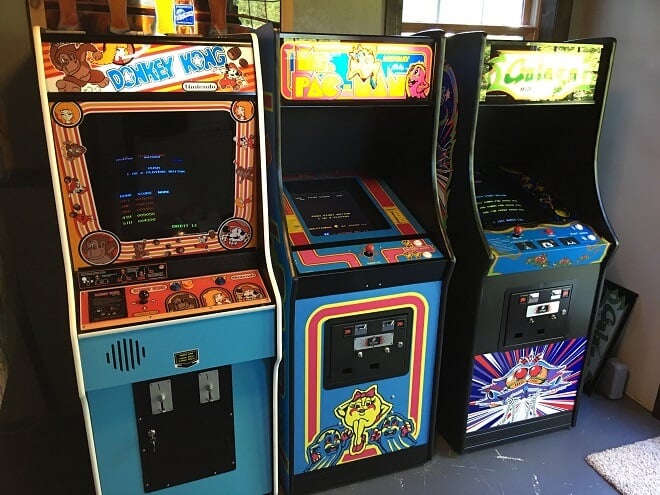
Arcade Gaming
Arcade gaming has experienced ups and downs throughout the years, possibly more than any other video gaming medium.

They nevertheless survived the flow of time. How do arcade games still thrive in today’s world in which a gamer can virtually have any game at their fingertips?

For many, it is a unique experience that they can’t get at home. The atmosphere, sounds, and social aspects all appeal in some way. Furthermore, certain games are better designed for the arcade control scheme and environment.

With the rise of gaming tournaments, fighting games have found their home with arcade-gaming lovers. This is primarily due to the release of Street Fighter II. But more on that later on.

Arcades have been through so much, and some of their games have defined the world of video games, influencing countless games to come. Here are the best…

Our Ranking Criteria

In addition to player and critic ratings, we use objective metrics like sales, users, and sales growth rate to make our lists (read more). Some of these data sources include:

Best Arcade Games of All Times

Street Fighter II

Street Fighter II
Capcom | 1991 | Fighting

No one remembers the first Street Fighter, which is fine. The sequel, released in 1991, is where this franchise shines. Along with colorful characters, tight controls, and a killer soundtrack, Street Fighter II defined fighting games. The second game in the series was released and rereleased an obscene amount of times; remasters of remasters.

If you have ever played the game, you will immediately understand why the game has such longevity. Just pick a unique character like the Brazilian Blanka and go to town on your opponents and I dare you to try and turn it off. You can’t!

Add this to the arcade environment where people crowd around the Street Fighter II cabinet, challenging foes, placing bets, and earning bragging rights.

The series is fully modernized now, with its latest iteration appearing in the form of 2016’s Street Fighter V for arcade, PS4, and PC. While it was favorably received, Capcom released an updated version, Street Fighter V: Arcade Edition, in 2018.

People enjoyed this update as it updated things like the user interface and gaming modes.

What Makes It Great

Evolutionary Gameplay: Street Fighter II is not just a sequel but a massive improvement over its predecessor. It transitioned from a single-player tournament experience to a game designed with two-player combat in mind, making it a more engaging and social experience.

Diverse Character Roster: The game introduced an expanded roster of playable characters, each with their own unique backstory and abilities. This diversity allowed players to find a character that resonated with them and master their specific moves.

Multiple Iterations and Enhancements: Over the years, several versions of Street Fighter II were released, each bringing new features, characters, and gameplay mechanics. This kept the game fresh and allowed it to evolve with the changing demands of its audience.

Difficulty

When played in single-player mode, the game presents a progressively increasing challenge, but mastering its mechanics is achievable with patience and practice. However, the true essence of the game shines in multiplayer, where the dynamics can vary widely based on the skills of the opposing player.

Pac-Man
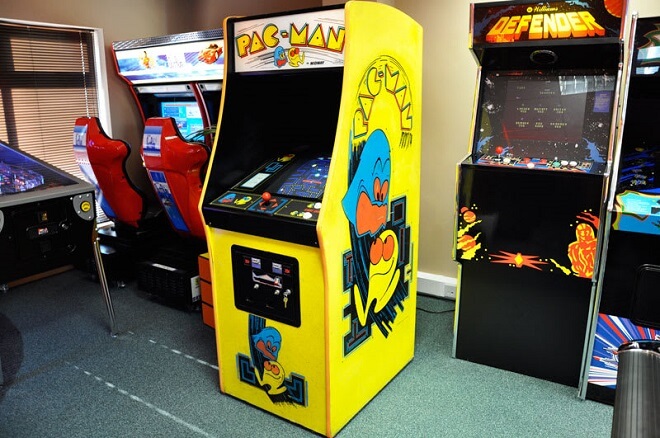
Arcade - PacMan
Namco | 1980 | Maze

If you were a gamer in 1980, you were about to have one of the most important moments in gaming unfold right before your eyes. With Namco’s release of Pac-Man, arcade gaming experienced one of the biggest booms it would ever see.

The game, where the player controls the titular little yellow circle, Pac-Man, was a face-paced maze adventure. The player needs to consume all of the dots all over the maze while avoiding the different colored ghosts: Inky, Blinky, Pinky & Clyde.

Level after level has you avoiding these cutesy foes, and it can get pretty frantic. Pac-Man can activate the energy dots which turn the ghosts blue, allowing Pac-Man to eat the ghosts, scoring even more points.

This is a classic game where people battled relentlessly over high scores. Over the years, Pac-Man has found its way to many different platforms. I remember playing a browser version in middle school during study hall. I blame Pac-man for my terrible Algebra grades!

The interesting fact about Pac-man is that it was never designed to end. That’s right: no end.

Why We Like It

As one of the most iconic arcade games of all time, Pacman remains a favorite among players of all ages including ours. The simple gameplay and charming characters have captivated players since it was first introduced in the early 1980s. There are several reasons for its enduring popularity.

For starters, the game’s concept is easily understood by both casual and hardcore gamers. It’s straightforward, but challenging enough to keep players engaged as they guide Pacman through a maze while avoiding ghosts. Its graphics and sound effects are also extremely appealing, making it a timeless game. There is no denying the game’s impact on modern gaming.

Pacman paved the way for future arcade classics and established many conventions still used in game design today. Its success inspired countless sequels, spin-offs, and even an animated television series. Pacman’s enduring popularity is a testament to its ability to transcend generations and provide joy and entertainment to players worldwide.

You could theoretically just keep going until you lost all your lives. This has caused fierce competition, with people vying for the ‘perfect’ Pac-Man game, where one must not lose any lives while making it through 255 levels.

The 256th level is a glitch, called the split-screen. It is the result of a bug in the system, and if one beats the 256th level, one would be counted among the skilled few to achieve this feat.

Player Billy Mitchell would be the first to accomplish this insane challenge, scoring 3,333,360 points in around 6 hours. The challenges to one-up other players have kept Pac-Man and its other variations on top of the heap in arcades.

What Makes It Great

Historical Significance: Released in 1980, Pac-Man played a pivotal role in popularizing gaming, becoming an arcade sensation and one of the most recognizable games ever.

Nostalgic Influence: For many, Pac-Man evokes strong feelings of nostalgia, reminding them of the early days of gaming and the arcades of yesteryears.

Enduring Formula: Despite its age and simplicity, the core gameplay of trying to maximize scores by eating pellets, fruit, and ghosts remains entertaining for short bursts, showcasing its timeless appeal.

Difficulty

Pac-Man starts off straightforward, offering a simple maze-chasing experience, but as levels progress, the speed of the ghosts increases and power pellets become less effective, demanding heightened reflexes and strategy from players.

This consistent ramp-up in challenge ensures that while the game may seem elementary at first, maintaining prolonged success becomes a test of skill and patience.

Space Invaders
Arcade - Space Invaders
Taito | 1978 | Fixed Shooter

Even before Pac-Man, 1978 marked perhaps the biggest shakeup in gaming.

Space Invaders, developed by the Japanese company Taito, (and eventually Midway in the United States), is a graphically basic game in which the player is tasked with stopping the space invaders from reaching the bottom of the level.

You are a lone ship shooting up at a wall of enemies. The enemies increasingly pick up speed, adding a frantic, anxiety-driven form of gameplay that is a lot of fun. The enemies moving faster were the result of the computing powers of the developer.

While programming, the game designer noticed that the more enemies that were vanquished, the faster the remaining enemies would move. At first, he thought he should fix this, but ultimately decided to keep it in the final game, adding to its legacy.

Even before 1980, this game sold extremely well. In Japan, Space Invaders made over $600 million and earned the equivalent of $1.7 billion by 1982. Today it is the highest-grossing game of all time, with profits of $13 billion between all of its versions.

What sets it apart from many games of its ilk is its simple yet addictive gameplay. You can just pick up and play and lose yourself in fast-paced gameplay.

What Makes It Great

Historical Significance: “Space Invaders” was groundbreaking in 1978, setting the stage for the shoot-em-up genre and becoming a cornerstone in the world of gaming.

Classic Gameplay: The game’s mechanics are simple yet engaging, tasking players with guiding a cannon to eliminate rows of descending aliens. Its straightforwardness offers a nostalgic experience for those familiar with the original arcade version.

Variety of Modes: Players can experience the game in different visual styles, from the detailed background of the upright cabinet screen to the classic black-and-white mode, offering a touch of authenticity to its arcade roots.

Difficulty

The game’s difficulty increases progressively as the aliens shift formation and speed up upon each successful elimination. With the constant threat of the invaders reaching the bottom of the screen and the occasional appearance of a rewarding “mystery ship,” players must maintain precision and agility to master this timeless arcade classic.

Donkey Kong
Arcade - Donkey Kong

Nintendo R&D1 Ikegami Tsushink | 1981 | Platform

This entry is significant for the fact that it is the first appearance of Mario, but it is also a great game in its own right. You play as ‘Jumpman’, (later to be our favorite Italian plumber), on a quest to the top of a twisted tower of girders to rescue the princess from the evil Donkey Kong.

It is strange to think of the lovable Donkey Kong as we know him today as the main antagonist of a game, but he was there at the top throwing barrels in our way. The player needs to dodge multiple obstacles to beat the level, testing, hand-eye coordination, and endurance.

This was the first design effort by Shigeru Miyamoto, eventually becoming the mythical figurehead of Nintendo in years to come. Miyamoto’s colorful and humorous designs paid off: the game was a smash hit, absolutely killing it in the North American market.

An aspect that helped Donkey Kong stay so relevant wasn’t only its cast of characters that would go on to define the platforming genre, but its great sales of the game for home consoles. This helped the game receive new longevity outside of the arcade market.

I remember playing it on my Nintendo Entertainment System when I was 5 and devouring it, (all while being petrified of the goofy monkey trying to stop me in my tracks).

Not only is this a solid game, but it proved to be an important game for Nintendo, as it spawned several well-known characters that would go on to star in award-winning franchises.

Shigeru Miyamoto strikes again!

What Makes It Great

Innovative Expansion: While rooted in the 1981 arcade classic, this Game Boy version brilliantly expands the original into a long-lasting adventure, boasting some of Nintendo’s most ingenious level designs and satisfying gameplay.

Diverse Environments and Challenges: Beyond the iconic construction site, players chase Donkey Kong through varied settings like jungles, icebergs, pirate ships, and more. The game also introduces a mix of platforming and puzzling stages, requiring players to think strategically to progress.

Evolution of Gameplay: The game starts with a homage to the original arcade levels but quickly evolves. Donkey Kong doesn’t just settle after being defeated in the initial stages; he leads Mario on a 100+ stage journey, offering players a rich and extended gameplay experience.

Difficulty

The escalating difficulty as the game progresses, including faster enemy movements and changing level layouts, keeps players engaged and on their toes, making Donkey Kong a formidable and rewarding gaming experience of its era.

Dragon’s Lair
Arcade - Dragon’s Lair
RDI Video Systems | 1983 | Fantasy

Those familiar with the films of Don Bluth, (The Secret of NIMH, The Land Before Time, All Dogs Go to Heaven), will immediately recognize the great cartoon animation involved in the hit game Dragon’s Lair.

Don Bluth himself was involved with the production of the game, which was released in 1983. Those of you who are familiar with quick-time events, (QTEs), will see where they came from.

Dragon’s Lair puts you in the role of a knight in search of the abducted princess from the dragon’s lair. The player is treated to some beautiful cutscenes as they choose which path the knight takes on his harrowing journey.

This game is known for its humorous death sequences, which many gamers became intimately acquainted with; this game is HARD. You need to have lightning-quick reflexes to react to what is happening on the screen, pressing the right button, and choosing the right path.

It was the first game to use QTEs and was an interactive movie laserdisc.

Dragon’s Lair also breathed new life into the arcade industry. In 1983, the arcade industry was in dire straits; they were experiencing the infamous video game crash due to severe market saturation and other contributing factors.

Many companies went bust and it wasn’t looking good for video games as a whole.

Dragon’s Lair jumped onto the scene and revitalized a threatened industry. It would win accolades like the number 7 spot on GameSpy’s Top 50 Arcade Games of All-Time list. It’s no easy feat trying to save a dying industry, but the game surely helped bring us back.

Thanks, Dragon’s Lair!

What Makes It Great

Quick-Time Events (QTEs) Pioneer: Long before games like “Heavy Rain” popularized the QTE gameplay mechanic, “Dragon’s Lair” was one of the first to rely entirely on it, offering a unique gameplay experience where players responded to on-screen prompts.

Historical Significance: Released during a tumultuous time for the gaming industry, “Dragon’s Lair” provided a beacon of hope and innovation, showcasing what games could potentially offer in terms of visual appeal and interactive storytelling.

Nostalgic Appeal: While its gameplay might seem simplistic by today’s standards, “Dragon’s Lair” holds a special place in gaming history, offering a nostalgic trip for those who experienced its original charm in arcades.

Difficulty

This game’s difficulty lies not in complex controls or intricate gameplay mechanics, but rather in the player’s ability to execute precise reactions to on-screen prompts. With just five controls – up, down, left, right, and attack – the challenge is centered on timing and precision as players navigate a series of quick time events

The House of the Dead
The House of the Dead arcade machine
Sega | 1996 | Horror

This game terrified me. I first played it at the movie theater before a showing of Star Wars: The Phantom Menace. My excitement for the movie faded as I saw the crazy images on screen: fast-paced gunplay involving bloody zombies.

With gory images, ghouls, and zombies, The House of the Dead, Sega’s 1996 release was an instant classic. It is an on-rails shooter, putting the player in the shoes of one of two protagonists, Rogan and ‘G’. Much like Resident Evil, they must stop evil scientists, all while blasting through the army of the dead.

Players use light guns, (controllers shaped like guns), to progress through the story while aiming and shooting at enemies. These enemies were unlike any we’ve seen before: fast-running zombies. Of course, by now we are more familiar with this terrifying concept.

But before this, gamers only knew George Romero’s lumbering, slow zombies. This added a high-octane, adrenaline-filled style of play that many gamers would go crazy over.

The game offered three different endings, all based on how the player(s) performed in-game. This game has easily stood the test of time merely by staying relevant. It has had several sequels, and my personal favorite, Typing of the Dead.

No joke, Typing of the Dead has you kill enemies by completing typing segments, rather than light guns. It sounds ridiculous, but it makes it even scarier along with giving your brain some exercise.

Along with its relevancy is its solid gameplay. It’s a ton of fun to partner up and grab a light gun, blasting through the undead horde.

What Makes It Great

Pioneering Horror Gameplay: “The House of the Dead” is a horror-themed light gun shooter video game franchise that set the standard for arcade-style shooting games. Its unique blend of horror elements with fast-paced shooting action made it stand out in the gaming world.

Dynamic Gameplay Mechanics: The series offers diverse gameplay elements across its titles, from branching paths determined by player actions to unlockable bonuses and multiple endings based on performance. This ensures a fresh experience for players with each playthrough.

Evolution with Each Release: From its origins as a first-person light gun rail shooter, the series has introduced various gameplay mechanics, characters, and firearms, keeping the franchise fresh and engaging for players over the years.

Difficulty

The House of the Dead presents a moderate level of difficulty, requiring players to demonstrate accuracy and quick reflexes as they fend off waves of approaching zombies using a light gun or mouse. Managing limited ammunition, avoiding damage, and rescuing hostages for health power-ups are key aspects of the challenge.

Tetris
Tetris arcade
Alexey Pajitnov | 1985 | Puzzle

This comes as no surprise. Tetris, the Russian wonder, has captivated gamers of all ages since the mid-1980s when it was released. This tile-matching game developed by Russian computer engineer Alexey Pajitnov was an instant hit.

The game was the first game exported from the Soviet Union to the West, showing up in 1986.

This game supersedes all other puzzle games. It even has the infamous ‘Tetris effect’, in which players, long after completing games, for example, can hallucinate seeing the Tetris shapes when their eyes are closed. It also bleeds into other aspects of their lives, like dreams and thoughts. But don’t worry, it’s not a bad thing!

People love Tetris so much that it seeps into their very beings. What’s better than downloading Tetris to your phone or playing a quick game on your internet browser when you should be focusing on being productive? Okay, so maybe you should get your work done, but c’mon! It’s Tetris!

The game starts with a clear board. Then, slowly but surely, pieces of the puzzle come floating down. These come in the form of multiple shapes, (my favorite, naturally, being the straight line), and forming geometric blocks to keep the board clear.

It feels great to line up a bunch of blocks right when you think the screen will fill up, (ending in a game over) and see them burst, giving you a second lease on life. The more the player succeeds, the faster the puzzle pieces float down, giving the urgency that separates the hardcore players from the casual ones. Which are you?

Unfortunately for Alexey Pajitnov, he didn’t start seeing returns on his creation until well after a decade. He formed The Tetris Company and controlled much of his creation. I think we all owe Alexey a great debt.

Tetris, even today, continues to be a best-seller, particularly on mobile platforms, proving that it is one of the most revolutionary games ever created in history.

What Makes It Great

Unprecedented Popularity: By December 2011, Tetris had sold a staggering 202 million copies, making it one of the best-selling video game franchises. Its influence extends beyond gaming, impacting popular culture, architecture, music, and even scientific research.

Cultural Impact: Beyond its gameplay, Tetris has become a cultural icon. Its imagery has influenced various fields, and the game has been the subject of numerous studies analyzing its complexity and effects on the human brain, notably the “Tetris effect.”

Difficulty

Tetris is a deceptively simple yet increasingly challenging puzzle game that tests players’ spatial awareness and decision-making skills. As players manipulate falling tetrominoes to create complete horizontal lines, the game’s difficulty escalates with the accelerating speed of descent and the need for quick thinking.

Best Arcade Machines

  • Creative Arcades Full-Size Cabinet Arcade Machine
  • Arcade1UP Galaga Arcade Machine
  • My Arcade Data East Classics Mini Player
  • My Arcade Bubble Bobble Micro Player
  • Chicago Gaming Arcade Legends 3

Arcade Genre

The ‘arcade’ genre is still used to describe different facets of action games. Some games have an ‘arcade’ mode, in which the levels are tailored to more action-packed, score-based gameplay than they usually would be.

Arcade Action Games

Of course, while there are arcade modes in some action games, there are still those arcade action games that paved the way for what it meant to play action games in the first place. Here are the top arcade games in the action genre.

  • Pac-Man
  • Space Invaders
  • Asteroids
  • Frogger
  • Donkey Kong
  • Pong
  • Missile Command
  • Galaga
  • Ms. Pac-Man

List of Highest-Grossing Games

It’s no surprise that some of the highest-grossing games in the arcade were actually some of the first prevalent arcade games that hit the mainstream with a bang. You’ll find a lot of duplicates from the best action games.

  • Pac-Man
  • Space Invaders
  • Street Fighter II
  • NBA Jam
  • Mortal Kombat II

Online Arcade Games

This arcade games list includes some online arcade games you can play.

  • Lines and Blocks
  • Wizard Jewels
  • Dropdown Jewel Blast
  • Stickman Swing
  • Shards
  • Mahjongg Neon
  • Halloween Horror Massacre
  • Bumper Cars.io

The Coolest Arcades in the World

Club Sega, Tokyo, Japan

Club Sega
Easily one of, if not one of the best arcades, Club Sega is insane.

It’s six floors of gaming goodness and fun explicitly located in Tokyo’s Akihabara district.

Those who love arcades will find this to be heaven on earth.

Barcade, Brooklyn, New York, United States

Barcade
Brooklyn is home to a ton of iconic American imagery: Coney Island, Luna Park, and of course, famous New York pizza.

It also has a fantastic arcade worth anyone’s time and money: Barcade. A combination of ‘bar’ and ‘arcade,’ Barcade naturally serves beer alongside its vast selection of arcade games.

You Should Know

Barcade is credited with popularizing the concept of combining classic arcade games and craft beer in a social setting. It was one of the pioneers of the “barcade” trend that has since spread to various cities across the United States.

The founders, Paul Kermizian, Pete Langway, and Kevin Beard, were inspired to create this unique establishment after a visit to a vintage arcade auction. They decided to open the first Barcade location in Williamsburg, Brooklyn, in 2004.

Since then, it has become a beloved destination for gamers, craft beer enthusiasts, and those seeking a nostalgic trip back to the golden era of video gaming.

Joypolis, Tokyo, Japan

Joypolis
No surprise that Japan, Tokyo, in particular, appears multiple times on the list. Joypolis is more of a theme park than strictly an arcade. However, they have an impressive amount to choose from after switching gears from the theme park rides.

Awesome Arcades in LA

EightyTwo
Popular arcades in LA: Eighty-Two

  • 707 E 4th Pl, Los Angeles, CA

Users love the unique setting and vintage arcade cabinets available to play: “This place is super duper awesomeness, arcade games, full bar, music, pinball machines, and a patio.”

Why We Like It

We like “EightyTwo” because it offers a fantastic blend of nostalgia and entertainment. It’s a true hipster hangout with a concept that merges classic arcade games, pinball machines, alcohol, and lively music.

The place’s vibes and ambiance are on point, making it an ideal spot to relive our childhood memories while enjoying a drink and dancing to the tunes of a live DJ. The outdoor patio adds to the charm, providing a great space to chill.

However, it’s worth noting that the bar can get quite crowded, leading to longer wait times for drinks and limited access to popular games during peak hours. Despite these occasional drawbacks, “EightyTwo” remains a unique and fun destination that we enjoy visiting.

NeoFuns
Popular arcades in LA: NeoFuns

  • 500 N Atlantic Blvd, Ste 162, Monterey Park, CA

People love its variety of machines, including several claw machines with tons of plush toys. This place makes Chuck E. Cheese look insultingly bad.

Game Over Pizza
Popular arcades in LA: Game Over Pizza

  • 7065 Sunset Blvd Los Angeles, CA

In the heart of Hollywood is this unique pizza parlor (serving New York-style pizza), which includes some great arcade games and retro style. It also helps that people agree that it’s some of the best pizza they’ve had in the L.A. area.

Other Sources:

https://www.oldgamehermit.com/2019/06/review-street-fighter-ii/
https://gamefaqs.gamespot.com/arcade/589548-pac-man/reviews/142403
https://www.nintendolife.com/reviews/snes/space_invaders_the_original_game
https://www.ign.com/articles/2011/06/27/donkey-kong-review
https://en.wikipedia.org/wiki/The_House_of_the_Dead_(video_game)

The Making Of A Great Motion Graphic Designer

0

Motion Graphic Designer
Anyone who has taken a seat on a Sunday night to catch a little show called Game of Thrones will be familiar with what motion graphics are.

The now-iconic opening sequence, involving motion graphics including dioramas or cities and the countryside. Designed by Elastic, this opening sequence on its own is a serious work of art. The motion graphics team made such a mark on TV right at the start that they won an Emmy in 2011.

How did someone turn a creative career towards motion graphic design?

Here is the way to become a motion graphic designer.

What Are Motion Graphics?


Motion Graphic Designer
When I was in middle school, we were allowed to create a PowerPoint presentation on any subject we wanted.

At the time I was interested in samurai, so I picked that as my topic. I went all out; I filled my presentation with cool pictures, pieces of audio, and graphics. I queued it up so that upon click, an image would animate on the title page. Little did I know that back then I had just taken part in motion graphics!

Very simply, motion graphics are animations used in conjunction with videos to make a lasting impact on the viewer. You will find most of these in the opening intros for TV shows, web series, and more.

If you were to look at a slew of movie intros, especially older ones, you can find a plethora of intros and animations made using graphic animation.

Motion graphic designers are so much more than merely animators as well. They are instrumental in telling stories by using their creative muscles, adding their personal touch to a story or visual.

Motion graphics have become so widespread in today’s world, that I guarantee you will not be able to surf the internet without coming across motion graphics. They range from informational YouTube videos to app animations, and everything in between.

If you were to watch the into from the first James Bond movie, Dr. No, the viewer is assailed by an army of constantly changing circles. These circles fluctuate between colors and intensity and offer a unique preview of the way that the film will unfold. It introduces the infamous ‘gun barrel’ point of view shot of James Bond, followed by the artistic credits sequence.

It was designed by Maurice Binder.

A particular piece of motion graphics I am awed by takes place in Total War: Three Kingdoms. Using the historical motif of medieval China during the Romance of the Three Kingdoms period, the research/tech tree is presented in the form of a cherry blossom tree.

With each successive chosen technology, the cherry blossom blooms more and more, giving the player a stunning animation as well as a classic piece of motion graphics.

Motion graphics allow animators and others to animate still images. Sounds simple enough, right? Although you could start motion graphic designing on your own, becoming a head honcho in the industry, you will need to follow a path towards the top.

Education: Schools and Degree Plans


Motion Graphic Students
Here’s a secret; I unabashedly love school. I know, it’s crazy. But loving school is easy if you are learning what you are interested in. Simple as that. If motion graphics are your passion, you will love going to school too.

If you are planning on specializing in the field, the following schools and their respective degrees or degree programs will give you that valuable step towards breaking through into the industry.

A bunch of factors should go into the decision process of choosing any of these schools. The student may want to stay close to home, may not be able to afford some schools, or are particularly attracted to certain programs.

I encourage you to look more into these schools on your own, as well as measuring the pros and cons so you can get the best program for what you are looking for in particular.

Top Schools for Motion Graphics Design

Yale University

  • New Haven, Connecticut
  • Master’s degree, 4 years

University of California, Los Angeles

  • Los Angeles, California
  • Bachelor’s degree, 4 years

Virginia Commonwealth University

  • Richmond, Virginia
  • Bachelor’s and Master’s degrees, 4 years

Rhode Island School of Design

  • Providence, Rhode Island
  • Bachelor’s and Master’s degrees, 4 years

Check out this great gallery of some students’ work at the Rhode Island School of Design.

School of Art Institute of Chicago

  • Chicago, Illinois
  • Bachelor’s, Master’s, 4 years
  • Graduate Certificate

Carnegie Mellon University

  • Pittsburg, Pennsylvania
  • Bachelor’s degree, 4 years

Columbia University

  • New York, New York
  • Master’s degree, 4 years

Cranbrook Academy of Art

  • Bloomfield, Missouri
  • Bachelor’s and Master’s degrees, 4 years

California Institute of the Arts

  • Valencia, California
  • Bachelor’s, Master’s, 4 years
  • Graduate Certificate

Maryland Institute College of Art

  • Baltimore, Maryland
  • Bachelor’s, Master’s, 4 years
  • Graduate Certificate

College of Design, Architecture, Art, and Planning

  • Cincinnati, Ohio
  • Bachelor’s, 4 years

Reddit user, r/Sopro4869 says about DAAP:

“have a mandatory paid-internship program which was HUGE…It took us to 6 internships across the country, gave me a lot of experience that got me where I am now. It also let me try a bunch of actual jobs and roles out, and taught me what I don’t want to do, and what I needed to learn.”

The Savannah College of Art and Design

  • Savannah, Georgia
  • Bachelor’s, Master’s, Master of Fine Arts, 4 years

Regarding the Savannah College of Art and Design, here are some particular classes that you will be taking in various degree programs:

  • DRAW 100 Drawing I: Form and Space
  • DSGN 101 Color: Theory and Application
  • MOME 105 Principles of Motion Media Design
  • MOME 408 Multi-Platform Media Brand Packaging
  • MOME 705 Visualization and Concept Storyboarding

And of course, you could rough it, foregoing school and education for a crash course in motion graphics by learning yourself. I would never disparage this approach, as many successful designers have succeeded without an impressive degree you can get from these iconic schools.

However, I believe that it will be harder to break in without any sort of certification whatsoever. Again, it is your decision, and it depends on your style and work ethic. This transitions into what happens after you graduate from studying motion graphics.

Becoming A Motion Graphics Designer

Being a motion graphics designer is a multifaceted process, and unfortunately, it isn’t so cut and dry. A graphic designer, in general, should have a bachelor’s degree in graphic design or perhaps a related field or major.

Furthermore, to impress hiring managers and the heads of companies, you’re going to want to have your portfolio really stand out. This means practicing your craft of graphic design and adding motion to your designs. Showing potential employers an impressive portfolio can score major points that perhaps positions on a resume couldn’t.

It will take different people different time frames to really master motion graphics as well. There will be some that will need training and practice from the ground up, while there will be those who have an innate ability to pick up the basics and have an easier time adapting to a motion graphics designer’s workflow.

Types of Motion Graphics


There are three main types of motion graphics.

Promotional: these advertise different products and services to their intended audience.

Explainer Videos: These, as you can probably guess, explain different processes, products, or help define hard-to-understand concepts. Doing this through animation can help people comprehend difficult thoughts and ideas more easily.

Emotive: These motion graphics intend to move the viewer in any way. Whether it is tugging at their heartstrings, or making them laugh, the Emotive video is one where it seeks to elicit an emotional response.

What Do Motion Graphics Designers Do?


A motion graphics designer is an artist that creates various forms of work for different mediums. They then use their expertise to bring their works to life through animation techniques. Many of your favorite animated shows, shorts, and movies utilize the work of motion graphic designers.

Which Software Is Used For Motion Graphics?


The top software for motion graphic designers is Cinema 4D. They also use:

  • Photoshop
  • Illustrator
  • After Effects, and
  • Premiere Pro.

Graphic Design vs. Motion Graphics


The difference is motion. Graphic artists will work with still images to advertise, create, and build, while a motion graphics designer will continue that work once a movement has entered the creation process.

Think of it this way: the graphic designer creates the actual title cards for the opening of a movie, but a motion graphics designer creates and implements the motion that the opening sequence will show in the finished product.

They’re both incredibly essential fields and depend on each other considerably in certain situations.

Do Graphic Designers Make Animations?

Graphic designers make the actual design while the animation is left to the animators.

Skills of A Motion Graphic Designer


3D Modeling

Knowing how to render and animate 3D models is crucial, and will make your career a breeze if you know your stuff.

Animation Perspective

Knowing proper perspective while animating, which way is up, down, left to right, and different views.

Organization

This is a very detail-oriented job that needs a keen eye and a knack for organization.

Procedural Animation

Knowing how to create animation and objects using computer programs automatically is a must for moving on to more significant animation projects.

Texturing and Lighting Effects

Those who want to make animations as realistic as possible should be familiar with lighting and texturing principles.

Understanding Big-Picture Context

The big picture is the name of the game. You need to be able to picture your long-term goal to form your short-term goals.

Adaptability

Things won’t go right 100% of the time, and a motion graphics designer will need to adapt to changing scenarios. A client could want the product to change the day before its due, etc.

Timing

Arguably one of the most important aspects of motion graphic design, having impeccable timing makes it all come together into a cohesive piece.

Career, Pay, Salary, and More


Designer's Salary

Harkening back to an impressive work portfolio to turn some heads, you need to start building it sooner rather than later. This shows the employer that you have a knack for getting art projects done in your free time, and what your style looks like. It can give the person hiring you an important, and sometimes intimate, view of how dedicated you are to the craft.

Along with portfolio work, research some different degrees in graphic design if you don’t already have it. There are also fantastic certification programs that illustrate how well you work with specific programs like Photoshop and After Effects.

If you can’t swing a bachelor’s degree, then these certificates are pretty valuable.

After graduating, the motion graphics design field is a lot like many other design job markets. A great first step in finding a job is to build on your portfolio.

The portfolio is your lifeblood here, as it will show prospective employers and companies what you are capable of, your art style, and your attention to detail. It might be in your best interest, before hitting the pavement, to refine what your portfolio looks like.

Employers will not look kindly on those with messy, incomplete portfolios. With any luck, your school of choice will have helped you build your portfolio up substantially.

After you feel you have gotten a better grasp on what to show interviewers and companies, you should do some research as to what pay and salary will be like for you just entering the business.

On average, a motion graphic designer can expect to make around $62,000 a year. This is a very basic number, as many factors go into the rates. Consider that perhaps you wouldn’t be working for a company, but rather be your boss through the practice of freelancer.

Freelancers seem to make more, work on fewer projects, and other aspects.

Ultimately, it is up to you how you want to go building the framework of your career. If you are a person that craves a stable job and routine, then working at a company is your best bet. The freelance market can be tough, as you need to be connected constantly with multiple people for work.

If you can swing it, however, you could come into some serious cash. Not all experiences are universal though, and yours may be unique to the thousands of other motion graphics designers.

For more exploratory research into these aspects, check out the School of Motion. It is a great resource for designers to find work.

What are the Best Locations?


Career locations

Where do motion graphics designers work?

You can usually find motion graphic designers working under the banner of multimedia artists. According to the Bureau of Labor Statistics, the median salary for this field is $75,270 per year, steadily growing over the next ten years or so by 4%.

This could be another deciding factor in how much money you could make. On average, big cities are more promising when it comes to salaries.

The states with the highest volume of graphics designers are:

  • California
  • New York
  • Texas
  • Georgia
  • Washington

To narrow it down further, the states that pay their motion graphics designers are:

  • Connecticut
  • California
  • Washington, D.C.
  • New York
  • Washington

While these cities are beacons of creativity and starting an artistic career, a few aspects need to be considered. The living costs in New York and San Francisco should especially be examined, as rent can prove to be astronomical.

My friend lives in the backend of Harlem, paying nearly $3,000 a month for basically a closet apartment. You need to keep in mind what your salary could bring you in terms of financial security. If you are cool with higher rents and living in the big city, then by all means, go for it!

You do not necessarily need to inhabit the big cities to become successful. The one thing that a big city can guarantee, however, is a vast network of like-minded artists and contemporaries which may prove invaluable to a budding artist.

Tools of the Trade


Design Tools
Okay, now that we know where to go, and what to do, what tools to motion graphics designers utilize the most to create unique and stunning visuals?

  • Adobe Photoshop
  • Adobe After Effects
  • Unity Engine
  • Maya
  • Adobe Illustrator
  • Cinema 4D
  • Mocha AE
  • Trapcode Suite
  • Adobe Animate and Moho
  • Nuke
  • Houdini
  • Syntheyes

However, as one motion graphic designer, Dan Maurer, stated:

“Being able to think like a designer, being able to break the problem down into elements and then solve it properly, that in my mind, is more important than actually knowing the software. If you can do good design and dissect the problems, you will go significantly farther than just learning the tools.”

Having a basic grasp on these tools is a must, but as Dan Maurer said, having the designer’s mindset is way more valuable than just being an automaton that knows programs inside and out.

Wrapping Up


Graphic Design
If you were looking at the Game of Thrones intro with a sense of reluctance before, you don’t have to now.

Companies like Elastic and the team that worked on the GoT intro as well as countless others, all got their respective starts in a ton of different places.

Since you are reading this, I can assume that you are at least somewhat competent with the programs above, which is a great start.

But if you’re not, don’t despair.

There is NO time limit on your career as a motion graphic designer. All you need to do is have a designer’s mindset, a grasp on the tools of the trade, and a small penchant for networking with your fellow artists.

Whether you are 18 or 48, graphic motion design is ever-changing and evolving with technology, so you won’t be left behind.

No one story is the same, and with proper networking, location, education, and portfolio, you can make it big as a motion graphics designer. Now get working on that portfolio, you brilliant artist!