Home Blog Page 28

Recommended Graphic Design Colleges

us graphic design schools
Aspiring graphic designers seeking an outstanding post-high school education have plenty of options to choose from.

Whether you’re looking to stay close to home, save some money, or target an Ivy-League superstar, you should be able to find a great school for your particular situation.

Using the following criteria, we’ve put together an updated list of 50 excellent graphic design schools in The United States.

Don’t get too hung up on the specific order of the colleges. Instead, narrow your search to a few schools from this list and investigate further. The right school for you is the school that best fits your needs, location, and budget.

Our Ranking Criteria

In addition to feedback from schools and alumni, we rely on public data sources to determine our school rankings. These data sources include:

Because of our varied criteria, this list doesn’t actually rank the top fifty schools chronologically (i.e. The #4 school is not necessarily better than the #44 school on the list).

Time to look at some schools!

50 Excellent Graphic Design Schools

University of Pennsylvania


University of Pennsylvania LogoAttending Penn University is a notable feat in and of itself, as the school has so much history it was literally founded by Benjamin Franklin himself. But that’s not to say that Penn doesn’t have anything else to offer graphic designers; far from it.

In addition to an interdisciplinary major in Fine Arts, and an integrative major in Design, the university also has a two-year Master of Fine Arts degree on offer. Each of these programs offers interaction and critique with professional artists and designers, and there are plenty of extracurricular events for artists and designers held by the University every year. The courses themselves are impressive too.

You’ll learn how to utilize a wide variety of cameras, scanners, and digital composition software in their Mixed Media Animation class, before learning how to create gorgeous hand-drawn, computer, and environmental animations. You’ll design multi-page publications and work with clients and fabricators to create your very own graphic design pieces. There’s a lot on offer here, as can be expected from a University like Penn.

University of Florida


University of Florida LogoRun through The School of Art + Art History, this university also offers an appealing program for graphic designers. You can earn a Bachelor of Fine Arts in Graphic Design degree while learning art history, 2-D, 3-D, and even 4-D drawing techniques, as well as the tools and technologies you’ll need to become a professional graphic designer.

Students start by being taught the basics of art history, and what methods are used when designing. Digital imaging techniques, as well as professional typography, are taught next, so students will be prepared to create their own original fonts in their works.

There’s plenty of course time spent in the studio working, so students can hone their skills using the form, spacing, composition, and other art techniques taught during the program. There is one severe downside, however–students are expected to bring their own computer system capable of running the graphic design software required for the lessons. This means the university is not a suitable choice for students without the means to purchase their own equipment, as it will not be provided.

Boston University


Boston University LogoBoston University offers a certificate, a BFA, and an MFA in Graphic design. The program takes an interesting approach to graphic design, valuing the process of creation as even more important than the final product. Throughout their studies, students will learn to manage their form, medium, the context in their work, and to adjust their designs to fit their audience.

What sets Boston University apart, however, is its facilities. Students share a fully equipped communal workspace, a computer lab, and even printmaking facilities. The printmaking facilities are particularly helpful to graphic design students, as they allow for etching, silkscreen, letterpress, bookmaking, and digital print. There’s even a darkroom, a visual library, and designated areas for welding, ceramics, and a woodshop. Boston University even allows students to work with a fabrication, 3D laser cutting, and robotics facility.

So it’s not too bold to say if there’s something a student wants to create, they have the materials and equipment available at this school.

Finally, Boston University offers some help when it comes to finding employment as a graphic design artist. They have a partnership with some of the local businesses and design firms, so students can actually find employment. Lastly, for those who would take up the chance, there’s a study abroad program in Italy.

All of this puts Boston University at the cutting edge when it comes to graphic design schools.

Carnegie Mellon University


Carnegie Mellon University LogoCarnegie Mellon University once more appears on this list, and for good reason. This University actually has design degrees at the undergraduate, graduate, and doctoral levels, something most design schools out there do not. They take a community-based approach to this education; students are expected to work together with other students from a variety of other disciplines and backgrounds. It’s also among the only design programs that emphasize sustainability in its courses.

So you can be sure that whatever you’re creating throughout your studies, you won’t be leaving too big of a carbon footprint behind. As for the program itself, the undergraduate course is very customizable, allowing you to pick between several different types of design to be your specialty.

Graphic designers should go for the “Communications” path. This will teach you everything you need to know about graphic design and how to tell a story through it. Alumni of this branch have even been responsible for creating works such as the Starbucks logo.

If you want to try and get a Master’s Degree, the Master of Arts program is perfect for teaching you the fundamentals of design, making digital and physical prototypes, using graphic design software, and other hands-on activities. And of course, the doctorate path is the most intensive course of all. There are a lot of options for graphic designers here; just expect to be working with others a lot through their interdisciplinary method of teaching.

University of Miami


University of Miami LogoThe Graphic Design + Multimedia program at the University of Miami is a great choice for someone with an interest in graphics design, as it teaches you how to use your design across a wide variety of different mediums, while even learning a bit of the humanities. Through this program, you’ll wear multiple hats; you’ll get to try your hand at being a designer and a creative director.

The University has a printmaking facility, two separate studios for drawing, and a computer lab. Graphic design is very much a leadership position, so you will be taught how to communicate your ideas with members of mass media and large corporations, and there are plenty of seminars featuring guest artists and designers.

Essentially, what this program offers is a close look both at how to become a lead graphic designer, and how to spread your work across multiple different industries, from logos to book covers to even wall decals.

Rhode Island School of Design


Rhode Island School of Design LogoFor those who want to learn how to convey your ideas and stories visually, the Rhode Island School of Design has a wonderful program for Graphic Designers, with both a BFA and MFA version. The BFA is a 4-year program, designed to help students build their own design processes while they learn about the various methods of design, communication, and problem-solving skills.

In the first year, students are taught about the visual principles that will make their graphics pop out, even in a sea of art. This means understanding form, typography, image, and color. After that, it’s on to even more advanced techniques, including communication theory and information design, before culminating in the last year, where they’re shown exactly how to put what they’ve learned into practice.

In terms of equipment, students at Rhode Island School of Design can use special facilities for bookbinding, papermaking, and screenprinting, as well as the software you’ll need to make digital prints. The best part is, the assignments the students get will help with building up a portfolio of book covers, magazines, exhibits, film graphics, and more. That way once a student graduates, their resume will be more than a little impressive.

Rochester Institute of Technology


Rochester Institute of Technology LogoThe track record of this school is stellar. Students who have attended their graphic design program have an 85% outcome rate and have found work in their respective fields. Even more impressive, the median first year salary of graduates is $51.300 a year. These numbers alone show why this program is worth it, but why is it so successful?

Rochester’s graphic design program encompasses how to practically use your artistic skills to make. Their BFA program has students learning typography, branding, motion graphics, how to design for a particular space, packaging, and publication.

Assignments will often be directly connected to local and even international businesses, allowing students to get a very real graphic work experience. Plus, as mentioned in previous sections, Rochester has a proven track record of helping students to enter paid coops, where they can be paid to work full time with industry professionals and possibly achieve real employment once they’ve graduated.

You’re not leaving with just a sheet of paper, but the experience. Ironically, that’s what they say graphic design is all about; creating not just products, but experiences.

Maryland Institute College of Art


Maryland Institute College of Art LogoWhether it’s spatial design, publications, decals, or user interfaces, the Maryland Institute’s Graphic Design Major has you covered. Theory, practical skills, and history are a big part of their courses, so students can build on their own creativity by learning what worked in the past and why.

On top of all that, this program is HUGE. It has 300 majors, 50 classes running a semester, and plenty of electives to help graphic designers who want to use their talents in more specific ways. With that said, the general courses cover quite a bit of every area of graphic design and are taught by 25 faculty members who have worked in each.

The final senior project can be an example of any of the students’ favorite specialties, but it must be a true display of the artist’s creativity and personality. This is one school where the students can learn exactly how powerful words and images can be.

School of Visual Arts


School of Visual Arts LogoIt’s no surprise at all that the School of Visual Arts would have an impressive BFA Design program. They strive not only to teach their students how to take an image or idea and turn it into a tangible object, but also how to turn it into something that will appeal to an audience, how to communicate your ideas to a team, and how to sell the object once it’s been made.

This is all-important to a graphic designer, but this program actually offers more than just graphic design. Students can pick up tools and skills that can help them in a motion graphics, interactive design, or 3D modeling career as well.

The faculty believes that every artist is different, and will therefore have different needs and abilities. That’s why out of all the programs on this list, the School of Visual Arts has one of the most customizable. Maybe the student wants to make CD and vinyl cover art or wants to specialize in environmental design.

This program gives students the freedom to do just that with a range of course options and more studio time for students than any school in the world. There’s also three workshops, competitions and exhibitions, and an impressive internship program. They even have industry professionals come in once a senior year as guests to review the young designers’ work, which presents a unique networking opportunity. For a graphic designer, you can’t do much better than this.

University of Minnesota


University of Minnesota LogoAt this University, developing a graphic design portfolio is the name of the game. As you’re taught the skills you need to find gainful employment as a designer, you’ll be filling your portfolio with packaging, screenprints, typography, and more.

Graphic design is something of a specialty for the University of Minnesota, as the graphic design programs they offer include a BFA, MA, MFA, MS, and finally a Doctorate in Design Philosophy. That’s not even including their minors and certificates, so this is one University that offers every level of education when it comes to graphic design.

One benefit that students have is an opportunity to learn from their seniors. Graduating students can join the senior exhibition, where they can meet junior students, show off their portfolios, and offer helpful advice. This exhibition is worked on throughout the entire program, and the exhibition is also open to the public as well as design professionals looking to meet upcoming talent.

So the senior students get a lot out of it as well. In other words, by the end of your program, you will not only have a portfolio, but you will be showing it off in a public display that could help set your course for the future.

Parsons School of Design at the New School


Parsons School of Design at the New School LogoCalling New York home means the Parsons School of Design can boast close proximity, and ties, to a lot of big names in the world of design. This means you’ll have some great opportunities to pursue through guest lectures, possible internships, and even job contacts down the line.

Yale University


Yale University LogoYale University offers a highly selective program in which you can earn your Master’s of Fine Arts degree in Graphic Design. Their MFA program lasts for two years, with the possibility of an extra year on the front end if you choose to try and enroll in their preliminary-year program, which guarantees you a spot in their MFA program.

Only ten students are admitted to the MFA program each year, up to seven of which could be from the preliminary-year program.

Wayne State College


Wayne State College LogoWayne State College places a primary focus on design elements with the tool of choice being the computer. If you’re looking for a very affordable option, a school like Wayne State College is a good place to start.

Depending on how many credit hours you’re enrolled in, and where you live, your tuition could be between $3500 and $5000 dollars per semester.

Fashion Institute of Technology


Fashion Institute of Technology LogoHigh-profile internship opportunities, as well as the opportunity to study abroad with your pick of several colleges in England are two big selling points for the Fashion Institute of Technology. FIT only offers a two-year program, which includes a mandatory internship and results in a BFA in Graphic Design.

North Carolina State University at Raleigh


North Carolina State University at Raleigh LogoWith a focus on the end-user and user experience, you’ll benefit greatly from a degree from North Carolina State University at Raleigh. The user experience is more important to business now than it’s ever been, and with that focus playing a strong part in your studies, you’ll end up with a very versatile skill set.

Florida State University


Florida State University LogoAs you can see from the link, Florida State University has a wealth of Studio Art offerings. This school where you, as a student and eventual professional, can really find your niche. There are web courses, animation courses, mechatronic art courses–it’s full of interesting disciplines and skills to explore. (Full list of graphic design classes in Florida)

Appalachian State University


Appalachian State University LogoHere is another university that lets you focus on your strengths as an individual. Schools with that kind of flexibility will help you separate yourself from the pack. Appalachian State University is a school that will encourage you to come up with your own, personalized methods for creative problem-solving.

In a world where everyone is getting a degree, uniqueness will help you stand out.

Pratt Institute


Pratt Institute LogoAttending Pratt Institute will cost around $60,000 dollars (includes tuition, room and board, and fees). The institute offers two 2-year Graphic Design Programs, one of which has an illustration focus. The BFA in Communications Design combines advertising, illustration, and graphic design.

Drake University


Drake University LogoDrake University is a school that focuses on your technical skills as a graphic designer. Your abilities to problem solve or communicate will only take you so far if you’re unable to deliver a fine finished product.

The final project not only requires you to assemble an online portfolio but also requires you to develop “a stationary system and necessary business communication documents.”

Iowa State University


Iowa State University LogoOnly 76 students are admitted into the BFA program annually, after completing their first year in the Core Design Program. The price is right for Iowa, too. Residents can expect to pay around $16,000, which includes housing. Those of you looking to attend from outside the state of Iowa will pay closer to $30,000.

California Institute of the Arts


California Institute of the Arts LogoThe California Institute of the Arts BFA program has a competitive cap of 15 students. Enrollment alone does not guarantee success, as you will be subjected to faculty reviews at the end of every academic year. Continuing on in the BFA program is contingent upon passing the review. (View all graphic design colleges in California)

Pennsylvania State University


Pennsylvania State University - Main Campus LogoDespite its size as an overall university, Penn State’s graphic design college program promises classes of 20 students or less. The university has also attracted instructors with widely varying backgrounds. The diversity of faculty, coupled with the newly built state-of-the-art facilities, makes PSU an appealing choice for any student.

Dominican University


Dominican University Logo

For full-time undergraduates, the price of tuition, and room and board, comes in around $40,000 dollars. That’s a lot of money, but it is under the national average for 4-year private universities. And, over 90% of incoming students receive financial aid. Their facilities are decked out with powerful computers and the latest graphic design software.

Ringling College of Art and Design


Ringling College of Art and Design Logo

This Floridian college was originally founded as a college for cartoonists. Now it’s grown to include 11 major degree program offerings from which you can choose. In the Graphic Design program, you’ll have an opportunity to collaborate with local businesses to earn some real-world experience.

American University


American University Logo

Like many universities on the list, American University requires students to complete core classes, with passing grades, before being officially admitted into this graphic design college. A portfolio submission prior to your senior year is required.

These checks and balances ensure that you as a student are applying yourself and growing your skills.

Texas A&M University-Commerce


Texas AampM University - Commerce Logo

Texas A&M University-Commerce provides you with three different paths of focus for a degree in fields that overlap with graphic design. Design Communications focuses mostly on print work: packaging, billboards, posters, etc.

New Media focuses on skills like animation and interactive and multimedia design. Art Direction focuses on market targeting and singular ad campaigns in a variety of mediums.

Savannah College of Art and Design


Savannah College of Art and Design Logo
Savannah College of Art and Design has a curricular emphasis on the user experience. Appealing to the end-user is more important today than it’s ever been before. SCAD’s focus on that industry shift speaks to its up-to-date curriculum.

Northeastern University


Northeastern University Logo
Northeastern University has an abundance of major and minor degree programs to choose from, all within the art + design fields. The two degrees listed above are the two most specifically related to graphic design.

However, there are other degrees, like those in interactive design, that deal with similar elements but ultimately hone in on a different niche. If you want to pursue Graphic design or even something like Graphic Design, Northeastern University is a great choice.

University of Denver


University of Denver Logo

The University of Denver, with its more open-ended Studio Art programs, will allow you to focus more on what you want to do, placing your credit hours into amassing wide skills or following or more vertical learning path.

Everything from ceramics to 3D renderings is covered in the Studio Art program. You’ll be able to design in whatever form you’d like.

Michigan State University


Michigan State University Logo

The design program at Michigan State University has a collaborative relationship with its community; Students attending Michigan State University have the opportunity to work with clients, but within and outside of the university, allowing you to gain professional experience.

Minneapolis College of Art and Design


Minneapolis College of Art and Design Logo

In your third year at MCAD, you will be required to score an internship. It might be a daunting task, but having that built into the curriculum will serve you well. Another networking opportunity comes in your senior year of the BFA in Graphic Design Program.

MCAD hosts an Emerging Talent Showcase, allowing students to showcase their work to potential employers.

Chapman University


Chapman University Logo

Chapman University offers you, as the student, the opportunity to develop the technical skills, the verbal articulation, and the personal voice you’ll need to succeed as a graphic designer. Chapman University will also challenge you with a project in which you are judged against professional, industry standards.

Having your work hold up to your peers and to your professors in an academic setting is one thing, having your work pass the industry standards test is a completely different animal.

Virginia Commonwealth University


Virginia Commonwealth University Logo

If you’re a person who likes to be involved in your community, whether it’s your school, your neighborhood, or your whole city, VCU is worth exploring. They have an overarching theme in their BFA program of ethical development, social awareness, and cultural awareness.

Cranbrook Academy of Art


Cranbrook Academy of Art Logo

Experimentation, creation, and hands-on experience are some characteristics of the CAA Master of Fine Arts Degree Program in Graphic Design. The School only hosts about 150 students at a time, which shakes about to be about 15 grad students across each of the school’s ten program offerings.

Otis College of Art and Design


Otis College of Art and Design Logo

The Communication Arts Department offers only three programs, one of which is Graphic Design. You’ll experiment with many forms of visual communication, everything from posters to websites.

Massachusetts College of Art and Design


Massachusetts College of Art and Design Logo

MassArt offers a graphic design program that will help you develop your communication and idea-articulation skills. In the field of visual communication, it is vitally important that you can communicate with your team, MassArt’s focus on the elements of effective teamwork will help get you where you need to be to succeed.

Temple University


Temple University Logo

Before entering into the BFA program for Graphic and Interactive Design, you must pass a portfolio review in your Sophomore year. In addition to the selective BFA program, Temple offers an even more selective two-year MFA program.

Art Center College of Design


Art Center College of Design Logo

Small classes, and a big focus on social and humanitarian needs, that’s ArtCenter in a nutshell. You can also expect some rewarding interdisciplinary work with other students and teachers from other majors and departments throughout the school.

North Carolina State University


North Carolina State University Logo

NCSU’s BA degree program in Graphic Design stresses the importance of the user experience. Targeting your specific audience, designing great user interfaces, and using other elements of graphic design to improve the user experience, problems like these will be yours to solve at NCSU.

Arkansas Tech University


Arkansas Tech University Logo

This is a bang-for-your-buck kind of school. In-state is around $14,000, and for non-residents it’s only $19,000. While these costs are based on the 2014/15 school year, they are the most up-to-date costs listed on ATU’s site.

School of the Art Institute of Chicago


School of the Art Institute of Chicago Logo

At the School of the Art Institute of Chicago, you will approach graphic design knowing that your work and the work of your peers in the field impact mass culture, both in design and in art.

University at Buffalo


University at Buffalo Logo

As with many BA programs, the BA program provided by the University at Buffalo takes a more general approach to the study of graphic design. If you are looking to major in another program or take on a double minor, the BA in Graphic Design is a great option for you.

The BFA in Graphic Design is a more technical approach to Graphic Design and doesn’t afford the same broad-study opportunities.

CUNY Queens College


CUNY Queens College Logo

In-state tuition is $6,500 dollars, and out-of-state tuition is over $13,000. Queens College gives you the opportunity to use industry-standard technology as you explore graphic design concepts and learn the art of visual communication.

Once-a-semester meetings with your advisor will ensure you are on track with your Design major’s requirements.

California College of the Arts


California College of the Arts Logo

Graphic Design is one of the most popular programs at CCA. If you’re a top-performing student, the college will likely provide you with an opportunity to network with local, employed graphic designers.

Creighton University


Creighton University Logo

According to Creighton University, 96% of the College of Arts and Sciences are either enrolled in grad school, volunteering in their field or are employed within six months of graduation. Creighton University will help you find internships, freelance opportunities, or get you helping out with on-campus publications.

Texas Christian University


Texas Christian University Logo

TCU’s long-term placement record for BFA in Graphic Design graduates is 95%, and they claim that the last few years has seen an increase to 100% placement rate. That placement rate, in addition to the required internship for BFA students, makes the BFA program at TCU a worthwhile option to consider.

State University of New York at New Paltz


State University of New York at New Paltz Logo

SUNY New Paltz believes that the best way to serve you as an aspiring graphic designer is to give you a broad education. Everything from anthropology to psychology is covered in the BFA program. The focus on graphic design as it applies to many other disciplines will give you a strong base for your visual communication pursuits. (The top New York graphic design colleges)

The University of Texas at El Paso


The University of Texas at El Paso Logo

UTEP takes a formal approach to Graphic Design. This involves intense studies of typography early on, with the shift to expressive techniques occurring later in your academic career.

SUNY at Fredonia


SUNY at Fredonia Logo

SUNY at Fredonia encourages their students to pull in concepts outside of graphic design. This is a university that recognizes the inextricable link between graphic design and other disciplines, and encourages students to foster that early on in the academic process.

Updated Macs and fresh software make SUNY at Fredonia a good option. It runs about $20,800 for in-state residents, and about $31,000 for out-of-state residents.

University of Illinois at Urbana-Champaign


University of Illinois at Urbana-Champaign Logo

Laser-cutters, 3D printers, 24-hour access to computer labs, and much more. The University of Illinois at Urbana-Champaign provides you with plenty of the state-of-the-art tools you need to not only succeed but to thrive.

Entrance into the BFA program hinges upon spring semester portfolio submissions crafted in the fall semester of your Foundation Year.

Education Pathway

Getting a bachelor’s in graphic design will open doors into possible design careers, and will show employers that you’re dedicated to the craft.

A Bachelor’s in Graphic Design takes four years to complete. Depending on the institution and level of financial aid, the average tuition rests somewhere around $30,000-$34,000.

Professional Organizations in Graphic Design

Is a graphic design degree worth it?

Absolutely. While it’s true that you can score a design job with an associate’s degree, having a bachelor’s puts you in a great position for upward mobility. It gets you a chance for better pay, and a better job overall. It gives you a comfortable starting position where you can advance both your education and career.

If you already possess a bachelor’s, getting a master’s gives you a better chance for success in the graphic design field and the many career paths available to you. You can take careers that you can acquire with a bachelor’s and take them to the next level. With a master’s you can potentially shoot your way to the top of the company ladder quicker.

The Best Master’s Degrees in Graphic Design


  • Graphic Designer
    • Growth Rate: 3%
    • Median Salary: $52,110 per year
    • Graphic designers wear many hats: they create, design, arrange and execute multiple aspects of design for countless projects, ranging from webpage design to software development.
  • Art Director
    • Growth Rate: 1%
    • Median Salary: $94,220 per year
    • Art directors are responsible for how art layouts look in whichever medium they’re in charge of.
  • Multimedia Artist and Animator
    • Growth Rate: 4%
    • Median Salary: $75,270 per year
    • These are the artists for animated TV shows, games, and movies. They create art, animation principles, and more for our favorite mediums.
  • Crafts and Fine Artist
    • Growth Rate: 1%
    • Median Salary: $48,760 per year
    • These are artists who use crafts to create pieces of art for sale or possibly art exhibitions.
  • Industrial Designer
    • Growth Rate: 3%
    • Median Salary: $68,890 per year
    • An industrial designer designs products that will eventually be mass-produced. These are products like automobiles, furniture, and houseware.

Master’s in Graphic Design Program Admissions


Prerequisites

  • Bachelor’s Degree
    • In master’s programs, you’re going to need a bachelor’s degree to pursue your studies. They don’t necessarily even need to be in the same field like the arts to apply.
  • Professional Experience
    • Having valuable experience in the field will serve you better than nearly anything else in graphic design. Showing employers and hiring managers that you’ve got a sweet portfolio will turn more heads than anything.
  • Minimum GPA
    • Master’s programs usually require a minimum GPA of 3.0 for application.

Admission Materials

  • Application
    • Of course, you need to apply to the school of your choice. You’ll fill out all the applicable info and more.
  • Transcripts
    • These are the records of your previous schooling experience, and many schools are going to want to see them.
  • Letter of Recommendation
    • Letters of recommendation from valued teachers and instructors can be a requirement for some programs, but overall they’re great methods for conveying your skills and dependability.
  • Test Scores
    • Test scores, like those from the GRE, can be instrumental in acceptance at a top university.
  • Application Fee
    • Like with any good old college application, there’s that pesky fee for applying. These vary in cost by the institution.

Courses in A Master’s in Graphic Design Program


  • History of GD
  • Typography
    • This course teaches you about the surprisingly robust and important history of typefaces and the way that type is arranged to create artistic and aesthetically pleasing effects.
  • Web and Mixed Media Design
  • Publication Design
  • Motion Graphics
    • Motion graphics has been a mainstay in animation and design for decades. This course teaches you how to properly arrange and splice together animations and design for the best effect.

Nearly all of the programs offered in a Master’s in Graphic Design are around two years, depending on a full-time or part-time schedule. Students of graphic design should be ready to pay upwards of about $70,000 for their master’s degree in graphic design.

Certifications and Licenses


  • Basics of Web Dev and Coding
  • Adobe Certified Expert
  • Animation and Motion Media Certification
  • Mobile App Dev Specialist
  • Business Communication Certificate

Curriculum for An Online Master’s Degree in Graphic Design


  • Art and Design History
    • You need to know the background of art design if you hope to capitalize and avoid certain aspects of design principles. Knowing where you come from is just as important as knowing where you’re going.
  • Integrated Design Media
    • This refers to how all media comes together and works as one.
  • Design Theory and Criticism
  • Typographic Communication
  • User-Centered Strategy
    • Created a user-friendly experience for software, entertainment platforms and more is crucial to successful careers in graphic design.

Let’s Compare Notes

We want to hear from you. To ask a question about this article or to provide additional information, shoot use a message at: reviews@gamedesigning.org


Explore 10 Georgia Graphic Design Schools

best graphic design colleges in georgia
Looking to go to school in Georgia? Alright!

And you want to go to school for graphic design? Double alright! It’s a good thing you’re here, then!

We put together a list of ten of the best graphic design universities in good ol’ Georgia.

What’s great about Georgia is you get a little bit of everything, in terms of landscape. Coastal beaches? You got it.

Farmland? Sure thing, sign us up. Mountains? You’re getting greedy, but we’re feeling generous today. Pile some mountains on there!

Yep, Georgia has plenty to offer to keep you happy and satisfied. Including, it turns out, some top graphic design schools.

Our Ranking Criteria

In addition to feedback from schools and alumni, we rely on public data sources to determine our school rankings (read more). Some of these data sources include:

Graphic Design Programs in Georgia

Savannah College of Art and Design

Many of the universities that make our lists only offer Bachelor of Fine Arts degrees and Master of Fine Arts degrees. Savannah College of Art and Design is breaking that mold. SCAD offers both a Bachelor of Arts degree and a Bachelor of Fine Arts degree, in addition to offering the Master’s degree counterparts.

If you’re someone that wants to focus on user experience and interface design, Savannah College of Art and Design just might be the place for you. Now, SCAD made the list because it has a college in Savannah, Georgia. It also has a college in Atlanta, Georgia.

A double whammy! In addition to that, there is a SCAD in Hong Kong, and a strong online program as well. The location flexibility that it offers can make a very appealing offer if you don’t want to commute or don’t want to relocate to get your degree in graphic design.

University of Georgia

The University of Georgia has a five-semester Graphic Design curriculum, but the five semesters start after you’re accepted into the program. So, the length of your studies depends on how timely you can make your entrance into the BFA program. You’re required to take a Graphic Design Survey class prior to entry into the Graphic Design BFA.

This class only accepts sixteen students per section, but luckily for you, multiple sections are offered each year. For successful entry you must pass a faculty review of your work. Your GPA and participation are taken into account as well.

Georgia State University

The Graphic Design program at Georgia State University is home to students who are both actively working in a graphic design-related field, and those who are pursuing their first degree promptly after graduating high school.

This combination of active graphic design partitioners and the students starting essentially from scratch forms a good melting pot for industry standards and fresh approaches.

The program challenges students to use personal exploration and social consciousness as a means to solve design problems. This program is for you if, in addition to gaining strong graphic design skills, you want to actively consider the broader applications and far-reaching impacts of visual communication.

Georgia Southern University

Georgia Southern University boasts a dual degree program that covers both Graphic Design and Graphic Communications Management. This means that, if you’re interested, you could major in one of these topics and minor in the other. With this approach, you would cover all elements of both design and production for graphic design.

As with most graphic design programs, you’ll be required to complete an initial program in your first year. Georgia Southern University calls this introductory program their Foundations Program. GSU could be right for you if you’re hoping to explore both sides of the coin that is graphic design.

The University of West Georgia

The University of West Georgia’s art program offers state-of-the-art facilities to aid you in your pursuit of all things creative and graphic design related. There are Mac computer labs dedicated specifically to the Graphic Design program, so you won’t have to worry too much about securing a terminal to work on your projects. They provide the Best graphics Design Training also.

The University of West Georgia also touts connections to local businesses and the museum. These connections make it possible for you to secure internship positions. Spots are limited, so you’ll need to get serious about the work you put into your portfolio while you’re learning at the University of West Georgia.

Kennesaw State University

A portfolio is required to enter the School of Art and Design program as an art major, no matter your focus. The department will review the portfolio and your acceptance is contingent upon their approval. If your portfolio is not accepted, or if you never bothered to compile one, you can join the University as an art interest student.

This designation lets you take introductory art courses, provided space in the class is available. After taking some introductory art courses at Kennesaw State University, you’ll have the opportunity to resubmit (or submit for the first time) a portfolio for review and acceptance.

Augusta Technical College

Augusta Technical College is a college that is priced right for the value it brings. It offers two programs, one that results in a technician certificate, and another that results in a diploma. The 30-week program to get certified as a Graphic Design and Prepress Technician costs around $1200.

The 64-week diploma program will cost closer to $6000. Both of these programs have very small class sizes, which ensures resources are available and the necessary hands-on help with instructors is available.

Lanier Technical College

The certificate program for Graphic Design and Prepress in its simplest form is a short, 20 hour, two-semester program. It covers elements like the introduction to design, vector graphics, and other applicable skills. The degree program is a five-semester, 61-credit-hour program.

It covers vector graphics and page layouts, as well as media tech and intro to computer courses.

Albany Technical College

As you can see above, Albany Technical College offers degrees, diplomas, and certificate programs for Graphic Design, and Design and Media Production concentrations. If you’ve taken the SATs, ACTs or GHSGT (Georgia High School Graduation Test), you will likely not have to complete the admissions test for entry into the college.

Albany Technical College gives you a variety of degree options at varying credit-hour lengths. That kind of flexibility always has its appeal.

Emory University

Certificate programs offer a good opportunity to expand your knowledge of the graphic design field. Emory University offers what could be considered an introduction to graphic design with their Fundamentals of Graphic Design Certificate.

The Advanced Graphic Design Certificate program will challenge your graphic design skills, and accelerate you to the next level.

There’s a capstone project that you’ll complete from start to finish essentially on your own, with some feedback from the instructor. One or both of these certificate programs could be for you if you’re looking to get your feet wet in graphic design or take your skills to a new level.

A Shortlist of California Accredited Graphic Design Schools

California's Best Graphic Design Schools
There are a ton of graphic design colleges in California! It’s really something else.

It’s likely a combination of the size of the state and the popularity of the field. And, of course, the concentrations of industry jobs in places like Los Angeles and San Francisco.

As a state, California is home to more graphic designers than any other state (salaried graphic designers, that is. Kind of hard to track the other ones!).

We took a look at the California schools offering Graphic Design Programs. In short, you have a ton of graphic design colleges to choose from.

Some of these schools have incredible stats when it comes to elements like employment rates post-graduation.

Others offer exceptional education programs and great resources and facilities. Others still have been reviewed favorably by outside publications and insiders alike.

Our Ranking Criteria

In addition to feedback from schools and alumni, we rely on public data sources to determine our school rankings (read more). Some of these data sources include:

Top California Graphic Design Schools

California Institute of the Arts

The School of ArtThe California Institute of the Arts is “renowned internationally as a game-changer in the education of professional artists…We bring out visionary creative talent, unlike any other university, school or conservatory.”

CalArts describes its Art program as “a forum for the sustained exploration of possibilities in cultural production, the BFA and MFA tracks in Art push students to question conventional ideas about contemporary art.”

In the art program, you’ll have access to instruction across a selection of media–drawing, digital imaging, video, painting, printmaking, and more.

The CalArts Graphic Design College degree program “emphasizes both practical and conceptual skills, and enables each designer to integrate a command of visual language with imagination, theory and technology.”

CalArts makes an effort to provide mentoring and instruction on an individual level–this kind of personal attention can keep you focused on improving and push you to deliver your best work.

The BFA Graphic Design Program at California Institute of the Arts is small; the cap is typically 15 students. And just because you make enrollment into the BFA program doesn’t mean it’s smooth sailing for you, either. There is a faculty review of your work at the end of every academic year. And if you don’t pass? You don’t get to keep going.

If you think being one of many students vying for one of only 15 spots is daunting, then pity the graduate students. The graduate program is about half the size. That’s right, there is an 8 student cap!

Online Classes for California Students

California College of the Arts

Graphic DesignThe California College of Arts has a large selection of BFA programs to choose from. There are programs featuring 2D and 3D digital work, such as animation and graphic design.

There are also a number of programs featuring 2D and 3D physical work–glass, metal arts, painting, sculpture, printmaking, and the list goes on.

The benefit of having so many programs in one school is the great potential for interdisciplinary work. Collaborating across disciplines is something you’ll have to do for your entire professional career, so getting a handle on it early is definitely the way to go.

The Animation program features instruction by animators from Pixar, Tippett, and Dreamworks–a real powerhouse lineup. The illustration program will have you working on paper and on-screen with software. CCA boasts instructors who have won awards for their illustrations.

CCA has a San Francisco campus (known as the “innovation corridor”), and a campus in Oakland, just two miles from UC Berkeley. To learn more about the rest of their programs, use the link above.

California College of the Arts offers its top-performing students internships from its Graphic Design Internship Program. Tech companies, publishing houses, museums, and even design firms offer up opportunities for students to engage with the designers employed by the companies and institutions.

This affords you an opportunity to not only build a relationship with a working professional in the field, but also to network with organizations that might need your help in the future. The more opportunities you line up for yourself, the easier it is for one to fall into place.

San Jose State University

Department of DesignThe curriculum at San Jose State University within the Department of Design is always changing. The faculty at the university recognize the non-stop movement of the industry, and so they always update the technology and the innovative practices to keep abreast of the goings-on in the field outside of academia.

Because San Jose State University is right in the middle of Silicon Valley, there is a good opportunity for collaboration with the technology and design industries. The University recognizes this and is always making efforts to broaden their design community.

Chapman University

Department of ArtBe prepared to cover a wide range of Graphic Design topics as you enter Chapman University. Everything from book design to motion design to web design will be covered. Your time at Chapman University will be all about cultivating your personal voice while honing your verbal articulation and conceptual design skills.

Academy of Art University

School of Graphic DesignThe Academy of Art University is based in San Francisco. It’s a school that makes an effort to feel more like a community than a university. This kind of sentiment can lead to an easier time networking, and greater opportunities down the road.

Networking is an important skill to develop. If you aren’t networking while you’re in school, you’re missing out on a big part of the value a post-secondary education provides.

The Animation and Visual Effects program lets you focus on visual effects, storyboarding, 2D animation and stop motion, 3D modeling, and 3D animation.

The Fine Arts program “teaches students the creative and technical skills needed to thrive as career artists. Advanced instruction is offered in non-figurative and figurative fine art, including painting, sculpting, and printmaking.”

The Sculpture department at the Academy of Art University has “one of the largest and most advanced facilities of its kind in North America,” and the printmaking facilities are on the cutting edge.

Alumni of the illustration program have found work at Random House, Marvel, National Geographic, The New York Times, and more. Comics, graphic novels, advertising, interactive illustration–the BFA in Illustration teaches you the skills you need for these projects and more.

The Graphic Design program has produced a number of successful alumni. Past graduates have scored jobs at companies like Google, Apple Inc., Nike, Square, and more. In this program, you will “learn to influence marketing strategies, raise awareness of critical issues, and facilitate cultural change.”

Otis College of Art and Design

The Communication Arts DepartmentThe Communication Arts Department offers only three programs, one of which is Graphic Design. You’ll experiment with many forms of visual communication, everything from posters to websites.

The Otis College of Art and Design has a Communication Arts Department that now features two programs: Graphic Design and Illustration.

At OCAD, you’ll focus on your discipline, you’ll be taught your discipline, but you’ll be working together with students in other disciplines as well. Professionally, you will be working with other departments and people with other skill sets–OCAD prepares you for that by introducing collaboration early and often.

These disciplines will have you making everything from tattoos and posters, to apps and ezines. Otis College of Art and Design has strong professional development at its core–as a student, you will be engaged in the field, in some capacity, by the time you leave the college.

This usually means an internship, and many students have those internships turn into employment opportunities.

OCAD focuses on portfolio development and entrepreneurship, so an internship or employment at a company aren’t the only outcomes you can pursue. Located close to LA, you have an excellent opportunity to engage with the city and the many businesses located within.

The Digital Media Department features concentrations in animation, game and entertainment design, and motion design. You’ll learn how to tell stories in a 3D space, using the latest software and techniques to craft the most compelling versions of the stories you want to tell.

Alumni who have gone through this program have landed jobs at studios like Pixar, Dreamworks, Disney, Blizzard, Sony Online Entertainment, and more.

The Fine Arts Department features faculty who still practice their art professionally. If you’re interested in more traditional artistic disciplines, this could be the program for you.

All students spend their first year exploring the disciplines within their major program. You’ll decide on your concentration during your sophomore year, so you have plenty of time to explore the options before locking one in.

California State University, Fullerton

College of the Arts, Department of Visual ArtsUpon enrollment at California State University, you’ll be placed in the BA of Art Program. There are four prerequisite courses you need to complete before you can request a “change of objective” and switch to the BFA in Graphic Design. The four courses are: Beginning Painting, Beginning Drawing, Two-Dimensional Design, and Three-Dimensional Design.

You also need to achieve and maintain a 3.0 GPA in order to request the switch. If you meet the requirements at the end of your fall semester, you can initiate your request with any full-time department faculty.

Art Center College of Design

ArtCenterSmall studio classes is the name of the game at ArtCenter. The ArtCenter’s approach to education incorporates strong social and humanitarian elements. The nature of that approach means you can expect a good amount of interdisciplinary collaboration with students from all different majors at the college.

This sharpness of focus on your own skills, but the inclusion of ideas across disciplines, will help you develop both critically and creatively. Tuition for students is about $40,000 annually.

Woodbury University

Woodbury Graphic Design DepartmentThe publication known as Graphic Design USA named Woodbury University in its list of the top 25 Design Schools for 2015. Woodbury prides itself on helping you build a portfolio that stands out in the workplace. With the competition in the market the way it is these days, any old cookie-cutter portfolio won’t cut it.

Luckily the class sizes are small, so you will have access to individual attention from faculty. The LA location also means you can tap into some great networking and internship opportunities, with the help of the University itself and with the weight of the Woodbury University name behind you.

WU also incorporates civic engagement into its curriculum, giving you real-world experience with impactful graphic design. If name recognition and humanitarianism scratch you where you itch, give Woodbury University a closer look.

Laguna College of Art and Design

Art and DesignLCAD gives you a couple of different program options within the umbrella of Graphic Design. As seen above, there’s an Illustration Emphasis and also an Action Sport Design Emphasis (one of which happens to be more of a mouthful than the other). LCAD has a very impressive “graduates with jobs in their field” rate.
Over 98% of their “recent” (their language, they didn’t specify the years-window) graduates from the Graphic Design Program work in their desired field. Very few schools can boast a claim like that, which is pretty indicative that, like with the other schools on the list, the Laguna College of Art and Design has something special.

Our Favorite Graphic Design Software Options

graphics software
When we booted up our video game consoles back in 2011, we were introduced to a living world. Lush foliage, gritty characters, and amazing weather effects. We are treated to a lengthy sequence in which the player-character is held a prisoner in the back of a wagon through treacherously dangerous mountain passes.

Waterfalls, rockslides, and woodland creatures were all present, pulling you into the dense world. Of course, I am talking about Bethesda’s Elder Scrolls V: Skyrim. The RPG brought presentation and graphics to a new level and really kicked off gaming in the 2010s in style.

Bethesda has mastered the graphical arts of their games, really harnessing the software they use to bring you into their beautiful, imaginative worlds. How do they do it? How do they seem to work a special kind of magic that bewitches our senses and fully immerses whoever plays their game?

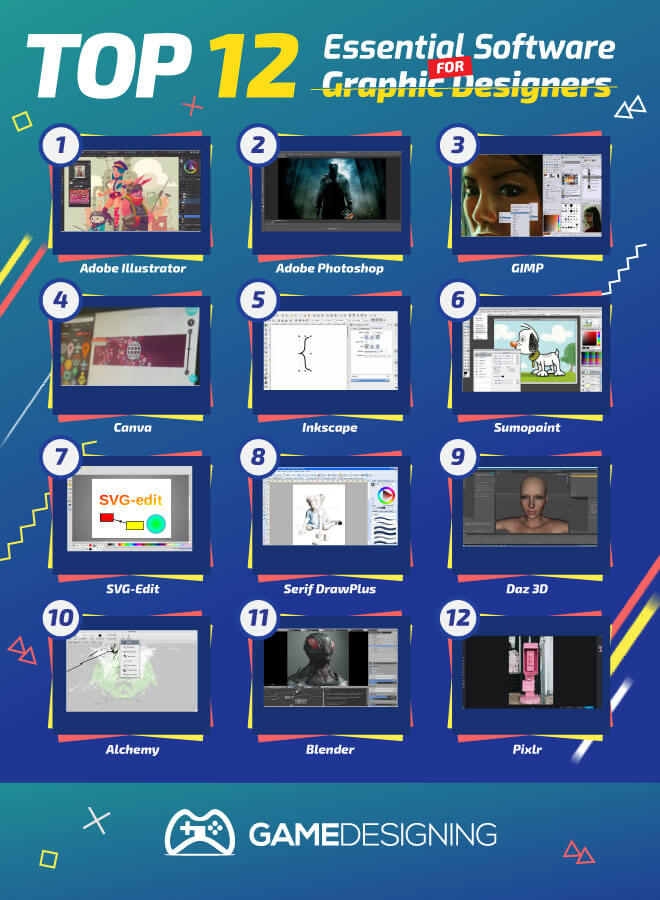
12 Best Software for Graphic Designers

Top 12 Essential Graphic Software for Designers
More importantly than their physics and engine, they create beautiful textures in the game to literally paint a picture for us gamers to ogle at. I personally love to be able to play a game, go to its options settings, and crank up textures to ‘ultra’.

In the Total War franchise, I love to see the intricacies of a warrior’s armor, the blood, and gore splattered on their weapons, and the overall chaos of the battlefield that the creators have put into the game.

Think of games like the Banner Saga, in which the background and characters are beautifully drawn and meticulously animated. The developers spent hours working on them through graphic design software.

A unique blend of early Disney-esque backgrounds and old-school animation features, graphic designers can really up their game with practice and vision.

Although it is a beautiful thing to just stay ignorant and imagine it, there is actually a very simple answer: a great gaming engine and quality graphic design software.

Graphic Design Software

A big part of our lives is created by graphic design. The ads we see, the products we love, and signs all around us are created by graphic design.

There are so many passionate designers around the world that want to harness powerful software to create and share. Well, lucky for them, I have compiled a little list for them.

Okay, I have rambled So, what is the best graphic design software? Is it possible to design something of the same caliber as Skyrim? Hold on there, cowpoke. Let’s start with the basics. Here is a list of 5 of the best graphic design software products you can create within 2022.

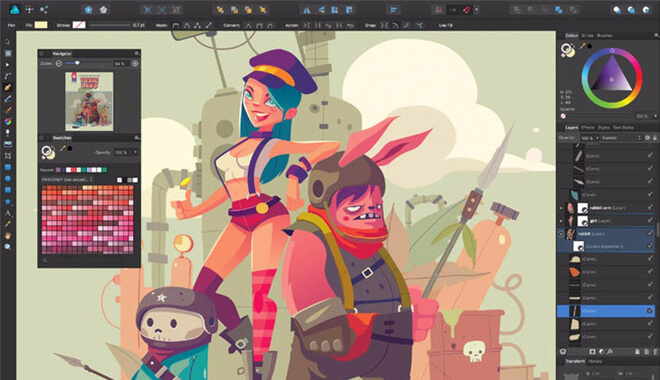
Adobe Illustrator


Adobe Illustrator
If you are design literate at all, you know the name Adobe. Adobe Illustrator was launched in January 1987 for Apple computers. It has been in production ever since. That is 32 years, folks. Not only that, but it is constantly updated, with its most recent one being a month ago.

This is the first software for graphic designers to go to. It is the gold standard.

So what makes Adobe Illustrator great, being trusted by hundreds of thousands of artists? Here are some pros and cons for you to mull over.

Pros:

  • Great user interface:

I cannot stress this advantage. The great user interface is the bare bones expectation for a great program. Think about some of the worst user interfaces around. Isn’t it a real pain to get around some of your favorite apps or games?

GTA IV springs to mind, where the weapon wheel is poorly designed, where you can end up being riddled with bullets if you try to change weapons for too long. ANYWAY: Adobe Illustrator has a great user interface that won’t get you stuck in the muck and mire of complicated menus.

  • In-panel editing
  • Great scalability
  • Accessibility on other platforms:

Although it started its life on Apple computers, you can now use it on nearly every computer platform, so there is no excuse not to use it

Cons:

  • Learning Curve:

This might be a little frustrating for some. Although you can create great projects, it will take some time to get better at it. But if you are determined to get better and make the best project you can, this is just a hiccup in your journey.

  • Large Computer Space:

Make sure your computer has enough space because this baby takes up a large amount of space on your computer.

Pricing:

Adobe Illustrator is currently on sale for a hefty two options:

  • $239.88 a year for the Illustrator Single App
  • $599.88 a year for Creative Cloud Apps, Illustrator + all Adobe creative apps

The license for Illustrator is an in-house proprietary license. This means that it is closed source software, controlled by the company, namely Adobe. This includes patent rights, copyrights, and makes the Adobe Suite of graphic design into intellectual property, (IP).

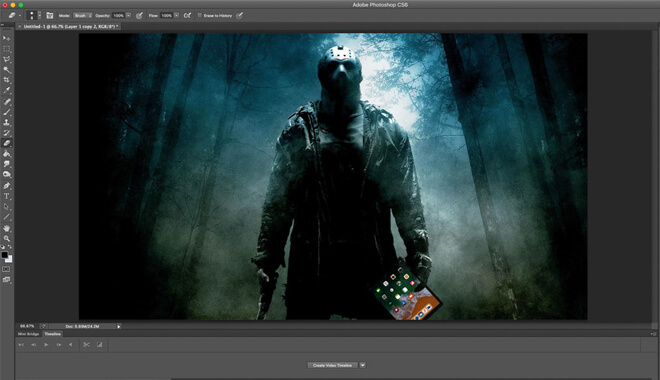
Adobe Photoshop


Adobe Photoshop
No surprise here: Adobe is a quality suite of programs for your computer. Like Illustrator, Adobe Photoshop is well known in the graphics software world. We all know great quality images o all over the internet with Photoshop’s fingerprint all over it.

Used by graphic designers, advertisers, and even students, Photoshop is synonymous with photo editing software.

Released not long after Illustrator, in 1990, Photoshop was also originally designed exclusively for Apple Macintosh computers by two brothers, Thomas and John Knoll at the University of Michigan. Here are some pros and cons for the storied program.

Pros:

  • State of the art:

As with its contemporaries in Adobe, Photoshop is constantly updated with the best current build of software constantly. This caters to both new users and veteran users.

  • Great graphics:

Right in the program, you are able to design beautiful graphics. Few other programs can say the same. This is a godsend for those who deal in advertising, as it creates aspects of that field in a heartbeat.

Need a flyer made? Fear not, because not only can you create quick projects, but also harness great graphics to enhance them, making the most creative projects possible.

  • Speed:

Quick, quick, quick. This is a great mantra to use when using the program. Everything that Photoshop can create is able to be created rather quickly. If you are a veteran user, you can harness this program and make great projects with unsettling ease.

Watch colors, pictures, and editing unfolds around you as you master what Adobe has to offer.

Cons:

  • Learning Curve:

Yep, much like Adobe Illustrator, the learning curve of Photoshop can be a little much for those users out there who are not exactly familiar with the suite of programs.

I remember opening Photoshop myself back in the day, only to be examining the user interface with a confusion, almost like I was staring at hieroglyphics or cuneiform.

To be fair, I had no experience with editing and graphics software. It isn’t something where you learn by trial and error; you should look at the many tutorials online.

  • The price:

The pricing of Adobe programs can be extremely steep, especially for users who aren’t exactly well-versed in the programs. If you are simply dabbling in the program, it could be daunting to fork over hundreds of dollars for a shot at creating graphics.

Photoshop also utilizes the proprietary license that Adobe Illustrator uses. Again, this means that it is a closed source, not available for free editing by other users of the community. Adobe controls everything about it.

Pricing:

  • Photoshop Single App $239.88 a year
  • Creative Cloud Photography Plan (20 GB) Photoshop + Lightroom $119.88 a year
  • Creative Cloud All Apps Photoshop + all Adobe creative apps $599.88 a year

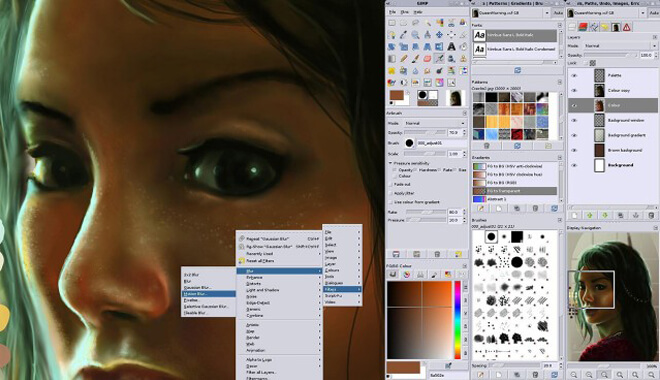
GIMP


Gimp Graphic Design Software
Ah, GIMP. I spent many hours on this cool little program. For newer users for graphics and photo editing, GIMP serves as a nice introduction to graphic designing.

As I said before, I sat in front of Photoshop confused by its very presence. This wasn’t the case with GIMP. With GIMP, it was a quick and easy download online, followed by an easier user interface.

Developed by Spencer Kimball and Peter Mattis in 1996, GIMP, (GNU Image Manipulation Program), has been a great alternative software to the expensive suite of Adobe programs. It has a great interface that is a little less intimidating for those rookies starting out on their first projects.

They also have great tutorials online for those just starting, so it is welcoming software as well. Its slogan should be ‘Designers Welcome’. Hey guys, I will collect my royalty check now. The license GIMP uses is the GNU General Public License, (GPLv3+).

Pros:

  • Pricing:

There is none! As opposed to the steeper price of Adobe products, GIMP is completely open and free. This is without a doubt the best FREE graphic designing program available on the market today.

  • Accessibility:

GIMP is a great program for small or medium-sized businesses trying to create some great graphics, brochures, or web sites for their companies.

Cons:

  • Not as innovative:

Since it is free, GIMP might not contain the same quality updates as something like Illustrator or Photoshop.

This might be off-putting to more experienced graphic designers, as they will probably be looking for something that really ups the ante in the creative department.

As much of a con as this may be, the ease in which anyone can download the program, I believe, offsets this aspect.

Pricing:

This program is completely and utterly FREE! That’s right, my artistic friends, GIMP can give you many great features and other aspects for no money at all. This is being an artist on a budget; something I think we can all appreciate.

Canva


At first, I thought this was a typo: shouldn’t it be Canvas? Nope, it is something all its own: Canva. Canva is a great little program released in 2012 that allows users to easily create more complex art projects in a manner of minutes.

It was created by Melanie Perkins, an Australian-based designer. Creating a website has never been so easy going into 2020. This program allows for wide accessibility for both veterans of graphic design as well as greenhorns.

You could even use it on a tablet! I really dig the ease of which Canva can be used. It can primarily be used, like other programs, for any size business to create the best-looking websites for visitors to see.

That is so important: there is nothing worse than accessing a company’s website and seeing it looking like a blind mouse designed it back in 1998 on GeoCities. It is perfect for creating advertisements as well.

Pros:

  • Drag and Drop:

This is so crucial, especially for newer designers. Powerful drag and drop features are what fuels Canva into what it does best. Users can seamlessly drag and drop and edit layers with ease that users may even prefer over Adobe products.

  • Good Features:

Canva has a host of great features that it shares with some of the premier best graphic designing software. It has a great set of templates to ease the use, getting you started on projects where you may come upon a creative block in your designing process.

There is a great support system for Canva as well, so if you are ever stuck in a tricky design, or if something goes wrong with the program itself, there is someone just a call away. This priority for customers is reassuring.

Cons:

  • The versions:

The difference between the bare-bones program for free and that of the subscription really makes the user need to use the $12.95 subscription to actually accomplish your projects with ease.

Pricing:

  • This is a good ‘in-between’ for users who don’t want to drop a fortune on software like the Adobe Suite but want to kick up their experiences more so than what GIMP may have to offer.
  • It has a free trial so you can go for a test run.
  • The base program, simply Canva, is free as well. It includes a lot of features, however, not all of them are included in the full version. A certain feature, namely folders for your designs, is limited to 2 in this version.
  • Canva for Work is a reasonable $12.95 a month.

This version allows you to have unlimited folders for anything your heart desires. It gives you unfettered access to many other features, like over 8,000 templates for the great beginning design.

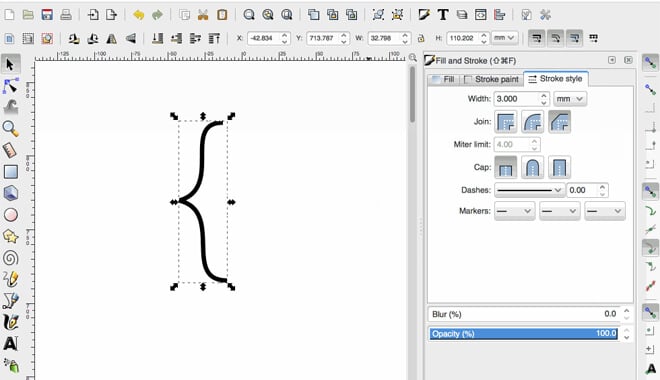
Inkscape


Inkscape Graphic Design Software
I love Inkscape. It was released back in 2003. This is a great option for those with a handy stylus and a keen sense of what they want to draw and create.

Not only that, but it also prides itself on its ease of access for many platforms. With its strong vector creation, it clears the way for any designer to make a number of things with ease.

It uses the GNU Public License, (GPLv3+), which allows for every derivative work within the program to be released under the terms of the license. GIMP also utilizes this license.

Pros:

  • Vector Creation:

This is the crux of the program. It is so easy to create vectors, which in turn opens the way for creating stunning visuals with ease and style.

  • Open Source:

This software is free and open-source. Like GIMP, it allows users of any experience level to create, share, and edit anything for free. This is essential for those designers who are hesitant to jump into the deep end of high-end graphic design software.

Cons:

  • Possibly Buggy:

for a con, this is small potatoes. Some users have complained that earlier versions were a little buggy: possible crashing, a laggy interface. With the current releases, problems like have eased up a lot.

Pricing:

  • FREE!

That’s right, folks, it is free. As I said, it is open source and free to use by everyone. With its license, the only stipulation is that works under it also are licensed by it.

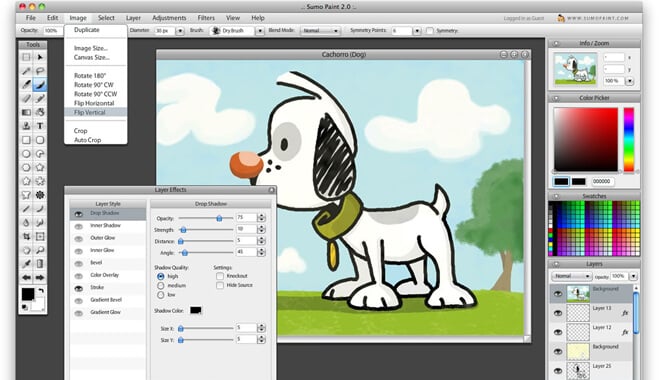
Sumopaint


Sumopaint Graphic Design Software
In the spirit of diving right into it, let’s start with a program that works right in your web browser! Sumopaint is both a painting application and an image editor, and like we said it works right in your browser. You don’t have to download anything. You can if you want to, but you don’t have to.

You can create an account with Sumopaint for easier access to your work. You can upload images from your computer into the program to edit them. It has brushstroke options, pencils, a standard color picker, and a light, familiar-feeling interface. Yeah, and it’s free.

SVG-Edit


Looking for another browser-based, totally free program? How about a vector image editor? SVG-Edit is a handy little browser-based program that lets you do exactly what its name suggests: edit an SVG file. Of course, you can also quickly generate a new SVG file, too.

The program is browser-based, so whether you’re loading an image into the program or whipping up something new, you can access it from any modern browser.

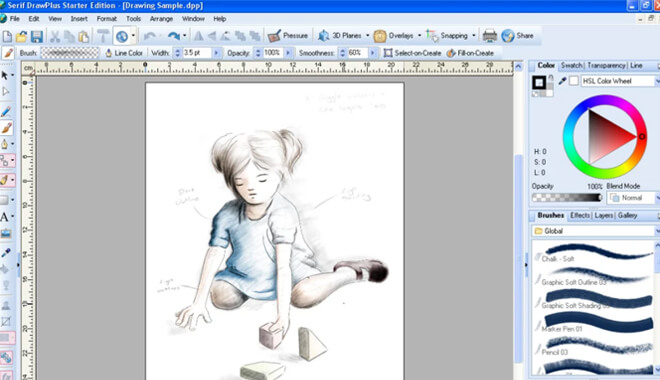
Serif DrawPlus


Serif Draw Graphic Design Software
OK, we are out of the browser software now, but it’s still free! You can download a free version of Serif DrawPlus here. Wait until you hear some of these features! So Serif DrawPlus supports the creation of web graphics and animations. Whether it’s banner ads or rollover-graphic web-buttons, you can embed them with HTML no problem.

The program also offers a good array of painting “techniques:” charcoal, pastel, watercolor, and even spray-brushes let you augment photos or create something from scratch.

DrawPlus also lets you add a touch of 3D to your drawings; you can apply surface effects and lighting effects to make your creation come to life.

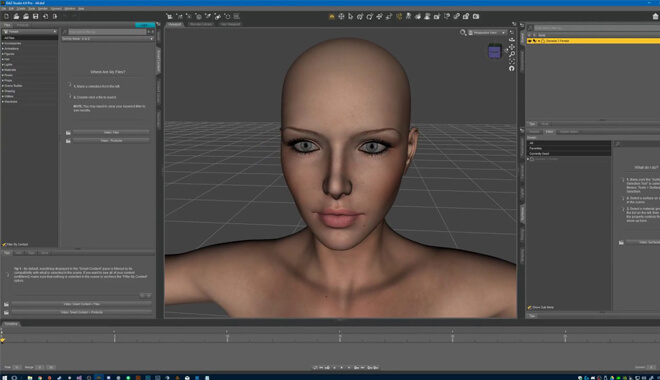
Daz 3D


Daz3D graphic Design Software
Are you guys ready for a cool one? Guess what, it’s still free. It’s a 3D content creation tool. It’s called Daz 3D. You can pose, animate, morph, and render models, all in 3D. Humans, animals, props, vehicles, it’s all there for you to animate or create.

Daz 3D boasts ease of use to all skill levels, whether you’re just starting out or you’ve been animating for years. Daz Studios offers some even more powerful software, but the price starts jumping up drastically. It’s also available for both Mac and Windows.

Alchemy


Alchemy is a very neat program. It’s kind of like brainstorming software. There isn’t an undo button. There isn’t much editing functionality, and there’s minimal selecting functionality too. According to the Alchemy site, “interaction focuses instead on the output of a great number of good, bad, strange, and beautiful shapes.”

In a field where it can be hard to let something go as “finished,” losing a lot of that control and only moving forward with the creation is liberating and refreshing. It’s free!

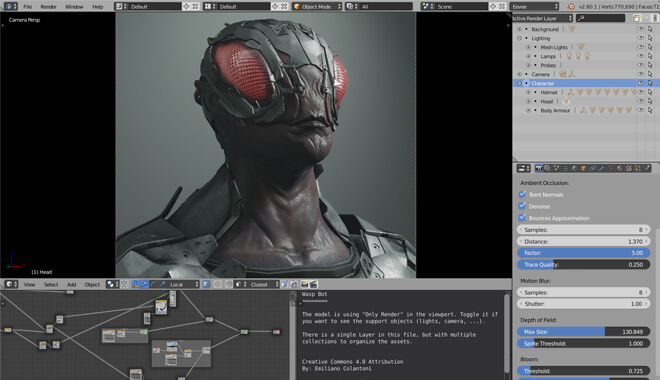
Blender


Blender 3D graphic Design Tool
Remember that open source code we mentioned earlier? Time to bring it out! Blender is an open-source 3D modeling software that lets you go hog wild without breaking the piggy bank (as in it’s free). It’s available for Mac, Windows, and Linux.

With Blender, you have the power to do photorealistic rendering, fast rigging, sculpting (with 20 different brush types), and even game creation. Blender has a full game engine included right in the software. Not bad for a totally free, open-source program.

Pixlr


Pixlr is an app available for iOS and Android. It is a free photo editor, replete with all the right tricks: red-eye removal, teeth whitening, not to mention hundreds of overlays, filters, and effects. Plus, it lets you post things right to social media.

It might not be a tool you add to your professional arsenal, but doing a little free-editing on your phone to make sure your social media profiles are looking good isn’t going to hurt you!

Never fear, designers! There is a slew of graphic design software for you to explore, create, and publish for all to see. This was barely scratching the surface when it comes to the different avenues and options you have for whatever you need as a designer.

While these are just a few programs, I believe that these are the kings of graphic design software that will dominate 2022 and possibly even further. What will the year bring in terms of great graphic design capabilities? I am not sure, but I sure am excited to find out. Happy designing!

Image Source: (Newatlas, Engadget, Extremetech, Stackexchange, Sumopaint, Softonic, Blender)

The 10 Texas Graphic Design Colleges That Pass the Test

Best Graphic Design Schools in Texas
It’s a giant state, rich in history, deserts, and even pine forest.

Whether you’re looking to go to the state capital of Austin, or the state’s largest city, Houston, we’ve got you covered.

Our Ranking Criteria

In addition to feedback from schools and alumni, we rely on public data sources to determine our school rankings (read more). Some of these data sources include:

Top Graphic Design Colleges in Texas

Texas A&M University-Commerce

Department of ArtAlthough it isn’t apparent based on the degrees offered, Texas A&M University-Commerce can assist you in your pursuit of a graphic design career. Texas A&M University-Commerce offers three different focuses within their Visual Communication Major program.

It’s up to you to pick the concentration that most aligns with what you want to do. The BFA program is a five-year endeavor. If you’re looking for a broad, practical foundation across multiple disciplines such as mathematics, history, behavioral science, and humanities, this university is a good option for you.

They provide you with that broad foundation, building up into specialized studies of visual mediums and visual communication. Texas A&M University-Commerce also ranks as one of the very best graphic design schools in the country.

Texas Christian University

Department of Graphic DesignThe BFA program at Texas Christian University has a long-term placement record of 95%. In recent years, TCU can boast a placement rate of 100%. One contributor to this placement success is likely the mandated creative internship.

In the summer after your third year of classes, you are required to take a creative internship to earn upper-division credit. The BFA does not require a foreign language.

The BA, on the other hand, does require a foreign language. It also requires a second major, or at the very least a second minor. Whether you’re looking for a BFA or a BA, Texas Christian University is worth a close look.

The University of Texas at El Paso

Department of ArtThe University of Texas at El Paso can equip you with the technical graphic design skills you’ll need to succeed in the corporate design world, a freelancing practice, or the path of education. The program starts with a strong focus on typography. The emphasis shifts to expressive skills and individual investigation.

By the end of the program, you’ll have mastered practical design skills and developed a creative approach to visual communication.

West Texas A&M University

Department of Art, Theater, DanceWest Texas A&M University is located in Canyon, Texas. Canyon has a population of about 14,600 people. Last year, WTAMU had 9,489 students enroll in their programs. Of these, 7,281 were undergraduates. The Graphic Design program puts students through 15 hours of rigorous graphic design courses.

You can expect another six hours of graphic design as you navigate through the Intermediate Core coursework. On top of this, you can expect nine hours of computer art classes, nine hours of art history classes, and nine hours of art electives.

University of Houston

School of ArtThe University of Houston has a low student-to-professor ratio. If you like a good bit of personal guidance from the instructors, you’ll get it. If you like a small, more close-knit class, you’ll get it. From a curriculum standpoint, you can expect to discover the theory, methods, practice, and design of design.

The curriculum investigates the emerging trends in communication media, as well as the trends in contemporary culture. The University of Houston will help you cultivate your critical thinking skills and flex your imagination. An added bonus is the sizable alumni organization, UHGAP.

Students can expect support from UHGAP through scholarships and educational opportunities.

Remington College-Fort Worth

Digital Graphic Art Associate of Applied Art ProgramRemington College-Fort Worth campus offers an Associate Program in Graphic Design. Unlike some other programs, Remington College does not require any prior graphic design experience. In fact, they don’t require any formal training or prior coursework to enter their program.

The graphic design program and Remington College covers the graphic design theory fundamentals. It also covers the current graphic design software. You can expect to cover typography, digital image editing and illustration, page-layout software, portfolio construction, and more.

This could be a good opportunity for students lacking design experience and a portfolio.

The Art Institute of Houston

Design DepartmentAt the Art Institute of Houston, the graphic design degree is all about creatively expressing yourself using visual communication. It’s important when working as a graphic design artist to never lose track of your recipient.

The Art Institute curriculum includes the standard typography and illustration courses but also incorporates heavy elements of web development and interface design. In both cases, you’ll use your mastery over visual communication elements to solve problems and communicate information.

It’s worth noting that if you attended the ITT Technical Institute, you may be able to transfer your credits to the Art Institute and have it count towards your degree.

Saint Edward’s University

School of Humanities – Graphic Design departmentSaint Edward’s University works to give you a solid foundation on which to build by starting with traditional print design studies. Understanding where original print design theories and practices came from will form the foundation of your education as you move into the digital design world.

Saint Edward’s University will task you with looking critically at how image, form, and typography are used by graphic designers to influence and shape visual environments. Saint Edward’s University will push you to create across several different mediums, ensuring that your visual design skills are well-rounded.

You are required to submit a portfolio for review by the school’s Graphic Design department, whether you are a new student or looking to transfer.

North Lake College

Computer Graphics DepartmentNorth Lake College is part of the Dallas County Community College District. This college doesn’t offer a full bachelor’s degree program. However, they offer programs that will expose you to computer graphics programs, which can prepare you for a career path in graphic design and similar fields.

The computer graphics field is a unique combination of graphic design, computer technology, and traditional creative art. It’s essentially graphic design with a strong technological focus. Potential careers for computer graphics graduates are advertising, animation art, graphic design, web design, and film and television careers.

While it won’t say “Graphic Design” on your diploma or certificate, you’ll have the skills you need to navigate that career path.

Wade College

Merchandising and DesignWade College will help you develop your creativity, your technical skills, and your presentation skills. Your first two years will be full of theory and the history behind the design. The early years will also expose you to the current trends and practices in visual communication.


After the foundational exposure, instructors will guide you on your path to cultivating a unique design style. You can expect the latest industry software and hardware with the power to do what you need it to do. You can expect some serious exposure to the Adobe Creative Suites.

Your latter two years at Wade College will expose you to real-life simulations of visual communications problems. This is part of their process for pushing you from a student into a professional, exposing you to real industry design challenges.

Our Favorite Florida Graphic Design Colleges

best graphic design schools in florida

Florida is home to some beautiful beaches and balmy temperatures.

If you’re looking to catch some rays and pursue graphic design in the process, Florida is definitely an option worth considering.

We’ve assembled a list of ten of the top schools in the peninsula state of Florida. This should be enough to get you started on your Floridian best colleges for graphic design search.

Our ranking methodology is a diverse one. We picked a smattering of the top schools from several categories.

Our Ranking Criteria

In addition to feedback from schools and alumni, we rely on public data sources to determine our school rankings (read more). Some of these data sources include:

The schools selected for our list are top performers in at least one of these areas. Because of our ranking system, the schools are not ranked in any particular order. The numbers are there for clarity, not to indicate rank position.

The Top 10 Florida Graphic Design Colleges

University of Florida

School of Art and Art HistoryThe University of Florida is a school that focuses heavily on collaboration within its Graphic Design program. It is a university that examines how designers actually influence culture and impact the world.

The Graphic Design program at the University of Florida is for you if you want to strongly develop your own graphic design voice while finding a stronger sense of purpose through collaboration.

Florida State University

Department of ArtAt Florida State University, BFA students are strongly encouraged to complete two focus areas within the studio art offerings. This means you have a unique opportunity to strongly develop a graphic design niche. FSU offers a rich smattering of studio art courses.

Dual focus areas mean you can develop a strong, stand-out portfolio compared to programs offering the same classes to every student.

Ringling College of Art and Design

Art and DesignUnsurprisingly, the Ringling College of Art and Design encourages you to see where in the world graphic designers actually are: everywhere. “Behind your favorite band, sports team, beverage, and app, there’s a graphic designer at work.” It says, as the opening line on its Graphic Design page.

At the Ringling College of Art and Design, you’ll learn to focus on delighting and engaging the end-user. The college also fosters collaboration skills between other creatives–copywriters, printers, photographers, the other professionals you’ll need to bring your vision to life.

Ringling College won’t try to pigeonhole you down a certain career path. No matter how you want to put your graphic design degree to use, they’ll encourage you.

University of Miami

Department of Art and Art HistoryIf you’re looking to develop stronger self-discipline and to cultivate your own individuality, the University of Miami might have the Graphic Design program for you. The University of Miami boasts a Graphic Design program that will develop both your individual and collaborative skills.

The inclusion of multidisciplinary projects in the coursework means you won’t learn graphic design as an isolated discipline. You’ll learn graphic design as a discipline that is at its best when combined with other fields. You can expect critiques on a regular basis, oftentimes with guest artists in attendance.

Your graphic design foundation is further enhanced through museum and gallery trips, as well as business field trips.

Barry University

Department of Fine ArtsAt Barry University, you can expect exposure to all facets of both the graphic design process and the industry as a whole. Barry University will guide you through challenging graphic design problems, helping you curate a portfolio of impressive design solutions.

If you like the opportunity for one-on-one attention with your work, you’ll be happy to hear that Barry University has small class sizes. Personal attention from the dedicated faculty means high accountability and strong guidance, resulting in a portfolio that puts your best foot forward.

Barry University has two Mac labs available to you and others in the Fine Arts majors. Both Mac labs contain current, high-powered hardware. They also contain the latest design software for the industry.

Your senior project involves creating a final project for a collaborative exhibit with other students. Barry University gives its seniors the opportunity to display this exhibit at the Andy Gato Gallery.

Florida International University

Department of Art and Art HistoryFlorida International University offers training in the intellectual, technical, and practical aspects of design. Where their program differs lies in the emphasis. They focus on the role of visual communication in opening possibilities for collaboration with non-designers.

If you like the idea of interaction with software developers, programmers, and other professionals across a diverse selection of fields, Florida International University is worth looking into. This collaborative focus helps remove some barriers as far as what is and is not possible within the role of a graphic designer.

Florida International University is also a good place to build a strong foundational mastery of design. Their curricular focus on mobility, interactivity and strategic branding will be beneficial for blazing trails in new forms of communication media.

Broward College

Visual and Performing artsBroward College offers a two-year graphic design program offering real-world training in practical graphic design techniques. They were the first institution to offer a class in iPad interactive design.

They take keeping up with current technology very seriously. If you recognize how rapidly things change, Broward College might be the graphic design school for you.

The focus in the graphic design program lies in the efficient use of software to modify and design images. In addition to the cutting-edge technology focus, Broward College also provides training in print, web, and electronic media.

They also promise students the opportunity to solve real-world advertising problems in the program, as well as the opportunity to satisfy the needs of clients.

Digital Media Arts College

Digital Media ArtThis boutique arts school is located in Boca Raton, Florida. The Digital Media Arts College provides access to their state-of-the-art labs 24 hours a day, seven days per week. The Digital Media Arts College is the school for you if you want to cultivate both your creative talents and technical prowess.

The Graphic Design programs will afford you the opportunity to grow both your client presentation skills and idea marketing skills. Communication plays a pivotal role in all fields, and extra time spent honing your own communication abilities will help you in the long run.

The Digital Media Arts College features some standard design concepts but includes other concepts such as motion graphic, art direction, creative direction, and more.

University of Central Florida

School of Visual Arts and DesignUniversity of Central Florida is a university that requires you to take fundamental drawing, graphics, and design courses prior to entering the Graphic Design program.

You can either take these courses through the school of visual arts and design at the University of Central Florida itself, or you can transfer your credits from an accredited academic institution. The portfolio you present at the University of Central Florida needs to be very professional.

The “application requirements” page strongly stresses the importance of presentation when it comes to your portfolio. The committee that judges prospective entrant portfolios consists of working professionals, which explains the weight they place on presentation. Your portfolio will need between 10 and 15 samples of your work.

University of Tampa

Art and Design, College of Arts and SciencesAccording to the University of Tampa Graphic Design program information page, the program’s cornerstones are the “development of visualization skills, creativity, drawing potential and design ability.” If you’re driven, you’ll want to take advantage of the professional internship opportunities offered through the university.

From a program standpoint, you can study topics like visual communication, pre-and post-production (as it relates to color, paper, and printing), sustainable design, and website and mobile application design. The program also offers the opportunity to develop your creativity across several mediums, using the latest software.

10 New York Graphic Design Schools for Digital Design Students

Best Graphic Design Colleges in New York
There are plenty of top graphic design schools in New York City. But there are also lesser-known graphic design schools in upstate New York as well.

Our list includes the top graphic design schools from all over the great state of New York.

Our Ranking Criteria

In addition to feedback from schools and alumni, we rely on public data sources to determine our school rankings (read more). Some of these data sources include:

The schools selected for our list are top performers in at least one of these areas. Because of our ranking system, the schools are not ranked in any particular order. The numbers are there for clarity, not to indicate rank position.

What are the top New York Graphic Design Schools?

The best graphic design schools in New York are:

  • State University of New York at New Paltz
  • School of Visual Arts
  • Parsons School of Design at the New School
  • Pratt Institute
  • Rochester Institute of Technology
  • New York Film Academy
  • Syracuse University

The Top Graphic Design Schools in New York

State University of New York at New Paltz

School of Fine and Performing ArtsA broad education is the name of the game at SUNY New Paltz. The BFA program covers all kinds of disciplines. You’ll learn about visual communication through the lenses of psychology, anthropology, sociology and more. The State University of New York at New Paltz holds strongly to the belief that Graphic Design is an interdisciplinary practice.

As a result, they encourage students to collaborate on projects with other disciplines and programs offered on the New Paltz campus. If you’re a competitive student, you have a good chance of landing an internship at high-profile places.

School of Visual Arts

Graphic DesignThe School of Visual Arts has an impressive faculty. Among the ranks are eight Hall of Fame laureates. The School of Visual Arts lets you really customize your education by offering the most studio courses out of any institution globally.

This uniquely extensive offering means SVA allows you to find your graphic design niche. You can expect an impressively unique portfolio upon graduation, provided you put the time in.

Parsons School of Design at the New School

School of Art, Media, and TechnologyBecause they offer a BFA in Communication Design, The New School’s BFA program starts with a strong focus on interaction and typography. This is beneficial, however, because it provides you with a solid foundation for the editorial, web/mobile, information, and interaction design you’ll go on to study later on in the program.

You’ll need a portfolio with eight to 12 images, created using SlideRoom. Because the Parsons School of Design is located right in New York City, they boast of access to companies, organizes, and major influencers in the fields of communication and media.

Shillington School

Graphic Design CourseThe Shillington School is not a traditional college. In fact, completion of the Shillington School Graphic Design course won’t even get you a certificate. Instead, you spend 3 months full-time or 9 months part-time developing one helluva portfolio.

It is a highly intensive course that lets you start from no graphic design experience and graduate with a real-deal portfolio. Not having a degree might make some people uncomfortable, and if that’s the case check out the other schools here. For those who aren’t turned off by degree-free graduation, the Shillington School is worth a look.

Pratt Institute

School of Design, School of ArtAttending Pratt Institute will cost around $60,000, including tuition, room and board, and other fees. The AOS Graphic Design program will prepare you for a career in graphic design.

The AAS Graphic Design program prepares you for a transfer into the Communications Design BFA program for your junior year at the Pratt Institute. Both the 2 year and the 4-year programs are worthwhile.

6. Syracuse University

The S.I. Newhouse School of Public CommunicationsThe Newhouse School is the public communications school at Syracuse University. The graphic design program at Syracuse University will help you learn to communicate through images.

The program covers all mediums, everything from print and magazine to multimedia presentation formats. Computer production and software are taught through photography and design coursework.

In addition to learning the skills of graphic design, you’ll be exposed to communications law and ethics as well. Communications writing and communications law are less common offerings among graphic design programs and offer a uniquely beneficial addition to a graphic design degree.

The program requires the completion of three courses before official graphic design major enrollment. After completing these courses (introduction to the graphic arts, news writing, principles of photography) you will be required to submit a portfolio.

This portfolio will include work from the courses. This work will feature photos, communications writing, and graphic work samples.

New York Film Academy

Graphic Design SchoolThe faculty at the New York Film Academy are highly accomplished graphic designers, all of whom remain fairly active in the graphic design field. This professional entrenchment of professors means you will have access to the latest information coming directly from the industry.

With their fingers still on the pulse, they recognize the latest trends in the industry. This lets professors adjust the curriculum and skill focus to best prepare students for the challenges ahead.

The New York Film Academy warns students to be prepared for a full-time commitment to the pursuit of graphic design. The website says class runs five days a week, with evenings and weekends often being devoted to student projects. Exposure to this kind of rigorous workload could serve as excellent preparation for a “real life” job.

Deadlines are a real thing, after all, and early exposure to big projects in small time windows will serve you as you move forward in your career.

Pace University

Dyson College of Arts and SciencesPace University provides a professional BFA degree to students enrolled at the school. If you’re looking for hands-on creative work in conjunction with digital creation, Pace offers some unique classes like the Graphic Novel and Children’s Book Illustration. The Mac labs have up-to-date industry software for use by students in the program.

Pace boasts a faculty with international reputations in the Graphic Design field. The portfolio requirement for admission is a CD with 10 images or a five minute DVD sample. Pace University also has small class sizes, so you’ll get the attention you need from the faculty.

International study is available, as are Collage Club and Gotham House, social networks that link students with comparable interests for outings to museums and theater shows.

Fashion Institute of Technology

School of Art and DesignTuition for out-of-state residents is $9,796 per semester. For in-state residents, it costs only $3,235 per semester. These costs are for tuition fees associated with baccalaureate-level programs. Much of the faculty for the Design programs hold memberships with graphic design industry associations.

Some notable associations include The Type Directors Club (TDC), the Art Directors Club (ADC), and the American Institute of Graphic Arts (AIGA). If you participate in the graphic design program at FIT, you can expect to study topics such as typography, corporate identity systems, and art history.

FIT has an Advertising Design Workshop where you’ll be able to complete real projects for real clients.

Rochester Institute of Technology

College of Imaging Arts and SciencesLocated in Rochester, New York, RIT is home to a solid Graphic Design undergraduate program. The program incorporates business elements, professional practices, collaboration, workflow, and computer-based skills into the Graphic Design curriculum. You’ll have an opportunity to choose several studio electives to explore other areas of art.
Rochester Institute of Technology will expose you to plenty of art and design theory and history. You can expect to explore topics like branding and identity design, as well as user experience design. A healthy balance is struck between conceptual exploration of problem-solving and the actual application of problem-solving techniques.

The Rochester Institute of Technology offers a top graphic design experience through its College of Imaging Arts and Sciences.

Where to Learn Graphic Design in Oregon

oregon graphic design colleges
If you’ve never been to the northwestern reaches of the United States, you should really go give Oregon a look. There’s a ton of really awesome nature spots, like Crater Lake. It’s the deepest lake in the USA. We dipped our heads in, one time, it’s breathtakingly cold in that water. Ok, nature time’s over, back to schools now!

Getting a college degree is a great opportunity to thrust yourself into a new experience and start with a clean slate. Why not explore a place you’ve never been in the process? We’ve put together a list of the top 7 graphic design schools in Oregon in an effort to make your search for higher education just a little bit easier.

If you’re considering Oregon, or just considering graphic design, this list is a great place to start.

Digital Design Schools in Oregon
We look at a number of elements when choosing schools to list: tuition pricing, quality of the design program, faculty accessibility, and overall school quality. The schools selected for our list are top performers in at least one of these areas.

Because of our methodology, we don’t rank schools in any particular order. The numbers are there for article clarity, not to indicate rank position.

Oregon Colleges for Graphic Design

Pacific Northwest College of Art


Communication Design, according to Pacific Northwest College of Art, “expands the boundaries of traditional graphic design, rooting you in a crucial understanding of the relationship between media and message.”

Communication Design is a challenging course, but it will prepare you for the toughest visual communication problems in the professional field. Your career possibilities could expand as a result of the communication design’s expanded reach.

Portland State University


Located in the great city of Portland, Portland State University dishes out design theories, principles, history, practice, and applications through their BA/BS Graphic Design program. After your first two years in the Graphic Design program at Portland State University, you’ll have to undergo a Sophomore Portfolio Review.

In order to continue on with your 300- and 400-level courses, you need to pass this review. If you fail to pass the review, you can’t progress further through the program.

If you’re up for the challenge, Portland State University is a fiscally reasonable option to explore. State residents have tuition of just under $4,000, and non-residents can expect tuition of just over $12,000. Your first year will include instruction in the basic design and basic art courses.

Your second year brings in elements of critical design thinking, helping you to creatively solve visual communication problems. Your junior and senior years free you up to select courses with increasing specialization.

Portland State University provides opportunities for you to nab professional internships (not without some competition), and flesh out your professional portfolio (Sophomore Portfolio Review was just the beginning).

Mt Hood Community College


The undergraduate certificate program takes just 9 months to complete. The program only costs $4,326 for tuition and fees, with another $1,560 required for books and supplies.

There is no on-campus housing and no boarding options. You’ll need to live within commuting distance if you want to pursue this certificate. Once you complete the certificate course, you can choose to continue into a second year to get your AAS in Integrated Media: Graphic Design.

The certificate program will teach you how to think critically and creatively to solve design problems. The program will help you learn to adapt to new and changing technologies. You’ll learn to communicate effectively, both orally and through the written word.

The program will teach you how to effectively collaborate, as well. The Certificate Program begins in the fall, starting in the spring is not supported or permitted. In order to continue from your fall term into your winter term, you need to be doing well in your courses and have permission from your faculty program advisor.

You’ll take courses like Principles of Graphic Design, Basic Vector Illustration, Basic Sound Editing, Color and Composition, Web Basics, Digital Illustration, Typography systems, and a handful more.

If you live close to Mt Hood Community College and want to get your feet wet in Graphic Design by attaining a Certificate, give the admissions office a call.

Oregon State University


Oregon State University has a great Graphic Design program. Oregon State University only lets about 25 students into its Graphic Design program, so it is highly competitive. They don’t keep the admissions number low for no reason, either.

The small class environment makes for a rigorous, challenging undergraduate program. There’s no hiding in the background and skating by in this course. You’re going to have to earn your spot and work hard to keep it.

Your time in the Graphic Design program at Oregon State University will see you highly prepared for a competitive professional career. You’ll be able to approach careers in web design, app design, interaction design, interface design, motion graphics, and a lot more.

At Oregon State University you can expect courses in art and design, digital communications, and new media. The Graphic Design program also includes a course on collaboration, a great skill to develop.

Western Oregon University


As noted in the “Degrees Offered” section, you’d enroll as a Visual Communication Design major, but you can choose Graphic Design as a concentration.

The Visual Communication Design course actually features three concentrations: Graphic Design, Video and Animation, and Interactive Media. You can expect to learn foundational art courses in the beginning.

From there, you’ll explore typography, digital image fundamentals, and photography. As your visual communication design skills grow, you’ll collaborate on projects not just with other students and other groups on campus, but with the nearby community as well. This is a great approach to prepare you for the social aspect of your real-world graphic design role.

Western Oregon University’s Visual Communication Design program features small class sizes. This is great for you since you will have the ability to work very closely with your professors. You’ll likely need help at one point or another. Western Oregon University describes its academic landscape as a “supportive, rigorous environment.”

Located in Monmouth, Oregon, Western Oregon University is a relatively inexpensive public school. Residents of the state can expect to pay just over $5,000 for tuition. For non-residents the 12-credit-hours-per-semester tuition cost climbs to just over $12,000.

George Fox University


George Fox University is located in Newberg, Oregon. The graphic design path is actually one of three concentrations in the art and design major.

At Fox, you can expect a curriculum that nurtures your artistic talent and creative spirit. The course will get you ready for a professional career as a graphic designer, or prime you for graduate work if you’d eventually like to teach.

You can expect traditional art and design coursework at Fox. They host classes on print design, computer graphics, web design, illustration, package design, advertising, and more. Your time at Fox will be spent addressing current visual design problems and using your creativity and talent to come up with solutions for these modern issues.

Two great things about George Fox University and the Art and Design programs are the reasonable class size and the practicing professors. Many of the professors in the graphic design concentration still do work in the field, they’re still actively designing.

This is invaluable in making sure the curriculum is relevant to what you as a student will experience when you graduate.

The smaller class sizes mean you develop a close-knit community. The professors know you by name. Plus, you’ll have a great network of Graphic Designers when you graduate; fellow alumni can vouch for you and your skills, and vice versa.

Companies like Disney, Nike, and Bank of America have hired art and design majors from George Fox University. Undergraduate education can cost upwards of $32,000 dollars from tuition alone. Even though it’s one of the more expensive schools on the list, George Fox University will bring real value to your graphic design career.

Graphic Design vs Video Game Design: Which Career Match Your Skills?

0

graphic design or game design
It may not seem obvious, but game design and graphic design are intrinsically linked.

Graphic designers are an important part of the game design process, and often inform the work of game designers.

However, there are some key differences between the two, and anyone looking for work in the games industry should understand them.

What does a graphic designer do?

Graphic design is all about the ‘visual brand’ of a product or company; that is, what people think of when they think about a certain game or studio.

This includes:

  • logos
  • advertising campaigns
  • and other things which require high visual impact and affect the branding of the product or company

In terms of video games, this often relates to advertising and marketing, but can also relate to the design of in-game assets such as how text is displayed or how still images are used.

What does a game designer do?

Lots of different job titles come under the umbrella of ‘game designer’, from:

There are lots of different ways one can be considered a game designer.

Some game designers do more than one thing, and in small studios, it is not uncommon for a game designer to do all of them!

Game designers have a lot of say over the look and feel of a game, so it’s important that they consult graphic designers for the best way to go about this.

What are the similarities?

The similarities between the roles both come down to the word ‘design’ – both are involved in the design of something, be it in-game levels or how an advertising campaign should look.

Both have a lot of say in important design decisions for their field, and both can work on a game title to make it the best it can be.

They work together, with one consulting the other, on how to make a game good and how to best present that game to the outside world.

What are the differences?

While a graphic designer might only be involved loosely in the development and deployment of a game, a game designer has a lot more say over how the game looks, feels and plays.

A graphic designer may be consulted for things like user interface design or how to display dialogue trees, but a game designer will have much more involvement in how a game is presented and how it plays.

The difference really comes down to the scope of involvement.

A game designer is involved in every step of the design process, a graphic designer is much more specialized and involved in only those areas relevant to the graphic designer.

What’s Your Preference?

If you are thinking of getting into the games industry, it is important that you consider your skill-set and exactly what you want to do in the industry.

If you want to be involved with all the decisions that go into making a game, then it is probably best you focus your attention on becoming a game designer.

If you want to be involved, but feel your skills are much more visual, then perhaps focus on becoming a graphic designer with a specialization in games.

HTML5 Video Game Development Tutorials

0

HTML5 Game Development Guide

HTML5 is the standard language for everyone’s favorite worldwide web. It was developed by W3C (World Wide Web Consortium). This is a great language to learn if you’re looking to deliver applications across more than one platform. The latest and greatest version of HTML these days is HTML5.

In 2008 the “first draft” of HTML5 was publicly released. It wasn’t approved by the W3C until just a couple of years ago, in 2014. Once the W3C gave the OK, HTML5 became the new standard. If you want to read more about HTML5 in general, check out the W3Schools website.

It has a lot of interesting information on not only the history of HTML but also on how cool and compatible HTML5 is. Anyone who’s been coding in HTML for more than a few years will tell you, we didn’t always have it this good.

This article works as a road sign, pointing you in the direction of solid tutorials and guides for learning HTML5 game development. You never know when some shiny new tutorial will pop up that changes the game, but for now, these are a great place to get started on your HTML5 game development quest.

HTML5 Game Design Lessons

Ed X Tutorial


This tutorial teaches more than just game development. It teaches the new features in HTML5, and how you can use them to create applications and websites. This course lasts six weeks, and you can take it for free.

Ed X says the course will require between 6 and 8 hours of work per week. They offer a certificate of completion for under $100. And by under $100 we just mean $99. It might be better to let your app creations speak for themselves instead of dropping a hundo’ on a piece of paper, but the choice is yours.

The timeline is pretty indicative of the depth of this program. The course teaches the basics for HTML5 tags, audio and video tags, and the newest HTML forms. It also teaches you how to test APIs (like web storage). If you want to spend some time on web graphics, this course will teach you how to both draw and animate them.

The course includes multiple interactive examples, which means you’ll have an opportunity to apply what you’re learning as you learn it.

Udemy


UDemy continually proves itself to be a good resource for picking up some new skills. Learning HTML5 is no exception. Udemy offers a free course consisting of 46 lectures. The total time is 10.5 hours, If you put in just an hour or two a day, you could have a strong introductory knowledge of HTML5 in less than two weeks.

While many Udemy courses cost money, this particular course happens to be free. The Udemy course starts with HTML and CSS before moving into HTML5. This course is great for beginners. Udemy says explicitly say in their description that they “do not assume any prior knowledge so [they] go through the concepts from the beginner’s point of view.”

They start with the basics and move gradually into the more advanced concepts, and claim that by the end you’ll have a grasp over the “bigger picture” instead of just a few unassembled pieces of a puzzle. You don’t need any programming background, just an HTML editor, and a browser that is compatible with HTML5.

Microsoft Virtual Academy


The Microsoft Virtual Academy offers a free self-study introductory course to HTML5. The description for this course says it’s intended for professional development. At the same time, it’s designed to address the needs of both students and school teachers, so regardless of where you are in your life and career, you could benefit from this course.

It’s a fast-paced course, with a total of four hours of lectures (not including your lab work or the periodic knowledge check assignments). If you want a strong, generalized foundation of app building in HTML5, this Microsoft Virtual Academy course could be a good place to start.

The course consists of ten lectures, and each lecture ranges in length from 15 to 32 minutes. It covers general app topics like the application lifecycle, where the instructor goes over the steps to building an app and publishing it to a store.

The course also discusses HTML5 more specifically, with topics like building a user interface, the essentials of CSS, and more. Keep in mind that it introduces all of these concepts as if you were a beginner, so there are no prerequisites for this course.

If you like to move quickly and you don’t have much (or any) prior knowledge on app-building, keep this course in mind. If you like it, Microsoft Virtual Academy offers even more HTML5 courses, all for free, with varying levels of difficulty (mostly beginner and intermediate).

In the course we mentioned above, you’ll learn how to use CSS and Javascript with HTML5.

Microsoft Virtual Academy has free courses for both CSS3 and Javascript, meaning you have the option to get deeper into these development tools, all in one place, for free, at your own pace and on your own schedule.

Tutorials Park


Tutorials Park has an extensive HTML5 tutorial, designed to fill a perceived gap in other online tutorials: taking the student from beginner to professional level HTML5 use, all in one place. The training starts with an introduction, with one of the earliest lessons involving topics about basic tags.

It goes on to cover elements like Geolocation, WebSockets, and ASCII codes, while also trying to cover everything in between. If you want to understand all parts of HTML5, especially what’s been updated in this latest installment of the software, you should give this course your attention.

Where it’s applicable, Tutorials Park includes some “Try it!” options that link you to a demo of the concept you’re currently learning. Many of the demos work and could prove useful. However, a few of the demos returned 404 errors, so we found another HTML5 demo and example resource for you that might fill in some gaps.

Codecademy


Codecademy is a great resource. We recommend giving it a look. It’s free to sign up, but you have to sign up using a Google account, Facebook account, or by entering your name and email.

The introduction to HTML5 through Codecademy is brief and pleasant, and they almost immediately give you a task. It’s a simple HTML task; All you have to do is enter your name between the appropriate tags <h1> and </h1> and then hit “run”. They estimate this particular course will take about 10 hours.

Other courses from Codecademy dealing with more specialized concepts only take 2 to 4 hours, so the HTML5 introduction tutorial is hefty. If you like Codecademy, the shorter, specialized courses are available to you as well.

Code School


Code School only offers one free “level” of their HTML5 course, so you can give it a short test run and see if it offers anything that its free counterpart resources do not.

The “Overview and Updates” level of the course that you have access to compares the differences between HTML5 and its older version, HTML. It also gives you a general overview of HTML5 and CSS3.

If you choose to unlock the full course, you’ll have access to their “code TV” which includes shorter (about 15 minutes in length) breakdowns of applicable concepts. You need to create an account to sign up before you get access to any part of a course, free or paid.

20 Popular HTML Games

Pappu Pakia

A simple and straightforward game and the object is to not allow that pleasant little green bird to perish. Easy enough, right?

BananaBread

Developed by Mozilla as a way to test their browser, this is a first-person shooter game that runs right in your browser.

Galactic Inbox

If you’re tired of spam hitting your inbox, this HTML-based game is perfect. You’ll notice the Gmail mail icon that flies up and tries to destroy invaders that look far too much like spam.

Grav Suit

A great way to teach about gravity. Fire a beam toward objects then click the left mouse button and hold it. Beware, though, as you can let your space man’s health diminish too far.

Contrasaurus

As a dinosaur, your job in this game is to avoid volcano lava bombs while going around eating smaller dinosaurs.

HelloRun

If you’re the type of person who loves mazes, this could be just up your alley. All that’s needed are the up and down arrow keys to get through, jump over walls, and be immersed in a great game experience.

Missile Game

Navigate through a tunnel and avoid crashing into things. You need pretty good reflexes and a decent mouse.

Contre Jour

This puzzle game is pretty simple. Collect all the blue orbs and reach the portal to win.

Sketchout

This HTML game is loaded with wicked awesome visual effects. There are four basic levels to this game, but it’s a lot of fun.

PlayDotTo.com

A pretty simple game, all you need to do is click on the first point and drag it to the second point and continue that pattern until you reach the end. The trick is that time is limited. If you lose, though, you get plenty of other chances to try and get it right.

Magician

In Magician, you have to rescue fairies. Every time you lose one, you lose value. Get as many points as you can before your bar is empty.

Save the Day

Want to be a firefighter? Save the Day is a great game for you.

Angry Birds

This world phenomenon can be played using Google Chrome or Mozilla’s Firefox browsers.

Chain Reaction: Advanced

Try to put balls in a bomb, but get them in the right order to maximize your score.

Pirates Love Daisies

A tower defense game that is truly exquisite with visual effects. A funny name, but people get lost for hours here.

QuadriTown

Initially created by Wunderman as a way to promote Longchapm, QuadriTown is a thoughtful pixel game that offers three backgrounds. You can play in Paris, Shanghai, or New York. Get as many dancers in that stylish red bag as you can.

ClickPong

A variation on a famous drinking game, all you need to do is get the red ball into the cup. Often easier said than done.

Connection

This simple puzzle game leaves you trying to connect balls based on color.

Super Mario

Mario games have been around for decades. This version is built in HTML, so go for it.

Space Cannon

Basically, shoot objects that get in your way while flying through space. Pretty simple, and fun.

HTML5 provides game developers a powerful and easy-to-use platform that does things Flash did years ago, and much more. It allows for accelerated graphics within the games, better animations, and wonderful visual effects using native web coding.

Sure, you can lose a lot of hours playing many of these games, but they are fun. And, when you know how to code with HTML, you might create the next big thing.

Math in Video Games: The Role of Mathematics in Game Programming

0

math in game design and programmingWe are reader-supported. Purchases made through links on our site may earn us a commission. Learn More.

Beneath all those cool character animations, smart enemies, and fun game mechanics in your favorite games is one thing: math in video games.

Math in video games is the foundation of every game and necessary for everything to work as the designers intended. I remember the first time I realized this while coding a Pong clone in college—the paddle wouldn’t move correctly until I fixed the math behind its speed and angle. That moment proved how math is at the core of even the simplest mechanics.

This doesn’t just include huge games like Middle Earth: Shadow of Mordor and its enemy-generating Nemesis system.

Even Pac-man employs math to decide how the enemy ghosts move, how long they take to regenerate after being eaten, etc.

Even Pong, arguably one of the simplest games ever made, uses math to dictate the speed of the paddles and movement of the ball.

📌 Key Takeaways

  • Math is the foundation of every video game, from simple classics like Pong to modern titles like Halo and Portal.
  • Core math concepts—algebra, geometry, physics, and algorithms—power game mechanics, movement, and AI.
  • Without math in programming, game engines, graphics, and gameplay wouldn’t function as intended.
  • Even features like procedural generation, pathfinding, and lifelike water rely heavily on math.

Math is the Foundation of Game Design

In the same way that math doesn’t work unless you learn and apply the rules, a video game can’t have rules without math. When you think about it, video games are essentially virtual worlds with lots of rules that keep everything working as intended.

No math means Mario keeps floating up after jumping, bullets in Call of Duty shoot in random directions, and even your favorite character in Angry Birds move in inconsistent ways if it moves at all.

Most of the time the math you learned in high school and college is no different than what was used to design a game.

To name a few, some of the common branches of math utilized in game development include:

  • Algebra
  • Trigonometry
  • Calculus
  • Linear Algebra
  • Discrete Mathematics
  • Applied Mathematics
  • And more …

More specific elements of math almost always used in games include:

Math In Programming

While math is useful even in the art side of game development, it’s the programmers who make use of it to create the characters, mechanics, and more.

Without math in video games, programmers wouldn’t be able to make objects in the game do even the simplest of things, including movement.

Game code combined with variables, vectors, and more is what makes math in video games essential. It’s what tells Sonic to run slowly when the player barely presses the D-pad, run faster at a full dash, stop when hitting a solid object, or move differently underwater.

It’s not hard to see why a game without programming and math in video games would just be a bunch of pretty, useless art.

Together they allow games to simulate our worlds, such as moving water and physics, as well as to deliver something outside real-world possibilities.

Only in Portal can we know what it feels like to step through portals, while only in Halo can we dash at ridiculous speeds to impale a foe with an Energy Sword.

Lifelike water, pathfinding, procedural generation in levels, critical hits, AI in video games that reacts to player input, and even the game engine architecture itself– all of these are not possible for a programmer to do without math. I remember being blown away the first time I played Minecraft—every new world I loaded felt endless. Later, when I learned about the math behind procedural generation, it gave me a new appreciation for how numbers can create infinite possibilities.

If you’re considering a career as a game programmer and even designer, expect math to be your greatest tool for creating worlds that players will enjoy thanks to addicting gameplay that not only works as intended but is fun as well.

Does Programming Require Math?

Yes, to a certain degree.

If you want to have a strong sense of control over programming basics, it’s wise to have at least the basic knowledge of math concepts like logic, algebra, and more. You won’t be required to answer complex math problems while coding, but there will most likely be example problems using math equations, and logic.

How Much Math Do I Need To Know To Code?

This depends because not everything in code needs the programmer to take part in the mathematical process. You won’t be solving equations and going into detail. If you are hung up on numbers and problems, the computer can usually figure out those details.

Math in Video Games

Video games and math are basically interchangeable in how enmeshed they are with each other. Every action you do in-game is due to a math calculation of some sort.

Luckily for us, we harness the power of computer programming to cut away all the complicated math that would take hours to complete by hand. Without math, games wouldn’t be what they are.

Running, jumping, flying, diving, surfing, and basically, any physical activity is governed by some sort of school of mathematics.

Numbers

Everyone knows numbers; they’re what makes our society push onward. The same goes for math in video games. If it weren’t for all of those 1’s and 0’s, we wouldn’t be able to program and create games properly.

Discreteness

This refers to the limits in which certain aspects of gaming have. Discreteness is the opposite of continuous, meaning a neverending set of numbers. In games, we need discreteness to contain and build our game.

Geometry

Geometry in games, the field of math that questions the properties, shape, and size of things in a given space, is vital for math in video games. It’s based on right-angled triangles. The geometry makes up nearly all we see in our video games.

Coordinate Systems

You need to have a concept of where an object is in space and time. We do this by using different numbers to label the coordinates, where the object will take space.

Iteration

This is all about computers repeating themselves. This is a crucial function during the game development process. You can’t have long pauses in gameplay, so you need to split up different portions and make sure they’re all working correctly.

Physics

Another huge area of gaming, physics in gaming, is the broad field of math in video games. Whether your character is hitting a baseball, jumping over a hedge, or shooting at a target, physics plays one of the most prominent roles in games.

Cheating

No, these aren’t video game cheat codes. Cheating refers to using shortcuts in the programming process to make our lives a little easier. This is using mathematical functions to simplify hard functions.

Intelligent Motion

Intelligent motion is the many different algorithms used by enemy characters to undertake specific actions in reaction to the player’s presence. I’ll never forget when I was experimenting with AI behavior in a side project—my enemy character kept charging straight into walls until I applied velocity and acceleration formulas. Suddenly, the AI felt alive, reacting naturally to the player.

Pitfalls

As you can probably guess, pitfalls refer to anything in the coding process that can mess up your code and your game. These are accidental mistakes or bugs within the code.

Questions About Math in Programming

What math do you need for video game design?

It’s recommended that you know the basic concepts of geometry, algebra, some trig, and logic. However, this is different for most people and shouldn’t dissuade you from trying if you don’t know more advanced math.

Is coding harder than math?

It depends entirely on the capabilities of the coder. Some find it much more comfortable.

Can you be a programmer if you’re bad at math?

Yes. Coding isn’t as dependent on harder math concepts as you might think. Many examples used in tutorials and books use these more difficult concepts to illustrate how to do something, which could prove to be an issue.

Being better at math helps you understand more advanced concepts and what they represent.

Books About Math and Programming

Math For Programmers


Math For Programmers

By Paul Orland

This more recent book is filled with fantastic exercises, examples, and helpful math designs to help you net a career in programming.

Orland’s book focuses on exactly what you need to be a successful programmer, data scientist, and machine learning.

Mathematics for Machine Learning


Mathematics for Machine Learning

By Marc Peter Deisenroth

This book is geared towards introducing the reader to what mathematical functions are essential to getting the hang of machine learning. These include calculus, algebra, and analytic geometry.

This book aims to more easily blend different flavors of mathematics into one to teach a programmer or computer science student better the basics of machine learning.

A Programmer’s Guide to Computer Science


A Programmer's Guide to Computer Science

by Dr. William M Springer II

Dr. Springer sets out to ensure the reader knows their basic math for programming and computer science. You’ll get a crash course in some of the most critical topics, including graphs, problem-solving, complexity theory, and graphs.


Grokking Algorithms: An Illustrated Guide for Programmers


Grokking Algorithms

By Aditya Bhargava

This more casual and lighthearted guide will be great for visual learners out there. It sets out to easily convey common problems in programming and how to solve them. This, of course, includes a healthy dash of discrete mathematics.

Through over 400 drawings of detailed walkthroughs, you will be better at math programming by the end.


Doing Math with Python: Use Programming to Explore Algebra, Statistics, Calculus, and More!


Doing Math with Python

By Amit Saha

This is the perfect starting point for those who want to explore the kind of math for programmers with Python. It gives you projects to work on, emphasizing algebra, probability, and calculus.


Math Adventures with Python: An Illustrated Guide to Exploring Math with Code


Math Adventures with Python

By Peter Farrell

This fun book on math programming will show you how to best harness the power of math for programming. You will explore mathematical concepts by using the coding language Python.


Foundation Mathematics for Computer Science: A Visual Approach


Foundation Mathematics for Computer Science

By John Vince

John Vince dives right into the nitty-gritty of understanding mathematical concepts to better succeed at computer science, and nail math for programming. He blends how it all applies to math, programming, and the real world, illustrating its importance.


Mathematical Structures for Computer Science


Mathematical Structures for Computer Science

By Judith L. Gersting

In this hefty tome, readers will be introduced to the exciting and multifaceted relationship of math programming. With a gentle pace through the chapters, you will feel familiar with the material by the end.


Mathematical Programming: Theory and Methods


Mathematical ProgrammingBy S. M. Sinha

This book covers everything from linear programming to its implementation in our daily lives. Readers will get a clear picture of what the marriage of math and programming is like. There are detailed and challenging proofs for you to explore and hone your skills.


Mathematics & Physics for Programmers


Mathematics & Physics for ProgrammersBy Danny Kodicek

This guide is aimed at programmers who want to make the most out of mathematical education. This also includes physics for game developers. This is an excellent resource for math programming and has further use for game developers.


Introduction to Applied Linear Algebra: Vectors, Matrices, and Least Squares


Introduction to Applied Linear Algebra

By Stephen Boyd

This intro text to algebra is perfect for math programming. Although it may be a starter text, this outlines all you need to know when programming while using mathematical concepts.


Discrete Mathematics


Discrete Mathematics

By Gary Chartrand

Chartrand makes the topic of discrete mathematics more accessible. With knowledge of discrete mathematics, calculus, and algebra, you can better apply it to programming. It’s a relaxed and casual read about a denser subject.


An Introduction to Formal Languages and Automata


An Introduction to Formal Languages and Automata

By Peter Linz

What better way to enhance your programming math skills than by going in-depth with the pillars of computer science? Peter Linz goes smooth on the reader here, not bogging you down with mathematical jargon.


Algorithms Illuminated: Part 1: The Basics


Algorithms Illuminated - Part 1 (The Basics)

By Tim Roughgarden

Familiarizing the reader with the very essence of computer science, Tim Roughgarden aims to make the reader a better programmer through his excellent guide through algorithms and technical skills.


The Art of Doing Science and Engineering: Learning to Learn


The Art of Doing Science and Engineering

By Richard W. Hamming

This is a more conceptual text aimed at tailoring your thought process towards different problems in logic, math, and programming. This is a fantastic resource to gain scientific inspiration from.


📌 Actionable Next Steps

If you’re just starting out, begin by learning the basics of algebra, geometry, and logic, since these are the building blocks of coding and game design. Explore beginner-friendly resources like Doing Math with Python or Grokking Algorithms. Then, try small coding projects that apply math in video games—like creating simple movement mechanics or AI behavior. Building step by step will give you the confidence to tackle more advanced concepts.

FAQ

How is math involved in video games?
Math powers everything in video games, from movement and physics to AI reactions and game engine design. It controls how characters jump, how enemies respond, how water flows, and even how levels are generated. Without math in programming, games would just be static art without interactivity.

What video games use math?
All video games use math, whether simple or complex. Pong relies on math for ball and paddle movement, Pac-Man uses it for ghost behavior and respawn timing, and modern titles like Portal and Halo depend on advanced physics, vectors, and algorithms for gameplay mechanics.

Do you need math for video games?
Yes, at least a basic understanding. Core concepts like algebra, geometry, logic, and physics are essential for coding mechanics, building AI, and designing levels. While advanced math isn’t always required, stronger math skills help programmers create more complex and realistic gameplay.

What is gaming math?
Gaming math refers to the mathematical concepts behind how games function—things like geometry for environments, coordinate systems for object placement, physics for movement, and algorithms for AI or procedural generation. It’s the foundation that makes gameplay possible.

Sources Utilized

  • https://www.gamedeveloper.com/design/going-rogue-like-when-to-use-procedurally-generated-environments-in-games
  • https://digitalcommons.uri.edu/cgi/viewcontent.cgi?article=3006&context=theses
  • https://en.wikipedia.org/wiki/Galactic_Arms_Race
  • https://en.wikipedia.org/wiki/Ultima_Ratio_Regum_(video_game)
  • https://en.wikipedia.org/wiki/Hunter%27s_Moon_(video_game)
  • https://www.researchgate.net/publication/385515765_Statistical_mathematics_in_video_games
  • https://www.ewadirect.com/proceedings/tns/article/view/16523
  • https://www.pcgamer.com/software/ai/the-boffin-behind-valves-steam-labs-says-the-number-of-steam-releases-featuring-genai-in-2025-is-1-in-5-with-7-percent-of-all-games-on-there-now-incorporating-it-weve-octupled-last-years-figure
  • https://www.tomshardware.com/video-games/pc-gaming/1-in-5-steam-games-released-in-2025-use-generative-ai-up-nearly-700-percent-year-on-year-7-818-titles-disclose-genai-asset-usage-7-percent-of-entire-steam-library
  • https://www.pcgamer.com/software/ai/87-percent-of-game-developers-are-already-using-ai-agents-and-over-a-third-use-ai-for-creative-elements-like-level-design-and-dialogue-according-to-a-new-google-survey
  • https://www.sciencedirect.com/science/article/pii/S1875952120300625
  • https://arxiv.org/abs/2007.01910
  • https://dl.acm.org/doi/10.1145/3290607.3299030
  • https://ieeexplore.ieee.org/document/9051091
  • https://journals.sagepub.com/doi/10.1177/1046878119835782
  • https://press.rebus.community/introgamedev/chapter/math-for-game-development
  • https://link.springer.com/chapter/10.1007/978-3-031-05637-6_7
  • https://pubsonline.informs.org/doi/abs/10.1287/ited.2018.0215
  • https://www.frontiersin.org/articles/10.3389/feduc.2021.734857/full

Buildbox Drag-and-Drop Video Game Dev

0

Buildbox game development platform
Have you heard of BuildBox yet? Let’s talk about it!

Buildbox is a game development platform. Unlike some traditional game development platforms, there’s no code involved with BuildBox. As the name suggests, you just drag and drop to build games. Nice and easy.

Is It Any Good?


Since it’s release in January of 2015, over 40 games built by BuildBox have been featured on Apple’s Featured page. More top 100 hits have been built with BuildBox in the past 1.5+ years than the other game builders combined.

Colorswitch, a game built with BuildBox, has over 75 million downloads. It was created in less than a week. With stats like that…yeah, it’s “any good.”

Buildbox states its goal simply: “design the ultimate game builder that allows anyone to make a video game.

Based on their metrics, it certainly seems like they succeeded.

Buildbox Features


The big deal with BuildBox is that it requires 0% coding knowledge. That’s right: you don’t have to be a coding guru to learn the professional-looking game development tool’s ins and outs.

Features:

  • Image Drop Wheel
  • Scene Editor
  • Monetization options
  • Asset bar
  • Option bar
  • Collision editor
  • Physics sliders

Game Design Barriers


One of the biggest barriers to building a game has always been learning coding and programming skills. What the Drag N’ Drop Buildbox does so effectively takes all the coding and programming requirements out of game design.

The development platform hides all the coding and programming behind the scenes, which makes for an intuitive, easy-to-use, any- person’s development platform. Every tool you need to build the game you want to make is included in the BuildBox.

Can You Actually Make Anything Cool With It?


Drag n’ Drop is more than accessible; It’s powerful. It has been used to create not just “hit games,” but multiple number one hit games:

It’s easy enough to get started, too. You can start building a game right now for free, just by entering your email address.

The team at BuildBox compares using their drag and drop game builder to making a PowerPoint presentation. Making a PowerPoint is a piece of cake, can designing a game really be that easy?

Time to Unpack the BuildBox


Let’s take a look at the capabilities of BuildBox. How does it actually work?

Adding a new character? Drag the image into the level editor. Need a new enemy? Drag and drop. Looking to add objects, platforms decorations, powerups, effects, or backgrounds? All are draggable and droppable. That’s all it takes. It is, for the most part, all drag n’ drop.

When it comes to the properties of the elements you’re dragging and dropping, you can edit them by selecting them. It is an intuitive interface, even beyond its dragging and dropping simplicity. BuildBox will open the door to many game creatives that never cared to learn how to code.

Seeing Your Work: In Action and Behind the Scenes


At any time you can hit “play” and you’re immediately transported into the game. The play mode renders itself instantly, so you can immediately get a feel for what you’ve created so far.

The “creator toolassembles a skeleton of your desired game. It functions as a quick-start feature. You pick the game type that you want to design around from a list of full-world gameplay presets.

You can pick anything from a runner game to a dogfight game, and BuildBox applies the appropriate presets to the world you’re creating. This affects everything from the physics properties to the character settings.

The “scene” editor (“scene” is used synonymously with “level”) lets you quickly expand from the loose framework BuildBox provides in the beginning. The starting placeholder graphics are very simple and based on the gameplay type that you chose.

It starts with a single enemy, a character, a platform, and they round it out with a single particle effect. You can easily edit these to your liking, then copy them to add more, or change things to flesh out the scene however you see fit.

This Is A World’s World


Buildbox lets you create more than one world in your game using the World Settings feature. This lets you do a number of things. When a player reaches the end of the world you can choose to automatically send them to the next world. Think Super Mario Brothers.

Or, you could send the player to a level select screen like Super Mario Brothers if you took advantage of the level-warp pipe. Or, you could make your world endless. If players were good enough, they could keep going indefinitely.

Cast of Characters


What about Character Settings?

BuildBox lets you add effects and animations to different characters. You can adjust how they move, how they shoot, how they jump, and how they interact with the world. You can adjust the sounds for each character’s action, too.

As of BuildBox 2.0, you now have multiple character support. This means you can have separate sounds, separate special abilities, and different powers and functions for multiple characters in your game. With multiple characters, support comes unlockable parameters.

That’s right, you can set parameters for unlocking different characters in your game. In-game currency or level completion are two popular options for unlocking characters.

“But I’m Complex….”


Those looking to make more complex games might enjoy hearing about the auto-depth sorting feature that BuildBox contains. It serves its titular function; it automatically sorts out any possible depth issues that arise during complex game creation.

We don’t know why you haven’t started messing around with it yet, we’re finished writing about it and it’s free right now… See you on the featured games page!

Buildbox 3


BB3 is the latest iteration of the fantastic no-code game engine, BuildBox. Although in its infant stages, BB3 is undoubtedly going to be one of the best options for beginner developers out there. It launched in May 2019 with a wide array of brand new features and an impressively in-depth series of tutorials to get anyone on the right track to make impressive Buildbox games.

The BuildBox team even offers free online courses in the use of BuildBox and all of its features.

Buildbox Free


BuildBox Free was released in late 2019 to accommodate those casual and first-time game developers who wanted to dip their toes into the water of impressive game design without a substantial financial commitment. This is an excellent alternative with no pressure to pay, and will undoubtedly convince total newbs to start creating professional-looking games.

Game Wizards & Interactive Tutorials

These tutorials are a great stepping stone to starting your game development journey. You’ll regularly receive help in the form of specific tutorials (2D and 3D) and how to bring your game to the next level. They cover the basics and more advanced options.

Pre-loaded 2D And 3D Smart Assets

Buildbox has a ton of preloaded assets for you to choose from. You can acquire more, but the original lineup of options is awe-inspiring. You can make an entirely 3D or 2D title, or switch it up and combine the two perspectives. There are well over a whopping 300 to choose from right off the bat.

Brainboxes

Brainboxes are drag and drop features with built-in logic systems that help animation and assets work on their own. This adds new life to the games you make, literally, and gives you a sense of realism and considerable computing power.

Easy Monetization

Monetizing your game via BuildBox has never been easier. It’s already built into the engine to make it a seamless process and gets your game on the market in no time by using AdMob or IronSource.

Advanced Options

The advanced options add even more life and features to the game creating process. Nodes, specifically, play a massive part in the newer advanced options. They give logic to assets and characters, allowing them to act a certain way.

Buildbox for PC


Buildbox

How does it work?

Buildbox uses a great and easy drag and drops tool to make games in the blink of an eye easily. The developer, (that’s you!) will use things like an asset wheel, a toolbar, multiple physics options, monetization settings, and more to crank out games that look like they were made with a high-end engine, but without all the complicated coding!

What games has it made?

It has made a slew of impressive games you can see here.

Who is it for?

BuildBox is for first-time game developers who don’t want to muddy up their creative experience with all of the complicated codings that can come from developing games. The company’s original aim was ‘to democratize game development and create a way for anyone to be able to create video games without having to code.’

Character Settings

Buildbox offers a lot in terms of character settings. You can make them do nearly anything, from a backflip to having them walk a specific path without aberration.

Scene Editor

The scene editor is a fantastic way to set the scene of your game. However, you wish it to look and act.

Debug Mode

Make sure that everything is running smoothly and without glitches. The debug mode allows you to check up on your game’s status and if any glitches are present.

Node Menu Editor

The nodes are plentiful in this version of the BuildBox download, and you’ll need a menu to keep everything in check. Luckily, the node menu editor allows easy access to nearly all of the nodes at a click.

Menu Animations

Every game needs the main menu to outline what the player can engage with. Buildbox has a menu animator to make sure your menu is as creative as the game itself.

Coins

A BuildBox download comes with a coin asset to award the player if they do a preferred or correct action within your game’s framework.

Light Effect

The light effect allows you to edit how the lighting works and looks in your game.

Custom Fonts

Who doesn’t like a great custom font? In BuildBox, you can take advantage of making your own creative fonts to decorate your game with.

Free Assets


Buildbox Games


All-Star Games

  • Balls vs. Maze
  • Matchy Moods
  • Colors Breaker!
  • Snake Color Bump
  • Brick Break 3D!
  • Drive and Park
  • Pocket Coin Stack
  • Go Escape!
  • Flip or Drink: a Knight’s Game
  • Hyper Fruits
  • …and many more

Buildbox Reviews

Pros

“Game development for the non-game developer”

  • Easy interface
  • Fast-tracking assets

“Has More Potential Than Most People Think”

  • Ad integration
  • Fast loading times
  • No coding

Cons

  • Limitations on game variety
  • Lacks FBX support
  • BuildBox 3 doesn’t have the same integration of features as BuildBox 2

FAQ

Is Buildbox free to use?


There is a version called ‘BuildBox Free, ‘ which is entirely free to use. It includes features like no coding whatsoever and android and iOS support.

Is Buildbox any good?


Yes, it’s consistently one of the most accessible game engines to use, especially for beginners with no coding experience. It is often considered one of the best Android game development tools out there.

How much does Buildbox cost?


There is BuildBox Free, which is entirely free of charge. There’s also Buildbox 3, which comes with two licenses, Plus and Pro, costing $20 and $50.

There’s also an annual license program of the two options, priced $190 and $500, respectively.

How do I make a game without coding for free?


Download BuildBox 3, an engine that emphasizes drag and drops to create beautiful, professional-looking games. There’s the free trial, and two paid versions, as well as a free trial to test it out. It was developed to be the premier no-code game engine.

3 Primary Game Design Principles To Keep in Mind

0

3 principles of game designWe are reader-supported. Purchases made through links on our site may earn us a commission. Learn More.

I had no special training at all; I am completely self taught.
I don’t fit the mold of a visual arts designer or a graphic designer.
I just had a strong concept about what a game designer is.
Someone who designs projects to make people happy.
That’s a game designer’s purpose.

-Toru Iwatani,
Creator of Pac-Man

When you tell someone you design games for a living one of the responses you can expect is that it sounds like fun.

Even if being a game designer is in fact one of the most rewarding jobs in the industry –

Game design is also more challenging than people realize.

Understanding All That’s Involved

From documentation and layout to gameplay and balancing, few are more involved in the game creation process than the designer.

Along the way, you’ll be responsible for making sure the core concept remains intact in every area, including:

  • Level design
  • Game mechanics
  • Enemy design
  • And more

All while making tough decisions along the way.

Fortunately, there are several video game design principles that you can use to increase your chances of success.

While different designers may have their own lists for what they believe to be the fundamentals of game design, the following are the most important three.

Build Around a Core Game Mechanic


One of the best ways to understand game design is by studying other games.

The more you study, the more you’ll realize that even the big-budget titles are built with one important gameplay mechanic in mind.

If this mechanic, which players will be performing constantly during your game, is boring or uninteresting, your design has failed.

To give you an idea, here are the core game mechanics for several games in different genres followed by the purpose of the mechanic:

  • Banjo-Kazooie – Jump and attack to collect Jiggies
  • Hearthstone – Draw and use cards to defeat your opponent
  • Portal – Use the portal gun to solve puzzles
  • Angry Birds – Catapult birds at pigs to complete the stage

As a game designer, your goal is to come up with a fun, captivating core mechanic and build a game around it.

Even if the player repeats the mechanic over and over, it remains fun because of the cool elements you introduce:

  • New enemies
  • Harder platforming sections
  • Better abilities

Learn Game Design Principles Online

Easy To Learn But Fun To Master


Have you ever wondered why chess, a game thought to have been around since the year 500 AD, is still played today?

A more interesting question to ask would be how you think chess and Super Smash Bros. are similar?

Aside from both being competitive games with losers and winners, one thing they have in common is this: they’re accessible, yet have plenty of depth.

Both consist of simple rules that are easy to understand.

In chess, your goal is to capture the opponent’s king while in Super Smash Bros. the goal is to knock opponents off the stage.

This means that anyone can enjoy these games without the need to study a rulebook or take some kind of course beforehand, which is why they are both successes.

The key is that players who dedicate more and more time into these games can learn new playstyles and strategies.

While not every game has to follow this principle to succeed (see: Dark Souls), every game designer should ask if their game idea is easy enough for players of all kinds to pick up and enjoy.

Similarly, the game should have enough depth so that no one starts yawning after only 5 minutes of playtime.

Reward The Player


As human beings, there’s nothing that motivates us more than positive reinforcement.

It is in our nature to feel more confident and joyful upon receiving things like cheer, adoration, and praise.

That is why games should always have a way of rewarding players so that as Toru Iwatani puts it, they make people happy.

Even in the earliest games, one can see this principle at work. 1970s arcade games like Pong, Gun Fight, and Space Invaders had a scoring system that would encourage players to play again in hopes of getting a better score and/or doing better than a friend.

Without scores, there would be no bragging rights or way to know that you did better, which means less motivation to continue playing.

These days it’s possible to reward players in more ways than just score, with Metroid Prime being a great example.

From scanning enemies during a fight to exploring dangerous optional areas, players have many ways to receive rewards in the form of interesting information, new upgrades, and more.

  • Cutscenes
  • Hidden levels
  • New abilities
  • Secret boss fights

The list of ways to inspire and excite players via rewards is nearly endless.

Conclusion


There are plenty of excellent game design principles out there that will help you make games that people love and can’t help but share with friends.

Even so, we feel that the three covered here should be on the mind of every designer hoping to make craft an experience that people who try it out will be left satisfied.

But no matter what principles or rules you follow, the best thing you can do at the end of the day is to ask yourself one question: “Is my game fun?”

Using Twine To Develop Your Video Game

0

guide on how to use twine

Getting started with game design can be a very daunting task. Whether you’ve designed games before or not, Twine can serve as a quick and easy way to rapidly develop new games.

We’ll talk a little bit about the best ways to go about using Twine for making games, but first, we need to talk a little about Twine itself.

What is Twine?


Twine is an online tool that lets you make text-based games. The games that you create in Twine end up being a lot like the Choose Your Own Adventure books of yore. There are many examples, Give Yourself Goosebumps comes to mind for us.

For those of you who don’t know what we’re talking about, a Choose Your Own Adventure “game” is exactly what it sounds like: the game (or book) gives you choices, and your decisions impact the telling of the story.

In a Give Yourself Goosebumps book it might be a choice like this: “you open the door and enter the cellar alone (turn to page 17)” “You turn and run the other way (turn to page 28).” Different decisions lead you down different paths in the story.

This mechanic works in a much more layered way in AAA games, like The Witcher III, where your decisions can impact quests hours further into the main quest. With Twine, it’s more straightforward.

Why Start With Twine?


Now that you know what it is, why use it? There are a few reasons to use Twine, and they’re all compelling!

First, it’s free to use. Nice.

Second, Twine is extremely accessible. Whether you’re just starting with game design, or you have a few developed games under your belt, Twine can help you take your storytelling to the next level. You don’t need to know a lick of code in order to thrive with Twine.

If you have some CSS skills you can use them to amp up the experience, but even if you don’t know that programming language you’ll be just fine. It likely won’t take you more than 10 or 15 minutes to get a solid handle on Twine’s basic functionality.

Third, your finished game is just a webpage. You can plop your game anywhere on the web for people to play. We can see it now: your Twine games showing up all over the place, consuming the lives of hundreds of thousands of people, changing the world forever.

How to Put Twine to Good Use


You know what Twine is now, you know three reasons why it’s a great tool you can get started with now, but how do you actually use Twine to make games? You flex your storytelling muscles, that’s how! Because Twine is so simple, you’re able to focus almost exclusively on storytelling. The value there can’t be understated.

Think about the trend of movie-games. Some games are including these narratives that make the game feel like an interactive movie rather than a traditional video game. Bioware excels at this. Think Jade Empire or the Mass Effect games. They are without doubt video games, we aren’t disputing that, but they are extremely story-heavy games.

The first Mass Effect had you spending more time in dialogue options with characters than hunting the Geth and Saren (oops minor spoiler, sorry–although if you haven’t played Mass Effect yet, you should get on that!).

Those character dialogues in Mass Effect are the AAA-coated interactions you can create using Twine. You have an opportunity to hone your storytelling skills because you’re not worried about elements of game design that come with non-text-based games.

Can you surprise your audience with story twists? Can you depress them? Can you make them laugh out loud? Can you make them cry?

With Twine, you can have a game up and running in just a few hours (or less if you have a shorter game in mind).

Where to Go For Help or Inspiration


If you need help with your interactive fiction creation quest, the internet is a good place to turn. There are a few solid tutorials that can help you get started with Twine, or get unstuck if you’re already waist-deep in designing your first Twine game.

As far as being creative and coming up with an idea goes, you can turn pretty much anywhere for that. Use life as your inspiration! Turn your day, as you’ve experienced it so far, into a Twine game. What were your breakfast choices? What would have happened if you ate a banana instead of that honeydew melon?

If that’s too cheesy for you then you can always turn to the internet again. A writer over at GameRant put together a list of some of the more interesting Twine games that designers have created.

There’s everything from games that break the fourth wall, to games that simulate petting a cat. So, really, just get in there and have a little fun with it. Happy Twining!

Console Video Game Development: Are You Ready To Tackle A Huge Project?

0

video game creation
If you’re a big video game fan, (and it’s likely that you are since you’re here reading this…) you’ve probably played a lot of games! That’s what we fans do! Everyone has their favorites (naturally), but there are some of us out there who, every once in a while, entertain the idea of making a game.

There’s that one concept you wish you’d see in the next AAA game announcement, but it never shows up. You’re waiting for that one character to be created, that one world to be generated so that you can explore it. And now you’re tired of waiting! It’s been years, no one else is going to make it, so you have to make it yourself.

Welcome to the world of video game creation.

Creating your own video game is no small task. Depending on the scope of your game, it can be a pretty serious time commitment. This guide will loosely map out a “checklist” that will, from a generic game-creation standpoint, help you stay on track with your game.

Concept


First things first. You need to have an idea for your game. That’s a very obvious, very intuitive point, but sometimes those are the most important items to put on a list. Diving into game programming before you have a fleshed-out idea is a great way to waste a lot of your time.

The real-time consumption is going to take place while you’re actually using software to create the game. Coming up with the idea is something that should happen on paper. Paper is easy, the paper is cheap, and paper uses much less effort.

A. Don’t Overreach

For your first game, you might have this awe-inspiring behemoth of a game in mind. You’re picturing Fallout 4 but with Minotaurs instead of humans, drivable, flyable vehicles, and magic spells that can turn Dogmeat into a rideable, radiation-breathing dragon. That is an unrealistic expectation for your first game, so get a grip!

It’s OK, you are new to this. And, to be fair, your game idea does sound awesome. We’d hang on to that one for later in your career if we were you.

Instead of thinking about AAA games, distill down a concept into a very attainable game idea. The simpler the idea and design, the better off you will be. When your game is built on a simple, solid foundation, everything you add to it will make more sense.

B. Concept Cohesion

With a solid idea comes easier decisions. A well-thought-out game concept makes it easier for you as a designer, because what you add to the game will make sense. Think of building a game almost like you’re assembling a puzzle. But instead of a normal puzzle, you have pieces from a few different puzzles mixed in.

If you know what the final picture is supposed to be, you’ll have an easier time solving the puzzle. You’ll be able to sift through the pieces that you don’t need in order to find the ones that belong in the puzzle your solving.

If you are trying to put a puzzle together by just picking the coolest pieces you find in the box, what you end up with won’t make very much sense. As with your jumbled puzzle, so too with game design.

If you have a loose idea of what you want to do, you could waste time implementing elements that sound cool, but make no sense when you put them in a game together. Think back to “your” game example from earlier, the Fallout 4 with Minotaurs and dragon magic, and vehicles.

It’s the stuff that might sound kinda’ cool on its own, but when you throw it together in a game like that, the elements don’t work because there is no cohesion.

Controls


So you have your distilled, finely-tuned, impressively cohesive idea. Good work, we’re proud of you! Now you’re ready to tune the controls. This is a really important step. Controls are hugely important to the success of the game. If the controls are even a little off, players will get frustrated. Water environments get this wrong a lot.

Ninja Gaiden’s water levels come to mind. They had a knack for being pretty frustrating. You don’t want the player to feel like they have less control over the controls in the game than they used to.

To use the Ninja Gaiden example, the player goes from such excellent control on the land (killer combos, wall runs, agility through the roof) to an uncomfortable lack of control in the water (a slow shooting harpoon gun and poorly calibrated directional response). Not a good switch.

Compare that to Call of Duty: Black Ops III, where the water feels just as easy to navigate as the land (and the walls, for that matter). Make sure you design your controls to hit the way they’re supposed to throughout your whole game. That will contribute to the fun of the game, big time.

Be Excited


You should feel really good about your game at this point. If you have a killer concept and fun controls, you’re in great shape to move forward with this game! If you aren’t excited about making it, it’s back to the drawing board. Either Controls, concept, or both need to change.

Remember, the hard work hasn’t started yet; in order to get through what’s to come, you will need to really want to make this game.

Engagement


Humans are engaged when they feel like they’re learning. The trick, then, is to incorporate learning right into the game mechanics. How do you do that effectively?

Target Your Audience

First, you need to identify your target audience. Once you do that, you’ll have a better idea of the learning curve you should shoot for. If your game is cute and gentle, maybe it’s for a younger audience. If your concept is sharp-tongued and edgy, maybe you anticipate an older audience.

Consider the probable skill level of the majority of your players, and design your learning curve around that.

The Right Tools!


This one is another obvious one so we’re going to keep it brief. Pick the right program to design your game. There are a bunch of free game design programs on the web, and we even have a list of some good ones to use, and when to use them. Take 20 minutes to shop around and you’ll no doubt find what you’re looking for.

Better yet, you’ve already been experimenting with the different programs, and that’s what has you building a game! Either way, pick a good one.

Ok, cool moving on!

Calling All Pieces


Now that you’ve been building your game, and you’ve decided on a learning curve, and your control game is on point, you need to check for some nuanced stuff. Actually, It isn’t really nuanced, it’s just stuff you might forget to go back to as you work your way through building the game. Here are some things to roll call for:

  1. Music
  2. Sound
  3. Art Assets

It’s things like that. Maybe you forgot to add sound effects for specific character action, or you wanted something in-game to look a certain way, but you forgot to change it. Give your game a once, twice, thrice over. Then it’s on to….

Testing…Testing…


Oh god, now it’s time to test it oh god. Self-conscious, sweaty palms, slick controller.

It’ll be OK.

Here’s the most important question throughout this entire game development process: Is it fun? The game needs to be fun. It can be challenging and be fun. It can be easy and be fun. But it needs to be fun. If it’s not fun, it won’t be played! Simple as that.

So maybe you think it’s fun. Time to get it into other people’s hands! This could be friends, family members, or even acquaintances. Regardless of who it is that you have playing your game, you need to make sure they’ll be completely candid with you.

You don’t benefit from hearing “your game is good” from someone who would never play that game ever again as it currently stands, but was too scared, to be honest with you. Make sure you can take the criticism, and then make sure your testers are willing to lay it on you and lay it on thick.

Also, sometimes it can help to actually watch them play the game. What did they do that you weren’t expecting them to? How did they approach the game in ways that were different from how you intended? That alone can provide some insight into your game-making

Tinker


OK, you’ve gotten feedback from some people. It was good, it was bad, it was ugly. Whatever it was, now it’s time for you to tinker. Trial and error is the best way to get better at this. Use forums, use friends, and use tutorials to figure out how to keep making your game better.

Eventually, it’ll be so shiny and polished and fun that you’ll know it’s time to let it go out into the world. When that day comes, publish that sucker and smile. Until then, keep tinkering!

If you want to take a more in-depth look at Designing an Awesome Video Game, click here. It’s a great, high-caliber checklist article from James, one of the creators of Velocity. Good luck!

The Mobile Game Design Essential Checklist

0

mobile game design checklist
It only takes a few seconds of browsing through the App Store or Google Play market to see the incredible number of games available today.

We can’t imagine being the guy or gal who has to keep track of how many new games pop up on both platforms.

With so many people making games these days you’re probably asking yourself one question:

How much time and effort will it cost me to make a mobile game?

Answering that question is difficult since every game varies in terms of scope and genre, including the size of the team that built it.

However, a research firm did survey 100 mobile designers in 2013 to discover that the average development length was 18 weeks.

While it does give us an idea of how long it takes to design a mobile game, the problem is that not all of the apps involved were games.

Whether it takes months or years, the good news is that the barrier of entry for newbies to the mobile game industry is lower than ever.

Hundreds, if not thousands of developers all over the world are making all kinds of mobile games today and many of them jumped right in without previous experience or training.

If you’re eager to see if your game idea can be the next big hit, consider the following steps we feel make up the core of mobile game design and development:

Come Up With An Idea

The first and possibly most important step to making your own game is the idea phase.

Angry Birds, Clash of Clans, Infinity Blade– all well-received and successful mobile games that got their start as an idea in someone’s mind.

We recommend you figure out what kind of game you’d enjoy playing and them come up with something that will feel fresh and unique. In other words, look at popular games for inspiration but don’t simply try to copy them.

While these days there are plenty of tools to use even if your programming skills are limited, do your best to avoid the one mistake most new developers make– start with an overambitious idea.

Even if plenty of awesome resources are available to help you make the game of your dreams, you’d be wise to start with something simple instead of trying to craft a direct competitor to the current top mobile games.

Choose Your Tools

For those of you with programming knowledge, which platform you choose to design your game for will determine the language you’ll be using.

For example, if you want your game to be on iOS then you’ll probably opt for Objective C.

Android, however, has Java as its development language.

Fortunately, there are plenty of software options for you if programming isn’t your thing.

Some notable examples are GameSalad for the simplest titles, GameSalad Pro and GameMaker: Studio for something more complex, and Unity if you want to work with 3D.

Keep in mind that you may need to do a bit (or a lot) of programming depending on how sophisticated your game is.

Prototype Your Game Idea

Just like testing, prototyping is an area of game development that a lot of inexperienced developers overlook and regret doing so.

Prototyping your game gives you an opportunity to see if your idea will really work or not before you commit to artwork, building the engine, etc.

It will often save you time and effort by bringing to your attention glaring flaws in your design or even ways to improve your idea.

Depending on the genre and style of your game, physical prototyping with a pen and paper can be enough to provide valuable information.

Of course, this is harder to do with something like a 2D platformer so we recommend you create a digital prototype by using the simplest shapes and lines possible.

Start Building The Game

If you’re set on an idea and prototyping showed it is capable of being a fun mobile game, your next step is to actually begin creating the gameplay.

You’re better off starting out with the main game mechanics and working from there.

If your game is a 2D platformer then try nailing down the physics and movement first before spending time on power-ups, abilities, etc.

While placeholder art will be useful, you’ll also have to eventually start producing your own graphics, sound, and music to use in the final version of the game.

These days you don’t have to be a trained artist to make cool visuals for a mobile game thanks to easy-to-use software and tons of tutorials online.

That being said, you do want attractive visuals and so it won’t hurt finding someone with experience to help create art content for your game.

Testing And Launch

There’s nothing worse than launching a game only to have most of your feedback be complaints about bugs and glitches.

As a game developer, you should expect to be playing your game constantly to unearth any problems that require fixing.

One of the best things you can do is have other people play your game, even at early stages, just to see if they spot something you didn’t.

Once you think your game is ready to be played by people around the world, submit it for approval.

Note that your work doesn’t end just because your game is completed.

If you want people to actually discover your mobile game then expect to do a lot of marketing and advertising.

With so many games releasing on a daily basis, even amazing games get lost in the flood of shovelware title.

Avoid this by spreading the word on social media, shooting e-mails at review sites, and setting up a website.

Conclusion

While this was only a small taste of the essential steps to making your own mobile game, hopefully, you got an idea of what it takes.

Those who stuck with it and launched a game will often say it was one of the most challenging experiences they’ve ever had. Of course, knowing that people out there are enjoying a game you worked hard to design offers satisfaction unlike any other.

So no matter how long it takes to design a mobile game, hopefully, you decide to stick with it as well and deliver something people can enjoy.


Video Game Mechanics for Beginners

0

Video Game MechanicsWe are reader-supported. Purchases made through links on our site may earn us a commission. Learn More.

To understand what a game mechanic is, first it’s important to be familiar with another term important to video games: gameplay.

While it can vary depending on who you ask, the gameplay is essentially how the player interacts with the game.

When you think about a game’s rules, plot, objectives, challenges, and how the player is meant to interact with them, you’re thinking about the gameplay.

Game mechanics help provide gameplay by providing a construct of methods or rules designed for the player to interact with.

Although various theories are out there concerning game mechanics, they are present in pretty much every video game.

A game designer’s main role is to come up with game mechanics that are engaging enough to either entertain a player or give them an impacting and worthwhile experience.

Gaming Mechanics Terms You Should Know

If you want to know the more detailed mechanics of a game, you need to know the gamer terminology. Let’s look at some of the most prevalent examples that you simply need to know if you want to immerse yourself in gamer culture, (and who doesn’t?). Here’s our video game terminology list.

The ESRB Rating Guide


ESRB stands for the Entertainment Software Rating Board, the panel of people who determine what rating a game receives. They are the people that look at gameplay, character actions, blood, profanity, and a countless amount of other game content to determine if a game is rated

  • EC for early childhood
  • E for everyone
  • E10+ for Everyone 10+
  • T for teen
  • M for mature
  • AO for adults only
  • RP for Rating Pending: a game in which has not yet been rated by the ESRB

The ESRB examines if there is the presence of alcohol, blood, sexual content, violence, strong language, and more. They sprang up in 1994 after the release of the infamous Mortal Kombat and all of the violence it brought. Because of this, the ESRB has become a source of contention between the ESRB and gamers, game makers, and anti-censorship advocates.

Game Genres


Like films and literature, games themselves contain a multitude of different genres. Here are some of the most prevalent and some examples to illustrate them.

RPG: Role-playing games

  • These are games in which the player takes on the role of a certain character in a detailed and well-thought-out world. Some of the biggest and most significant examples of this are franchises like The Elder Scrolls series, Fallout, and The Witcher.

FPS: First-person shooters

  • These action titles usually revolve around some major conflict, whether it be historical fiction like those in the Call of Duty franchise, or something out of this world like Halo and its sequels. You take on the guise of a character in the first-person perspective, often having to combat waves of enemies to complete your goal.

Platformers

  • These titles deal with jumping from platform to platform, having the player avoid obstacles. There’s no better example of the best game mechanics platformers offer than in the Mario games. You guide Mario through colorful levels, avoiding enemies, and jumping over different obstacles.

Puzzle Games

  • These games emphasize solving puzzles or riddles to complete them. These could be games like Sudoku or Tetris or blend themselves into action games like L.A. Noire, in which the player needs to solve police cases in an open-world environment.

Simulation

  • Simulation games mimic realistic actions like piloting a plane, racing a car, or even playing sports. These games rely mostly on a sense of realism and aim to immerse the player in whatever they’re playing. Examples are Microsoft Flight Simulator, Gran Turismo, and Fight Night.

Party Games

  • These games, like Mario Party, have multiple players face off against one another. They are designed for people to literally play at parties in multiplayer form.

In-Game Terms


Campaign

  • This refers to the main story of the game being played. Sometimes campaigns are solo as well as co-op, allowing for multiple players to work together through the game’s main missions.

Checkpoint

  • Some games have a checkpoint system, in which if a player dies or stops playing, they are instantly transferred back to the checkpoint. This acts as a safe point for the player.

Co-Op

  • Co-Op, or cooperative gameplay, is when multiple players can join together in playing a game. This could be in a story-based game, or in an action-oriented game like Left 4 Dead and Payday.

Cutscene

  • A cutscene is a cinematic event in which part of the story of the game unfolds. As game technology advances, these have become more advanced and impressive. If you have ever played Metal Gear Solid or The Last of Us, you’ll be familiar with some quality cutscenes.

Difficulty

  • The setting at which the player chooses how easy or hard a game will be.

Game Over

  • Usually when the player runs out of lives, runs out of time, or generally doesn’t meet the winning conditions, they experience a game over. This essentially stops gameplay and has the player restart from an earlier save or checkpoint.

Hit Points

  • Hit points are what represents a player’s life bar, or how much damage they can take before getting a game over.

Mana/Magic

  • Along with hit points, this represents how much magical power a character has. These are usually found in RPGs.

Map/Level

  • This is the game’s location in the game’s world in which the player is situated.

NPC

  • A non-player character. These are the characters that populate whichever game world the player is in. They can give quests, give the world a sense of reality, and cannot be controlled by the player.
    What are video game characters called? Players themselves are called the PC, or player character. This goes hand in hand with NPCs.

Sidequest

  • A quest that isn’t related to the main quest or campaign of the game. These are usually quests in which the player receives bonus rewards or skills for completing them. They also pad game playing time.

XP

  • Experience points. This represents how far your character is to leveling up or advancing to earn new abilities, weapons, and more.

Related: How to Use Skill Trees In Game Design

Chat Terms


AFK: Away from Keyboard

  • This term is usually sent when a player needs to leave their computer for a short or long period, notifying fellow players they’re unavailable.

GG: Good Game

  • GG is usually sent after a heated match of multiplayer gaming. This is some good sportsmanship!

QQ: ‘Crying eyes’

  • This term, opposite of GG, is typed when a player is seen as whining or as being a sore loser. The two Q’s represent crying eyes.

Tryhard

  • This term is applied to someone who is trying too hard or taking a game way too seriously.

Miscellaneous Terms


Camping

  • Camping is when a player sits in one spot, usually at a place where they can kill another player easily. This is considered taboo and terrible sportsmanship. Spawn camping is when a player hangs out and waits for players to spawn to get an easy kill.

Kick

  • Players can be ‘kicked’ out of certain multiplayer games for acting unsportsmanlike, causing trouble, or being a nuisance.

Ragequit or RQ

  • When a player literally quits due to being angry due to game events. This is usually in multiplayer games after the player experiences continual loss, unfair game mechanics, or other grievances. This is usually considered poor sportsmanship.

Noob

  • Short for a newbie, or someone who is completely new to the game, often displaying it by lack of skill or unfamiliarity with the game’s mechanics. Noob is used often as a derogatory term.

Game Mechanics vs Gameplay


What is the difference between gameplay and game mechanics?

Game mechanics are the aspects of the game design, or rules, in which the player follows within the game world. These dictate how the player acts within the game. For example, a game mechanic of having missions and objectives for that mission forces the player to adhere to those game mechanics.

Gameplay, on the other hand, is what actually takes place when a player plays the game. Missions are the game mechanics; completing and engaging with that mission is the gameplay.

Core, Primary, Secondary Mechanics


Video Game Mechanics

Turns


Perhaps best exhibited by the Civilization series, turns in games allow for the player to consider their moves, and act within an isolated time period. This differs from the real-time strategy in which everything is happening in real-time.

Turns are found in games like Final Fantasy VII, Civilization VI, XCOM 2, and Age of Wonders: Planetfall.

Action Points


Action points, often abbreviated as ‘AP’ in games, is the allotted amount of points that allow you to partake in action. This comes into play when a player must make decisions like attacking and moving during a turn. Players of the Fallout series will be most familiar with this mechanic.

Auction or Bidding


This is a mechanic in which players have the opportunity to bid for supplies, resources, items, and more using in-game currency. Gamblers will feel right at home with this one.

There is also a more unofficial form of auctions and bidding takes place in MMORPG games like World of WarCraft. This is where players can actually hold virtual auctions regarding unique and highly sought after items.

Cards


Cards are often important playing pieces in which players engage in gameplay and strategy with. They can be very general or specific, depending on the game, but they overall dictate how the game is played going forward.

Capture/Eliminate


Chess is a fantastic example of this mechanic. Many games will have you eliminating opponents by way of wiping out their game pieces. Players can do this in a myriad of ways, and many times, capture and eliminate are endgame goals.

Catch-up


Players of Mario kart will be well familiar with this mechanic. To combat the rise of a player completely dominating at a particular game, the game itself will employ a catch-up feature that will better even out the playing field. This doesn’t guarantee the losing player will win, but it gives them the opportunity.

Dice


Dice are the playing pieces that the players roll to determine how many moves a player will make, how many action points someone has, or if a hit on an enemy hits or misses.

Movement


This mechanic is how a player moves around the board, level, or game area.

Resource Management


Resource management is when resources play a large part in a game, thereby creating a mini-strategy game of managing resources, so you don’t run out. This can be harrowing and stressful, especially in games where critical resources are finite or not easily gained.

Risk and Reward


Risk and reward isn’t just a gaming mechanic. Risk and reward have the player make essential decisions in situations. For example, a player could get a ton of valuable resources if they roll a certain number on the dice.

However, this could backfire, and the player could experience an adverse reaction. What’s more important? The windfall of resources or avoiding a negative outcome?

Role-Playing


Role-playing is when a player takes on the role of an individual character. Games like Dungeons & Dragons have mastered the entire genre by having people create their own characters, interact with the game world using that character’s personality, and more.

Tile-Laying


Tile-laying is the strategic laying of resources, combat actions, and other various actions by the player determining what their action will be.

Worker Placement


Worker placement, especially in games like Civilization, changes the face of the game. A player must strategically place workers down in areas that can be worked to mine for resources, adding to resource management.

Game Modes


This is pretty straightforward. The different game modes consist of the different ways you can play the game. This can vary from different difficulty modes, cooperative play, and the difference between multiplayer and the solo campaign.

Game Mechanic Example


One of the easier ways to understand game mechanics is by looking at a simple game. Let’s use Tetris, one of the most popular and influential puzzle games of all time, as an example.

Tetris is perfect because it is not only one of the most successful games of all time, which includes more than 170 million copies sold since its inception, but it’s also a game you’ve probably played before.

Tetris can be broken down into four-game mechanics:

1. Rotation system: Where the tetrominoes spawn, in what position they spawn, how they rotate, and their wall kick (their position when you try to rotate on the edge).
2. Randomizers: The order/sequence in which the tetromino types spawn.
3. Scoring Systems: The points you get for line clears, including back-to-back lines, combos, T-spins, etc.
4. Mobility: The player’s ability to manipulate the tetrominoes, including rotating, dropping, etc.

While there are plenty of other features in recent versions of Tetris, including new game types with different objects and elements, the four above are the main rules that make Tetris what it is.

Game Mechanics And Complexity


As you saw from the Tetris example, it’s never really one mechanic that makes a game. Rather, it’s a combination of different game mechanics that determine how the player interacts, the level of complexity, and even how easy or difficult the game is.

Game designers are responsible for making sure the different game mechanics work together to provide a satisfying experience that feels balanced.

Carelessly tossing a bunch of game mechanics together, no matter how great they sound on paper, will usually result in a difficult and frustrating game.

The number of game mechanics involved in a game determines how simple or complex it is. For example, let’s compare an action-adventure game like Middle Earth: Shadow of Mordor with Pokémon Shuffle, a simple match-3 puzzle title.

The former is more complex, has a steeper learning curve, and has more depth not because it has 3D visuals, an open world, and countless enemies, animations, and more.

The reason Pokémon Shuffle is simpler is that it has fewer game mechanics.

The Best PC Game Mechanics


These are what make games run like a dream. They help you out, make the game more fun, and make you marvel at their presence.

Iron Sights


Iron Sights, or otherwise known as ‘aiming down the sights,’ gives the player more control in a first-person shooter. It simulates the look and feels of actually aiming, immersing the player and giving them an edge over the enemy.

You can find this mechanic in games like Call of Duty, Fallout 4, and even Metal Gear Solid 2: Sons of Liberty.

Fog of War


The fog of war refers to the literal and figurative fog covering a game map, shielding the actions of the opposing players or A.I. The fog of war is mostly found in games like Age of Empires, StarCraft, and other real-time strategy titles.

Through a simple mechanic, the fog of war can create extreme tension and even fear when it comes to facing off against a superior opponent, where all you can do is make assumptions about how they’ll possibly defeat you.

Second Wind/Second Chance


While playing a tough game like Sekiro: Shadows Die Twice, you could be facing off against a powerful foe, nearly beat them, only to be defeated by a lapse in judgment and a quick, misjudged sidestep.

Before you rage quit, make sure you resurrect!

That’s right; some games allow you to have a second chance when defeating certain foes and bosses. This throws you right back into the action and makes you learn from mistakes.

The Absolute Worst Game Mechanics


These are game mechanics that make us pull our hair out and curse the game developer for thinking of such terrible ideas!

Unskippable Cutscenes


Worst game mechanic - Unskippable Cutscenes
When a game is story-driven, you could find yourself watching a lot of cutscenes. While that’s all well and good, sometimes you want to get the show on the road, or maybe there’s a lengthy cutscene before a difficult boss that you keep having to repeat.

Not being able to skip cutscenes is torture, especially for games with overly long cutscenes.

Quick Time Events, or QTEs


Worst game mechanic - QTE
These are when a button prompt appears on the screen and has the player react quickly or else they face a penalty, whether that be damage or death. Games like Resident Evil 4 completely flooded the player with QTEs.

Another game, Heavy Rain was entirely made up of QTEs. While somewhat impressive for their times, they are often seen as tacky and unimaginative by today’s standards.

Escorts


Worst game mechanic - escorts
These missions in games usually have the player escort a much weaker character through hostile territory. This can be infuriating if the escorted character is slower than the main character, or is open to damage from enemies. It creates an awkward juggling act of protecting an AI character, defeating enemies, and balancing your own health that often leaves us frustrated and exhausted.

Stealth (when it’s not a choice)


Worst game mechanic - Stealth
If you’re playing a stealth game in which you can essentially choose to go in quiet or loud, depending on your preference, that’s fine. But when a player is forced to be stealthy or lose the mission, that’s when you run into trouble. Especially if the game isn’t normally a stealth title and lacks good stealth mechanics.

This is extremely frustrating and can get even worse if you’re not allowed to harm enemies to make sneaking around a little easier.

Morality Choices


Worst game mechanic - Morality Choices
Are you good or bad?

Evil or righteous?

These morality systems that became especially popular in the early 2000s were revolutionary for their time.

However, like QTEs, they have worn out their welcome. While they seemed revolutionary and immersive, they quickly were exposed as little more than window dressing that at best could net you a different game ending.

Sometimes, they didn’t even do that.

Mass Effect was built around a seemingly fantastic morality system that spanned three games. It all boiled down to nothing at the end of the third title as the player simply chooses from three different endings, proving that nearly all of the choices you made in previous games really didn’t amount to anything.

Game Mechanics And Game Design


We’ve already mentioned a few of the ways game mechanics are important to a game designer, including their role in coming up with interesting mechanics and making sure they work together to deliver an enjoyable experience.

The one thing every game designer wants to avoid is having a list of great ideas on paper that don’t transition well in their video game.

When an experienced designer receives overwhelming feedback about their game being too repetitive, they’ll often look back and see what other game mechanics they can add to make the game more interesting.

If players say your game is boring or gets old quickly, it might be time to spice up existing game mechanics with better rewards and effects, or by giving them more depth.

If you’re an aspiring game designer, one of the best exercises you can do is take any game and try to break it down into main game mechanics. It might be better to start with simple classic or mobile games and then work your way up to something more complex.

The better you get at analyzing and understanding game mechanics, the better you’ll become at coming up with your awesome ideas.

Video Game Sound Design 101

0

video game sound design guide

What is Video Game Sound Design?


Video game sound design is the art of creating and adding audio elements to a video game.

This involves creating entire libraries of custom sound effects to give the game a sense of realism and uniqueness.

The sound effects must then be implemented properly to the images that will be seen by the player.

Anyone who has had a game’s audio not working properly, such as a silent explosion or dialogue, knows how important sound effects are.

Even the earliest video games used what little technical resources they had to add sounds and make the game more attractive.

Pong, for example, had simple beeping sounds when the ball hit the paddles.

Even though the creators couldn’t make sounds of a crowd booing and hissing, the different tones used in the original helped make it a more fun experience.

The Video Game Sound Designer


A sound designer is a person who generates and manipulates audio elements for the game.

While there are a few key differences, the role of a sound designer in the gaming industry is similar in many ways to that of television production, theatre, and filmmaking.

Without someone to actually create the music and sound effects for a game, everyone would have to use the same existing sounds.

It sounds boring, doesn’t it?

It’s All About Teamwork

The goal of the sound designer is to work together with the design and animation team to create rich audio that fits the virtual experience being developed.

Unlike the previous industries we mentioned, games are interactive and thus do not have fixed sound and music.

This means that the sound designer must create several layers of audio that matches the player’s choices and movement that each sound effect and music track is appropriate to what is taking place on-screen.

Video game sound designers also often collaborate with composers to help create and edit music for the game. Since many composers are outsourced, it’s the sound designer’s responsibility to make sure they understand the vision of the game and what direction the music should go.

Sound designers also have the task of testing the game during the late stages of development to catch any audio bugs or mistakes.

Sound designers do almost all of their work on computers.

Different computer programs and applications are needed to create, manipulate, and store sound effects for games. Today there are many different tools that sound designers can take advantage of.

While most programs cost money to use, there are plenty of free tools out there.

The Importance of Video Game Audio


It only takes a few seconds of playing your favorite game on mute to realize how important sound is when it comes to creating a captivating experience.

From basic sounds like a gun reloading to iconic jingles like when you solve a puzzle in any The Legend of Zelda game, sound effects are there to make the virtual characters, stories, and worlds we are playing come alive.

Much like films and television shows, music is also very important in video games and is often one of the most beloved elements of our favorite titles.

Long after we’ve set aside the games that made up our childhood, just hearing their soundtrack again years later can fill us with joy and nostalgia.

Music is a very powerful tool when it comes to evoking emotion from players, whether it’s a playful Mario game, atmospheric horror title, or dramatic story moment.

How Do You Start?


The first step all aspiring sound designers must take is deciding if game audio is really the job for them.

  • Do you have a strong passion for sound along with great amounts of creativity?
  • Are you also technically savvy and capable of learning new programs and software needed to create and edit sound?
  • Are you good at working with others in a team setting?

You must be able to answer yes to these questions if you want to make a living as a sound designer for games, which is a very challenging (but also rewarding) career.

Today, the internet has tons of great resources, videos, and tutorials from which you can learn how to be a sound designer.

However, most who get hired by the top game developers across the globe went to school to learn sound design and audio implementation.

This is because this field is more technical than people imagine; it requires learning and becoming familiar with all sorts of software, hardware, and techniques.

A good college program will also give you access to trained professors that can offer advice and provide valuable feedback.

You’ll also get a chance to use a lot of industry-standard software while completing projects that you can then add to your portfolio and increase your chance of impressing a recruiter during the hiring process.

Having an awesome demo that demonstrates your sound design skills will separate you from the crowd more than anything else.

Learn Gaming Audio Online

The Process of Creating Audio for Games


Since every game is developed differently, there’s really no one single process that every sound designer follows.

In fact, studios differ when it comes to what stage in development they begin the music and sound production work. Some get started right away by explaining to the sound designer what the game will be and maybe showing some concept art or levels being made.

Others are brought in when there’s already a playable build with art, which means they get a solid taste of the look and feel of the game before getting to work.

Either way, the sound designer usually gets started by creating a library of sound effects that are needed in the game.

During this time the sound designer might also work together with a composer to nail down the soundtrack of the game. If the game has voice-acting, it’s their job to make sure it fits well with the game and is implemented correctly.

As audio elements are added to the game’s engine, the sound designer also tests to make sure they work as intended.

Youtube Game Design Tutorials For Beginner Game Designers

0

youtube channels for game devs
There’s no doubt that if you’ve been anywhere near the internet in the past 11 years you’ve gotten a healthy taste of YouTube.

It’s more likely you’ve invested hours of your life, over the past decade, watching videos.

Whether it’s a heroically viral video of a pig saving a goat or a lesser-known video of your favorite indie rock band, you’ve spent some time lost in moving-picture distractions.

Well, a good thing is about to get even better. YouTube has a real treasure trove of channels from which aspiring game designers could really benefit.

This article has 12 really helpful YouTube channels. The breadth of topics these different channels cover spans the whole game industry.

You’re bound to find at least a few channels on this list that you’ll find sub worthy (“sub worthy” as in “worthy of a subscribe”…not ”less than worthy”).

Our Favorite Game Design Youtube Channels

Extra Credits


Extra Credits is a channel that covers all-things game design. They have videos about how games could be made better.

They also delve into game design schools, and game developer companies. No aspect of games is off-limits on this channel!

Here is a great video to get you started. This video talks about how games get the idea of C’Thulu wrong, and what the gang at Extra Credits would do differently.

It was released by Extra Credits over a year ago, but it’s very appropriate now as we just saw the release of the Whisper of the Old Gods expansion for Hearthstone.

An expansion, for those who haven’t played it yet, that is replete with a C’thulu knockoff. The expansion houses a card, C’Thun, and it can be a real doozy.

Sunder


Sunder’s channel is all about level design. Typically, the host, Sunder, will pick a level from a specific game, and unpack the level design to figure out what’s hiding in there.

He also discusses his own insights into the “how” and the “why” of the game developers’ choices.

Check out one of his newer videos, featuring Monster Hunter 4. In this video, his focus is all about the adjustments made to vertical-level design throughout the franchise.

He talks about the big layout switch between Monster Hunter 3 and Monster Hunter 4, and why he is in full support of the changes.

MatthewMatosis


This YouTuber offers up some off-the-cuff reviews for entire games, or at least most of the game. He spends time commentating on games ranging from Mario 64 all the way to Dark Souls.

He splits his time between premeditated, scripted game breakdowns, and spur-of-the-moment commentary.

He manages to bring a fairly in-depth review to you in a relatively short amount of time. Here is his channel homepage.

Sequelitis


Egoraptor is a hit YouTuber that “makes cartoons about video games.” We could listen to him all day.

Be warned, he can be a little bit explicit. His fun editing style, mixed with quick, animated cartoon scenes, makes for very entertaining, highly-watchable content.

A real gem of a series is Egoraptor’s Sequelitis. This series compares two sequels in a game series, and gives his candid opinion, even if he knows it’s one some viewer won’t want to hear.

He has a refreshingly unique way of looking at games. His steady stream of humor might carry you through a couple of his videos before you even realize it.

Check out his video comparing Zelda: A Link to the Past with Ocarina of Time.

3 Minute Game Design


YouTuber Keith Burgun brings topics that are more cerebral to your computer screen. The best part is he does it in just about three minutes.

If you’re looking for some interesting food for thought to mull over, pop on one of his videos. He deals heavily with ruleset design for games.

His videos can be a bit dense as far as material goes, but don’t let that deter you. It’s worth it to start at the beginning of his 3 Minute Game Design Series, so here is a link to Episode 1: The Introduction.

SnomaN Gaming


You probably have an older game and a dated console that you love. Every once in a while, maybe it’s a snow day, maybe it’s during a lull in-between new releases, you will dust off the old-gens and pop in one of your favorite games from a simpler time.

You start to play… and you realize that the game could have done so many things better! Or maybe it doesn’t occur to you, and you float in a nostalgia bubble all the way through the game…

Either way, you’ll want to check out SnomaN Gaming! He describes his channel as the “Home of Good game Design.”

So he’s really doing a 180 on his typical modus operandi by showing the bad game design of Donkey Kong 64!

In it, he highlights what RARE could have done differently to make Donkey Kong 64 (one of his favorite games when he was young) a much better playing experience.

He calls this episode Bad Game Design – Donkey Kong 64.

Game Soup


Game Soup is a great channel that takes a look at various games and breaks them down with a “long-form analysis.”

The videos cover everything from battle mechanics to video game difficulty. Sometimes they’ll restrict their scope to looking at the inner-workings of a single game.

Other times they’ll pull a bunch of examples to illustrate a cool point. A particularly cool video they do is their examination of ingenious solutions in video game designs.

It’s a great video to start on. Basically, it describes a bunch of game mechanics that started as bugs during development.

The dev teams, instead of trying to generate a fix, cleverly worked the bugs into their games.

One early example they use is the Space Invaders game. The slow pace of the creatures, in the beginning, was actually a matter of insufficient processing power.

The designers didn’t originally intend for the enemies to speed up as their numbers dwindled.

Instead of trying to compensate for the speed increase, they just worked it into the game as a gradual difficulty increase. Pretty cool! There are modern examples too, so give it a look!

What’s With Games


What’s With Games takes a look at all kinds of game questions. They use a titular format of “what’s With” and add the subject of the video to the title (i.e. What’s with random encounters?, What’s with falling damage? etc.).

Their insightful exploration of different topics, coupled with the broad variety of topics covered, makes them a valuable channel to watch.

Their videos are usually around six minutes long. Check out their video What’s With Cheating and see if it scratches you where you itch.

Unity and Unreal


There are a bunch of channels out there that offer tutorials and tips on how to do certain things when using specific game engine software.

The Unity Channel, for example, has YouTube tutorials on everything from shooter mechanics to mobile development.

In addition to the training, they also have videos that showcase some cool things being done by other developers.

Another example of an engine with a similar channel is the Unreal Engine. They record these lengthy panel talks, where the hosts sit down with developers who’ve used the Unreal Engine.

They talk about their process and techniques. It’s a great way to sneak-peak into the minds of professional developers and serve as valuable how-tos for navigating the software on your own.

Here is a cool (albeit long) video of character creation techniques for the game Paragon.

Game Maker’s Toolkit


This is a cool channel, hosted by one Mark Brown, a man with a very pleasant voice. The Game Maker’s Toolkit channel is host to some great content.

He recently made a very interesting video on a debate that always explodes over the internet whenever another Dark Souls iteration comes out.

He makes a very well-informed, articulated argument about the deliberate game difficulty decisions of developers.

The Cherno Project


The Cherno Project channel is a really cool, really in-depth look at game coding. The host takes a game and, over a series of episodes, recreates the game from scratch.

He shows you line by line the code that went into the game. Check out his first installment in the series, involving the Realm of the Mad God.

He leaves nothing out. He takes you through the game’s creation, quite literally from scratch. This could be a valuable learning tool, giving you the big picture but also the more nuanced touches to game development.

Gamer’s Companion to Music


This is a series with a unique spin, it’s the only one on the list to focus on gaming and music. It’s a series on the ESVLB Gaming Channel.

The host talks about specific musical aspects of games, like the key signatures of songs or the use of different sonic elements.

But he also talks about music’s role in games in a broader, accessible sense for those of you who aren’t musically inclined.

The series starts with an interesting video involving a musical breakdown of banjo Kazooie for the Nintendo 64.

Keep Searching


Thanks to YouTube’s algorithms, you’ll have plenty of worthwhile suggestions as you watch the videos above.

It’s very easy to get lost in some of these videos, as many of these YouTubers do a real bang-up job. YouTube has become a huge resource for gamers and game developers alike.

You have so many options, and your pick of video styles and content. You can go with the dryer, info-packed videos, or you can pick the light-hearted, yet informative videos. There’s something for everyone!

Frequently Asked Questions

How many gaming channels are there on YouTube?


There are too many to count. There are so many channels created daily on YouTube, hundreds of those containing gaming elements. Keep in mind that the bar for ‘gaming’ on YouTube isn’t strictly defined, so it’s tough to pin an exact number.

Who is the biggest gaming YouTuber?


PewDiePie is the biggest gaming YouTuber by a longshot. PewDiePie is an iconic player of games, with a dedicated and passionate fanbase, giving him a massive subscriber count of 103 million! That is a piece of excellent news for

YouTube gaming channels and gaming in general.

Is gaming dying on YouTube?


No way! If anything, it’s increasing at a quick pace. New channels are created every day, adding new content all of the time.

Also, the inclusion of the ability to stream game playing for subscribers keeps YouTube current. Keep in mind that channels like PewDiePie, ever-growing in subscriber size, is one of the best gaming YouTube channels.

As long as great gaming YouTube channels are at the forefront, it seems highly unlikely that gaming will ‘die’ on YouTube.

How do you become a popular gaming YouTuber?


Many steps go into this. It, unfortunately, isn’t as easy as it may sound to some.

First and foremost, you have to find your niche or your market. Who are you playing for? What games do you partake in? Finding your foundation is vital.

You need to get the proper recording and streaming equipment. If your channel is just a screen playing the video game, that won’t bring in viewers like someone who is on screen, actively commentating on what’s going on onscreen. Add some personality to your channel!

Use relevant keywords when creating YouTube video titles and descriptions. This can match up with search terms that users will type into their search bar. For example, changing a title from ‘Horizon: Zero Dawn Gameplay Part 1’ to ‘Horizon: Zero Dawn Best Weapons’ or referring to a particular part in the story may prove useful.

It would be best if you did a lot of analytical work. This means going over likes, comments, and subscriber numbers. This, in essence, shows you what works and what doesn’t.

Promote your channel. This is crucial. This can be done by having YouTube gaming channels giving you a shout-out, eventually tailoring your gameplay to a more general audience. It all depends on your style and aims as a gaming YouTuber.

Video Game Designer vs Game Developer: Why It’s Important to Know the Difference

0

game designer vs developer
There are many different jobs and roles to fill during the production of real-world video games.

Perhaps the most popular job titles you hear thrown around are a game developer and game designer.

While the two jobs may sound similar, in reality, they are uniquely different roles filled by different types of thinkers.

This means there’s a good chance you’ll be drawn to one specialty over the other.

Let’s dig in and find out what designers and developers do.

What is a Video Game Designer?


In the video game industry, a game designer is a creative person who dreams up the overall design of a video game.

In essence, this means that designers are the people that create the initial framework for what will become the final product.

Because this work is usually completed far ahead of everything else in the production cycle, good work here is essential to building the best possible game.

Depending on the employer, designers may be further divided into even smaller groups, which work on only one particular aspect of the game.

This is because a significant number of smaller groups can complete highly specific tasks much faster than one large group working on only one thing at a time.

The exact aspects that make up a complete game design project can vary greatly depending on the genre.

For example, if you’re working on a football video game such as Madden your game layout and objectives will be nothing related to those used by first-person shooter games such as Halo or Call of Duty.

What is a Video Game Developer?


This phrase is often the cause of much confusion because not only is the term ‘game developer’ used to describe an actual job position, but also a phrase used to describe a gaming company.

For example, terms such as ‘video game studio’, ‘video game publisher’, and ‘video game developer’ can all be used to accurately describe a company that makes video games.

Nevertheless, in the context of this article, a video game developer is a person or more often a group of people that convert the ideas and objectives of the design team into the actual game.

In other words, their main job is to turn a vision into reality.

The thing is, no matter how awe-inspiring the game is that the designer envisions it doesn’t just go from a bunch of concepts, drawings, and rules to being a playable video game on its own.

The developers’ entire job is to convert the sketches, layouts, and storylines into a playable product.

They accomplish this by writing tens or even hundreds of thousands of lines worth of computer code, which accurately represents what the designer had in mind.

Luckily, most development teams don’t have to create all of this code from scratch.

In many cases, the video games we play today are designed and implemented on top of prebuilt computer software, which is often referred to as the ‘engine’.

Major studios such as EA, Microsoft, and Activision usually use their own proprietary gaming engines whereas independent developers rely on open source options such as CryEngine, Unity, or Unreal Engine 4. Continue reading this post for a more detailed look at game developers.

8 Awesome Game Design & Developer Videos

0

game design interview videos
Gaming’s popularity is ever on the rise, with no sign of it stopping any time soon. When an industry is generating billions of dollars annually, it always follows that people will try and capitalize on the market.

In a world where technology is at everyone’s fingertips, and the paths to exposure are more accessible than ever, the market is flooded with ideas, games, and creators. A good way to improve your odds is to look at what the professionals have done before you, in a similar situation.

Industry professionals hold interviews and attend conferences and expos. These aren’t just opportunities for them to share their games, but also to share their best practices and latest findings.

What’s even better is that, even if you can’t attend a conference in person, you can watch a lot of these summits, panel discussions, and interviews with designers and developers online. We’ve taken the liberty of compiling a list of 12 helpful interviews you can find right on YouTube.

1. The Realities of Life in Game Development


This first video is less of an interview, and more of a panel discussion. Panel discussions just mean more industry professionals with more advice to give you! It’s like a 4 for 1 deal. This particular panel is full of Full Sail graduates. They discuss some great things, like the process of learning.

Kerry Allen, a software engineer at EA Tiburon, talks about how little of a difference there is between being a student and being a professional in terms of learning. Learning just never stops! The setting changes, and the pay, but there’s always more to learn.

There’s also some great information from the panelists about the mutating roles at a game studio. You might find yourself shifting your position to fill a void, rather than staying specifically relegated to a concrete job.

2. Game Design Theory I Wish I Had Known When I Started


This is more of a presentation than an interview, but Dan Cook has some valuable game design advice. Dan is the founder of Spry Fox, and he’s a veteran game designer.

He’s spent thousands of hours designing hundreds of prototypes, and has a handful of great games to show for it: Road Not Taken, Alphabear, and Realm of the Mad God to name a few of the more recent ones.

He discusses the tools and practices he uses when designing games, and how failure is OK. As the title suggests, he talks about the things he wish he had known when he was starting out!!

3. Super Meat Boy Interview


This interview is with Edmund McMillen, he is the artist and game designer for Team Meat. Team Meat brought the highly popular Super Meat Boy to the world. He says some cool things in this interview: “Steal from me. I want you to play my game. If you really like it, buy my next game.

He talks about not being in it for the money, why it’s worth it to question old video game tropes, and digs into some other game design topics.

4. Daniel Cook Talk


We see our friend Daniel Cook again (founder of Spry fox, remember?) with this talk. He talks about what goes into designing very original games. What team size works best? Who should be on the team? How do you avoid making shallow games? What are pitfalls to avoid? He provides his answers to these questions in more in his talk.

5. Game Psychology


Another panel! You just gotta’ love the value of panels. This group discusses game psychology. The talk is called Your Brain on Games: The Hidden Psychology of Gaming, and that’s exactly what they cover.

They explore how “making a difference” can be a compelling, rewarding in-game experience (as opposed to things like in-game currency accumulation). They also expand on the “four keys to fun,” which deals with different kinds levels of fun and how best to implement them. Panelists include speakers from Zynga, XEODesign, and Ayogo.

6. Creating Cohesive Combat


This talk from Mark Acero (senior combat designer on the Prototype 2 team) talks all about combat design. He has over 12 years of experience, in which he’s shipped 13 games through seven different studios. He talks about the value this kind of varied experience brings.

He’s worked with a bunch of different design philosophies and technologies through his time at different studios, and he speaks to how that contextual experience makes him more potent than ever.

7. Interview with Mossmouth


This interview with Mossmouth, also known as Derek Yu, talks about all things game development. He is the creator of the indie hit Spelunky, and by listening to him talk about the indie game community and game development in general, viewers can pick up some great insights.

Mossmouth talks about everything from a standard day in his life (replete with waking up around 2pm) to the tools and software he uses to make a game.

8. Assassin’s Creed III Lead Designer Interview


This is a cool interview with lead game designer Steven Masters.

He talks about the design of Assassin’s Creed III, and how the new main character actually informed a large part of the game design. Because of the character’s wilderness-driven origins, the level designs took a departure from the normal cityscapes.

The new natural environment then required changes to the stealth system. It’s interesting to see the new character’s backward-reaching effect on the game design.

More Videos!


A quick YouTube search will show you that these twelve videos barely scratch the surface of the wealth of game design and game development content out there. Search for specific topics and be pleasantly surprised by the amount of results your search returns. YouTube and the internet are beautiful things for helping you learn on your game developing journey!


Game Development Reddit Threads For Aspiring Game Designers and Pro Designers Alike

0

the best game development reddit threads
While most people use Reddit to kill time by joining discussions and reading news threads, the popular social media site has also become a treasure trove of valuable resources for aspiring game designers.

The following are only a few of the many threads on Reddit that we recommend every game developer to check out, whether you’re new to game design or have been doing it for years.

And if you want more, definitely look through /r/gamedesign and /r/gamedev to discover any other helpful sources.

Six hours of Stanford lectures


1394 Upvotes: Link to Thread

This useful thread offers a link leading to a goldmine of information in the form of hours of lectures done by Stanford professors.

These college lectures are on various game-related topics such as how games move players emotionally, simulation games, the history of games, and more.

Unfortunately the link to the “Stanford Game Lectures Playlist” no longer works. However, the top comment by “alkavan” offers a list of links relevant to games, game design, and more. For your convenience, here they are:

A Veteran Makes A Game In One Week


1019 Upvotes: Link to Thread

This thread was made by a developer with more than a decade of experience making games. Knowing that perhaps there are a number of developers out there struggling to either get started or finish their project, he started a blog that details his entire process.

This is done while creating a new 2D game from scratch in only one week.

Each day he tackles a part of the game’s creation, all while offering valuable advice, useful images, samples of his code, and more.

While the information is, of course useful, makes this post so great is that he starts off admitting that learning to code games didn’t come easy for him. Thus he inspires others who are having a hard time to keep at it and not give up.

Below are links to each blog page detailing his progress and experience:

Asking The Right Interview Questions


731 Upvotes: Link to Thread

This interesting thread was made by a person who was offered a Producer position at a notable game company. While most people wouldn’t think twice, especially considering the good pay and benefits, this person asked some questions that convinced him/her to reject the position.

This individual asked the interviewer about the number of hours and daily responsibilities he/she should expect. However, the fact that the interviewer couldn’t give a normal time for when people leave the office, along with other red flags, indicated that crunchtime was involved.

The person also points out that he already had a good job and is aware that someone new to game development might have taken it to get their foot in the door.

A Programmer’s Guide to Creating Game Art


680 Upvotes: Link to Thread

This thread was made by a game programmer offering a guide he developed for other programmers to create art for their games.

While most indie programmers pair up with an artist or two to create a game, this guide offers the tools and tutorials needed for a programmer to acquire his own art assets

For the programmers who find themselves completely unable to create art, the guide also offers insight on hiring artists for your project. The guide has been well-received and goes through 3D art, 2D animation, and more.

Tips From an iOS Game Veteran


271 Upvotes: Link to Thread

One of the best options for aspiring game developers to break into the industry is by creating a game on one of the most popular platforms today: mobile.

This “Ask Me Anything” thread helps people looking to take this road by discussing various aspects of iOS development, including design, marketing, and even monetization.

The developer answers a number of important questions, including how he got his start, the decision of having ads in your game, making 5 small games vs 1 big one, and more.

Dealing With Player Feedback


583 Upvotes: Link to Thread

One thing a lot of game developers never expected to have trouble with is dealing with negative feedback. That is why the designer of Moon Hunters posted a satirical post that is meant for humor but ends up being quite useful.

The designer offers a bunch of ways to ignore negative feedback, and some come off as complete excuses. As a game developer, it is very important to realize that not everyone is going to love our games.

Unless your game is absolutely abysmal, never allow a few negative comments to discourage and frustrate you.

Giving Programming A Shot


polymer game517 Upvotes: Link to Thread

The developer of Polymer, an iOS logic puzzle game, in this thread, talks about how before starting the project he had zero programming experience.

A year later he released his first title for which he provided all the art, music, and programmer for himself.

This thread is mostly meant to inspire you to give programming a shot just like this guy did.

Although learning how to code a game can seem quite daunting at first, you may discover that all it takes is an honest effort to master the tools for developing your own games.

9 Awesome Games Made by One Person

0

Awesome games made by one person
Most would agree that making a game at all is a great accomplishment, whether if it’s done with a handful of people or a company of hundreds.

Of course, few have what it takes to design and craft a game all on their own.

To do so would require a variety of skills, lots of time, and an abundance of passion.

The following games were made by developers who had it in them to not only create a game by themselves but also make sure they were worth playing.

And while some titles may have received a bit of help from a composer or artist, it’s nonetheless impressive how the main designers of these games took on many roles and tasks to get the job done.

Thomas Was Alone


This puzzle-platformer was made by Mike Bithell and first released as a Flash-based browser game in October 2010.

Players take control of a small rectangle named Thomas (of course) along with his geometric friends, each of which offers different skills that help get them all to safety.

Thomas Was Alone immediately captivated players via the simple visuals and absorbing storytelling, enough that it now can be played on more than eight different platforms.

Axiom Verge


This new action-adventure game was developed by Tom Happ as a love-letter to the Metroid series.

Acting as a developer as well as artist and musician, Happ started this game in March of 2010 and didn’t finish until 2015. His time and effort paid off as Axiom Verge was praised for its cool bosses, great weapon variety, and interesting character upgrades.

Dust: An Elysian Tale


This gorgeous-looking RPG was created by Dean Dodrill, a professional illustrator who happened to work on the Jazz Jackrabbit series created by Epic Games (then Epic MegaGames) in the early 90s.

Although he did some outsourcing for the voice acting and music, Dodrill designed and programmed Dust: An Elysian Tale all on his own.

Upon release, it was met with praise for its stunning cartoon-like graphics, variety of environments, and fun side-scrolling gameplay.

Braid


Braid was among the first titles to release on a major video game console and also show the world that you don’t need a huge team to make a unique game.

This puzzle-platformer was actually completed by Jonathan Blow in 2005 but without the artwork seen in the final version.

It nonetheless earned the Independent Games Festival game design award at the 2006 Game Developer’s Conference.

Braid became a hit for its attractive watercolor graphics, enchanting music, challenging puzzles, and memorable ending.

Cave Story


Over the course of five years, Daisuke Amaya creates this sidescrolling action-adventure game as a hobby.

Little did he know that his project would end up amassing a cult following, leading to Nintendo itself doing their part to get an updated version released for the Wii and DS.

Boasting classic 8-bit graphics, a catchy soundtrack, addicting gameplay, and more, the NES-inspired Cave Story felt just right on a Nintendo device sand can now be played on many other platforms.

Minecraft


We won’t blame you if you think we added this game by mistake.

One of the biggest and most successful games of the decade did start as a -one-man project and that man was Markus Persson– or “Notch”.

The Swedish programmer developed the original version himself back in 2009 and didn’t get any other help until after it was released as an alpha version.

The imaginative sandbox game quickly grew in popularity and its iconic characters can now be seen on T-shirts, Legos, clone armies, spin-off titles, and soon, a film by Warner Bros.

Retro City Rampage


Brian Provinciano designed this GTA-inspired game all on his own and launched it for PC in 2012.

It received positive reviews for its hilarious parody of 80’s pop culture references and fun gameplay.

Unlike a lot of one-man indie games, Provinciano even self-published physical copies of the game for both PS4 and PS Vita.

Also notable is the fact that this 8-bit crime spree simulator has a world consisting of 8,000 by 4,000 chock full of easter eggs for games like Monkey Island, Super Mario Bros, and even the infamous Virtual Boy.

Rollercoaster Tycoon


It’s hard to imagine that the roller coaster simulator that started it all was made by one person by the name of Chris Sawyer.

This Scottish game developer designed and programmed RollerCoaster Tycoon all on his own, which ended up earning Hasbro Interactive close to $180 million, with $30 million going to Sawyer.

This classic simulator had a few sequels released in the following years that also managed to receive positive reviews.

Tetris


Arguably the most influential puzzle game in videogame history, Tetris was actually made in the summer of 1984 in what was once the Soviet Union.

An artificial intelligence researcher by the name of Alexey Pajitnov spent some of his free time writing games, including one inspired by a popular board game called Pentominoes.

After a co-worker ported the game to PC, Tetris spread across the globe and is one of the most successful games of all time.

Pajitnov still makes games; his most recent one being Marbly for iOS.


Helpful Game Development Interviews

0

Interviews with Pro Game Designers
Gaming’s popularity is ever on the rise, with no sign of it stopping anytime soon. When an industry is generating billions of dollars annually, it always follows that people will try and capitalize on the market.

In a world where technology is at everyone’s fingertips, and the paths to exposure are more accessible than ever, the market is flooded with ideas, games, and creators.

A good way to improve your odds is to look at what the professionals have done before you, in a similar situation.

Industry professionals hold interviews and attend conferences and expos. These aren’t just opportunities for them to share their games, but also to share their best practices and latest findings.

What’s even better is that, even if you can’t attend a conference in person, you can watch a lot of these summits, panel discussions, and interviews with designers and developers online.

We’ve taken the liberty of compiling a list of 10 helpful interviews you can find right on YouTube.

The Realities of Life in Game Development


This first video is less of an interview and more of a panel discussion. Panel discussions just mean more industry professionals with more advice to give you! It’s like a 4 for 1 deal.

This particular panel is full of Full Sail graduates. They discuss some great things, like the process of learning.

Kerry Allen, a software engineer at EA Tiburon, talks about how little of a difference there is between being a student and being a professional in terms of learning.

Learning just never stops! The setting changes, and the pay, but there’s always more to learn.

There’s also some great information from the panelists about the mutating roles at a game studio. You might find yourself shifting your position to fill a void, rather than staying specifically relegated to a concrete job.

Game Design Theory I Wish I Had Known When I Started


This is more of a presentation than an interview, but Dan Cook has some valuable game design advice. Dan is the founder of Spry Fox, and he’s a veteran game designer.

He’s spent thousands of hours designing hundreds of prototypes, and has a handful of great games to show for it: Road Not Taken, Alphabear, and Realm of the Mad God to name a few of the more recent ones.

He discusses the tools and practices he uses when designing games, and how failure is OK. As the title suggests, he talks about the things he wishes he had known when he was starting out!!

Super Meat Boy Interview


This interview is with Edmund McMillen, he is the artist and game designer for Team Meat. Team Meat brought the highly popular Super Meat Boy to the world.

He says some cool things in this interview: “Steal from me. I want you to play my game. If you really like it, buy my next game.”

He talks about not being in it for the money, why it’s worth it to question old video game tropes, and digs into some other game design topics.

Daniel Cook Talk


We see our friend Daniel Cook again (founder of Spry fox, remember?) with this talk. He talks about what goes into designing very original games.

What team size works best? Who should be on the team? How do you avoid making shallow games? What are pitfalls to avoid? He provides his answers to these questions in more in his talk.

Game Psychology


Another panel! You just gotta love the value of panels. This group discusses game psychology. The talk is called Your Brain on Games: The Hidden Psychology of Gaming, and that’s exactly what they cover.

They explore how “making a difference” can be a compelling, rewarding in-game experience (as opposed to things like in-game currency accumulation).

They also expand on the “four keys to fun,” which deals with different kinds of levels of fun and how best to implement them. Panelists include speakers from Zynga, XEODesign, and Ayogo.

Creating Cohesive Combat


This talk from Mark Acero (senior combat designer on the Prototype 2 team) talks all about combat design. He has over 12 years of experience, in which he’s shipped 13 games through seven different studios and Clone Armies Level 19, The AMBUSH

He talks about the value this kind of varied experience brings. He’s worked with a bunch of different design philosophies and technologies through his time at different studios, and he speaks to how that contextual experience makes him more potent than ever.

Interview with Mossmouth


This interview with Mossmouth, also known as Derek Yu, talks about all things game development.

He is the creator of the indie hit Spelunky, and by listening to him talk about the indie game community and game development in general, viewers can pick up some great insights.

Mossmouth talks about everything from a standard day in his life (replete with waking up around 2 pm) to the tools and software he uses to make a game.

Assassin’s Creed III Lead Designer Interview


This is a cool interview with lead game designer Steven Masters. He talks about the design of Assassin’s Creed III, and how the new main character actually informed a large part of the game design.

Because of the character’s wilderness-driven origins, the level designs took a departure from the normal cityscapes. Then the new natural environment required changes to the stealth system. It’s interesting to see the new character’s backward-reaching effect on the game design.

Day in the Life Video


Ever wonder what it’s like to be a level designer? Not a lead level designer, not the best level designer in the world, just a level designer that’s good at her job and loves what she does.

That’s what this quick interview/day in the life video is all about! Level designer Kim talks about bonding with her boss, designing levels, and her education.

10. Job Interview


For a sneak-peek into a game design interview, check out this video! It’s a quick 20-minute mock interview between a hiring executive and a sound designer.

The hiring executive is actually the vice president of product development at Turbine, Craig Alexander.

It offers an enlightening glance into what an interview could potentially entail. In such a competitive market, preparing wisely for job interviews could help give you the real leg-up that you need.

More Videos!


A quick YouTube search will show you that these twelve videos barely scratch the surface of the wealth of game design and game development content out there.

Search for specific topics and be pleasantly surprised by the number of results your search returns. YouTube and the internet are beautiful things for helping you learn on your game developing journey! Or, if videos aren;t your thing, check out the various gaming forums online.


How eSports Have Changed Gaming

0

growth of esports
It usually doesn’t take a lot of channel surfing to find some kind of competitive sport.

Depending on the time of the year, you’re bound to run into a game of basketball, tennis, football, and more.

From yearly events like the Superbowl and World Series to the long-awaited Olympic Games and World Cup, there’s no shortage of excitement when it comes to high-stakes sporting competitions.

Few people who played games before the year 2000 could have imagined that video games would have their own highly-anticipated competitions and championships one day.

While there were the Nintendo World Championships in the 90s, it wasn’t until about a decade ago that large tournaments started bringing in thousands of viewers and grand prizes of more than $1,000,000. Thanks to these

Thanks to events like World Cyber Games, Major League Gaming, and Intel Extreme Masters, eSports began its rise to global popularity.

What are eSports?


Esports are the use of multiplayer video games by professional players to compete against one another.

Other common names include:

  • Pro-gaming
  • Competitive gaming
  • Electronic sports

While any competitive multiplayer video game can be used, the most common genres seen in today’s eSports are MOBAs like:

  • League of Legends
  • First-person shooters like Call of Duty
  • Real-time strategy like Starcraft II

Although they prefer not to be labeled as eSports, fighting game tournaments are also very popular across the globe.

For many of us, eSports has become an important part of our lives as gamers. There’s just something exciting about seeing people play our favorite games at unimaginable levels.

With their skills and countless hours of training, these professional gamers put all their knowledge and passion to the test in hopes of winning both fame and huge prize awards. When you think about it, it’s not much different from any other popular sport.

How Have eSports Affected Game Design?


The goal of a game designer is to come up with ideas that players will find fun and engaging.

A lot of times this involves creating a game that is challenging so that players gain a sense of accomplishment when they see themselves getting better and better.

This is especially true with multiplayer games since it is very rewarding for players who continually improve their skills and are able to defeat other human players.

With the growth of eSports, game designers are now more than ever focusing on crafting games that are accessible but also have enough depth to be enjoyed for longer periods of time.

While you want people to have an easy time picking up your game, you also want them to stick around because there’s near-limitless room for improvement.

This is the key to creating games that become eSports sensations and end up being played in front of massive crowds, both live and on streams, for incredible cash prizes.

If you’re an aspiring game designer who dreams of creating such a game, consider chess— a timeless game that’s easy to learn but hard to master.