Home Blog Page 17

How to Use Unity Cinemachine Virtual Cameras

0

Developer making games in Unity's Cinemachine
Coding camera angles for games and animation has been a pain … Until now.

Before Unity Cinemachine, camera movement needed to be directly keyframed or, using code, had to be carefully scripted.

What Is Unity Cinemachine?

In short, Unity Cinemachine opens up an entirely new world of opportunities for animation, game design and development, and directors working with virtual cameras.

It’s critical to understand that Unity Cinemachine is meant for use with Unity’s Virtual Cameras, not real-world cameras, though the two can be combined in certain situations.

When using Cinemachine, you don’t need to know how to write code, though coding is still essential for some components, such as scripting how a user zooms using a mouse wheel, for example.

What’s even more exciting is that you can create complex behaviors using virtual cameras in a matter of minutes that once took hours or even days.

This can be ideal for cinematics who have been looking for a way to fully automate in game camera systems.

Before Unity Cinemachine, in order to follow the movements or even create different camera angles in the same scene, was a slow, painstaking process.

Not only would each movement have to be created, but it also had to be fine-tuned.

Now, though, Cinemachine introduces an entire suite of what they call “smart” camera modules, streamlining the process.

Cinemachine can do, with virtual cameras on your computer, what real camera operators can for a director on a set of a major motion picture. In fact, using Unity’s Cinemachine is like an army of camera operators at your disposal.

Who Would Be Interested in Unity Cinemachine?

Anyone who is a cinematographer, game developer, artist, or those who are using Unity as a means to create complex behaviors and who have no desire to learn or continue writing code or detailing keyframes day after day.

In short, the Unity Cinemachine is a game-changer. It completely transforms the landscape of game development, digital animation, and especially in-game camera systems.

Is There a Learning Curve to Cinemachine?

Of course. It’s the same as with any new technological development. However, the way that Unity has developed Cinemachine makes it streamlined, with a quick learning curve, and robust features that make it worth the investment.

What’s even better and why more people would likely be interested in using the Unity Cinemachine is it’s not a standalone software program but a plug-in. It plugs directly into Unity’s software and provides the opportunity to get started right away.

It is simple to install and provides a flexible system that allows you to control all your virtual cameras from the very beginning, from your initial setup to the full immersion of animation. It is designed to elevate the potential of Unity cameras without slapping a whole bunch of extra work on your shoulders.

Another great benefit that can be attractive to those seeking these advantages is it doesn’t interfere with your current workflow.

All of the components and behaviors that you have already worked out in whatever project you’re on at the moment will be retained without you having to do anything. This has long been the bane of creative minds whenever a new plugin or software upgrade has been developed.

You can even store cinematography data so it doesn’t need to be coded directly to the Unity camera you are currently using.

What If You Aren’t Using Unity?

Then Unity Cinemachine is not going to be useful for you, but if you are somebody who has been using a different system, or different software to create real-time 3-D experiences for games, movies, or other purposes, Unity truly elevates the creation experience to a whole new level.

Some of the top entertainment and gaming developers in the world are turning to Unity, which is why Cinemachine can be so exciting for those creative types. Also, the Unity camera is an essential aspect to be utilizing in order for Cinemachine to be useful.

Now, as long as we have gotten that out of the way, let’s look at a few quick examples of Unity Cinemachine in action.

Unity Cinemachine In Action
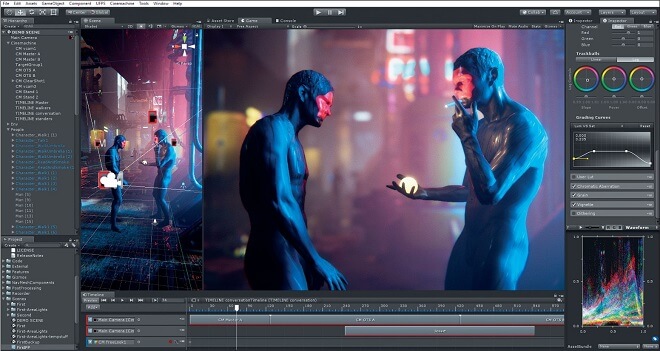
How to use Unity Cinemachine

Cinemachine isn’t just for those using multiple cameras. This makes it different than other software plug-ins, and the power of Cinemachine lies in its ability to provide many different views with just one camera versus having to use multiple cameras.

This allows users to create a more fluid and seamless blend between all of those views. It also requires far less processing power than having many different cameras running at the same time.

One of the best, earliest, and clearest examples of Cinemachine in action comes from the now Emmy® Award-winning broadcast short, ‘Baymax Dreams.’ This was created by Unity in collaboration with Disney Television Animation. They won the Technology and Engineering Emmy® award for excellence and engineering creativity.

You can check out the behind-the-scenes regarding the development of “Baymax Dreams” using Unity and it’s a free plug-in, Cinemachine on this YouTube video here.

Here’s another example of full CGI film development using Unity and the Unity Camera and Cinemachine: Check out the video here on YouTube as well.

Pros and Cons of Unity Cinemachine

As with just about every software program you will find on the market around the world today, there are positives and negatives. The same holds true for Unity Cinemachine.

What you will find, however, is that the pros dramatically outweigh the cons, especially when you consider the amount of time that can be saved over coding and keyframing.

Let’s take a quick overview of some of the more positive aspects of the Unity Cinemachine plug-in.

Keep in mind that -in the past- game creators and developers were more focused on functionality, but now, thanks in large part to the addition of Cinemachine cameras, they can spend more time and energy on the entertainment aspect, especially the visual attention to detail than they could in the past.

Why We Love Cinemachine


Cinemachine is fast.

In other words, it is stable and fast, with the ability to launch the entire software program in a matter of seconds.

One of the common comments Unity users make, especially when it comes to adding Cinemachine as a plug-in, is that the program doesn’t seem to hang or lag, even when you have a number of experiments running, especially while importing assets.

Adding in many cameras, deleting or reimporting objects, using extremely high settings, and even lighting doesn’t seem to impact the functionality and performance of Unity.

The results look amazing.

Yes, in the past, Unity has come up a little short when it came to interior renderings. Now, though, with Cinemachine, these interior renderings are beginning to look absolutely stunning.

Of course, that all depends on what you are seeking to accomplish and the types of original footage you’re using as your baseline.

It’s easy to import files.

Some rendering programs complicate the process of importing files. However, Unity accepts FBX files, either in a binary version or in ASCII.

While other programs have a tendency to tinker with animations (meaning they can be altered inadvertently when importing), Unity doesn’t do that. It recognizes animations automatically.

Importing assets is not just accurate, it is quick. That is a huge plus when you’re talking about in-game development.

There are plenty of plug-ins to consider.

Yes, Cinemachine is a plug-in for Unity, but what makes this plug-in great for this platform is the fact there are many other plug-ins to choose from that can work seamlessly with Cinemachine.

You can expand editing functionality with a whole streamline of assets from the Asset Store, and when you incorporate Cinemachine into the mix, you have an incredible, robust set of tools at your fingertips which not only saves an incredible amount of time, but you can create stunning landscapes and amazing, smooth transitioning scenes for your audience or gamers.

Unity was originally built for game developers.

This might not seem like a big pro for animation designers and movie developers, but it is certainly a benefit for game developers.

That’s because when a program is developed with a specific audience in mind, they are focused on exactly what game developers want, need, and wish for.

With that in mind, Cinemachine is a feature-rich plug-in that was also designed with game developers at the forefront of their thoughts. While subsequent versions of Unity are incorporating more artist-friendly features, it is still, at its heart, a game engine.

Now, though, thanks to Cinemachine, there’s no more need to code or, at the very least, code a lot less.

There’s Always Room for Improvement


At the moment, there aren’t many negative aspects to Cinemachine, especially for seasoned veterans of Unity and the Unity camera. That being said, it doesn’t mean everything is perfect.

A bit of a learning curve.

As with any new software development or technology, there’s going to be a learning curve. While Unity’s developers have done a great job at streamlining Cinemachine to work seamlessly within the editor, it takes some getting used to.

This is especially true for those who have become accustomed to detailing keyframes or coding every camera angle and movement.

However, what you may lose in time during that learning curve, you gain in functionality and performance later on. Plus, most users become accustomed to the new features that Cinemachine delivers in short order.

Limitations on exporting.

This isn’t necessarily a problem for the Cinemachine, but Unity itself. You have to pay for extra plug-ins to export, for example, FBX meshes out of an engine. Even if you buy the plug-in that allows you to do this, you won’t be able to export animated cameras.

Again, this isn’t necessarily a problem with Cinemachine, but rather with Unity itself. Still, if you’re a beginner just diving into the Unity universe, it’s good to know, as is the next potential con.

As of yet, there is no distributed baking.

If this sounds like a foreign language to you, don’t worry. You will learn these terms in time the more you use Unity, a Unity camera, and Unity Cinemachine. This basically means you can only bake lightmaps using a single machine.

This limitation is likely to change as Unity developers are working on a solution.

For beginners, though, this is not something to be concerned about, at least not yet. And, ultimately, it is a minor bump in the road, especially when you consider how much you gain by using this plug-in.

Who Would Benefit from Cinemachine?

First of all, those currently using Unity (or who may be planning on using Unity in the near future). It’s a plugin designed specifically for Unity and to be used with Unity Camera.

It is an Emmy® Award-winning tool that offers a vast array of options for codeless cameras, allowing directors and cinematographers the option of capturing the best shots and angles, seamless transitioning in movement, and fine-tune, experiment, and create camera behaviors in real-time.

What does it mean to ‘create camera behaviors in real-time?’

In essence, up until Cinemachine, directors, and editors had to use keyframes and write code if they wanted to change the camera angle, have the camera move with the action, or create other behaviors like this.

It also requires extensive forethought and planning, rather than experimentation. Cinemachine allows Unity users to experiment, try different angles and movements, sweeping patterns without the time constraints of coding and entering keyframes constantly.

Cinemachine Is Especially Ideal for Game Developers

Not only does it speed up game development, since developers no longer have to focus on camera logic, but you can also now experiment on the fly with new ideas, prototypes, and all while saving those new settings in play mode.

Game developers can switch from 2D to 3D, from real-time play to cutscene, and from the traditional first-person shooter view to a camera that follows the action up close and personal.

Imagine being able to configure the Unity camera so it rotates automatically, maintaining your prime subject at any position within the screen space. Make adjustments seamlessly and streamlined like a professional game developer.

Another incredible feature that Cinemachine offers is the camera shake. This ‘impulse promote’ module offers a complete camera shake system. When you set up Impulse sources on specific objects, the camera will respond based on the scale and distance, using a six-dimensional shake that can be generated for the procedure or handcrafted for each instance.

Another great benefit for game developers is the split-screen and Picture-in-Picture mode. You can assign Cinemachine to any “Brain” or all of them, blending from a single shot to a split-screen and back again. For those who understand the complexities of game development, this is truly (pardon the pun) a game-changer.

When you want to make sure your prime subject is the right size on the screen, even when you are zooming in or out, it can be difficult to achieve. This usually requires keyframe definitions and coding, but not with Unity’s Cinemachine.

The camera will dynamically set the zoom so all of your subjects are the right size on the screen, no matter what you do with those scenes.

What happens when something gets in the way, gets between the character and the screen view?

With Clear Shot, a wonderful feature of Cinemachine, it automatically decides what is the best camera for that shot. This is great for replacements and cutscenes, especially those that have variable scenarios.

Now, though, Unity’s Cinemachine is ideal for film and video, too. It automatically seems to know exactly where to aim and focus. You can experiment with tracking, shaking, and dollies. It’s even possible to conduct post-FX in real-time.

Cinemachine seems to know exactly what you want your shots to look like and makes adjustments on the fly, even when performances change.

There are some incredible features, including Composer, which automatically composes the action, in much the same way that a camera operator would work in a real-life setting.

This allows cinematographers and directors to make a wide range of changes and still enjoy the benefits of the shot working as imagined. This is truly a revolution in preproduction and layout.

The Transposer provides a plethora of controls for cameras to follow the action. All you have to do is set up your shots and even if you change the performances, those shots will still work out in your favor.

Post-Processing can be done live, while each shot is taking place. You can even change the edit and color grading. When you blend shots on the Timeline, everything else in the scene gets blended, too. For those in the know, they understand this saves so much time that is worth the investment.

Cinemachine even offers lens packs that allow you to set a list of your favorite lenses as quick, easy-to-select drop-down menus. You can streamline each project by limiting focal lenses and lengths to a preset. This is much like what happens on the set of actual movie filming.

How to Learn Cinemachine

Developer building video games in Unity Cinemachine
When you want to get started with Unity’s Cinemachine, you need to have a basic understanding of Unity itself. For the purposes of this guide, we’ll assume you have the basics down.

First, you’ll need to know how to get started, which includes keeping a transform in the shot, composing a shot, and following a transform.

Next, you’ll want to understand the track and dolly feature in Cinemachine, which includes adding a camera dolly with a track path, moving the camera using a track, and following a target automatically on a track.

Then, you want to learn how to create a state-driven camera system in Cinemachine. This includes learning how to control cameras with animation states and blending between camera states.

After that, it’s best to learn how to use the free look composition feature, which includes orbiting a transform, customizing player input, and adjusting composition at different stages of a rig.

Once you have learned that, the next step is to learn about Clearshot. This will provide you the ability to cut virtual cameras dynamically, prioritize shots, and customize shots.

After that, it’s about Post-Processing, and then Cinemachine 2D.

Helpful Resources and Videos

Here are a series of videos made available by Unity that can help you learn how best to use Cinemachine:

Common Cinemachine Questions


Is Cinemachine Part of Unity?

Yes. Cinemachine is a plug-in that’s made available specifically for use with Unity and the Unity camera. This is a powerful tool that can take hours, even days, or weeks of coding and keyframing and provide game developers, directors, producers, and editors of film and videos a chance to experiment on the fly and create smooth follow transitions using single or multiple virtual camera angles.

How do you set up a Cinemachine camera?

  1. From inside Unity, choose the Unity menu, and select Cinemachine> Create Virtual Camera.
  2. Use the Follow property and specify a GameObject to follow.
  3. Next, Select the Look At property and dedicate the GameObject you want the Virtual Camera aimed at.
  4. Once you’ve done this, customize your Virtual Camera as you want.

How do you use Cinemachine brain?

It is very easy to use the Cinemachine brain. Simply Add a Virtual Camera or any other Cinemachine object to your Scene and Unity adds a Cinemachine Brain component to the Unity camera automatically, if there isn’t one already in place.

How do you use Cinemachine code?

When you want to add code in Cinemachine, for example, to set a zoom feature when somebody uses the mouse scroll wheel, you will do so using C#.

How do you zoom in with Cinemachine?

There are many different ways to go about zooming in with Cinemachine, including activating a script, using two cameras to blend together, or turning on the close of the camera via a script.
Top GameBoy Advanced Games by Nintendo

0

GBA games we enjoyed playing
When the Nintendo GameBoy was first released in 1989, it was a revolution in personal gaming.

Up until that time, avid gamers were essentially stuck with their systems that needed to be plugged into a TV. Then, the GameBoy changed everything.

Other handheld game systems came out around the same time, including Sega Game Gear, NEC TurboExpress, and the Atari Lynx.

Each had its own benefits, but Nintendo’s GameBoy stood the test of time and eventually made way for the Advance a little more than a decade later.

Released in 2001, it was the sixth generation of the GameBoy consoles.

The first GameBoy Advance release did not have an illuminated screen, however, but by 2003, Nintendo had begun paying attention to the little details that made a world of difference.

By 2010, more than 81 million GameBoy systems had been sold around the world.

When Nintendo released its DS handheld game system, some may have assumed this would completely replace the GameBoy that many of the top GameBoy Advance games fans had grown to love.

Fortunately, the DS was backward-compatible, meaning it could play GBA games just fine.

What Makes A Good Gameboy Advance Game?

It really comes down to a matter of personal preference. For the most part, though, it involves several factors, including graphics, playability, strategy, and ease of use.

Perhaps most important when ranking the top GBA games of all time is whether or not they performed as they were designed.

This may seem like an innocuous question, but many games that were released and never gained traction, never held court for very long and weren’t poorly designed necessarily, but what the creator had in mind and what was accomplished in the game itself may have been worlds apart.

We used the following basic criteria in building out our list of the best GBA games of all time:

  • Did it perform as designed?
  • Was it fun to play?
  • Could a player enjoy this game for months and even years? Or did it quickly lose its appeal?
  • Was the game relatively simple to understand and get started with?
  • Did it have increasing challenges that kept the player engaged and seeking to improve his or her skill set?

When all is said and done, however, it really comes down to personal preference.

Some of the best Nintendo GameBoy Advance games we listed here you may find to have been boring, nonstarters, or less than worthy of this type of list. That’s okay.

Our Ranking Criteria

In addition to the subjective criteria mentioned above, we also used objective metrics like sales, users, and sales growth rate to make this list (read more). Some of these data sources include:

The Best GBA Games

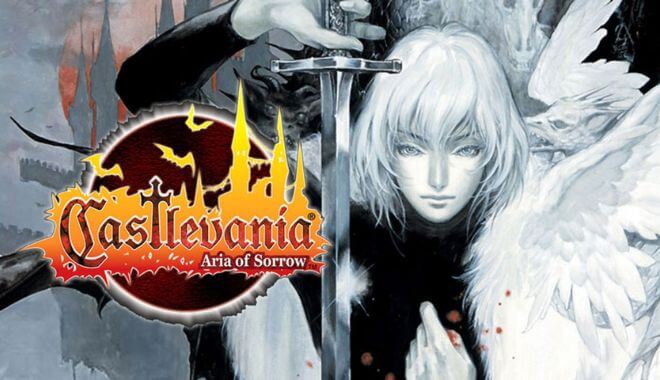
Castlevania: Aria of Sorrow

Castlevania - Aria of Sorrow

When you were looking for serious action, but with a splash of fun and lighthearted sentimentality, you would turn to Aria of Sorrow. The developers were able to combine the best of the two previous versions of Castlevania in this game, creating an icon for the ages.

What Makes It Great

  • Innovative Gameplay Mechanics: Introduces the “Tactical Soul” system, allowing players to absorb the souls of enemies to gain additional abilities.
  • Features a 2D side-scrolling style with role-playing elements, such as leveling up and improving character statistics.
  • Strong Storyline: Set in the year 2035, offering a futuristic twist to the traditional medieval settings of the Castlevania series.

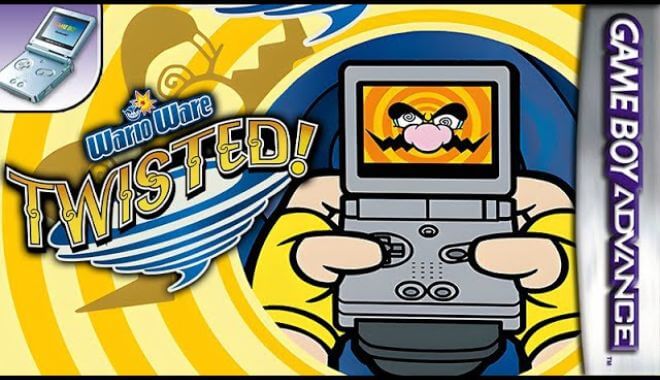
WarioWare Twisted

GBA - WarioWare Twisted

Believe it or not, this game had a built-in motion sensor right in the cartridge. That meant the cartridge itself could sense motion. For that, this game alone stands as one of the best GBA games of all time.

What Makes It Great

  • Innovative Gameplay Mechanics: The game uses a tilt sensor for the majority of its gameplay, allowing players to physically tilt the console to control the game.
  • Rich Story and Characters: Each character in the game has a unique story that revolves around their adventures in Diamond City.
  • Developed by Renowned Studios: The game was co-produced between Intelligent Systems and Nintendo SPD Group No.1, ensuring high-quality development.

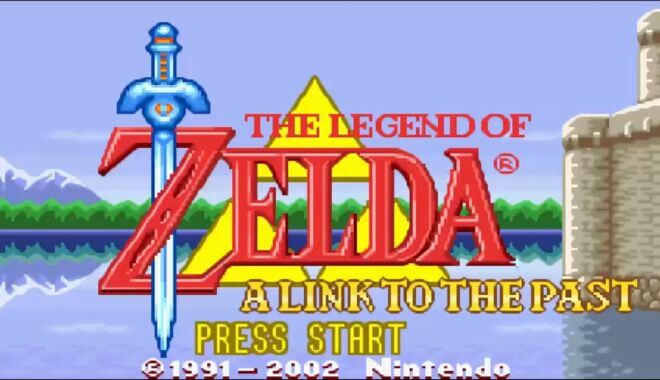
Legend of Zelda: A Link to the Past with Four Swords

GBA - Legend of Zelda: A Link to the Past with Four Swords

Building on the legendary (pun intended) Zelda, this GameBoy Advance version successfully captured the essence of the original game but added a multilayer element that was called Four Swords. It also added many new features that made it much more powerful than the original SNES version.

What Makes It Great

  • Multiplayer Experience: The game was the first multiplayer installment in The Legend of Zelda series, requiring two to four Game Boy Advance systems to be linked up for cooperative gameplay.
  • Innovative Gameplay Mechanics: Features randomly generated dungeons, adding a layer of unpredictability and replay value.
  • Introduces the concept of “Four Swords,” where the player character, Link, is split into four entities to solve puzzles and defeat enemies.

Tony Hawk’s Pro Skater 2

GBA - Tony Hawk’s Pro Skater 2

For anyone who enjoyed skateboarding in their youth and who grew up during this age, this game was a must-have. While it was available on other systems, the GameBoy version may not have had the same visual attention to detail as the PlayStation one, but it was still a great deal of fun in the palm of your hand.

What Makes It Great

  • Critical Acclaim: The game is considered one of the greatest video games of all time and the highest-rated sports video game. It received universal critical acclaim, including high scores from major gaming publications.
  • Cultural Impact: The game featured real-life professional skateboarders and even included Spider-Man as a playable character via a licensing deal with Marvel Comics.
  • Variety of Tricks and Objectives: The game offers a wide range of skateboarding tricks and level objectives, making it engaging for players who like challenges.

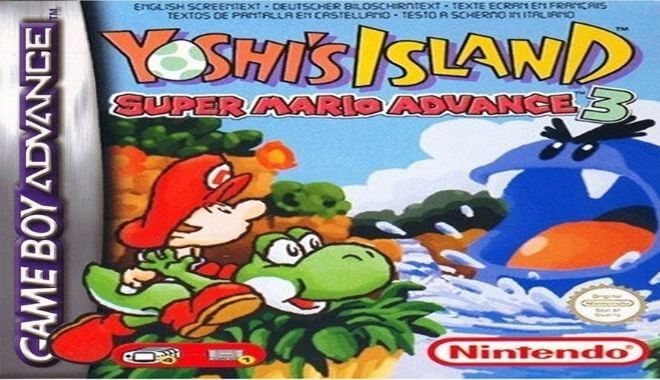
Super Mario Advance 3: Yoshi’s Island

GBA - Super Mario Advance 3: Yoshi’s Island

Yoshi’s Island was originally released on the SNES game system back in 1995, so this was another port version for the GameBoy. Players would navigate through various levels of traps, puzzles, and enemies to claim victory.

What Makes It Great

  • Nostalgia Factor: Being a reissue of the 1995 SNES game “Super Mario World 2: Yoshi’s Island,” it brings a sense of nostalgia while offering new content and improvements.
  • Strong Sales: The game sold 1.6 million copies in the US alone and was re-released as a Player’s Choice title, indicating its commercial success.
  • Innovative Gameplay Mechanics: The game features unique gameplay elements like Yoshi’s egg-throwing abilities, ground-pounding, and more. This makes the game stand out from other platformers.

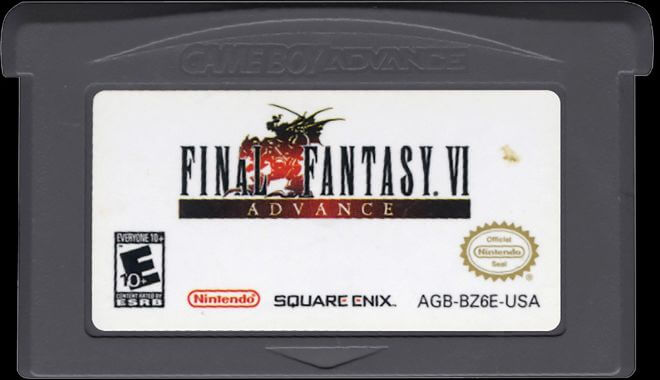
Final Fantasy VI Advance

GBA - Final Fantasy VI Advance

Some would argue that this version of Final Fantasy was the absolute best, at least within the confines of the two-dimensional world. It still holds up today. However, even today’s versions can’t compare to the GBA game’s version because of the way it drew you in and the narrative that went along with it.

What Makes It Great

  • Rich Storyline: The game offers a complex and engaging narrative that revolves around the conflict between the Gestahlian Empire and a rebel faction known as the Returners. The story takes place in a fantasy steampunk world, adding a unique flavor to the game.
  • Character Diversity: Final Fantasy VI features up to fourteen playable characters, each with their unique abilities and backstories. This large cast allows for a more varied gameplay experience.
  • Innovative Battle System: The game employs the Active Time Battle system, a pseudo-turn-based menu command system that keeps the gameplay dynamic. Each character has a unique command ability, adding strategic depth to battles.

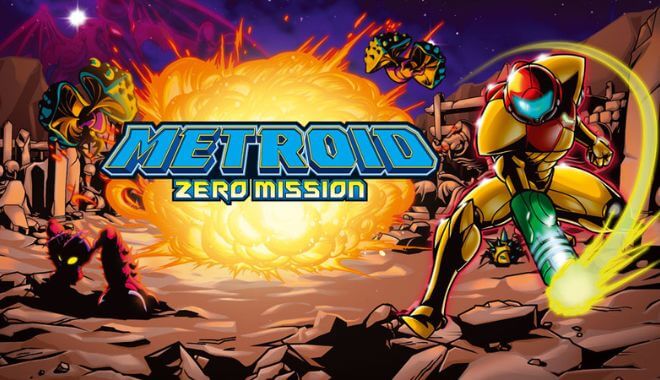
Metroid: Zero Mission

GBA - Metroid: Zero Mission

While it would be simple to assume this was a remake of the original NES hit game, it merely takes its inspiration from there and builds upon it, creating a new experience for fans.

What Makes It Great

  • Retelling of the Original Story: The game is a remake of the original Metroid, designed to “retell the story of Samus Aran’s original mission.” This gives new players a chance to experience the classic story while offering veterans a fresh take.
  • Gameplay Enhancements: Zero Mission introduces new items, mini-bosses, and areas, such as the Power Grip, Gravity Suit, Charge Beam, Plasma Beam, Speed Booster, Space Jump, Super Missiles, and Power Bombs. These additions make the gameplay more dynamic and engaging.
  • Visual and Artistic Style: The game adopts a more comic-book art style, which is visually similar to Super Metroid but distinct enough to give it its own identity.

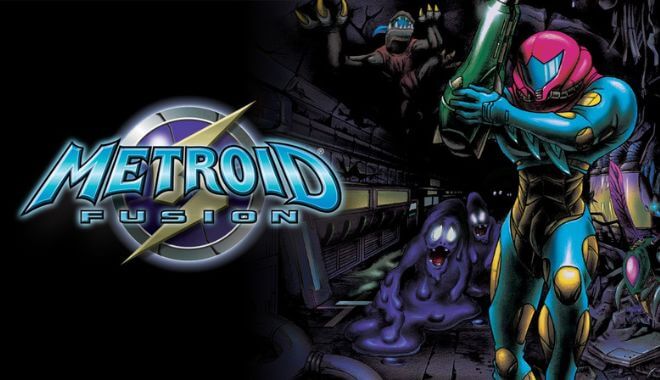
Metroid Fusion

GBA - Metroid Fusion

Some argue that this was the best GBA game for action on the system. It offered an exciting adventure from the very start. Players enjoyed tantalizing music that could make them feel as though they were in the midst of a horror film. The intensity was that good.

What Makes It Great

  • Innovative Gameplay Mechanics: Unlike other Metroid games, Fusion introduces a more linear gameplay style, guided by a non-playable cybernetic entity named Adam. This change in gameplay mechanics makes the game unique within the Metroid series.
  • Engaging Storyline: The game offers a captivating narrative where Samus Aran, the protagonist, is infected by a parasitic organism known as X. The story explores her journey to eradicate the X parasites and the mutants they infect.
  • Dynamic Environments: The game features environments that change in more radical ways than other games in the series, adding unpredictability and excitement. For example, corridors can become permanently blocked, and new creatures appear in previously explored areas.
  • Character Evolution: Samus undergoes significant changes, both in terms of her physical appearance and abilities. She gains new powers from a Metroid cell-based vaccine, adding depth to her character and gameplay mechanics.

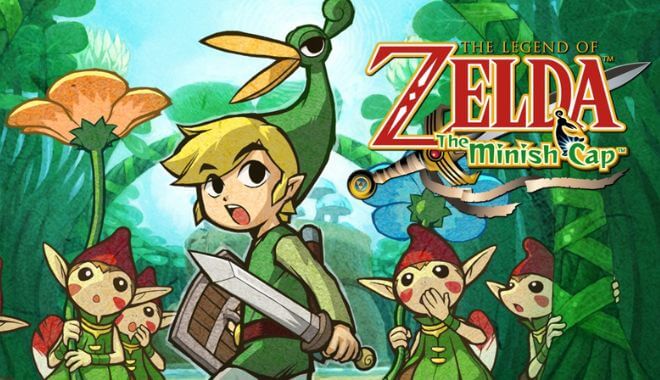
The Legend of Zelda: The Minish Cap

GBA - The Legend of Zelda: The Minish Cap

Another version of the legendary game, this role-playing game was one that changed everything because players could do this anywhere; they didn’t have to be at a table poring over sheets and a game board.

What Makes It Great

  • Unique Gameplay Mechanics: The game introduces the concept of shrinking down to the size of the Minish, a race of tiny people. This mechanic allows for unique puzzles and exploration opportunities, making the game distinct within the Zelda series.
  • Rich Story and Lore: The game serves as the origin story for the Four Sword and features Vaati as the main villain. It adds depth to the Zelda universe and enriches the overarching narrative of the series.
  • Innovative Features: New gameplay elements like fusing Kinstones and the ability to transform into a Minish add layers of complexity and engagement to the traditional Zelda formula.

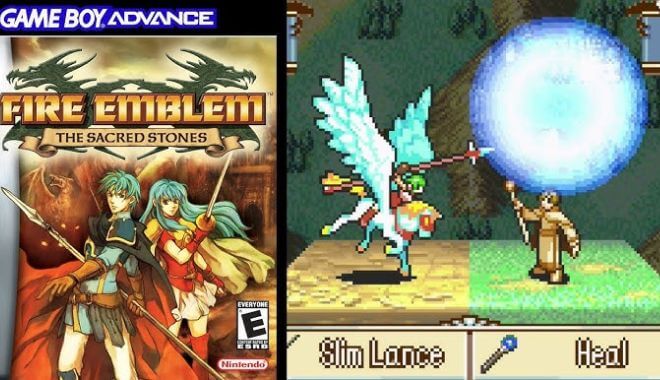
Fire Emblem

Fire Emblem

Combining strategy and role-playing within a fantasy game, players enjoyed Fire Emblem because it had everything, including dragons, kings, heroes, and even politicians who would steal from their own mother if it meant they could get ahead. Planning for future moves was essential to be successful with Fire Emblem.

What Makes It Great

  • Character Development: The game combines tactical simulation gameplay with the plot and character development of a role-playing game. This creates a sense of connection with characters, making each decision in battle more impactful.
  • Permanent Death Mechanic: One of the standout features is the permanent death of characters in battle. This adds a layer of tension and strategy, as players must consider the long-term consequences of their actions.
  • Weapon Triangle System: The game introduces a “Weapon Triangle” that governs the strengths and weaknesses of weapons in a rock–paper–scissors fashion. This adds another layer of depth to the tactical gameplay.

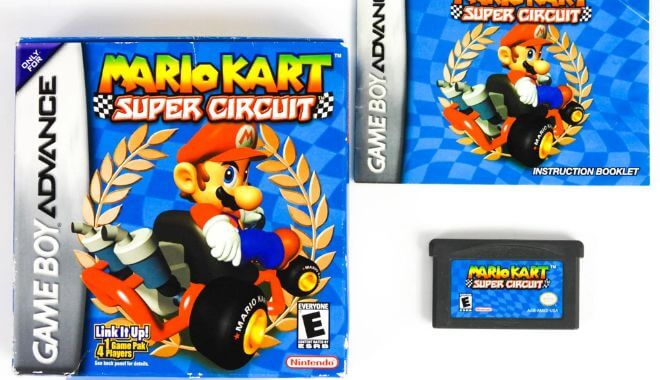
Mario Kart: Super Circuit

GBA - Mario Kart: Super Circuit

Mario Kart has been a favorite for generations. With this version, players get to choose from 40 different tracks and several game modes. However, when you compete at higher levels, Artificial Intelligence gets tougher.

What Makes It Great

  • Innovative Handheld Experience: Being the first Mario Kart game for a handheld console, it set a new standard for portable racing games.
  • Rich Course Selection: The game not only introduces new courses but also includes all the courses from Super Mario Kart, offering a comprehensive Mario Kart experience.
  • Character Variety: All characters from Mario Kart 64 return, and they are categorized into lightweight, middleweight, and heavyweight classes, each with their own pros and cons.

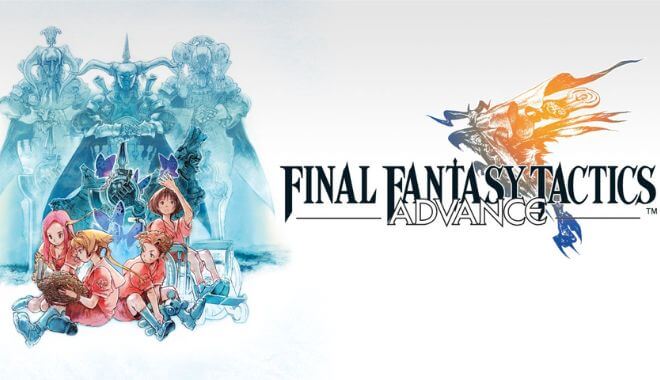
Final Fantasy Tactics Advance

GBA - Final Fantasy Tactics Advance

Set within the Final Fantasy world, this action game had a combination of great stories and strategies for players to focus on. Players got to choose from numerous characters and each one would have special, unique abilities that would be beneficial at different stages of the game.

What Makes It Great

  • Deep Tactical Gameplay: The game offers a rich tactical role-playing experience, allowing players to assemble a “clan” and control their actions on grid-like battlefields. This depth in gameplay makes each battle a strategic endeavor.
  • Customizable Experience: Players have the freedom to choose the party’s classes, abilities, and statistics, offering a high level of customization and replayability.
  • Engaging Storyline: The game features a compelling narrative that revolves around characters like Marche, Mewt, and Ritz, who find themselves in a transformed world and must navigate complex relationships and moral dilemmas.

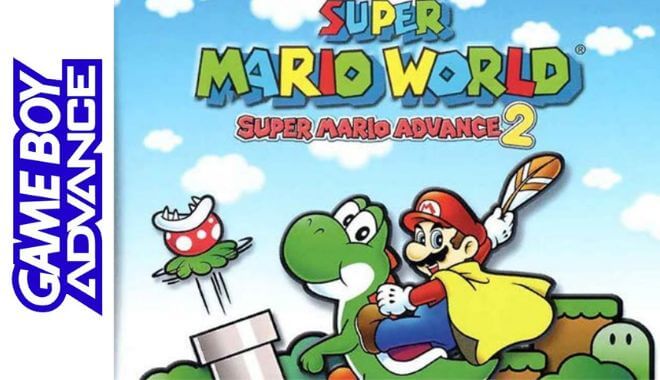
Super Mario Advance 2: Super Mario World

GBA - Super Mario Advance 2: Super Mario World

This version stepped up the game. The goal was to rescue Princess Toadstool from Bowser, but one thing that separated this version from others was the ability for players to choose Luigi at any time on the world screen. Players today still love the Mario world, as it remains a top seller for the new Nintendo Switch.

What Makes It Great

  • Nostalgia Meets Innovation: The game is a reissue of the classic “Super Mario World,” but it brings numerous gameplay, visual, and level design changes to make it fresh and engaging for new players.
  • Character Diversity: Unlike the original, Luigi is not just a palette swap of Mario. He has distinct abilities, such as jumping higher but more slowly, which adds a new layer of strategy to the game.
  • Enhanced Gameplay Mechanics: The game has been adapted to fit the GBA’s button layout, and several gameplay elements have been refined. For example, the game’s original two-player feature has been removed, but Luigi can now be played in single-player mode.

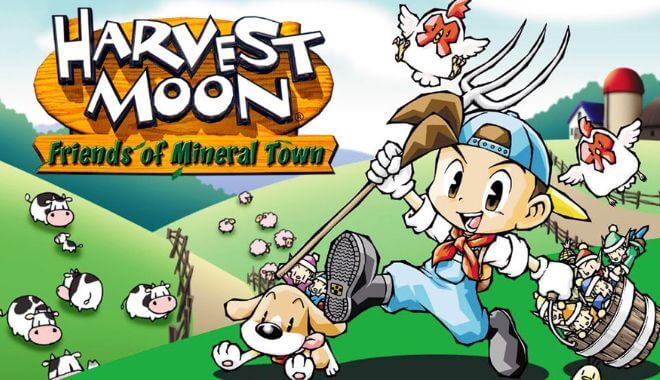
Harvest Moon: Friends of Mineral Town

GBA - Harvest Moon: Friends of Mineral Town

While there wasn’t much of a story to this farming simulator, you had to learn to plant crops, grow livestock, and befriend other characters (non-player characters, or NPCs), in the game to move ahead. Seemingly mundane, this was highly addictive.

What Makes It Great

  • Rich Storyline and Emotional Depth: The game starts with a nostalgic cutscene of the protagonist visiting their grandfather’s farm, setting the stage for an emotionally engaging experience. The game’s plot revolves around restoring the farm to its former glory after the grandfather’s passing.
  • Customization and Player Choice: The game allows players to choose between two starting characters of each gender and even change their appearance with costumes. This level of customization adds a personal touch to the gameplay.
  • Diverse Gameplay Mechanics: From mining and fishing to cooking, the game offers a variety of activities that go beyond traditional farming, making each day in the game unique.

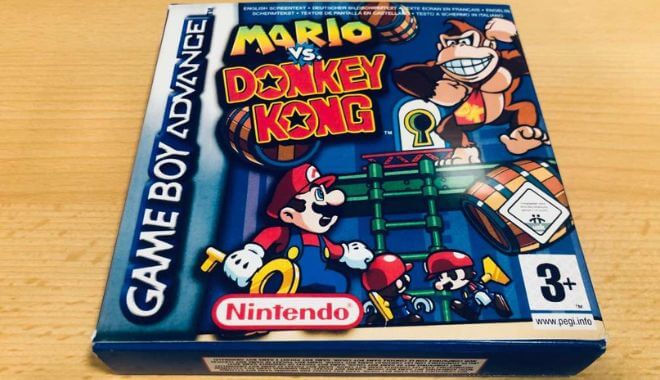
Mario vs Donkey Kong

GBA - Mario vs Donkey Kong

Mario has to retrieve some toys that Donkey Kong stole. There are two sections per level and puzzles to solve along the way. There were also six different worlds to explore, which was a wonderful advantage, especially for those who were enthusiastic fans of Mario Brothers and Donkey Kong.

What Makes It Great

  • Unique Blend of Puzzle and Platforming: The game combines elements of both puzzle and platforming genres, requiring players to find keys, unlock doors, and rescue mini-Marios, making each level a unique challenge.
  • Return to Classic Rivalry: The game marks the return of the classic rivalry between Mario and Donkey Kong, adding a nostalgic touch for fans of the original arcade games.
  • Innovative Gameplay Mechanics: The game introduces new abilities for Mario and brings a fresh emphasis on the puzzle element, making it a spiritual successor to the original Donkey Kong game for the Game Boy.
  • Engaging Plot: Donkey Kong returns as the villain, stealing Mini Mario toys from a factory, which sets up an engaging plot where Mario must chase him down to retrieve the toys.

Sonic Adventure

GBA - Sonic Adventure

Sonic has long been Sega’s mascot, so to see this icon as part of a Nintendo game was different, to say the least. This was an entertaining venture and up to four players could enjoy it in multiplayer mode.

What Makes It Great

  • Pioneering 3D Gameplay: As the first Sonic game on a sixth-generation console, “Sonic Adventure” brought the franchise into the realm of 3D, offering a new layer of depth and excitement to the gameplay.
  • Rich Storyline: The game features a complex narrative involving multiple characters like Sonic, Tails, Knuckles, Amy, and even Dr. Robotnik. Each character has their own storyline that intertwines with the others, providing a rich narrative experience.
  • Multiple Playable Characters: Players can control different characters like Sonic, Tails, Knuckles, and Amy, each offering unique abilities and perspectives on the same story.

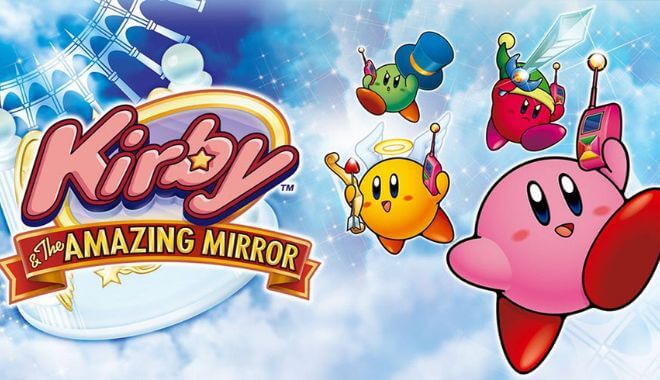
Kirby and the Amazing Mirror

GBA - Kirby and the Amazing Mirror

This game looked deceptive at first, but where many players assumed it would be a straightforward, linear game, it actually allowed players more freedom. It was a very mature game, surprisingly so, and explored a lot of deeper, darker aspects of life.

What Makes It Great

  • Non-Linear Gameplay: Unlike traditional Kirby games, “Kirby & The Amazing Mirror” allows players to explore the game world freely, choosing their own paths to victory. This metroidvania-esque open world adds a layer of depth and replayability to the game.
  • Multiplayer Experience: The game supports up to four players, each controlling a differently-colored Kirby. The in-game cell phone mechanic allows players to call each other for help, making the game a cooperative experience.
  • New Copy Abilities: The game introduces several new Copy Abilities like Cupid, Missile, and Smash, adding variety and excitement to the gameplay.
  • Treasure Chest Mechanics: Scattered throughout the game world are treasure chests that contain various items like Music Notes, Spray Paint, and maps. Collecting these adds another layer of depth to the game.

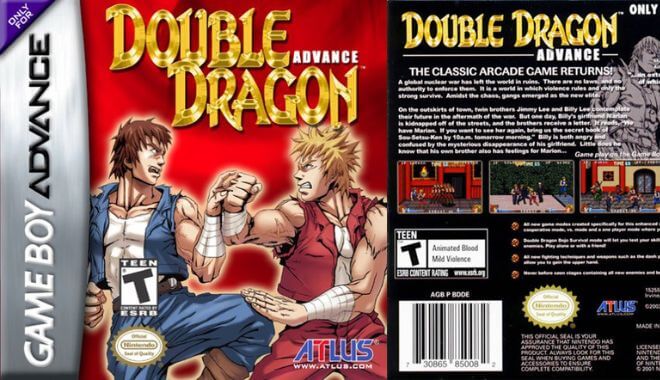
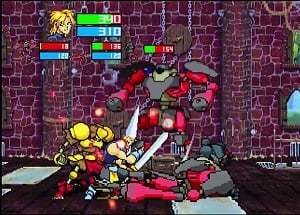
Double Dragon Advance

GBA - Double Dragon Advance

While the fighting genre that was popular in the 1980s had faded, this Double Dragon Advance version hearkened back to those times, but in the 3D era. While this didn’t offer deep storylines or dimensional characters, it was simply a lot of fun, especially if you loved those 80s-style games.

What Makes It Great

  • Remake and Expansion: The game is both a remake and an expansion of the original 1987 arcade game, incorporating elements from its sequels and home versions. This makes it a comprehensive experience for both new and returning fans.
  • Multiplayer and Game Modes: The game supports multiplayer via a Game Link Cable and offers a unique third game mode where a single player can control both Lee brothers. There’s also a Survival Mode, adding layers of replayability.
  • New Techniques and Weapons: The game introduces new techniques based on later arcade and console versions, as well as other beat-’em-ups by Technōs. New weapons like nunchakus and double kali sticks are also added, enriching the combat experience.

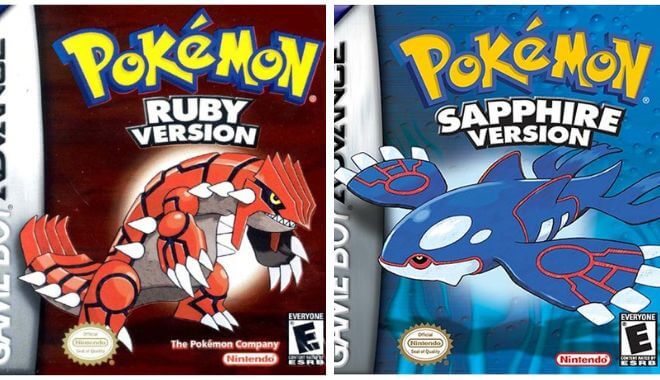
Pokémon Ruby & Sapphire

Pokémon Ruby & Sapphire

Trying to capture all of the Pokémon is the purpose of this game, as usual. The goal is to defeat the Elite Four by making your Pokémon stronger. When facing combat, it is turn-based.

What Makes It Great

  • Introduction of a New Region: These games take place in the Hoenn region, offering a fresh setting with new cities, towns, and landscapes, thereby expanding the Pokémon world.
  • Addition of New Pokémon: An additional 135 Pokémon were introduced, adding more diversity and options for team-building, which keeps the franchise fresh and engaging.
  • Innovative Gameplay Mechanics: The games introduced several new features like Double Battles, Pokémon Abilities, and weather effects, which added layers of strategy and depth to the gameplay.
  • Team Magma and Team Aqua: Depending on the version, players will face off against either Team Magma or Team Aqua, each with their own motives and legendary Pokémon, adding a unique narrative twist to each game.

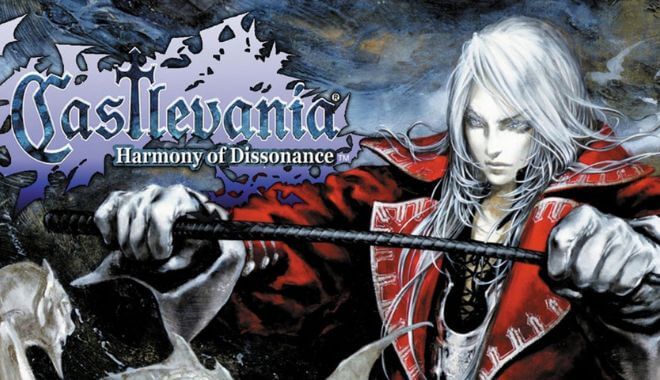
Castlevania: Harmony of Dissonance

GBA - Castlevania: Harmony of Dissonance

In this version, players had the opportunity to play as Simon Belmont’s son. He was a vampire slayer with magical powers. In this version, it is up to the player to finally end Dracula’s reign. When you start, you discover that Lydie has been kidnapped and held by Dracula. Your job is to rescue her.

What Makes It Great

  • Innovative Gameplay Mechanics: The game introduces a new magic system, where players can combine spell books with sub-weapons to create potent magic attacks. This adds a layer of strategy and customization to the gameplay.
  • Rich Storyline: The game is set in the year 1748 and stars Juste Belmont, a member of the legendary Belmont Clan of vampire hunters. The plot is intricate, involving themes of friendship, self-doubt, and the eternal struggle against evil.
  • Complex Level Design: The game features a castle with two spirits, one Chaotic and one Earthly. Players must traverse through multi-dimensional portals to access all areas, adding a layer of complexity and replayability.

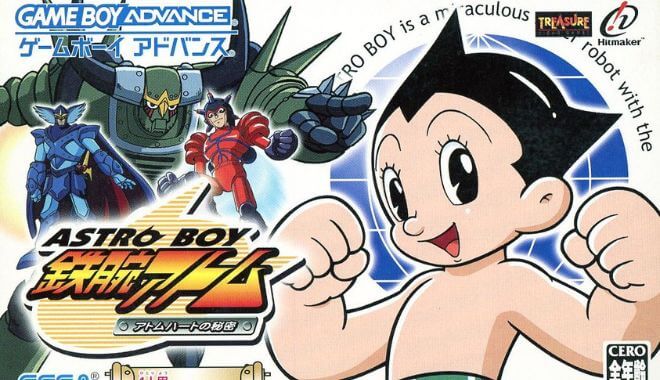
Astro Boy: The Omega Factor

GBA - Astro Boy: The Omega Factor

Even though you may not have much experience with Astro Board, this one was a must-play for everyone. With multiple weapons and mobility options to choose from, there’s a lot of excitement going on at every level.

What Makes It Great

  • Intricate Plot and Character Development: The game features a rich storyline that combines elements from various Astro Boy iterations. It also introduces a host of characters, each with their own backstory and motivations, adding depth to the game.
  • Unique Gameplay Mechanics: The game is a horizontally scrolling shooter where Astro Boy faces a variety of robotic enemies. The “Omega Factor” is a unique gameplay element that boosts Astro Boy’s powers and adds a layer of strategy to the game.
  • Time-Travel Element: The game incorporates time travel, allowing Astro Boy to alter events and make different choices, which adds a layer of complexity and replayability.

Wario Land 4

GBA - Wario Land 4

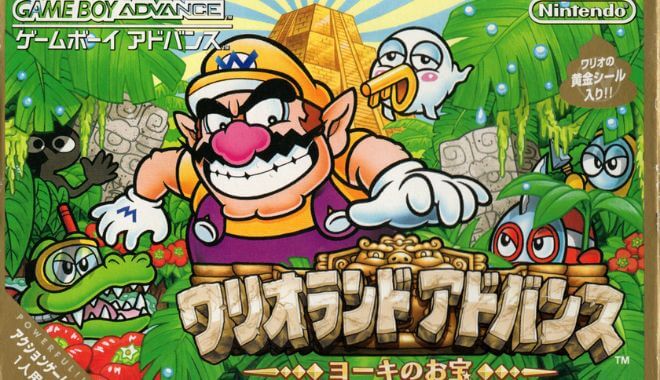
Wario is Mario’s evil counterpart. Having been spotted in a variety of games previously, he returned for this one, too. With six sections in the pyramid, each with four levels, and four gems to find in each level, there was plenty to keep players occupied.

What Makes It Great

  • Innovative Gameplay Mechanics: The game introduces a variety of gameplay elements like different game modes, a heart meter, and a unique time-limit feature that adds urgency to the gameplay. These mechanics make the game stand out from its predecessors and other platformers.
  • Rich Level Design: Wario Land 4 features a diverse set of passages and levels, each with its own theme and challenges. The levels are designed to be completed in any order, offering a non-linear experience.
  • Character Transformations: Wario can undergo various transformations like “Flaming Wario,” “Puffy Wario,” and “Zombie Wario,” each offering unique abilities to solve puzzles and progress through levels.
  • Engaging Story: The game has an interesting storyline where Wario goes on a quest to find treasure but ends up saving a princess. The narrative adds depth to the game and keeps the player engaged.

Final Fantasy V Advance

GBA - Final Fantasy V Advance

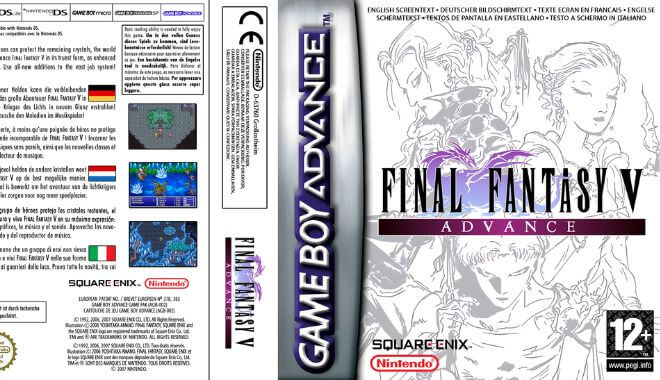
Building on previous versions, this one took role-playing to a new level. Offering fluid class changes that could be done as you played, there were also new professions that allowed players to create wonderful combinations.

What Makes It Great

  • Rich Storyline: The game features a compelling narrative that involves a group of four strangers coming together to save the Crystals. The antagonist, Exdeath, adds depth and urgency to the storyline.
  • Active Time Battle System: Final Fantasy V uses the Active Time Battle system, which was a significant innovation at the time. This system adds a layer of strategy and excitement to the combat.
  • Influence on Later Games: The game introduced many conventions to the series, such as the Blue Mage and the recurring mini-boss Gilgamesh. These elements have been featured in many games since.

Drill Dozer

GBA - Drill Dozer

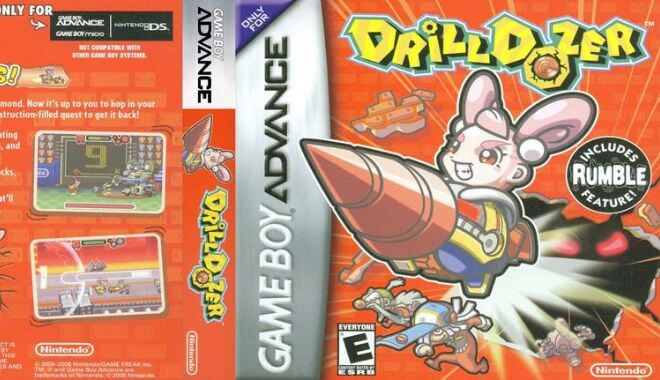
This surprising original for the GameBoy system breathed new life into the console, at least for a while. Great animation at every level that required players to discover and use new skills.

What Makes It Great

  • Unique Gameplay Mechanics: Drill Dozer is an action platformer that revolves around the use of a drill. The drill can be activated in different gears to solve puzzles, defeat enemies, and navigate through levels. This unique mechanic sets it apart from other platformers.
  • Force Feedback Feature: It is one of only two GBA games to include force feedback, providing a more immersive experience. This feature was well-executed and added a tactile dimension to the gameplay.
  • Intriguing Storyline: The game features a compelling narrative where Jill, the protagonist, sets out to recover a stolen Red Diamond. The story is enriched by various other diamonds that Jill encounters, each having unique powers and implication.

Mega Man Zero 3

GBA - Mega Man Zero 3

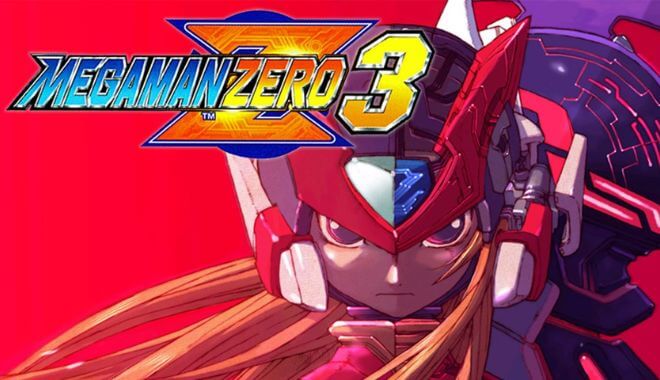
Inspired by the X Games, this GameBoy system game managed to avoid copying those quintessential games of the late 90s and 2000s. With each subsequent version, the storylines got darker and the gameplay became more extreme.

What Makes It Great

  • Rich Storyline: The game continues the narrative from the previous titles in the Mega Man Zero series, adding new characters and plot twists. The story keeps players engaged and adds depth to the Mega Man universe.
  • Visual and Audio Design: Like its predecessors, the game maintains high-quality graphics and sound, which are well-optimized for the GBA platform.
  • Legacy and Impact: Initially intended to be the finale of the Zero series, the game leaves a lasting impression and sets the stage for future titles in the Mega Man franchise.

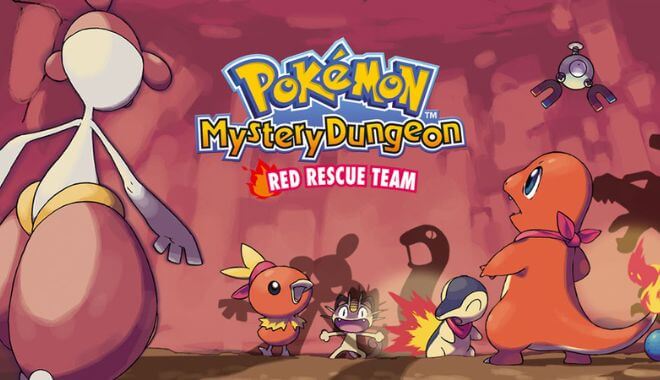
Pokémon Mystery Dungeon: Red Rescue Team

GBA - Pokémon Mystery Dungeon: Red Rescue Team

Red Rescue Team is a wonderful Pokémon adventure that created a unique shift. In this one, dungeons were the main focus, and only one village whereas previous versions had numerous villages and forests players could explore. With 16 dungeons, players would see everything from the perspective of the Pokémon.

What Makes It Great

  • Unique Gameplay Mechanics: The game features roguelike gameplay with randomly generated dungeons, offering a unique experience every time you play.
  • Mission-Based Structure: The game is mission-based, with jobs that include rescuing Pokémon, delivering items, and escorting clients. This structure adds variety and objectives to the gameplay.
  • Personality Quiz: The game starts with a personality quiz that determines which Pokémon you become, adding a personalized touch to the game.

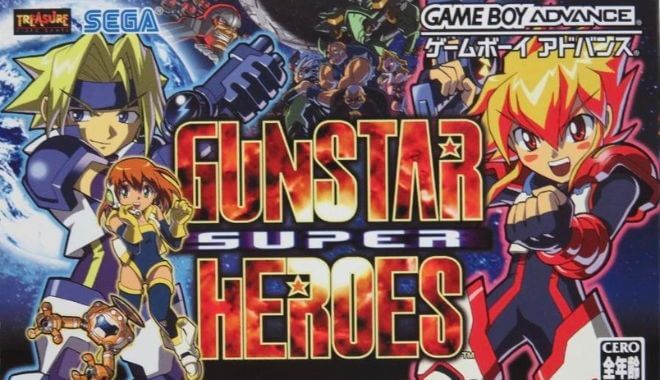
Gunstar Super Heroes

GBA - Gunstar Super Heroes

In the original Gunstar game, the God of Ruin was defeated. During his defeat, though, the moon fractured into four smaller moons. Unfortunately, those who followed this god were bent on resurrecting him. In this version, he’s back and players can play one of two different characters.

What Makes It Great

  • Unique Gameplay Mechanics: The game features intense action and challenging gameplay that the developers, Treasure, are known for. It offers a 2D perspective where players move left and right, blowing up almost everything in their path.
  • Character Diversity: The game has two protagonists, Red and Blue, each with unique abilities. Red is notably female, unlike the original Gunstar Red, adding diversity to the character lineup.
  • Weapon System: Unlike the original where you could combine weapons, this game offers three distinct weapons: Rapid Fire, Chaser, and Explosive. Players can charge up a special attack, adding a layer of strategy to combat.

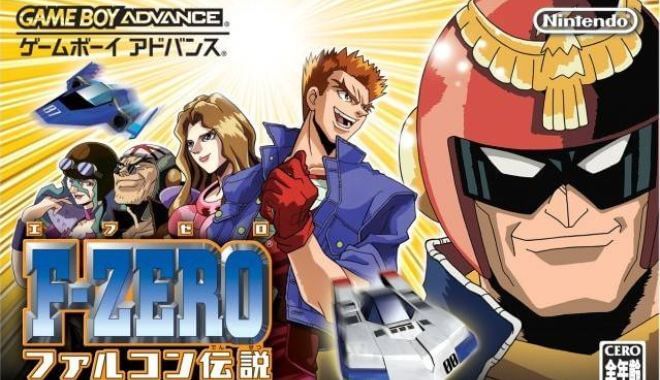
F-Zero: GP Legend

GBA - F-Zero: GP Legend

With new tracks and a variety of game modes, players had the ability to alter driving mechanics and even tweak their vehicles so they were more realistic. Also, up to 30 racers could be on the track at any given time.

What Makes It Great

  • Rich Gameplay Mechanics: The game plays similarly to the original Super NES version of F-Zero and incorporates features from F-Zero X on the Nintendo 64. It uses a new Mode 7 effect designed for the GBA, allowing for dynamic background layers that rotate and scale.
  • Multiple Game Modes: F-Zero: GP Legend offers a variety of game modes including Grand Prix, Story, Time Attack, Training, and Zero Test. Each mode offers a unique gameplay experience, adding depth and replayability to the game.
  • Story Mode: The game has a story mode that initially focuses on Rick Wheeler but unlocks more character stories as you progress. Each pilot has missions that can involve racing, defeating specific opponents, or other objectives, adding narrative depth to the game.

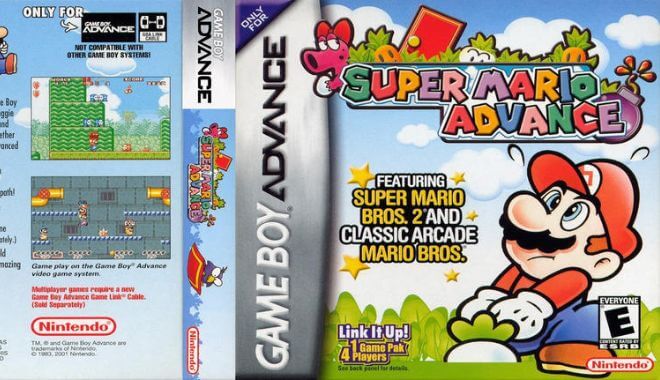
Super Mario Advance

GBA - Super Mario Advance

Every time a new Nintendo system was released, it seemed to be met with a new Mario game. This was no different, but this Super Mario Advance version simply didn’t catapult the franchise forward. However, the four-player mode and better graphics were a bonus.

What Makes It Great

  • Rich Content: Super Mario Advance is not just a simple port; it includes many new features and gameplay mechanic changes, as well as stylistic and aesthetic alterations from the All-Stars edition.
  • Boss Variations: The game introduces a new boss, Robirdo, a robotic Birdo, adding a fresh challenge and variety to the gameplay.
  • Adaptability: The developers made adjustments like brightening color palettes and resizing display resolution to fit better on the GBA screen, making the game more accessible on the handheld device.

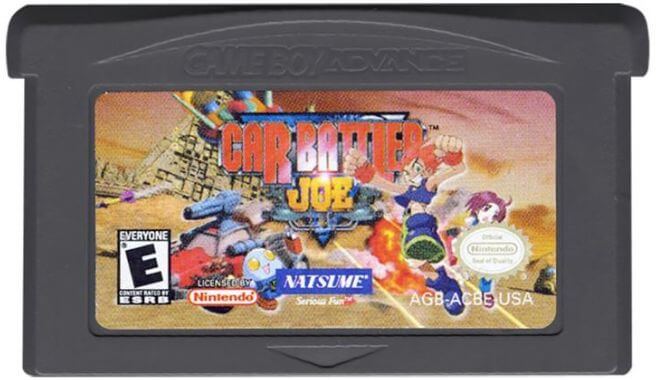
Car Battler Joe

GBA - Car Battler Joe

This awesome game has players as professional car battlers taking on others in deathrace-style matches. If you complete requests from the townsfolk, you can upgrade your ride for the next match.

What Makes It Great

  • Unique Genre Fusion: Car Battler Joe combines vehicular combat with action role-playing elements, offering a gameplay experience that is both unique and engaging.
  • Customization: The game allows players to earn money by battling, which can then be used to buy parts to upgrade their cars, adding a layer of depth and personalization to the game.
  • Multiplayer Mode: In addition to its single-player campaign, the game also offers a multiplayer mode, extending its replay value.

The Pinball of the Dead

GBA - The Pinball of the Dead

This is basically a traditional pinball game, and while that might not seem overly exciting, the developers of this version put everything inside a House of the Dead set, so players could enjoy some zombie pinball.

What Makes It Great

  • Innovative Gameplay Mechanics: The game introduces new gameplay elements like zombies moving around the table, boss battles, and special events that can be unlocked by spelling out certain words, making it more than just a traditional pinball game.
  • Critical Acclaim: The game received generally favorable reviews and even won an Editor’s Choice award on GameZone. It was also listed as one of the best games for the GBA by various outlets.
  • Interactive Elements: The game features full-motion video sequences and audio samples from previous entries in The House of the Dead series, enhancing the overall experience.

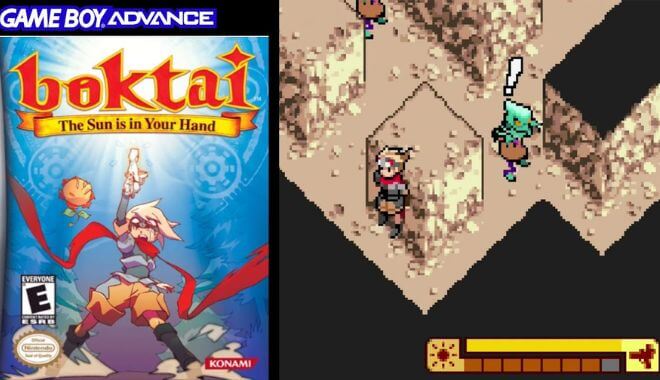
Boktai: The Sun is in Your Hand

GBA - Boktai: The Sun is in Your Hand

As a vampire slayer, players would use the sun’s power as a way to defeat their evil opponents. Sounds simple enough? Sure, it is, but there was a twist. The game cartridge had a light sensor built into it, so when you played under bright light, your character’s evil slaying ability increased.

What Makes It Great

  • Innovative Solar-Dependent Gameplay: Boktai was the first game to introduce a Solar Sensor on the game cartridge. This sensor powers most weapons, player strength, and the ability to charge energy, encouraging players to go outside and play.
  • Real-Time Day/Night Cycle: The game engine determines the sun’s position based on the player’s set time and time zone, affecting gameplay elements like enemy behavior and environmental effects.

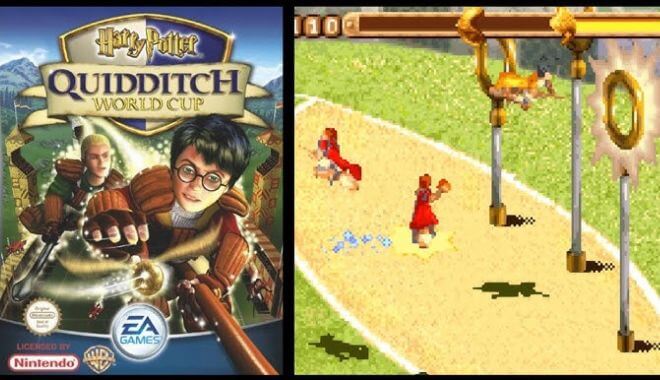
Harry Potter: Quidditch World Cup

GBA - Harry Potter: Quidditch World Cup

For those who haven’t seen any of the Harry Potter movies or read the books yet, we’d like to know what planet you’ve been living on. Seriously, though, this GameBoy entry was thrilling for Harry Potter fans.

What Makes It Great

  • Immersive Gameplay: The game offers a detailed Quidditch experience, allowing players to control Chasers, Seekers, and even Beaters. The gameplay is broken down into various challenges like Passing, Tackle and Shoot, and Seeker, which help players learn the game’s mechanics.
  • Character Involvement: The game features well-known characters from the Harry Potter series, including Harry, Ron, Hermione, and others. Each Hogwarts House team is represented by its Seeker, adding a layer of authenticity to the game.
  • Progression and Unlockables: Completing challenges and winning matches unlocks new abilities and even new broom models, adding a sense of progression. Quidditch cards earned by completing tasks also unlock new abilities.

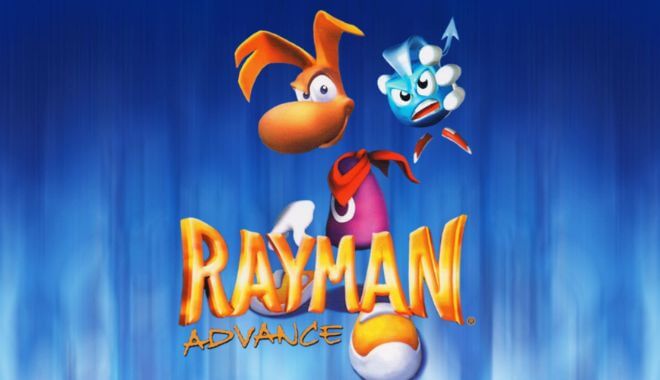
Rayman Advance

GBA - Rayman Advance

Even though Rayman is the French version of Mario, and has been around nearly as long, this character had more of an edge to his persona. The levels got harder more quickly and the graphics were better than most other comparable GameBoy games.

What Makes It Great

  • True to the Original: “Rayman Advance” is a port of the original Rayman game, closely resembling the PC version. This ensures that the core gameplay and charm of the original are retained.
  • Adaptations for Handheld: Due to the GBA’s hardware limitations, the developers made several changes, such as increasing the number of lives and continues, adding extra units of health, and placing additional platforms in some levels. These changes were made to intentionally make the game easier and more accessible for handheld gaming.
  • Graphics Focus: The developers put most of their focus on the graphics, resulting in a visually appealing game. The graphics have been increased in contrast and brightness to compensate for the lack of backlight on the original GBA.

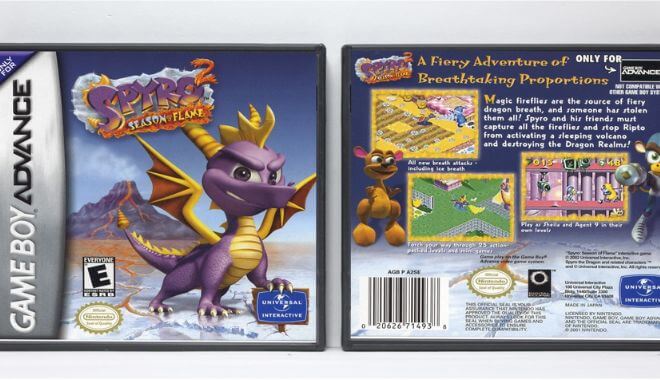
Spyro 2: Season of Flame

GBA - Spyro 2: Season of Flame

This was the first Spyro game released for the GameBoy system. It essentially picks up where the first one left off. Spyro has ice and fire breath, which provides plenty of options for overcoming enemies.

What Makes It Great

  • Engaging Storyline: The game continues the adventures of Spyro, Sparx, Hunter, and Bianca, providing a compelling narrative that involves saving the Dragon Realms from an army of Rhynocs led by Ripto.
  • Player Feedback-Driven Development: The development team actively sought feedback from players of the previous game, “Spyro: Season of Ice,” leading to several improvements in “Season of Flame.”
  • Challenging and Varied Gameplay: The game received praise for its challenging and varied gameplay elements, making it engaging for players of all ages.

Kingdom Hearts: Chain of Memories

GBA - Kingdom Hearts: Chain of Memories

This game used full-motion video and was incredibly well-designed. Even though the plot was a bit off, it essentially had two genres packed into one game. It sold well right away but didn’t have the staying power of other similar formats.

What Makes It Great

  • Innovative Card-Based Battle System: One of the most unique features of the game is its card-based battle system, which adds a strategic layer to the real-time combat. This system allows players to use cards for physical attacks, magic, items, and summonings, making each battle a blend of strategy and action.
  • Rich Storyline: The game serves as a bridge between the first and second main entries in the Kingdom Hearts series. It introduces new characters and plotlines that expand the Kingdom Hearts universe, making it essential for fans who want to understand the complete story.

Metal Slug Advance

GBA - Metal Slug Advance

With funny characters and big guns, it’s basically like your 1980s action movie stuffed into a video game system. The goal is to wipe out your enemies by obliterating them with bullets. In other words, mow them down.

What Makes It Great

  • Life System: Unlike other Metal Slug games, this one introduces a life bar, making the gameplay more forgiving and adding a new layer of strategy.
  • Card Collection: The game features a card system where players can collect up to 100 cards that serve various purposes, from boosting player abilities to unlocking new features.
  • Mission Variety: The game offers five missions with the Final Mission having multiple routes, keeping the gameplay fresh and engaging.

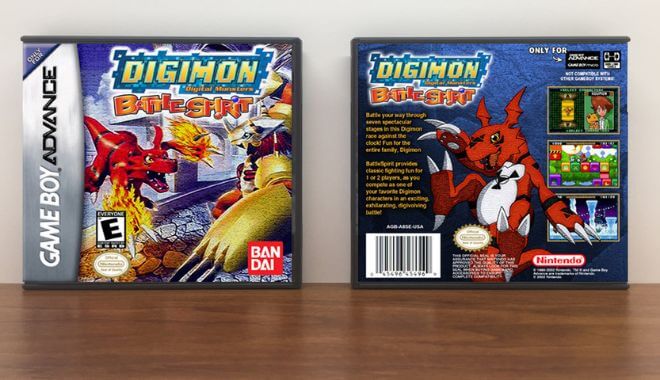
Digimon: Battle Spirit

GBA - Digimon: Battle Spirit

In another fighting game, instead of having scary-looking characters, players are Digimon and compete against other Digimon. However, when players reach the end of one stage, they then have to fight the tougher Impmon, and simply using basic moves and combos won’t get you there. You have to click the orbs as they fall.

What Makes It Great

  • Dynamic Digivolution: Players can digivolve their Digimon into their most powerful forms during battles by touching a flying Digimon named Calumon, adding a dynamic element to the gameplay.
  • Engaging Narrative: The game features a compelling story where Digimon and their human companions set out to stop a malevolent force known as Millenniummon, adding depth to the fighting game genre.
  • Accessibility: The game is structured similarly to conventional fighting games but is simplified to suit the limitations of the GBA, making it accessible yet engaging.

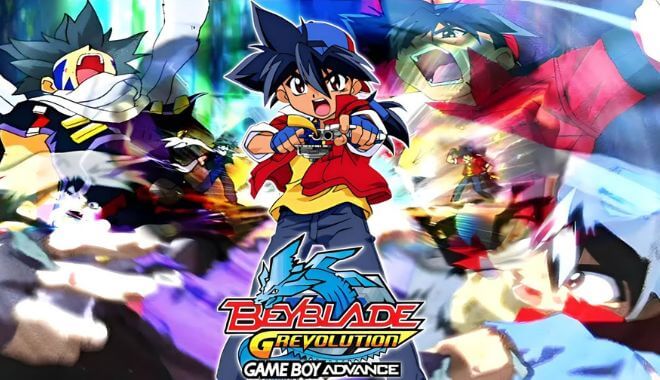
Beyblade: G-Revolution

GBA - Beyblade: G-Revolution

This game didn’t sell as developers had expected, but a big reason was that the television program it was based on had stopped grabbing the audience’s attention. Still, it was a fun entry into the GameBoy universe.

What Makes It Great

  • Return to Roots: Unlike its predecessor, V-Force, G-Revolution returns to focusing on Beyblade tournaments, which was a welcome change for fans who enjoyed the competitive aspects of the series.
  • Engine Gear and Hard Metal System: This season introduces new types of Beyblades, including Engine Gear tops and Hard Metal System tops, adding more variety and complexity to the gameplay.
  • Blader-Centric Story: The game shifts its focus from Bit-beasts to the Bladers and their Beyblades, emphasizing attack patterns and special attacks. This adds depth to the characters and makes the player more invested in their journey.

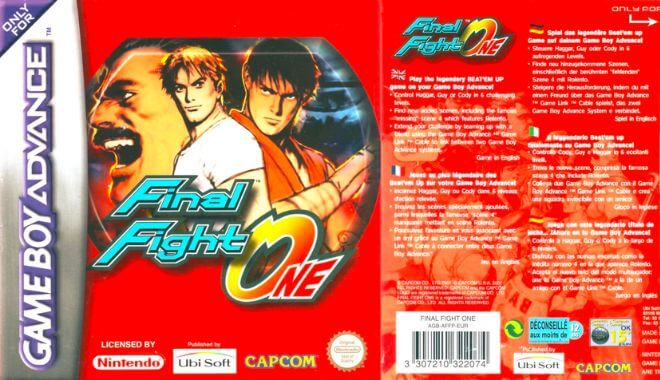
Final Fight One

GBA - Final Fight One

Even though Double Dragon may have invented the fighting genre for video game systems, Final Fight took it to a new level. In this one, players will have to take on numerous opponents at the same time.

What Makes It Great

  • Rich Storyline and Characters: The game is set in the crime-ridden Metro City and features a compelling storyline involving Mayor Mike Haggar, his daughter Jessica, and her boyfriend Cody. The narrative depth adds an emotional layer to the beat-’em-up action.
  • Crossover with Street Fighter: “Final Fight” is considered a “cousin” of the Street Fighter series, and the two are set in the same universe. This adds an extra layer of appeal for fans of both franchises.
  • Diverse Gameplay Mechanics: The game allows players to choose from three main characters—Guy, Cody, and Haggar—each with unique fighting styles and attributes. This adds replay value and strategic depth to the game.

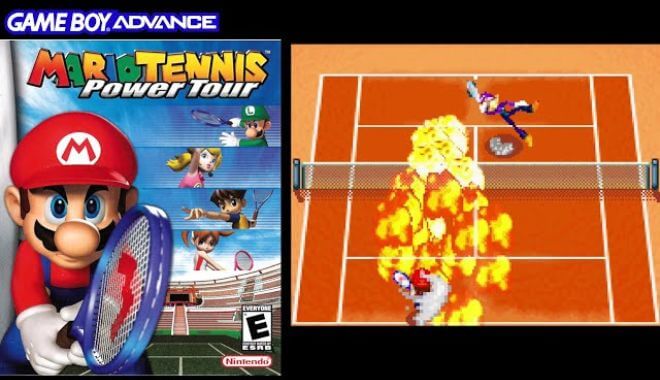
Mario Tennis: Power Tour

GBA - Mario Tennis: Power Tour

If playing tennis on a video game sounds dull and boring, you probably haven’t tried Mario Tennis. In this version, the graphics were improved and you had access to more playable characters. There were also better game modes and even minigames.

What Makes It Great

  • Deep and Engaging Story Mode: Unlike many other sports games, Mario Tennis: Power Tour offers a compelling story mode. Players assume the role of either Clay or Ace, students at the Royal Tennis Academy, and embark on a journey to become tennis champions. This adds an RPG element to the game, making it more than just a series of tennis matches.
  • Extensive Roster of Characters: The game features a wide array of characters, including Mario universe favorites and new characters unique to this installment. Each character has their own skill type, such as Power, Technique, and Speed, adding variety and strategy to gameplay.
  • Power Shots Add a Twist: The game introduces Power Shots, special moves that can turn the tide of a match. These moves are not just visually spectacular but also add a layer of strategy, as players must decide the best time to use them.

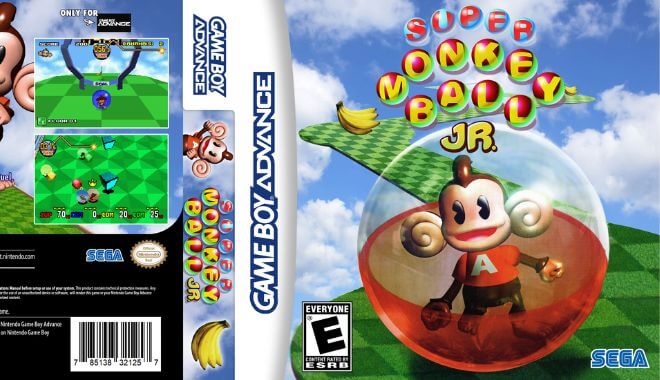
Super Monkey Ball Jr.

GBA - Super Monkey Ball Jr.

Imagine you took a golf course and put it in the sky. Then, instead of golf balls, you had monkeys trapped inside bubbles. While this may seem odd, it was incredibly successful. Simply put, it was a lot tougher than it looked.

What Makes It Great

  • True to Original: The game is a faithful port of the original Super Monkey Ball but adapted for the Game Boy Advance. It manages to capture the essence of the original while making the necessary adjustments for the handheld platform.
  • Multiple Floors and Difficulties: The game features 74 floors spread across four different difficulties—Beginner, Advanced, Expert, and Master. This provides a wide range of challenges for players of all skill levels.
  • D-Pad and Button Controls: Due to the lack of an analog stick on the GBA, the game innovatively uses the D-Pad for movement and the A and B buttons for controlling speed. This adds a unique challenge and differentiates it from other titles in the series.

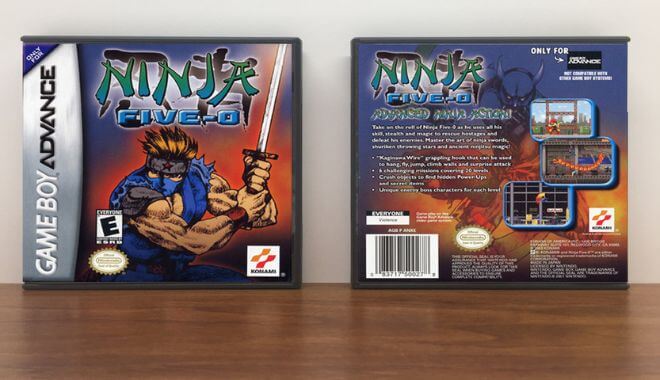
Ninja Five-O

GBA - Ninja Five-O

In all other regions of the world, this game was known as Ninja Cop, except in the United States where it went by this title. As a special cop that had ninja skills, players had to take down petty criminals and gangs, but as the levels increased, things got tougher and more complicated.

What Makes It Great

  • Action-Platformer with Stealth Elements: Ninja Five-O combines action, platforming, and stealth elements in a unique way. Players take on the role of Joe Osugi, a ninja cop, to stop a terrorist group influenced by mystical masks. This blend of genres adds depth and variety to the gameplay.
  • Balanced Gameplay: The game’s level design has been praised for its balance between platforming and combat. This makes each level a unique challenge, requiring both skill and strategy to navigate.

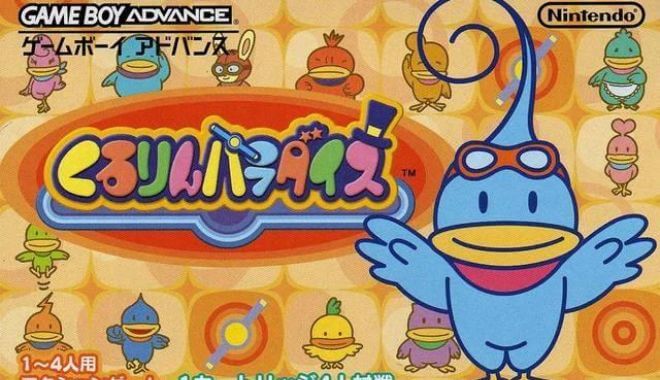
Kuru Kuru Kururin

Kuru Kuru Kururin

Try to save this title five times fast and you’re sure to have a tongue twister on your hands. While few people actually know what Kururin is, that doesn’t really matter. Players have to find their lost brothers using a helicopter to rescue them.

What Makes It Great

  • Spinning Stick Navigation: The game introduces a unique gameplay mechanic where players control a spinning stick called the Helirin. The challenge lies in maneuvering it through a series of mazes without touching the walls, which adds a layer of complexity and excitement.t
  • Single Cartridge Multiplayer: One of the standout features is its multiplayer support that allows up to four players to participate using a single cartridge. This makes it accessible and fun for friends and family to enjoy together.
  • Progressive Difficulty and Themes: The game starts with simple training levels and progresses to more complex stages with varying themes like ice, cave, and machine. There’s also a Challenge mode featuring smaller, more focused levels, adding to the game’s replay value.

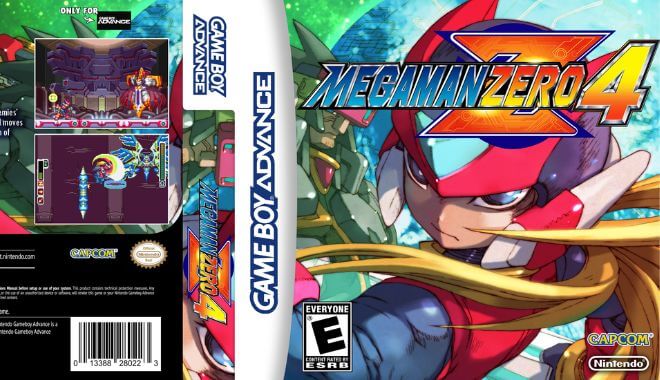
Mega Man Zero 4

GBA - Mega Man Zero 4

This entertaining action game offered new upgrades and weapons compared to previous versions, including the ability to choose the weather before entering the game itself.

What Makes It Great

  • Deep Customization System: The game features a complex customization system where players can mix and match different chips to modify and improve Zero’s abilities. This adds a layer of strategy and personalization to the gameplay.
  • Innovative Weapon Mechanics: The Zero Knuckle is introduced as a new weapon, allowing Zero to punch enemies and even steal their weapons. This adds a new dynamic to combat and keeps the gameplay fresh.
  • Simplified Yet Powerful Cyber-elf System: The game simplifies the Cyber-elf system by focusing on a single, upgradable Cyber-elf named Croire. This makes the system more accessible while still offering depth and utility.

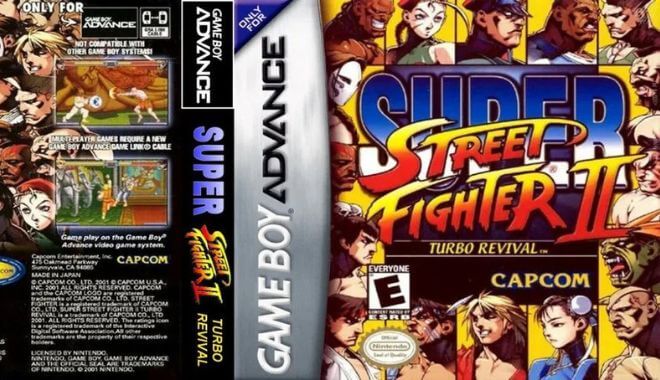
Super Street Fighter II: Turbo Revival

GBA - Super Street Fighter II: Turbo Revival

Even though it was essentially the same version as the original, this one had new characters and mechanics. It held on to the core principles that made the original Street Fighter game successful, especially in the arcades. With the GameBoy version, players enjoyed pressure-sensitive controls.

What Makes It Great

  • Enhanced Gameplay Mechanics: The inclusion of the Super Combo system and Air Combos adds depth and excitement to the gameplay, allowing for powerful and stylish moves during battles.
  • Character Variety: With a diverse roster of characters, each with unique moves and playstyles, players have ample choices for their preferred combatants.
  • Artistic Overhaul: The game underwent a complete art and design makeover, including redrawn character portraits, revamped menus, and enhanced visuals, delivering a fresh and appealing look.

Mega Man Zero 2

GBA - Mega Man Zero 2

Everything that made the first Zero games successful is found here, but developers ratcheted everything up many levels. The levels are longer, the graphics vastly improved, and the action is top-notch.

What Makes It Great

  • Expanded Gameplay: The game builds upon the successful formula of the first Mega Man Zero, introducing new elements like EX Skills and the Form System, enhancing the overall gaming experience.
  • EX Skills: Zero can now learn EX Skills, reminiscent of the Mega Man X series, which add exciting new attacks to his arsenal, increasing combat variety.
  • Form System: The Form System introduces strategic depth by changing Zero’s fighting style based on his chosen form, encouraging players to adapt to different situations.
  • Cyber-elf and Rank System: While returning features, they encourage players to be less reliant on Cyber-elves to achieve higher ranks, promoting a balanced gameplay experience.

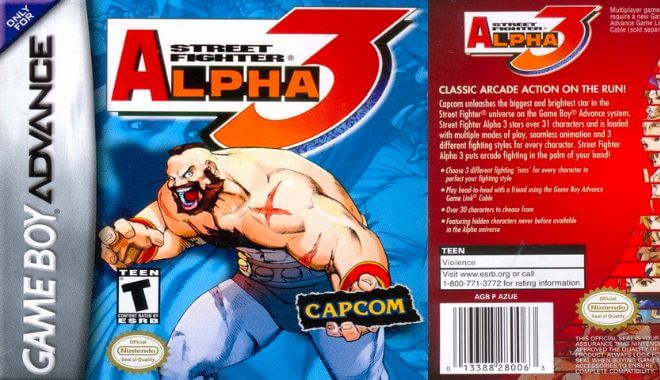
Street Fighter Alpha 3

GBA - Street Fighter Alpha 3

Another entry from the Street Fighter universe, this was released as an arcade game in 1998, but this version was highly ambitious. Developers were able to mash everything from that original arcade system into the small handheld Nintendo GameBoy version. Although graphic details were simplified to make this happen, everything else was top-notch.

What Makes It Great

  • Expansive Character Roster: Street Fighter Alpha 3 boasts the largest character roster in the Alpha series, offering a diverse selection of fighters, each with unique abilities and fighting styles.
  • Dynamic ISM System: The introduction of the ISM system significantly deepens gameplay by allowing players to choose between X, A, or V-ISM, altering the rules and abilities of their chosen character, and effectively tripling the options for character selection.
  • Classic and Hidden Modes: Unlockable Classic, Mazi, and Saikyou modes provide even more variety and challenge, adding layers of complexity to the gameplay experience.
  • Varied Move Sets: Depending on the chosen ISM, characters have access to different moves, encouraging strategic character selection and tactical gameplay.

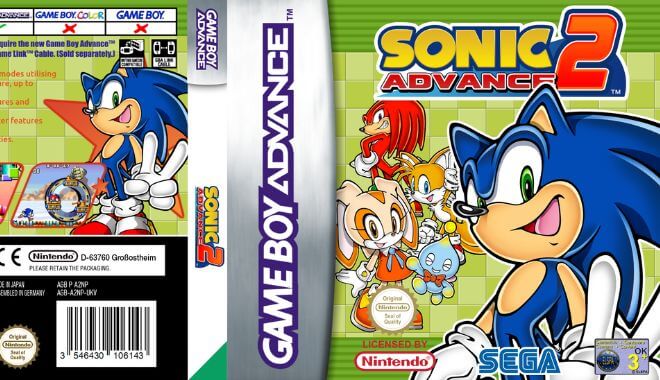
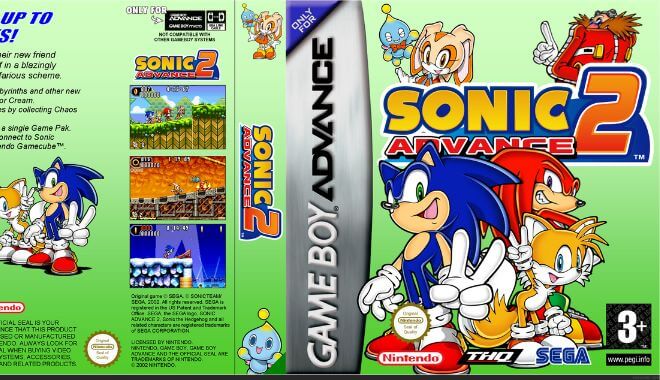
Sonic Advance 2

GBA - Sonic Advance 2

This second addition to the Sonic Advance pushed the boundaries of what was possible in handheld game systems. The levels are larger, players got to choose from five characters, each with unique abilities, and there were hidden paths and power-ups to find, discover, and use.

What Makes It Great

  • Fast-Paced Gameplay: Sonic Advance 2 offers an exhilarating and fast-paced 2D platforming experience, with Sonic’s signature speed at the forefront.
  • Improved Engine: Built on a modified version of the original Sonic Advance engine, this sequel refines and enhances the gameplay, providing smoother and more dynamic action.
  • Larger Zones: The game features larger and more expansive zones, offering players a greater sense of exploration and excitement.
  • Challenging Difficulty: Sonic Advance 2 provides a greater level of challenge compared to its predecessor, appealing to both seasoned Sonic fans and newcomers looking for a test of their skills.

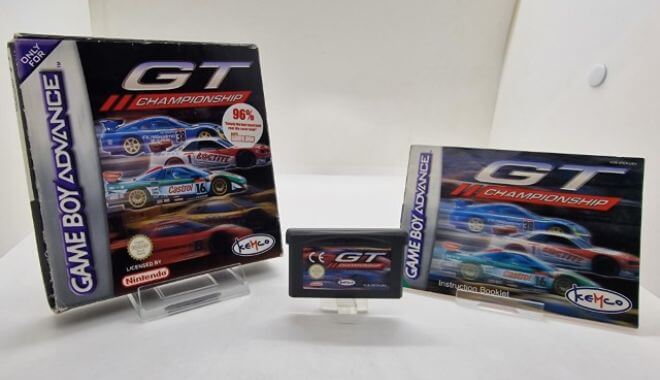
GT Advance Championship Racing

GBA - GT Advance Championship Racing

Test drive incredibly fast exotic cars on tracks set around the world, and you’ve got this GT Advance Championship Racing edition. By taking on and winning different championships, players were able to unlock new tracks and new vehicles. Even stock cars could be improved with each victory.

Common GBA Questions

FAQs about GBA games

What Is The Rarest Gameboy Advance Game?

This would be Pocky & Rocky with Becky. This multidirectional shooter game harkens back to the original Super Nintendo games. It was only released on a limited run, and few people realized this at the time.

What was once available to find just a decade or so ago for $5 or $7, the price range now can be anywhere from $120 to $700 or more, with $5,000 being reasonable for an original version sealed in its initial packaging.

Are GBA Games Still Being Made?

No. Production of new GameBoy Advance games ceased by the end of 2009. By May 15, 2010, all sales of GameBoy Advance games had also ceased in retailers around the world.

Millions of GameBoy fans around the world can still enjoy these exciting games using an emulator or even the Nintendo Switch. So, even if you found one of your favorite games on this list and haven’t played it in years, there’s still hope. What a wonderful time to be a GameBoy enthusiast.


Sources

https://www.fandom.com
https://www.mariowiki.com/WarioWare:_Twisted!
https://en.wikipedia.org/wiki/Drill_Dozer
https://www.wikiwand.com/

All Time Favorite MS DOS Games

0

Classic DOS video games
DOS was the original operating system for early Windows-based systems. DOS stands for Disk Operating System but was replaced once Windows XP launched.

DOS games were those developed under this operating system.

While some of the best DOS games can bring you back to wonderful memories of your younger years, they also laid the foundation for what we see in the gaming world today.

Compared to today’s video games, even the best DOS games of all time may appear rudimentary and basic, but many of them are still a lot of fun to play.

Yes, you can still play a number of these best MS-DOS games today -usually through a browser like Google Chrome or Mozilla Firefox.

What Makes A Good DOS Game?

Debuting in 1981, MS-DOS games accounted for literally thousands of games through the 1980s and into the 90s.

A ‘good’ DOS game is truly in the eye of the beholder, so don’t get upset, angry, or start sending hate mail because your list is different than ours.

Did the game perform well for what it was?

Was the game fun (to the point that people played it for years, sought the original disks for resale, and want to still play today with a DOS emulator framework)? Games that aren’t fun don’t last long, but everyone’s definition is different.

Were the fundamentals of most successful games throughout history in place with these best DOS games of all time?

At the end of the day, it comes down to personal preference, but we did rely on a range of opinions when selecting the best DOS games of all time.

Our Ranking Criteria

In addition to player and critic ratings, we use objective metrics like sales, users, and sales growth rate to make our lists (read more). Some of these data sources include:

Best DOS Games

Risk

If you’re familiar with the board game, then you already know what to expect from the DOS game Risk. The goal is for players to dominate the world by attacking other countries and taking over them.

Build armies, move troops strategically around to fortify positions in an attempt to strengthen your position, and attack and defend.

SimCity 2000

This version marked a considerable shift from the original SimCity games. The views changed, providing depth of the land and underground was added so players needed to consider laying pipes, subways, and other real underground structures.

Why We Like It

This unassuming game thrives on even the most modest of computers. While it may not boast the visual splendor of modern games, it fills the void for city-building enthusiasts seeking a wallet-friendly alternative.

Its pixelated charm invites you into a world where dated graphics are no barrier to enjoyment.

Its widespread availability across multiple platforms, from IOS to SNES, Saturn, and Playstation, makes it a versatile classic. It’s akin to a 3D rendition of SimCity, serving as a heartfelt recommendation for aficionados of retro-gaming.

This game is a testament to timeless gameplay and an enduring source of joy for those willing to embrace its pixelated allure.

Worms

worms
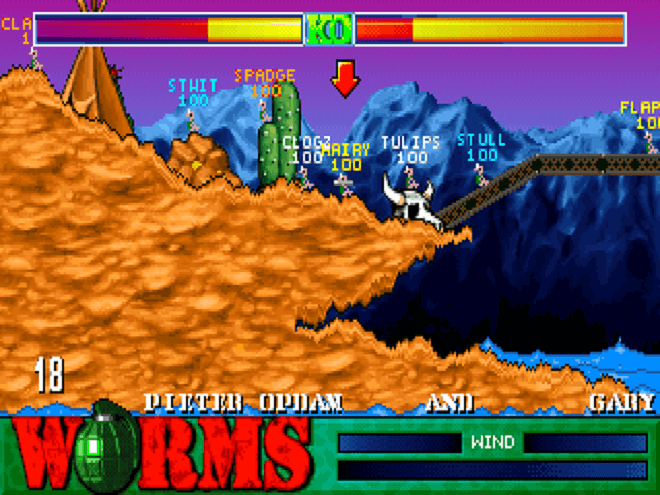
This tactical two-dimensional game is all about strategy. You can play up to four teams, each with up to four worms. The goal? Destroy your opponents’ worms before they do it to you. Worms are turn-based, so you need to determine who you’ll attack next. Or what moves make the most sense at that stage in the game.

Wolfenstein 3D

This first-person shooter game is based on episodes, meaning you’ll need to move through the story, accomplishing goals in order to reach the next level. As B.J. Blazkowicz, an allied spy, your job is to successfully navigate six full episodes and win the day!

Mario Teaches Typing

A great way to learn and improve typing skills. In Mario Teaches Typing, there are four games to choose from, each one building on the previous one with regard to difficulty levels. Players can choose to be Mario, Luigi, or even the Princess. Type the letters or words moving across the screen and players can perform different actions to accomplish goals.

WarCraft II: Tides of Darkness

An upgrade to WarCraft, Tides of Darkness provided a number of advanced features, including fighting over sea and air (not just on land). Multiplayer mode accommodated up to eight players at once and also allowed players to choose between separate orc and human campaigns.

Doom

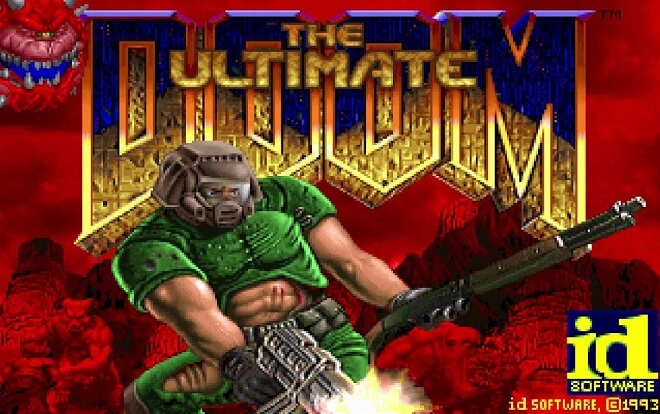
No list of the best DOS games could possibly be complete without Doom. Scientists experimenting with teleportation technology out on Mars’ moons inadvertently open a gateway to hell. As the last surviving marine sent to stop the demons, players must fight to keep them from destroying everything.

Sid Meier’s Civilization

Choose between a randomly generated world or focus on the real world. Either way, players build civilizations from the very beginning (from the ground up, literally). Beginning with the earliest civilizations all the way to space flights, this legendary game started it all.

Sid Meier’s Civilization II

Released in 1996, this is often considered one of the best games of all time. The purpose for players is to create a civilization that will survive through the ages.

It’s not enough to remain docile or neutral, but to expand, conquer, and grow the culture, influencing others along the way. The goal is to either conquer every other nation or figure out how to colonize an entirely different world.

Heroes of Might and Magic 2

For those who know about Heroes I, this is essentially the sequel. This fantasy-based game is set in Enroth, where magic rules. With six different castle types and six creature forms in each castle, there’s always a challenge for players to use their magic to overcome.

Panzer General

Taking turns, this military-style game allows players to revisit some historic battles and wars. Controversy surrounded Panzer General as it was the first video game that allowed people to play as Nazis.

Oregon Trail

The Oregon Trail
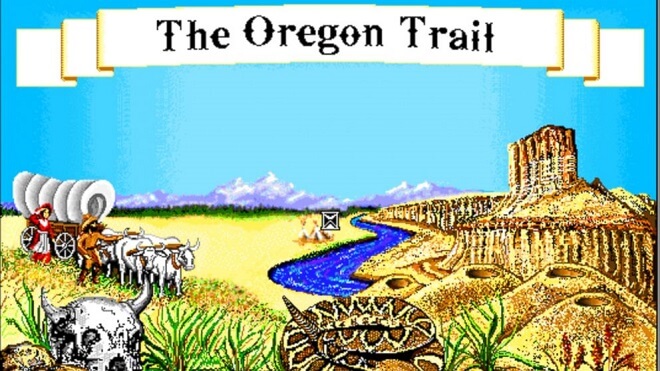
Considered by many to be the most successful educational game in history, players essentially follow the Oregon Trail as many adventures and desperate families did while seeking a new life along the West Coast of the 19th century.

SimTower

Build and manage the various operations of a modern skyscraper. Players need to plan things out properly, understand where facilities within the tower should be built, and how best to lay everything out for functionality and satisfaction.

Snood

This puzzle game provides grids of small shapes of different colors. Each one has a face on it and blocks are placed at the bottom of the screen that players need to manipulate, turn around, and match up with those colored shapes.

Warcraft II: Beyond the Dark

Following what happened in Warcraft II: Tides of Darkness, this version of the game picks up. There’s a new invasion of Azeroth and the Alliance needs to determine the right strategy to reclaim victory. There are 12 map campaigns and five new hero characters available for either side.

Grand Theft Auto

This first version of the game that revolutionized the concept of doing whatever you’d like within a video game set the bar. It was a high bar, even at the time this DOS game was released. Players take on the role of a small-time criminal trying to make a big impression with organized crime.

Sid Meier’s Colonization

This strategy game is slightly different than Civilization. Instead of building a civilization from the ground up, players seek to conquer the New World. You are the King and must establish new colonies and protect them from growing threats in this new world. Set in the time of the discovery of the Americas, this game combines strategy with some historical references.

Theme Hospital

If you’ve ever wanted to get into healthcare or run your own hospital, Theme Hospital was a must-have game that provided some context of how things really run, from getting the right equipment like x-ray machines to the desks and cabinets used for storing medication, bandages, and other supplies.

Doom II: Hell on Earth

For players who fought in Doom and survived, there is a new plan in place. Build large spaceships to take the remaining survivors deep into space. However, when the demons take over the only spaceport, the battle really begins.

Prince of Persia

Defeat the wicked tyrant sultan and rescue the princess. It’s pretty simple and straightforward for this addicting game.

Command & Conquer: Red Alert

The entire franchise that was built through Command & Conquer is all about the old Soviet Union invading the United States. Gameplay for this version is built on the previous one, with new environments and missions.

Lemmings

Lemmings are notorious for getting into groups and rushing forward, even if that means heading off a cliff. In this game, players need to rescue lemmings over 120 levels.

Oregon Trail II

This version improved on the original, even though it adheres to the same basic structure. With adventures and educational material, this game has long been a staple of some families’ Friday night fun.

Warcraft: Orcs & Humans

Players have the option to either be the humans or the orcs in this strategy game. Depending on which one a player chooses, the story arc can go in one of two ways. Using swords and sorcery, all of the best features of classic fantasy are rich in this game version.

SimCity

This was the original, the one that started an entire franchise. The idea is for players to build, develop, and manage a city through a wide range of scenarios, from relatively simple and straightforward to increasingly difficult. Keep up with earthquakes, floods, and fires and be the leader people want to follow.

Stratego

Another video game that was based on a popular board game, Stratego essentially requires players to Capture the Flag of their opponent. Begin with 40 pieces, comprising a variety of military units, and defend your flag while trying to capture your enemy’s flag at the same time.

Duke Nukem 3D

In a futuristic Los Angeles, aliens have landed, but the pivotal character Duke is bent on making them pay for their invasion. With pistols, laser trip mines, bombs, and other paraphernalia, there is a high level of interactivity with this game and many things surrounding our titular character can explode.

Fallout

This role-playing game was originally critically acclaimed. While there is certainly a sense of humor throughout gameplay, the premise is that a nuclear war nearly wiped out all life on earth. A fragment of humans survived where they must scavenge and learn to restart civilization relying on underground dwellings, water purification systems, and other necessities.

The Ultimate Doom

The Ultimate Doom
Focusing on improving the original Doom, the Ultimate Doom picks up with demons continuing to ravage the world, and the fight to save the human race continues on. This was another stop in an ongoing saga of games based on the Doom universe.

Heroes of Might and Magic

This turn-based strategy game sees players having to accept the role of one of four heroes. They can either be the warlock, the sorceress, the barbarian, or the knight. Build up your castle, strengthen your army, and defeat the enemy in battle. That’s all there is to it, but when talking about strategy games, there’s a lot more planning that goes into victory.

Master of Orion II: Battle at Antares

This sequel sees players taking on the role of a ruler over one of 13 races. Using a turn-based grid system engaged in combat, and as new systems can be explored, odd artifacts might be found in certain events that can be triggered, so you never know what’s coming next.

Lords of the Realm II

One of the more unique medieval strategy games, Lords of the Realm II, doesn’t rely on magic. There’s also no growth in technology. As a player, the goal is to essentially manage and grow food, expand the population, and focus on keeping people happy, oh, and keeping other groups from invading.

The Need for Speed

Players get the opportunity to experiment with some amazing sports cars through a series of wicked tracks. Some of these tracks are open roads, meaning you will be cruising right down an oversized highway, most likely with police quickly in pursuit. One of the better options is that it allows players to choose the time of day they are racing.

Family Feud

Modeled after the incredibly successful television game show that originally aired in 1970, this one was actually the first Family Feud computer game that was based on the original television game show. Two families compete against each other for points and then a big cash prize.

Settlers of Catan

The object of this game is to be the first player who achieves a specific count of victory points while it’s your turn.

Sensible World of Soccer

Originally released in 1994, this game has players competing internationally in either clubs or national-based teams. There is also a career mode for an added level of excitement.

Zork I: The Great Underground Empire

Players enter into an incredibly vague role in the game. They are essentially an adventure. Players are given very little in the way of instruction, but by the time you enter this white house, interesting objects can be explored, and soon it becomes clear what the purpose of it all is.

Mario’s Game Gallery

This game is actually a collection of games that were designed specifically for PCs. Players can choose between Checkers, Dominoes, Backgammon, Go Fish, and Yacht. In this, though, the only person a player gets to play against is Mario.

The Secret of Monkey Island

This humorous adventure game takes place in the Caribbean when pirates ruled the sea. Players get to be a young man who has always wanted to be a pirate and who begins exploring a variety of make-believe islands. Solving puzzles is part of what makes this came intriguing.

Mortal Kombat

Mortal Kombat
Mortal Kombat has been around for years, including a series of movies based on the original video game. This was the original. Taking place about 500 years ago, the best artisans of hand-to-hand combat competed in one of the most respected tournaments that were only held once every 50 years.

You Should Know

There was some controversy surrounding the release of the DOS version of Mortal Kombat. The game was originally released with the same blood and gore effects as the arcade version, but this caused some concerns among parents and religious groups.

As a result, Acclaim Entertainment released a censored version of the game that removed the blood and gore effects. In the censored version, the blood and gore effects were replaced with a white mist. This was done to make the game more family-friendly.

However, this did not completely satisfy the critics, and the game continued to be a source of controversy.

Command & Conquer

This strategy-based game was actually designed following Dune, and the only real focus is the war raging over Tiberium, the only material anyone cares about. You can choose between 15 different missions. Units can be created from the main mineral.

The Settlers

A real-time strategy game, The Settlers has the primary goal for players to establish a settlement, complete with a working economy and building out military units with the long-range goal of conquering rivals in other territories.

The Settlers II Gold Edition

Building upon the original The Settlers, this one has players facing a new challenge of 49 different maps to create new worlds complete with thick forests and mighty volcanoes.

Heroes of Might and Magic II: The Price of Loyalty

Expanding on the success of Heroes of Might and Magic, this version presented new campaigns as well as a host of enhancements. There are new heroes, new artifacts, and new places to explore. Players also enjoy 24 new campaign maps they can follow in pursuit of conquest.

Master of Orion

This turn-based science-fiction strategy game was originally released in 1993. It provided players the option of choosing 10 different races of creatures to play, each with certain advantages, such as in trade and diplomacy or ground combat.

The Lion King

The Lion King
Based on the incredibly popular Disney movie of the same name, in this video game, players are the young Simba who have to brave confrontations with a variety of beasts. Roar to bring certain animals into submission. But beware, if your “roar meter” is too low, you won’t bring anybody to submit.

Z: The Game

Perhaps the video game with the shortest possible title is an action strategy game that is presented from a bird’s eye perspective. Robot armies are fighting against each other. As a single-player game, you would control one side. The computer would control the other. The goal is to occupy their territory.

Jones in the Fast Lane

Built around the premise of a board game, this could be played by up to four players who live out one week at a time, each taking a turn. However, if only one person is playing, they get to play against the namesake, ‘Jones.’ The goal is to simulate a person’s life.

Scorched Earth

This artillery video game was incredibly popular when it was first released. It’s an all-out war and players can compete against up to nine friends as they try to annihilate and nuke each other into submission. At the start of each turn, players can purchase artillery, defense shields, or even parachutes to try and minimize the harm other players inflict on them.

Theme Park

When a player sits down to play Theme Park, the action takes place in the United Kingdom on a small plot of free land that had a few hundred thousand pounds at their disposal. The goal is to build a successful amusement park with what you have.

Battle Chess

Following the same rules as traditional chess, the only real difference is when a player seeks to take an opponent’s piece, they have to battle for it. It’s not just a strategy, but the skill that makes the difference here.

Common DOS Games Questions

Frequently asked questions - DOS Games

What Was the First MS-DOS Game?

This is an interesting question that doesn’t have any definitive answers. From our best research, DONKEY.BAS was written in BASIC language and coddled with the earliest IBM PC DOS systems shipped out in August of 1981.

While some argue that there were other DOS games made in 1980 and even one in 1979, considering that the first commercial DOS-based computer released wasn’t out until August 1981, this is not realistic.

Those other games may have been out on a different platform, then written for DOS later, but that doesn’t make them the first MS-DOS game ever.

Is DOS Good for Gaming?

MS-DOS (Microsoft Disk Operating System) didn’t use graphical user interfaces. Everything needed to be entered using codes. There were no mice or icons. In order to get anything done, you had to use word commands at a prompt. Developing games in DOS was tough. Real tough.

Is it good for gaming? Not without help today, such as DOSBox. Playing these classics can be a lot of fun still, but they won’t compete with today’s modern gaming systems.

Video Game Graphics Through The Years

0

Video Game Graphics

Video game graphics have changed so much in the last 20 years that it’s almost funny what our favorite games looked like in 2000. Let’s go back through history and take a look at how the graphics of gaming has evolved.

Early Arcade Game Graphics

Okay, so early arcade graphics aren’t exactly pleasant to look at by our lofty modern-day standards. However, for ‘back in the day,’ these graphics were:

(a) all gamers had; and

(b) pretty impressive.

Never before had so many colors and wild animations appeared on the screen. This was miles away from Asteroids. This was before graphics were a huge selling point for games. Today, good luck in trying to get people interested in a video game that doesn’t exhibit a good art style.

So you have things like the aforementioned Asteroids, where the player partakes in an interstellar shoot ’em up, destroying asteroids at every turn.

That was in 1979.

There was little processing power for impressive graphics, so developers had to make do with what they had. However, there were exceptions.

Star Wars, which used insane 3D color vector graphics and even audio clips from the wildly popular movies, was a smash hit. Games like Star Wars would eventually pave the way for console games like Star Fox and other graphical innovations.

Early Console Game Graphics

After gardening more processor power, game developers were able to break out of the limitations set by older gaming systems. Not only were video games moving into the home full time, but they were becoming more polished and better to look at (at least by 1980s standards).

The Atari 2600 took arcade games out of the crowded, loud arcade hall and brought them into the living room. While arcades took a financial hit from this, gamers got all the benefits.

Fast forward a few years, and you have the first Nintendo console, the Nintendo Entertainment System (NES). The NES had some fantastic video game graphics. Look at games like Punch-Out!!, Kirby’s Adventure, and Castlevania III: Dracula’s Curse.

These games all but made the 1970s and 1980s arcade titles look like amateur hour.

Then comes the powerhouse: the Super Nintendo. This console is still lauded as being one of the best ever made. It brought games like Donkey Kong Country, Super Mario RPG, and Star Fox to gamers everywhere.

These games basically put the advancement of video game graphics into warp speed.

Gaming Graphics Timeline

Let’s break down the advancement of video game graphics by different eras, specifically dealing with ‘bits.’

The 16-bit Era

Video Game Graphics: 16-bit Era

The 16-bit era, or the fourth generation of video game consoles, was when consoles like the Sega Mega Drive/Genesis, Super Nintendo, Neo Geo, and Compact Disc Interactive (CD-i) were reigning supreme.

This era began in 1987, involved insane video game graphics developments, like those for the newly released GameBoy, and ended pretty late.

The Neo Geo, the last holdout in the 16-bit era, was discontinued in 2004.

For almost 20 years, video game developers were creating iconic games in this console generation.

The 32-bit and 64-bit Era

Video Game Graphics: 32-bit Era

The 32-bit, 64-bit, or fifth-generation console era, began in 1993, lasting until 2006. Although not as long-lasting as the 16-bit era, the 32-bit era brought gaming graphics to a new level in a short amount of time.

This is where 3D polygon graphics, better resolutions, analog controllers, and CD ROM game storage were the day’s improvements.

The main 32-bit/64-bit consoles were the Atari Jaguar, Sony PlayStation, Sega Saturn, and the Nintendo 64 (get it? 64? Like 64 bits? Okay, I’m done).

This is where the innovations of video game graphics took a steep uptick. You were seeing fully realized 3D worlds for the first time.

Booting up games like Silent Hill, Super Mario 64, and The Legend of Zelda: Ocarina of Time was like experiencing actual magic firsthand. While the Nintendo 64 was extremely popular, the clear winner of the 32-bit era was the Sony PlayStation, shipping well over 100 million units.

Modern Day Game Graphics

After the fifth generation of video game consoles, things started to get serious, for real this time. What came next was the next 4 PlayStations, the Nintendo Wii, Switch, Xbox, Xbox 360, and all of the others. It’s redundant to say that video game graphics on these consoles were impressive.

Take one look at the cinematics for games like Final Fantasy X.

Amazing stuff, and not too bad by today’s standard either. It was like watching movies, but you PLAYED them.

With the rise of even more powerful consoles, graphics, in turn, grew more impressive. Video game graphics today make arcade games, and the 1980s look like the Stone Age.

The Most Graphically Intensive Game

With the rise of impressive graphics came game development pioneers who wanted to push the medium to its limit. With all of this insane graphical technology, let’s see what’s possible.

Games like Crysis, The Witcher 3: Wild Hunt, Grand Theft Auto V, and Red Dead Redemption 2 have all pushed consoles and PCs to their limits.

But what is the most graphically demanding PC game? That honor belongs to Metro Exodus.

This third installment in the post-apocalyptic Metro series, Metro Exodus takes players out from the grimy sewers and subway tunnels and throws them into the bright light of the outdoors.

With this new, bold step for the game’s story, so too comes a considerable step up in graphical demand and capability. Even with AMD Radeon or Nvidia GeForce GTX graphics cards, Metro Exodus will even have top-of-the-line PCs sounding like struggling locomotives.

Regardless, Metro Exodus looks absolutely fantastic. If you’re able to run this graphically demanding PC game, you won’t regret it.

Video Games with the Best Graphics

Now that we went over some history let’s see which great graphic games blow others out of the water.

Far Cry 5


Ubisoft is pretty consistent with graphics, especially the Far Cry franchise. Although considered to have repetitive elements by some critics, the environments in the Far Cry games are always a positive aspect.

Far Cry 5 takes this to a whole new level. Players are dropped into a hostile Montana wilderness, populated by forests, mountains, and lakes. All of these graphical aspects immerse the player and pulls them into the story.

Along with excellent motion capture for the acting and insane particle effects, Far Cry 5 is easily the best the series has ever looked at, period. Plus, it’s a hell of a lot of fun.

Kingdom Come: Deliverance


One of my favorite games of 2018, Kingdom Come: Deliverance, plants you in the heart of 1404 Bohemia. This includes all the good and bad of medieval life.

You play as Henry, a humble blacksmith. You quickly learn the ropes of becoming a fierce knight, all with the backdrop of a stunning and immersive graphical environment.

When players aren’t wandering around breathtakingly real-looking cities, the insanely detailed wilderness will have players on their guard, as well as marveling at the quality of the graphics. This beautiful countryside is both peaceful yet hostile, crawling with bandits, enemy knights, and unsavory characters. The game is exceptionally graphically intensive.

If you play on the PC in particular, the system will sound like it’s about to give out. However, it’s one of the most immersive games of the last few years if you can handle it.

The Witcher 3: Wild Hunt


The Witcher 3 always makes lists. Whether it’s game of the year, best story, or best graphics, you can’t seem to escape its influence. And that’s fine. Why would you want to?

Geralt has never looked better (or worse, if his scars and pale skin is any indication), and the game world is a stunning mix of urban, rural, and wilderness environs.

One minute, players will be riding their horse, Roach, through the bracken, swamps, and forests of the massive world. Next, they’ll find themselves in a seemingly quaint village, haunted by some manner of beast.

The essential thing is that the graphics help make the Witcher 3 somehow seem real. And that’s saying something for a game with werewolves, vampires, and undead babies (seriously, there’s a whole questline around an undead baby).

Like other graphically powerful games, players’ systems will be working overtime. It only makes sense, given how big and detailed the world is, along with the fantastic character and enemy detail.

Red Dead Redemption 2


Come on. You knew it would be on here. Rockstar’s other flagship series is arguably more impressive than Grand Theft Auto.

There’s nothing like riding your horse into the diverse wilderness of Red Dead’s open-world environment. But the wilderness is only part of it. The towns and cities you visit are fantastically realized.

Not only that, but the gameplay is realistic, fun, and looks fantastic. Sometimes you’ll enter gunfights just to see how cool they look. Particle effects like explosions look real, and exhilarating missions like defending your camp from the Pinkertons, as well as robbing a train, are graphical standouts.

However, I think Red Dead 2 is best when the player is exploring or merely existing in the world. Many of my most memorable graphical gaming moments are sitting on a bluff overlooking a valley, with an outlaw who tried to rob me hogtied next to me.

I’m watching the sunrise (along with my incapacitated friend) and drinking out of a dirty tin coffee cup. You can see Arthur’s breath in the cold morning air. It all comes together in a fantastic, unparalleled gaming experience.

Grand Theft Auto V


Two Rockstar games on the list?! Hey, if you consistently crank out quality games with some of the best graphics in the past 50 years, you’re going to get recognized for it. Those who maybe aren’t into the wilderness of Red Dead Redemption 2 may prefer the hustle and bustle of the chaotic Los Santos.

Grand Theft Auto V is apparently a game we can never escape from. Released in 2013, it’s still a beautiful and realistic-looking game. It can put even modern PC graphics to the test, despite being almost a decade old.

Rockstar states that GTA V is ideal at 4K resolution. This basically means you need a computer on par with NASA to get it to its optimal settings. That doesn’t mean that anything less than 4K isn’t good.

In fact, even in less than optimal settings, GTA V is an absolute pleasure to behold.

Crysis 3


Crysis 3 is the, you guessed it, the third installment of the graphically notorious Crysis games from Crytek and EA.

The original Crysis was famous for launching the meme “…but can it run Crysis?”. This was usually when someone would show off their computers or boast about graphics cards, etc.

Crysis 3 carries on the tradition of absolutely beating your computer into submission. Crysis 3 takes place in a harsh jungle, and as such, Crytek made Crysis 3 the standard in testing if a computer can effectively run graphically intensive PC games.

Again, running Crysis 3 at minimum is adequate for many systems. However, if you want the full experience, you’re going to need to up your PC’s graphical capability tenfold. However, if you can do so, Crysis 3 is a fantastic graphical experience.

The Future of Gaming Graphics

Hopefully, by now, you can see the insanely fast process of not only graphical upgrades but the overall quality of video games. Over the years, video games and their appearances have grown exponentially.

Where to go from here?

I don’t know about you, but we’re psyched for what comes next for video game graphics.

The Concept Artists Ultimate Guide

What is a concept artist?
If you’ve ever been blown away by the creatures, scenery, or items in a movie or video game, then you’ve seen the end result of a concept artist’s work without even knowing it.

A concept artist is a designer who takes the design team’s ideas and turns them into an artwork guide for making the sets, 3D models, or VFX.

In this article, you’ll learn everything you need to know about this fascinating career, as well as the steps to becoming a concept artist yourself.

What Is Concept Art?

Concept art is any piece of art that is used as a reference to create assets for a game or movie. Pictures can convey a lot more than words when it comes to explaining what you want something to look like. So concept art is used to give the design team a muse, or visual representation of what they’re going to create.

Concept artists have some freedom to put a lot of their personality and creativity into their work but have to make sure the concept art is tonally consistent with the rest of the design team’s vision.

If a film is set in a bleak dystopian world, the concept art should show the set designers, VFX artists, and the lighting department how that should look when their job is done.

If a game has a colorful, cartoonish art direction, then the concept art for every item, character, building, article of clothing, and vehicle should reflect this tone.

In other words, good concept art not only helps make a film or movie more vibrant and creative but makes sure everyone is on the same page during production.

Concept art is the foundation upon which the world of a game is built.

The Different Types of Concept Art

Concept artists may specialize in different types of concept art. While one artist may be great at designing architecture and buildings, another might specialize in drawing characters or items.

In fact, having a unique style and signature techniques are what set the most famous concept artists apart.

Eyvinde Earl for example is a legendary concept artist who worked on several Disney classics such as Peter Pan and Sleeping Beauty. His concept art featured highly stylized tree and plant life and became a staple of the design of those early films.

Concept Art for Sleeping Beauty

Jason Chan, on the other hand, a prolific concept artist in the games industry, is most known for his character designs, which have contributed to works such as League of Legends and Mass Effect.

In fact, most of the character models in Mass Effect 3 were created as concept art by Jason Chan.

Concept Art for Mass Effect 3

In other words, depending on the needs of the project, different artists can flourish. Creature design, character design, tech design, asset design, and environment design are all different categories that require a concept artist.

An extremely talented artist can build their entire portfolio based around just one of these categories if their work is notable enough, although most concept artists have to be able to handle a variety of these categories to make sure their work is steady, even if they have a particular specialty.

Either way, the personal style of an artist’s work will play a big role in the sort of projects they can get hired for, and it’s ok for them to do better in some areas than in others.

Concept art for Halo Infinite will look vastly different from concept art from Genshin Impact after all.

Why Become A Concept Artist?

For many artists, the dream of seeing their work used in a film or video game is very enticing. It’s more than just a career, but a chance to contribute creatively to an industry you love.

A concept artist can point at vivid landscapes, sci-fi machines, inhuman monsters, and powerful weapons and say “I created that.”

What they draw is the foundation the rest of the team uses to make the film or game, and so while they do have limitations, the impact that concept artists can have on a project is tremendous.

On top of that, concept artists make an average salary of $69,000 a year, with the most veteran artists making up to $90,000.

What Does A Concept Artist Do?

When making a video game, for example, the team might have cool ideas for the magic axe that the main character will wield throughout the game.

But no matter how much they talk about it, everyone will have a slightly different idea of what that axe will look like in their head.

That’s where the concept artist comes in.

They’ll listen to everyone’s ideas, be given a written brief by the art director with detailed instructions on what the team wants, and use it to sketch some basic designs for the axe so everyone can see if they’re on the same page.

Even then, most concept artists will build up a visual library of art, materials, textures, and photographs to help them create their work. That’s right–concept artists use visual references to create visual references.

This means that after getting a feel for the tone of the project, they may have to do some research to find the best reference images to suit their needs.

After seeing the basic outlines the concept artist presents, the team may change their mind about exactly what they want. Maybe the team decides the skull on the axe’s handle doesn’t look as impressive as they thought it would, or they have a better idea for its shape.

The concept artist will create detailed artwork of the axe using either 2D or 3D art software such as ZBrush or Photoshop, but can often expect to make revisions until the final design is agreed upon.

Once it’s all finished, the other teams will take the concept art and use it to create textures and 3D models to render it into the game.

Depending on the scale of the project, both films and movies could either have a single concept artist or a handful working on different things.

How to Become a Concept Artist

So now that we’ve covered what a concept artist is, and why it’s definitely a career worth pursuing, what does it take to actually become a concept artist? Here are five steps to landing yourself a career in this competitive art field.

Education

Technically speaking, you don’t need a formal education to become a concept artist. The artwork you are able to produce and add to your portfolio is more important for getting hired as a concept artist than a college or university degree. And experience is the most valuable asset an artist can have. With that said, most concept artists do enter the field after obtaining a degree.

Unless you’re a prodigy, it’s difficult to become an artist at a professional level without first having an understanding of the fundamentals; form, composition, perspective, anatomy, lighting, and color.

Having a familiarity with Zbrush, Maya, and Photoshop is also a must, as this software is widely used across the industry.

So while getting a degree isn’t mandatory, attending an art school could be a crucial step to learning the skills you need to succeed as a concept artist. Your best bet is to go for a degree in graphic design or fine arts, as these courses will typically help you build up a compelling art portfolio by the end of the course.

But if you want a cheaper way to learn the ins and outs of concept art and design, you’re in luck! There are a number of free tutorials and lessons in drawing concept art made by professionals in the industry. These can be found on websites such as Artstation.com and clipstudio.net.

These tutorials are made by artists, for artists, and give you a step-by-step guide to anything you need to know when it comes to creating concept art. The lessons can be on broad subjects, such as color theory, composition, and lighting.

But there are also more specific lessons on offer here; like how to design realistic metal engravings, cityscapes, or silhouettes. The tutorials may not be the equivalent of four years of art school, but they can give you a firm foundation in the world of concept art.

Creating A Concept Art Portfolio

For a professional artist in any industry, having a compelling portfolio of your work is much more important than even a well-written resume. When it comes to getting a job in the arts, concept artists are certainly no exception to this. An artist’s portfolio is a collection of their best work, showcasing the artist’s abilities and skills in a visual way.

The only problem is, a concept artist may have created art in a number of different styles. So how do you choose what to add to your portfolio and what to leave out if you’re designing everything from vehicles to characters?

Even expert artists are known to update their portfolios every now and then, as their work grows more advanced and their tastes change. So if your portfolio isn’t looking up to par just yet, then consider doing some concept art commissions and small one-off art jobs.

It’s a lot different than working in a studio for a big film or game company, but you may be able to buff up your portfolio with impressive, professional art and make some money doing it until your portfolio is ready.

Picking Your Best Work

This may go without saying, but many art graduates make the mistake of filling their portfolio with work that isn’t up to par with where their skills truly are.

It’s very tempting to want to fill up the empty space of your portfolio with whatever you happen to have, but if only two out of ten concept art pieces on display are of a professional quality, then what the employer sees is an artist whose work will miss the mark eight out of ten times.

While quantity can be important, as it can show the artist has a number of projects under the belt, it can’t be emphasized enough that quality is what’s really important in a concept artist’s portfolio. For newcomers trying to break into the industry, showing off two or three great pieces of art is much, much better than showing off even a hundred mediocre ones.

With that said, if you do have a variety of professional-grade concept art to add to your portfolio, that’s great news! In that case, the only thing you have to choose is what sort of concept artist you really want to be. Does creature design inspire you the most? Then make sure the highlights of the portfolio are the wild and epic creatures you’ve created, and that these drawings are the bulk of your portfolio as opposed to, say, landscapes or tech.

Having some variety is good, but a portfolio isn’t just showing off an artist’s work, but the artist’s personality. If the spotlight is on the wrong art pieces, you may find yourself hired, but stuck doing projects that aren’t really what inspires you and creates your best work.

Finally, it can be very useful to show off the creation process of the work in your portfolio. Remember, studios are not going to hire artists exclusively for their finished work, but how they get there.

Showing your best work, as well as the sketches, notes, and changes needed to get there will give a lot of insight into how you work. All of this needs to be considered while making your portfolio.

In summary, while picking your best work may sound like a simple process, there are actually a lot of variables that can make or break it. But portfolios can be changed, and even if a potential employer says no once, that doesn’t mean you can’t upgrade your portfolio and try again later.

Create a Website For Your Portfolio

The days of making prints of your work, sticking it in a binder, and mailing it to prospective employers are all but over. These days having a professional website to show off your concept art portfolio is a must.

Veteran concept artists such as Gilles Beloeil of Assassin’s Creed fame, and Tuomas Korpi, who has drawn concept art for movies, games, and the Moomin Valley series, both have impressive portfolios websites that show off their work.

But if you’re not too tech-savvy, how do you make a website to promote yourself?

Websites such as Portfoliobox and Squarespace.com offer plenty of pre-built themes and templates to quickly and simply make a website of your own, albeit with a monthly or annual subscription fee.

Crevado is also a decent free-to-use option, but it does add a Crevado footer to the bottom of your website unless you upgrade to a pro membership. And of course, there is Artstation.

Artstation is in many ways, the Facebook of artist portfolios. Not only do they offer to give you your own custom domain, with multiple themes and templates, they automatically fill your portfolio as you upload more work.

But the best feature of Artstation is that you become part of their rich community. You can see what work other artists are doing, as well as comment and ask questions.

You can easily find novice to master-level tutorials on creating concept art. It’s partly a blog, partly a social media platform, and partly a portfolio builder, making it the hottest platform of choice at the moment, though it does come with a subscription fee.

Still, no matter which you choose, these websites are a great way to launch your very own custom domain, without the hassle of learning how to code one yourself.

But what does it take to make a website that stands out? After all, if you want to show off your skills as a concept artist, how you design your portfolio will say a lot about you as a potential designer.

The best advice is to make your website easy to navigate and to emphasize your best work wherever possible. Adding a bunch of fancy filters and getting too creative with the website yourself might make it frustrating to navigate, rather than showcasing your talent.

A concept artist doesn’t have to be a professional website graphic designer; just presenting your work directly to clients who are interested in you is enough. That said, whatever colors and graphics you choose should help to emphasize the sort of artist you are.

If you’re known for creating peaceful-looking characters and creatures, use a soft, gentle color scheme for your website, etc. Your own personality and creativity are what will sell you as an artist in the end.

Concept Art Jobs

Once you’ve got an impressive portfolio, and a custom domain to showcase it, you’re finally ready to start looking for work as a concept artist. But how do you land that job?

Most artists begin by looking for entry-level concept art work. Even if what you really want to do is concept art for movies or games, it’s important not to limit yourself to only these studios as you search.

Toys, board games, television shows, card games, fashion, and book illustrations are all products that use concept artists. By broadening your search, you may be able to land your first job in the most unexpected of places.

Whatever you do, don’t wait for employers to find your portfolio page.

Even well-established concept artists have to make sure their names are considered by applying for jobs. Any concept art job you can do will give you some experience working in the field, and you may unlock more opportunities for yourself in the future.

If you’re struggling to find jobs to apply to, attend as many networking events as possible. You can take part in art contests on Artstation, Character design references, and Atomhawk. Even if you don’t win the contests themselves, that’s not the point. These are a great way to get your work noticed, and give clients a reason to browse your portfolio.

The Concept Art Association is an organization that hosts a number of networking and mentorship opportunities for new concept artists every year and is definitely worth checking out.

Finally, many of the biggest game companies, such as Blizzard and Riot Games offer internships for new concept artists. These are highly sought-after positions, so act quickly and have your portfolio ready to go.

It’s a competitive market, and to land that dream job you’ll have to sell yourself, as well as your art to be noticed.

Ready to Start Your Art Journey?

Concept art is an amazing career path where an artist truly gets a chance to affect a project. Their drawings become the goal post for the rest of the designers to try and achieve.

In this way, concept artists shape the media that we see every day from the conceptual level onwards. And by following these five steps, you’ll be well on your way to becoming a professional concept artist.

AI Programming for Games

0

Becoming an AI Programmer
The AI programmer is one of the most specialized game creation career paths.

They create the neural networks and algorithms that make the characters in a game behave the way they should.

AI programmers are prized members of any game’s development team. In this article, you’ll learn everything you need to know about AI Programmers and how to become one.

What is AI programming?

AI programming is a significant part of a game’s development.

Essentially, the idea of AI programming is to build the code and logic that makes Non-playable characters (NPC’S) act in a way that seems realistic. Any enemies, wildlife, citizens and even many objects players will see in a game have AI programming to govern how they work in response to a player’s actions.

The job of an AI programmer can be described as “programming the brains of a game”. They do this by writing decision trees with programming code.

AI has to know how to respond to a number of things that could happen in a game, as when they don’t they might act in unpredictable and potentially game-breaking ways, and the players will notice.

The decision trees the AI programmer writes are there to help the AI avoid this.

So what does this look like for the player?

For example, let’s imagine an enemy soldier in a shooting game. AI programming tells these soldiers that they have to search around for the player’s character, and fire at them when they come into view of their camera (which the AI programmer would have created).

But they also have to react to being hit themselves. As the enemy soldier searches, the pathfinding that the programmer gives them allows them to avoid getting stuck by walls and objects.

Their digital intelligence tells them to walk around barriers instead of towards them and might adjust accordingly if something in the game’s environment changes.

After all, it would be pretty unfortunate if the player moved a garbage can and the AI could not find a way to pass it. How accurate the AI is when they fire at the player is also a big part of their program. Two inaccurate and there’s no challenge.

Too accurate and the game becomes impossible. All of these factors and more are governed by the systems the AI programmer put into place.

At the end of a game’s development, the AI programmer will work with the QA testers to see what bugs and problems might arise when their code is met with actual players.

You never know for sure how well your AI works until players actively start trying to break it, and this part of the development process helps the programmer prepare for it.

It’s easy to see why this would be a complicated area of game development, even for those with lots of programming experience. Creating a digital neural network is far from easy. But that’s why AI programmers are so important.

By building up the AI’s logic, they make the difference between an unbalanced, clunky game and a timeless classic.

How to Become an AI Programmer

Becoming an AI programmer isn’t easy, as AI programming is not an entry-level position. These programmers need to have a thorough understanding of game programming, and a love of complex computing systems.

They must be fluent in several coding languages (Python especially), game engines, and 3D animation software. This makes the bar of entry pretty high.

AI programming is fundamental to gameplay, so the job tends to go to those programmers who have the most experience. Most AI programmers start out first as game programmers for a minimum of three years before specializing in the field of AI.

Even then, there’s the issue of education. They are all but required to have at least a degree in the computer sciences, game programming, physics, or math.

In fact, the average AI programmer typically has a master’s degree, and Ph.D.’s are not uncommon for this position.

It’s one of the most complicated areas of programming, and the field is advancing all the time with new technologies and techniques that could easily become the next industry standard in a few short years.

If the AI of your game is lagging behind what everyone else can do, it’s a serious problem that can make your game feel dated.

And so these developers need to keep up with the latest trends and advancements in AI programming.

This is a job that’s difficult to obtain, as it requires higher education, plenty of game dev experience, and an understanding of evolving trends.

AI Programming Jobs and Career

In order to get hired as an AI programmer, you’ll also need to put some time into making a portfolio. A development portfolio is what you show to potential employers to prove you have experience in programming.

It should be a collection of your very best work and targeted towards the job you want.

So if you want to specialize in AI, you’ll need to emphasize some of the AI you’ve programmed on games you’ve worked on before.

Maybe you designed the AI for an epic boss battle you’re really proud of, or maybe you created an NPC in a game that moves around the game’s world in a realistic way, interacting with objects and the player. Whatever the case, be clear about what exactly you worked on.

Some employers will even make you do a programming test, to see if you actually have the coding experience you say you have.

The more experience as a programmer you have, the better your portfolio will look, so if it’s not accepted at first, keep trying!

You’ll likely have to work as a general game programmer, or under an AI programmer for some time before you have enough material to prove you can specialize in the role.

So if it’s such a difficult position to obtain, why become one?

Well to start with, AI programmers have an average salary of $81,000 a year, with some making as much as $100,000. On that alone it’s no surprise that it’s a highly competitive position.

But another reason developers choose to go into this field is simply that it’s fascinating.

By developing the AI, you are essentially learning to control all the creatures in a game’s world, and how to give them life. This knowledge has other applications as well, with some AI programmers delving into the field of robotics or software development with the skills they’ve learned programming games.

For those who love to figure out what makes in-game characters tick, and who have an interest in neural networks, software development, and even robotics, AI programming can be a dream job.

But don’t be discouraged. As difficult as it is to become an AI programmer, there are some things you can do to give yourself an edge when it comes to getting this job.

AI Programming Tutorials And Tips

Man learning how to become an AI programmer
Despite the high level of education professional AI programmers in the industry tend to have, there is a lot you can learn on your own that can give you the edge you need to get into this field.

AI Video Tutorials

There are many courses and video tutorials you can find to teach you AI programming without breaking the bank. If you’re new to computer programming, what you’ll want to focus on is learning to program AI in the Python programming language.

It is the language of choice for AI, as its Syntax is fairly easy to learn and understand in comparison to other languages. FreeCodeCamp.Org has an excellent four-hour tutorial on youtube.

But if you want something more specific to AI, Clever Programmer has a nine-hour video that will teach you the basics of making AI in Python. It actually covers how to create facial recognition AI, as well as human detection AI for self-driving cars.

While not necessarily catered towards game programming, this video can give you a solid grounding in several complicated types of AI and is a great way to start.

Finally, there is codingame.com, which is a programming practice platform, offering detailed tutorials on a whole host of programming languages.

They’ll teach you how to design and test a game, and have a host of prebuilt programming challenges and competitions to help you get a feel for AI creation. All in all, these are a great place to start.

AI Programming Books

There are also a number of books that can definitely be a valuable resource when it comes to programming game AI. To start, there is the Programming Game AI By Example.

Despite looking complicated, it actually does a great job at walking you slowly through concepts like path planning, inter-agent communication, and fuzzy logic that even beginners can understand.

The only weakness is that this book specifically uses the C++ programming language.

If you’re wanting something a bit more visual, try out the book Artificial Intelligence For Games. Written by veteran game programmer Ian Millington, this book teaches you how to program AI with examples from actual games.

Best of all, it comes with a CD-ROM full of source code and demonstrations to help you practice your newly found techniques.

AI Game Competitions

Once you’ve gotten in some practice, consider joining in on an AI programming competition. You can win prizes while creating

AI that will compete with AI designed by other programmers. Even if you don’t win, it’s a great way to meet other programmers, learn their techniques, see where you’re succeeding and where you’re falling short, and generally, just a fun way to practice.

It’s also a great networking event, where you can gain the attention of game industry veterans.

Some examples of great AI programming competitions are the famous Kaggle Simulations, where you submit a programming agent to compete against other players’ agents in a game environment.

There’s also Bomberland, a competitive programming game based on the classic Bomberman games.

AI Blogs And Podcasts

Since AI programming is a career that relies on keeping up to date with the latest advancements in the field, following these blogs or podcasts is a great way to keep up with the latest news.

Distill, for example, is an academic journal that regularly posts articles about different facets of AI programming and machine learning. The topics can be pretty complex for beginners, but there are interactive elements in most of them to make them easier to understand.

For a Blog with a more personal touch, check out Colah’s Blog. Christopher Olah is a researcher that works for Open AI, an AI research facility in California.

He often posts about the newest research into artificial intelligence and tries to explain the concepts in a clear concise manner. Since Open AI is already at the forefront of the industry, this blog is practically straight from the source.

Finally, I highly recommend checking out This Week In Machine Learning AI, or TWIML. This is a podcast all about AI programming, with over 500 episodes under its belt. They talk to different experts on different topics every episode, making it a virtual treasure trove of information.

How To Stay Ahead of the Game

Designing the AI of all the creatures in a videogame is a little like engineering your very own world. By learning how NPC’s think, you can truly make a game feel alive. But this ability doesn’t come easily; there is a lot of work to do to become an AI Programmer.

However, every line of code, and every digital agent you create serves to bring you one step closer to this goal. It’s all going to come down to experience, a passion for making games, and your own personal interest in what makes them work.

If you listen to these blogs, read the books, and attend the competitions mentioned in this article, you’ll be ahead of the curve. Keep working on your code, and studying AI techniques, and soon enough you’ll be a professional AI Programmer.

What is a Video Game Systems Designer?

0

Professional Profile: Video Game Systems Designer
Anyone who has played Minecraft can tell you the value a good crafting system adds to a game. But we don’t often think about the people who made that happen.

That is the often underappreciated role of the systems designer, who works to build and tweak the systems in a game to be as enjoyable as possible.

But what exactly is their role in game development, and what does it take to become a systems designer?

What is a Video Game Systems Designer?

During a game project, a team of developers are trying to build the mechanics and code of a game, and make it playable. Meanwhile, a team of designers is creating the characters, story, and world to make this game follow a creative vision.

So what do system designers do?

System designers are there at the very beginning of the game’s conceptual phase, listening to what both teams are trying to do and assessing what software they need to make it happen. Then they spend their time during the production of the game making sure the game is meeting that vision, creating and adjusting systems to make the game experience better.

Combat, crafting, in-game timers, and character progression are all systems that this designer might create, or otherwise adjust. Essentially, their job is to build the in-game systems the player will experience, and make sure those systems are fun.

  • How many enemies spawn?
  • Is it a good amount, or too overwhelming?
  • How much experience should enemies give the player to make leveling-up satisfying, and how much of a boost should leveling up give?
  • Are the game crafting items balanced?
  • What about the in-game shopkeepers?

When all of this is implemented, the system designer also has to ensure that the game’s performance isn’t affected, and adjust things as needed. This might mean creating a resource flow, which keeps an eye on all of the in-game resources being produced.

Early on, the systems designer can pitch and create new systems to the team if they feel the gameplay needs something, but as time goes on the job becomes more about fixing the systems that are already in place and keeping track of everything in Excel spreadsheets.

While they are active all throughout a game’s production, system designers are actually busiest at the beginning and end of a development cycle. During the prototyping phase at the start, developers work to make a playable prototype of different game elements.

The system designer is able to use this to tell exactly what systems will need to be added to the game, and what sort of limitations they might face. Then they get hard at work in building those systems.

But during the QA testing phase, the game will finally be getting feedback from actual players. The system designer is very active during this process, as when players interact with the game it may reveal flaws in the systems that may have been overlooked.

As this process goes on, system designers do the tweaks and patches to improve on these issues.

How To Become A Systems Designer

The interesting thing about this role in game development is that while a system designer’s job is very technical, requiring an understanding of programming, math, and detailed note-taking, there is also a lot of creativity involved.

They have to talk to the team, decide what they’re able to do and what systems would be the most fun, pitch these ideas and create them from scratch. Maintaining them all the while.

In a sense, they act as a gentle hand, nudging the game’s progress back onto the track it started on in the concept phase. But what do you need to actually become a systems designer?

Firstly, a thorough understanding of Excel spreadsheets. Much of the data, flow, and systems created by a system designer are tracked through spreadsheets.

Updating and adding to the spreadsheets regularly helps keep track of how the systems are working, what’s been changed recently, what still needs to be changed, etc. Because of this, system designers need to have a knack for organization.

They also need to be able to implement these changes and systems to the game, and that means having an understanding of writing game scripts and knowledge of one or more programming languages.

They don’t have to be expert programmers, but having some understanding of programming is a huge boon. Communication is also a big part of the job.

System designers can’t just implement whatever systems they want, they need to be able to communicate to the design team what they think a game needs and why, as well as explain what is or isn’t working about them as they’re implemented.

Video Game Systems Designer Jobs

Becoming a Video game Systems Designer
System designers can build systems for games, board games, cards, RPGs, or even systems to help corporate offices with their organization. In other words, there are a lot of opportunities out there if you’re willing to branch out.

Many of these system designer jobs can be found on job sites such as Indeed.com, Glassdoor, and Workopolis.

Though many system designers find success by creating their own work, either funding projects through Kickstarter or self-publishing a project. It doesn’t have to be a videogame, even if that’s where your interests lie.

Tabletop games follow many of the same principles as video games and being able to show a potential employer that you have designed systems in the past is the best way to get steady work in this field.

Learn Video Game Design

Becoming a systems designer can be very fulfilling. They get to use their organizational skills, knowledge of game design, and math skills in a creative way.

On top of that, the average salary of a system designer is $86,000 a year. But what kind of education do you need to become a systems designer?

Well, the good news is that having a degree is beneficial to get hired, but not necessarily required to get into this role. When applying for any game design field, it is your experience and design portfolio that will help you the most.

With that said, having a bachelor’s degree in game design, computer science, or game programming can certainly boost your resume above the crowd. You will likely need to work as a general game designer first before specializing in system design, so any real-world experience you can get is a huge benefit.

The good news is, some of the biggest game companies such as Blizzard, Toys For Bob, and Sony offer game design internships. They may not specifically focus on system design, but attending these programs can certainly help fill your portfolio and give you experience working on a game design team.

Game Design Portfolio

The good news about attending an internship, or earning a degree in game design or programming, is you will naturally be building up an impressive portfolio. A system design portfolio is a collection of your very best design work, and having one is crucial to getting a career in the games industry.

Employers don’t just need to see a resume and your references, they want to know if you can actually help their team design systems. Make sure your portfolio only has your very best work, and that it emphasizes your system design work if that’s what you’re going for.

Show the process you used to create a system in a game, from your excel spreadsheet and flow charts to the final result of your work.

To build up a portfolio without formal education, can be a bit trickier, and will take some initiative. You’ll either have to try your hand at designing some games yourself or try to get experience elsewhere.

You see, system design is not limited to video games. Tabletop RPGs, card games, and board games are rife with the same system design principles that video games use.

Creating one of them can certainly count towards a system design portfolio. Stonemaier Games, creators of several successfully funded Kickstarter board games, have an excellent series of guides to help with this.

But if you want to keep your focus on video games, then you will have to fill your portfolio by designing games of your own. By learning to design games, you will by necessity start to pick up on how to make game systems.

The Unity engine is a great place to start. It’s a free engine that’s relatively easy to use and is the staple in most studios.

Another way to get a job in systems design is to attend Networking Events. Every year there are dozens of events held, where industry professionals and novices alike come to meet and greet and take part in competitions.

If you’re unfamiliar with designing games, but want to focus on designing systems, there’s a good chance there are people you can meet at these events who can help you.

Learn Systems Design

To learn the fundamentals of system design, you could look into the GDC Vault. This website is filled to the brim with information and videos, all from industry professionals covering all facets of game design.

Many system designers have contributed to this vault, so there is a lot to learn here. However, there is an annual subscription fee of $550.

A much cheaper option is the book Introduction to Games Systems Design. It’s a comprehensive guide to what it takes to actually design systems for a game, written by professional system designers.

An excellent resource, since while there are plenty of books and resources out there for the game design itself, very few books focus on the system design aspect of the process. But this book throws it into the spotlight.

Finally, there are many youtube channels that cover various areas of system design and how to improve them. Design Doc has plenty of videos focusing on specific aspects of system design and what makes them effective.

The GDC, in addition to the previously mentioned vault, also has a youtube channel with countless videos on game design. Here is one specific to the role of a system designer.

These resources can be extremely handy to learn the ins and outs of system design, so you can start filling up your portfolio.

Is A Career in Systems Design For You?

They may not be the most commonly talked about position on a games design team, but system designers are crucial to making games fun.

Without their math skills, organization, flow charts, and creative ideas, design teams would get much further into a project before realizing some of the fundamental systems of the game just aren’t fun.

System designers can look at the designer’s creativity, as well as the development team’s abilities, and meet them halfway. They create the skill-trees, the level-up systems, the resource management, and the crafting and help make them all fun to use.

These systems are a fundamental part of the rules and strategies that players will use in a game, and in the end, that’s what makes becoming a system designer worth it.

The Ultimate Guide To Digital Illustration

0

Digital Illustration beginner's guide
They say a picture is worth a thousand words, and no one knows this better than digital illustrators. They are one of the most common jobs sought out by artists, for one simple reason.

Illustrators get to inspire imagination with the images they create and act as a storyteller to influence their favorite games, movies, books, and shows.

So what makes this such an appealing job for artists, and how do you become one?

What is Digital Illustration?

First of all, what is digital illustration anyway? In the most basic of terms, digital illustration is any image created using software instead of, say, paint and canvas. Although some artists prefer to create art by hand and then finish editing them with software.

Using drawing tablets and a mouse as opposed to stencils has its advantages, digital illustrations can be created much more quickly, and in a number of different styles. But this is just the most baseline use of the term digital illustration.

In practical terms, what it really means is to use software to create images that tell a story, either by focusing on a character or environment.

These images are then used to help sell a product–such as the art that goes onto playing cards or book covers; or to inspire the tone and look of a dramatic scene in a game or movie.

It should be noted that while there is a bit of crossover between concept art and digital illustration, they are slightly different. Concept art is used to give the viewer the general idea of what something looks like, while digital illustration uses images to tell more of a story.

It portrays a feeling and a mood and is generally a more complete-looking image. But both have their place in the production of games, films, book covers, advertisements, and more.

Digital illustration is also not quite the same thing as graphic art, which tends to be used more in advertisements to portray a simple idea using shapes and lines, as opposed to a narrative using hand-drawn images. If you’re looking to use software to tell a story through an image, it’s digital illustration.

The Two Types of Digital Illustration

The difference between bitmap and vector in digital illustration
There are actually two specific types of digital illustration, Bitmap, and Vector. Both require different software and are used to create different styles of illustration. Most professional illustrators are well versed in using both, though some choose to specialize in either one or the other. Here is a brief explanation of the differences between these two types.

Bitmap/Raster

Bitmap illustrations sometimes referred to as Raster is made out of pixels, tiny dots that together form the image. This allows you to have a lot of color graduation and gives you a ton of choices for what tools the software has that you can create your art with.

But unfortunately, it also means that when you resize the image there is always some loss in quality.

Illustrators tend to prefer this software when they don’t care about as much about the clean lines that vector software offers and instead want to give their drawings more of a watercolor or hand-drawn, painted or even charcoal look.

This software also allows you to add and edit photographs, allowing for very realistic illustrations.

Vector

Vector images on the other hand are made up of lines and shapes. Mathematical formulas in the software tell the computer where these lines are placed as well as their size, making the lines incredibly clean. Much more so certainly than you could do by hand.

One of the biggest advantages of this is it means you can resize an image much more easily without any loss in quality, but it tends to be better suited to 2D images and simpler art styles. That’s because the lines of vector art tend towards being very angular and straight, as it’s all calculated by the software, as opposed to the hand-drawn or watercolor look that’s possible using bitmap.

For those reasons, Graphic artists tend to prefer vector design software, though it’s not uncommon for illustrators to use it as well, even in big productions. It’s often seen in advertisements, book covers, and pop art.

Digital Illustration Tools, Software, and Apps

Generally, digital illustrators will use a graphics tablet to do their work. Graphics tablets allow the artist to draw images by hand in a similar way to drawing on paper or painting on a canvas. But using a graphics tablet, they are aided by the different digital brushes, paints, and techniques that their choice of software allows.

As far as this software goes, Adobe Photoshop is the most commonly used by digital illustrators today. In fact, having proficiency with photoshop is practically a must for this career but Pixlr is sometimes preferred by illustrators who like to use Raster Graphics.

For those who want to specialize in Vector graphics, Inkscape is the most commonly used piece of software, with Vector and Carbon being close seconds.

What Is A Digital Illustrator?

One part artist, and one part storyteller, a digital illustrator uses software to create images that inspire. You can see their work everywhere. An illustrator might make the cover of a book that manages to catch your eye even in a library. They might make the box art of a videogame, toy, or film. Sometimes they create film posters or the images you see on card games like Magic the Gathering and Yu-Gi-Oh!.

Here are a few famous digital illustrators, as well as some familiar works:

Joey Chou is a prolific digital illustrator who typically uses Vector in his art, creating breathtaking work with fairly simple shapes. He’s managed to make a successful career by leaning into this unique and memorable art style.

So much so in fact that he’s contributed work for Disney, Dreamworks, Bethesda, and much more, in addition to selling his own line of prints. Recently his work has been used as reference material for Spider-Man: Into The Spiderverse.

Dean Macadam, on the other hand, has a zany art style, perfect for caricatures of famous figures and children’s books. He’s contributed well-known political art to many of the Washington Examiner’s covers.

In other words, the scope of jobs available to a digital illustrator is very wide. They can work on any number of projects, and their own personal style is what will make the illustrator stand out from the crowd. Whatever makes your work unique is more important as an illustrator than anything else.

What Does A Digital Illustrator Do?

Digital illustration of a dog
First, a digital illustrator is given a brief by their client. This is a document that tells the illustrator what their client is looking for, with notes from the editors and marketers if possible. It should give the illustrator what they need to know about the project, the project’s audience, the client themselves, the general vision they have for the illustration, a due date, and what the illustrator can expect in compensation.

Sometimes these briefs come with visuals and may be given during an actual meeting with the client. Either way, the idea is to give the digital illustrator some guidelines to work within, without strangling their creativity.

The digital illustrator will then spend some time researching and gathering reference materials. This is a big part of the process, as even a creative person can struggle to create, say, an image full of alien technology, without some idea of what the materials might look like, the tone and lighting, etc. Having some reference images that inspire them can make the process go much more smoothly.

With reference materials gathered, the illustrator will begin to create the illustration. This will be their attempt at creating exactly what the client asked for, but it is actually the first draft.

One of the advantages of digital illustration is that the software allows the artist to make changes without tossing away the entire piece and starting from scratch. They can finish this first draft, send it to their client, receive notes and suggestions, and revise the work until the vision of the project is met and completed.

How Do You Become A Digital Illustrator?

To become a digital illustrator, really all you need is the equipment, such as a Wacom Tablet, the software, such as Adobe Photoshop, and plenty of practice. A strong portfolio filled with gorgeous illustration work is the most important factor in finding a job. But there are some other factors which can help.

Learn the Fundamentals of Art and Design

Most post-secondary art schools have courses that cover digital illustration, and how to use the software you’ll need. Getting a bachelor’s degree or a master’s can certainly give you a huge boost when it comes to finding an illustration job, but more importantly, you’ll be learning the skills required of you in the industry and building up a digital art portfolio.

Many schools even offer internship programs with employers and usually host their own networking events for their students. In other words, just because you don’t need a bachelor’s degree to become a digital illustrator, doesn’t mean you shouldn’t get one.

The best courses to go for are the fine arts, visual arts, or especially digital media courses. These will give you a firm grounding in the fundamentals of art and design, as well as experience with the software digital illustrators, use every day.

Where to Find Digital Illustrator Tutorials

Besides getting a post-secondary education, there are a number of guides and tutorials that can start you on your journey to becoming a digital illustrator.

Youtube Channels

These days, you can learn just about anything on youtube, and digital illustration is no exception. Emma Jane Lefebvre for example has a four-part video series on the fundamentals of illustration, as well as a youtube channel that’s regularly updated with art tutorials of all sorts.

But you could also start with the two-part digital art guide by Nadiaxel. If you want something more technical, there are tutorials and guides on virtually any piece of illustration software, from Adobe Photoshop to Inkscape. Finding videos by content creators who can not only teach, but entertain you is a great way to start.

Books on Digital Illustration

If you want to learn how to be a digital illustrator, you’d be wise to pick up a couple of books on the subject. Industry professionals have gone out of their way to provide detailed lessons on these pages.

For example, in ‘How To Be An Illustrator’, you learn about the business side of digital illustration. It covers the best practices to follow to help get your art seen by the right people, how to nail an interview, and how the illustration business really works.

‘Digital Painting For The Complete Beginner’, on the other hand, is a great practical resource in the process of creating digital illustrations. There are lots of options out there, but these books are perfect for fresh artists looking to make their mark.

Digital Illustration Blogs

Following certain blogs can help you keep track of the goings-on in the world of digital illustration, as well as lessons you can use yourself.

Lines and Colors, for example, is a very regularly updated blog that talks about the techniques and practices used by artists around the world. Digital art is one of many categories of art that they talk about, but it’s certainly worth paying attention to.

Digital Art Teacher focuses, unsurprisingly, on being more educational. Either way, following these blogs, will give you some strong insight into how to be a successful illustrator.

Podcasts

It might seem a little bit odd, but yes there are podcasts that can teach you about digital illustration. One, in particular, can be an incredible resource.

3 Point Perspective is a podcast committed to discussing the ins and outs of illustration. Each episode covers a different concept, such as when to give up a project, should you copyright your work and pointillism. These episodes often feature professionals who work in the industry, and they broadcast a new episode every month.

Why is a Digital Illustration Portfolio Important?

A portfolio is a collection of an artist’s work, often showcased on a personal website, Artstation, or even as a physical document. It’s important because, for an artist, their portfolio IS their resume. If you try to find work as a digital illustrator, the first thing an employer will ask for is your portfolio.

It’s a display of your talent, work ethic, and experience in the field. For that reason, you definitely want to make sure your portfolio is of a high enough standard to land you that job. But what makes a great portfolio versus a disappointing one?

What Should Be In Your Digital Illustration Portfolio?

The first thing you should make absolutely sure of is that your portfolio only contains your very best work. Quality, not quantity, is the important part here. One jaw-droppingly beautiful illustration you created is worth a hundred mediocre ones.

If you’ve only made two or three illustrations that you think meet the industry standard, then you are better served to keep those three in your portfolio and leave out the rest.

The next thing you want to make sure of is that your portfolio emphasizes your skills as a digital illustrator. Many artists make the mistake of taking their best work but in a variety of art fields.

Showing you’re capable of working on a few different types of projects can be a good thing, but if what you really want is to be a digital illustrator, then most of your portfolio should be digital illustrations. If an employer sees a canvas painting, a comic strip, a piece of graphic art, and an illustration in your portfolio, how are they supposed to know that digital illustration is your specialty?

Finally, don’t be afraid to show your process. In fact, employers tend to love a portfolio that shows what it took to make your best work. This way, they don’t just know what you worked on, but how you work, which can give them great insight into whether you’d be a good fit for their needs. Even showing your notes can give them a good idea of what you were trying to do when you started, and what changed before the end.

To get started on a digital illustration portfolio, consider using Artstation. They can give you a personal domain, with a number of different templates to help make your work stand out, as well as access to an entire community of artists and employers in all fields. But if you want to know what a digital illustration portfolio should look like, here are some great examples:

Irina French: This artist has done a number of book covers, as well as work for magazines, always with a fantasy theme. Note how immediately on the homepage you are hit with one of her illustrations, and seeing the rest of her portfolio is a single click away.

Finnian MacManus: This is one incredibly impressive portfolio. Finnian specializes in architecture, with a particular focus on science fiction. Some of his illustrations have even been used in Star Wars, the Lion King, and Pacific Rim. Since he has had a prolific illustration career, his portfolio is a veritable wall of his work, separated into different projects he has worked on.

These examples should give you a great idea of what to aim for as you develop your portfolio. As you take on more digital illustration jobs, you can change and update your portfolio with your new work. Therefore, your portfolio is always getting better, as your own illustration work improves with practice.

Digital Illustrator Job Hunt

Digital illustration job hunt
With your portfolio at the ready, what does the job hunt look like for a digital illustrator? Here is a brief rundown of what you can expect while looking to land one of these jobs in a highly competitive creative industry.

Job Description

The typical digital illustration job description is as follows: To create original artwork for digital publications and print, and to work closely with your client to ensure your vision meets their particular needs and standards. Most employers will use a variation of this description when looking for illustrators to join their team.

Depending on how big the client is and the nature of the project, you may have to work with editors and marketers, as digital illustration, when it’s not used just to inspire the look of a scene in a game or movie, is almost always used as advertising material.

Your creativity and skill are your best selling point, but even so, when working with clients, expect that you may have to make changes to the illustrations to more closely fit what they want.

Salary

The average salary of a digital illustrator is around $68,000 a year. With that said, it entirely depends on your experience, your clients, and the jobs. If you’re doing work as a freelance digital illustrator, you may start out making a few hundred dollars per illustration.

However, for illustrators whose work contributes to huge multi-million dollar films and video games, illustrators could make thousands of dollars per illustration.

In many ways, the quality, as well as output of your work will determine how successful you will be as a digital illustrator. Digital illustration is used in so many products that there’s certainly plenty of work out there, much of which will inspire you.

But it’s a very competitive job market, so to rake in the big bucks, your work will have to be at a level of quality the employers you want can’t ignore. Don’t be disheartened if you don’t get there right away. The more jobs you successfully do, the more practice you will have, and the better a portfolio you will be making.

Digital Illustrators also have the freedom to craft their own niche. If you like drawing characters in action scenes, there are jobs for that. If you prefer science fiction landscapes, there are jobs for that too. But how do you find them?

Finding Digital Illustration Jobs

There are a few different avenues you can take to find one of these jobs. One common approach is to try your hand at job sites such as LinkedIn, Indeed, and Upwork. The jobs on offer range in size, pay scale, and scope.

Many of these are freelance, one-time illustration jobs, but there’s plenty of long-term work on offer too. Don’t underestimate the job sites, as it’s not uncommon for huge companies like Ubisoft to make job postings looking for digital illustrators.

Another critical factor to landing your dream illustration job is networking. Employers won’t usually track down your portfolio out of nowhere, most of the time you have to go looking for them. Attending events such as Freelance Fandango and Society of Illustrators is a great way to meet other artists, professionals, and employers, as well as to attend workshops and lectures.

There are plenty of illustration events to be found every year, and they aren’t just for show. Potential clients are always scouring these events for new talent, and professionals in the industry want to share what they know with a new generation of artists.

What’s more, there are plenty of illustration competitions that can serve to show your work to a wide audience. You can often win prizes in these competitions, but even if you don’t win, the point is to get your portfolio out there for others to see. An illustration entry in a competition is a wonderful way to spark interest in the rest of your work.

Internships

Internships are a great way to get some experience working in a digital illustration career, and luckily there are plenty out there. Many of them can be found on the job sites mentioned earlier.

For example, Riot Games, makers of League of Legends, are currently offering internships. Disney also has an internship program, though it’s a very competitive process to get in. Still, internships can open doors to your future illustration career, so apply where you can! If you get accepted, it can be a huge opportunity.

Are You Ready To Share Your Story?

Digital illustrators are not just artists, but storytellers. Their work provides inspiration and excitement to our day-to-day lives. It may be a difficult job, but these artists have a lot of leeways to build up their own style of work and use it to add a little flavor to the media landscape we see every day.

With practice, imagination, and a little luck, you too can find success as a professional digital illustrator.

Video Game Licensing: Rights, Risks, and Reality

0

Video Game Licensing

When you download a game from digital stores, it feels like you own it. You paid for it. You installed it. It shows up in your library. But in most cases, you don’t actually own the video game; you’ve licensed it.

Video game licensing shapes how video games are made, distributed, and how long they stay available. For players, game developers, and publishers alike, licensing determines rights, restrictions, and what happens when a title disappears from the platform. It also creates new revenue streams for publishers, especially when a single license is reused across a wide array of games or services.

We’ve spent years designing and working on titles at various stages of development. Understanding licensing has been critical — not just for protecting our work, but for avoiding expensive mistakes with licensed content and intellectual property.

Key Takeaways

  • Buying a game usually means licensing it, not owning it
  • Licensing impacts how long a game stays playable or available
  • Developers often license music, characters, or entire game engines
  • Understanding licensing helps players avoid losing access to games they paid for

What Is Video Game Licensing?

A video game license is legal permission to use software under specific terms. It governs how a game can be played, shared, or modified — and often, what happens if the platform goes away. When you click “I Agree” on a Terms of Service or EULA, you’re entering into a licensing agreement. You’re not buying the game itself. You’re buying the right to play it, under certain conditions.

This has massive implications for game ownership, modding, and resale. And it’s one of the reasons even major studios like Epic Games, Warner Bros, and Activision Blizzard tightly control how their games are accessed or transferred.

Why Licensing Exists in Gaming

Licensing gives publishers control over how video games are distributed and updated. It protects intellectual property and helps manage liability. It also enables new game ideas by allowing partnerships across industries.

Developers can license entire game engines (like Unreal), animation tools, or famous characters from brands like Star Wars or Marvel. In return, they pay a license fee or share revenue. Without licensing, crossover titles or transmedia content wouldn’t be possible at scale.

Licensing vs. Ownership

Owning something means it’s yours outright. You can sell it, modify it, or lend it. Licensing is different. It gives you limited access, often tied to conditions.

You can lose access if your account is banned, if the platform shuts down, or if a license expires. Digital games from Steam, Xbox, and PlayStation are usually licensed. Physical games blur the line — you own the disc, but not the content on it.

How Video Game Licensing Works

What You’re Actually Buying

When you “buy” a digital game, you’re purchasing a license to use the software. That license often includes restrictions on resale, modding, or public display.

Some licenses expire. Others are revoked when companies shut down servers or change business models. In 2023, Ubisoft delisted Assassin’s Creed Liberation from digital stores — making it temporarily inaccessible to owners until backlash reversed the decision.

Types of Licenses

Licenses vary by platform, studio, and region. Common models include: single-user licenses (tied to an account), subscription licenses (Xbox Game Pass), time-limited licenses (seasonal content), and cross-platform licenses.

Each model defines what rights a player has — and what they might lose if the game is removed from the store or sunset by the publisher.

EULAs and Terms of Service

End User License Agreements (EULAs) are legally binding. Most players skip them, but they contain crucial details about what users can and can’t do with licensed content.

Common clauses include: no resale, no reverse engineering, no permanent access guarantees, and arbitration clauses. For developers, EULAs clarify how a game can be used once it’s live — across multiple platforms or even future editions like a sixth installment of a franchise.

Impact on Gamers

What Players Can and Can’t Do

Licensed games can be revoked, modified, or shut down without warning. A live-service game may stop working if its online servers go down — even if you paid full price.

You usually can’t resell or transfer a license. And if your account is banned, your access may be gone for good. Understanding the limits of licensing can save players time, money, and frustration.

Lost Access and Delisted Titles

Games often vanish when licenses expire. Scott Pilgrim vs. The World: The Game disappeared from digital stores for years due to expired music rights, only returning after extensive fan demand.

“Friday the 13th: The Game” was delisted after losing the rights to its IP. By the end of 2023, it was no longer available for purchase. Currently, about 1.5% of titles on Steam — or roughly 776 games — are delisted due to licensing changes or expired agreements.

Brand, Music, and IP Licensing Issues

Music rights, brand partnerships, and cross-media content all introduce licensing risks. Car brands, clothing lines, and popular songs are often licensed temporarily.

If a deal ends, the publisher may choose to remove or alter the game rather than renew. This makes it difficult to archive older games — and limits the ability to play them in the future.

Impact on Developers and Publishers

Using Licensed Content

Game developers regularly license third-party assets — from weapons and vehicles to celebrity likenesses. This speeds up development, but it comes with dependencies.

If a licensor revokes permission, the developer may be forced to remove, replace, or delist the content entirely.

Managing Costs and Legal Risks

A single mistake in licensing can result in lawsuits or takedowns. Studios need to manage IP rights carefully, often hiring legal teams to track usage and contract timelines.

The license fee for a major character or franchise tie-in can reach into the millions — especially for AAA titles with wide distribution.

Expiration and Sunset Clauses

Many licensing agreements include time limits or usage caps. Alan Wake was temporarily pulled from stores due to expired music licenses, even though it was a single-player story game.

Developers must anticipate these risks when planning DLC, re-releases, or future updates.

Legal and Business Considerations

Intellectual Property and Copyright

Games are built on layers of IP. That includes character models, voice lines, engine code, and interface design. Some of this is original; much is licensed.

Studios must juggle these IPs across regions, platforms, and promotional windows — especially when a new game includes remixes of previous content.

Licensing Deals and Revenue Streams

Licensing isn’t just a cost — it’s also a business model. Franchises like Star Wars, Batman, and Harry Potter generate massive revenue through game licensing.

Studios like Warner Bros and Activision Blizzard rely on licensed properties to attract players and grow new revenue streams. These deals also create risk, especially if fan expectations aren’t met.

Cross-Platform and International Licensing

What’s legal in one country may be banned in another. Game content is often changed — or blocked — based on regional laws.

Licensing across borders creates legal friction, making international publishing one of the most complex aspects of game development.

Criticism and Controversy

Preservation and Access

Licensing can harm game preservation. According to the Video Game History Foundation, 90% of games released before digital distribution are now inaccessible, unless preserved through archives or community emulation.

This erodes the cultural memory of games — and limits academic or historical study.

DRM and Consumer Rights

DRM (Digital Rights Management) tools often restrict player control. While intended to prevent piracy, DRM-heavy titles like SimCity (2013) suffered backlash when players were locked out due to server issues.

This adds to the perception that players are paying for temporary access rather than true ownership.

Lack of Transparency

Companies rarely explain when or why a game disappears. That leaves players frustrated and unprepared.

In response, California passed AB 2426 in 2024 — banning platforms from using terms like “buy” unless the transaction includes true ownership rights.

The Future of Licensing in Games

As more games shift to subscription models and streaming platforms, licensing complexity is increasing.

Platforms like Xbox Cloud Gaming and GeForce Now give players access to dozens of games — but only while the licenses last. That creates new risks for those who invest heavily in digital libraries.

Some studios are exploring blockchain, ownership tokens, or lifetime-access passes. But as of now, these solutions remain experimental and fragmented across the industry.

What Gamers Should Know

Before you play, check what rights you’re getting. Stick with reputable platforms. Backup where possible.

And if you’re a developer, make licensing part of your planning from the very start. It affects everything — from your art to your revenue to your game’s long-term availability.

FAQ

What is a licensing example?
A licensing example in gaming could be a developer paying to use a popular music track in their game. For instance, when a racing game includes real-world songs on its soundtrack, the publisher has licensed those songs from the music rights holders. If that license expires, the game might need to be edited or removed from stores.

What are the three types of licensing?
The three types of licensing commonly seen in video games are:

  1. Single-user licenses – These give one person the right to access and play the game, usually tied to a specific account or device.
  2. Subscription-based licenses – These provide access to a library of games for a recurring fee, like Xbox Game Pass or PlayStation Plus.
  3. Time-limited licenses – These are temporary agreements, often used for promotional events or seasonal content, which may expire after a set date.

Sources cited

  • https://www.videogamehistory.org/digital-game-availability-2023/
  • https://www.gamespot.com/articles/alan-wake-pulled-due-to-music-licenses/1100-6440112/
  • https://www.theverge.com/2023/7/12/23790360/california-digital-purchase-law-ab2426-video-games
  • https://igf.com/faq/what-are-sunset-clauses
  • https://www.ign.com/articles/2013/03/07/ea-apologizes-for-simcity-server-issues
  • https://www.gamesindustry.biz/xbox-game-pass-revenue-streams-and-risk-sharing
  • https://www.businessinsider.com/activision-blizzard-earnings-licensing-revenue-2023-2


Environment Artist Career Profile: Job Description and Salary Details

0

A game environment artist creating stunning visuals
Have you ever been blown away by the scenery of a game? Who can forget their first trip to the towers and spires of Anor Londo in Dark Souls, or the frosty peaks of The Throat of The World in Skyrim? These stunning vistas stick with you, long after finishing the game. That is why the role of an environment artist is so important to game design.

An environment artist is tasked with creating most of the art and assets the players will see in a given setting. They can make gray test models into works of art, and turn some empty rooms into a detailed dungeon. But how does someone become an environment artist; and what actually goes into making these fantastic landscapes?

What Is An Environment Artist?

An environment artist is a part of a games design team responsible for creating most of the visuals a player will see or interact with. This could mean creating impressive fantasy setpieces.

Designing Objects

It could also mean designing everyday objects that give an environment life. Office chairs, trees, rocks, etc.

Such objects might seem like an afterthought, but someone has to create the art assets that go into making them. This can take some research. An artist may look into visual references for simple objects, or to find inspiration for complex ones.

Collision of Objects

Environment artists will also design the collision of these objects. Collision is the math that governs the physics of how different objects interact with each other in a game. For example, you don’t want the player character to be able to walk through the walls of a building. But you may want a garbage can to be knocked over if something hits it with enough force.

A game could have hundreds of individual objects and assets that need to be created, and each with its own collision. For that reason, environment artists normally work in large teams. This divides up the work and allows them to bounce ideas and inspiration off of each other.

Environment Artists vs Level Designers

Environment artists are not to be confused with level designers, however. Despite building the assets that go into a level, and sometimes a playable early layout of the level itself, level designers and environment artists are slightly different jobs.

There can be a lot of overlap between the two positions, and so the two job titles can be interchangeable. But the main difference is that the level designer will take the assets that the environment artists created and place them into the game.

They don’t usually create the assets themselves, and will instead work closely with environment artists to request new objects or to make sure the vision of the team is being met. This is important, because, on large AAA games, the environment artists have enough on their plate just to build everything that needs to go into the game, and may not have the time needed to place the objects they created.

But it’s a very collaborative job, and the artists can use their inspiration and creativity to ensure all the set dressing they make brings life and context to the world of the game.

Even in games that use 2D rather than 3D graphics, there is a need for environmental artists. Rather than 3D models, they may be tasked with creating sprites of various objects or designing tiles (a pattern that can be easily drawn into the game to create the level layout and scenery).

Whether they specialize in 2D or 3D, the goal is the same. To create the environments and build the pieces that will go into the world that the player will see.

Hierarchy of Environmental Artists’ Roles

It should be noted that there is also a bit of a hierarchy when it comes to environmental artists and the roles that they’ll take in a game’s development. Junior environment artists with less experience will normally be assigned smaller props and assets, while the more experienced senior artists work on entire, large-scale sets and levels.

In other words, this is one job in the gaming industry where you can actually find work even without years of experience under your belt. But this also means that your experience level will have a big impact on your salary.

A junior environment artist’s salary is around $50,000, while more experienced environment artists can make up to $94,000. Prove that you’re able to put out high-quality objects and levels, and you can work your way up the ladder. In short, becoming an environment artist can be a lucrative and creative career path.

What do you actually need to become one?

Required Skills of An Environment Artist

An environment artist designing a video game architecture

Artistic Skills

First and foremost, an environment artist needs to be a creative, artistic person with a passion for video games. It’s a lot of work to build objects for a game, and the work will be for nothing if the artist can’t find the drive to express themselves.

The artist should be well versed in form, light, and texture, shade, perspective, as well as a number of different art styles to match the game they’re working on. Some games may have a more realistic tone, and others may be more abstract or fantastical in nature. The objects that the artist creates will have to fit with whatever the vision is.

Some high-level environment artists, rather than just relying on images they can find for reference, may create 2D concept art themselves. This not only assists them with their work, but can give the entire team a stronger vision of the game they are all making, and what needs to be worked on next to make it happen.

Technology Proficiency

Environment artists will also need to have an understanding of a number of different software programs required for their job. First, there’s the engine. The most commonly used engines are Unity and Unreal Engine, but some game development projects may have a specialized engine of their own.

Engines are what power and run the game, and serve as the foundation upon which all game development happens. So no matter what, an environment artist should have an understanding of the engine their game will use. Luckily, if you’re not there yet, Unreal and Unity are actually free to use. So you don’t have to have a career in the gaming industry to get some practice with them.

After that, environment artists need to get some practice making 3d models and props. This means using modeling software such as Maya, or 3ds Max. Zbrush is a 3D sculpting program that allows the artist to add even finer details to their models, as well as to paint them.

Each of these programs allows you to create grayscale models of objects or characters, that you can then add your colors and texture to later. Entire playable levels will be done this way; first by making simple grey buildings and platforms to build the basic layout of the level, and then adding in the art and detail later. This makes sure the actual gameplay of the game is working from the beginning, and that everyone can see visually what areas still need to be completed.

Finally, an environment artist should know how to make textures that will go over the models. These are often created in photoshop, though different artists may favor different software. Once you’ve mastered these three categories, you will be well on your way to becoming an environment artist.

Architecture and Design Knowledge

Creating the buildings and interiors that will appear in a game is no easy feat. Buildings are complicated structures, coming in many different styles from many different time periods. While they may necessarily have to get a degree in architecture, environment artists absolutely need to have an understanding of it. Even creating a digital model of a building is a complex process.

In addition, interior design is essential to creating the shape, objects, and assets of an indoor area. In a game, similar to in a real home, objects are placed and spaced out for a reason. For example, if the player becomes lost in a large building with many turns, they may become frustrated or bored. But the way that you place furniture and objects and subtly guide a player to their destination, either by funneling them where you’d like them to go or by providing visible landmarks to make it easier to get your bearings.

Interior design can also be used for thematic reasons. Placing objects tightly in a thin hall might make the player feel claustrophobic and tense, which could be great for a horror game. Items being placed in odd places can make a room seem visually striking, or indicate that there is a certain weirdness to it. All that is why having an understanding of interior design and architecture is a huge asset to any environment artist.

How To Get A Job As A Game Environment Artist

Job interview for a game environment artist
So, if you’ve become proficient in the technologies and have a great mind at creating 3D art, how do you actually get a job as an environment artist? Do you need to have an education? The answer: It depends.

As an environment artist, you will be part of a team. This means you won’t be expected to work on massive levels by yourself, and certainly not when you’ve only just started. But a team needs reliable members. To enter this field you at least need to be able to show that you’re competent enough in the necessary software to build a portfolio of 3D models and objects you’ve created.

Develop Your Software and People Skills

Education is one path to this. The Vancouver Institute of Media Arts, for example, offers a one-year course that will teach you all about the art of game design, including environmental art. It’s a great way to learn the skills you need, earn a degree, and get a head start on your portfolio. But if going through an entire course is not for you, landing a job as an environment artist is still possible.

The best course of action is to practice. Improve your art most importantly, but also your software skills.

Try to make a playable level or at least a number of high-quality objects you can show off to potential employers, as well as your best art, in general, to show off to potential employers. If your portfolio passes scrutiny, they will often give you a test to prove that you can produce what they need in a timely manner and are a good fit for the vision of the game they want.

Also, your personality will make a big impact on your job prospects. After all, you’ll be working with a team of people. Employers will want to make sure you’re an asset not just to the game, but to the dynamic of the art department as a whole.

Where to Look for a Game Environment Artist Job

But where do you even apply to get a job as a game environment artist?

Well, there are several ways. First, you can check on various job sites, such as Indeed or LinkedIn. They will sometimes have environmental artist job openings available on their platforms. If you have a specific company in mind, they will often have ways to apply for a job right on their website, though this method of entry into the industry can be a lot harder.

Perhaps the best way to get a job in the industry is to network yourself by attending events where game designers meet, such as the Game Developer Conference, which hosts huge crowds of developers and designers alike. Unity Unite is an event where people who use the Unity engine show off the assets they’ve made, meet fellow designers and learn from professionals.

Keep appearing at these sorts of events, and you’ll have a good chance of meeting potential employers, as well as friends and colleagues who can help you in the future. They’re great opportunities that can do wonders for an up-and-coming environment artist.

Ready to Start Building Game Environments?

Of all the jobs that go into the creation of a game, environmental artists have a truly special one. By using their skill with technology, their creativity when it comes to making unforgettable and grand set dressing, and their relationship to a team of like-minded artists, they get to literally build a game from the ground up.

From empty white halls to the claustrophobic sanitized halls of Aperture Science. From a mold of digital clay to an impressive throne of skulls or a mountain of gold.

Video games are considered to be more than entertainment, but a form of art. It is the work of environmental artists that makes it so. As a member of one of these teams, you can play a game, point to a detailed object, whatever it is, and say with pride–” I made that.” That itself, is truly what makes this career path so special.

If you have the skills, and the drive, then you can carve the form of a game into existence like it was a clay sculpture, and take part in helping the players remember your game forever.

Learn 3D Texturing and Become a Texture Artist

0

What is a 3D Texture Artist?
In just a few years, the 3D graphics of video games, movies, and television have improved tremendously. Comparing the character models in the recent Crash Bandicoot or Spyro The Dragon remakes with their originals is like night and day.

Likewise, famous characters such as Mario, Master Chief, and Agent 47 have seen similar improvements from their earliest renditions. But how have these characters become so detailed? It’s all thanks to the advancements in 3D model texturing.

In this article, you’ll learn all about what it is, how it works, and how to get a job as a 3D texture artist.

What is a 3D Texture Artist?

A 3D texture artist is someone who creates digital textures that cover all of the objects in a 3D game. In basic terms, it’s a bit like painting a 3D sculpture. But instead of using a brush, you are first creating the paints themselves and then wrapping them around the sculpture using computer programs. It can seem pretty complicated, so let’s start at the beginning.

What is Texture?

What exactly is a texture? A texture is a color and pattern that covers an object. They’re created and painted in programs such as Zbrush, Photoshop, and Mari, and then placed over a material.

What are Materials?

Ok, that’s fine–so what exactly is a material? In-game design, a material is an image made of many different textures layered over top of it for each of the effects needed to complete the look of an object. These could be textures that work as lighting, gloss, shading, and so on.

First, all of the textures must be created, and then once they are placed onto an image and said image is ready to be wrapped around a 3d model, that image is considered material. In other words, everything you see in a video game is covered by countless textures, and each of those textures had to be created by a 3D texture artist.

After that, there are also two different styles of materials, PBR and Basic Materials.

PBR Materials

PBR, or physics-based rendering, is a material that is designed to change based on interactions with a changing environment or player actions. So if a bullet strikes an object, leaving a mark, or if there is an explosion nearby that singes the material, PBR’s are likely to be used.

In addition, PBR’s interact better with lighting, can be adjusted for rough and metallic materials, and generally are more versatile. These materials are great for games that have a more realistic tone.

Basic Materials

Basic materials are composed of colors and patterns, sometimes hand-painted, but don’t react to the environment. That doesn’t mean they aren’t useful, however. They’re great for use in games that don’t need to be as realistic, and where the materials are not expected to change.

Games with cartoonish or colorful art styles are well suited to them. Basic materials can still be quite impressive looking too, and using them can provide great practice for new texture artists.

How to Create Digital Textures

A 3D texture artist using VR tech to design an object
So now that you know what a texture artist is, how exactly are digital textures made? Generally, the artists follow a number of steps before the material is completed. Here is a quick rundown of what they’re expected to do.

Step 1: Finding Reference Textures

Texture artists don’t simply make up textures on the spot. Even if the world of the game is alien, fantastical, or just plain weird, the texture artist’s goal is to make the materials in the game world look as good as possible. For that, they need to find texture samples. This can be done either by looking at high-quality photos online or by researching the textures you need by taking your own photos.

As a simple example, let’s say the texture artist is tasked with making a brick wall. Maybe there’s a high-quality photo of a brick wall that can be found online, or perhaps there’s a brick wall in your neighborhood that would work great for this. Plus, it may not seem like it at first, but there is a wide variety of styles to consider.

A brick wall in a desert will look different than a brick wall in a smoke-filled street. How old is the wall? Would it be covered in moss? Will this wall change in any way as time goes on? Will it rain or snow? If so the artist may need several textures ready to go.

These are all things the texture artist needs to consider while finding their references. After that, they either use a scanner to scan the textures into a computer, or will use the references to build procedure-based materials.

Procedure-based materials are materials in which the computer generates all the textures that will go over them automatically. This is mostly meant to be experimented with and changed over time, as it’s a great way to show how a variety of pre-generated textures would affect a material.

Either way, 3D texture artists start out by doing a lot of research. Having a large library of references cataloged can save you time researching later on. In fact, most texturing artists will start work on their textures before the models they’ll be used on are even finished. The closer the materials are to completion, the less time actually texturing the models themselves will take.

Step 2: UV Mapping And Unwrapping

How do you take a flat texture and wrap it around a 3D object? Well, first you have to convert that object into 2D! 3D texture artists first receive the models they need to texture as gray, undetailed figures.

Picture just the shape of an apple with no color. An apple is circular and has a stem, so just placing a flat square texture on top of it right now would put the colors in strange places. Instead, the model is mathematically mapped out using a process called UV Mapping. It’s a little complicated, but essentially every point on the apple that acts as a vertice is marked, and covered in a mesh.

A mesh marks the major sections of a 3D object, covering the model in a net of triangles. This is so that the computer knows how to take the 3D shape and turn it into a flat 2D surface in a process called “unwrapping”. Each triangle on the mesh can be unfolded outwards until the whole thing becomes a 2D flat surface the artist can work on.

Sometimes the software can automatically unwrap an object, but most of the time the artist will choose to unwrap it by hand so that they can texture each individual part that they wish to. Then the UV map they’ve created can put it all back together again with the textures fully applied.

Step 3: Applying the Textures

Now that the 3D model has officially been unwrapped, it’s time to apply the textures that the artist has been working on. As they place textures onto the 2D surface, they will apply lighting and shading effects to see how it interacts with the textures. If the lighting and shading effects look off, so will the model. To test it out, they will apply different “mapping” to their textures.

For example, metallic texture mapping will allow the artist to select which parts of a model are metallic or not, and how shiny the metallic pieces are. This is important because metallic objects interact differently with light than non-metallic ones. Other maps include:

Base Color

This allows the artist to remove the finer details and see exclusively what colors are being applied to the model.

Normal Map

Shows everything applied at once, to see how all the different elements interact with each other.

Roughness Map

This allows the artist to select specific parts of a model that are rougher and thus will be less affected by lighting.

Glossiness

When light reflects off of something, how shiny is it? A brightly lit, well-polished marble floor texture might be very shiny, but a dirt road is significantly less so. This lets the artist change the gloss effect on a model.

There are many more that an artist might utilize in different situations, but these are the basics that every 3D texture artist should know of. Using these mapping techniques, the artist can apply multiple textures to the same model for different effects, and test out how the light and shading affect them. They can even hand paint various aspects of the model to provide even more details.

Becoming a Texture Artist

A 3D artist working on his computer
First of all, the position title can vary from company to company. The most common official titles of a texture artist are “3D Artist” and “Environmental Artist”. Technical artists may also work on textures.

In other words, game designers can take on a number of roles and specializations, but learning how to make materials and finish up digital models is important enough to spread into these branches. There is always work to be found for someone with a talent for making textures, whether it be for video games or the CGI used in television.

So how do you become one? Being a texture artist means not only being skilled in the art but having an understanding of a number of 3D modeling software. This means that there is some level of education required before you can really become one.

Salary, Education, and Software Tools

There is so much to know in order to do this career that it’s no surprise a 3D texture artist can expect a decent salary. On average, they make $37.00 an hour, or $72, 000 a year. But to become one will take a lot of experience. Having a degree in animation or graphic design is a must, as well as being fluent in the software UV, Maya, Zbrush, and Photoshop, as well as familiarity with game engines such as Unity and Unreal.

How To Develop Your Texturing Skills

The best way to get this texturing experience? Practice!

Try to make 3D assets, or even build a small playable level that shows off your texturing abilities.

Do you need ideas? I highly recommend checking out Textures.com, or Poliigon.com. These websites offer you a number of high-quality textures and materials for free. They’re extremely valuable websites when it comes to getting some practice on how texturing a model actually works.

On that note, you’ll need some 3D models to practice texturing on. Sketchfab.com offers a number of 3D models you can download to help with this. Once you’ve had a little practice texturing some pre-made models, you’ll have a much better understanding of what you’ll need to make your own.

Finally, there’s ArtStation, which proudly shows off textures and materials made by its community, as well as often showing the technical process that went into making them. Many of the creators there are members already working in the industry, but the website allows up-and-coming artists to submit their portfolios online, where fellow game designers can see them.

How to Get a Job as a 3D Texture Artist

Speaking of portfolios–in order to get a job as a 3D texture artist, you have two options;

  • either apply for an internship at a game company; or
  • build up a portfolio of your work and try to market yourself.

Applying for Internships

Internships are often offered as part of accredited colleges and university programs in partnership with game companies. So getting a degree in animation or graphic design can open that door for you. As for building a portfolio, this is a little harder but much more common.

Building Your Portfolio

A portfolio is a collection of an artist’s greatest work pertaining to the job that they want. As part of the hiring process, you will be expected to show a portfolio of your work. It’s ok to have several different types of art to show off that you have skills in other areas, but the majority of your portfolio should be 3D textures and materials that you’ve created.

Be creative, and don’t be afraid if you have a few rejections. That just means you need more experience and will have to make even better work for your portfolio. Many of the designers on ArtStation are happy to offer advice.

You can also attend video game designer events, such as the Game Developers Conference to network yourself and meet fellow designers who can offer advice and training. It’s a great opportunity, but at the end of the day becoming a texture artist will come down to your own skill at making realistic-looking textures.

Is 3D Texturing a Fit for You?

3D model texturing is a difficult process, but absolutely essential to making a game. It’s become an inseparable part of video game design, helping game artists and filmmakers alike to create the most unbelievable creations; and make them seem believable.

Whether it’s making alien materials shimmer as if touched by real light, or creating digital walls that appear so porous you can imagine how they feel at a glance. The expectations are higher now than ever.

Game companies are always looking for artists who can make humans look so real you can see the patterns of their fingerprints or the pores of their skin. We’ve certainly come a long way from the days of Super Mario 64, and as 3D texturing sees even more commercial use, who knows how far the artists can take us?

Comic Illustrator Profile: Job Description and Salary Details

0

How to become a comic illustrator
For as long as we’ve been around, humans have been telling stories. Stories drive, inspire, motivate, and teach us. The ability to look at the world from the perspective of another; to imagine for a time that we are the heroes of these stories, is a big part of what makes us special. But stories are not told with words alone.

Long before the printed word had been invented, we were telling our stories and myths, visually, through art.

This tradition–through video Games, graphic novels, newspapers, and of course comic books themselves, is still ongoing to this day. All of these mediums rely on talented artists who can tell a compelling story; with or without words. These artists are commonly referred to as comic illustrators.

What is a Comic Illustrator?

A comic illustrator’s job is to create the images and visual elements of a piece of storytelling media, such as a comic book. Some illustrators, such as Alan Moore, the famous creator behind Watchmen and V For Vendetta even write the story and text boxes themselves.

But most of the time it is the job of the comic illustrator to listen to the authors and writers, understand their vision, and add the text in a visually pleasing way to their art. But that’s not to say the illustrator has no power.

Comics are a visual medium, where the artist’s images and skills are what the reader will remember. Even if someone else writes the text, make no mistake, it is the illustrator’s story. Therefore, illustrators’ creativity and skill are their greatest assets.

The comic panels themselves are first drawn as sketches on traditional pen and paper. Afterward, these sketches are scanned and uploaded to a computer program, such as Photoshop, InDesign, Corel Painter, or Illustrator to be completed. Different companies will have different preferences when it comes to software, so comic illustrators need to be able to competently use them.

Sketching and uploading doesn’t begin right away, however. Many comic illustrators begin their work by doing extensive research gathering visual references and creating layouts to test how the text and images will look when put together.

Finding references to images, expressions, and objects to inspire you, as well as creating is a big part of the job, especially for large-scale projects with many images. It’s not uncommon for several days to be spent entirely in preparation before truly beginning work on the images.

That is not to say that a comic illustrator’s job is leisurely. There are often tight deadlines, and sometimes a comic illustrator may have to juggle several projects at a time. However, the most well-established artists have a lot more leeway when it comes to setting their own schedules, and the ability to see your art published is, in itself, inspiring.

Do Comic Artists Only Draw Comics?

A collection of works by a comic illustrator
Actually, there are a wide variety of assignments an illustrator can expect. For example, one of the most common illustration jobs is actually in the education industry. Using comics and creative images is a great way to help visual learners understand a topic better, and comic illustrators can often be asked to fill the pages of the newest textbook.

Newspapers and political cartoons are a great avenue for more comedy-leaning artists. Advertisers can also hire comic illustrators to help them with comic-oriented ads. It’s not uncommon for comic creators to gain a following online. Cyanide and Happiness took the standard layout of a newspaper comic and added their own vulgar and obscene humor to become a popular webcomic that updates daily.

Even video game design often goes hand in hand with a comic illustration. The introductory cutscene to The Witcher 3: Wild Hunt, for example, uses a comic book art style to help set the tone of its dark and gritty world. Indie developers will often use a comic book style so that their cutscenes can have a lot of visual impacts, without spending precious time and resources making them in 3D with CGI.

Of course, there are plenty of jobs to be had in the gaming industry designing landscapes, characters, and storyboards as well. So for a comic illustrator who doesn’t mind wearing several hats, the game industry can be a gold mine. In short–no. They are not limited strictly to comics themselves and can find work in a number of different areas. They can even choose to specialize in whatever area interests them the most.

A Comic Illustrator’s Salary

The payment a comic illustrator can expect varies from job to job, and artist to artist. Many comic illustrators begin as freelance agents, taking jobs that appeal to them whenever they can. The average payment in these cases is $100 dollars an image and $55,000 a year in salary.

However, the most successful illustrators, who regularly do work for large companies such as Marvel or can easily make a salary of over $77 000 a year. generally, the more professional work you have done, the more leverage you have in your future jobs. Companies will pay more for the services of an artist with a reputation for submitting great work on time.

How to Get a Job As A Comic Illustrator

An artist’s talent, style, and ability to work well on a schedule are the biggest factors when it comes to being hired as a comic illustrator. Having a great portfolio of comic art is, at the end of the day, what will truly show off your skill.

Art Education

With that said, having such a portfolio does not necessarily require a degree. But your post-secondary schooling will show off to potential employers how serious you are about getting into a career in art. Having at least a bachelor’s degree in an art field, as well as an art major, is practically required to get your foot in the door.

So, if you’re interested in this career, it’s best to attend a notable art school with a solid reputation; such as the Rhode Island School of Design. This will give you the skills you need to progress in a comic illustration career, as well as a massive head start on your portfolio. You’ll need to have an understanding of graphic design, studio art, sketching, and storyboarding.

In addition, you’ll need to be well versed in a variety of software; from Photoshop to InDesign. Once your skills have been finely honed, and you feel you’re ready to start working, how do you actually find a job?

Comic Artist Career Pathway

Many comic illustrators start off as freelance artists. This can often mean accepting jobs on websites such as Fiverr and Upwork in the beginning. They offer a great way to make connections and to prove yourself as an artist who can get a job done.

Unfortunately, unless you choose to become a self-publisher, the comic book industry is incredibly competitive, and it will take some hard work and no shortage of luck to join a titan like DC Comics. There are job websites out there as well, such as Glassdoor.com, that can occasionally point you to great opportunities.

But no matter what, it may take some time before you can land yourself a high-paying career. The more completed jobs you can add to your portfolio, the higher quality of job you can come to expect.

A Comic Illustrator’s Portfolio

A comic illustrator looking at his collection
Putting together a great portfolio of your work is the single most important factor when it comes to finding work as a professional artist. This is no less true for a comic illustrator than it is for a photographer. Generally, while having great art in a number of different styles and mediums can help, you’ll want to focus your portfolio towards the career that you want.

In this case, you could have great pin-ups and have finished several commissions of high quality, but if you don’t show off your skill at making comics themselves, it will be difficult to accept you as a comic illustrator. If there’s an area that you wish to specialize in, such as inking or line work, then make sure to have artwork that emphasizes your skill in this area.

It’s alright to show that you can do a little bit of everything. But it’s even better to show that you can do the thing you want to do really, really well. If you’re applying for multiple different art paths, have a different portfolio ready to cater to each.

As for comics though, remember that they are not just pictures, but stories. Employers aren’t just judging your art, but trying to gauge your storytelling ability. Having the text boxes in the same place each time, or lacking movement between your characters may work fine as a personal project but will fail to impress a prospective employer.

Try and show off just what you can convey visually, and the creative ways you can place and use dialogue. Develop an understanding of the methods and themes that comics are exploring currently, and try to prove that you can do it too. Do all that, and soon enough you’ll be launching your illustration career.

Is Comic Art For You?

Becoming a successful comic illustrator can be a lofty goal. But it can also open doors to many different paths; from video game design to webcomics. There are few jobs out there that so fully rely on your creativity and personality.

An author may have written the story to the comic, but it is up to you to actually tell it. A cartoon at the back of a newspaper is only as successful as the number of people it can entertain. In this way, a comic illustrator is both artist and a master storyteller, and with a little school and some hard work, it can become a long and successful career.

Technical Artist Careers: Job Description and Salary Information

0

How to become a Technical Artist
Making a video game requires a number of different skill sets. Developing the systems that allow the game to function is very different from designing a landscape or character model; it’s the difference between game development and game design.

Game development heavily relies on the coding aspect of making a game, while game design works on the world that the players will see. But how can you bridge the gap between them? Well, that is the job of a technical artist.

What is a Technical Artist?

A technical artist is someone who can work with both skill sets. They have an understanding of a game engine and its limitations, as well as how to develop tools to get around them. They also understand the artist’s vision and help supply them with the tools they need to do their work–as well as to avoid incoming roadblocks.

If the art team is having technical trouble, the technical artist is the first person they call. Art assets have to be converted into usable code to be put into the game. But they are neither developers nor are they designers. Instead, they act as a combination of the two.

Can Technical Artists Work on Video Games?

A technical artist helping with game development
A technical artist has to be comfortable with coding languages such as Python and C++, and have some great communication and organizational skills. Generally, the main goal of a technical artist can be summed up as “Make the process of bringing art into the game faster”. However, doing this could mean many things:

Creating Tools For the Art Team

The main responsibility of a technical artist is to build the tools that the art team will need. While artists may be using programs such as Maya or Photoshop, game design often requires more tools than these systems offer.

A technical artist, for example, may need to build a tool that populates a village with randomized villagers using a number of presets, so the artist doesn’t have to do each villager individually. Or they might develop a tool to count the number of birds appearing in the sky at any given time. Whatever the artist needs, it’s the job of the technical artist to understand it and see if the request is reasonable or not.

Artists might not have the greatest understanding of the programming side of things, so blindly following their requests could lead to problems. Instead, technical artists try to understand their objective and create the tools that get them there without interfering with the programming department.

Troubleshooting

A large part of a technical artist’s job is to troubleshoot problems as they come up. If an artist’s tool isn’t working right, the team is hitting a wall of memory limitations, or an asset isn’t looking like it should, they are the first ones to call.

Often this means finding the problems that might come up, and fixing them before they can even happen. So a technical artist has to be able to pay attention to the work of the entire team and see how things are progressing.

Manage the Game Development Pipeline

The game development pipeline is the chain of events of game development, and how fast the team can get from point A to B with the fewest “clogs”. During development, countless files are being made, shared, updated, saved, or deleted. This can very quickly add up to an overwhelming tidal wave of information that’s impossible to keep track of.

To make sure that doesn’t happen, the technical artist is responsible for organizing this pipeline. This could mean creating programs that help to sort it. A pretty common program they would make is called Version Control.

A version control system saves a file and records any changes each time someone edits or changes a file. That way, if you need to see what a file looked like three weeks ago to correct a mistake, the old version of the file will still exist. Organizing the pipeline could also mean making folders, and renaming files as needed. It’s a lot of work, but absolutely essential to keeping progress on the game moving.

Working With And Creating Shaders

Shaders are programs that run in a render of a scene. In practice, they often become presets of a material, such as a cobblestone road or a grassy field, that can easily be added to tweak and improve the visuals of your game.

It’s not uncommon at all for technical artists to specialize in creating and using shaders. This can quickly improve the look of an environment, saving the art department a lot of time so they can work on the important set pieces.

Rigging and Animation

Rigging is the process of making 3D Models move. Rigging is essentially putting a moveable “bone” into a model so that each limb and part of a model is capable of movement. They are the points that tell your software which parts of a character should move and which shouldn’t.

For example, if you want to have a game character wave naturally, bones will have to be placed in each joint of the arm, as well as the fingers of the hand. A big part of rigging is also making sure that only the parts you wish to move do so. Waving an arm should not move the character’s head.

This can be a time-consuming process, and technical artists will often build tools to make the process of rigging faster.

A technical artist is responsible for all of that and even more. Their job may also involve creating game exporters, making backgrounds, creating textures, and even developing lighting systems. In other words, Technical artists have to have the know-how to do a bit of everything. But it’s all with the central goal of making the process of bringing art into the game faster.

How and Why to Become a Technical Artist

Technical artists working together on a video game project
So now that you know what a technical artist does, how do you actually become one? The good news is that they are among the most sought-after people in the game industry. Being a jack-of-all-trades means you can contribute a lot of work to the development team after all. There is always work out there for a technical artist.

Technical Artist Salary

For that reason, the average salary of a technical artist is $71,000 a year, and the more specializations you can do, the better the salary becomes. It’s not uncommon for a technical artist to make over $100,000 yearly if they work for a large enough company.

Education and Skills Needed

But the bad news is that becoming one isn’t easy. They need to have skills in both art and programming. They also need to have more education, experience, and a richer portfolio than most other positions.

Often, this experience is gained through working as either a programmer or an artist first, before developing an interest in the other side of things. But there are still those who attend post-secondary school exclusively to become technical artists.

Generally speaking, to become a technical artist, you should have a degree or diploma in a relevant art study, such as fine arts or graphic design. You should also achieve a degree or diploma in computer science or game development. That comes to a lot of schooling.

However, experience, and building a portfolio of your work are the most important aspects here. If you can work in the gaming industry for a number of years, you can gain the skills a technical artist might need along the way.

To start work in the game industry, practice! Take part in special events where you can network with others in the industry. Try your hand at the 24-hour game dev challenges, or the modding scene. Do everything in your power to get your name out there, and soon you’ll have an idea of the companies you should apply to. You may even make some developer friends along the way.

Building a Technical Art Portfolio

You’ll need to have a passion for game creation, a creative mind, and some projects under your belt before you begin to apply for this job. Taking part in modding, and making small games of your own, is a great way to improve your skills and give you something to show off to employers.

Artstation.com has a great catalog of technical art to browse, that can give you a better idea of the sort of work those technical artists are expected to do. You’ll need to build a portfolio (a collection of your finest technical art) to sell your talents to employers. Make sure that your portfolio focuses on technical art such as shaders and rigging, etc.

When making a portfolio, it’s always best to display your best work that’s the most relevant to the job that you want. Here are a few other quick tips. Also, be clear about which part of the work is yours on projects in which multiple people contributed. You do not want your portfolio to mislead its viewers.

Would You Excel as a Technical Artist?

Even in a field with as many different positions as game development, a technical artist stands out in terms of skill and adaptability. The needs of the developers cannot always be understood by the art department, and vice versa. But a technical artist can cater to the needs of both, keeping the flow of productivity moving.

It may not be the job that gets the most attention from the players themselves, but for the dev team, they are essential to getting the game completed on time and in a good state. It’s no wonder they are so highly sought after by big game companies. In a way, the entire video game itself is one big piece of technical art.

Advice For Aspiring Game Designers

0

Advice for Aspiring Game Designers
For a game designer, there is nothing in the world more fulfilling than completing your dream project, and releasing it to an eager public. But no one said getting there would be easy. There are many steps you’ll have to take to make it happen, and plenty of challenges you’ll face along the way.

For the aspiring designer, the sheer amount of work it will take to bring your game to life makes it hard to know where to even start. You’ve played video games, have a passion, have a vision of what you want to make, and have honed your technical skills, but now what? Where do you go from there?

In this article, you’ll learn the answer to these questions from the best possible source; successful game designers who have been where you are now, and managed to break through these roadblocks.

Don’t Start With Your Biggest Game Idea


“Start small. Like Atari 2600 or early NES, small scope arcade-style projects. Release a bunch of those with your name on them before you try to tackle your one big dream project, which could spiral out into unwieldiness if you aren’t already in the habit of giving yourself a schedule.” – Rani Baker

Almost every game designer makes this mistake when they start out; starting with the game they’ve been dreaming about. Game design is already hard, so it seems to make sense that if it’s going to take so much of your time anyway, you might as well use that time to create the project of your dreams, the project you know would be a hit if you could just get it out there.

But until you have some experience making and releasing games, your dream project likely won’t turn out the way you want. Working on much smaller projects will give you a better idea of what’s within your abilities, how long a bigger project might take, what problems you’re likely to face, and will give you some street cred among other designers that will help grow your team for later projects.

Don’t Forget To Have Fun


“Have fun working on it, allow yourself to become enthusiastic, but don’t lose the ability to evaluate yourself. Also, get your games tested by as many people as possible, you may be fond of your ideas but you must not be afraid to throw them away if necessary to improve the game.” – Sebastiano Fiorillo

At the end of the day, video games are a work of art, like any painting or piece of music. And just like any artist, what will set you apart from the crowd is your own passion.

Players can tell when a game was made cynically with nothing but the paycheque in mind, and these games are quickly forgotten. If you’re not having fun, it will be noticeable in the final project. So make sure you bring a level of fun and excitement when you go in to work on your game.

“If you go into game design to have fun, you will – and you may even make some money. If you go into game design to make money, you won’t, and it won’t be fun.” – Bruno Faidutti

Make Connections


“There’s no roadmap to a job in the game industry. Most publishers are very small – less than ten people. The best thing you can do is attend game conventions, play with lots of people, and build relationships. Most of what happens in the game world takes place after hours, around a table, and often with a group of strangers brought together to play some new game. “ – Chris Leder

Even for an indie developer working on small projects, it’s tough to go it alone. Meeting people, making connections, and developing friendships are essential to becoming a successful game designer. It may be hard at first to build the confidence you need to sell yourself to other designers, but remember, you all share a common interest.

By casually making friends who work in the industry, you may be able to rally together to build a team ready to take on your dream game. Go to conventions and events, and talk to whoever you can. But Chris also offers some advice when it comes to publishers.

“If you’re a game designer and you want to pitch a game, reach out to publishers beforehand and set up appointments. Those shows are hectic and crazy, and having meetings scheduled in advance is crucial.” -Chris Leder

Publishers will be busy at these events, so it’s important not to ambush them. First impressions are important. By setting up appointments early, you’ll get your foot in the door in a way that shows you respect their time.

And don’t be disappointed with rejection. Publishers can only focus their attention on so many games at once. Just by introducing yourself, and meeting them in person, you are showing a level of commitment and seriousness. While it may be a “no” at first, the more projects you have under your belt will make a yes more likely in the future, and when that day comes these small meetings can keep you at the front of a publisher’s mind.

Find What Works For You


“I think indie game development is quite similar to any other art discipline. It just doesn’t work as a career if you follow the masses and do what everybody else does – that’s why there really isn’t a step-by-step tutorial of becoming a successful musician, a famous painter, a superstar singer, etc. Indie developers who became successful are the exception among the masses, and it’s because each has discovered their unique path to success, both creatively and as a business. That can only happen if you embrace your unique skill set and personality and use it to your advantage, instead of trying to follow in anybody’s footsteps.” – Wlad Marhulets

There is a ton of advice out there to follow. But every game is different, and so is every team. As you progress as a game designer, you will find you develop your own way of doing things that may be different than what designers online suggest.

Does that mean you’re doing it wrong? Not necessarily. Advice, even good advice, can only take you so far. Finding what works for you is more important than holding yourself back just because something worked for another designer.

After all, what will make your games memorable is not how it is similar to other games, but what sets it apart. How you go about making your game might become part of what makes the game itself unique. And even if you make mistakes, that’s just part of growing. Don’t be afraid of them, learn from them.

“You know, I’d say that all advice in the game design realm is right, depending on the game, the designer, and their audience. I know that’s a bit of a cop-out, but the truth is that a lot of how applicable a piece of advice is depends greatly on those factors. What works for one game may not work for another, due to a thing as simple as personal preference. Sometimes, you DO need a good-looking prototype.” – Sen-Foong Lim

Conclusion


As an aspiring game designer, what you put into your career will affect what you get out of it. The connections you make, the skills you develop, your sense of fun, and your personality will all find their way into your games. So what you need to do is hone them, and never forget what sparked your passion for this industry in the first place, even as things get hard. To summarize, here is one last piece of advice from a fellow game designer.

“Make the game you wanted to play when you were a kid, but with the awareness you have as an adult, and surely the players will realize they are looking at a game with a soul.” – Antonio Ferrara

What Makes A Strategy Game Successful?

0

Strategy Game Design
Strategy games have been an important part of video game history, and have certainly evolved over time. With the success of titles such as Armello, Fire Emblem: Three Houses, and Xcom 2, it is clear that the market for the strategy game genre is still going strong to this day. But what separates a boring strategy game from a timeless classic? And how do you get started making your game idea into a reality?

In this article, we’ll go over some of the mistakes developers can make in the pursuit of making the worlds’ next great Age of Empire or Command and Conquer, as well as some crucial steps to make it happen.

Let’s begin with some basics. What exactly is a strategy game? Strategy game design in the simplest terms is all about crafting a decision-making contest, where one player’s use of available resources, positioning, and planning are pitted against those of another player or AI.

This entails more than just occasionally selecting from a list of dialogue options or changing equipment. The choices are deeper and require planning. Do I move my archer into the forest now to give them cover, or is that too close to the enemy? Should I use my resources to build a second town or to upgrade my town’s defenses now while I can?

In a strategy game, success is determined by every decision you make. Usually (though not always) played on a grid; they can be turn-based or played in real-time. But they all share one thing in common. Your wits are the greatest tool at your disposal.

So now you may be wondering, what makes a strategy game successful? By what criteria are they judged? I believe it boils down to three things.

High Risk vs High Reward

First, the high risk versus high reward decision making. In Civilization VI for example, early on after you have built the first settlement you are given a number of critical choices right away. There are ores to collect, areas to uncover, and plenty to build if you want to have the edge over your opponents.

The problem is that you will almost never have the time or resources to do all of the actions you want. You have to choose. Getting the ore right away could mean having more wealth than your opponents, but it could also leave you undefended. Any successful strategy game that has stood the test of time will be filled with choices like this.

Gameplay Loop

Second, an ever-changing gameplay loop. Two rounds of a good strategy game should feel completely different, even if you are a veteran player. Sometimes this means having some random elements, such as a changing map or changing the starting locations.

But even if the maps are consistent, how the players’ opponents act should be different enough to make each game feel completely unique. If the rounds begin to feel too similar, it’s only a matter of time before the player will stop engaging with your game.

Schemes

Third, Schemes. Nothing feels better in a strategy game than watching a plan come together. Watching your opponent lure their army directly firing range or finally taking over a territory you’ve been eyeing is extremely gratifying.

Of course, it wouldn’t be gratifying if it was easy, and learning the mechanics of the game and then mastering them to such a degree that you can overcome your opponents is what makes it fun. In an excellent strategy game, you couldn’t accomplish this by being lucky. Only through careful plotting could you push your forces to domination. This is a feeling that simply is not catered to in any other genre of video games

So now that we’ve established what a strategy game is, as well as what makes them great, here are a few tips to help you get started making your very own.

Make a Board Game First


Game design is an expensive and laborious process. But unlike a platformer or a Role-Playing Game (RPG), for a strategy game, a lot of prep work can be done before a single line of code is written. Strategy board games and strategy video games are both decision-making contests. In fact, many strategy video games began life as board games.

With simple tools such as pencils and paper, some cardboard cutouts, and a little imagination, you can create a rudimentary version of the video game you want to make for almost no cost.

So get a group together and playtest it. Make note of what works and what doesn’t. Tweak the factions or units that seem unbalanced, and playtest with them again. Draw up multiple maps and take note of the ones that stick with you and the other players. Most importantly, try to gauge how much fun everyone is having.

If your group isn’t pestering you about when the next play session will be, there is something wrong. The idea here is to save yourself time and money. If you have a firm grasp on how your strategy game works as a prototype, it will be easier to turn that prototype into a functional video game later.

Accept That Things Will Change


The planning will help, but all the planning in the world will not spare you from the realities of game design. Even if you followed the last step and made an undeniably fun board game, video games are still a different medium. Not everything that was fun during the prototype phase will work as effectively as a videogame.

In addition, anticipate that there will be content you will have to cut and focus on implementing the most important and fun aspects of your game first. Once that’s out of the way, it’s much easier to have an idea of how much effort it will take to add in the rest.

The Balancing Act


Balancing a strategy game is far more difficult than it would seem and is a problem any designer will have to face. But balancing does not mean you should force every game versus every faction or character to be completely even. No matter how hard you try, it will never happen, and perhaps shouldn’t.

Take the Starcraft series, a pioneer of real-time strategy games. In this game, players developed the Rush, Boom, and Turtle strategies that are still used in most Real-Time Strategy (RTS) games to this day.

To summarize, Rushers build their armies and attack quickly, causing problems for Booms, who prioritize building their economy and winning in the late game. But Turtles, who focus half and half on the building while having a small army, can counter the Rush players, but struggle against Booms.

If this system were completely balanced, Starcraft would boil down to a game of rock, paper, scissors. However, what makes Starcraft exciting is that a clever player can turn the tide and still win, even against an enemy using the strategy they are weak against.

The game is not completely balanced, and that’s alright. Smaller maps benefit the Rush players, who can reach their enemies quicker, but that makes overcoming them more satisfying. In other words, when balancing, don’t strive for perfection. Strive to make it interesting.

If sometimes the odds are tilted towards your opponents, it isn’t a problem as long as sometimes they will be tilted towards you as well, and as long as victory is still possible. The trick to balance a game and make it memorable for generations is this – too much balancing and the game is boring. Too little and it’s frustrating and unfair. Keep that in mind as you design your game, and try to find the right amount of balance.

In addition to this advice, here are a few common mistakes developers make when designing these games.

How Do I Play?


A major hurdle to designing strategy games that will appeal to a massive audience is that strategy games can be complicated. Designers can fall into a trap of putting so much effort into making their strategy games competitive, intense, and challenging that they forget it also has to be accessible.

You’ve planned out your game, you’ve worked hard to balance all of the playable factions or characters, you know all the rules by heart and can come up with dozens of strategies for any possible scenario. You know exactly how fun your game can be if you know how to play it.

The problem is, new players, do not know your game the way you do. If the first hour of gameplay is the equivalent of reading the manual of a board game, the player may lose interest before ever getting to see what your game is really like.

So what is the solution? The traditional answer is to have a tutorial where the rules are openly laid out and digestible. This isn’t exactly wrong, but how you approach the tutorial can make all the difference. Huge walls of text are intimidating. But holding the players’ hands too much is just as annoying.

The best approach I’ve found is to make the tutorial feel as much like the regular game as possible. Set up a tutorial scenario, offer up the basic controls and goal, and let your players experiment. In this scenario, complicated strategies such as the ones that will appear later should be possible for clever players, but not necessary to win. That way players can have an “Aha” moment, and figure out your game without even needing a wall of text.

You can drip feed the players more complicated game features as they progress, but it is crucial to allow the player some freedom in the first hour of gameplay. Do it right, and they will be having as much fun when they’re novices as they will when they finally become experts.

The Story Problem


Strategy games are not RPGs. While the lore and setting can add a distinct personality to your game world that will distinguish it from the crowd, the story is not as important to a strategy game as you might think. Designers who know and love their world well are eager to sell its story through a grand narrative campaign. But unfortunately, creating such a campaign will take a lot of time and plenty of focus, or in a worst-case scenario even most of it.

This can be the death knell for a strategy game because once the preplanned scenarios of the single-player campaign mode are finished, players might find there’s not much reason to come back. The time and resources are better spent polishing up the multiplayer experience, and creating new ways to enjoy the base game.

If the game is addictive enough, players will want to learn more about the lore and story on their own. In short, have the story and lore of your game in mind as you progress, but tread very carefully as they can become a dangerous distraction.

In summary, there is still plenty of room for the next great strategy game; their current popularity speaks to that. But creating it won’t be easy. It will have to be a compelling decision-making contest where every choice feels important and valuable. To be remembered well into the future it will have to be tightly balanced, but not to the point of being restrictive.

In short, strategy video games are not going anywhere but making a great one that players will never forget will take just as much strategy as the game itself.

Start a Youtube Gaming Channel

0

Youtube Gaming Channel
Becoming a content creator on Youtube can seem like a dream job. If you’ve watched famous YouTubers such as Markiplier, The Game Grumps, or Pewdiepie, you know exactly how rewarding and profitable a Youtube gaming channel can be.

But those YouTubers didn’t get where they are overnight. They had to have the equipment they could rely on.

It’s a tough choice, you know you need a camera, but which camera will get you the best footage without costing you a fortune. What audio equipment do you need to make your audio crisp, without any background noise, echo, or distortion? How do you even start a gaming channel, and how do you get your audience?

This article will tackle these questions, so you can spend less time worrying about the equipment, and more time filming the next youtube gaming trend.

How to Start a Youtube Gaming Channel


To begin with, think about the nature of the channel you want to make. What makes you different from other Gaming Channels? Do you only play retro games? Do you play horror games so fans can react to your biggest freakouts? Do you have a character or persona you take on as you film? Essentially, what is your brand?

This is an important question because there are a lot of youtube gaming channels out there, and while some lucky ones are able to hold an audience by charisma alone (and charisma is very important), it’s tough to get attention if you don’t have something that makes your channel special.

It’s alright to want to be like your favorite YouTubers, and to follow the path they took to success. But don’t follow too closely, or you’ll run the risk of being derivative.

So what games should you play? Well, the fastest way to gain an audience is to play the games people are talking about.

The newest and most popular games consumers are eager to see are the most likely to attract eyes. Pay close attention to gaming articles and news, see what is coming out and when, and make sure to get it on day one so you can begin streaming. People will be seeking footage of these games, and they may just find your content when they search it up.

However, remember that a lot of other gaming channels will be doing the same. Having a marketable brand that sticks out from the crowd will be important.

Also, playing the newest games may not be what works best for you. There are successful gaming channels exclusively dedicated to Minecraft, or Super Mario Maker 2. Some find success by exclusively playing older games, appealing to a sense of nostalgia or the thrill of beating games that were not made to modern standards.

This is content for a niche audience, but having a niche audience is certainly better than no audience. If you want to have a niche, stick to it and be committed. It may take longer to build a large audience, but if you change what you do you could risk losing the audience you had.

What Equipment Do You Need to Start a Youtube Channel?


Youtube Gaming Channel
Starting a gaming channel does require some equipment. And it’s important to list off what you will need.

To start, you will need your favorite gaming system or PC, and a capture device to store your footage and move it to a computer or laptop if you are using a console. Retro gaming consoles are harder to connect to modern TVs and computers, but some capture devices can connect to them via HDMI cable.

An important note is that game footage will take up a lot of space on your hard drive. It may be better to upload it to the cloud, or to have backup capture cards on hand. You will need some form of editing software if you wish to edit your videos. As well as a camera if you plan on filming yourself.

If you wish to record yourself speaking, you will need a microphone or a high-quality headset. This is best done in a soundproofed room, but there are filters you can find that will help if that’s unavailable to you. A stable internet connection is definitely necessary as well. If this seems like quite a list, don’t worry, here’s a list of some of the best options to get you started.

Cameras

Tolulu Pro Webcam
The Tolulu Pro Webcam is a good webcam on the cheaper end of the spectrum. It has a built-in microphone with automatic noise reduction. The highlight of this webcam is that it also comes with an adjustable tripod, and films widescreen at 110 degrees. Of note though, it only films at 30fps, which while not awful, is not as great as higher-end cameras. Luckily, it makes up for this by filming in HD.

All in all, a great choice for beginners, as while it may not be the top of the line in any one area, it covers many of the ones you’ll need to get started without breaking the bank.

AVerMedia Live Streamer 311
It’d be wrong not to mention the AVerMedia Live Streamer 311 on this list. Not only does it come with a webcam that records in HD at 60fps, unlike the 30fps the Tolulu can handle, but it also comes with everything else you would need to get started streaming.

A great all-in-one combo, this set features a surprisingly high-quality USB microphone, a video capture device sporting a hardware encoder that saves up to 4 hours of your footage without clogging up your computer, and access to Avermedia software that will help you set up your streams. All in all, a good all-in-one set for as low as $250.00.

Canon Rebel T7i
The Canon Rebel T7i is on the higher end in terms of price, but it’s also a great camera used by professionals the world over. Able to film in HD at 60fps, with built-in wifi and Bluetooth and a 15-55mm zoom lens. If you don’t mind spending a little extra to have the best video quality, and a full set of everything from capture cards to extra lenses the T7i is a great choice.

Logitech C920x
The Logitech C920x is an excellent middle ground between price and quality. It has stereo audio with dual microphones, an HD autofocus feature, and films at 1080p. Also, it comes with a free 3-month license to use Xsplit, a popular streaming and recording software. An excellent choice for your channels’ needs.

Mevo Start
Finally, there is the Mevo Start, a wireless streaming camera with six hours of built-in battery life. One of the interesting features of this camera is it can be remote-controlled from your phone from up to 100 meters away. It also comes with an app that makes instant live editing possible, saving you a lot of time later. Films in high quality 1080p with built-in 3 MEMS microphone array.

It’s about half as expensive as the Canon Rebel, which is not to say it’s cheap. But with the ability to control it remotely and edit instantaneously, the Mevo Start is well worth the price.

Microphone

Blue Yeti USB Microphone
Though it has a bit of a high price, the Blue Yeti USB Microphone is consistently regarded as one of the best microphones on the market. It’s worth the price too, as sound quality is one of the easiest ways to tell between a novice youtube channel and a professional one. The yeti has a tri-capsule area, an audio sensitivity of 120db, and is able to record sound in ways that would normally require several microphones.

Tripods

The problem with tripods is that a high-end tripod can easily cost hundreds of dollars. For top filmmakers, this makes a lot of sense. You need that tripod to stay stable for even the most complicated of shots. And some tripods are specifically designed for photography, or holding your phone, but not for consistent filming.

AmazonBasics Tripod
When it comes down to it, the AmazonBasics Tripod is a great choice to get you started on your gaming channel. It’s lightweight, comes with its own bag, two different bubble view levels, and can extend up to 60 inches high. It’s basic but versatile, able to hold most types of cameras with ease. A perfect low-cost choice for the fledgling game channel.

Lighting

If you want to be a professional youtube gamer, you definitely do not want to rely on natural lighting or whatever ceiling lights you have in your home.

Neewer Dimmable LED Video Lights
The Neewer Dimmable LED Video Lights are great for beginners. This pack comes with two adjustable and dimmable lights, as well as some eight-color filters if you want to get creative with your lighting. Incredibly easy to use, these lights are perfect for the up-and-coming streamer.

Video Editing Software

While Adobe Premiere is still a popular choice of editing software, it is a subscription service that can become costly very quickly. If you want to get video editing software that won’t cost you monthly, then VEGAS Movie Studio 15 is the way to go. This software can directly upload to youtube, is easy to use, easy to install, and has its own set effects packages to help bring your streams to the next level.

Marketing Yourself


Marketing Yourself
Creating a brand that will appeal to a massive audience is about more than just making the right content for the right audience. You need to make sure they click on your videos in the first place.

Youtube allows you to customize your channel by adding artwork to your banner, a logo, and even a trailer video meant to give newcomers an idea of what your channel is about. Mastering these elements is a crucial step in launching a successful youtube gaming channel.

Have a fun, and easily recognizable logo in mind, it will be the cornerstone of your channel. If you can’t come up with one yourself, there are plenty of artists available online who can help you for a small fee. Upwork, Fiverr, and DeviantArt are great websites to find artists who take commissions without breaking the bank.

Make sure your channel description is clear and shows off your personality.

Thumbnails and video titles are also crucial tools to getting more views. Expressive pictures, with big, eye-catching lettering are great for thumbnails. The titles of your videos need to grab a reader’s attention. Don’t be afraid of using all caps on certain words, or of having a title that builds curiosity without giving away what the video will be about.

Even if you dislike the practice, the Youtube algorithm responds well to clickbait, and if your competitors are going to do it then so should you.

Putting the right Youtube Tags on your videos is another important element to making sure your content finds its audience. Remember, Youtube will prioritize the first few Tags you entered over the rest. The first tag should be the keyword to your video.

If you’re streaming Among Us, a popular mafia game at the time of this article; consider using “Among Us” as your first tag, then get more specific to the actual context of your video so youtube knows what your video is about. “Imposter Vent Strategy” is an example.

Then as you proceed down the list, you can go broader with Tags like “Gaming” and “Mafia”. The Tags should always be in the order of importance and relevance. Research suggests that between 30 and 40 Tags is the best strategy, and only use a maximum of 4 words in your Tags.

If you’re having trouble finding the best possible keywords for your Tags, you can use an online tag generator. Keywordtool.io is a useful tool, as it shows you how often certain Tags have been searched for so you can always pick the highest trending Tags for your videos.

Growing Your Community


Community of gamers
Finally, how do you build an audience for your gaming channel? With Youtube, this often comes down to consistency. You want to release content regularly, so there is always more to watch and your audience doesn’t become tired of waiting.

When you start out, it’s an excellent idea to have available content ahead of time. If possible, before you launch your channel, film one to three months worth of content ahead of time and begin releasing it according to the schedule you want. Once a week is acceptable for long videos, but for best results strive to release videos daily or every other day.

Making the content ahead of time before you start means that not only will set an expectation for consistent videos, but you will have a bit of a time buffer to film more content.

At the end of your videos make sure you do a call to action. Ask the viewer to subscribe, like the video to help with the algorithm, comment, and hit the bell so they can be notified of when your next video will come out. A call to action will make your viewers far more likely to do the things that will help your channel get recommended to new viewers.

So now you know the tricks of the trade and have an idea of the gear you will need to get started. But before you do, keep in mind, a Youtube Gaming Channel can either be a business, or a hobby.

If it’s a hobby, you may get lucky and manage to build a small audience of friends, and that might be good enough for you. After all, it’s fun to entertain people and to give them something to enjoy. It may not be profitable, but it can still be worth it in its own way.

But if you want your Youtube Gaming channel to be a business and not a hobby, then you must commit to releasing regular content. You must commit to investing time, energy, and money into making your channel flourish.

There will be times it will be more stressful than fun, especially if you are caught between making more content, family matters, and another job. Sadly, it may take a long time before your audience is large enough for your channel to be profitable, and like any business venture, there is a risk it never finds its audience. That is the reality of the medium.

You have to prove you are reliable and dedicated; willing to battle against the Youtube algorithm, the reality that the content you put your soul into may not get the views you expect, and the costs of keeping your channel going and consistent. It’s really hard to get there, but once you have found your audience, Youtube CAN be profitable, and it CAN feel like a dream job.

And with this guide, you’ll know exactly what equipment you’ll need, and what strategies to take, to get you there.

Haxe: How to Create A Video Game From Scratch

0

Haxe programming language
As a fledgling designer in the video game industry, it can be quite a challenge to decide what programming language to use when designing your game. After all, to maximize your effect on the market, you’ll want your game to run smoothly on multiple different platforms.

The challenge is that not all programming languages work as well on every platform, and rewriting everything in another will take plenty of time, a lot of hassle, and may never end up the way you want it. That’s where Haxe comes in.

Haxe is a programming language designed specifically to work for a host of computing platforms and all from one codebase. Even better, it’s open-source and free to use. In this guide, you’ll learn everything you need to know about Haxe, and how it can save you both time and money.

How it Started


First, a bit of history. The Haxe project was started in 2005 by Nicolas Cannasse, a French developer who worked for Motion Twin at the time, a game studio that had worked on several small indie titles at the time, and would later go on to create the popular Indie hit Dead Cells using Haxe.

Cannasse had an interest in combining technologies and programming language design and began the process of creating his own. Initially, the goal was to replace the Action Script 2 compiler, MTASC. But as the project grew, the scope became much larger.

At the start, it supported AVM-Bytecode. In 2006, a new version of Haxe was created that could generate Javascript code. In 2008, Cannasse and his team had managed to reach their goal of supporting C++. In 2011, Haxe added the use of Macros to its ever-growing tool belt.

In short, Haxe saw many quality of life improvements and major advancements as new members joined the team with the same goal; to write a programming language and compiler supported across all platforms, that could simplify the logic between them.

Languages


And they have made a lot of progress towards that goal. Currently, if you write with the Haxe programming language, you can easily compile it into Javascript, C++, PHP, C#, Java, JVM, Python, Flash, and Lua. Not only does it target these languages, but it can compile them quickly compared to other compilers on the market. It also supports the virtual machines, Hashlink and Neko, which are perfect for running tests to see if your code is working right.

The Haxe language itself uses typed code to make it easier to handle, and transferring it into other programming languages is easy. For example, if you use the command “-js :”, you can compile it into javascript. Straight-forward and simple.
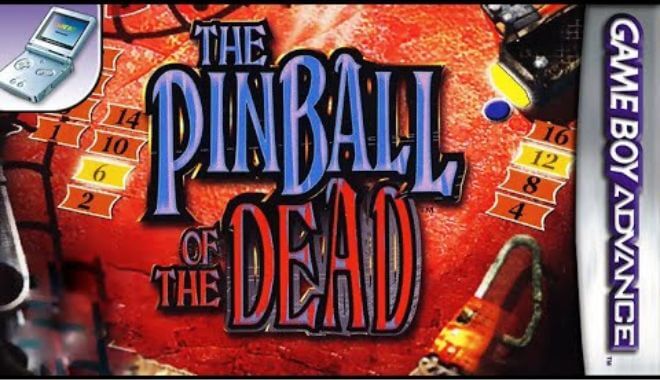
The Haxe language takes note of the internal behaviors and differences of the various platforms and is able to adapt to all of them. That way, if you know how to type code in C++, doing the same in Haxe will feel very familiar to you. Modules specific to your platform of choice are included in the standard library, so you won’t be missing out on any of the features you like from the other languages.

Why Use Haxe?


So why use Haxe in particular? First, it’s incredibly flexible. Haxe can be used to develop games, websites, desktop apps, CLI development, etc. Multiple platforms: one language. All in typed code. This means you only have to write the code once, even if you want to export it onto multiple platforms.

The ability to use Macros is also a welcome feature, making use of the language faster and more convenient. On top of that, it’s open-source and free, with a large and very active community ready to support you. If there was any doubt, companies as large as Disney, Coca-Cola, and the BBC have used Haxe for their programming, as well as plenty of game developers.
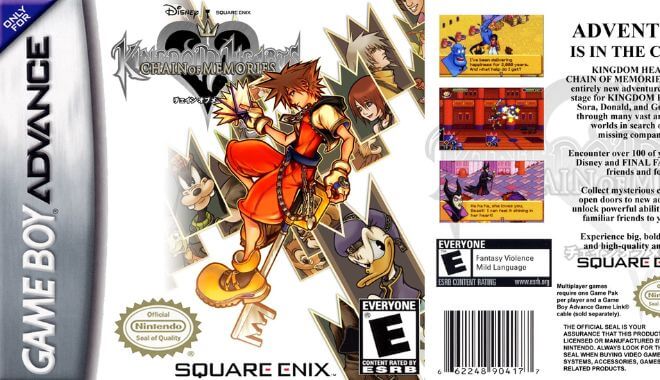
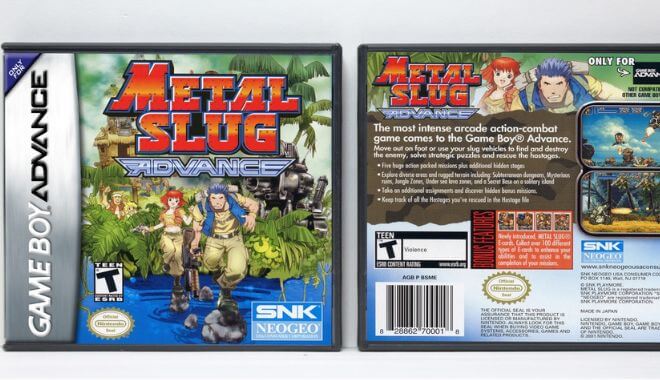
A number of Indie hits such as Northgard and Papers, Please were created using the Haxe programming language.

Ecosystem


The Haxe Foundation is an organization that accepts donations from its open-source community. In return, they offer paid support plans to assist those who need help with the language, though a lot of assistance can be found within the open-source community itself. The foundation also drives community events and funds a variety of Haxe related projects and core technologies to continue its growth.

The Haxe Foundation is partnered with Gamesys, a gaming company known for their Casino and gambling games, who are always looking to hire new developers familiar with the programming language. There are also a number of enterprise and professional partners. Tivo, Flowplay, Proletariat, area 9, Docler Holding, and Innogames are all partnered with The Haxe Foundation.

In addition, the foundation maintains several programs specifically for its users. The VMI’S Neko and Hashlink were actually created and are maintained by the Haxe Foundation. The Haxlib, a huge library used by the community, is also well maintained. Blogs are regularly updated with engaging articles about using Haxe, and branding is offered for those who wish to use their logo.

All in all, Haxe has plenty of backing, both from within the foundation and outside of it. Given some of the large companies that have used this software in the past, such as Nickelodeon and Toyota, this ecosystem may only grow in the near future.

Installation


If all of that interests you, you may be wondering how to get started. Luckily, it’s simple.

Go to the Haxe Website and pick which installer works best for you. They have installers for Windows, Linux, as well as OS. They also have the Binaries of each available. Once it is downloaded, installation should not take much time. Just click past the Introduction, License, select its destination, and click install.

Tutorial


Once you have Haxe successfully installed, it’s time to begin using it. The Haxe website has provided detailed instructions on how to learn this programming language. It’s a great place to get started, and can act as a good reference for where you need it.

It will go over a fun example of how the language works, typing in “Hello, World!” as a line of code. It’s basic, but it’s very informative to how the syntax works. This tutorial will also show you how easy it is to compile using Haxe. there’s even a list of popular editors and IDE’s to get you on your way.

Additionally, simply by opening up a terminal and typing Haxe, you will be given a large array of quick commands. If you just finished installation, make sure that those commands appear, it’s a good way to check if Haxe has been installed properly. The commands that pop up are also a useful reminder of what’s possible without having to use a search bar. Among them are simple codes for compiling to javascript, bringing up help, or using a library for example.

The Haxe Code Cookbook is an amazing resource for beginners that can’t be recommended enough. It is filled with tutorials, examples of functional codes, and answers to commonly asked questions. There are sections explicitly for beginners, and the Haxe community updates it regularly, offering advice to newcomers on how to solve problems they once had.

If you’re ready to just grab a few code snippets and see how they tick, need some information about UI, or some basic training in the programming language, this is the place to go.

Finally, if the written tutorials and advice aren’t enough, there are a number of videos offered to help out beginners, as well as clips showing off updates of the system and talks about future projects. These can be an asset to start out with and can keep you well informed going forward as Haxe develops even further.

Community


As Haxe is open-sourced and free to use, it has built up a large and supportive community to help newcomers and veterans alike. One of the most impressive aspects of Haxe is its extensive library, Haxlib.

This library is full of active members sharing their code and scripts for free and allows you to browse by your favorite target, author, or tag. After all, the best way to learn what works in Haxe is to see what the community has already made, and build off of their experience.

The projects are all organized by popularity as well, letting you see what the community has had the most success with. Unsurprisingly, there is also a community forum, a Twitter account that often showcases games that use Haxe, and a Facebook group as well. The community is very friendly to newcomers, as they’ve been there before.

Many of the entries in the Haxe Code Cookbook were created not by the foundation, but by community members doing their best to offer tutorials and give examples of functional code. Throughout Haxe’s history, it has always relied on support from eager designers.

Compatibility


Haxe 4 is compatible with Windows, Linux, as well as OS on Macs. It should be noted that with the creation of Haxe 4, some of the APIs have been removed from the standard library. However, if you still want to use that API, you can by using the hx3compat library. Adobe Flash Player is also no longer compatible with Haxe 4.0

Addendum


In conclusion, designing the perfect game is already a difficult process. But compiling your game onto different platforms doesn’t have to be. Haxe is the perfect programming language to use if you want to get your video games onto multiple platforms with little difficulty, and if you follow this guide, you will be well on your way to mastering it for all of your future video game productions.

Synfig Studio: Free and Open-Source

0

Synfig Studio
Whether you’re making a hilarious cartoon for Youtube, the opening cutscene of a video game, or an artistic training video for a professional business, 2D animation can be a laborious process. Everything from tweening to layering can take up a frustrating amount of time. On top of that, animation software can be expensive, and it’s hard to tell if it’s what you were looking for until you’ve tried it.

For beginners who have an interest in animation, but aren’t quite sure how to get started, this can become a huge roadblock. These are problems faced by all animators eventually. Gone are the days of Flash animation, you need new software that’s as good for professionals as it is for novices.

In this article, we’ll cover how Synfig Studio might just be the software you’ve been looking for. It can be an animator’s secret weapon, helping you with your creations while cutting down on the processes that cost you time and money.

What is Synfig Studio?


Synfig is an animation software designed to create film-quality animations using fewer people and resources. Perfect for independent animators, but versatile enough to be used by career professionals as well. The software uses both vector and bitmap artwork, which is impressive as most animation software only uses vectors.

Created in 2005 by Robert Quattlebaum and Adrian Bentley, originally as software for the now-defunct Varia project. It was given open-source status, and since then has been noticed and improved upon by a growing number of fans and developers in the community for its reliable tweening technology. To date, it is widely considered the best tweening software.

In 2020, it was finally given a stable release. It’s software that’s beginning to build a reputation among animators as a fast and reliable tool. In addition, it’s open-source and free to use. You won’t be paying a high upfront cost to use the software you may not like, and there are plenty of mods and help available from the Synfig Studio community.

Essentially, it has everything you need to help you create professional 2D animations. Now let’s go over some of the features.

Curved Gradients


Applying shading to every single frame of animation is tedious work, but Synfig studio can do the work for you. It uses a system for soft shading using curved gradients within a given area. This lets you apply shading to a layer once at the beginning of a gradient, and then again at the end, letting you easily change the shading between frames without having to do each one individually.

It may not be the flashiest sounding feature, but it will definitely be one you can come to rely on.

Bones


In animation terms, bones are a way of selecting what pieces of an animation movie, and how they move. Synfig Studios has an advanced system for creating bones and adding them to cutouts.

If you’re unfamiliar, then as an example in Synfig Studio if you were animating a moving leg, you would have the leg split into different cutouts on your bitmap.

Let’s say you want to animate the foot, lower leg, and upper leg to animate a walk cycle. Each of those would be a different part, and you would attach them together with bones, and then add joints to the bones to allow certain parts of the leg to move in specific ways. Those are the basics of bones in animation.

It’s a method broadly used for animating characters, and the Synfig Studio system is more than capable of using it. There’s even a skeletal distortion layer included if you want to make fancy distortions of the bones you have. All in all, a great feature of the system.

Layers and Filters


Layers allow you to blend multiple levels of animation into a single scene. Complex animations will have a ton of layers doing things at once.

Moving eyebrows, furrowing brows, eye movement, lip movement, a nose twitch, and the background image could all be different layers on a detailed animated face. Using layers you can create new animations for your keyframes, or even add animation on top of an existing one without removing it.

So what makes Synfig Studios special when it comes to layers? To start, it allows you to have over fifty active layers at the same time. There are also a number of different types to choose from, fractals, distortions, gradients, geometric, and transformations to name a few. Essentially, using the layers in Synfig Studios, a 2D animation of any complexity is possible.

Vector Tweening


One of the best features of Synfig Studios is its vector tweening capabilities. Tweening, short for “inbetweening”, is the process of generating images between keyframes.

When animating a simple movement, you may want to get from point A to point B, but if you have to draw out every single frame of animation by hand, it’s going to take a long time. The vector tweening software in Synfig Studios, as well as other modern animation software, allows you to avoid this by filling in the gaps of animation movement between two set points.

In other words, if you want an eyeball to move from left to right, you don’t need to draw the same eye over twenty times. Instead, you use the tweening system to tell the eye where you want it to start moving, and where you want it to go, and the system will automatically fill in those frames of animation for you. That’s the general concept of tweening.

Synfig Studios, despite having been around since 2005, currently has the most powerful and fastest tweening system in the world. But what Synfig Studios does that other systems cannot give you the ability to transform one vector shape into another.

Setting the key positions will calculate the frames automatically, so you only have to draw a few keyframes to give the program a sense of the motion you’re looking for. It will fill in the rest. This way you can do even more complex movements with the tweening system, and save yourself a lot of time and energy while still having fluid and complex animations. No manual tweening necessary.

Linking


Through a process called linking, you can reuse bits of data, as well as functions associated with them. That means you can take a working piece of animation, and reuse it, or its basic structure later. This can be a huge time saver when working on large productions.

Video Courses


The Synfig Studios website features a video course on the software. This course serves to teach you how to be comfortable with the nuances of the software and has a font of information on the basics of animation. It is a paid course, but they allow you to pay whatever you like, starting from as low as one dollar.

It’s definitely worth it if you’re new to animation software or unfamiliar with Synfig. The course covers all about making your first animation, rendering, walk cycles, linking files, creating a moving background, face and skeleton animation, and more.

How to Set up Synfig Studios


To get started with Synfig Studios, you’ll first have to download and install it. Don’t worry about the price selection screen, Synfig is free and open-sourced, but you can volunteer to contribute a little money to the development team if you so choose.

It should also be noted, there are two different available downloads. One is the stable version, and the other is a development version.

The development version features some attempted bug fixes, as well as some experimental, untested features that the stable version lacks, but it is less predictable and not recommended for commercial use at this time. Click the stable version, and it will bring you to a second page where you can click download.

As a quick note, clicking download will then bring up a small window asking for your email address and whether you would like to be updated through email about any changes, however, if you don’t wish to be, there’s a download anonymously button beneath the download button.

After hitting download, select the version that will work on your operating system. Currently, Synfig works for Windows, Windows Portable, Linux, and OSX, with 64 or 32-bit options. Pick the selection that best applies to you, and begin the installation as you would for any other program.

Using Synfig For Animation


Learning to use Synfig Studios can take a little bit of time, as the software was never fully completed before it was given a stable release. The best ways to learn how to animate with Synfig are the video course provided on the website, support from the community forums, or simply by playing around with it yourself.

If you want to try out the latter, here’s a quick explanation to help you get started.

Toolbar

Once you’ve got the program running, in the upper left corner you should see your toolbar. This should be fairly straightforward if you’re at all familiar with any artist software.

The top of the toolbar is filled with file options for creating a new project, saving your current project, etc. Underneath that, you will see a button for settings. This is useful when starting a new project. You can tweak features such as how many frames per second you intend to animate, gamma, resolutions, what sort of render engine you wish to use, etc.

Beneath that are a few of the basic tools at your disposal.

Brush Tool: Allows you to draw freehand over Raster Images.
Circle Tool: Allows you to create circular layers.
Draw Tool: A basic drawing tool, allows you to draw images on the Canvas Window.
Cutout Tool: Select a piece of the composition by adding a mask, separating it from the background.
Eyedrop Tool: Allows you to select colors.
Fill Tool: Changes the color of a geometry layer, filling it in completely.

For more information on tools, see Synfig Studios Documentation on Synfig.org.

Canvas Window

This large window should be the first thing you notice. This is the Canvas Window and is the area where you will do most of the drawing and animating work. There is a button in the bottom right that will turn on animate mode. The animate mode will test run through your animation and indicates to the program that what you are working on is going to move.

Some features in the other panels, such as creating keyframes, will only work in this mode. In the upper left corner of the canvas, there is a canvas setting button. Click on this, and go to import if there are any images you would like to start animating.

If you are just starting out, it’s a great idea to upload your own image to test out how the canvas window and animate mode affect it. You can also change the properties of your image size from the settings.

Canvas Browser

In the upper right corner is the canvas browser. This small window shows you a zoomed-out version of the canvas window. The canvas window is pretty large. This essentially gives you a faster way to find the parts you’re looking for without having to scroll.

Layer Panel

On the bottom left, you’ll see the Layer Panel. This helps you to keep track of all of your layers and to group certain layers together. As your animation becomes more complex, many of these will be filled with different assets at once. In Synfig, you can have over fifty layers at once. This panel will help you manage them.

History Panel

Shows a list of your most recent actions, and allows you to undo or redo them. Useful for when something went wrong seven steps ago instead of two; you can still correct the mistake while keeping the things that work. You can even switch between several canvas panels through here. A very convenient tool.

Time Tracker

Finally, there is the time tracker below the Canvas Window. This tracker will help you monitor the time and frames you are at during your animation.

When you begin to animate you’ll be able to see how long it takes to transition from point A to point B, and how it looks in each individual moment. You can also use this area to create and manage your keyframes, an incredibly important part of the animation process, as Keyframes indicate the beginning and end of a movement.

Those are the basics of what you’ll see when you open up Synfig Studios for the first time. It won’t be enough information to become an expert, but it should be enough to give you an idea of what is possible, and what the various panels are for. Play around with it for a bit and you’ll never get lost in a maze of windows and layers again.

Conclusion


When it comes to 2D animation, Synfig Studios is a great choice that can save you a lot of time and work, and you’ll never have to pay a cent for it. Despite it never being officially completed, artists around the world have come to rely on it. A community of animators, developers, and fans have been improving it constantly over the years, bringing this project back from the dead.

Animation software comes and goes, yet this one has continued to thrive and develop even further for years. And there’s a reason. Synfig Studios is a versatile animation software that is easy to use once you’ve played with it a bit and is the best in the world at what it does the best tweening.

So don’t underestimate this humble little animation program. It can be just the secret weapon you need to bring your creations to life.

John Carmack: How He Revolutionized FPS Games With 3D Premier Graphics

0

Video Game Expert - John Carmack
If you consider yourself a serious gamer, chances are that you know the name John Carmack. Even if you aren’t familiar with the name, don’t worry about your gamer cred going down. You definitely know his games.

Doom, Quake, and Return to Castle Wolfenstein have all shaken the foundations of first-person shooters, leaving an indelible mark on the industry and changing what it means to play games. Let’s see where the genius of John Carmack began.

John Carmack’s Beginnings


Born in 1970, Carmack had early exposure to games like Space Invaders and Pac-Man, changing the way he viewed games and entertainment on the whole.

Carmack quickly gained interest in computers from these various arcade encounters, and they would leave a lasting effect on him and the video game industry later on.

Eventually, he made his way to the University of Kansas. However, he and university life weren’t meant to be, and he ultimately left after two semesters. He figured (rightly so, as it so happened) that earning his keep as a freelance programmer could give him better opportunities to grow as a software developer.

Games Credited


Here are some of Carmack’s most notable titles.

Wolfenstein 3D

Considered the grandfather of all FPS games, Wolfenstein 3D has the player take on the role of special agent B.J. Blazkowicz. During World War II, Wolfenstein 3D had B.J. Blazkowicz escape from the infamous castle, Wolfenstein.

The player’s main goal? Escape, as well as gun down as many Nazis as possible. The game was filled with guns, secret rooms, and even an appearance by Adolf Hitler in mech form. Sure, it was an insane concept, but it worked. Most importantly, it was a hell of a lot of fun.

Doom

Undeniably John Carmack and id Software’s most iconic title, Doom, made big waves in the early 1990s. Playing as a space marine violently fighting back hordes of hell beasts, players could partake in fast-paced, violent, and downright fun gameplay.

Carmack and his team from Wolfenstein went to work to create their next game. Carmack was weary of Wolfenstein and desired something fresh. Carmack and fellow team member John Romero developed the idea that would become Doom: a character using advanced tech to fight demons from hell.

Drawing on horror and sci-fi influences, the team went to work and quickly crafted one of the most beloved and fun FPS games ever created. Doom was rebooted in 2016 and most recently had Doom Eternal release for all major systems.

Thanks to Carmack, Romero, and the rest of the development team, a little something called the ‘death match’ was born. Players would face off and attempt to best their opponents using all of the insane weaponry and hardware available to them in the Doom games.

Quake

If a formula works, why deviate at all from it? Quake is a first-person shooter set in a twisted medieval world inhabited by grotesque monsters and enemies. The player has to navigate through this scary environment while dodging and destroying all the while.

Quake is where id Software really increased its technology output. Quake was the first id Software game to use real-time 3D rendering.

Game Development Philosophy


So what is John Carmack’s game development philosophy? What gets him up in the morning, determined to make some of the most iconic games in the world of computing?

When talking about Quake specifically, John Carmack laid out his entire method of thinking about game development:

“It’s looking at a game in its fundamental sense of what you’re doing has to be fun. It’s not a matter of beating the game into submission or accomplishing something, the actions have to be fun. There has to be something that you wanna just go out and do. People don’t play softball because they want to beat the game of softball; it has to be an action that’s fun by itself…”

His Impact on the Industry


To be able to comprehend the sheer impact that Carmack and id Software had on gaming is nearly impossible. But we’ll still try.

If it weren’t for developers like him and John Romero, first-person shooters wouldn’t have been as widespread. Sure, it’s a generalization, but we believe it 100%. The great gameplay, fast-paced action, and crazy scenarios added a lot of creativity, charm, and violence to games that were just downright fun.

His Role in Oculus and Why He Left

If you didn’t know, John Carmack had a pretty significant role at Oculus, the company responsible for popularizing the rise in VR games.

Carmack stepped away from his in-depth role at Oculus to dedicate more time to his work with AI. Specifically, artificial general intelligence. This is essentially ‘strong AI,’ where a programmer attempts to create AI that can mimic or perform actions that a human being can. If anyone can master it, it’s the programming and creative genius, John Carmack.

How Ralph Baer Changed the World of Gaming Forever

0

Ralph Baer - Video Game Design Expert
If the newest generation’s release is any indication of how popular gaming in your own home has become, it’s safe to say that gaming is permanently here to stay. Whether you prefer PlayStation 5, the new Xbox, or even playing your Nintendo Switch on your living room TV, home consoles are a huge deal.

It turns out that we console gamers owe a lot to a man named Ralph Baer, who had a massive influence on gaming, as well as the field of electronics.

But who exactly is Ralph Baer?

Short Bio


Born on the German border near France in Pirmasens, Ralph Baer and his family moved to the United States on the eve of the Second World War. When he was old enough, Baer dedicated himself to the field of electronics.

After serving as a radio tech in World War II, he went to school and earned his bachelor’s degree in TV engineering. Safe to say that Baer was ready to make some waves in the tech scene. He began working at BAE Systems in New Hampshire. What followed next was history.

Let’s look at some of his most famous game inventions, followed by his impact on the industry.

Games Credited


Here are some games and inventions that Baer is responsible for during his illustrious career.

Shooting Gallery

Shooting Gallery was the very first light gun game and peripheral used in video game consoles. Remember Duck Hunt? You can thank Ralph Baer for inventing Shooting Gallery to make way for arcade staples like House of the Dead and Area 51.

Simon

Anyone who has played this adjective and challenging handheld game knows exactly how it goes. With four colors, players must press the corresponding buttons after they light up in a particular order. Baer and his colleague, Howard J. Morrison, developed Simon in the late 1970s.

The Magnavox Odyssey

Many of Baer’s inventions and contributions to electronics can be somewhat overshadowed by his undeniable magnum opus: the Magnavox Odyssey. Here it is, the very first home game console.

Thanks to the work he put in at BAE Systems and the help of two of his coworkers, Baer was able to make the Brown Box prototype into the home console. The Magnavox Odyssey’s production ran from 1972 to 1975. Not exactly a long run, but it left an indelible mark on the way games were marketed, made, and funded.

Magnavox was pretty rigid in its marketing and development of the console and its repertoire of games. In fact, no new games came out for the console from 1973 to 1975. This eventually led to the Odyssey’s demise.

Impact on the Video Game Industry


To say that Baer had an impact on the industry is a gross understatement. The man is directly responsible for the invention of the first home video game console. Beginning with the “Brown Box,” Baer and his two coworkers from BAE Systems were able to successfully market it as the Magnavox Odyssey. Surprisingly, the Magnavox Odyssey was a pretty substantial hit, selling well over a quarter of a million units.

Up until Baer’s inventions, the idea of playing video games on a home television set was kind of a long shot. Video games were perfect for university computer labs and different tech conventions. But home TVs?

Ralph Baer believed not only was it possible, but it would be a smash hit. He determined that the TV market was ripe for something wholly new and different.

Prototypes and Electronic Games


Easily his most famous invention and prototype was the Brown Box. Sporting a wooden look, the Brown Box was the seventh and final form of Ralph Baer, Bill Harrison, and Bill Rusch’s console. Shopped around to different companies, Magnavox eventually picked up the console for distribution.

This eventually became the Magnavox Odyssey. While not exactly a commercial success, the Odyssey showed the world what was possible when you got a few smart, intuitive people together.

Patent Infringement Lawsuits


Understandably, Baer had some admirers. Who wouldn’t look at his long list of inventions and contributions?

One of his admirers, video gaming icon Nolan Bushnell, saw something to gain. Baer’s game, Table Tennis, caught Bushnell’s eye. He went ahead and created Pong from Baer’s idea, which turned some heads. Pong, obviously, did amazingly well. Everyone was after Pong’s magic: arcade companies, Activision, Mattel, and even Sears.

Magnavox took them all to court and claimed that this slew of companies was flagrantly ripping off Baer and the Maganavox’s game, Table Tennis. The lawsuits continued until the 1990s, with companies accepting and offering settlements regarding how video games are marketed, made, and advertised.

These were landmark cases, as the video game market was kind of like the Wild West. Great ideas were rewarded with little to no oversight. These court cases also made sure to communicate to everyone in the industry that, like other copyrighted materials and works, video games and consoles are in the same league.

How Did Ralph Baer Change the World?


Court cases and legal battles aside, Ralph Baer changed the world of gaming forever. He took video gaming outside of the computer labs and convention halls and put them directly into living rooms worldwide. Your favorite console, whatever it may be, would likely not exist without the pioneering spirit and technical know-how of Baer.

Baer passed away in 2014, leaving a rich, detailed, and iconic game development legacy in his wake. After earning the National Medal of Technology and having his American hometown of Nashua, New Hampshire, erect a statue in his honor, no one will forget Baer or his legacy anytime soon.

Now go ahead and boot up your console of choice and play for Ralph. It’s the least you could do.

Meet Yu Suzuki, The Non-Player, Whose Always Thinking in 3D

0

Yu Suzuki - Game Designer

Suzuki’s Background


Born in Kamaishi, Iwate, Japan, in 1958, Yu Suzuki was in the perfect spot to join the gaming revolution. He joined up with Sega in the early 1980s and started making games. His first, a boxing game called Champion Boxing, paved the way for one of the most influential fighting games ever to be released.

Although he started at the company as a programmer, he quickly rose in the ranks at Sega, especially in his first year there.

Suzuki was ‘always thinking in 3D.’ As you’ll see, this set his ambitions and game output apart from many traditional game designers of the day.

Games Credited

Here are some of Yu Suzuki’s iconic games and contributions to the video game industry.

The Shenmue Games (Shenmue I, II & III)


While the final game in the Shenmue trilogy was met with harsh criticism upon its release, the first two games are excellent and influential enough to make the series iconic in and of itself.

In the games, you take on the role of Ryo Hazuki, a young Japanese man on the trail of the evil Lan Di. In between story elements, Ryo has a fantastic amount of open-world control. For its time, in the late 1990s and early 2000s, the concept of wandering around Hong Kong, getting odd jobs to make money, gamble, and talk to every citizen was revolutionary.

While it may show its age by today’s standards, the Shenmue games are incredibly influential.

Developed by Yu Suzuki’s company, Ys Net, Shenmue quickly became a cult hit. Since the first two games’ release decades ago, the Shenmue games were released for modern systems and consoles.

Virtua Fighter


Created in collaboration with Seiichi Ishii (who would go on to develop Tekken), the Virtua Fighter games were landmarks in 3D polygonal design. The first game in the long-running series, released in the early 1990s, is often cited as being the first fully-fledged 3D fighting game.

Game Development Philosophy


Suzuki’s game design philosophy comes from a place not often seen in the video game industry: from a completely technical, no-nonsense viewpoint. Suzuki saw working at Sega as a job, a job he’d be good at. He took his love of cars, motorcycles, and sports to create a slew of perfectly playable games.

Departure from Sega


Yu Suzuki had a long-planned departure plan from Sega. Spoiler alert: he never left.

Well, that’s not entirely true.

He started his own company, Ys Net, and now serves as a consultant for Sega, rather than taking on the role of game director. Although he originally planned to leave for over a decade, it seems Yu Suzuki can’t quit them.

If his thoughts of returning to the Virtua Fighter series have any merit, we’re glad he chose to keep his ties to his longtime company.

Ys Net, Shenmue III, and Kickstarter


Yu Suzuki eventually went on to gain funding for the ambitious, long-awaited threequel, Shenmue II. Instead of developing it under Sega, Yu Suzuki, Ys Net, and Deep Silver teamed up to come up with the anticipated title.

Suzuki launched a crowdfunding campaign for Shenmue III in 2015. After the announcement at that year’s E3, the $2 million goal was quickly surpassed, raking in over $6 million by the end of the month. The game was released in 2019, 18 years after Shenmue II.

Although critics said that the game felt dated, and some aspects were tedious, hardcore Shenmue fans were delighted to see Ryo Hazuki’s return, looking for his father’s killer.

Why He Doesn’t Play Games


Yu Suzuki is a unique case in game design. He’s a fantastic game designer who doesn’t play games. He doesn’t even like to play games. This personal preference frees up a lot of time and creative flexibility.

Instead of playing games, Yu Suzuki goes all-in terms of developing what he wants to develop. Regardless of trends, Suzuki sticks to his plan.

Instead of joining Sega due to believing in the company’s mission of wanting to make his mark there, he instead chose Sega for an entirely different reason. It was a mixture of Sega offering him more time off than other companies and the people who worked there.

Thanks to flexible vacation days, we now have Virtua Fighter and the Shenmue series.

What Changed in Game Design


A few things have changed since Yu Suzuki’s heyday at Sega. Back when he was pioneering 3D technology at the company, he had an entire squad of designers flanking him at every turn. In his most recent project, Shenmue III, Suzuki built from the ground up, creating his team from scratch.

He rather enjoyed working with a small group, which could more easily communicate and reach goals.

Nolan Bushnell, Grandfather of Video Game Systems

0

Nolan Bushnell
If you don’t recognize the name Nolan Bushnell, you definitely know his inventions. Possibly one of the most inventive game designers who ever lived (maybe rivaling only Shigeru Miyamoto), Nolan Bushnell is basically the grandfather of video game systems.

Bushnell’s Roots and Rise to Prominence


Born and raised in Utah, Nolan Bushnell went to Utah State University to study engineering. After receiving his degree, Bushnell used his passion for games of all types to influence his career.

After playing the extremely influential computer game, Spacewar! at college, he went on to form his first company, Syzygy. It was here that Bushnell and fellow engineer Ted Dabney created Computer Space, which was essentially a copy of the wildly popular Spacewar!

After doing some great business with copies of Computer Space, Bushnell and Dabney changed their company’s name to Atari.

Atari got their first and perhaps most significant break with the development of Pong. Pong developed from Bushnell seeing the Magnavox Odyssey, the first home game console. Produced primarily by engineer Allan Alcorn, Pong became a hit, and Atari was now a household name.

At this time, a young man by the name of Steve Jobs developed his own computer system. An admirer of Bushnell, Jobs offered Bushnell a stake in Apple, which Bushnell promptly rejected. Talk about poor decisions.

Undeterred, Atari and its employees released the Atari 2600, an insanely popular home video game console. However, after some heated disputes with Warner Bros. about the direction of the Atari 2600 and future releases, Bushnell was dropped from Atari.

Games Credited


Atari - Pong
Here are some of the most famous games credited to Bushnell and his team

Pong


Pong is arguably one of the most famous games ever made. With the laughably simple concept of table tennis, Pong has two players face off against one another. As the match goes on, the ball will move faster between players.

Although looking back on Pong now, it may seem really basic and not at all fun. However, keep in mind that video games weren’t wildly popular back then. The release of Pong put Atari and Bushnell on the map.

Breakout


Everyone knows what Breakout is. Taking control of a moving platform, the player must knock a ball against an upper wall of bricks. The ball bounces off of the bricks, eliminating them.

Atari once again knocked it out of the park with Breakout, taking Pong’s simplicity and turning it into a smash hit.

Computer Space


Computer Space was essentially a copy of Spacewar! Spacewar! It was one of the first video games, only available in the 1960s on college campuses in computer science buildings. Computer Space did pretty well, raking in millions of dollars.

After the success of Computer Space, Bushnell changed the company’s name from Syzygy to Atari.

Game Development Philosophy


Bushnell’s game development philosophy is a nice mix of allowing creativity to thrive and focusing intensely on the efforts of the fun of the game. This culminates in what we now know as Bushnell’s Law.

What is Bushnell’s Law?


Bushnell’s Law is an important piece of philosophy from Bushnell himself. He states that in game design:

“All the best games are easy to learn and difficult to master. They should reward the first quarter and the hundredth.”

This method easily hooks gamers onto fun products and encourages them to keep playing, allowing them to attempt to master the gameplay. This keeps gameplay fresh while keeping things familiar for the player.

This game design philosophy has helped guide design iconic game companies, like Blizzard entertainment, to follow Bushnell’s Law to the letter.

The Importance of Creativity


Bushnell believes that fostering the perfect environment for creative people and ideas is paramount to success. Often at odds with hiring practices of rejecting obnoxious people, Bushnell believes that many creative people, like Steve Jobs, are relatively obnoxious.

He thinks that to gain the most creative potential, you need to be able not to be afraid to hire people who are a little obnoxious.

“I believe we have literally thousands of Steve Jobses,” but we don’t empower them to create. “Look at the way we treat creative people! We just have to detoxify our companies, and we’ll have innovation flowing out of the ground like oil.”

The bottom line is: let your creative people be creative. Stifling creativity can really hamper your efforts to invent, create, and thrive.

His Inventions


Along with creating and designing some games, Bushnell has had a hand in other ventures.

Atari 2600


Nolan Bushnell - Atari
The Atari 2600 brought video games into the living room of every American family. What was once relegated to the arcade was now available in the home. Even today, the Atari 2600 is always spoken about with reverence and fondness.

From 1977–1992, the Atari 2600 did great business, selling games like Pac-Man that netted Atari and game developers millions of dollars.

Bushnell and the Pizza Connection


Chuck E. Cheese's Pizza
While Bushnell has left a mark on the video game industry, he also played an integral role in pizza parties.

Why? How? …What?

Bushnell invented Chuck E. Cheese (Yes, THAT Chuck E. Cheese) in 1977. Not content with sitting on the sidelines after his ousting at Atari, Bushnell wanted to invent something new.

Chuck E. Cheese, known initially as Chuck E. Cheese’s Pizza Time Theatre, was the very first restaurant that included both arcade gaming and food. Oh, and that creepy animatronic band.

Chuck E. Cheese’s Pizza Time Theatre eventually hit hard times in 1984, filing for bankruptcy and eventually being bought out by ShowBiz Pizza Place. After a while, the two brands came together, and the Chuck E. Cheese brand grew more prominent into what it is today.

Where Is Nolan Bushnell Now?


After all of this impressive accomplishment, where is Nolan Bushnell these days?

Along with becoming the CEO of Global Gaming Technologies Corp., Bushnell leaned into a noble cause. He started to dedicate his energy to educational games. After founding BrainRush, Bushnell used his idea to take school curriculums and turn them into fun minigames.

Along with turning education into something a little more palatable for more children, Bushnell is involved with Anti-Aging Games, LLC. This is where he actively develops games targeted explicitly towards those over the age of 35. These games deal with memory, focus, and other aspects that promote brain health and staying sharp.

It’s good to see such a visionary still involved with the industry that allowed him to make great inventions and improvements to the world. Whether it is his involvement with Atari or, yes, even Chuck E. Cheese, you can’t help but admire the tenacity, inventiveness, and determination of Nolan Bushnell.

How to Make Your First Game in 1 Hour With GameSalad: Game Engine for Beginners

0

GameSalad Game Engine

What is GameSalad?


GameSalad, or GameSalad Creator, is an authoring tool. Authoring tools are pieces of software that already have premade or prefabricated elements and manipulation tools in them for seamless media integration. Basically, it’s perfect for creating videos, games, and other multimedia apps.

Developed by Gendai Games, GameSalad released in 2010. GameSalad increased in popularity after partnering with Macworld Expo and eventually created a free version in 2010. After five years, however, Gendai Games discontinued the service, opting for a few payment options. But we’ll get to those a little later.

Who is GameSalad Best For?


GameSalad is for beginners! With all of the different game engines on the market right now, it can be challenging to find one that works for you. If you are an absolute beginner, GameSalad could be the perfect tool. One of GameSalad’s promises is that you can ‘Make your first game in an hour.’

In fact, it’s quickly gaining steam in schools. It’s a method to teach younger students and computer rookies how to jump into the world of computer science. What makes GameSalad different from other engines and authoring tools? It totally foregoes the use of syntax, which simplifies the learning process a lot.

However, this doesn’t mean that more experienced developers can’t benefit from the ease of use of GameSalad Creator. No matter your experience level, you can definitely thrive in any project you pursue with the authoring system and game engine.

GameSalad is especially great for those developers focusing on 2D game development in particular.

Alan H., an artist, has this to say about GameSalad: “Gamesalad has its strengths in the ease of use in developing applications and games without code, and allows you to preview the application before publishing.”

GameSalad Features


GameSalad Engine
Here are some standout features from GameSalad Creator.

Multi-Platform Publishing


A significant aspect of GameSalad is its cross-platform potential. Not only can you create apps and games for other computer operating systems, but you can even develop apps for iPhone, Android, and even the Nook.

Its flexibility makes it even more appealing to beginners, as there is a great deal of freedom when programming your app or game.

Tables & Arrays


A great feature included in GameSalad Creator is its capability of compiling and organizing large amounts of data. If you have ever coded or built anything of substance before, you know how important data is. Maybe more important is keeping track of everything. Through tables and arrays, GameSalad makes this much more comfortable.

Game Preview


GameSalad, once again, makes creating games a little easier than expected. How? Through a simple game preview. It might sound simple, but it can make a world of difference. GameSalad allows users to preview and comprehensively debug their projects in real-time.

To do this, users will need to install an additional plugin, GameSalad Viewer, to take advantage of these features. This works on both desktop computers, tablets, and even phones. Depending on the device, you will need to fool around with the settings a bit.

This allows for comprehensive game editing and saves a lot of headaches.

Scene Editor


GameSalad’s scene editor covers all of the bases. You have your basic options, like manipulating objects, adding and removing layers, and dragging and dropping objects.

Integrated Physics


Aiming to be as realistic as possible in its aims, GameSalad uses pretty solid rigid body physics. Along with great physics, the use of tags can help users more easily manipulate actors, scenes, and objects.

Mathematical Expressions


Yes, there is a bit of math included in the process. However, using mathematical expressions within the game engine is recommended for more advanced users. These expressions open up more development possibilities and give you more control over scenes, objects, and games in general.

How Much Does GameSalad Cost?


GameSalad has a few payment options. Unfortunately, as of right now, there is no GameSalad free version. There is, however, a free trial to see if you gel with it and its creative capabilities.

  • First is the monthly version, which costs $8.
  • $17 a month
  • $25 a month

The latter two payment options obviously include additional features not included in the free trial and $8 versions.

GameSalad Pro offers additional features like

  • Publishing to IOS
  • Publishing to Android
  • Publishing to HTML5

Regardless, the price points are pretty reasonable. If you are a creator dead set on making a game or app, the monthly price is more than doable. I mean, you pay more for a few streaming services a month, so why not try GameSalad?

There are even some discounts available for educational options. For example, if you are teaching a class how to develop games, GameSalad helps you establish a payment plan and procedure for using the engine.

How It Works

Using GameSalad

How Do I Use GameSalad?


Firstly, you need the right operating system. GameSalad currently utilizes Mac OS X 10.7 or later, Windows 7, 8, 8.1, and 10. If you have any of these versions, then you are good to go. Let’s see what’s next in the process.

You then get used to the user interface and get familiar with the various features. There are also numerous official tutorials and online forums to collaborate and get assistance. Keep in mind as well, you retain all the rights to whatever you create in GameSalad.

What Language Does GameSalad Use?


GameSalad Creator uses Lua as its coding language. Lua is a great, higher-performing programming language, perfect for cross-platform usage. Like GamaSalad, Lua is extremely versatile and can find use in multiple cross-platform apps and games.

How Do You Code A Mobile Game App?


This may seem like a hErculean task, but it’s definitely more straightforward than you may think. Luckily, the versatility of GameSalad, along with Lua and the various platforms you can develop for, it’s simple coding a mobile game app.

Check out all of the in-depth courses that GameSalad offers its users.

Final Thoughts on GameSalad


GameSalad is excellent for beginners and intermediate game developers alike. Using the versatile language, Lua, and bringing cross-platform functionality, it’s a no-brainer for those just starting to develop games or mobile apps.

You retain all rights to your creations, and you can even make money off of your projects through in-app purchases and networks. However, to do this, you need the GameSalad Pro version. This costs $8-25.

Whatever your skill level, the options available to you, as well as the reasonable price (and free trial!), GameSalad can be a reliable option for getting you familiar with programming languages and game development.

Why Animators Love Pencil2d Software

0

Pencil2D
There has never been a better time to be an animator. Don’t believe me? First of all, how dare you. Second, there are tons of programs that help you out immensely. One of those programs is Pencil2D.

Here we’ll introduce you to some background info, features, and Pencil2D tutorials to get your 2D animator career started on the right path. But first thing’s first: what is Pencil2D.

What is Pencil2D?


Pencil2D is an open-source 2D animation program. For those of you not in the know, open-source means free. Pencil2D is the perfect resource for those who want to get into 2D animation without the financial commitment. Open-source art programs like GIMP and Pencil2D have made creating using simple tools a ton of fun.

Pencil2D software uses the GNU General Public License. This means that Pencil2D is completely open, free, and ripe for modifying. Developer Matthew Chang and his team took the source code from an earlier project called Pencil and created what is now Pencil2D.

For over 15 years, Pencil2D has evolved with the times, updating software and user interface and experience features to give amateur animators the ability to create impressive 2D animations. It’s cross-platform software you can get for nearly any operating system.

Features


Some notable features of Pencil2D are as follows:

  • Animation
  • Video support
  • Open-source (FREE)
  • Detailed Color Wheel
  • Customizable Templates
  • Dynamic Zoom In/Out
  • Pop-up Colour Palette
  • And other features are found in similar software, i.e., smudge, blur, various image effects.

Installing Pencil


Okay, so now that you know that Pencil2D is a pretty detailed and reliable animation tool for animators of any skill level, let’s get this thing installed, shall we?

The first thing to do is go to the official Pencil2D website. There will be a button on the top edge of the screen, where you’ll find ‘Download.’ Simply choose your operating system. In my case, I decided on Windows 64-bit.

As we said before, this program works for multiple operating systems like Linux, Ubuntu, Flatpak, and Homebrew Cask.

From there, you need to unzip the files in the downloaded folder. Follow the instructions from there, and you should be good.

They even have a handy troubleshooting section on the download page if you run into any trouble.

Right on the front page, they have a detailed guide for installing the program. This is fantastic, as sometimes installing programs (especially ones you aren’t familiar with) can be a hassle. The Pencil 2D team has taken all of the headaches out of the process.

Reviews


Okay, so Pencil2D has been around a while and has some helpful artistic features. That doesn’t necessarily mean it’s perfect. So what are people saying about Pencil2D? Is it worth the download, practice, and use? The verdict so far is ‘absolutely.’

Artists consistently praise its fantastic user interface, ease of use, and its versatility.

Even those who weren’t as enthusiastic about it praised its ease of use. Check out more Pencil2D reviews at G2.

Pencil2D Tutorials

Now it’s time for tutorials. Sure, you can jump right in and learn the user interface and various tools on your own. However, that can be pretty frustrating. Let’s see what other people are doing to guide you through Pencil2D.

Pencil2D Official Site


It’s always a great idea to check out the official site for any software you download. You’ll find firsthand knowledge of a specific program or product and gain insight from the developers.

This site is jam-packed with resources and especially Pencil2D tutorials. There are specific Pencil2D tutorials for certain actions and more general videos to help get you familiarized with the entire user experience.

Pencil2D Tutorial from Same Animate


Sam Animate is a YouTuber who has put together a pretty solid video that nails all of the basics for starting your first Pencil2D project. After your particular Pencil2D download, click the link to Sam’s channel.

WikiHow to Animate with Pencil2D


Like Wikipedia, WikiHow is filled with useful, step by step instructions for doing nearly anything.

Want to know how to refill coolant in your car? How to milk a cow? What about CPR? It’s all there on this unique site.

That includes Pencil2D. WikiHow’s step by step guide with pictures is perfect for the visual learner.

Wrapping Up with Pencil2D


So is Pencil2D worth it? Absolutely.

If you are just beginning your animation journey, a Pencil2D download is exactly what you need. While everyone will have their personal favorite piece of animation software, Pencil2D is a solid starting point.

Prolific Game Creator Yuji Naka: How He Started & Life at SEGA

0

Yuji Naka
If you have ever played a Sonic the Hedgehog game in your life, you already know the talented game programmer Yuji Naka’s work. However, who is this video game developing great?

By the time he was in his early 20s, Yuji Naka was making a name for himself at Sega designing and programming various video games. Let’s take a closer look at his roots and what made him a household name for gamers everywhere.

Short Bio


Yuji Naka always had a knack for all things tech-related. He was one of those youths who loved to tinker, experiment, and build his own projects. Using lines of code from magazines, Yuji Naka developed his own projects and debugged them successfully.

Of course, someone like Yuji Naka wasn’t satisfied with merely tinkering around with electronics.

He found his groove at Sega in the early 1980s. At the tender age of 18, he was already working on his first game, Girl’s Garden. However, Yuji Naka etched his name into video game history by programming the first Sonic the Hedgehog game.

Along with his Sega coworker and artist, Naoto Ohshima, Yuji Naka created one of the most recognizable video game characters ever made. This led to the close relationship between the eastern and western branches of Sega, eventually culminating in creating the Sonic Team.

After 30 years and nearly 90 million copies sold, the Sonic franchise is a fan favorite and easily Yuji Naka’s magnum opus.

In keeping with his ambitious and evolving nature, Yuji Naka developed his own gaming studio, Prope, which he founded in 2006 after a 22-year long tenure at Sega.

Let’s see some of the most famous titles from Yuji Naka.

Sonic the Hedgehog


Sega - Sonic the Hedgehog

This is the game that started the craze. It also directly assisted Sega in becoming a force to be reckoned with. The Sega Genesis became the must-own console in the early 1990s because of Sonic.

In Sonic, players control the titular hero, running fast and saving the woodlands and woodland creatures from the nefarious Dr. Robotnik (aka Eggman). This side-scrolling adventure would go on to spawn tons of spin-offs, sequels, and merchandise.

It’s easily Sega’s most well-known franchise.

Phantasy Star


Sega - Phantasy Star

Before Sonic the Hedgehog, Yuji Naka, and designer Kotaro Hayashida went to work creating one of the first JRPGS for home consoles. There was 3D dungeon crawling, groundbreaking animation, and even a female main character. The development team itself was composed of a majority of women, a first in video game development history.

Yuji Naka added random encounters, experience points, and everything we take for granted in even the most iconic RPGs. Basically, there would be no Final Fantasy VII, Persona 5, Kingdom Hearts, or Fire Emblem without the groundwork laid by Yuji Naka. Is that a pretty general statement?

Sure, but I think we can agree it’s pretty accurate. He and his diverse team developed this JRPG and its derivatives into a fan-favorite game.

Game Development Philosophy


In a 1992 interview with Sega, Yuji Naka stated:

“I want to make interesting games. I want to show my dreams and visions to kids. But most importantly, I want to create something that will make the player happy. I want the player to be surprised and have fun.”

His Impact on the Industry


His impact is unsurprisingly pretty significant. He helped Sega rake in millions of dollars, making the Sega Genesis one of the most famous consoles of its day. Sonic has a ton of games (seriously, I dare you to try and count how many there are).

As we stated with Phantasy Star’s development, his contributions towards JRPGs as a subgenre cannot be overstated. All of the aspects, cliches (I mean this is the best way possible), and story elements can be traced back to Yuji Naka and his team.

Drawing Inspiration From His Prior Games


While Yuji Naka already solidified his legacy with the Sonic team, he wasn’t quite finished. The long-running series, Phantasy Star, eventually made its way to Dreamcast. One of the first modern online role-playing games for consoles, Phantasy Star Online took what made the franchise tremendous and improved upon it for worldwide audiences.

Players get together with three real-life companions to engage in all sorts of JRPG fun: collecting loot, slaying monsters, and exploring.

Yuji Naka and his team used past development experiences to help craft the sci-fi masterpiece. He specifically took the game into distinct parts, worked on them until he felt they were perfect, and stitched them together into a cohesive project.

Where Yuji Naka Is Now


While Prope is still around, Yuji Naka is currently working for the developers of Square Enix.