Have you ever heard about Tweening? Do you know what it is for? Are you aware how it impacts animation?
Most people believe that animation is iconic because of the drawing skills of the artists or top-notch voice acting. They think that these factors are what enable animation to captivate audiences for over a century and bring stories and characters to life with incredible motion and expression. However, that is not exactly on point. The secret behind those smooth, lifelike transitions is the fundamental technique called tweening.
This article explores tweening, how it works, what makes it essential, and how artists can use it in modern animation software.
What Does Tweening Mean?
Tweening, short for inbetweening, refers to the process of creating images in-between keyframes. In other words, it pertains to the intermediate frames ‘in-between’ others to animate aspects of a scene. The frames that do the heavy lifting in terms of tweening are called keyframes. These keyframes, when properly utilized and implemented, give the impression of sleek, smooth movement.
A Brief History of Tweening
Tweening, rightly so, has a long and celebrated history in animation. Any animation you see has it, whether it’s the Lion King or your favorite Internet cartoon. Let us take a quick trip down memory lane.
The process can be rooted in traditional, hand-drawn animation. Animator Dick Huemer developed inbetweening in the 1920s. Since then, it became widely used in the industry due to its efficiency. Specifically, this innovation helped lead animators have more focus on drawing the keyframes and have assistants fill in the transitions. As time went by and as technology evolved, so did animation. Nowadays, there are even generative tools that use AI in animation, making the process accessible to animators of all skill levels.
Traditional vs. Digital Tweening
Let’s look at some crucial aspects of tweening animation that make it one of the cornerstones of art.
Traditional tweening is the tedious version of animation. This means every frame gets created by hand. Nonetheless, traditional, hand-drawn animation from the good old days had a pretty solid system in place to make animating a bit easier.
Generally, many people work together to accomplish this. The key animators would draw these keyframes, then hand the finished frames off to someone else, called an ‘inbetweener.’ The inbetweener pulls everything together, cleaning up rough edges and animations, along with doing some revisions of their own. This made the workflow as an animator smoother and less of a headache. Obviously, not every team or individual has the resources or manpower to have an inbetweener help them out.
On the other hand, digital tweening is the faster and more efficient version of the animation process. It is where the term ‘keyframes’ gets dropped, substituting for ‘tweens.’ Instead of manually drawing everything, the work becomes automated using modern animation software.
Types of Digital Tweening: Classic vs. Motion Tweens
Animation programs often offer various tweening methods since different projects call for different techniques.
Take a closer look at the two main types of tweens:
- Classing Tweening is ideal for basic 2D animations. It leans more toward the traditiona technique, which involves frame-by-frame transitions and properties, such as angle, frame size, and location. However, it is not the best option for complex 3D projects.
- Motion Tweening is more suited for interactive works like games or motion graphics due to its flexibility. Compared to the classic, this one is more automated. Plus, it is also useful in 3D environments.
How to Create Tweening Animations: Step-by-Step in Adobe Animate
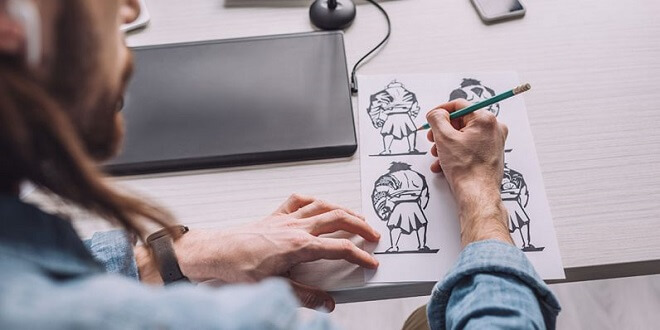
If we were to use Adobe Animate (which any aspiring animator should be), the steps to create a sleek, seamless tweening animation is actually quite simple.
But hold on! You need to know just a few aspects like terminology and what specific functions do.
- The Timeline
- This is where all of your animations are. It’s the overall timeline of your project.
- The Tween Span
- The tween span is the period of time where objects within a scene change. For example, the tween span consists of frames in which a character’s legs move.
Step 1: Create
Once you have your two separate frames (without a keyframe), the next step is to create said keyframe. To do so in Adobe Animate, you simply click on the asset or graphic, right-click, then select Create Motion Tween.
Step 2: Edit
Once you have selected where you want to insert keyframes and what they are, you need to do a bit of surgery on the animation timeline.
Check the ‘stage,’ making sure that the desired duration of animation is correct, along with whatever object or graphic you are inserting.
Step 3: Check and Finalize
After you are done editing and deliberating, go ahead and check if the tweening animation worked out as you intended. You can do this with the ‘onion skin’ feature, which allows you to see several frames at once. This is perfect for ensuring your principal animation, along with keyframes, are in perfect sync.
Adobe Animate is only one of the options you have at your disposal. Among the tools that animators commonly use are Adobe Animate, Autodesk Maya, Blender, Houdini, Synfig, and more.
Frequently Asked Questions
Q: What’s the difference between keyframes and tweens?
A: Keyframes refer to major poses or moments, while tween are the frames that go into the space between them.
Q: Do I need to tween every frame?
A: Not necessarily. Most of the time, animators draw every other frame (on twos) for slow motion and draw every frame (on ones) for fast action.
Q: Can I use tweening in 3D animation?
A: Yes, because the principles of tweening apply in 2D and 3D animation. However, you may notice differences in tools and techniques.
Conclusion
There you have it. That’s why tweening animations are some of the most important aspects of any form of animated media.
Without them, you’d be watching a choppy, unintelligible mess. Bugs Bunny would be about to bite his carrot in one scene, with it being gone in the next. The lack of continuity would absolutely ruin animation.
Luckily for us, there are easy ways to engage in tweening animation to bring a little life to your work.

