Modern entertainment paved the way for online gaming. Nowadays, players even have the option to switch to Cloud Gaming. In line with this, whether it is teaming up with friends or going solo, everyone wants the same thing — smooth gameplay. However, most gamers focus too much on getting the fastest internet and building the most capable gaming PC. It seems that they overlook the key factors in smooth online gaming: latency, bandwidth, and lag. Although it is normal to feel that dealing with these can be too technical, it is still crucial to understand them.
To learn these concepts in a breeze, stick around until the end of this article.
Learning Latency in Online Gaming
Latency is the time it takes for a device to send a signal to the game server and get a response. It is usually measured in milliseconds (ms). For the unfamiliar, the lower the latency, the faster the game reacts to a player’s actions. In simple words, lower latency means better performance.
In particular, gamers should aim for a latency below 50ms, with a single-digit value offering the best experience. Likewise, anything that surpasses 100ms will start causing issues.
Exploring Bandwidth in Online Gaming
Bandwidth refers to the amount of data that an internet connection can handle at once. It is commonly expressed in megabits per second (Mbps). More specifically, having a higher bandwidth when gaming enables the system to send and receive data more efficiently from the server.
One should be aware that problems can arise when a network is used for various activities. Therefore, heavy gamers who multitask should opt for a higher bandwidth plan. It will help in ensuring a steady data flow to prevent dropped frames or disconnections.
Understanding Lag in Online Gaming
Lag is the delay between a player’s action and the game’s response on screen. In other words, it is the visible results of high latency, low bandwidth, and other factors. Gamers would usually experience this when a character freezes or shots register late.
Meanwhile, it is worth noting that there are different kinds of lag, each with its own causes and solutions.
How to Ensure Smooth Gaming
While a variety of factors can ruin the experience, there are also several ways to resolve the issue:
Upgrade the internet plan
Switch to a wired connection
Optimize router settings
Reduce network traffic
Keep the hardware updated
Regularly check the connection
Key Takeaways
To make sure that online gaming remains seamless, keep latency low, maintain enough bandwidth, and avoid lag. Beyond fancy rigs and the fast connections, understanding these concepts help make the right choices to elevate the experience.
Games are more accessible than ever today. From PCs to consoles to mobile phones, players have tons of options to try. More importantly, the innovation did not stop there. Gamers now have what the industry calls Cloud Gaming. It changes the way people play popular video games. Instead of needing powerful machines, they can now access various titles straight from the internet. However, there are still many individuals who are unfamiliar with the service. Likewise, some are too hesitant to explore.
Before rejecting the idea, it is perhaps better to understand what it is. This article will provide a detailed walkthrough.
Understanding Cloud Gaming
Cloud Gaming is a technology that allows gamers to play video games by streaming directly from the cloud. All the processes involved happen on remote servers. The game’s visuals and audio are sent to the player’s device, while inputs go back to the server.
In simple terms, it works like Netflix. Gamers no longer need to download or install titles. Similarly, this enables players to access even the most demanding games on phones, tablets, or even regular desktops.
At the same time, it removes the need for traditional gaming hardware. Some describe it as “the ultimate evolution of gaming freedom.”
Advantages and Disadvantages of Cloud Gaming
Of course, no matter how great a technology is, it will always have some drawbacks along with the benefits. As for Cloud Gaming, it has pros and cons for businesses and gamers alike.
Businesses
Perks:
Cost Efficiency
Universal Access
Flexible Scalability
Challenges:
High Latency and Poor Network Performance
Security and Data Privacy Risks
Reliance on External Service Providers
Gamers
Perks:
Accessibility and Affordability
Multiple Device Compatibility
Fewer Updates and Maintenance
Saves Storage Space
Challenges:
Connectivity and Latency Problems
Limited Game Library
Lack of Game Ownership
Popular Cloud Gaming Services
GeForce Now
GeForce Now is NVIDIA’s service that connects devices to digital PC game stores. It quickly turns gadgets into a capable gaming PC.
Xbox Cloud Gaming
Xbox Cloud Gaming allows users to stream select cloud-playable console games. This platform requires the Xbox Game Pass.
Amazon Luna
Amazon Luna is a gaming service that lets players access a rotating library of titles.
Boosteroid
Boosteroid works as a browser-based gaming platform. It runs popular PC games without the need to download.
Blacknut Cloud Gaming
Blacknut Cloud Gaming is an online video game streaming service. This platform enables players to access over 1000 games across genres.
Looking Ahead
Cloud Gaming has a bright future ahead of it. If companies’ competition continues to drive innovation and the internet improves, it might just replace traditional gaming. On the other hand, it is worth considering that gamers still have preferences. So, the two could co-exist. Nonetheless, Cloud Gaming is expected to widen its market in the years to come. But think of it as a gift, providing more flexible ways to play.
Note: This article incorporates information from Box, Devsinc, itMunch, and Ibertronica to ensure depth and reliability.
Nowadays, building a gaming PC is not only for players. For many aspiring game developers, having a capable and reliable computer is as essential as power-ups. It makes a huge difference in learning, designing, and testing games. Luckily, doing so has become more accessible than ever. Assembling one no longer hits a wallet like a boss battle. With the right choice, making a budget-friendly machine that performs well in game development is possible.
For those still unsure where to begin, this article serves as a helpful starting point!
Considerations in Building a Budget Gaming Developer PC
Before buying parts, developers must understand what really matters. More specifically, the PC needs to handle 3D modeling, rendering, and testing. At the same time, it also has to run heavy gaming engines, such as Godot, Unity, and Unreal. That is why the machine must be equipped to manage the workload of game development and be efficient for a wide range of tasks.
As a rundown, here is a quick list of what must be secured and prioritized:
Processor (CPU) – Drives performance
Motherboard – Connects everything
Memory (RAM) – Boosts speed and multitasking
Storage – Manages boot times and holds files
Graphics Card (GPU) – Delivers visuals
Power Supply (PSU) – Keeps it running
Case – Protects components
Cooling System – Controls temperature
Budget Gaming PC Builds for Aspiring Developers
Entry-Level Build
Processor (CPU): i3-12100F
Motherboard: Asrock Z790 Pro
Memory (RAM): 16GB (2 X 8GB) DDR5-5600
Storage: 2TB Western Digital M.2 SSD
Graphics Card (GPU): Arc A580
Power Supply (PSU): Thermaltake Toughpower GX2 600W
Case: Fractal Design Focus G
Cooling System: Stock
Estimated Price: $800
Mid-Range Build
Processor (CPU): i5-14600K
Motherboard: MSI Pro B760-P Wifi
Memory (RAM): 32GB (2 X 16GB) DDR5-5600
Storage: 2 X 2TB Western Digital M.2 SSDs
Graphics Card (GPU): RX 9070
Power Supply (PSU): EVGA GQ 750W
Case: Fractal Design Pop Air
Cooling System: Thermalright Peerless Assassin 120 SE
Estimated Price: $1,600
Upper-Budget Build
Processor (CPU): R9 9900X
Motherboard: MSI Pro X870-P Wifi
Memory (RAM): 32GB (2 X 16GB) DDR5-5600
Storage: 2 X 2TB Samsung M.2 SSDs
Graphics Card (GPU): RTX 5080
Power Supply (PSU): EVGA GQ 750W
Case: NZXT H7 Flow
Cooling System: Dark Rock Pro 5
Estimated Price: $2,800
Alternative Picks
If building one based on these recommendations still seems like a lot of work, developers may opt to buy a pre-built gaming PC. However, doing this may sacrifice hands-on control and might lead to more expenses. But if that is something one is willing to trade for convenience, then check out these options:
Acer Aspire TC-1775-UR11
Alienware Area-51
Asus ROG G700
Corsair Vengeance i7600
Dell 24 All-in-One (EC24250)
Takeaways for Developers
Yes, these builds are sure hits. However, creators need to understand that these are merely recommendations. There are many more possible gaming PC builds out there. The main lesson here is that aspiring game developers do not need to break the bank for reliable rigs. Besides, one can always upgrade over time. For now, remember that great ideas come first before powerful hardware in creating games.
Modern technology continues to change how game developers create and experience games. More specifically, creators no longer build titles only for PC, console, or mobile. In 2025, virtual and augmented reality will continue to grow. In fact, some dub these technologies as a “transformative force,” emphasizing their influence across industries.
With the current trend, choosing the best hardware is essential for game developers. The correct setup can make all the difference for creators in terms of efficiency and creativity. To help developers in the selection process, we will provide a guide in understanding the technologies and a streamlined list to choose from.
Defining Virtual Reality and Augmented Reality
Virtual Reality (VR) in gaming creates immersive experiences inside fully simulated 3D worlds. Instead of playing through a keyboard or a controller, VR lets gamers step into the game itself using dedicated devices.
In contrast, Augmented Reality (AR) in gaming adds digital elements on top of the real world. Using dedicated hardware, players stay aware of their surroundings.
Overall, VR and AR differ in terms of immersion.
Best VR Hardware for Game Developers
Meta Quest 3s
Meta Quest 3s is a good choice for game developers thanks to its flexibility. It works standalone and tethered to a PC. This option also stands out in terms of affordability. Plus, the Quest 3s boasts its color pass-through cameras and a high-speed processor.
Sony PlayStation VR2
Sony PlayStation VR2 attracts developers building projects for the PS5 ecosystem. Yes, it is on the expensive side, but it features immersive, finger-tracking controllers and a cutting-edge refresh rate. The VR2 helps in testing gameplay mechanics and visual effects.
HTC Vive Pro 2
HTC Vive Pro 2 works best in high fidelity. It reportedly has the best resolution for VR gaming. At the same time, the device features smooth motion tracking. Developers will appreciate this if they aim for detailed visuals.
Best AR Hardware for Game Developers
Apple Vision Pro
Apple Vision Pro champions the industry-leading display technology. Known for excellent spatial mapping, it provides creators with powerful ways to design realistic and layered gaming experiences.
Rokid Max 2 AR Glasses
Rokid Max 2 AR Glasses deliver sharp visuals and smooth motion for gaming. The device even connects easily to consoles, PCs, and mobile phones. Developers can use it for testing AR concepts and experiences.
Xreal One Pro
Xreal One Pro has a self-developed spatial computing chip. It is also ideal for gaming sessions with minimal lag. With these capabilities, it becomes an excellent choice for game developers in creating AR gameplay or mixed-reality demos.
Final Thoughts
Choosing the right VR and AR hardware sets the foundation for game development. In selecting, creators could focus on the device’s ecosystem and flexibility. At the same time, the target audience and the budget are crucial factors in picking the hardware.
For today’s game developers, the dilemma does not end with what kind of game to create. It extends up to which console to build for. From PlayStation 5 to Xbox Series X to Switch, each device offers unique tools, communities, and systems. Aside from that, most developers are part of studios. That means they have to consider many things in the process. From specs to market performance, deciding what console to focus on can be challenging. So, it is best to understand what the device delivers to help align development goals.
Note: This article incorporates insights from reputable sources, such as Vocal Media and GameRanx, to ensure depth and reliability.
PlayStation 5: Where Power Meets Immersion
The PlayStation 5 remains one of the most capable consoles on the gaming market. In particular, developers benefit from its ultra-fast SSD and detailed graphics. It also stands out for how deeply players feel involved in a game thanks to its cutting-edge features. The console boasts the DualSense controller, which uses haptics and adaptive triggers. This feature enables richer gameplay feedback.
In terms of sales, reports from earlier this year show that Sony has sold more than 80 million PS5 units since 2020.
At the same time, Sony supports developers through PlayStation Partners. This is a program providing assistance to game makers.
Xbox Series X: Where Performance Meets Flexibility
The Xbox Series X is a powerhouse in terms of performance and its ecosystem. For instance, it features a custom AMD GPU with 12 TFLOPs, along with a high-speed SSD and 16 GB GDDR6 RAM. This console also does well when it comes to graphics and load times.
As for its market standing, data indicates that Xbox is trailing behind in sales. Not to mention the series of layoffs in the company.
Meanwhile, developers benefit from Microsoft’s Game Development Kit. It simplifies the process and reduces the workload. Plus, its Game Pass helps creators reach large audiences quickly.
Nintendo Switch: Where Creativity Meets Accessibility
The Nintendo Switch may not be as powerful as its competitors, but it excels in unique hardware and creative potential. The handheld gaming console introduced motion controls and touch-screen capabilities. Likewise, the hybrid design opened the door for portability. This setup challenges developers to think differently as they would have to design an experience that works both handheld and docked.
About its sales, it had the biggest launch in video game history, selling 3.5 million units in less than a week. Likewise, some reports reveal that it has sold 152 million units globally as of early 2025.
The Developer Portal of Nintendo also grants developers access to publish their games.
Which Gaming Console Should Developers Choose?
While other platforms provide a ranked result among the three choices, there is really no single answer. The decision still depends on the goals, budget, and the target gaming experience. If the objective is technical depth and realism, PS5 and Xbox are the best choices. On the other hand, if a developer wants accessibility for casual gamers, the Switch is the best bet. Meanwhile, building for PS5 or the Switch can offer stronger sales potential.
Always remember that each console offers an opportunity. All you have to do is determine where your game will shine the most!
Creating games is not exactly for the faint of heart. However, this should not stop aspiring game developers from trying to learn the process. As many in the GameDev developer community have said, the key is to apply learnings by building small projects. It is a more reasonable approach than just studying theory or immediately aiming for the complex ones. Similarly, other starting developers advise their peers to begin by making different simple games to establish a foundation.
More importantly, learning game development can be both exciting and demanding. And there are many ways to do this. With that in mind, check out this article to find practical coding challenges.
10 Coding Challenges for Beginners
Create a Text-Based Adventure
A good starting point is a simple story-driven game in Python or JavaScript. It is best to first focus on input, branching logic, and managing game state.
Build a 2D Platformer
Create a side-scrolling game using gaming engines like Unity, Unreal, or Godot. This will assist in learning physics, collision detection, and player movement.
Develop a Pong Clone
Recreating the classic Pong helps practice object movement, scoring, and simple Artificial Intelligence.
Make a Clicker or Idle Game
Design a tap-based game with upgrades and progress tracking. It will teach UI design, data handling, and progression systems.
Do a Simple Puzzle Game
Building a tile-matching or logic puzzle helps learn the game loop, event handling, and player feedback.
Program an AI Opponent
Try adding a computer-controlled character that makes choices and performs other tasks.
Build a Physics-Based System
Experiment with gravity and bouncing movements to see how physics engines work.
Create a Scoring and Leaderboard System
Design a feature that records scores, saves progress, and ranks players. Doing this develops mastery in data persistence.
Make a Game with Procedural Generation
Generate content using procedural generation, such as levels, terrains, and environments, to explore algorithms.
Finish and Polish a Small Game
Complete a full mini project. It will strengthen discipline and workflow.
Go the Extra Mile
If the list of coding challenges seems too challenging, then start with the very basics.
According to Built In, several games can help developers hone coding skills. Some of them are CodeCombat, CodeMonkey Jr., and Flexbox Froggy.
Also, developers can try CodinGame. It is an interactive learning platform that offers multiple games for improving coding skills.
Leveling Up as a Game Developer
Each challenge contributes new learnings and experiences. This list of coding challenges provides a solid roadmap for beginners. Every small project is one step closer to mastering game development. Don’t sweat if you’re still in the basics. Remember: learn to walk before you run.
Modern games are bigger and more advanced — there is no doubt about that. Most titles feature endless maps, unpredictable quests, and lifelike visuals. At the same time, players expect variety and realism in every gaming session. Repeated content quickly becomes boring to gamers. In fact, they often wish to get patches and DLCs in the blink of an eye. But of course, it is not easy to accomplish that. The more complex a game becomes, the more demanding the development is. To answer this growing need, developers turn to procedural generation. But what is this? Read on to find out!
Note: The following article synthesizes information from reputable sources, like Autodesk, Lenovo, and Medium to ensure accuracy and depth.
What is Procedural Generation?
Procedural generation is also known as Procedural Content Generation (PCG). It is a method or a technique that generates content through algorithms rather than manual creation.
In simple terms, it is when a computer uses a set of instructions to build digital worlds. A simple analogy would be the use of Artificial Intelligence websites instead of searching manually on Google. It is similar to how procedural generation creates content on the fly.
How Does Procedural Generation Work in Games?
Everything starts with a seed, also known as a rule or parameter. In detail, it is a small piece of data that serves as the DNA of the project. The algorithm then applies parameters and patterns to create objects, terrains, or textures. So, instead of game designers manually placing every tree or mountain, the system follows the rules to generate them automatically. For instance, it can create an island with randomly placed trees and animals. This process helps achieve natural-looking results without repeating assets. On top of that, procedural generation allows quick tweaks by changing the rules or adjusting settings.
Specifically, developers can use it in the following areas:
Animation
Dialogue
Levels
Loot Systems
Object Instantiation
Terrain
Ever since its emergence, it has already been utilized for many gaming titles. A few of these are Rogue, Elite, Minecraft, and No Man’s Sky.
Tools That Power Procedural Generation
Several tools are available to make use of this technique. While they all result in automated output, they may differ in the aspects they focus on. These tools allow developers to make procedural assets or implement procedural workflows.
3ds Max
Blender
Cinema 4D
Houdini
MapMagic 2
Maya
Media & Entertainment Collection
Key Takeaways
Procedural generation is the secret behind many of today’s games. More than making things easier and faster, it does offer lots of benefits. This process boosts replay value, reuse of data, efficiency, variability, and scalability. Ultimately, this only proves that even code can create worlds worth exploring.
With the amount of games coming out today, competition is tight as ever. That is why game developers often combine different tools to make their projects stand out. Creators are going the extra mile for more chances of success. Accordingly, Blender is one tool that makes an immense impact in game development. Whether designing a small inde game or aiming for realistic visuals like in AAA ones, learning the workflow when using Blender with Unity and Unreal can make a big difference.
This guide will provide a walkthrough of the process in a simple, beginner-friendly way. It is more about building a strong foundation than jumping right into the complex details.
Understanding Blender
Based on the official website, it is a free and open-source 3D creation tool. Blender can be used for a variety of tasks. To name a few, these are rendering, modeling, sculpting, animation, rigging, simulation, VFX, scripting, and many more. In fact, developers can even edit videos and create game assets with it. Many artists use the software to design characters, weapons, environments, and the like. Specifically, it is popular for being powerful, flexible, and free.
Connecting Blender, Unity, and Unreal
Blender, Unity, and Unreal Engine work closely together when it comes to game development. Blender is where 3D assets are created and shaped. Once ready, these materials are exported and imported into a game engine — either Unity or Unreal. In simple words, Blender builds the art and the game engine brings it to life in a playable world. When it comes to deciding between the two engines, Apptunix said it depends on the goal.
Step-by-Step Workflow
Here is a comprehensive but easy-to-understand guide in using the tools for game development. Take note that these steps summarize insights from several credible sources.
Step 1: Create the Model in Blender
Start the process by designing the 3D object or character in Blender. Block out the model using shapes and tools. Then, proceed to add details, textures, and more.
Step 2: Prepare the Asset for Export
Before exporting, make sure the model has proper names, materials, and scale. Apply all transformation to keep the size consistent when importing. This part is crucial as it helps avoid issues when moving assets between tools.
Step 3: Export the Model
Export the model in the desired file format. The common choices include FBX and OBJ. It will depend on the developer’s preference and end goal.
Step 4: Import into Unity or Unreal
Transfer the model to Unity by dragging and dropping the file into the assets folder. Meanwhile, users have to open the project then go to the content browser to import the model in Unreal Engine.
Step 5: Test and Adjust
Once the model is in the engine, testing how it looks with lighting and textures is possible. Also, the exported file from Blender must have the correct settings, such as for the axis orientation and scale. Nonetheless, one can always return to Blender and make adjustments.
Still, the creation process varies from one developer to another. It all boils down to what works for each one.
Putting It All Together
In game development, combining Blender with Unity or Unreal leads to a polished and interactive world ready for players to explore.
To know more about game designing, check out our other articles.
In 2025 accessibility will have moved from being a side quest to be part of the main video game loop – from the operating systems, controllers, and UI layers to the live ops and pipeline layers of how teams develop their titles. And while there are still some teams out there who are treating accessibility as just another thing to “get done” (aka a feature to implement), there is a growing realization among more mature development teams that accessibility is becoming a compliance issue in major markets, a design language across multiple disciplines, and a measureable bar for quality. It’s also being helped with AI tools for game development which are incorporating concepts to make accessible games easier for developers.
Compliance Pressure Is Real & Is Changing Roadmaps
The European Union’s Accessibility Act goes into effect for many products and services on June 28th, 2025. This law brings much-needed teeth to enforcing accessibility within the EU for digital interfaces, commerce, and all of the digital interfaces and commerce flows that surround games. Whether you’re selling hardware accessories, subscription models, or running a storefront associated with your title, you’ll likely fall under the purview of the Act. Even if your game is simply “software,” the most prudent course of action for your studio would be to adhere to well-known guidelines and demonstrate due diligence in your accessibility audits. Your studio should map user journeys against the Act, identify where the gaps are, and document the remediations you’ve made in your release notes. Treat this process as you do security; continuously monitor, log, and communicate with your stakeholders.
WCAG 2.2 Becomes Common Across All Surfaces
While most studios don’t build web sites, a large portion of in-game UI behaves like one – menus, overlays, check-outs, and help center type functionality. WCAG 2.2 was released and introduced several new success criteria related to gaming, including focus appearance, dragging alternatives, and target size. Developers are translating these requirements into reusable engine components and pre-built UI patterns, so that the work of adhering to WCAG 2.2 does not rely on each feature developer remembering how to perform contrast ratio calculations at 1 AM. Develop a design system that includes WCAG 2.2 at the component level, include lightweight unit tests for input focus and hit areas, and Lint UI assets as part of your CI workflow. This will significantly reduce the amount of last minute QA risk and de-risk ports to other platforms including TV, handheld, and cloud based UI.
Hardware Ecosystems Standardizing Around Modular, Low-Force Inputs
There has been significant progress in the hardware space as well. Sony’s Access Controller provided a modular, low force input hub that could be mapped to multiple user profiles. The Logitech Adaptive Kit further extended the concept to enable users to attach buttons and triggers to their chair or desk and use them as an input method. From a designer’s perspective, this provides two practical benefits. First, don’t hide compound gestures. If your primary interaction model relies on a timed click-and-drag gesture, provide an alternate model that uses discrete button presses. Second, expose binding depth. Allow users to bind actions at the action level (not just the device level) and store that binding information server-side so that it persists with the user’s profile.
Screen Readers and Structured UI Events Move from Menus Only to Runtime
Platform guidelines are starting to push developers to push narration beyond the title screen. Microsoft’s Xbox Accessibility Guidelines now emphasize providing narration for dynamic UI states and time-based events (not just static menu labels). This creates a challenge for developers to decouple UI text and state changes from rendering, and to emit semantic events to a narration bus. This allows for consistent screen reader output across inventory, HUD alerts, match lobbies, and seasonal pop-ups. Create a single source of truth for strings and ARIA-like roles in your UI framework, and subscribe your narration service to that stream.
Audio First Design Expands Beyond Description Tracks
Audio is playing a critical role in helping players with low vision navigate through their experience. Forza’s blind driving assist set the bar for audio-only navigation by combining spatialized cues with adjustable verbosity and heavy assists. The pattern to follow is “progressive disclosure” – minimal cues during normal play, more guidance when the player requests it, or when risk increases. This means exposing contextual flags from the gameplay layer, and allowing players to adjust cue density, channel separation, and ducking rules. Keep subtitles enabled by default, provide a way for players to adjust subtitle formatting, and allow players to adjust gain levels for each channel (haptics, voice over, sound effects, music) to create a customized listening experience.
Haptics Become Configurable, Not Prescriptive
Haptics can provide a sense of guidance, reassurance, or overwhelm. In 2025 we see studios shipping haptic presets and advanced panels that allow players to customize haptic settings such as intensity, pattern length, and event mapping. To ensure that haptic settings are not dependent on specific hardware, emit abstract haptic events in code, and map them to controller capabilities at runtime. Include at least three presets: quiet, standard, and informative. Include a test screen to allow players to feel patterns before committing to a preset. This will help prevent fatigue, support players with sensory sensitivities, and will also work well with battery saving firmware features on modern consoles. Geniuscrate Games
The game development world has many powerful options when it comes to engines. Many professional and high-end developers stick with big names, such as Unity and Unreal. However, more and more Indie developers are looking for alternatives. In line with this, Godot Engine emerges as one of the top picks. Particularly, it offers unique benefits that set it apart from giants in the gaming scene.
Read on to find out why many up-and-coming creators prefer Godot today. This article also provides a quick discussion of why it could be a better choice than Unity and Unreal.
What is a Game Engine?
Before diving deep into the main topic, it is best to first understand what a game engine is. According to Arm, a gaming engine is a software development environment. Likewise, it is commonly called a “game architecture” or “game framework.” In simple words, this is a tool for building video games without starting from scratch. From character controls to graphics and sound, an engine provides the building blocks needed to develop a game. Nowadays, these tools are essential as they speed up the process of making games.
What is Godot Engine?
Now that a gaming engine sounds more familiar. Let us find out what defines the star of this article. Godot is an open-source game engine that came out in 2014. Specifically, it has tools that make building 2D and 3D games simple.
Why Indies Choose Godot Engine Over Other Options?
The main attraction of Godot Engine is that it is free to use with no hidden charges. Since most Indie developers have limited budgets, this openness gives them complete control over projects without burning through cash.
As per the official website, it includes many other features that make it an ideal choice for many beginners or Indie developers:
Easy-to-use scene-driven design
Flexible coding tools for various needs
Streamlined 3D engine
Dedicated 2D tools for games and apps
One project, multiple platform support
In detail, Godot Engine is easy to learn and use. Beginners can quickly follow its built-in scripting language, GDScript. Inspired by Python and more, it helps Indie developers create games without steep learning curves.
Also, it is lightweight and fast. Godot avoids the bloat that leads to sluggish tools or long compile times.
More importantly, it supports powerful features like the Vulkan renderer.
How Does Godot Engine Compare to Unity and Unreal?
Unity and Unreal are both strong all-rounder and powerhouses. Generally, these are best for AAA titles. However, both engines come with costs and complexities. So, many beginners or smaller teams might find it overwhelming. And that is where Godot shines. It focuses on a simple UI, and it offers a free license.
Key Takeaway
While Godot Engine may not be known for popular games that Unity and Unreal have, its community continues to grow. Also, what was discussed here is just the tip of the iceberg. Its multiple offerings stand out especially for a free game engine. Besides, Vocal Media said that beginner-friendly engines and cross-platform tools are some of what developers look for in 2025. And Godot delivers that and more!
Overwatch 2 has officially joined forces with One Punch Man for another team-up. This latest collaboration marks the popular title’s second partnership in the game. However, it is not the first time that Overwatch 2 has revisited a crossover. Previously, the first-person shooter did the same with the Cowboy Bebop event. But this time around, it adds cosmetics into the mix. In particular, the collaboration introduces two new skins and rewards. At the same time, fans will find returning offerings from the last one.
Sharing a Common Denominator
The game and the One Punch Man series first worked together two years ago. It was in February for Overwatch 2’s Season 3. Their team-up was also the first time that the team-based shooter partnered with an external IP. Specifically, the last project brought four crossover skins to fans. Those also came with matching customizations.
Blizzard Entertainment said that Overwatch 2 and One Punch Man click because they share the same core. Both of them embrace the weird and wonderful.
“This is a playful collision where courage, absurdity, heroism, and even villainy all have a place,” emphasized the developers.
It is also the very reason why the two are once again doing another crossover event.
New and Returning Skins
According to Blizzard Entertainment, two Overwatch 2 heroes will suit up as popular characters from One Punch Man. For instance, Wuyang now dons the look of Garou. In the same way, Ashe is joining the lineup as Hellish Blizzard.
Similarly, fan-favorites are making a comeback. Particularly, four memorable crossover skins are returning to the game:
Doomfist as Saitama
Genji as Genos
Kiriko as Terrible Tornado
Soldier: 76 as Mumen Rider
Each skin does not simply appear for the sake of the team-up. They capture the essence of the anime counterpart. At the same time, the creators ensure that the cosmetics stay true to the game’s visual style.
Limited-Time Challenges and Rewards
As mentioned in the announcement, players can participate in challenges during the event. In turn, competing gives them the chance to earn exclusive rewards. The gifts they can claim are the following:
Soldier: 76 Mumen Rider skin
15,000 Battle Pass XP
Crossover Cosmetics
However, players need to hurry as these offerings are only available until the collaboration ends.
Availability and Looking Ahead
The second Overwatch 2 and One Punch Man crossover event is now live in the game. Players can experience it until October 29.
Whether the goal is to collect skins or join the fun, this collaboration is one to try. As the developers said, the first one set the bar, and this new one takes it to the next level. Plus, it is safe to say that fans can now look forward to more partnerships that bring exciting offerings.
Pokémon GO has just announced a new Into the Wild event. It serves as a warm-up before the launch of Pokémon GO Wild Area: Global. Likewise, players will get the chance to prepare for the big adventure by honing their skills.
Wild Encounters and Max Battles
According to Niantic, the upcoming event will feature several Pokémon appearing more in its Wild Encounters. These characters include Alolan Rattata, Carbink, Carvanha, Cottonee, Fidough, and Nickit. Likewise, players can find Purrloin, Sableye, Scraggy, Spritzee, and Swirlix in the wild.
At the same time, many Dynamax Pokémon will emerge in Max Battles during the celebration. One-star Max Battles feature Ralts, while three-star Max Battles will have Sableye. On the other hand, Toxtricity (Amped Form) and Toxtricity (Low Key Form) appear in four-star Max Battles.
In both Wild Encounters and Max Battles, lucky trainers may encounter shiny versions of these Pokémon.
Raids and Shadow Raids
Based on the official announcement, Into the Wild introduces several new characters to raids. The appearing Pokémon are as follows:
Five-Star Shadow Raids
Shadow Ho-Oh (November 10)
Shadow Lugia (November 10)
Five-Star Raids
Tapu Koko (November 11)
Tapu Lele (November 11)
Dusk Mane Necrozma (November 12)
Tapu Bulu (November 13)
Tapu Fini (November 13)
Dawn Wings Necrozma (November 14)
All Pokémon in five-star raids will also show up in a Raid Hour (6 PM to 7 PM). Players can find them one day each on the same schedule. Meanwhile, trainers who will beat Dusk Mane Necrozma receive Solar Fusion Energy. Similarly, defeating Dawn Wings enables players to get Lunar Fusion Energy. Taking down either also grants trainers a chance to catch Necrozma. On top of that, all the featured Tapu Pokémon know the Charged Attack Nature’s Madness. It adds an advantage in battles.
Special Background and Bonuses
Niantic also shared that joining five-star raids will give trainers a chance to claim a new special background after a catch. This Pokémon GO event also has several bonuses waiting for players. Check out the list below:
Increased Raid Limit to 30 (November 10 to November 14)
No limit on Remote Raids (November 15 to November 16)
Charged Attack Frustration Removal using a Charged TM
Additional Offerings and Features
Trainers would not want to miss the other treats included in the latest Pokémon GO event.
Field Research Tasks
New Avatar Items and Stickers
Ready for the Wild Ticket
Availability and Reminders
Pokémon GO Into the Wild event runs from November 10 (10 AM) to November 14 (8 PM) local time. Meanwhile, there will be a GO Pass: Into the Wild from November 10 to November 16.
As always, Niantic encourages all participating trainers to follow health guidelines. Also, they remind players to be aware of their surroundings to ensure a safe gaming experience.
SlotShake doesn’t waste time, and neither should you. If you want new slots that actually hit the sweet spot, jump in and try Cleopatra or Temple Tumble Megaways, then circle back if the reels treat you right. Ready to poke around? Start with the new slot games. SlotShake keeps it simple, and that’s very Canadian—no fuss, just play.
What SlotShake gets right for Canada
SlotShake greets you in English or French and sticks to CAD, so you can keep your head in the game instead of doing mental exchange math. SlotShake supports the payment rails Canadians actually use—Interac e-Transfer, Instadebit, PayPal, Skrill, Neteller, and card rails—plus Apple Pay and Google Pay for quick taps on mobile. Withdrawals go through a 48-hour processing window, then most e-wallets land fast, while cards and bank wires take a bit longer. SlotShake stays pragmatic on the details and avoids surprise hoops.
SlotShake’s mobile site runs cleanly on iOS and Android browsers, so you can spin a few reels on the GO Train without wrestling an app. Live chat answers faster than email, though both channels exist, and SlotShake supports both languages if you’re flipping between English and French at home. If you like limits or cool-off tools, SlotShake includes those too under Responsible Gambling.
Bonuses with actual numbers, not fluff
SlotShake puts real figures on the table. The headline is a four-part welcome setup: the first deposit comes in at 150% up to CA$1,000 plus 150 free spins spread across five days on a featured 5×3 slot; the next two deposits match at 150% up to CA$1,000 apiece; the fourth jumps to 175% up to CA$1,000. SlotShake also runs cashback and recurring offers, but the opener already gives you plenty to work with. Read the wager rules in your account before you accept—SlotShake tracks a bonus balance and converts it to cash once you clear the playthrough.
Here’s a quick snapshot before you press that first deposit at SlotShake:
Deposit
Match & Cap
Extras
Notes
#1
150% up to CA$1,000
150 free spins (over 5 days)
Spins set on a featured 5×3 slot
#2
150% up to CA$1,000
—
Standard match
#3
150% up to CA$1,000
—
Standard match
#4
175% up to CA$1,000
—
Higher boost on the fourth hit
You don’t need to chase all four in one go at SlotShake; pace it, test a few games, and keep what fits your style. The first package alone can carry a week’s worth of evening spins if you treat it like a marathon, not a sprint.
Games that pull their weight
SlotShake builds the lobby around slots, obviously, but it’s not a one-note show. You’ll find Lion Gems: Hold and Win, Luxor Gold: Hold and Win, and Royal Coins 2 if you like streak-heavy bonus loops. Cleopatra sticks around for classic line payouts. Temple Tumble Megaways adds shifting reels if you want swings. And yes, Mega Moolah lurks for progressive chasers who enjoy a popcorn-style sweat. SlotShake also sneaks in specialty picks like Plinko when you want a quick flip between meetings.
Live tables at SlotShake add some spice without trying to be a TV studio. 500x Auto Roulette, Venice Roulette, Oracle Blaze, Oracle 360, Top Card, and Blackjack 16/VIP line up in the lobby, so you can bounce between fast auto-spins and a more chatty dealer table. SlotShake keeps the names clear; you pick a speed, sit, and play.
On the new slots online front, SlotShake updates the carousel often. If you like to play new slots online right on release week, keep an eye on the “new” tag in the lobby. SlotShake trends toward mainstream volatility profiles, so the hit rates don’t feel out of left field—nice for a late-night spin when you don’t want drama.
Tournaments and cashback with real prizes
Tournaments at SlotShake are straightforward and worth a peek on weekends. You’ll see recurring brackets like Warmup (CA$500 prize pool: CA$200/100/75 to the top three) and Lucky Weekend (CA$700 prize pool: CA$300/200/100), often run on a “sum of bets” formula so even lower-bet sessions can climb the board. SlotShake credits winnings to a bonus balance after the event wraps, which keeps the pace tidy.
SlotShake also uses cashback as a quiet backstop. The percentage shifts (it’s personalized and not plastered in neon), but the point stays the same: an extra nudge to keep your balance steady after a choppy run. SlotShake rolls that into your account area—no need to hunt through fine print.
Payments that feel local
If you’ve ever tried to cash out through an oddball method, you know the pain. SlotShake keeps it grounded in Canada so you don’t hit a snag. Before this quick list, one thing to remember: keep your KYC handy. SlotShake, like any serious site, asks for ID and a selfie before sending funds.
Here are the methods Canadians actually use at SlotShake:
Interac e-Transfer, Instadebit, and bank transfer: everyday tools with solid acceptance.
Skrill, Neteller, ecoPayz, and PayPal: quick in and typically ~24 hours out after approval.
Visa/Mastercard/Maestro: flexible, with CA$10 minimums on most accounts.
Apple Pay and Google Pay: handy for quick deposits on mobile; lower per-transaction caps.
Paysafecard: deposit-only but great for keeping spend tidy.
That mix gives you options if one rail acts up. SlotShake processes requests within 48 hours; after that, e-wallets tend to land fast, while cards and wires need a few business days to show. Keep an eye on your verification tier; higher tiers often open higher limits at SlotShake.
SlotShake handles crypto too (Bitcoin and Ethereum among them). It won’t be everyone’s cup of coffee, but deposits clear quickly once the network confirms. If you prefer to keep it simple, Interac and e-wallets cover most needs at SlotShake without fuss.
Support that speaks like a person
Questions come up. SlotShake’s live chat is the fastest path, with an email backup if you’re multitasking. Typical replies hit inside three hours, usually sooner; language toggles are right there if you want to switch to French mid-conversation. SlotShake sticks to clear answers and moves you along so you can get back to the tables.
A quick, no-nonsense first session
Here’s a simple way to test drive SlotShake without overcommitting. Set a budget, take the first-deposit bonus with the 150% match and 150 spins, aim the spins at the featured 5×3, and mix your session between Cleopatra for steady lines and Lion Gems for the Hold-and-Win bursts. Cash-out target? Pick a number that feels reasonable for you—maybe your deposit doubled—and stick to it. SlotShake gives you enough variety that you won’t get bored halfway through.
FAQ — quick answers for Canadian players
How does the SlotShake welcome package work in Canada?
SlotShake splits the welcome across four deposits: 150% up to CA$1,000 + 150 free spins on the first, two more 150% matches up to CA$1,000, and a 175% match up to CA$1,000 on the fourth. Spins roll out over five days. Check your account for wagering and game weighting before you opt in at SlotShake.
What games can Canadians expect at SlotShake?
SlotShake lines up favourites like Cleopatra, Temple Tumble Megaways, Lion Gems: Hold and Win, plus progressives like Mega Moolah. Live tables include 500x Auto Roulette, Venice Roulette, Top Card, and Blackjack 16/VIP. If you’re hunting new slots casino releases, the “new” tab refreshes frequently at SlotShake.
Which payment methods work best at SlotShake for fast payouts?
SlotShake tends to pay e-wallets quickest after approval—Skrill, Neteller, ecoPayz, and PayPal. Interac e-Transfer and Instadebit work well for many banks, and Apple Pay or Google Pay help with fast deposits on mobile. Processing on SlotShake’s side runs up to 48 hours before the payment rail takes over.
Are SlotShake tournaments worth joining?
SlotShake’s weekend events—like Warmup (CA$500 pool) and Lucky Weekend (CA$700 pool)—are solid if you’re already planning a spin session. The prize splits (think CA$200/100/75 or CA$300/200/100 to the top three) give you a reason to stretch a session without going wild. SlotShake credits winnings to a bonus balance after the event ends.
Dissidia Duellum Final Fantasy has finally been unveiled, with additional details shared by Square Enix. The reveal happened during a livestream announcement on October 14. It follows the initial teaser posted on X and the official website. This upcoming title is also the latest entry in the franchise since the 2017 installment. The game boasts stylish visuals, team-based strategy, and fast-paced combat. Likewise, Dissidia Duellum aims to deliver a fresh experience while honoring the series. Scheduled to launch next year, fans can expect it to arrive on iOS and Android.
System: A New Kind of Battle
As per Square Enix, Dissidia Duellum will break away from the classic 1v1 format of the series. It is now introducing a thrilling 3v3 Team Boss Battle Arena. In particular, players can make teams and compete in real-time fights. The main goal is to hunt monsters and beat bosses faster than the opposing team. Likewise, there are abilities available that players can use to gain advantages in battles.
At the same time, the game now features deeper customization. Players can personalize their avatars with outfits. In the same way, they will be able to collect Memorias and Battle music to improve the overall gaming experience.
Story: Unfolding a Mystery in Modern Tokyo
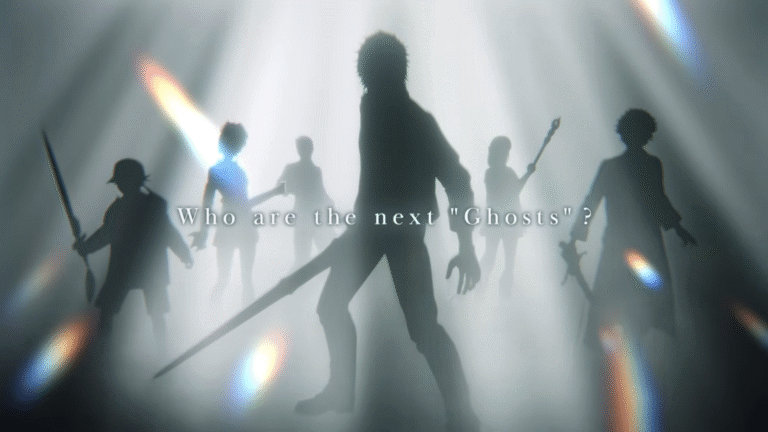
Based on the official website, the story begins with the appearance of a mysterious blue crystal in Tokyo. The piece represented peace until dark energy corrupted it. As a result, monsters invaded the city and caused chaos. In response, fighters from across the Final Fantasy universe appeared to defeat the evil creatures. These warriors came to be known as Ghosts, as they did not reveal their identities to the people.
Characters: Familiar Faces from the Final Fantasy Universe
Square Enix also announced that there will be 10 confirmed characters at launch. This time around, each character has a dedicated role in the game. Specifically, roles include Melee, Ranged, Agile, and Support. From strong frontline attackers to long-distance fighters to evasive warriors to healers and buffers, players can try them all.
The full roster consists of the following:
Cloud Strife from Final Fantasy VII (Melee)
Gaia from Final Fantasy XIV Online (Melee)
Kain Highwind from Final Fantasy IV (Melee)
Krile Mayer Baldesion from Final Fantasy V (Support)
Lightning from Final Fantasy XIII (Agile)
Prompto Argentum from Final Fantasy XV (Ranged)
Rinoa Heartilly from Final Fantasy VIII (Ranged)
Terra Branford from Final Fantasy VI (Ranged)
Warrior of Light from Final Fantasy I (Support)
Zidane Tribal from Final Fantasy IX (Agile)
Launch Window and Closed Beta Details
Dissidia Duellum Final Fantasy will come out in 2026. However, the developers are yet to announce a specific launch date. Meanwhile, a Closed Beta Test will take place in preparation for the official release. The testing period runs from November 7 to November 14. Square Enix invites fans to participate in the Beta to share input and feedback. Interested gamers have October 14 to October 28 to apply.
Overwatch 2 is officially nearing the launch of its 19th season. To kick things off, Blizzard Entertainment is adding various Halloween content. Specifically, a new event called Haunted Masquerade is arriving. Along with this, earlier Halloween modes are making a comeback. From chilling cosmetics to Stadium upgrades, the new season brings both tricks and treats to all players.
Halloween Spectacle Starter: Haunted Masquerade
According to Blizzard Entertainment, the Haunted Masquerade is Season 19’s main highlight. It adds a brand-new gameplay twist. In particular, players can wear mystical masks representing their heroes. Each mask delivers unique buffs or abilities. Whatever a player gets is based on the hero associated with the worn mask.
Meanwhile, some masks offer special abilities when worn alongside lore-connected heroes. In detail, what they grant is beyond plays or power. These masks allow players to know the stories of their heroes. At the same time, they can use this to channel their bonds for the win.
This playful mechanic adds a layer of strategy and fun to the game. It turns matches into costumed contests of challenge and creativity. In a way, it brings exploration and surprise into the mix.
Added Halloween Terror: Classic Modes
Based on the official announcement, Season 19 marks the return of popular classic Halloween modes. To know more about them, check out the list below:
Junkenstein’s Revenge
An original nightmare where friends team up to defend Adlersbrunn. Squads will have to face zombie Omnics, Junkenstein’s army of bosses, and more.
Wrath of the Bride
A cinematic co-op chapter that puts heroes into the heart of Adlersbrunn. Ashe, Kiriko, Junker Queen, and Sojourn will destroy barricades and face exploding zombies and bosses.
These two modes, along with the Haunted Masquerade, make the Halloween celebration much scarier and fun.
Expanded Stadium Features
Blizzard Entertainment also announced that the playground now features three more heroes. These are Hazard, Sojourn, and Torbjörn. Similarly, there will be a reset in the climb, adding new seasonal ranks. Likewise, the Armory receives an upgrade. It now has faster sorting and detailed stat panels. On top of these, players will be able to access a customizable combat text.
Another added feature is called Gadgets. It delivers single-use items that provide powerful effects. Each gadget comes at a price and with different rarities. So, choose wisely.
Other Season 19 Offerings
Aside from the key additions, Season 19 brings Battle Pass treats and Mythic skins to Overwatch 2. The Halloween celebration also brings fresh shop collections for players to buy.
Availability
Overwatch 2 Season 19 drops today, October 14. Meanwhile, the Halloween content are available at launch until November 3.
In just a few hours, players will experience the brand-new offerings of the popular first-person shooter video game.
Ready for a punt that actually feels welcoming? Start with A Big Candy casino — spin a few rounds on Elvis Frog or Black Wolf, see how the reels treat you, and if you’re keen after that first taste, create your account and take it for a proper spin. Keep it simple: a couple of games, a few wins, and you’ll know if it fits your style. Use A Big Candy login once you’re set up; it’s quick and fuss-free.
First impressions from the lobby
The slots mix is tidy and familiar, with bright, high-volatility crowd-pleasers next to easier “set-and-spin” titles. Elvis Frog hits the right notes for quick fun: coin respins, a hold-and-win bonus, and a pace that suits short sessions between the arvo chores. Black Wolf brings classic hold-and-win jackpots and those on-edge bonus triggers that make you lean in. Both are straightforward: you see the features, you chase them, you grin when they land.
Bonuses that actually matter
You don’t need a lecture on “value”—you want numbers. Right now, brand promos commonly include a big matched-deposit welcome with a serve of free spins, like 345% + 200 spins, and another track that runs at 270% with a $25 free chip after. These are generous by any measure and, yes, they’re designed to keep you playing a while—so plan your bankroll and pick the path that suits. The first option stretches your deposit for longer play; the second gives you a boost, then a small chip to keep the session rolling. Both are available in AUD. Always check the cashier before committing your funds, because codes and amounts rotate.
What those bonuses give you, short and sweet:
345% + 200 spins (AUD): a large match for extended playtime plus spins on a featured slot (the exact title rotates), usually with wagering applied to bonus funds and a per-spin value set by the house. Good if you want a longer evening and a stab at feature rounds.
270% + $25 free chip (AUD): a hefty multiplier upfront and a post-deposit chip you can throw at a hot title once your match funds are underway. Handy if you prefer a strong start and then a quick second bite without topping up.
Wagering, max bet while wagering, and game contribution rules apply—standard stuff—but the draw here is the simple structure and the size of the multipliers.
Banking that fits how Aussies pay
Card, voucher, and e-wallet options are front and centre, and all amounts are in AUD. Visa/Mastercard covers the straightforward “tap-and-go” crowd, Neosurf is great if you prefer vouchers from local retailers, and eZeeWallet suits regular players who like to keep casino funds separate. The cashier reflects these methods clearly, with minimums that make sense for casual sessions.
Here’s a fast look before you head to the cashier:
Method
Type
Typical deposit min / max (AUD)
Notes for Aussies
Visa / Mastercard
Card
$30 / $100
Straightforward; handy for first deposits.
Neosurf
Voucher
$30 / $500
Buy vouchers locally; good for budgeting.
eZeeWallet
E-wallet
$30 / $100
Fast top-ups; tidy for repeat play.
The cashier sometimes shows daily limits and VIP-based withdrawal caps. Standard weekly caps start around $5,000 AUD, rising to $10,000 AUD at higher VIP tiers. If you’re a regular, that extra headroom is handy.
Games with a bit of bite
Some slots reward patience, others love a quick flutter. Elvis Frog (BGaming) throws you into respins fast—great when you’ve only got time for a few hits. TNT Bonanza and Lucky Dama Muerta ramp multipliers and feature frequency for those who enjoy a little risk with their reels. Black Wolf (3 Oaks) is a tidy pick when you’re chasing hold-and-win coins and simple jackpot ladders. No fluff. Just the kind of features that make you lean forward and mutter, “one more spin.”
VIP, because loyalty should pay something back
Six tiers keep things moving: daily free spins and an appreciation chip at entry level, then monthly insurance, loyalty bonuses, and a dedicated host by mid-tiers, with priority withdrawals at the top. It reads like a proper program rather than a badge collection. If you’re planning regular sessions, the comp-point redemption and occasional birthday perks are the quiet wins that add up over a month.
Tournaments and weekly bits and pieces
Expect rotating promos and leaderboard action. Slot races pop up under the Tournaments menu, with prize pools paid as cash top-ups or free spins in AUD, depending on the week. It’s the classic sprint: rack up points on selected games, climb the board, snag a share. Keep an eye on the promo page after you log in—new rounds kick off regularly.
Mobile and support that actually shows up
There’s no app dance. The mobile site runs cleanly in a browser, and support is available 24/7 via live chat or email. Had a gameplay question mid-tram ride? Fire off a message; the team answer promptly. It’s the quiet stuff—fast responses, clear cashier prompts—that makes sessions feel easy.
A quick word on playing responsibly
Take breaks. Set a budget in AUD and keep to it. Slots are entertainment—treat them that way. If you’re ahead and feeling lucky, great. If not, grab a cuppa and come back another day.
FAQ
How do bonuses at A Big Candy work in plain terms?
Typically, you pick one of the welcome offers in the cashier: either a large matched-deposit with a serve of free spins, or the 270% path plus a $25 chip after your first top-up. Wagering applies to bonus funds, spins have a set value, and the free chip usually carries a max cashout. Read the promo card in the cashier before confirming your deposit.
Where do I find the A Big Candy login?
Hit the Log in button on the top navigation, enter your details, and you’re back in. If you’re switching devices (say, from laptop to phone), the session hands over neatly once you authenticate.
Which games at A Big Candy are good for quick sessions?
Elvis Frog is a top pick for short bursts thanks to frequent respins. Black Wolf suits hold-and-win chases with simple jackpots. If you like multipliers, try TNT Bonanza or Lucky Dama Muerta for a bit more spice.
How fast are withdrawals at A Big Candy?
Timeframes depend on method and VIP level. Regulars see caps around $5,000 AUD per week, with higher tiers—Levels 4–5—moving to $10,000 AUD and priority processing. Verification helps speed things along, so knock that over early in your account settings.
Does A Big Candy run tournaments worth joining?
Yes. Slot races cycle through featured games, with prize pools split across top leaderboard positions as cash or spins in AUD. Check the Tournaments and Promotions sections after logging in for what’s active this week.
Ready to try a place that respects your time and your balance? At Golden Star casino, new sign-ups can start with a matched first deposit and a stack of spins—simple, clean, no faff. Give it a go today, set a budget in AUD, and see how it feels on your phone or laptop before you settle in for a longer arvo session. Golden Star casino treats you like an adult: quick sign-up, fast cashier, and a welcome that’s easy to understand.
Games that hit the sweet spot
Chasing variety is fine, but most players keep a shortlist. Golden Star casino understands that, and it shows in the curation. If you like character, Elvis Frog in Vegas (BGaming) still draws smiles with coin re-spins and its tongue-in-cheek vibe. Prefer old-school lines? Book of Aztec (Amatic) sticks to classic “book” gameplay—free spins with expanding symbols—so you can track your session without needing a manual.
For something chunkier, Big Wild Buffalo (Belatra) can swing from quiet to lively fast, which suits players who like a bit of volatility without going off the deep end. And if you want that studio feel, the live lobby runs 24/7 Live Roulette and Unlimited 21 Blackjack Auto Split, so you jump into a table straight away—no queuing, no grumbling.
The point: you get named titles, familiar mechanics, and enough depth to avoid boredom. It’s a library worth bookmarking, not just a wall of tiles.
Bonuses that actually say what they do
Welcome deals are good, reloads are steady, and there’s a high-roller option for when you feel flush. Wagering sits at 40× on bonuses and free spins. Free spins often land on Fortune Five (GameBeat), which keeps things tidy for tracking. Codes show in the promo area—no guessing games.
Here’s a quick snapshot before you start clicking around:
Offer
What you get
Typical code format
Key terms
First Deposit
100% up to AUD 1,500 + up to 300 FS
Auto or shown in cashier
40× wagering on bonus/FS; FS credited in daily sets
Second Deposit
75% up to AUD 750 + 50 FS
75DEP
Same 40× wagering; FS on set game
Third Deposit
50% up to AUD 750
GST50
40× wagering
Mid-Week Reload
50% up to AUD 1,500 + 60 FS
LUCKY50
40× wagering; check daily FS schedule
High Roller
50% up to AUD 1,500
HROLLER
40× wagering
Wednesday Spins
Tiered FS packs
WEDSTAR20/30/50
Deposit triggers spins; 40× wagering on FS wins
That’s the structure. The important bit for you: know what triggers the offer, which game the spins attach to, and how the 40× works for your bet size. If you play small stakes (say AUD 0.20–0.50), the math stays friendly and you can actually see progress without chasing your tail.
Aussie-friendly payments and quick cashouts
No need to wrestle offshore rails. Golden Star casino supports AUD and the payment methods Australians actually use, so keep it simple: deposit with a method you’re comfortable with and stick to the same one for withdrawals to help the review team clear it fast. You can pay via POLi, Neosurf, Visa or Mastercard, Apple Pay, Google Pay, or a straight bank transfer, and if you prefer a separate wallet for gambling funds, MiFinity, Skrill, and MuchBetter do the job. Withdrawals go through an internal review that typically takes 0–48 hours before your bank or wallet takes over. There’s also a clear rule attached to deposits—wager each cash deposit 3× before requesting a withdrawal—an anti-abuse measure you’ll see across reputable operators. Keep a simple ledger and you’ll barely notice it.
VIP, comps, and steady value
Volume players get a six-step VIP ladder—from New Star up to Black Pearl—with comp-point exchange improving as you climb. Entry is automatic. Points convert to bonus credits, and the higher tiers push the exchange rate down (e.g., from 15:1 to 10:1 at the top). You won’t need spreadsheets to follow it; check the tracker in your account and redeem when it suits your rhythm.
Week to week, the Mid-Week Reload and Wednesday Spins add routine without turning your account into a coupon wallet. Pick one or two promos that fit your style and stick with them. Chasing everything is how bankrolls get messy.
What to expect from the small print
A good casino shows its homework. Golden Star casino publishes clear promo pages and terms you can read without a law degree. You’ll see:
Wagering: 40× on bonuses and FS.
Free-spin game targeting: most commonly Fortune Five (if it changes, the promo card will say so).
KYC: photo ID and proof of address may be requested before payout—standard practice across regulated sites.
Processing: internal review stated at 0–48 hours.
Licensing details are public and specific: Gaming Control Board licence OGL/2023/174/0082. That’s the reference to keep if you like to verify paperwork yourself.
Why it suits Aussie players
The cashier speaks AUD. POLi and Neosurf keep things simple. The game list covers crowd-pleasers—Elvis Frog in Vegas, Book of Aztec, Big Wild Buffalo—plus live tables that don’t leave you waiting. Promos are predictable, which is a fancy way of saying you can plan your week. It’s a setup that rewards routine: deposit smart, pick one reload, clear the playthrough, and pocket the win. No dramas.
A few tips from the trenches
Before the small list, a quick note: these aren’t magic tricks, just habits that stop headaches.
Lock in a stake size before starting a bonus. If the bet size floats up and down, your playthrough math gets fuzzy and you lose track of value.
Use one primary game to chew through wagering. Switch for entertainment after you’ve cleared the bulk.
Know your FS schedule. If spins drop in daily sets, log in and use them; letting sets expire is like leaving chips on the table.
Stick to that and your play feels deliberate, not random.
FAQ
How does the Golden Star welcome bonus work in AUD?
You make your first deposit in AUD, receive a 100% match up to AUD 1,500, and get a bundle of free spins. The spins usually target Fortune Five and the wagering on bonus and spins is 40×. Check the cashier for the current crediting schedule and any code that applies.
Are Golden Star reloads and mid-week offers actually worth it?
Yes—if you budget for them. The Mid-Week Reload offers a 50% boost up to AUD 1,500 with extra spins, and Wednesday Spins give tiered FS packs tied to your deposit. They’re predictable, which helps you plan playthrough without guesswork.
What payment methods can Aussies use at Golden Star?
You can pay and withdraw in AUD with POLi, Neosurf, Visa/Mastercard, Apple Pay, Google Pay, bank transfer, plus e-wallets like MiFinity, Skrill, and MuchBetter. Withdrawals go through internal review in 0–48 hours, then it’s over to your bank or wallet.
What’s the Golden Star VIP setup?
Six tiers—from New Star to Black Pearl—with better comp-point exchange rates as you move up (e.g., from 15:1 to 10:1). You earn points from real-money play, then convert them to bonus credits when you like.
Is Golden Star’s licence information public?
Yes. The licence reference is OGL/2023/174/0082 under a recognised Gaming Control Board. You can keep that number handy if you like checking operator paperwork before playing.
Avatar Legends: The Fighting Game has officially received its launch window. At the same time, the initial details and trailer were revealed. This announcement was made at the New York Comic Con last Sunday. It is also part of the 20th anniversary celebration of the popular Nickelodeon animated series.
A New Chapter for Avatar: From TV to Game
For the unfamiliar, Nickelodeon once had a hit animated television series called Avatar: The Last Airbender. In particular, it followed the journey of Aang. The show centered around him as he tries to bring peace and unite the four elemental nations. It has been successful since its release in 2005.
Now, the beloved action-adventure series is coming back to the gaming scene. This project is a collaboration between Paramount and Gameplay Group International. Nickelodeon’s parent company will be the publisher while the latter serves as the game developer.
Note: Avatar Legends: The Fighting Game is a working title. Fans can look forward to a new and official title soon.
Capturing the Essence of The TV Shows
As per NickALive, the new game will feature 12 playable characters. It includes fan-favorites, such as Aang, Azula, Katara, Korra, Sokka, Toph, and Zuko. This is basically an Avatarverse selection. On top of that, the creators will introduce more characters through seasonal updates. Each fighter has their own signature elemental abilities. They also have unique move sets that reflect their bending styles.
Based on the official trailer, the title uses hand-drawn 2D animation. This approach closely emulates the visuals of the show. Most elements of the game are from the original television series. So, fans can expect a nostalgic yet fresh experience.
Gameplay Features and Competitive Focus
According to Game Rant, Avatar Legends is ideal for both newcomers and long-time fans and players. In detail, the game adds the unique Flow System. It emphasizes smooth movement-based fighting. Likewise, there are support characters that deliver extra abilities. This feature helps fighters in combat.
The game also features a complete single-player campaign with an original story. It also adds a Gallery Mode and Combo Trials. For competitive players, rollback net code and full cross-play will be available. It ensures low-latency matches across platforms.
Release Window
Avatar Legends: The Fighting Game comes out in the summer of 2026. The creators plan to launch the game on PC, PS4, PS5, Nintendo Switch 2, and Xbox Series X|S. In the meantime, players can Wishlist the game on Steam.
In just a few months, fans of the franchise can start mastering the four elements with excitement. More updates are expected at a later date.
World of Warcraft has officially revealed details for Patch 11.2.7 called The Warning. This is the last content update for the current expansion known as The War Within. In particular, the patch adds new story and gameplay features. It also sets the stage for the highly anticipated Midnight expansion. Likewise, the developers launched new hotfixes for several versions of the game.
The War Within: Campaign Continuation
According to Blizzard Entertainment, World of Warcraft players will see a new storyline following Vereesa Windrunner. She is a pivotal character doing an investigation. This elven ranger aims to know the truth about a dark prophecy that threatens Quel’thalas.
More specifically, the questline serves as an epilogue to The War Within. In the same way, it is a prologue to Midnight. This part connects the narrative from one expansion to another.
Housing Early Access and Player Experiences
As per the official announcement, Patch 11.2.7 includes new offerings. One of these is Housing Early Access. However, full features are only available to players who already own Midnight. Some of the perks they can access are the following:
Decor Collection/Room Decorating
Flying in Neighborhoods
Guild/Charter Neighborhood Creation
Legacy Content Rewards
Neighborhoods
New Housing Tutorial
Profession Rewards
Room Layouts
Yes, the complete experience is only for Midnight owners. But other players can still get a taste of what is to come in the expansion. They can also go around the neighborhood. Similarly, these players are allowed to collect housing items by completing quests. However, they will need to buy the latest expansion to gain home ownership.
At the same time, Blizzard revamped the experiences for both new and returning players. Particularly, newcomers and veterans will find an updated guide and smoother game transitions, respectively.
The Warning: Additional Features
Blizzard Entertainment said that the upcoming update brings a new Lorewalking story. Players will meet Lorewalker Cho to learn about the elves of Quel’Thalas. The Warning also gives fans a chance to earn the Pandaren Heritage Armor. All they have to do is revisit the Wandering Isle and help fix the Spirit Festival. On top of that, players should rejoice as the Brawler’s Guild comes back. This organization arranges fighting challenges for players. Now, the combats will take place at Orgrimmar: Brawl’gar Arena and Stormwind: Bizmo’s Brawlpub.
Hotfixes for Multiple Game Modes
Aside from the final content update for The War Within, the video game developer launched important hotfixes. Players can find fixed quest progression bugs, improved vfx, balanced spell cooldowns, and more. These changes apply to the following game modes:
The War Within
Mists of Pandaria Classic
Season of Discovery
WoW Classic Era
Hardcore.
Availability
World of Warcraft patch 11.2.7 will be available on December 2. Meanwhile, some hotfixes are now live, and others require restarts.
If you’ve ever played a game and thought, “How in the world did they make this?” you’re asking the right question. The answer almost always comes down to one word: teamwork.
A video game development team is a group of people, each with different skills, who work together to create a video game. That could mean two friends working in their free time on a pixel platformer, or a studio with 500+ employees building the next AAA open-world RPG. What they all have in common is this: they’re trying to get a playable, fun, and finished game out the door.
Some people write the code, others design the levels, and someone else draws the characters or writes the story. At first, it might seem overwhelming. But when you break it down, every great game comes from the right mix of talent, tools, and teamwork.
Key Takeaways
Game development teams include many roles: design, code, art, sound, writing, and more
Beginners can join teams through jams, communities, or portfolios
Clear communication and expectations are more important than talent
You don’t need to go solo. Teams make bigger, better, and more finished games
Why Work in a Team Instead of Going Solo?
You can go solo. Many beginner devs do. I started out making a Pong clone in GameMaker and thought I was a genius when I figured out how to make the ball bounce correctly.
But here’s the deal: once your game idea starts growing past a weekend project, you’ll quickly realize you can’t do it all.
I’ve worked on both solo and team projects, and I’ll tell you, when I worked with a small group, my projects actually got finished. There’s motivation when someone else is waiting on you to deliver. There’s accountability, collaboration, and a little bit of chaos. But it works.
Good teams make better games. And you don’t have to be great at everything, you just have to be good at something and willing to contribute.
Core Roles in a Game Development Team
Who does what behind the scenes of your favorite games?
Whether it’s the person who programs the jump button, the one painting landscapes, or the brave soul managing the schedule (and everyone’s emotions), every role plays a huge part in making a game actually happen.
I remember thinking a “game designer” just designed characters, until I joined my first jam and realized I had no idea what a narrative designer was, let alone why our programmer kept muttering about “memory leaks.”
Will break down the main responsibilities, the kinds of skills you’ll need, and how each role fits into the chaotic, creative process of game development.
Game Designer
Designers are the architects. They come up with the gameplay mechanics, level layouts, enemy behaviors, and system rules. Think of them like the director of the experience.
They’re the ones asking, “Is this fun?” and “What happens when the player does X?”
In small teams, designers often double as programmers or writers. In big studios, they might specialize in combat designers, level designers, economy designers, and so on.
Game Developer / Programmer
Programmers are the ones turning the design ideas into reality. They write the code that makes everything work.
They build game systems (like physics, inventory, or combat), fix bugs, and make sure your controller doesn’t crash the game when you press pause.
I’ll never forget the time I spent three days trying to fix a collision bug, only to realize I had spelled “collider” wrong in one spot. Welcome to programming.
Artists make the game look like a game. That includes everything from character models to environments, animations, effects, and menus.
Some specialize in 2D art (pixel art, hand-drawn characters), others in 3D modeling or UI design.
One of the biggest “aha” moments on a team project I worked on came when the artist dropped in the first character animation. Suddenly, our placeholder cube became a living, breathing hero.
Audio Designer / Composer
Sound makes games feel real. From sword slashes and footsteps to ambient music and explosions, audio adds life and emotion.
A simple “click” sound on a button can improve usability 10x.
I once added background music to a game menu and watched playtesters’ eyes light up. “Oh wow, this feels real now,” one said. That’s the power of sound.
Writer / Narrative Designer
Writers create the game’s story, dialogue, lore, and world-building. Some games are all about the narrative (think Disco Elysium or Firewatch). Others just need a few lines of barks or quest text.
Good writing makes your game immersive. Bad writing gets screenshotted and laughed at on Twitter.
Producer / Project Manager
This is the person who keeps everything moving. They handle timelines, scope, meetings, tasks, and sometimes the boring but essential stuff like documentation.
In indie teams, someone usually ends up playing this role even if they didn’t sign up for it. (In one project, that was me, and I now have a weird respect for spreadsheets.)
QA Tester
Testers break the game so players don’t have to. They play unfinished builds and look for bugs, crashes, balance issues, or confusing design.
QA often gets overlooked, but it’s critical. You can have the best game systems in the world, but if your tutorial breaks, players will never see them.
Marketing / Community Manager
Even amazing games flop without visibility. These folks help promote the game, manage social channels, engage with the community, and collect feedback.
If you’ve ever seen a devlog or a behind-the-scenes video, thank your community manager.
How Game Dev Teams Are Structured
The structure depends on the size and type of project.
Indie vs. AAA
Small indie teams (2–20 people) are often flat and flexible. One person might write code, animate characters, and post to Twitter. Everyone wears multiple hats.
AAA studios (think Ubisoft, Naughty Dog, Blizzard) have hundreds of people with specialized roles, pipelines, and management layers. It’s like the difference between a garage band and a symphony orchestra.
Flat vs. Hierarchical Teams
Some teams make decisions collaboratively. Others follow a structure with leads and producers. Neither is inherently better—it depends on the team’s dynamic.
In a past project, our flat team of four worked great, until we disagreed on a core mechanic. Without a decision-maker, we spun our wheels for weeks. Lesson learned: flat teams still need leadership.
Remote vs. In-House
Today, many teams are remote. That means staying organized is more important than ever. Slack, Discord, Trello, and version control tools become your lifeline.
Join or Build a Game Development Team
How Teams Form
Game jams like Ludum Dare or Global Game Jam are perfect places to meet collaborators.
Online communities like r/gamedev, itch.io, or the Godot forums are full of people looking to team up.
Schools and boot camps often pair students for group projects.
The first team I joined came from a Reddit thread. We barely knew each other, but we shipped a game in a weekend and kept building stuff after.
Joining as a Beginner
Here’s the truth: everyone starts with no experience.
The best way to stand out is to bring something to the table. That could be writing, music, menus, pixel art, a working prototype, or even just organization and follow-through.
If you’ve finished a small project on your own, you already have more experience than many beginners.
Where to Find Game Development Teammates
Discord servers: GameDev League, Devcord, or engine-specific communities
Reddit: r/gamedevclassifieds
Twitter/X: Use hashtags like #indiedev or #gamedev
Itch.io: The community and jams page
Working with Friends
It can be fun. It can also be a disaster.
Set boundaries early. Talk about roles, commitment, and what happens if someone drops out. Treat it like a creative partnership, not a hangout.
How Long Does Game Development Take?
Way longer than you think.
A weekend jam game? 2–3 days.
A polished indie platformer? 6–18 months.
A AAA open-world RPG? 3–5 years with 300+ people.
One of my team’s early projects was “almost done” in April. We finally released it in September. Turns out “almost” is a slippery word.
Game Development Phases
Concept – What’s the core idea or hook?
Pre-production – Planning tools, picking the engine, creating test assets.
Production – Making the actual content: levels, systems, art, and audio.
Polish – Bug fixing, balancing, improving UI/UX.
Launch – Releasing to stores, marketing, collecting feedback, fixing bugs.
Tools and Workflows Teams Use
Communication Tools
Discord or Slack – Chat, meetings, memes
Notion or Trello – Tasks and documentation
Google Drive – Docs, spreadsheets, asset backups
Version Control
Git (via GitHub or GitLab) – Code management
Perforce – Common in big studios for handling large assets
Picture this: you’ve spent late nights coding, drawing pixel art until your wrist cramps, and balancing your game’s difficulty until it finally feels right.
You hit “publish” on itch.io, celebrate with pizza, and bask in the glow of being a Real Game Developer™.
Then, a week later, someone sends you a link: your game is on Steam… except you didn’t put it there. Same mechanics, same art, different name. And someone else is pocketing the sales.
Welcome to the wild west of stolen indie games and video game cloning. As an indie dev myself, I’ve seen this nightmare happen to friends, read the horror stories on Reddit, and worried about it every time I hit “upload.”
Let’s break down what’s happening, why it’s growing, and what you can actually do if it happens to you.
Key Takeaways
Stolen indie games and game cloning are increasingly common, especially moving from itch.io to Steam.
Developers risk losing revenue, reputation, and motivation when clones appear.
Protect your work with proof of ownership, obfuscation, and DMCA tools.
Platforms are slow to react, so indie devs must lean on community support and awareness.
What Does “Stolen Indie Game” Really Mean?
Cloning vs. Straight Theft
Sometimes thieves grab your game wholesale, zip file, assets, everything, and just plop it on Steam or a mobile store. Other times, they re-skin it, change a name or two, maybe swap the color palette, and voilà: a “new” game. That’s video game plagiarism in action.
Platforms Where This Happens Most
itch.io to Steam: Probably the most common pipeline right now.
Mobile app stores: Apple and Google Play both have histories of clones and asset flips sneaking in.
Shady aggregator sites: Even crypto-themed sites have copied itch.io’s design and hosted stolen titles.
Real Examples of Indie Games Being Stolen
From itch.io to Steam
One dev’s card-battler, Dire Decks, was lifted and re-released on Steam under the name Wildcard. The thief didn’t even bother to hide the similarities. That’s Steam stolen indie games at its worst.
Hijacked Accounts
I’ve seen itch.io threads where someone’s account got hijacked and filled with adult shovelware they never created. Imagine logging in to find your name attached to a game you’d never let your mom see.
Web3 / Scam Platforms
Some crypto sites have literally cloned itch.io’s interface and pulled games over without permission. It’s the equivalent of someone making a knockoff Walmart and stocking it with stolen goods.
Stories from Fellow Devs
On Reddit, one dev shared that their video game was stolen, renamed, and sold on the App Store, essentially wrapped in a webview.
Others on Twitter/X have caught clones of their browser games popping up with new titles. The common theme? It keeps happening, and the thieves rarely get punished fast enough.
Why Is This Happening More Often?
Low Barriers to Entry on Platforms
Steam’s Direct program makes publishing cheap and relatively easy, great for us honest indies, but equally great for bad actors.
Shovelware Culture
If you’ve browsed the Steam “New Releases” page lately, you know what I mean: endless low-quality asset flips and cloned games. The goal isn’t to build something memorable; it’s to churn out as many cheap products as possible.
Visibility and Moderation Weaknesses
Steam relies on reports, not preemptive checks. If you don’t catch it, it could sit there for weeks.
Easy-to-Steal Digital Assets
Games are digital files. Unless you build in protection, anyone can download, rip, and republish them.
The Impact on Indie Developers
Lost Revenue and Recognition
Every stolen sale is money you don’t earn, and as beginners, even $50 can mean covering software costs or groceries.
Brand Confusion
Players may not know which game is the original. Worse, they might buy the knockoff, have a bad experience, and leave your real game a negative review.
Emotional and Community Fallout
Honestly? It’s crushing.
I’ve had friends admit they almost quit making games after seeing their game stolen. When you’re already fighting imposter syndrome, having your game cloned feels like the universe confirming your worst fears.
What You Can Do If Your Game Is Stolen
Immediate Steps
File a DMCA takedown with the platform (Steam, itch.io, Apple, Google).
Reach out to the storefront’s support team directly.
Protecting Assets Before Release
Don’t upload raw asset files if you don’t have to.
Obfuscate or encrypt code when possible.
Keep unfinished builds private.
Building Proof of Ownership
Keep a dev log, commit history, screenshots, drafts, as your paper trail.
Archive prototypes and major milestones so dates and authorship are clear.
Leaning on the Community
Use indie dev Twitter/X, Reddit, and Discords to share your story and rally support.
Encourage players to wishlist and review the original; visibility matters.
How Platforms Are Responding (and Falling Short)
Steam’s Moderation Struggles
Valve removes stolen indie games when flagged, but it’s often slow. Meanwhile, the thief might pocket sales.
itch.io’s Role
Itch.io is beloved by indies but doesn’t have the same resources as larger platforms. They rely heavily on reports and manual intervention.
Broader Industry Pressure
The indie community is calling for better verification tools, automated plagiarism detection, stricter account checks, and faster takedown systems.
Shovelware, Clones, and the Indie Market
The Flood of Low-Quality Games
Shovelware and stolen games clutter the market, burying quality indies in noise. Steam is particularly infamous for this.
Lessons from Other Creative Fields
It’s the same fight musicians, artists, and writers face with piracy and plagiarism. Once something is digital, protecting it is an uphill battle.
Why This Matters for Indie Development
If platforms don’t address this problem, it could discourage new devs and poison player trust in indie games overall.
FAQ: Stolen Indie Games
How do I report a stolen game on Steam?
Head to the game’s Steam store page, scroll to the bottom, and use the “Report this product” button. Choose copyright infringement as the reason.
You’ll also want to file a DMCA takedown through Valve’s web form. Include screenshots, development logs, and your original itch.io or Steam page to prove ownership.
Can stolen indie games really make money on Steam?
Unfortunately, yes. Even if a clone only sells a handful of copies before getting taken down, that’s money the thief pockets — and recognition you lose. Some shovelware publishers crank out dozens of these at once, hoping to slip under the radar.
What’s the difference between shovelware and a stolen game?
Shovelware usually means low-effort games, asset flips, reskins, things made to flood the store rather than impress players. A stolen game is your actual project taken without permission, either re-uploaded as-is or with minor tweaks.
Sometimes the two overlap, which makes it even more frustrating.
How can I protect my indie game from theft?
You can’t 100% stop it, but you can make life harder for thieves. Use code obfuscation, keep dev logs as proof, and only upload the minimum files needed.
Most importantly: document your development process. Screenshots of prototypes, commits in Git, or devlogs on social platforms can double as proof of authorship.
Does this happen outside of Steam and itch.io?
Absolutely. Mobile app stores are notorious for clones, especially if your game starts trending. Browser games and even console storefronts have seen it too. Anywhere there’s money and a low barrier to entry, you’ll find someone trying to cut corners.
Where to Go From Here
As indie devs, we already juggle coding, art, marketing, and community-building. Fighting indie game theft wasn’t supposed to be part of the job description — yet here we are.
We can’t lock down the internet, but we can protect ourselves with smart practices, share stories when theft happens, and support one another. The thieves may be fast, but the indie community is scrappy, passionate, and tougher than they expect.
And hey, maybe someday we’ll look back and laugh: “Remember when Steam was the Wild West of cloned games?” Until then, keep building, keep sharing, and don’t let the shovelware crowd steal your spark.
If you’re new to game design, think of skill trees as a branching roadmap of abilities. Players start at the base and unlock new skills as they play. Each branch leads to different playstyles.
The idea came from tech trees in old board games like Civilization. But it was Diablo II that brought it into video games in a big way. That game’s trees gave players active and passive skills, limited points to spend, and visual branches that made planning exciting.
I’ll never forget my first time playing Diablo II as a kid. I spent hours on forums and even drew my Sorceress’s skill plan on graph paper. Planning the build was half the fun. Later, in Path of Exile, I spent whole evenings theorycrafting character builds before I ever logged in. That’s the kind of anticipation a good skill tree creates.
In contrast, I once prototyped a small RPG where I forgot to include a skill tree. Playtesters said the combat felt static because there was nothing to unlock, no sense of progression. Adding a tree—even a small one—immediately made the game more engaging.
Key Takeaways
Skill trees are everywhere in modern games. You’ve seen them in Assassin’s Creed, God of War, Spider-Man, and probably a dozen RPGs you’ve played.
At their best, they make you feel powerful, let you shape your character to your playstyle, and give you exciting choices to look forward to.
At their worst, they’re bloated menus of +5 percent damage upgrades that you click through without thinking.
As a designer, your job is to make skill trees that players actually care about.
This guide will show you how to do it, from the basics of what a skill tree is, to common pitfalls, and practical tips for building one that players will remember.
Why Do Games Use Skill Trees
Skill trees aren’t just there to give players something to click on. They serve real purposes in game design.
They help manage complexity. Imagine if God of War started with every move unlocked. It would be overwhelming. Instead, Kratos’s skill tree introduces new combos gradually, keeping players engaged without overloading them.
They create agency. In Assassin’s Creed Origins, I focused my points on the Hunter and Seer branches. This turned Bayek into a stealth-focused trickster in my playthrough. But my friend went all-in on Warrior and became a tank. Those choices made our games feel unique.
Skill trees also drive replayability. When I replayed Horizon Zero Dawn, I tried a totally different build and it felt like a new game.
And let’s be honest—they look cool. The UI team gets to make flashy icons and themed layouts that reinforce the game’s world.
According to the 2023 GDC survey, over 75 percent of games released that year used skill trees or something similar. But here’s the catch: only a few felt truly exciting.
How Skill Trees Can Go Wrong
Let me save you from the mistakes I made early in my design career.
In my first prototype, I crammed in a dozen filler upgrades—small damage boosts and health buffs—because “that’s what games do.” But no one cared about unlocking them. Playtesters barely noticed when they earned a new skill point.
This happens in big games, too. The Witcher 3’s combat tree is notorious for its boring percentage upgrades. Players often stick to basic attacks because the tree doesn’t add enough meaningful variety.
Another mistake is making skill trees too linear. If every player ends up with the same abilities, it’s not really a tree—it’s a ladder.
Locking core mechanics behind a tree is also risky. In Sekiro, the Mikiri Counter is essential for combat but must be unlocked. This made early game combat frustrating for players who didn’t prioritize it.
Watch out for grindy progression. Skyrim encouraged players to spam craft hundreds of daggers just to level up Smithing. That’s not satisfying progression.
Even the interface matters. In Doom Eternal, pausing the action to dig through a skill menu killed the pacing. Contrast that with Downwell’s quick “choose one of three upgrades” between levels.
The lesson? Every skill tree node needs to feel like a reward, not an obligation.
Types of Skill Trees
As you get more experienced, you’ll notice different styles of skill trees in games.
Linear trees are simple and good for narrative-heavy games where you want more control over player progression.
Branching trees give players more freedom. Assassin’s Creed Origins lets you choose between stealth, combat, and gadget-focused builds.
Hybrid systems blend trees with other mechanics. Monster Hunter World ties progression to its weapon crafting system, creating a natural, in-world “tree” for each weapon.
Then there’s the massive web approach, like Path of Exile. Its enormous tree lets players combine abilities in crazy ways. I once built a poison archer from a class meant for magic because I could path across the tree. It was clunky but incredibly satisfying when it worked.
Types of Skill Trees Compared
Type
Description
Examples
Linear
Upgrades follow a set path with little or no choice. Players unlock abilities step by step in order.
Classic RPGs, early Final Fantasy titles
Branching
Players choose different paths, often specializing in one area while skipping others.
World of Warcraft talent trees, Skyrim perks
Web / Grid
Abilities arranged in a web or grid; players unlock in multiple directions with high flexibility.
Path of Exile passive skill grid, Final Fantasy X Sphere Grid
Hybrid
Mix of linear progression with branching or grid-style choices, balancing structure with freedom.
God of War Ragnarok – Focused trees with high-impact upgrades.
Monster Hunter World – Weapon upgrade paths that act as trees.
Breath of the Wild – A world-sized progression system where exploration unlocks upgrades through Spirit Orbs.
Each of these games uses skill trees in different ways, but they all reinforce the game’s pacing, world, and mechanics.
Designing Great Skill Trees
Here’s what I’ve learned from making, and breaking, skill trees.
Make every upgrade exciting. Give players new mechanics, not just small buffs. God of War Ragnarok nailed this. Every new node felt impactful, and mods let me tailor my skills to my style.
Encourage creativity. Trees should allow for weird builds and off-meta experiments. Path of Exile’s keystones are great at this.
Integrate progression with your world. In Breath of the Wild, exploration leads to Spirit Orbs, which players use to upgrade health or stamina.
Design a layout that matches your theme. In one of my prototypes, I shaped the skill tree like a Yin-Yang symbol. It reflected the game’s aesthetics and inspired players to balance offense and defense in their builds.
Playtest relentlessly. The first version of your tree will be broken. That’s okay. Just make sure players can respec, but don’t make it so easy they reset before every fight.
Alternatives to Traditional Skill Trees
You don’t have to use a skill tree just because “every game does.”
Red Dead Redemption 2 – Unlocks abilities automatically through story progression.
Fallout 76 – Uses perk cards.
Monster Hunter World – Bases progression on crafting weapons and armor.
Always ask: does a skill tree fit your game’s pace and style?
What This Means For You
If you’re building your first skill tree, keep it small. A simple tree with three branches and five meaningful upgrades each is plenty.
Think about your player. What choices do you want them to make? What playstyles should your tree support? Your goal is to create a system that feels like a conversation between you and them.
I made the mistake early on of putting essential mechanics deep in the tree. Playtesters hated it. In my next prototype, I gave players a full basic moveset from the start and used the tree for customization. The feedback was much better.
Also, pay attention to pacing. Does pausing to assign points fit your game, or does it break immersion? In one of my prototypes, I replaced menus with in-world shrines where players earned new abilities. Playtesters loved how it kept them in the world.
Your first skill tree will probably need revisions. That’s fine. The key is to get it in players’ hands and watch how they use it.
Actionable Next Steps
Draw a simple skill tree for your current project with three branches and five upgrades each.
Decide how players earn points. Will it be combat, exploration, or side quests?
Build a prototype and get feedback from players.
Play three games with skill trees. Take notes on what felt good and what didn’t.
Experiment with layouts that match your game’s world and tone.
FAQ
What makes a good skill tree?
Impactful upgrades and meaningful choices that fit your game’s mechanics.
How many skills should a tree have?
Fifteen to forty nodes work well for mid-sized games.
Do all games need skill trees?
No. Only use them if they enhance your game’s pacing and systems.
What is the difference between skill trees and tech trees?
Tech trees unlock systems for the world. Skill trees focus on character growth.
How do I avoid skill tree bloat?
Cut filler nodes. Focus on quality over quantity.
Yellow paint exists because it works. In complex 3D environments filled with detail and texture, players can easily miss climbable ledges or critical objects. Bright yellow, a color rare in natural landscapes, instantly catches the eye.
Developers discovered this through extensive user testing. When multiple players failed to spot a ladder or missed key pathways, designers were forced to choose between subtlety and clarity. Often, clarity won.
“We watched a dozen players walk past a critical ladder again and again. Adding a single swipe of yellow paint fixed the issue across the board. From then on, we applied it consistently.”
This approach ensures a smoother player experience—but it also raises a key question: at what cost?
Key Takeaways
Yellow paint is a visual cue used in games to signal climbable surfaces, interactable objects, or critical paths.
Its overuse has led to criticism for breaking immersion, but it’s a proven tool born from years of player testing.
Modern alternatives exist but often require more development time and resources.
For aspiring designers, yellow paint represents a broader lesson: clarity in player guidance should never come at the expense of fun or immersion.
The Rise of the Yellow Paint Debate
The term “yellow paint” became shorthand for an overused visual trope after major releases like Resident Evil 4 Remake (2023) and Final Fantasy VII Rebirth (2024). Players began noticing—and then mocking—the abundance of yellow highlights slathered across ladders, planks, crates, and ledges.
“Once you see it, you can’t unsee it. Every ladder screams ‘game design’ instead of blending into the world,” wrote one frustrated player.
This criticism isn’t limited to players. Several veteran developers have expressed concern about how these cues, when overused, undermine environmental storytelling and player immersion. But defenders argue that it’s the result of hard-won lessons from decades of design: players prioritize flow over realism.
Why Developers Keep Reaching for Yellow Paint
Player Guidance Made Simple
In cluttered environments, even carefully designed climbable surfaces can blend into the background. Yellow stands out sharply, even in dimly lit or photorealistic worlds.
Playtesting Pressures
Many studios conduct rigorous playtests in controlled settings. Developers watch players fail to notice ladders or doors—sometimes multiple times in the same session.
“You can’t ship a game where players routinely get lost in minute two. Visual cues like yellow paint solve that immediately.”
Consistency Across the Game
Once a visual language is established—“yellow = interactable”—breaking it can confuse players. To avoid this, designers often feel compelled to apply the marker universally, even where it might not strictly be needed.
Breaking Immersion and Player Fatigue
Environmental Believability
Why would every ladder, ledge, or crate in a realistic setting be painted yellow? For players seeking immersion, this logic gap can pull them out of the experience.
Hand-Holding
Over-reliance on bright cues removes the satisfaction of discovery. Instead of exploring, players follow a painted path.
Visual Clutter
What began as a subtle guide has become so conspicuous that players now joke about it in streams, memes, and reviews.
“We used to marvel at worlds that felt lived-in. Now I feel like every environment is screaming directions at me.”
Smarter Alternatives to Yellow Paint
Environmental Storytelling
Games like God of War Ragnarök use natural etchings and subtle wear patterns to guide players instead of bright paint.
Landmark Navigation
In Breath of the Wild, players are naturally drawn to distant landmarks like the Temple of Time. No arrows or paint required.
Texture and Lighting Variations
Developers can vary surface textures, add scuff marks, or adjust lighting to subtly draw players toward interactables.
Breadcrumbing
Placing enticing minor rewards along a path (coins, collectibles, NPCs) can nudge players forward without overt markers. These techniques require more design iteration and playtesting, but they often result in more immersive worlds.
The UX/UI Perspective: Navigating Clarity vs. Immersion
Yellow paint sits between traditional UI (HUDs, menus) and UX (invisible design choices shaping player behavior). Designers face a tough choice: prioritize immersion and risk confusion, or ensure clarity and risk breaking the illusion. Most teams lean toward clarity, especially in large worlds where frustration can lead to players quitting.
“A painful tradeoff, but players remember fun, not realism.”
What This Means for You
If you’re an aspiring designer, yellow paint teaches a crucial lesson: design isn’t about what looks clever—it’s about what works for the player.
Player Testing Is Key: Your intentions don’t matter if players get lost. Watch how real players interact with your levels.
Build Consistent Visual Language: If players learn a rule early, apply it universally—or be prepared for confusion.
Balance Guidance and Discovery: Players enjoy figuring things out. Find subtle ways to nudge without overt hand-holding.
Time and Resources Matter: Elegant alternatives take more iteration. Factor this into your production timeline.
Aspiring designers should study both good and bad examples of yellow paint. Ask: where does it help? Where does it harm? Could a smarter cue or level design avoid the need altogether?
The Future of Navigation Cues
As players grow more attuned to design tropes, studios are exploring adaptive solutions:
Visual cues that appear only after failed attempts.
Optional toggles for navigation aids in accessibility menus.
Environmental design that naturally funnels players toward objectives without explicit markers.
The challenge is clear: create worlds where players feel guided, not herded.
FAQ
Why yellow specifically?
Yellow offers high contrast in most environments without implying danger (unlike red). It’s universally visible and attention-grabbing.
Can developers just use more subtle cues?
They can, and many do, but subtlety often fails in user testing, especially in visually dense worlds.
Can I disable yellow paint in games?
Some modern titles include options to turn off navigation aids. A Quiet Place: The Road Ahead is one example.
Do other colors ever get used?
Yes—blue for interactables, red for danger—but yellow remains dominant due to its visibility and neutrality.
Is Yellow Paint Really Lazy Design?
Yellow paint isn’t lazy—it’s pragmatic. It emerged from years of testing as a reliable solution for a difficult problem: guiding players without breaking gameplay flow. But like all design patterns, overuse dulls its effectiveness and risks becoming a crutch.
The best designers look for balance, experimenting with cues that feel natural within their worlds. As games push further into realism, future solutions will need to feel invisible—until players start noticing those too.
Great things are created with a good plan, which is why any animation project must begin with a storyboard.
Sometimes, it’s hard to figure out whether a story is a great idea. When you put the breadth of it on paper, it becomes more apparent if it will work. Having a plan to refer to makes it easy to change certain details while you’re in the middle of the project.
Before an animation project is greenlit, a storyboard often must be presented to the decision-makers. And when it is approved, a more comprehensive storyboard is developed to outline all the details of the animated story.
In this guide, we break down how to storyboard an animation and the best practices to create a convincing storyboard to get a project going.
What Is Storyboard in Animation?
In general, a storyboard is the visualization of an idea. It can be used in filmmaking, advertisements, and animation. It is a critical step in the creative process.
In practical terms, a storyboard is a series of sketches that tell the story you want to convey. When laid out, it is similar to a comic strip. It must present the major elements of the story in chronological order.
Anyone who looks at a storyboard must understand the narrative of the animation project.
What are the critical elements of a storyboard?
Frames
Just like comic strips, every shot in an animation project is drawn within a frame or rectangular box. Each frame shows what’s going on in that shot, including characters and action.
This doesn’t have to be an amazing drawing—a rough sketch can just as effectively get the point across. The important thing is that it presents the shot clearly.
Dialogue Notes
Most storyboards also contain lines of dialogue that help tell the story.
In some cases, rough notes would suffice if it’s difficult to include long bits of dialogue in a single frame.
Notes About Camera Shots
The storyboard must also indicate the type of shots the camera will use for a specific frame or storyline: bird’s eye view, worm’s eye view, long shot, closeup, mid shot, wide shot, etc.
Storyboard notes must include the frame number in the shot list.
FX Details
Special effects are a major part of animation. Details of such must be included in the storyboard.
What Is the Purpose of a Storyboard?
Why do production teams make a tremendous effort to create a storyboard? Putting your thoughts or ideas on paper is not that easy to do.
Professionals work well with animation storyboard templates to put their concepts into visuals for the following reasons:
Time-Tested Concept
Storyboarding is a tried and tested storytelling practice. It has been done for decades and will continue to be part of the tradition because it just works.
Even with the advancement of technology, animators still make storyboards. They leverage high-tech tools, so most modern animation storyboard examples are fully digital.
Better at Capturing a Vision
It can be hard to explain what you visualize in your head. But when you put it into pictures, the vision becomes clearer—one you can share with your collaborators.
A storyboard involves clear images, words, and frame references that will make it easy for directors, producers, and other artists and stakeholders to conceptualize the final product.
Easier To Plan Shots
An animation storyboard is the blueprint for what you want to achieve in your project. And when you lay out this blueprint, it is easier to see what works and what doesn’t. You can then go through the planned shots and adjust them as needed.
With all the critical details on board, the production team can easily organize everything needed for a specific shot. They can also estimate when the project will be completed.
Serves as Checklist
A storyboard will make it easier for you to create a checklist of all production activities. Because you know what is needed for every shot, you can organize everything around it.
The storyboard itself can be its own checklist. You can tick off every item on the storyboard as soon as the shot has been created or filmed.
Documents Progression of the Project
The original animation storyboard will likely be unrecognizable when you complete the project. By archiving the storyboard, you will see how the project has progressed from the planned shots to the final product.
Better for Gathering Feedback
The powers that be don’t always have a grasp of what you intend to do when you just describe it with words. Presenting a storyboard gives them an idea of what the final output looks like, so it would be easier for them to provide feedback.
Even when the project has been greenlit or is already in production, having a storyboard will make it easier for the team to comment on shots and possibly change certain details when necessary.
How To Make an Animation Storyboard
Now that you have an idea of why animation storyboards are important, you can start making one.
1. Create Your Story
Everything starts with a story. Next, you make a storyboard out of it and put it into animation.
To get started on the making of a storyboard, you need to list down the key elements of your story:
Plot
What is your animation project about? The plot is the “what” or the core of the story you want to tell. You need a compelling plot to engage your audience throughout the project’s runtime.
The plot consists of the following elements:
Exposition – it is a technique that allows you to provide relevant backstory for the storyline and its main characters. Examples of exposition include the use of flashbacks, character dialogue or monologue, letters, and more.
Conflict – a plot is not compelling if it doesn’t have conflict. Conflict doesn’t always have to be a fight between characters—sometimes, your greatest enemy is yourself.
Rising action – this section of the story is the buildup right before the climax or the progression of the plot that will get the audience to the peak.
Climax – this is the main turning point and should focus on whether the main character succeeds or fails in the goal established in their introduction.
Falling action – story elements are being wrapped up, leading to the conclusion.
Resolution – the conclusion of your story can also provide glimpses into what the characters will be up to next.
All of these elements are key to creating a compelling story and must be clearly outlined on the animation storyboard. If the storyboard sparks interest and excitement, then the outlook for the finished product is quite promising.
Setting
When and where is the story set? Setting refers to the physical locations of the story’s events and the specific era in which it are happening. Good animators don’t have to explicitly lay out the setting because it is evident from the scenery and the background.
For example, the story is set in New York City. It is easy to establish this with shots of the Statue of Liberty and the Empire State Building.
If the story is happening in the current time, the storyboard must show the characters wearing what’s fashionable today and using modern, everyday gadgets. Similarly, if it is set in medieval or ancient times.
If the story is in a fantastical setting or centered around animals in a forest, these can be easily established as well.
Characters
The characters are the heart of any story. They should be the heart of the storyboard, too—it should ensure that the characters are drawn well. The production team will be able to comment on whether the character design will work for the project or if certain details should be tweaked.
The character designs for the protagonist, antagonist, and supporting characters are critical for telling an engaging story. They must be drawn appropriately to ensure they represent the characteristics outlined in the story and there is no disconnect between their appearance and their role.
The plot, characters, and setting must be cohesive to create a top-notch animation project. Putting these into a storyboard format will help achieve the ultimate goal of delivering a memorable story to a captive audience.
It is vital to organize the key elements of a story in document form so the details will be easy to follow when you start making the actual storyboard.
2. Break Down the Story Into Scenes
Now that you have a clear storyline and a robust list of characters to play with, it’s time to create the script. Break the story down into scenes that will make up a complete narrative.
What is the first shot to establish the setting and tone of the story? What about the second, third, and so on? Which characters are involved in what scene? What do they do and say to propel the narrative? How do you introduce all the important characters and their motivations without bogging everything down with exposition?
Write down a scene-by-scene outline on paper and turn it into visuals for a cohesive, detailed animation storyboard.
3. Sketch Your Storyboard
The storyboard can be compared to a first draft of a written project. It doesn’t have to be perfect the first time as long as it clearly outlines everything you need to tell your story.
When you consider how to storyboard an animation, what you see on the board should be what the audience will see in the final product. Draw from the audience’s perspective and make sure the elements will come together and make sense for them.
4. Create Your Storyboard Panels
Storyboard panels are enhanced versions of the first draft. They contain scene-by-scene breakdowns and frames with more detailed drawings.
These important details are also included:
Dialogue
Camera/shot requirements
Detailed characters, settings, and backgrounds
5. Edit Your Storyboard
Not everything you draw on the storyboard will make it into the final cut of the animation. Filter out the storyboard panels that are extraneous to the story. Get feedback from the team on what scenes need to be cut and which have to be improved.
The final storyboard should closely represent how the scenes will be showcased in the animation. That includes the colors and details of every character and setting.
6. Create Your Animation Based on the Storyboard
Once the storyboard has been finalized, you can start working on the animation. Don’t be frustrated when more storyboards have to be made in the animation process. Sometimes, scenes that look good on the storyboard may not translate well on the screen, so you may have to go back to your storyboard and tweak it.
Hand-Drawn Storyboards Vs. Digital Storyboards
Should you go old-school with hand-drawn frames tacked on a literal board or go digital? Traditional storyboards were used for decades to create iconic works that are beloved to this day. Modern storyboards leverage high-end apps to complete the pre-animation process as efficiently as possible.
If you are more comfortable with hand-drawn storyboards, nothing should stop you from using them to outline your story. But there is something to be said about maximizing available tools to streamline the creative process. As the industry evolves, so should artists.
Storyboard software eases every step of the process, from sketching to coloring. There are animation storyboard templates designed to make creation easy—you don’t need to work from scratch.
Digital Storyboards
Digital tools also make it easier to present the project and gather feedback. With hand-drawn storyboards, you need to gather everyone in one room to see the sketches and go through them one by one. Digital storyboards can be sent to anyone in the world, and the creative team and stakeholders can provide comments and feedback within minutes.
The ability to send or share storyboards online is crucial for a smooth pre-production process.
Best Storyboarding Software and Apps
Animation is a $372 billion industry. And to create these projects, storyboarding software has become crucial.
With so many software and apps on the market, how do you choose the best one?
Look for software that is easy to use and learn.
You may be compelled to use free storyboarding apps, but there’s little guarantee of efficiency or reliability. However, staying within budget is still important, so seek tools that provide the best value for money.
Check the software features and make sure it has everything you need for the type of animation you want to create: 2D, 3D, stop-motion, etc.
Collaboration features are important, too—you should be able to share your storyboard without compromising security. Feedback must be easy to incorporate, too.
Here are some of the best software that will help you create the most amazing animation storyboard examples:
StudioBinder
Collaboration is crucial for all creative projects, and StudioBinder is an excellent platform for teamwork among animators, directors, and producers.
The storyboard builder includes a customizable shot list so you can easily visualize how your animation will come to life. The software is a complete animation production tool.
When the storyboard has been finalized, you can create a video production calendar that everyone on the team can access. It keeps everyone updated on their roles and responsibilities.
Production teams with the budget for high-end software should choose FrameForge. It is pricey for good reason—it has won a technical achievement Emmy and a Lumiere statuette for technological innovation.
It is not just a storyboarding software but a complete virtual film studio. With cameras that move through virtual locations, FrameForge can be used to evaluate the shots and envision better ones.
When creating a data-rich storyboard on FrameForge, you provide scene visualization and critical technical data and directives to achieve the best shots.
Procreate
Procreate is an animation app through which you can create a complete project, and it has fantastic storyboarding features. You can easily add textures and sounds to your storyboards.
Procreate Storyboard Tutorial
Animation Paper
If you are more comfortable with hand-drawn storyboards, Animation Paper software is the perfect tool. It is an immersive sketch program where you draw on the software, and it will automatically animate for you. You can continue to embrace classic drawings and combine them with cutting-edge technology.
ShotPro
iPad enthusiasts can use the ShotPro iOS app. You can sketch a storyboard or scan real-life objects that you want to animate. It renders animated output in no time.
Conclusion
Animation is a beloved medium because it caters to broad audiences regardless of age, gender, nationality, social status, and other such demographics. Children, teens, and adults at various points in their lives have maintained a deep love for their favorite works even as decades pass.
For creators, there is tremendous scope for storytelling, character design, and artwork. And as long as the final product engages audiences and evokes emotion, it will succeed.
To create a fantastic animation project, you need to start with a compelling storyboard that outlines the most important details of the plot, setting, characters, and each frame of their journeys.
Use this guide and the outlined software tools to create an animation storyboard that will bring your vision to life and make it easy to collaborate with your production team.
You may have seen some 2D or 3D animated movies and video games that look like they were hand-drawn or have a cartoon-like style.
Usually, Japanese anime films and video games feature this distinct look.
This type or technique of animation is known as cel-shading animation. Some also refer to it as toon shading.
Although this is one of the most prominent 2D and 3D animation styles, the technology is fairly new and only around 30 years old.
What Is Cel Shading?
Cel shading can be described as a technique that gives any 3D or 2D rendering a cartoonish or hand-drawn effect. A cell shader gives the appearance of a traditional drawing with a flatter surface and hard, unfinished edges. It can also be used to give the background a paper-like effect.
Fun Fact: Cel shading comes from the term celluloid, a clear plastic sheet that was initially used for traditional-looking hand-drawn artwork.
History of Cel Shading
You’ll notice that this style is mostly prominent in anime. Although celluloid sheets have been around since 1914, cel shading animation, or toon animation, came into existence only recently in the ‘90s.
However, Japanese creators have been using it long before that. In fact, you can see it in Akira, a movie released in 1988. Animation enthusiasts applaud this film for making cel shading a thing among Western creators as well.
The tool resurfaced in the 2000s because of the success and love for these “hand-drawn” cartoons. Besides audiences liking this style, the animation tool was inexpensive, allowing many creators to hop on the bandwagon.
Cel Shading Animation in Video Games
In recent years, cel shading has been more popularly seen in games. Games like Goosebumps: Attack of the Mutant (1997) and Jet Set Radio (2000) were among the first to implement such a style. In fact, the latter also earned the “Excellence in Visual Arts” award, leading almost everyone to adopt the style.
Today, the gaming industry has a variety of games that use cel-shading to achieve a unique look.
Nowadays, most animation creators, especially Japanese ones, draw the basic outlines by hand, leaving the intricacies to cell shading animation. However, manually creating cel-shading animation isn’t their only option.
Modern applications are also capable of creating similar outlines. It all comes down to personal preferences.
Why Is Cel Shading So Popular?
In a world where technology is constantly advancing, why are animators trying to make cartoons look traditional or hand-drawn? Well, it all boils down to aesthetic tastes.
For example, anime is known for its hand-drawn style features. Without their signature style, one may not even recognize their clips. Studio Ghibli and Nintendo are excellent examples of this.
In addition, it’s an easy way to set the tone for your work. You can change the colors and borders based on the genre and themes to make it look cohesive. To explain this in simple terms, we will go back to Studio Ghibli, an acclaimed Japanese animation film studio.
Their cottage-core style uses subtle pastel colors to emphasize the indoors and vibrant colors to depict outdoor environments. Their drawings have a thinner border which changes when the scene is dark. This style makes them stand out from the rest.
Cel shading animation, often misspelled as cell shading, looks good on multiple platforms without losing its quality, resolution, scalability, and overall quality, making it a top choice for many.
Features That Make It Stand Out
Cel shading animation is characterized by:
Drawings that look hand-drawn, even if they’re done digitally
Colors that don’t shift as much
Fewer shades compared to 2D and 3D animation
Simple style
Defined outlines that make it easier to differentiate between colors and palettes
Creating Cel Shading Animation
Before starting, you need to understand your software. Check if your 2D or 3D animation software already has a cel shading tool. If not, you’ll need to enable it or switch to software that offers it.
Certain software needs special plug-ins or downloads to make the cel shading tool work. Depending on your software, you can modify effects like motion blur.
You should also decide on the style you want to achieve, whether you’re going for cartoonish or more realistic textures. Since cel shading works by applying a shader to 3D models, you must create the models first.
Some like to hand draw guidelines and import them to the software, but others prefer making them in software like Maya, Blender, or 3ds Max.
Maya Animation: Toon Shader
Creators use different approaches to creating cel-shading materials. However, the most common one is the toon shader, which is designed to simulate the look of a hand-drawn animation.
Simply switch “Lock Transparent Pixels” on to create an outline and prevent any color spills. You can also switch between brushes to achieve the desired look. Some software will allow you to add extensions, so make the most of them.
Limitations of Cel Shading
Although cel shading can set the tone and help you develop a unique style, it does have its shortcomings.
For starters, the tool is quite complicated. Achieving a balance between realism and cartoonish styles can be challenging. Sometimes, even going overboard with the colors can make your work look gaudy. Meanwhile, using only a few colors can make your work dull and uninteresting.
Working with cel shading involves a lot of tweaking and adjustments. Although the results may take longer, a little practice and experimenting are well worth it.
As mentioned earlier, cel shading has been used in multiple formats because of its aesthetics, rendering, and outcome. Some popular examples of cel shading are listed below.
Cel Shading in Animated Movies
Spirited Away by Studio Ghibli
The movie was released in 2001. Studio Ghibli is known for using Toonz primarily for their creations and Spirited Away was no different. Other Studio Ghibli movies that use cel shading include Princess Mononoke.
Attack On Titan by WIT Studio and MAPPA Studio
The dark anime series was created using an amalgamation of traditional hand-drawn art and cel shading. The studio also heavily relies on computer-generated animation to depict camera movements and other fast-paced shots.
One Piece movies by TOEI Animation
The original anime movies used cell shading very well. Their primary software is RETAS, a 2D animation bundle that features multiple brushes for rendering.
Other notable animations that have used cel shading include One Punch Man by Madhouse, Fate/Stay Night series by Ufotable, and My Hero Academia by Studio Bones.
Cel Shading in Games
Jet Set Radio
Jet Set Radio is one of those pivotal games that changed the landscape of gaming forever. SEGA Dreamcast set a precedent for developers after gamers couldn’t get enough of the game. The visuals were stunning for its time and the music changed how people perceived video game music.
The Legend of Zelda Series
The tenth installment of Zelda’s gaming series utilized cel-shading. After the 2003 experiment, all installments had the same technique. Although the iterations adapted to new styles and modifications, the basic look has stayed the same.
Hades
The 2017 game by Supergiants got creative with cel shading. The game’s visuals elevated the gaming experience and storyline, engaging gamers like never before. Games and critics have gone on record to say that the game’s visuals add to the game’s fictional world.
Other prominent games that used cel shading include the Guilty Gear series, Viewtiful Joe, Ni No Kuni, Asura’s Wrath, Breath of Fire: Dragon Quarter, Naruto: Clash of Ninjas, Dragon Ball Fighter Z, DNF Duel, No More Heroes series, Dragon Quest VIII and IX, and Killer7.
Conclusion
When working on animation, consider the software, feel, and aesthetics you’re going for. Cel shading is an excellent option for those who want that cartoonish or comic-like effect on their 2D and 3D creations.
Using it allows you to make drawings look hand-drawn even if they’re done digitally. It also provides proper color dispersion and gradients that look good on almost all platforms. That said, the learning curve can be quite steep, especially if you’re a beginner.
Top-rated games and animated movies have adapted this style, making it one of the most sought-after aesthetics. Many notable entertainment companies employ some variation of cel shading from Studio Ghibli to WIT Studio and SEGA Dreamcast to Supergiants.
Because of its widespread adoption, popularity, and more cost-effective 3D rendering tools, this beautiful and distinctive style is here to stay.