No game developer will blindly launch a video game in the market. More so if anything hasn’t been tested at all. Many game ideas fail not because they are uncreative. They fail because they never get tested as systems early enough. A mechanic can sound viable on paper. But it can break once input timing, physics, and player behavior interact in real time. Game design prototyping and development help avoid this problem. It’s vital not just as a planning phase but also as a validation process. It determines whether a concept can function under actual gameplay conditions.
Reducing uncertainty. Exposing system dependencies. Identifying mechanical constraints. All three are achieved by developers through prototyping. In fact, the 2026 gaming report from Unity reveals that 67% of respondents still spend up to 3 months in the prototyping phase before moving into development.
This guide explores game design prototyping and development. It shows how the process is less about building quickly and more about identifying what works, what fails, and what can scale into a complete game.
Understanding Game Design Prototyping
There is no more effective way to test a video game’s systems than through game design prototyping and development. Game prototyping is the process of building simplified versions of mechanics. It tests whether everything is working as intended before investing time and resources in full-scale development. It assists in testing whether core loops work, whether controls feel responsive, and whether the system is understandable when someone actually plays it. All without investing in final assets or polish.
In practice, there are two types of prototyping. Rapid prototyping creates a sample to prove that the game is fun. Draft prototyping is used to pitch for potential project funding.
Game design prototyping and development helps:
- Validate mechanics by isolating core gameplay systems (movement, combat, progression). This makes it easier to confirm that they are working before layering visuals or narrative. It prevents teams from building content around mechanics that may later be removed or reworked.
- Lessen dependency on production by using placeholder assets. Without waiting for animation, UI, or art pipelines to complete, developers can test gameplay early. This keeps iteration cycles fast and independent.
- Align systems immediately to expose how different components interact. It provides a clear visualization of input handling, physics, and feedback, ensuring they are cleanly integrated before scaling.
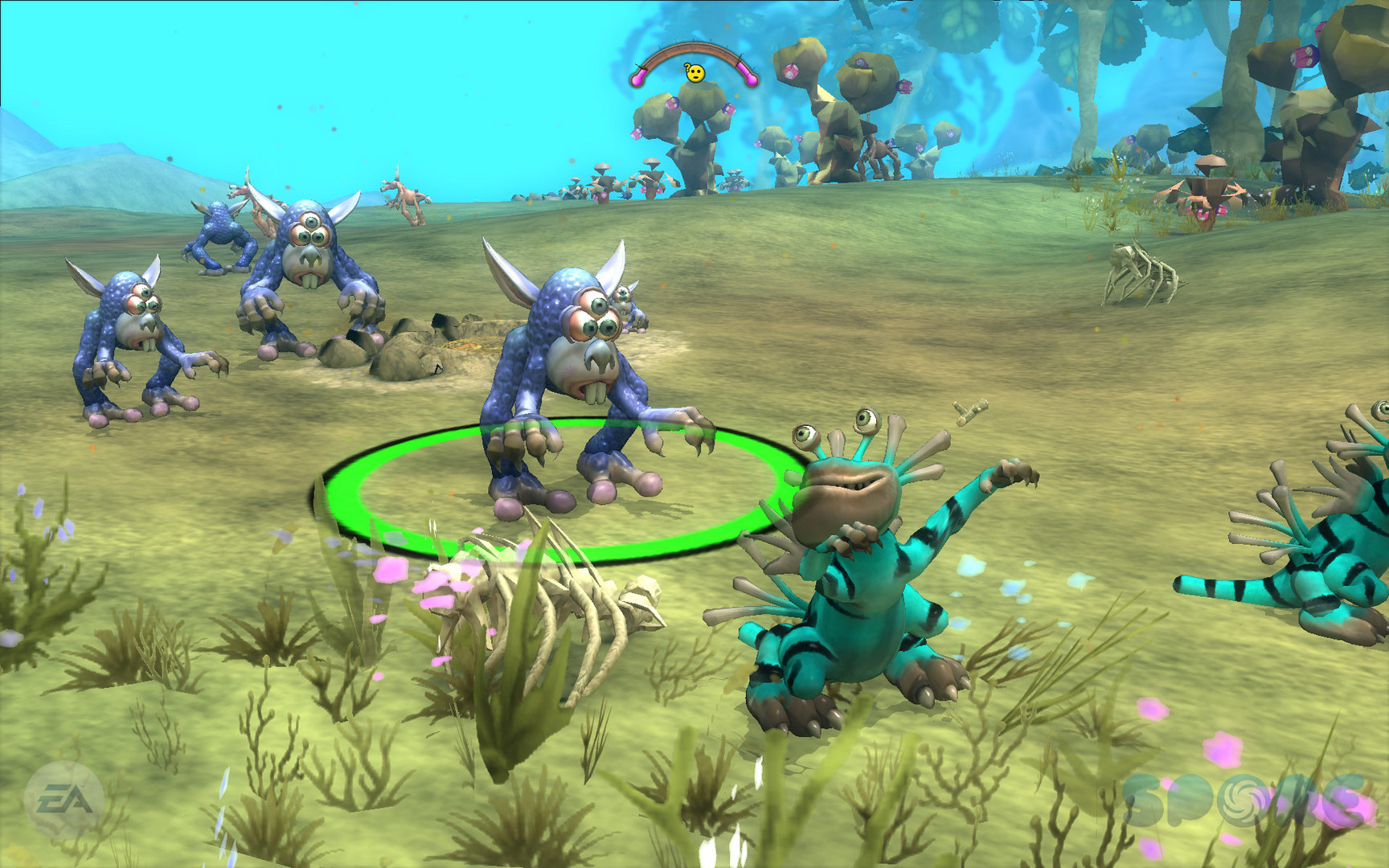
According to Maxis Senior Development Director Eric Todd, the developers created a simple 2D prototype during Spore‘s development. By letting them test and tweak components like the fight system, the prototype allowed the team evaluate gameplay concepts. It also gave them a clearer impression of how the game as a whole might come together.
From this, it can be seen that early prototypes can reveal issues like unclear input feedback or inconsistent timing. Addressing these early prevents rework once systems are fully integrated. Otherwise, animation, UI, and progression pipelines will be disrupted by changes to input, timing, or feedback.
Key Tools for Game Prototyping
When it comes to game design prototyping and development, efficiency is of utmost priority. To achieve this, tools must emphasize speed, flexibility, and ease of iteration. Not visual fidelity. Choosing which tools to use should also be based on the requirements of the game project. Like the target platform. Is it mobile, console, or PC?
- Game engines – Unity, Unreal Engine, GameMaker, or Godot are ideal for rapid prototyping. These allow developers to quickly assemble mechanics using built-in physics, scripting, and asset systems. They prioritize efficiency by reducing setup time and enabling immediate testing of gameplay loops.
- Scripting and programming tools – Visual Studio, Sublime Text, or Unreal’s Blueprints can be used, depending on the game’s complexity. These commonly used languages include C# (for simplicity, speed, and safety) and C++ (for total control over system hardware and memory).
- Placeholder asset pipelines – Adobe Suite, Blender, or Autodesk Maya enable the creation of simple shapes, basic animations, or temporary UI. It ensures that visual dependencies do not eat up the process and slow down gameplay testing.
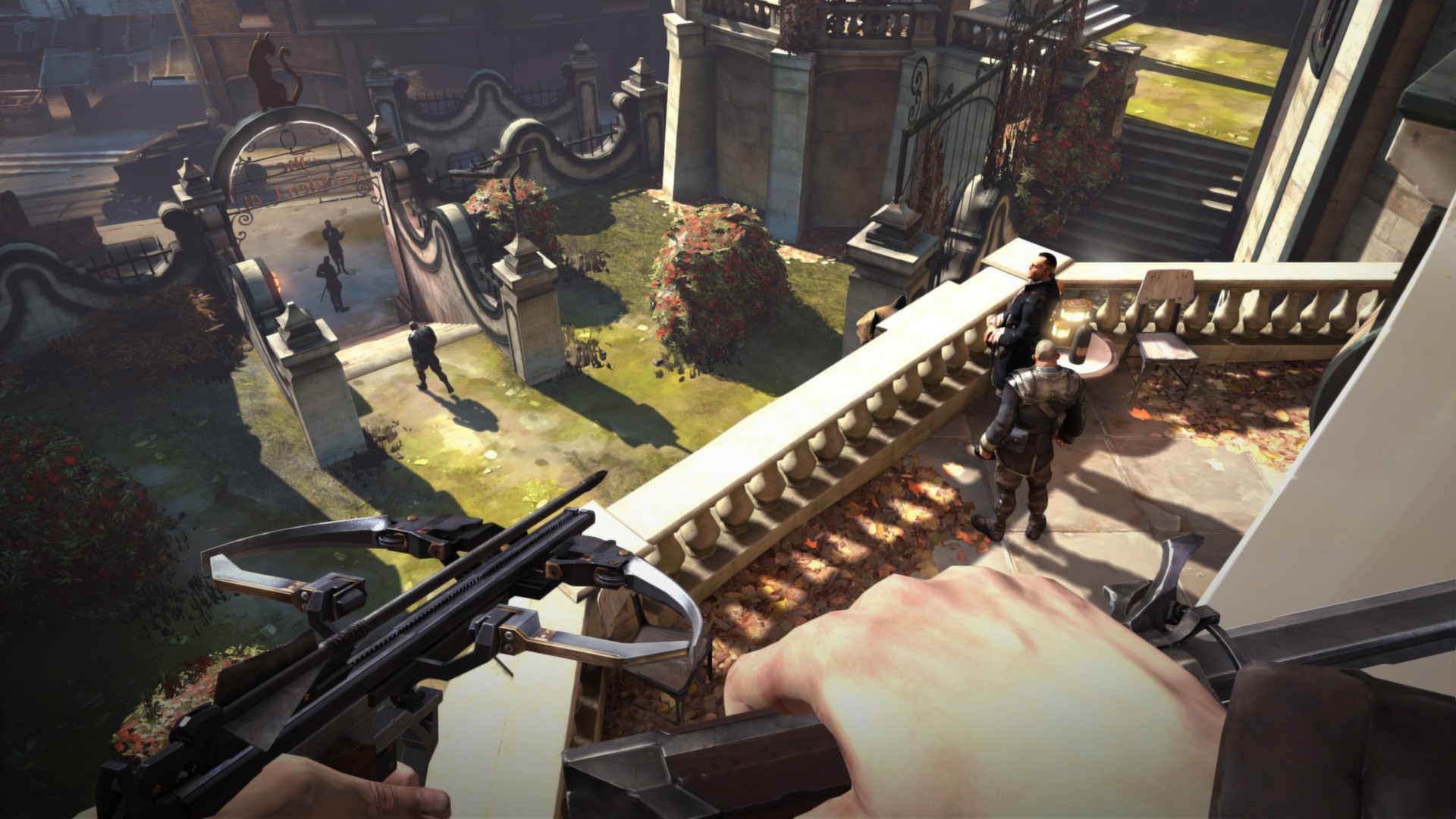
Arkane Studios used Unreal Engine 3 to quickly prototype mission concepts and layouts for its action-adventure game Dishonored. They also addressed performance using Kismet, Lightmass, and the game engine’s navigation mesh system. The team even used stealth AI systems based on view cones and perception. It facilitated the refinement of how enemies detected and responded to player actions.
For instance, stealth systems often need adjustment when players repeatedly exploit sightline gaps that weren’t obvious in static design.
By using these tools to test systems early, studios can evaluate stealth mechanics, enemy awareness, and player traversal options. It prevents instability before investing heavily in final environments and visual polish.
Common Prototyping Mistakes
Game design prototyping and development help avoid bigger mistakes in creating games. But prototyping itself comes with some common pitfalls. More often than not, failures come from treating prototypes as early production builds rather than disposable experiments. Doing so leads to slower iteration and unclear results.
When building a prototype, avoid:
- Adding detailed visuals or animations too early. Overpolishing slows iteration and creates attachment to systems that may change or be removed.
- Testing too many variables at once. Developers who combine multiple untested systems in a prototype are prone to unclear conclusions. It makes it hard for them to identify which component is causing issues.
- Focusing only on ideal scenarios, such as perfect player input. It masks issues that later show up in full production. Rework across animation, collision, and level design systems will then be inevitable.
- Gathering feedback from the wrong users. Only having the game tested by the same experienced players and developers can make it harder to understand and less intuitive for beginners.
Imagine if the platformer game Celeste only tested air-dash mechanics in controlled scenarios. The game would have been prone to inconsistencies once exposed to player input timing. Identifying the common mistakes and addressing them helps avoid making system-level adjustments that could have been caught earlier.
Iterating on Game Prototypes
Iteration is the process of refining prototypes through repeated testing and adjustment. By iterating on the prototype, teams can tweak and optimize the gameplay systems based on how they respond to real input and testing conditions.
When iterating, developers should:
- Change one parameter at a time, like movement speed or attack timing. This ensures that improvements can be directly linked to specific changes.
- Repeat testing multiple times. It makes sure developers can see whether mechanics behave predictably across different scenarios. Such a process is critical for maintaining player trust.
- Incorporate observations from testing into design decisions. By doing so, developers can refine mechanics to build stable, scalable systems.
In action games such as Street Fighter, iteration usually focuses on tuning recovery frames and input buffering. Even tiny adjustments like this influence how responsive controls feel.
Testing and Feedback in Game Design
Players can sometimes push games in ways developers didn’t plan. So testing evaluates whether a prototype performs as expected under such circumstances. A game can be used for different purposes. As such, testing and getting feedback ensure that systems deliver consistent behavior and clear communication.
In doing so, it matters that developers observe players. This lets them assess whether mechanics are already intuitive or require clearer animations or UI cues. It also helps to use metrics such as success rates, failure points, and input timing to identify where systems break down. And most importantly, only prioritize feedback that provides value. That means focusing on issues that directly impact the core systems. Not subjective preferences.
Players consistently mistiming an action may indicate unclear animation cues or inconsistent timing windows. Therefore, adjusting these systems improves readability. It also reduces reliance on external instructions.
Tips for Successful Game Development

The process should maintain efficiency, clarity, and adaptability if developers want to keep game design prototyping and development effective.
- Treat early builds as temporary tools. Not permanent foundations. Through this, teams can iterate without second-guessing or technical debt.
- Make sure gameplay ideas align with the engine’s capabilities, performance limits, and production pipelines. This prevents rework later in full development.
- Record what works and what fails using proper documentation. It prevents developers from making the same mistakes over and over. It also maintains consistency across team members.
Wrapping Up
Game design prototyping and development aren’t linear processes. They involve a cycle of testing, evaluation, and refinement. Focusing on system validation early. Using the right tools. Steering clear from common mistakes. Iterating based on real feedback. All of which allows developers to turn ideas into functional gameplay systems.
Even massive AAA studios like Riot Games have prototyping fully woven into their pipelines. Research and Development Head Tom Cadwell emphasized that they use it to build the substance of a game. It enables their team to deliver a representative playable gameplay experience. It lets them acquire a deep understanding of innovations that can be applied in pre-production. It proves to them that the experience captivates players via playtesting.
In this way, game design prototyping and development function as a continuous pipeline from concept validation to a finished, playable game.

