Home Blog Page 20

Postmortem Games Analysis: Learning and Improving

0

Games Postmortem
A game that we have all been dying to play is about to come out. The hype has never been more palpable. Preorders are through the roof, people are talking in online forums, and YouTubers get early copies to make videos about it.

The game finally comes out, and people enjoy it. However, after a few days, people notice that maybe the game is a little lackluster. Nothing too bad, but perhaps not worth the hype.

What went wrong? What went right?

This is where developers perform postmortem games analysis.

About Games Postmortem


Like any creative endeavor, it’s always a fantastic idea to go back and see what needs improving and what needs scrapping. Unfortunately for game developers, you don’t really know what the public’s reaction will be until launch day.

What is A Postmortem?


Performing postmortems isn’t just unique to game development. Anyone can do a detailed postmortem on nearly any subject: failed political campaigns, work strategies, and product launches.

Postmortem game analyses are reliable ways for everyone to take a step back after the release day’s dust has settled. It gives both gamers and game developers the chance to breathe and examine what went wrong and what went right.

Why Is It Essential for Gamers and Game Designers?


Okay, so hashing out issues over your game is excellent and all, but what does it mean for gamers and game developers alike? Something went wrong in your game, so don’t do it again, right? Pretty simple.

However, postmortem games analysis can be the first stepping stone towards a fantastic future in gaming. Some of your favorite developers and game designers have actively used information that they learned in their postmortem to further develop a game down the line.

The chances are that some of your favorite games come about as a direct result of improving upon previous mistakes and capitalizing on what went right.

For gamers, it means a fantastic game. For developers, it means a product that they can be proud of on day one.

What’s In A Postmortem?


Although postmortems seem to carry negative connotations, they’re so much more than just seeing what game mechanics didn’t work. Postmortem games analysis can include an entire outline of the game’s history, team goals, and more.

With Warren Spector, the developer of Deus Ex, he lays out everything. And it’s a useful metric for what postmortem games analysis should be. Some things Spector lists are:

  • Related games
  • Genre definitions
  • First build specifications
  • Team goals
  • Plot concept
  • Combat Mechanics
  • Technology
  • System Requirements

That’s but a few things Warren Spector goes on at length about in his postmortem games analysis. Why does all of this matter?

Context, mostly. It adds valuable context for readers, developers, and players to use as a useful touchstone for future work. You can see the influence that Half-Life had on the development cycle in Deus Ex. If the first Half-Life game wasn’t around, what would or wouldn’t be in Deus Ex’s final build?

Postmortems force game designers to look at the details from all angles.

Notable Postmortems

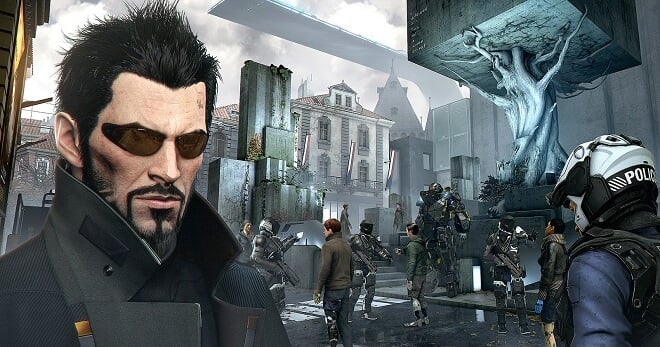
Deus Ex


Deus Ex postmortem
For players of Deus Ex now, whether tempted by nostalgia or a Steam sale, they’ll notice that game mechanics are pretty solid for a title hovering just over the 20-year-old mark.

One of the most unique role-playing games to break new ground and make the player think, Deus Ex is a virtual masterpiece. Developed by Ion Storm and released in 2000, the game is a dark tale of conspiracies, government agents, spies, and what it means to be human.

As we’ve already mentioned, Ion Storm’s Warren Spector went all out in a detailed postmortem. He states that:

“Many of the things we wanted to do were a reaction to things they (or we) didn’t do, didn’t do well, or couldn’t do at all in earlier games. We weren’t building from scratch, but rather building on a foundation already laid for us.”

This is an excellent example of what a postmortem can do to assist you in improving upon the game design directly. With a postmortem, games can pave the way for more impressive games, like the genre-busting Deus Ex.

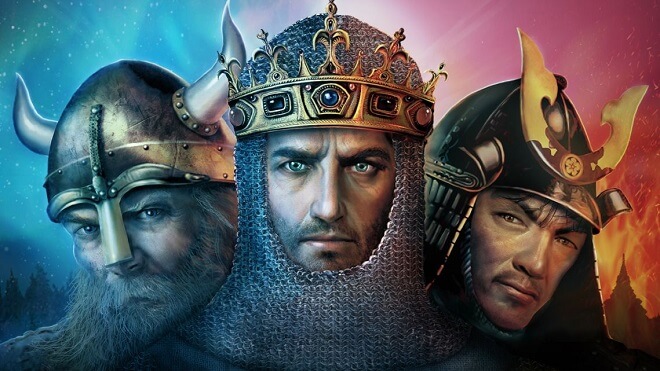
Age of Empires II: Age of Kings


Age of Empires II: Age of Kings postmortem
PC real-time strategy games in the 1990s and early 2000s were kings of the hill. This is where the aptly named Age of Empires II: Age of Kings comes in. I’ll be candid: I’m incredibly biased towards this game. For me, it’s my favorite PC game ever. However, in the nature of a proper postmortem, what went wrong with AOE II?

Developer Matthew Pritchard states that the game developers’ pressure to deliver a sequel is automatically tricky from the get-go. People (rightly) expect better graphics, improved gameplay, and more features.

While a lot went right with Age of Empires II: Age of Kings, a few aspects slipped through the net at Ensemble Studios.

With play-testing, “Many of our play-tests were not organized and focused enough, seriously reducing the amount of new and meaningful feedback obtained.”

One of the most significant negatives was that unfinished versions of the game leaked, in which over half a year before its release, the alpha build got out. In one way or another, people all over the globe were able to get early builds of the game.

“[Pirates] took the warez versions of AoK, burned them onto CDs, added some cover art, and sold the game throughout the Pacific Rim. In Korea, the CD vendors operating in front of Microsoft’s headquarters had a warez version of AoK for sale. Warez versions were even turning up on eBay.”

He mentions that it didn’t really affect them financially, but it had the team scrambling throughout the development process.

Rainbow Six


Rainbow Six postmortem
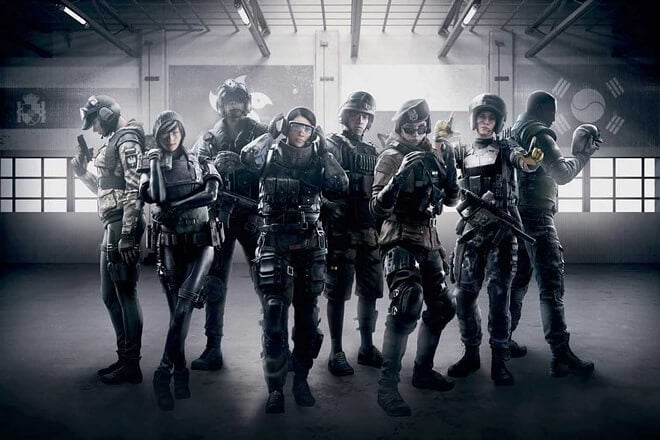
Rainbow Six, created by Tom Clancy’s company Redstorm, was a unique breath of fresh air on the gaming market. It was an FPS, but with a certain twist: it was tactical, you could die in one shot, and the success of your mission depended on planning even the smallest detail.

It paved the way for sequels and offshoots. For tactical buffs and curious FPS players that wanted to stray away from the over-the-top gameplay of DOOM and Wolfenstein, Rainbow Six was just the ticket.

Brian Upton, a designer from Redstorm, said that being attached to Tom Clancy’s license was one of the most powerful things to bring their game through to development. This, along with an excellent animation pipeline and great team cohesion, was what went right with the game.

However, the Rainbow Six team was highly understaffed right initially, adding a bunch of stress to an already stressful process.

Perhaps the biggest hangup was that they had to rely on entirely untested code after previous plans fell through, “…we were relying on software that was still under development. The core technology was sound, but we were plagued with inadequate documentation, changing programming interfaces, misunderstood performance requirements, and heavy integration costs.”

Postmortems, Games, and the Future


Even some of the most famous game studios and designers get in over their heads with certain design aspects. While people tend to focus on the bad in postmortem games analysis, remember to focus more on the good. The good is what paves the way for better games, more improvements, and brilliant ideas.

If there were no postmortems, I guarantee you the current forms of some of your favorite games may not be the same without a previous foible or fumble in the design or marketing process.

Impressive VFX Software

0

Top VFX Software
Whenever you are watching your favorite movie and you see some seriously impressive visual effects, do you ever ask yourself ‘how do they do that?’ Movie magic has always been an extremely nuanced and artistically impressive side to our favorite films.

What Are Visual Effects?


Visual effects, otherwise known as VFX, are created using software and editing techniques to make an existing scene in a film different. Anyone familiar with Marvel movies and Star Wars is intimately familiar with visual effects and how they mold the films into what they are.

For example, you can’t have an actual explosion happening in the same room as an actor. Therefore, the actor themselves pretends there is an explosion, and the actual explosion is created using impressive software in post-production.

It’s the meeting point of filmed material and computer-generated images and graphics.

How Do You Make Visual Effects?


I know that you want to just jump right in and create the next breathtaking Star Wars intergalactic starship battle, but you have to start small. You need to know a few things, like what the VFX industry is, what VFX software they use, and more.

Use our guide to VFX software, and our ranking of the top 3 pieces of visual effects software to finally break into something you love.

What Do I Need to Learn Visual Effects?


Visual effects are like any other art form. If you want to get proficient at it, you need to work and practice, constantly improving your techniques. Along with a good work ethic, you need to have a passion for film, attention to detail, observation skills, and more.

It also helps if you have some sort of artistic foundation. This could be anything from basic drawing to more advanced photography. These art forms put you in the correct headspace when creating your visual effects.

Can I Learn VFX At Home?


Yes, definitely. It depends on the person and their proficiency level, but you have to start somewhere. It is recommended that you find yourself a school or institution where you can learn the basics of visual effects, but there’s no concrete rule saying you have to.

Related: How to Become a VFX Compositor

If you feel comfortable enough, go ahead and start experimenting with some free VFX software at home.

VFX Software Used In Movies


Some of the biggest movie studios use programs like Autodesk Maya and even Adobe Photoshop. They also use Nuke and ZBrush for other aspects of visual effects.

VFX Software Snapshot


When you want to know which VFX software to use, you need to go by more than just name alone. To give a better idea of what visual effects software is truly king, we took into account a few different things.

Primarily, we wanted to look at how effective the visual effects software was at what it did, while also having a reasonable price. Is it user-friendly? Does it have a good community? All of these things were considered in our rankings.

VFX Software

Autodesk Maya


VFX Software - Autodesk Maya
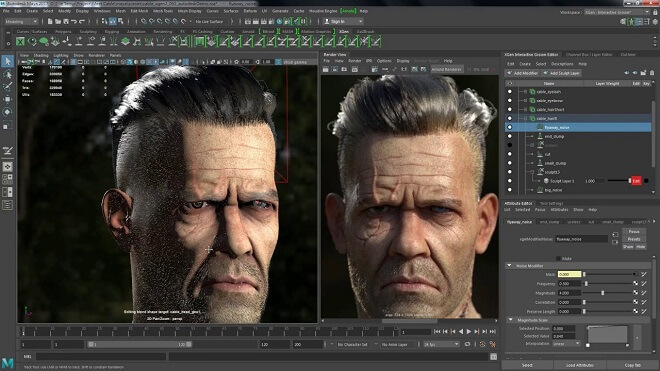
Autodesk Maya is far and away the champion of visual effects software. Maya seems to have its hand in nearly everything: animated movies, TV shows, video games, and more.

It has a great user interface and has a ton of different asset editing tools to make sure your creative project is unique, attractive, and stunning. It’s great at 3D modeling and animating.

Those who want to harness the impressive power of Autodesk Maya have to pay $1,620 a year, or maybe give their free trial a spin. All things considered, the price isn’t too steep, especially if you are part of a bigger studio. If you can somehow swing the price tag, go for it: Maya is the king of visual effects software.

It’s available for Linux, Windows, and macOS.

Nuke


VFX Software - Nuke
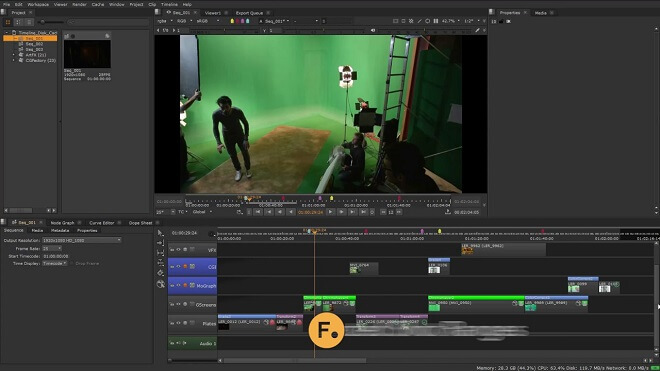
Nuke is fantastic for compositing, where all of the visual effects are finally layered on top of one another to create a more cohesive project. Nuke is the industry standard for this and more. It’s a bit more expensive than something like Photoshop and Autodesk Maya, but keep in mind that it is meant for bigger studios.

You have the possibility of renting a Nuke license for a year at a time for a much lower cost. There are a few variants of the Nuke software, so make sure you follow the link and determine if you’ll use something like the standard program or the more advanced Nuke X.

It’s available for Windows 10, macOS Mojave, and Linux.

ZBrush (ZBrush)


VFX Software - ZBrush
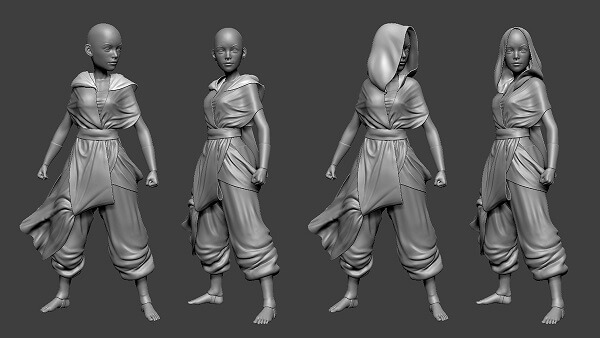
The VFX software ZBrush is your go-to for 2D and 3D and sculpting. If you need to add detail and nuance to your game renders and models, ZBrush is what you use.

It has its own patented technology called ‘pixol,’ which is a great shorthand tool for keeping track of all lighting, color, and depth for whatever is on screen.

ZBrush offers a few subscription models that are reasonably priced. There’s the single-user price of around $40, and more expensive options for the permanent proprietary license. There are also various prices for student and studio licenses of the VFX software.

It’s available for Windows and Mac.

Conclusion


It’s plain to see that there’s never been a better or more accessible time to break into the rich and diverse world of visual effects. Our list is just a few of the more notable pieces of visual effects software. There are a handful of free VFX software as well if you want to just experiment without the financial hit.

Whichever you choose, they are all fantastic in their own unique way. They give you the ability to create some of the most impressive visuals just short of being featured in the film. Whether it’s Nuke, Autodesk Maya, or ZBrush, harnessing powerful VFX software will have you creating and building for years to come.

Duality 2D Engine: A Great Way to Start 2D Games

0

Duality 2D Game Engine
It used to seem like a crazy dream to be able to develop your own game. That stuff was for professionals, guys who got their impressive computer and data science degrees at some fancy institution.

However, with time passing, you come to realize that the tools for natural game development are constantly evolving to suit the skills and needs of gamers with a dream.

Specifically, open-source engines have picked up some serious steam in the past decade, allowing everyone and their brother access to tools in which to create creative, quirky, and fun titles. The ‘open’ in open source software allows for the source code developed by a particular company to be used at their discretion; basically, they put it out there with merely a license and let creative people go to town with it.

There are fantastic open source engines out there like Godot, Panda3D, and LibGDX. Another little gem is called Duality2D.

What is Duality 2D?


Duality Game Engine
Duality 2D is an open-source engine developed with its own visual editor and is entirely powered by the programming language C#.

It is an engine where 2D is emphasized, so if you are a gamer who loves titles like Castlevania: Symphony of the Night, Braid, and Rogue Legacy.

It is recommended that you have some sort of passing knowledge of C# as a coding language, as that’s the engine’s bread and butter.

A better way to think of it is similar to Unity in terms of workflow, but it is strictly 2D in development. With workflow, Duality helps you out big time, as it assists you after you define assets to determine what their function is.

You import assets by dragging them into the engine user interface itself, you then write the actual C# code to determine how the game will act, then code for the desired object itself. Having it be so simple is a real breath of fresh air.

Installing Duality 2D


Installing the open-source engine will require a few things first.

  • You should have .Net Framework 4.5 installed on your system, followed by the newest version of Visual Studio.
  • This step is crucial, as Visual Studio is basically where you write out the code for your game.
  • After you have made sure you check those boxes, you can easily download the most recent version of Duality 2D right from the site.

Now all that remains is starting your ambitious game project!

Reviews


Some developers actually prefer game engines like Duality 2D to heavy hitters like Unity. People really dig its open-source and accessible user interface.

“This is the best open-source engine I’ve ever worked with. Clean and understandable code, all pure .Net, an incredibly fully featured editor, and an awesome component-oriented approach to building games.” –Andrew O’Connor, BatCat Games

Tutorials


Game development with Duality 2D

You can find some pointers in the form of tutorials for Duality 2D.

The Official Site


There is no better source for great information than from the person who made it. The official documents for Duality 2D are found easily from the homepage. They go over installing the engine, getting familiar with the layout, thinking of your first project, all the way to debugging your game for final publishing.

Along with the official documents, you could pose any questions about the engine you have on their forums, found right on the homepage.

Getting Started with Duality


This extremely helpful tutorial, including an appearance and guide by the creator, Fedja Adam, is a valuable glimpse at the basics of the engine. He goes into a basic description, followed by more detailed aspects of the code, program files, and navigating through the user interface. Check this one out if you need a great demonstration in video form, I know I can’t keep my attention on anything that isn’t

A Closer Look at the Duality Game Engine


The fantastic YouTube channel, Gamesfromscratch, goes over in detail, (like they always do), the ins and outs of the many uses of Duality 2D. Gamesfromscratch does a bang-up job going through different menus, toolbars, and more. The video is long but shows you nearly everything you need to know going forward into game development.

Noteworthy Titles Made with Duality


Although no Triple-A titles have been made with Duality, there have been some ambitious projects nonetheless.

  • Onikira – Demon Killer
  • Beat ’em Up
    • This impressive side-scrolling game has you become a fearsome warrior in feudal Japan, killing–you guessed it–demons. Duality2D is the perfect engine for a side-scrolling beat ’em up like this.
  • The Floor is Lava
  • Platformer
    • This simple side-scrolling game has that old tried and true objective: don’t touch the floor–it’s lava! You control a character trying to escape a room turning into the inside of an active volcano, and it’s surprisingly fun and dynamic to be able to escape in time.

Conclusion


Overall, if you are a beginner game developer who loves 2D games and wants to make the next Terraria and Shovel Knight, Duality 2D is a stable and robust open-source engine you can give a whirl utterly free of charge.

However, we recommend kicking a few bucks the developers’ way, to show your appreciation and help them implement new features for future game development goodness!

Game Creation with Löve2D

0

Love2D Game Engine
Have you ever found yourself wanting to create some fantastic little games that you and your friends can boot up and play together?

If you have spent a significant amount of time online exploring the vast amount of different game engines to use, you will know that there is a staggering amount to choose from. You have Godot, Phaser, libGDX, OGRE, Box2D, and a long list of others.

A little engine called Löve2D, (technically pronounced ‘Lurve,’ but let’s keep it simple), has recently caught my attention, and I’ll let you in on why it has.

What Is Löve, and What Can I Do With It?


Löve2D is an open-source game engine that strictly deals with the development of 2D games for the computer. It heavily utilizes the programming languages of Lua and C++ as its framework. Löve2D then uses that framework to create nifty little 2D games.

It was developed over 10 years ago and has been releasing multiple updates since. It’s first stable release, titled ‘Santa-Power,’ was released on January 13, 2008. The developers regularly update Löve2D, all with amusing nicknames to differentiate all of the versions: Salted Nuts, Baby Inspector, Super Toast, and Jiggly Juice.

It’s published under the ‘zlib License,’ which is a license that allows for extremely light restrictions. In fact, there are only three main points that the license emphasizes:

  • The authorship of the original software must not be misrepresented,
  • Altered source versions must not be misrepresented as being the original software, and
  • The license notice must not be removed from source distributions.

Most importantly, you can create games with Löve2D.

Löve in Action

Features


Löve2D

Cross-platform


Not only is Löve2D free of charge and open-source, but it’s also cross-platform. This means that players and developers of all stripes and systems can get in on the game development goodness. As long as you can code in one of the two different languages (C++ and Lua), you’ll be making Löve2D games in no time.

These platforms include:

  • Windows
  • Mac
  • iOS
  • Android
  • Linux

Open Source and Free


This game engine is completely free, and it even lets you edit the source code, with the stipulation that you don’t claim the code as your own, so don’t get greedy! This is a fantastic opportunity for first-time game developers and coders to practice above all else.

While game creating is always at the forefront of our minds, the engine can quickly get you more familiar with the ins and outs of coding and programming games and devices.

Limitations


While Löve2D is a reliable open-source engine, there are some limitations. Right off the bat, games that are used cross-platform aren’t guaranteed to work between different Löve2D versions.

Where’s the Power? I Need Power!


Perhaps the most striking limitation of Löve2D is its lack of power. Löve2D is by no means even in the same universe in terms of power as Unreal or Unity. This could turn off some game developers looking for an impressive gaming project to occupy their time.

Compared to other engines, there aren’t as many modules to experiment with and use. This cuts down on creativity and diversity, which could sway developers’ opinions.

GUI? Never Heard of It.


Also, there is no graphical interface whatsoever for Löve2D. This means that there isn’t a client with a shiny user interface to consult with. You have to be able to read and write code and see the bare bones of the operation.

Although some may find this to not be a hurdle, it can prove to make the game-making process needlessly longer than it has to be. For first-time game developers, this is an unfortunate blemish on an otherwise robust open-source engine.

What About 3D?


Okay, I know it may not be fair to actually list this as a limitation, but still, some may be curious. The engine is strictly, and I mean STRICTLY 2D. 2D is its bread and butter, so those who want to do something like developing a hybrid between 2D and 3D, or just a full-blown 3D title are sadly out of luck.

This engine doesn’t have the horsepower needed for a big project like that.

Installing LÖVE


Install LÖVE2D
Installing the engine is easy and free. You also have options, as it’s cross-platform. Let’s check out how to download Löve2D.

  1. First, head over to the Löve2D main page. They made a great decision by having all of the download options right on the home page. On this page, you can choose your download based on the operating system you’re using.
  2. For me, I use Windows. I would click on the ’64-bit installer.’ You also have the option between downloading it as an installer or as a zipped file with all of the applicable files in one folder. That’s up to you and your preference.
  3. After I click on the installer, it begins its download in my browser. It should download almost instantaneously.
  4. After opening the downloaded file, you’ll be treated to a guide that will take you through the steps of the installation.
  5. It recommends that you close all other applications you have running for optimal performance, and to avoid any unnecessary issues.
  6. It gives you a license page in which to click ‘I agree’ to, then creates a C disk folder for all things LÖVE. Click the next steps, and it should be done rather quickly.

And there you have it. In less than two minutes, LÖVE is on your system. Keep in mind, this was just my personal Windows via Firefox experience.

Lua


Lua is one of the main programming languages that Löve uses, along with C++. Lua is a strong programming language for making games.

You can learn the basics of Lua through several different programming tutorials freely given by the Lua official site and other avenues of research. The official site offers code snippets to familiarize yourself with different, simple aspects of the coding language.

Here are some examples:

If you want to draw text:

function love.draw()
love.graphics.print(“Hello World!”, 400, 300)
end

If you want to draw an image:

function love.load()
whale = love.graphics.newImage(“whale.png”)
end
function love.draw()
love.graphics.draw(whale, 300, 200)
end

If you want to play a sound:

function love.load()
sound = love.audio.newSource(“music.ogg”, “stream”)
love.audio.play(sound)
end

Learning LÖVE


Learning "how to" use LÖVE
Okay, now that we have the engine installed, let’s get down to brass tacks, shall we? Where do you begin? What features do you need to know how to use? Here are some choice tutorials for any beginner:

Tutorials


The official tutorials for game engines and the like are always a fantastic option for beginners. Frequently, the creators and developers of the engine or program are some of the best resources, naturally.

There is also a slew of other tutorials by passionate developers that can give you a valuable view of what engines can do. Let’s take a closer look.

How To LÖVE


There’s nothing better than a wiki. In this section, the developer and users of Love2D have compiled tons of helpful information for users. Perhaps the most useful tutorial series is the ‘How to LÖVE’ series.

This tremendous step-by-step guide will take you from installation all the way to creating platformers and collision detection properties in no time.

Learn2love


This tutorial series created by RVA Game Jams goes a step further than most. It teaches you programming basics in Lua as well as game development in the engine itself. An exciting part of this tutorial is that it’s always in development, much like the engine itself.

Here are the current sections of the tutorial:

  • Chapter 1 – Programming basics
  • Chapter 2 – Introducing LÖVE
  • Chapter 3 – Programming in-depth (in progress)
  • Chapter 4 – LÖVE in depth (to do)

If you ever wanted a crash course in computer science, Lua, and the game engine itself, you can find no better alternative for my money.

CS50 (Harvard University)


This video is fascinating for all of our visual learners as it teaches viewers and users to create PONG using Lua and LÖVE. It is a valuable intro to the actual practice of game development as well.

In the video, the two presenters, Colten Ogden and David Malan, part of Harvard’s Division of Continuing Education, take us through the different steps of coding with Lua and the game engine.

Get some snacks and your favorite drink, as you’ll be strapped in for about an hour and a half. However, it’s not dull, so don’t worry!

This is an introduction course, and they assume that you have no prior knowledge in any of the facets of computer science or programming, so no worries there.

This would be the best place to start, in my opinion, as it introduces concepts and ideas in game development that reaches far beyond the game engine itself to give the user a clearer picture of game development and technology.

Many other tutorials cater to different players and developer styles, and you can easily find any number of them with simple searches.

Games Made with Löve


Games Made with Löve
Let’s take a look at some of the games made with Löve2d.

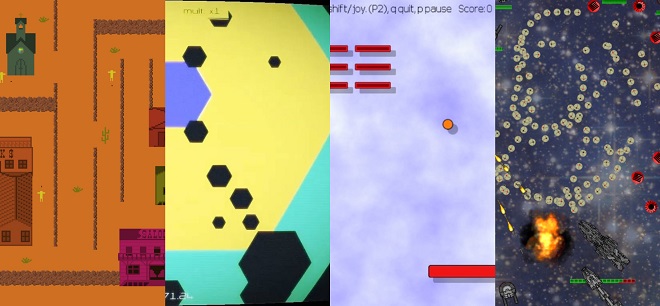
  • .lazr.
    • Shoot ’em Up
    • Mac, Windows, Linux
    • .lazr. is a free local multiplayer glitch-punk arena shooter for you and your friends. It reminds me of a mix between Asteroids, Geometry Wars, with a dash of Enter the Gungeon.
  • Aeternum Blammo
    • Bullet Hell, Action
    • Mac, Windows
    • Anyone familiar with other shoot ’em up games like Ikaruga, Galaga, Enter the Gungeon, and others will feel right at home with this game made using Löve.
  • Arne’s Breakout
    • Puzzle
    • Mac, Android, Windows
    • Fans of the game of Brick will immediately recognize and fall in love with Arne’s Breakout. It’s a version made in the open-source engine and has hand-coded graphics and physics, and a two-player mode.
  • Bomb Dodgers
    • Puzzle, Strategy
    • Mac, Windows, Linux
    • Any Bomberman players will latch onto this title immediately. Bomb Dodgers heavily resembles the games in the Bomberman series. You need to win two out of three rounds with multiple enemies to advance to the boss. Once they’re defeated, you advance to the next levels.
  • GunFu Deadlands
    • Shooter
    • This retro-looking shooter bills itself as ‘A Far West themed 2D shooter featuring bullet time.’ What more else do you need? Set in a wild west town, the player needs to fend off outlaws. The game even includes a level editor.

If these are your types of games, ones that kill time, flex creative muscles and get you more interested in open source game creating, then Löve2D may very well be your first foray into the developing world.

If you aren’t a script kiddie and don’t really know your Java from your Python, this engine may actually cause more confusion than happiness. However, if you’ve got some coding languages down, it could prove to be right up your creative alley.

While it probably won’t be the place you end up on your creative journey, it isn’t a bad place to start it.

Make Games With The Award-Winning SpeedTree

0

The Ultimate Guide to Game Development With SpeedTree
In 2016, I was addicted to the Witcher 3: Wild Hunt. I was engrossed in the story and needed to see what happened. At a pivotal story moment, a significant character is being held up against a brick wall in a garden. Tensions were running high, and I couldn’t wait to see what happened.

However, my concentration was broken. The trees and vegetation framing the scene looked dull, two dimensional, and lifeless. It immediately took me out of the experience.

I had never thought about how important it was to have magnificent trees and bushes in a game. They had always just been necessities, something that just took up space because you couldn’t explore a forest environment without them. So, where do we turn to for some excellent tree rendering?

Thanks to that pivotal Wild Hunt scene, I can’t have all of my entertainment experiences marred by subpar vegetation now. Luckily, there’s a fantastic engine that makes sure that the plants in games are lush, immersive, and, most importantly, lifelike. It’s called SpeedTree.

What is SpeedTree?


SpeedTree
SpeedTree is vegetation modeling and programming software that specializes in providing games with generated foliage for video games, explicitly creating in real-time. It was developed by Interactive Data Visualization, Inc., and is available for multiple platforms:

  • Windows
  • Xbox One
  • Xbox 360
  • PlayStation 4
  • PlayStation 3
  • PlayStation Vita
  • Mac OS X
  • Linux

The first iteration of SpeedTree, titled SpeedTreeMAX, was released in 2002, and the most recent release of SpeedTree was released in 2017. SpeedTree has had its hand in iconic projects like James Cameron’s Avatar, 2013’s The Great Gatsby, The Wolf of Wall Street, X-Men: Days of Future Past, and multiple films in the Marvel Extended Universe.

Products


How much does SpeedTree cost? SpeedTree is based on a licensing fee of $19 per month, along with the purchase of certain assets from the website. Adding assets to your SpeedTree experience will undoubtedly add tools to your creative arsenal in which to build whichever forest or mood you’re trying to convey through your art. Here are some asset examples.

  • Brazilian Peppertree: Seedling
    • $9.00
  • Araucaria Pine: Species Pack
    • $49.00
  • English Walnut: Hero Forest
    • $15.00

Awards


2015 Science and Technical Academy Award

This Academy Award was presented to the founders of Interactive Data Visualizations, Michael Sechrest and Chris King, and Greg Croft.

The Academy wrote:

“This software substantially improves an artist’s ability to create specifically designed trees and vegetation by combining a procedural building process with the flexibility of intuitive, direct manipulation of every detail.”

SpeedTree for Games


Although SpeedTree knocks it out of the park in terms of movie magic, they are also masters of game vegetation generation. Right off the bat, they let users know that they have intimate connections and compatibility with multiple gaming engines. These include Unreal 4, Unity, and more. Here are some features:

Optimization


The performance of SpeedTree has been optimized for use with multiple engines across multiple gaming platforms on the market. This optimization is vital, as it determines how well the modeler performs across different engines and platforms. This is perfect for those exporting files to various programs.

How do I export from SpeedTree to Maya? It’s a three-step process.

  • First, you need to make a model in SpeedTree.
  • Then you need to export by going to ‘File→Export mesh…’ then clicking ‘Autodesk FBX’ when asked which file type to save as.
  • Once in Maya, you need to go to Window→Setting/Preferences→Plugin Manager.
  • Go to SpeedTree and the Scripts folder and choose ‘SpeedTree FBX Importers.py.’
  • Then, you select ‘File→Import.’

You can mess around with all of the specifics once you load your project, but everything should be in working order after that.

Hue Variation


This is key when setting an immersive scene in a game. Hue variation allows for groups or even individual leaves to be shaded in different colors. Often, you can set an important scene with the look and feel of your game’s vegetation.

If the player is walking through dark and dreary woods, they probably know what to expect. Although a simple feature, it may be the most effective way of setting the mood for the entire game.

Rolling Wind Effects


As you’d probably expect, rolling wind effects emulate the way wind gusts act in nature. Vegetation will act accordingly with the way wind blows, down to the most minuscule blade of grass.

Games Made with SpeedTree


Games made with SpeedTree
The popularity of SpeedTree has landed it in the arms of multiple famous video game companies like Activision, Bethesda, and BioWare. Here are some notable games in which SpeedTree played an integral role.

  • Assassin’s Creed Unity
    • 2014
    • Entry into the Assassin’s Creed series of games, Unity takes place during the French Revolution.
  • The Elder Scrolls IV: Oblivion
    • 2006
    • The fourth entry into the wildly popular series of role-playing games by Bethesda, Oblivion featured amazing, sprawling forest environments and addictive gameplay.
  • Far Cry 5
    • 2018
    • The players find themselves as a deputy in the Dakotas on the trail of a dangerous cult leader, Joseph Seed, as they attempt to wrestle back power from the zealots under Seed’s control. The game featured a large, forested map in which the vegetation played a considerable role.
  • Horizon: Zero Dawn
    • 2017
    • In this post-apocalyptic PS4 exclusive, the player controls Aloy, a girl in search of the secrets of her past through a multitude of rich, lush, and varied environments. They range from jungle to the snow-packed mountaintops of a future Western United States.

Tutorials


Like any good piece of sophisticated software, SpeedTree has a bunch of great resources and tutorials online. Here is where we’ll look at some.

SpeedTree Tutorial: Modeler Basics


Here’s a great little video coming to us courtesy of the devs of SpeedTree itself. It’s always a good thing when developers take time out and give in-depth tutorials like this one.

In it, we are treated to one of SpeedTree’s developers, showing us, you guessed it, how to build a tree from scratch. It’s a quick 5-minute long video, so it’s helpful, fast, and digestible. You won’t be spending an hour and a half watching a guy create trees.

SpeedTree 8.3: Modeling a Tree for Games


In this more recent video tutorial from the developers of SpeedTree, we are being instructed by a developer in the ways of modeling a tree specifically for game environments. As a game developer just starting out, this is an invaluable video if you’re coming across problems with how the vegetation looks.

When we play games, we don’t want to see flat, pixelated art. We want the illusion of trees being in the scene where it won’t break immersion.

Sonia Piasecki, an artist from the SpeedTree team, is at the helm in this 12-minute long video. She helpfully outlines, then executes what you need to do to model a tree for a game.

The Havok Video Game Engine Guide: Create Realistic Looking Cloth and Hair Movement

0

Havok Engine
If you have ever played a realistic game and were awed by things like ragdoll physics and destruction, then the chances are that you are intimately familiar with the Havok physics engine.

With Havok’s widespread acclaim and reliability in the video game industry, who owns the Havok engine? As of right now, Havok is owned by Microsoft, but it didn’t start out that way.

The aptly named Havok software was created by the parent company, Havok, in the early 2000s, and has since become the driving force in over 600 game titles. They are based out of Dublin, Ireland, and was founded more than 20 years ago by Hugh Reynolds and Steven Collins.

Their first physics foray was in the PC-exclusive game, Harley-Davidson: Wheels of Freedom. While this first entry isn’t exactly memorable, it marked the beginning of a new era in-game physics and development.

Havok itself is much more than just a way for your favorite video game characters to get turned into a ragdoll during an intense combat scene. Havok offers many different products.

Products


Havok

Havok Cloth


Havok Cloth is precisely what you would think it would be: a piece of software that aims to create realistic looking cloth and hair movement on video game characters. If you have ever seen the wind blowing a character’s clothing fabric, chances are Havok Cloth has had a hand in its implementation.

This valuable but sometimes overlooked aspect of Havok’s engine immerses the player in the gameplay experience they are having. There is nothing better than playing a game like Far Cry, and seeing the weather and other minor aspects take shape into a more cohesive and realistic experience.

I, for one, love the small details like cloth being manipulated by in-game assets. It really adds to the complete feeling of a game and impresses the hell out of me even to this day.

Cloth manipulation includes things like

  • Bending
  • Stretching
  • Damping
  • And of course, reactions to air and weather elements

Havok Cloth aims to have the artists have full control of the minuscule details of fabric manipulation. They also emphasize the availability for platforms and the seamless, high-performance integration of these aspects that, although some may take for granted, add to the gaming experience in a small but meaningful way.

This becomes even more important when one considers that you have to make cloth and other garments react correctly to the engine’s physics. The wind blowing through someone’s shirt is all well and good, but what if it doesn’t mesh well with the physics when that character gets knocked down or jumps?

The Havok engine has been finely tuned since its inception to deliver realism, even down to the details on clothing and hair.

Havok AI


Havok AI is entirely dedicated to making sure that the artificial intelligence within the games acts according to the environment and characters around them. This is so Master Chief and a space marine don’t clash with one another or have an AI character avoid running into walls and acting strange.

It offers fully customizable and easily integrated AI features that will support walking, running, swimming, and flying characters. It really runs the whole gamut.

A particularly impressive feature is the collision detection and squad capabilities. How often have you seen a remarkable squad of AI characters form up together effectively and get the job done? That’s because of some robust Havok AI. It aims to have crews form up and even encourages the developer to add more complex actions, as the design is flexible and open to such activities.

Havok Physics: “Interactive Worlds Demand Havok Physics”


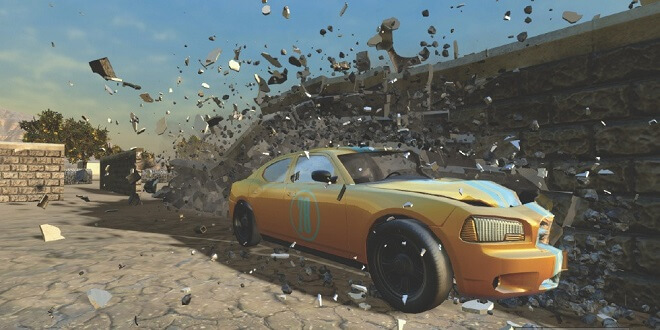
The main course of Havok’s different products, Havok’s physics engine is what put them on the map. Finally, game characters would experience ragdoll and other realistic looking physical properties when interacting in different ways.

Havok is committed to applying its world-class physics to even more games to be developed. Although physics in the early 2000s was more primitive, the company has finely tuned the physics to immerse the player in a gaming experience fully.

Developers will be pleased to learn that Havok is up to date on optimization and continuously updated by the team.

The collision detection within games is second to none. It takes into account the actions of all assets within a game’s scene: we’re talking vehicles, characters, objects, and different aspects of the game environment.

Realism is utterly broken if you see a character clipping through a wall, so Havok ensures that their physics is always up to date.

Designers will also be pleased to know that Havok physics has full integration with the most up to date animation and development programs, such as Maya in the form of plug-in support, and Autodesk 3ds Max.

Usage in Video Games


Havok is primarily used in video games. Listing all of the games that use Havok’s world-famous system would be a Herculean effort, as the catalog seems to go on forever. That alone is a testament to the quality and optical power that the engine provides developers and gamers.

What is Havok Physics?


What is Havok Physics?
This is where we all know Havok from. They made their bones as a physics engine, and it’s hard to stack up against their resume and tried and true methods.

Described by the company itself as ubiquitous:

“More than half of the bestselling titles this console–cycle use core Havok runtime, and our goal is to make Havok Physics available to even more developers and platforms.”

And they’re not wrong. Nearly every major gaming company and studio have dipped their hand in the till of Havok Engine, and it has paid off in dividends for both parties involved. Havok gets clients, while some of our favorite video games get a world-class physics engine built into it.

As of right now, the Havok engine and the newest iteration of the Unreal engine are incredibly close. It almost seems like one can’t exist without the other.

Unity Integration


With Unity becoming the go-to choice for many game developers and studios, it only makes sense that Havok should be included in the process.

Currently, Havok is working intimately with Unity to make a robust system in which Unity can utilize Havok’s products’ benefits, namely Havok Physics. This partnership and integration are expected to drop very soon, so we will definitely see some Unity-based video game titles using the world-famous physics engine.

Visualization and Debugging


Havok has a fantastic debugging system where everything is logged and can be sent in for reporting and fixes. Engineers at Havok are available to analyze any gameplay anomalies to set right.

This is further built upon in-game recording software that will be able to help engineers pinpoint precisely where and when something went wrong in-game.

How Do You Access Havok Engine?


Before getting started with Havok Engine, is Havok Engine free? Unfortunately, not anymore. Years back, when Intel owned it, Havok was distributed for free.

However, upon getting purchased by Microsoft, they ditched the free model, and now the way to actually buy the Havok Engine, you need to get in direct contact with Havok and talk with them.

Games Made with Havok Engine


Fallout
What games use the Havok engine?

It’s an extremely long list, but some of the most famous games that have been released in the past 20 years have had the integration of the Havok engine. Think of Doom, Skyrim, Oblivion, Fallout 3 and New Vegas, Mafia III, Super Smash bros. Brawl, both Ubisoft’s Far Cry and Assassin’s Creed series, and a bevy of other well-known game series utilize Havok’s power.

Now we’ll list some of the most well-known video game releases that have used the Havok engine. This will show how widespread and used the Havok engine is.

  • Animal Crossing: New Horizons
    • Nintendo
    • March 20th, 2020
  • Doom Eternal
    • id Software
    • March 20th, 2020
  • Assassin’s Creed Odyssey
    • Ubisoft
    • October 5th, 2018
  • Alan Wake’s American Nightmare
    • Remedy Entertainment
    • February 22nd, 2012
  • Ni no Kuni: Wrath of the White Witch
    • Level-5
    • November 17th, 2011
  • Tom Clancy’s Splinter Cell: Double Agent
    • Ubisoft
    • October 17, 2006
  • Tom Clancy’s Splinter Cell: Chaos Theory
    • Ubisoft
    • March 21, 2005
  • The Halo Series (excluding the first entry, Halo: Combat Evolved)
    • Bungie
    • 2004-present
  • Fallout: New Vegas
    • Bethesda
    • October 19th, 2010
  • The Elder Scrolls V: Skyrim
    • Bethesda
    • November 11th, 2011
  • Dark Souls I, II, III
    • From Software
    • 2011, 2014, 2016
  • The Legend of Zelda: Breath of the Wild
    • Nintendo
    • March 3, 2017
  • Resident Evil 7: Biohazard
    • Capcom
    • January 24, 2017

There is a very good reason as to why Havok Engine has been around for over two decades: it works.

It is a fan and industry favorite in terms of physics that have been included in AAA game titles, and have paved the way for how more realistic physics in games can and should be.

Although you may think that an engine launched in 2000 might be dating itself, it isn’t at all. Being included in such blockbuster releases as the Wolfenstein games, and even the newest Animal Crossing title only goes to show that they’re still alive and kicking. I know I’m excited about what they have planned on the horizon, how about you?

Free Drawing Software To Choose From to Jump Start Your Art Career (Level-Up Your Skills Fast)

0

Free Drawing Software
A close friend of mine is a World of Warcraft addict. Not that there’s anything wrong with that!

What matters is that I would always see her hunkered down with her tablet, drawing not only her personal character but other World of WarCraft characters. This was the beginning of an established online art career for her. How did she do it?

Part of it was practice, another part dedication, but a surprising part was that she used a free piece of software.

That’s right; she used a bit of free drawing software online to kickstart her freelance artist career, in which she has thousands of Instagram followers.

You may have had the misconception that you need a high-end paid drawing program to exhibit your artistic flair. There is a ton of free drawing software to get you started.

Before going forth, it’s recommended to have something like a drawing tablet if you want to draw and paint on the go. Not that it’s necessary, but carrying around your mobile tablet could be a great alternative to being cemented in your computer chair for hours.

But what are the best programs to use? Some are free, but are they all necessary good options for you? Only one way to find out: here are the top 6 pieces of best free drawing software to get you started on your artistic journey!

Criteria


Out of all of the free software, we determined several aspects that had them scoring a position on the list. These were things like ease of use, quality of the software, and how loved and used by the online artist community. Now let’s take a look.

Top Free Drawing Software

Inkscape


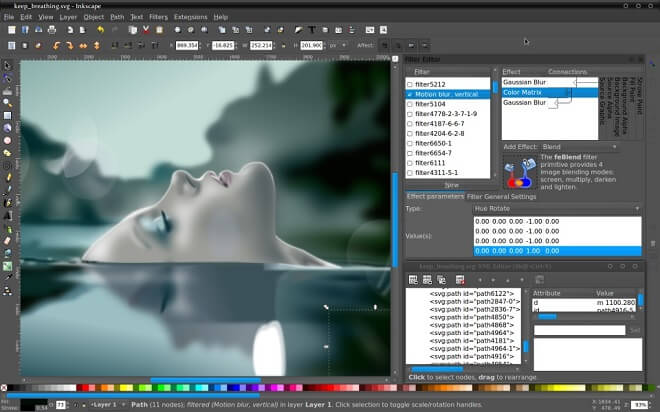
Free drawing software - Inkscape
Platforms:

  • FreeBSD
  • Linux
  • macOS
  • Windows

Inkscape is an impressive piece of software that, right off the bat, has a fantastic online community in which you can actually contribute to the development of the program if you’re familiar with coding. Part of why it’s on the list is the fact that you can actually implement change as a user.

Community aside, the program itself is a versatile and popular free drawing tool. You’re able to draw, edit, retouch, and even animate pictures.

Inkscape has been around since 2003 and is constantly updated and is available in 90 different languages.
It might take a bit to get over the learning curve if you’re not used to drawing and art software.

However, there’s more than enough resources on the site and in the community if you find yourself out of your element.

Here’s where you can download Inkscape for free.

Pros


  • Great alternative program to Adobe products like Illustrator
  • An excellent online community to engage with
  • Scaling is fantastic; you can change the scale of an image without sacrificing image quality.

Cons


  • It can be laggy sometimes.
  • Different versions seem to have different qualities. Mac, for example, appears to be less polished than other versions.

GIMP


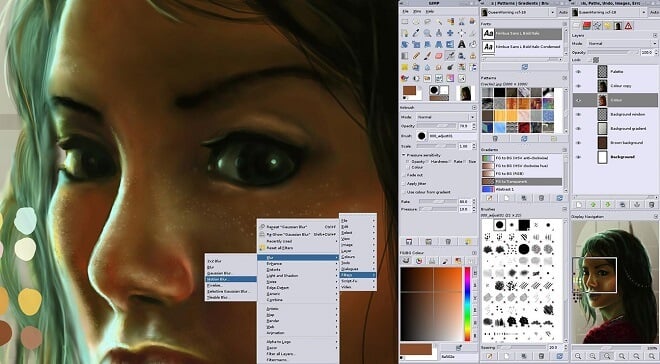
Free drawing software - GIMP
Platforms:

  • Linux
  • macOS
  • Microsoft Windows
  • BSD
  • Solaris

My personal favorite free drawing program, GIMP is an impressive piece of software that rivals Adobe Photoshop in many ways. In that regard, it’s perfect for beginning artists and graphic designers.

It serves as a great introduction to the world of online art and has been around since 1996. Over 20 years since its release, GIMP has been a favorite of many budding artists’ toolboxes. The learning curve is minor to moderate, and once again, the documentation and community are fantastic resources for any help you need in getting the basics down.

I guarantee that two different artists, one using Photoshop and the other using GIMP, that many won’t be able to tell the difference between art retouched or drawn in both. Although Photoshop is the go-to program for many companies, GIMP is an invaluable tool for those who don’t want to pay for a subscription to Photoshop, especially if they’re not familiar with drawing and art.

Overall, a great option. Here’s where you can download it from their official site.

Pros


  • Less complicated than Adobe Photoshop
  • Solid user interface
  • Versatile with different file formats and exporting
  • Great documentation and tutorials

Cons


  • No CMYK support
  • Limited options compared to Photoshop, especially with 3D images.
  • Some features aren’t as intuitive as they could be
  • Possible slow load times

Krita


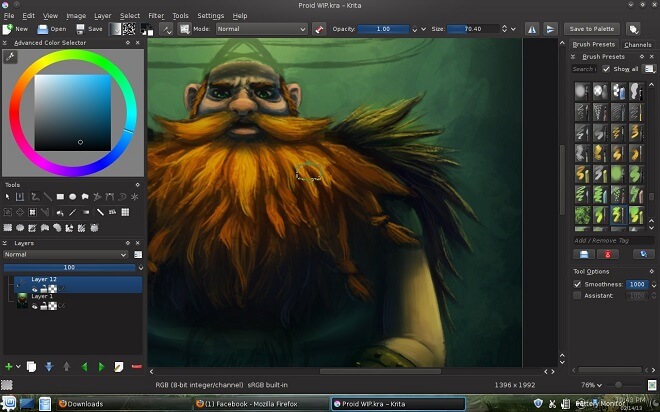
Free drawing software - Krita
Platforms:

  • Linux
  • Windows
  • macOS

Krita is a video game artist’s dream. For over 15 years, it has been a reliable program where lovers of Final Fantasy, the Witcher, and more can assemble and create concept art and digital paintings that rival their favorite game titles, creating their own personal projects to add to their repertoire.

Krita is an open-source painting program. This, of course, means that it has been made entirely free by the developers, KDE. Krita has earned some much-deserved praise and attention from some big industry names.

Imagine FX said of Krita, “…it is clear that Krita is not half-baked or an amateur home project: indeed it looks and feels very professional.”

In 2019, it was awarded the #1 Best Free Painting Software honor by TechRadar, and it’s easy to see why.

Krita heavily emphasizes artwork for 2D animation and has an excellent, attractive user interface. Along with that, it caters to beginners maybe more so than other programs, which goes a long way. It includes many of the same tools as Adobe Illustrator and is perfect for anyone, from a small business owner, hobbyist, to a high-ranking artist at a corporation.

Pros


  • Great customization of tools
  • Good user interface
  • Easy editing
  • Always being updated

Cons


  • Touch controls could be better.
  • Less than ideal documentation for beginners
  • More testing is needed with newer features; they can sometimes be erratic.

Here’s where you can download Krita for free.

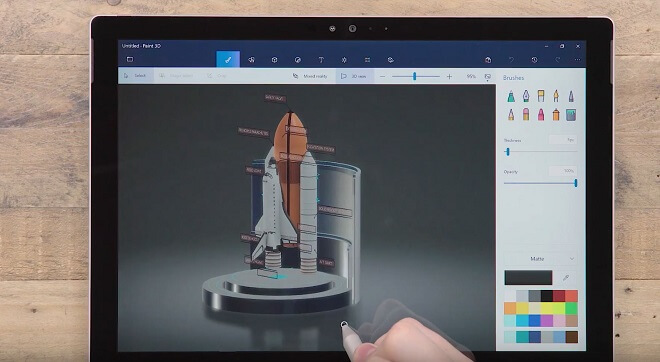
Microsoft Paint 3D


Free drawing software - Microsoft Paint 3D
Maybe coming as somewhat of a surprise, Microsoft Paint, the famous artistic program that comes with your PC, is actually a fantastic option for free drawing software. If you find yourself away from the Internet, or would rather keep things super simple, Microsoft Paint is really the go-to option for creating free art.

I’ve spent many hours experimenting in past versions of the iconic Microsoft program.

Its user interface is simplistic with no frills, which is perfect for artists that aren’t interested in fancy user interfaces and layer control. I’ve made many paintings and humorous drawings in my younger years with the aid of Microsoft Paint and can endorse it unabashedly.

However, Microsoft Paint has had upgrades in recent years, so it’s no longer the super basic program that just came with a computer. Instead, it has evolved into an easy to use avenue for quick doodles and harnessing the power of 3D objects.

Out of every program listed, this is definitely the most simplistic, but perhaps the best entry point for artists that don’t want to jump into the deep end with programs like GIMP and Krita. It’s the perfect step from the most bare-bones Microsoft Paint program to something more aesthetically pleasing and easy to use.

Overall, Microsoft Paint 3D is the perfect drawing software to basically learn the ins and outs of drawing and playing around with 3D objects at a beginner level. It’s also great for killing a bunch of time.

Here’s where you can download Microsoft Paint 3D.

Pros


  • Simple interface; no frills or complicated concepts to learn compared to other programs
  • Easy 3D design and implementation
  • Online sharing of projects
  • Great for beginners

Cons


  • Limited features compared to other software due to the lack of complexity.
  • Not recommended for artists to use in professional settings
  • Some consider it more ‘toy’ than ‘tool.’

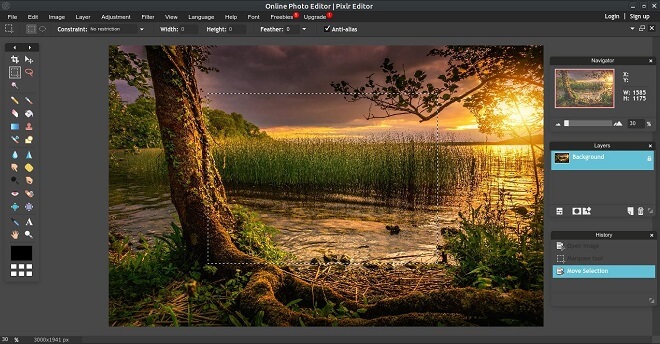
Pixlr


Free drawing software - Pixlr
Platforms:

  • Internet Browser

Boasting over 500 million global users, Pixlr is a photo editor based entirely in your web browser. Yep, you just get on the Pixlr page and choose between ‘Advanced Pixlr’ and ‘Playful Pixlr.’

You can probably guess which is best for you; do you want to engage in some more advanced artistic tools and concepts, or do you want just to mess around and kill time?

Pixlr was released in 2008 by Swedish developer Ola Sevandersson.

If you are familiar with Photoshop, you’ll be pleasantly surprised that Pixlr shares many similarities with the heavy-duty program in terms of tools and user interface.

Although primarily dealing with photo editing and retouching, much like GIMP, Pixlr can also be used to draw things.

Here’s where you can access Pixlr’s two different browser versions.

Pros


  • Easy access: it’s all online in your browser of choice
  • Great for beginners and moderately experienced software artists
  • Functional versatility in terms of different file saves, i.e., JPEG, PNG, and even PSD, (Photoshop)

Cons


  • Community is lacking
  • Depending on the Internet could put your artwork in danger of not being saved.

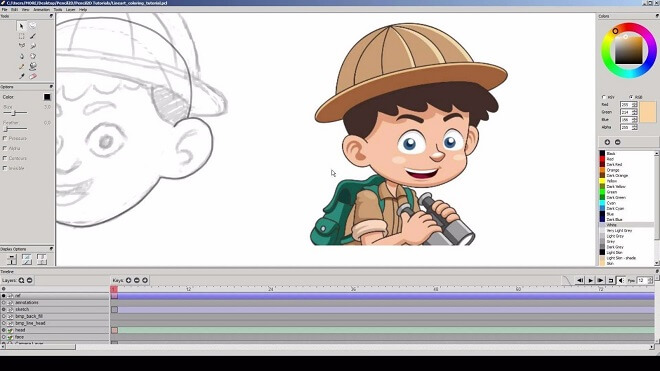
Pencil2D


Free drawing software - Pencil2D
Platforms:

  • Unix-like
  • Windows
  • OS X

Pencil2D is a 2D-based piece of open-source drawing software that was released in 2006 by Pascal Naidon, Patrick Corriari, and Matthew Chang.

Pencil2D is excellent because of its simplicity. But don’t let that same simplicity fool you into thinking that it isn’t capable of some great artwork capabilities.

Along with Microsoft Paint 3D, Pencil2D is simple yet effective. You can quickly get your artistic start here with its friendly user interface and exceptional abilities. It’s simple yet packs a punch, something we all need in free drawing software.

Here’s where you can download Pencil2D

Pros


  • It’s straightforward to use
  • A vast amount of documentation for newbies
  • Good layer functionality

Cons


  • Exporting files can use some improvement.
  • Some features aren’t available based on the version and operating system you are using.

Final Thoughts on Free Drawing Software


Choosing any of these options will land you with some seriously powerful pieces of software that can accomplish a lot of what programs like Adobe Illustrator and Photoshop can do. Some users and artists actually prefer free programs to some more professional software.

Of course, things like Photoshop and Illustrator are industry standards, and if you’re breaking into graphic design or freelance drawing, you may eventually want to buy into them.

But for the time being, if you’re a rookie artist, you can hone your skills and get some impressive work under your belt, and even add some to your artistic portfolio to impress future employers.

Even better if you want to just mess around in your free time. There are a ton of online courses in drawing with these pieces of specific software. So if you’re finding yourself stuck and trying to find some way to make it work, check out the fantastic YouTube resources and online courses.

Another note: since these pieces of drawing software are free (which is incredible), you should consider donating to your personal preference. These developers work around the clock to make sure their programs are up to date and working well, so if you have used one program in particular, show your love and kick them a few bucks!

Overall, the decision is up to you, but what do you have to lose by checking out free drawing software? Find your preferred program based on your style and comfort level, and let ‘er rip!

Is It Hard To Get A Job in the Gaming Industry?

0

Tips on How to Become A Game Designer
What better place to receive important game development knowledge than from the experts themselves? We wanted to see just what it took to not only become a game developer, but how to do it, and how to thrive in the industry.

The 7 Important Questions

We wanted to understand the role that gaming colleges play versus sheer talent and experience when it comes to success in the gaming industry. So, without further ado, here is the breakdown in questions we used, as we felt they were the most helpful to aspiring game designers.

How do I Start A Career In Video Game Design?
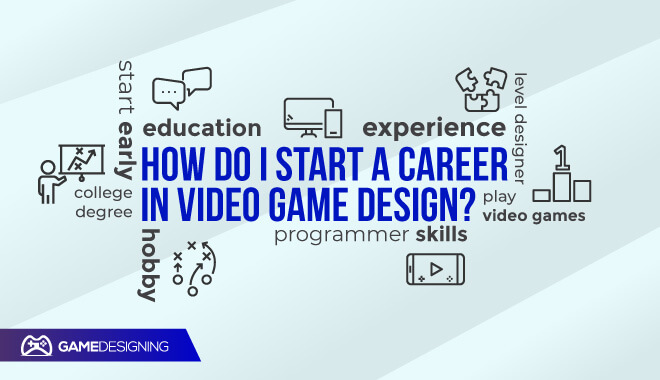

Starting a game design career

“…Having a degree is never enough. You need to have some type of proof that you can do the job for which you’re applying. If you’re a level designer at a website, that could be showing screenshots or videos of your levels. Or if you’re a programmer, GitHub repos of games that you’ve created.”

Shawn Warnock, Automation Engineer at EA’s mobile-centric studio-within-a-studio, Red Crow

“I started to design games because it’s fun and challenging…I wanted to have the games I wanted to play. It’s a kind of game…I still consider this a hobby and don’t want to be considered a fully professional game designer.”

Bruno Faidutti, Game Designer

Is It Hard to Get A Job In Game Design?
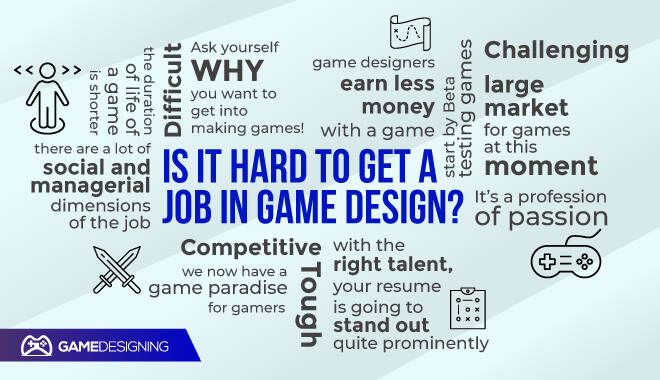

How to get a job in game design

“It’s always tough for most positions…it’s certainly not an easy industry to break into. Programming is always the most sought-after role. A talented programmer who can demonstrate excellent programming skills in one or more areas…will have the best chance to break into the industry. The creative roles, like artists and designers, are generally much more difficult.”

Curtis Ratica, President and CEO of Ratical Games

“I’d definitely say it’s very competitive. If you think you’re just going to get a college degree and then get a role… you’ll need more than that. You need to show a willingness to improve your skills on your own time and an ability to adapt pretty quickly. My day-to-day changes pretty rapidly.”

Shawn Warnock, Automation Engineer at EA’s mobile-centric studio-within-a-studio, Red Crow

“It wasn’t that hard for me, but I was lucky. And it was over 20 years ago.

It’s a different story today. Millions of people want to get into video game development. There’s an overabundance of candidates vs. open positions…entry-level positions are over-applied for. Even getting your resumé seen can be a challenge…normally they don’t pay much.”

Chris Nash, Senior Specialist, Software Engineering

“Ask yourself WHY you want to get into making games! Is the discipline you chose something you can feel fulfilled in doing 50–60 hours a week? Research the studios you wish to work at & build out your portfolio to match their needs, style & genres. Look to create your own ‘simple’ game… Making your own game will separate you from other applicants…Get involved with game development community groups…Work on your networking…”

Mark Söderwall, Game Art/Creative Direction on AAA brands


“Anyone can be a game developer. Simple. Becoming a professional though, that’s another matter. It’s a profession of passion. It’s like acting – it’s the industry of entertainment. And there is huge competition…Odds are always stacked against you, but if you have a passion, you will have the drive to achieve what you want in this life…it’s gonna require your time investment. The short answer – it’s as hard as everything else. But if you have a passion for it – just do it. Change the world.”

Arnold Gurskis, Professional Game Developer

“All you have to do to become a video game developer is decide that you are one and start doing any kind of work towards it. You become a video game developer when you decide you are going to do it, and then start doing it…Video Game Development is hard. It’s hard when you first start learning and it never stops being hard. Throw away fear and embrace the challenge. Or don’t become a game developer.”

Daniel Super, Founding Designer and CEO of Cynics United

“If you are looking for a job in a AAA gaming company, a “stable” job with good pay is, in reality, very hard. With indie games, you may have more stability as long as your games succeed, so it’s a higher risk but higher reward. After all, many AAA companies started indie.”

Daniel Mosquera, Senior Game and 3D Software Engineer

“There are a lot of social and managerial dimensions of the job…In the end, what you’re responsible for as a game designer is whether a game is fun or not…The game should quickly become an extension of [the player’s] ego…just doing it: flying the plane, doing cool moves, trying to shoot down the guy in front of them, and feeling like they accomplished something.”

Paolo Malabuyo, Director of User Experience at Google & Adjunct Professor at Carnegie Mellon University Silicon Valley

“Although it is continually growing, the game industry is a competitive one…it is nearly impossible to get a game designer or producer job without prior development experience…if you have a portfolio of work you’ve done on your own, and many people have entered the game industry through entry-level jobs…”

David Mullich, Video Game Consultant & Game Design Adjunct Professor at ArtCenter College of Design

“I would say it’s competitive in terms of volume, but really, if you have the right talent and you’re doing the right things, your resume is going to stand out quite prominently…don’t expect that your degree is funding your job application. You’ve got to do more than that. But if you do more than that, and if you have the talent, I think it’s quite easy to land that first job because talent is so rare.”

Jez Sherlock, Vice President of Engineering and Technology at Aspyr Media

“Start by Beta testing games: it is low-entry and allows you to connect with a lot of industry players… a lot of people get their start this way…Decide what aspect of the industry you would fit…You have to develop the skills somehow. The kids go to school now as many colleges have game design programs.”

Al Doyle, Game Design Professor

“There is a large market for games at this moment, the business is quite lucrative…The problem with a lot of the games in these modern times is the fact that greedy publishers often produce only games they believe will sell well, and in turn, have destroyed many great genres of games that we grew up with. If it’s not a hack-n-slash, action-packed game with instant gratification, they want nothing to do with it…”

Matt Pappalardo, Video Game Developer

“The advantage of today is that good games spread out in the whole world very quickly. The quality of the games is better now; many games are very good! Therefore we now have a game paradise for gamers. The game market is more international.

The disadvantages are: we have too many new games every year and the duration of life of a game is shorter. The sales in the whole game market are higher, but the sales for a single game are smaller. The game designers earn less money with a game.”

Wolfgang Kramer, Game Designer

What Does It Take To Become A Game Designer?
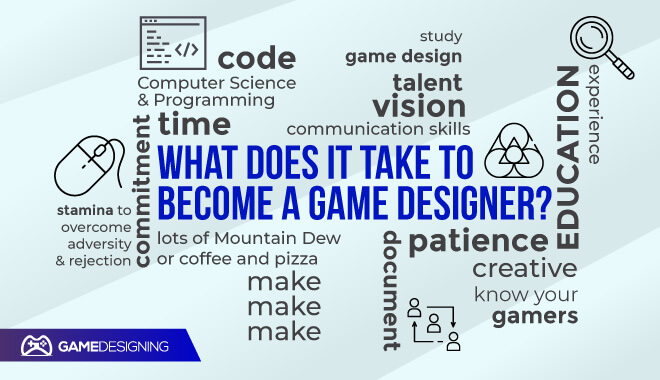

What does it take to become a game designer?

“Lots of Mountain Dew or coffee and pizza…lots of patience…commitment, and the stamina to overcome adversity and rejection. Being a game dev is the most challenging thing you can do, it’s also the most rewarding.”

Mike Warner, Multimedia/instructional designer

“Time. If you are working for a company you are given time to do a thing probably under the assumption that you have the knowledge to do so. If you don’t you’ll require more time to learn that.”

Charalampos Koundourakis, AI Programmer at Tall Order

“The most important things are being able to communicate perfectly and clearly in writing, and also with visuals like flowcharts and diagrams to get your point across. A good designer also is familiar with all aspects of game design. I would suggest dabbling in some basic programming and game-making in Unity, Flash, or game design programs like Stencyl and Game Maker. You need to know what can actually be made in a game if you want to design one or solve a problem that arises.”

Abby Friesen, Game Designer, Filament Games

“You need creativity to have a vision, see what will make a game fun, and create a great experience. You need communication to articulate that vision to 30 or 40 or 50 other people and get them to do what you think needs to be done. And you need the dedication to see your vision through—to work your way through the disappointments and failures. When you’re three months from shipping, working until 2 a.m., you need to be pretty darn dedicated.”

Paulo Malabuyo, Director of User Experience at Google & Adjunct Professor at Carnegie Mellon University Silicon Valley

“When I started, nobody had a degree…It’s still possible without [one], but rare…as far as engineering experience goes, it depends what those game development programs are using to put those games together…I wouldn’t rule out pure computer science programs with relevant focuses on low-level languages — on things like C++ languages. I’ve got an old saying: if you want to make games, make games…So it depends on which game program you go on, as to how it’s viewed.”

Jez Sherlock, Vice President of Engineering and Technology at Aspyr Media

“For game development, education is of course important, but it takes a back seat to demonstrable talent and experience.”

Curtis Ratica, President and CEO of Ratical Games

“No one cares where you went to school, they only care whether you can do the job…there is a lot of competition but skills rule the day. Recent grads will be facing tough competition yet if they have the particular skills for the specific job and are willing to put in the long hours during sprints they will find their way. Smaller companies are probably easier to break into.”

Al Doyle, Game Design Professor

“To me “game designer” is a position you work your way into…you might be able to pitch your own game to your company. Starting out as a game designer is almost like trying to be conductor of a symphony orchestra without ever having played an instrument.”

Ed Magnin, A 35+ year game industry veteran, specializing in mobile games

“It can be challenging fresh out of school to go straight into game design simply because it’s a competitive field…designers compose a much smaller portion of any given team. However, I have worked, at Zynga specifically, at companies that have hired junior designers straight out of specialized college programs. So it does happen.”

Estevan Aguayo, Software Engineer

“Computer Science & Programming…knowing how levels are made, what makes good level flow…understanding how people learn, how they get engaged with your game…gotta know how to balance your game on paper before you tell the computer how to do it…MAKE GAMES. Make mods. Make levels. Code. Document. Create board games, card games, RPGs, and tabletop games. Make Make Make.”

Steve Mallory, Former Game Designer at Terminal Reality

“…study game design. Game design is a form of art; for game designers, game design is their medium of expression. You can’t WANT to be a game designer, you just ARE one whether you like it or not; you can aspire to have a JOB as a game designer, but that’s not the same as BEING a game designer…you can’t be taught to be a designer any more than you can be taught to be a novelist…Some skill-based and technique-based teaching is going to be essential, but the end result you are really aiming for is to understand the rules of game design. Then, and only then, you can break them.”

Richard A. Bartle, Game Designer, and Academic

How Much Money Does A Video Game Designer Make Per Hour?

How Much Money Does A Video Game Designer Make Per Hour?

“[It’s] generally high if you compare it to other full-time jobs but not as high as it can be if you worked for the large tech companies.”

Steven Srun, Gameplay Engineer at Amazon Game Studios

“Much better than I was making waiting tables. Somewhat worse than I would be making doing non-game software development.”

Daniel Super, Founding Designer and CEO of Cynics United

What Is The Highest Paying Job In The Gaming Industry?

“That depends on your position, your experience, the location of your employer, and the financial resources of your employer. However, here are average salaries of game developers in the United States from a 2014 survey conducted by Gamasutra:

Business and management: $101,572
Audio professionals: $95,682
Programmers: $93,251
Artists and animators: $74,349
Producers: $82,286
Game designers: $73,864
Quality Assurance: $54,833”
David Mullich, Video Game Consultant & Game Design Adjunct Professor at ArtCenter College of Design

Salary? It isn’t really worth talking about in the abstract. It varies so much between roles and locations that there isn’t much value.”

Mark Maratea, Video Game Software Architect – AAA and mobile

What’s A Typical Day To Day For You?
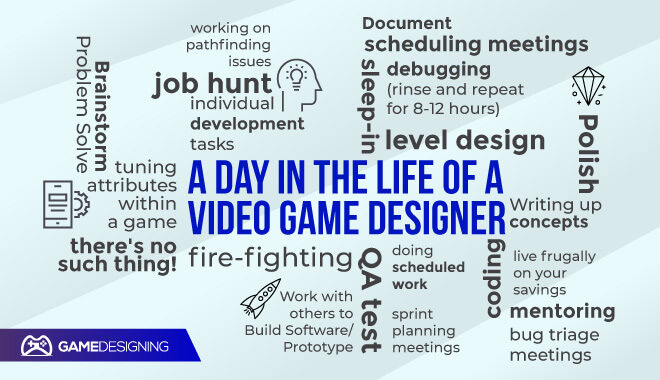

A typical day of a video game designer

“There’s no such thing! In over 17 years of working in the video game industry, I can’t say that I’ve had a typical working day, which I’m sure is why I still love the job.

My tasks for any given day are dictated by the products that we’re working on. One day I may be writing up concepts and feature ideas for potential new games…Another day may involve tuning attributes within a game…”

Pete Low, Games Designer at Chunk

“Mornings: Meetings (maybe some time doing assigned individual development tasks)
Afternoons: Doing assigned, individual development tasks (maybe some meetings)
Evenings: Doing assigned, individual development tasks or fire-fighting
Nights: Doing assigned, individual development tasks or fire-fighting
Also, the fridge at most studios is stocked with Red Bulls, and at crunch time some meals may be provided to keep you working at your desk longer.”

David Mullich, Video Game Consultant & Game Design Adjunct Professor at ArtCenter College of Design

“Most of my day is spent making sure everything is implemented in the game correctly and making content for it if needed (such as level design). We have to know everything about the game we’re working on and be able to problem-solve as issues arise. We have an entire QA team devoted to testing every feature and build, office managers, directors, sales, marketing, and customer service team members.”

Abby Friesen, Game Designer, Filament Games

“Go to the office, settle in, have a meeting, sit in front of the computer writing code or debugging code, have more meetings, rinse and repeat for 8–12 hours.

Unless you are laid off, which happens with fair regularity, then it’s sleep-in, job hunt, live frugally on your savings, and hope you don’t have to move to a different state again.”

Daniel Super, Founding Designer and CEO of Cynics United

“Normal Day? I spend 1–2 hrs a day in meetings, 1–2 hrs mentoring and/or helping people informally, 4 hrs doing scheduled work, and 2–4 hrs fixing bugs/reacting to issues. So bad days can easily get in the 12–16 hr range and good days are 6–8.

When I first started it was more like the 1 hr meetings and 7–12 hrs of scheduled work. However, roles evolve. As you get more senior, your job begins to focus on bigger issues.”

Mark Maratea, Video Game Software Architect – AAA and mobile

“Right now I spend most of my days working on pathfinding issues from the codebase I inherited from previous projects. It doesn’t completely support what we want it to do and the limitations are holding us back from achieving what we want.”

Steve Srun, Gameplay Engineer at Amazon Game Studios

“It depends on the designer, the company, and the project. Most of the teams I have been on, everyone could be divided into engineers, artists, and designers. I am responsible for everything that is not an art asset, or the code which makes the game work, though sometimes my mockups turn into UI and art assets, and sometimes I provide configuration data which is part of the code.”

Brian Davis, Social/Mobile Game Designer (Zynga, TinyCo. ZZP)

“It will vary a lot depending on several factors. First, “game designer” is a sort of umbrella term for a number of actual occupations…Each of these roles has a set of responsibilities…On small teams and small projects, all the design roles can be assigned to a single person.

Second, it will vary depending on the stage of the project. In the beginning of the project, you would do the preproduction stuff…In the later stages, you would write more detailed specifications…On the final stages of the project, you would polish the existing content and balance.

Next, it varies from company to company: different companies have different sets of designer roles and different processes of project development.”

Dmitrii “Dimage” Sapelkin, Senior Game Designer

“It depends a lot on many different factors…my job changes massively when we are entering the final push for launch. Generally, I expect to spend my time perched on a lot of other people’s desks talking through problems that have arisen or explaining the nuances of my design docs. There will be a lot of meetings too, bug triage meetings, scheduling meetings, sprint planning meetings, etc.

If I’m lucky, I’ll spend maybe an hour at my own desk revising design documents, responding to emails, going through any bugs assigned to me, and so on.”

Iain Compton, Lead Game Designer

“My daily life as a Game Designer varies greatly, depending on a few factors. The main factors are: 1) what type of game I’m on 2) team size, and 3) what stage the game is in (of its life-cycle). Generally, game designers are responsible for defining all the “rules” of how a game works. Hopefully, when all the rules are put together, the resulting game is fun!

My day may be spent in many meetings to ensure everyone is on the same page and/or working directly with artists, engineers, product managers, producers, and other game designers. Once everyone is on the same page, details need to be written up in game design docs and/or prototyped to “find the fun”. After details are defined, the game designer will need to be very hands-on during development to make sure things get implemented correctly as well as to navigate unforeseen issues that may arise.

Brainstorm -> Problem Solve -> Document -> Work with others to Build Software/Prototype -> Polish -> Release -> Repeat with a different feature”

Wes Culver, Lead Game Designer at Zynga

“I prefer working early, to get my focused time while everyone else is driving in. Each day I started by playing the maps I had built overnight…to see what changes needed to be made. That usually built a list of work that ate 2-3 hours. From about 11 to lunch, I would sketch ideas for additional maps/levels and present them to my Lead. After lunch, I would sometimes jog a couple of miles with coworkers to get the blood pumping. When I got home, I would usually play competitive products until midnight. Research!”

Harold Hanlin, Executive Producer at Zynga

“Once everybody is in the office, it’s pretty common to have a team meeting. After that, everybody goes back to their desks to handle email, plan their day, and get to work. Most of the day is spent doing the core part of the job…workers usually go lunch around noon, sometimes later. Throughout the day, there may be additional meetings among a game team’s subgroups…Then at the end of the day, maybe around 7:00 PM in the evening, that’s when people start ending their workdays and going home for the night.”

Jason W. Bay, Game Industry Career Guide

What Do You Do As A Game Designer?
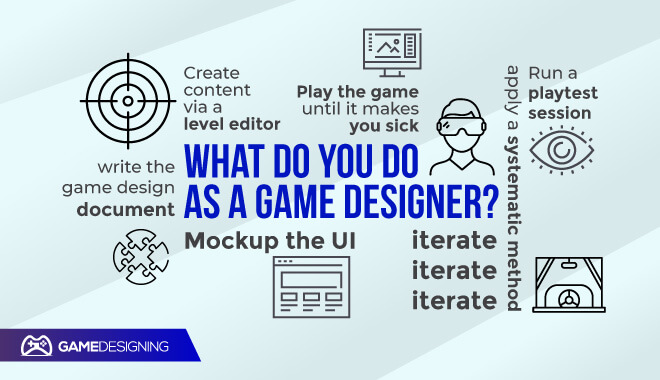

Video game designer

“There are several aspects of design depending on the type and scope of the project.
Things a designer might do.
Write a description, dialogue, or instruction for the player to see.
Write a document of the game design.
Fill a spreadsheet with numbers and formulas to work out a game balance.
Create content via a level editor.
Mockup the UI.
Run a playtest session.
Play the game until it makes you sick.
Iterate iterate iterate.”

Raymond Holmes, Creative Director for a small mobile games company

“Maybe it’s a little unusual, but I always start from the theme. A game is a story to tell, an experience to give to the people who will play it…I develop the game mechanisms…The process can seem complex, but it comes naturally to me. Theme and mechanics blend into each other as I design the game.”

Antonio Ferrara, Game Designer

“As I got started in this game design adventure with Antonio, I completely agree with what he says. Talking together, we often get enthusiastic about an idea or story element which just comes out unexpectedly… and then it starts to naturally take shape.”

Sebastian Fiorillo, Game Designer

“I don’t believe in processes and methods, and I don’t think I have two games designed the same way…I really think that the surest way to fail in game design, like in many other activities, is to try to apply a systematic method.”

Bruni Faidutti, Game Designer

Bonus Tips For Aspiring Game Designers
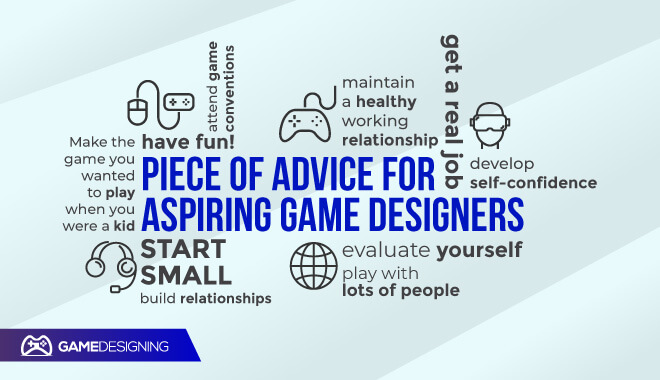

Bonus tips

“Make the game you wanted to play when you were a kid, but with the awareness you have as an adult, and surely the players will realize they are looking at a game with a soul.”

Matt Pappalardo, Video Game Developer

“Find people you can communicate with first and foremost. Strong interpersonal communication skills from both parties is very important in maintaining a healthy working relationship.”

Sen-Foong Lim, Game Designer

“Start Small.”

Rani Baker, Game Designer

“Have fun working on it, allow yourself to become enthusiastic, but don’t lose the ability to evaluate yourself.”

Sebastian Fiorillo, Game Designer

“There’s no roadmap to a job in the game industry. The best thing you can do is attend game conventions, play with lots of people, and build relationships.”

Chris Leder, Game Designer at Calliope Games

“I think it’s important to develop self-confidence. That would allow you to take calculated risks on behalf of your dream. And your dream better be something you love fully and beyond reason. That would allow you to put in the amount of work that others would find unreasonable. Then you will need a little bit of luck.”

Wlad Marhulets, Game Designer

“Get a real job. Oh, well, copy as much as you can from other works – to start off; you’ll hit your own stride soon enough. My basic premise is: Make the system fit the situation, not vice-versa.”

Richard Berg, Game Designer

“If you go into game design to have fun, you will – and you may even make some money. If you go into game design to make money, you won’t, and it won’t be fun.”

Bruno Faidutti, Game Designer

Quick Recap
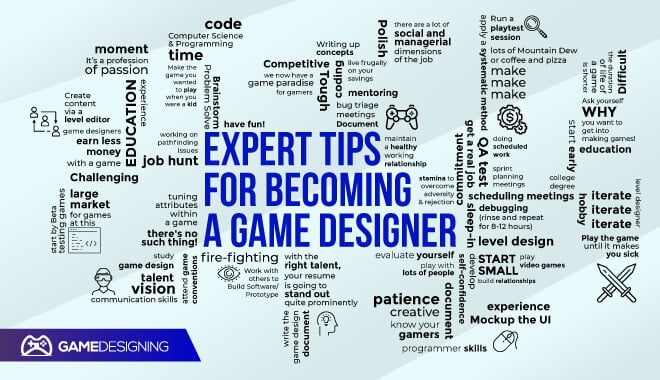

How to become a game designer according to the experts

How can I get into the gaming industry without a degree?


Our professionals echoed the common idea that without a degree, you need to double down on your programming and computer science abilities to build a comprehensive portfolio. Getting a degree isn’t the be-all end-all in this industry, as David Mullich said. He knew game developers with degrees in history, philosophy, and English who had gotten into the gaming industry.

“If you do not have the professional-grade skills, then you better exhibit the drive that is needed to learn for the kind of hours game developers are asked to work…work really really hard at getting your skills top-notch.”

Dan Super, Founding Designer and CEO of Cynics United

Is it hard to get a job in the gaming industry?


Our experts are in agreement when it comes to the difficulty level of breaking into the industry. Since it’s extremely competitive, it may be difficult for some newbie developers trying to break into the industry. This is made more difficult if you don’t have a good portfolio or professional-grade skills in certain subsets of design.

What jobs are there in the video game industry?


According to our experts, there are a ton of different positions under the broad umbrella of the video game industry. For example, there are game designers, game programmers, game testers, audio engineers, writers, and level designers.

What careers are in the gaming industry?


There are multiple different paths in the gaming industry. According to our experts, it’s a very diverse field where you can explore many different paths like an audio engineer, animator, game artist, and programmer.

How do I get a job in the gaming industry?


You are going to need extensive experience with software and other aspects of computing and game development to even think of working at some studios. Most importantly, practice your skills until they are markedly good and apply to different tech and game companies.

What are 3 jobs related to games?

  • Game Designers: These are the people who actually design and implement the features of the game.
  • Game Testers: these are the people who test the game for bugs, glitches, and overall quality assurance
  • Artists: These creatives paint and draw different concept art, environments, characters, and other palettes involved in the game.

Final Thoughts


Wise words from both veterans and current designers in the game industry. While you can look up different answers from multiple Internet users, hearing concrete, tested answers through the pros that make the games we play is an invaluable tool.

Sources: (Quora; Get to Know a Game Designer: An Interview with Abby Friesen; Video Game Designer Profile; A Guide TO A Career In Game Development; Twitter A day in the life of a… Games Designer; How does the daily life of a video game designer look like?; Interview with game designer Chris Leder of Calliope Games; From Film Composer to Game Developer – An Interview with Wlad Marhulets; Game Designer Interview: Wolfgang Kramer; Interview with Legendary Game Designer Richard Berg; The Art of Design: Interviews to game designers #9 – Bruno Faidutti; TL Forum)

Bonus Content: Social Media Shareables
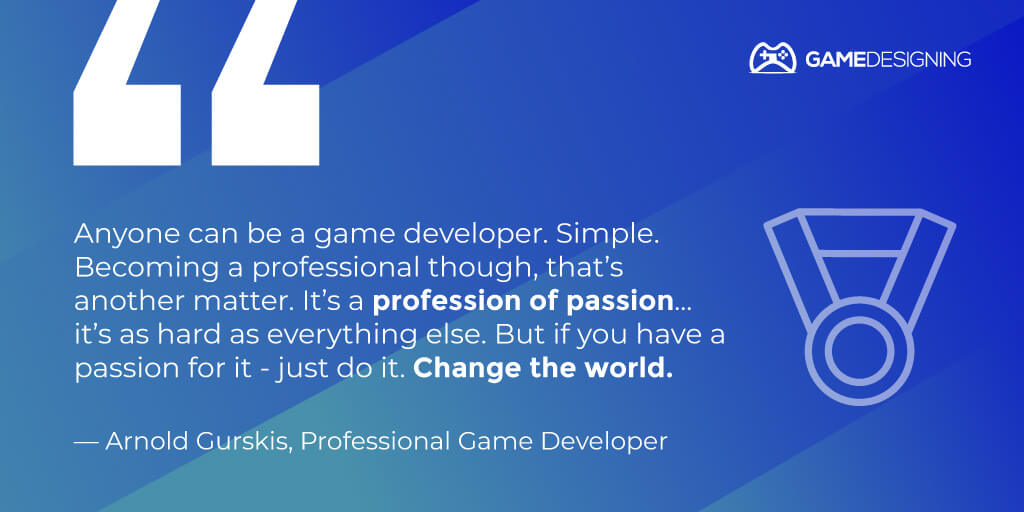
Gaming expert tip - Arnold Gurskis

Gaimng tip expert - Mike Warner

Gaming tip expert - Jez Sherlock

Gaming expert tip - Curtis Ratica

Gaming tip expert - David Mullich

Gaming expert tip - Charalampos Koundourakis

Gaming expert tip - Paulo Malabuyo

Gaming expert tip - Arnold Gurskis

Gaming expert tip - Mike Warner

Gaming expert tip - Jez Sherlock

Gaming expert tip - Curtis Ratica

Gaming expert tip - David Mullich

Gaming expert tip - Charalampos Koundourakis

Gaming expert tip - Paulo Malabuyo

What Is The Perfect Monitor Resolution for Gaming?

0

Gaming Monitor Resolution
You may think that having the most current console will give you the best visuals. While that technically may be true, are you getting the most out of your visual gaming experience?

Monitors and displays are capable of some genuinely staggering visual heavy lifting these days, and to better experience gaming, you need to find the best resolution for gaming. If you aren’t familiar, you may have heard of gaming resolution, or seen it mentioned in-game menus and settings.

It can be challenging to nail down the exact specifications that you’d like for gaming if you are new to game resolution. That’s why we will take a close look at what it is, and most importantly, what is the best resolution for gaming.

What is Game Resolution?

When attempting to purchase new computer hardware or a console, the resolution is undoubtedly one of the advertised first things.

Game resolution is the visual ability to display a set amount of pixels on a monitor or TV screen. Using pixels as a measure, you will find quite a few different resolutions when choosing the perfect gaming monitor.

The more pixels that a resolution has, the clearer and sharper the image will be. As you’d probably expect, a game can only display so many pixels when held back by a smaller resolution. It’s all about giving the game room to breathe to be displayed as it was meant to be.

It can be confusing if you’re just catching on, but let’s clear the air by changing those seemingly meaningless numbers into something you can search out, purchase, and enjoy.

The Most Common Gaming Monitor Resolutions

What is the best game resolution?
These are some of the most popular gaming resolutions on the market today. When you see a monitor’s resolution, it’ll be displayed as a number like 1920 x 1080. This means that horizontally, there are 1,920 pixels displayed. Likewise, vertically, 1,080 pixels are displayed.

1920 x 1080 — FHD (Full HD) / 1080p

Perhaps the most common gaming resolutions, 1080p, is a classic game resolution. The visuals are clear, concise, and immerse the player in whatever game they are playing. 1080p is usually the industry standard these days for out of the box laptops and TVs, although that’s changing (more on that later).

Overall, the end result is an impressive 2,073,600 pixels on your game monitor.

2560 x 1440 — QHD (Quad HD) / 2K 1440p

A significant step up from the standard 1080p, a 2K monitor will give you impressive visuals without seriously frying your computer. This is an excellent middle-ground option if you are a moderately serious gamer and want some great visuals without breaking the bank and your system.

3840 x 2160 — UHD (Ultra HD) / 4K 2160p

4K gaming is what it’s all about. This is soon to be what most monitors and television screens will be. 4K proves to be somewhat more of a challenge in some ways. While it’s awe-inspiring, it might not be a worthwhile investment if you only game every now and then. They are expensive and tax your system.

However, if you play many games that need that extra visual punch, We couldn’t recommend 4K monitors enough. Games will be made in the future where 4K is the standard resolution.

7680 × 4320 — FUHD (Full Ultra HD) / 8K 4320p

This is the king of the hill right now. As you’ll soon see, there are just limited options when it comes to 8K. It’s almost a mythologically impressive resolution.

Be warned, these are expensive pieces of hardware; an 8K TV by Samsung costs over $2,500.

What is Pixel Density?

Pixel density, also known as pixels per inch, makes up the game resolution.

The industry standard, as of right now, is a solid 300 pixels per inch. This provides a clear, sharp image. With the rise of newer and more impressive resolutions, expect it to change.

Wait, Pixels?

If you weren’t in the know, pixels make up everything we see on our gaming monitors and screens.

Pixels are the smallest form of an image displayed on the monitor. When we apply the number of pixels back to our gaming resolution measurements, you will have more pixels and a more precise picture for some great gaming moments.

Optimal Viewing Distance

Distance from gaming monitor
Now that we know some stuff about pixels, how far away should you be from your TV or game monitor to get optimal viewing?

It depends on the size and resolution of the monitor. For example, a 50-inch screen should be viewed at least 6 feet away. It follows that the more the measurement increases, the optimal viewing distance increases as well.

Recommended optimal viewing distance is useful, but it’s a lot easier to determine optimal viewing distance by actually playing or watching something on the monitor.

The Aspect Ratio

You may have heard of aspect ratio too. It refers to the ratio of a screen’s width to its height.

The best current aspect ratio for gaming is 16.9. This is pretty standard.

If you view a game on a bigger monitor, you might want to check out an aspect ratio of 21.9. The latter is better suited toward a 4K monitor or television.

It’s ultrawide!

You have a higher field of view, but not all monitors support this feature. Ultrawide support is outright disabled in some games, like Overwatch.

The Best Resolution for Gaming

Out of the many options available, we recommend any 1440p or 4K monitors. These are going to be what most gamers and game developers will use in the near future. Many games, movies, and TVs are optimizing their content for viewing in this impressive resolution.

The Best Monitors for PC Gaming

Some of the best monitors for PC gaming that you can find are:

  • ASUS ROG Swift PG279Q
  • Acer Predator XB273K
  • Pixio PXC273
  • BenQ EL2870U
  • Acer XR382CQK

How to Make PC Games Full Screen

In any game you are playing, simply hold down the Alt key and press Enter. This makes it windowed too. You can sometimes configure this in a game’s menu, too, if you’d prefer that.

This is a super-easy way to do it on the fly. This can fix some resolution issues also, so definitely worth a shot.

For more visual learners, check out this quick video tutorial for more:

1080p Gaming

1080p Gaming Monitor
1080p gaming is pretty reliable for any casual gamer. A decent PC build, along with a 1080p monitor, can quickly satisfy your gaming needs. 1080p runs at 60Hz. But what if you’re a gamer who wants the top of the line, best of the best, cream of the crop?

As we’ve explored before, 1080p, for a while, was the gold standard in gaming. However, 1080p is now giving way to truly impressive 4K gaming.

4K Gaming

4K Gaming Monitor
When I first heard of 4K, I thought it was made up, an impressive monitor that was too good to be true. How wrong I was! 4K isn’t only real, but it’s what any hardcore gamer worth their salt is getting into.

Be warned! 4K gaming is no joke: it doubles your monitor’s resolution, so you are going to need to accommodate for the increased display power. To give you a better idea, while 1080p runs at 60Hz, 4K gaming runs upwards of 120Hz.

4K Displays

Surprisingly, many great 4K displays are relatively cheap nowadays.

Some of the best options to choose from are:

  • BenQ SW321C PhotoVue
  • Philips Brilliance 328P
  • LG Ultrafine 24MD4KL
  • BenQ PD2700U
  • Monoprice 27″ 4K UHD
  • Asus ROG Swift PG27UQ
  • ViewSonic XG2700-4K
  • AOC U2879VF
  • Acer Predator X27
  • LG 43UD79-B

4K Gaming Graphics Cards

Okay, now that we have a better idea about the new gold standard of gaming, let’s see what kind of graphical hardware you are going to need to pull off a successful combo of stunning visuals without taxing your computer. You don’t want your system to sound like a space shuttle lifting off.

Nvidia GeForce RTX 2080 Super

It’s no surprise that the masters of impressive graphical capabilities, Nvidia, prude some of the best graphics cards in the entire industry. This graphics card is no different.

This behemoth of a graphics card is relatively expensive: a steep $700 starting price. However, you truly get what you pay for, and that’s a stunning graphical setup that’ll be the envy of everyone.

Customizing the Nvidia GeForce RTX 2080 Super will cost you a lot more than the standard $700 price tag, so beware, computer gurus!

You must have a graphics card of this quality and a great 4K monitor, as it is an absolute powerhouse. This means that while you’ll have cutting edge graphics, your system will basically get fried if it isn’t ready for it.

What happens is that the frame rate will stutter and slow, and it will force your computer to change the game to a lower resolution to compensate for the demands.

Graphics Cards: What NOT to Do

AMD, the rival of Nvidia, makes some good stuff. However, when it comes to 4K, you can’t take any chances. These are expensive graphics cards.

AMD’s counterpart to the Nvidia GeForce RTX 2080 Super is their series of Radeon cards. They just don’t cut it the same way that the RTX 2080 Super does.

4K Gaming: What to Do for Power

Unless you have a PC to handle the powerful visuals, you will need to have at least a 500-watt power supply. This thing eats a ton of electricity, and it’s not surprising why.

When buying a power supply, we recommend at least a 750 watt supply. This will give you enough juice to feel comfortable. If you’re feeling incredibly brave, go ahead and upgrade to 1,000 watts. Just beware of the electricity bill!

8K Gaming

8K Gaming Monitor
This is the current highest standard in gaming resolution. We highly recommend that you be familiar with gaming resolutions and tech in general if you shell out the cash for an expensive 8K monitor.

If you are just using your computer monitor for casual gaming, there is really no need to invest in an 8K gaming monitor.

However, if you are a hardcore gamer that craves the best of the best, then an 8K monitor may just be the perfect thing for you.

What’s the Best 8K Monitor Out There?

Well, the funny thing is, there’s currently only one affordable option for 8K gaming. That’s right: there’s only ONE option to choose from. At least that makes the decision pretty simple!

However, it’s luckily an excellent option. Chances are if you are shopping around for an 8K monitor, you will have heard of this by now. Either way, let’s look at its specs.

Dell UltraSharp UP3218K

  • Screen size: 32-inches
  • Aspect ratio: 16:9
  • Resolution: 7,680 x 4,320
  • 7680 x 4320-pixel resolution
  • 280 pixels per inch

If you were impressed by the over 2 million pixels displayed by a 1080p setup before, get ready for a groundbreaking 33 million pixels this time around. Along with the staggering amount of pixels, you’ll enjoy a color depth of 1.07 billion colors.

Kind of makes 1080p look like child’s play, huh? This makes it perfect for both professionals and gamers. Photo and animation software gurus can get some of the most impressive visual standards for their creative projects.

And of course, gamers can enjoy visually stunning games as they were meant to be seen by the developers.

What Are 8K Monitors?

Where 4K game resolutions meant that it measured in around 4,000 pixels, 8K is precisely the same. 8K means that approximately 8000 pixels are displayed. Currently, 7680 × 4320 is the highest definition right now on the market.

Benefits of 8K Monitors & TVs

The benefits of buying some of the most cutting-edge hardware for a gaming setup or television should speak for themselves. The sheer number of pixels displayed will fully immerse you in whatever you are viewing or playing.

When you are playing the new STALKER game or Call of Duty, you will feel like you’re crawling in the mud, avoiding or engaging with fierce enemies.

Imagine booting up the newest Microsoft Flight Simulator on an 8K monitor. On a good system, paired with a fantastic 8K monitor, you will feel like you are genuinely taking to the skies over the countryside, ocean, or favorite city.

8K gaming brings a new, stunning visual element to gaming that all gamers crave.

Choosing the Best 8K Monitor or TV

Luckily, the decision has been made for you! It’s a bit of a double-edged sword: there’s only one 8K monitor on the market, the Dell UltraSharp UP3218K.

Video: Dell’s 8K Monitor Review

Final Thoughts

While different players prefer different gaming resolutions, a large number of players prefer 1440p or 2K. It’s an excellent standard to work with.

If you’re a moderately serious gamer, the primary decision you’ll come across is 1080p vs. 1440p gaming. 1080p is superb, but 1440p gaming paves the way for some newer, more impressive resolutions like 4K.

If you want to get technical about it, 8K is the undisputed king of gaming resolution. 8K gaming brings the game worlds to life, showing off breathtaking visuals.

Frequently Asked Questions

What is 1280×1024 resolution?

This refers to a super VGA resolution. These measurements essentially mean that the width will show 1,280 pixels, and the height will show 1,024.

Is a higher resolution better for gaming?

Yes, it provides more visual detail and better graphical capability.

Is 1080p or 1440p better for gaming?

Gaming is more suited for the 1440p resolution.

Is 1080p best for gaming?

While it’s no slouch, 1080p isn’t the best resolution possible for gaming.

Is 4k worth it for gaming?

Absolutely. It may be hard on your system without a good graphics card, but it will give you a fantastic ability to see the game as it was meant to be played.

What is 4k in gaming?

It refers to almost 4,000 pixels being displayed. Also known as 3840 x 2160.

What graphics card do I need for 4k gaming?

The undisputed king of the 4K graphics card is the Nvidia GeForce RTX 2080 Super.

Is 2k or 4k better for gaming?

We recommend 2K for the perfect gaming balance. 4K is fantastic, but you should only upgrade to 4K and 8K gaming if your system can handle it.

Can the human eye see 8k?

In theory, we can. But only close up. The farther we get away from the monitor, the more we can’t see 8K.

Are there 8k monitors?

Yes, but there is only one available on the market currently. It is the Dell UltraSharp UP3218K.

Is 8k pointless?

It isn’t pointless, but there isn’t enough 8K content to justify an 8K purchase for many. You will also have to put your gaming rig through the wringer to get it to work.

Can you tell the difference between 4k and 8k?

Not exactly. You can definitely tell the difference between 1080p and 4K, the jump from 4K to 8K is less obvious.

Indie Game Marketing: 7 Proven Strategies

0

Indie Game Marketing

What Is Video Game Marketing?


If you have ever seen a trailer for a game, movie, or show (and the chances are good that you have), then you have taken part in the marketing process. But how?

Marketing is the culmination of the different practices and strategies to advertise a product or brand. While you may see the finished product, like a trailer for Call of Duty: Black Ops Cold War, there were many more steps before the trailer’s actual airing.

More than anything, marketing harnesses information, and the video game industry has a ton of it. Video game marketing takes trends, popular game mechanics, and more and harness it into an effective advertising campaign.

Video game marketing is no longer limited to magazines like Game Informer or sites like GameSpot. Video games have been advertised during large events, and we could potentially see popular games making up the commercial lineup to the Super Bowl.

The Importance of Marketing Your Games


While marketing doesn’t exactly sound like an appealing prospect, especially when you’re trying to sell a game, it may very well be one of the most important factors, other than video game funding.

You are going to be competing with triple-A titles that have astronomical budgets. Since you don’t have hundreds of thousands of dollars (yet!), this means that you need to wield video game marketing in creative and innovative ways.

You are starting at a disadvantage, so use that disadvantage to your benefit.

Marketing your game is effectively the blueprint for delivering your product to the consoles and computers of gamers.

Marketing and selling a perfect product don’t guarantee you success in the industry. That’s why indie marketing needs to be harnessed to the fullest extent of its ability to get your game to the masses and maybe, make a profit in the process.

Why Do I Need to Market My Game?

The simple answer: So people will know about it and buy it!

Where Do I Start With Marketing My Game?


How to promote your video game
Although it’s natural to be intimidated by this herculean task, this is actually the most vital position you can be in. This is where you do some reading and research to hone your marketing skills.

Here are some marketing activities you should consider:

Advertising
This is the heavy lifting of the indie game marketing process. Where larger studios like Rockstar or Bungie can take out huge ads on TV and in magazines, you will need to hit the ground running.

Use Steam as a social tool, get on the multiple subreddits that cater to marketing and indie game marketing.

Publicity
This refers to generating interest in your game through interviews, media releases, and more.

Sales Promos
We all know Steam has unbeatable sales. You can get on Steam one day and pay $10 for a game that usually retails for a steep $60. This is an excellent method for promoting your product. Offering a discount can pique the interest of curious gamers.

Direct Marketing
This is the method of video game marketing in which you directly reach out to groups and individuals about your product. You can do this by making posts online, emailing potentially interested parties, and more.

Basic Marketing Plan for Indie Games

Let’s form a basic outline of what the primary plan for indie game marketing should be for you and your project. What video game marketing comes down to are these main things:

  • Form your goals
  • Find out who the game is for
  • Distribute your game
  • The importance of apps
  • Branding
  • Promotion
  • Make a great website
  • Release a demo
  • Maintain quality

What Are Your Goals?


What Are Your Goals
Before you really dig in, take a step back, and examine what you are trying to accomplish. While it is definitely exciting to start developing your game right away, you might be in big trouble if you don’t map out your indie game marketing strategies, video game funding, and more.

Write out your goals and ideas about what you want your project to accomplish.

This is the blueprint.

A simple yet effective method of completing and outline goals is to create deadlines, both large and small. A great way to do this is to get as specific as possible.

Instead of limiting yourself to outlining goals and deadlines to years, consider making deadlines for each week or month. This will break down larger video game marketing projects and make it more manageable.

Target Audience


Target Market
Who is your target audience? Are you creating your game for a specific subset of people?

Think of your ideal demographic to cater to. This is one of the pillars of indie game marketing. The audience should ideally be a dedicated and passionate fanbase. With the enthusiasm of a small subset of gamers, you have an unexpectedly powerful tool in your arsenal.

This is where the importance of forums, websites, and other communities comes into play. A passionate fanbase can easily sway the chances of future success in your favor. There have been thousands of successful Kickstarter campaigns fueled solely on the anticipation and interest of fans.

Bloodstained: Ritual of the Night, created by one of the original developers of Castlevania: Symphony of the Night, Koji Igarashi, achieved an impressive funding drive. In part, this was due to the long-lasting and resounding success of Castlevania and the beloved legacy it has.

Recently, Bloodstained: Ritual of the Night passed a million in sales. “This is a remarkable milestone for any game, but it is especially sweet considering the humble beginnings of the project. Bloodstained wouldn’t exist without the passion and faith of the many Kickstarter backers who made the game a reality.”

Having that goodwill in the community built upon past successes or appealing promises and features can mean the difference between success and failure.

Distribution – Where Will You Sell Your Game?


Where will you sell your game?
A benefit to the Internet is that you can also distribute your game to a ton of different outlets. You basically have your pick of the litter. Which will you choose? Steam? Physical copies?

You should consider what works best for the execution of gameplay and ease of access before you jump into one distribution method. There is also a surprisingly large amount of indie game publishers that will be interested in your project.

The Website – Get Players to Download Your Game Demo


Website
You should always want to lead potential players towards a demo download. This can give them a valuable taste of what your game is all about. This is where all of your impressive materials should be exhibited—the trailer, cool screenshots, and the demo.

The Demo – Give the Players A Taste of Your Game


Demo
Demos are a fantastic and effective way to market your game. Demos can be found on Steam, the Playstation Store, and more outlets that deliver games right into gamers’ hands.

The demo is a critical opportunity for you to showcase some of your game’s most exciting aspects. In a successful demo, you can include breathtaking set pieces, addictive gameplay, and more.

Choose wisely, as this is the best way for a player to purchase your game. Include exciting and captivating game mechanics so that by the end of the demo, the player feels the need to continue gameplay.

Maintenance – Make Sure The Players Are Happy


Make Sure The Players Are Happy
If there’s one thing you don’t want to do, is to get lazy. A lot of people believed in the potential of your project. This is where you double down on the passion that you have for it.

Although keeping a game maintained isn’t easy, appeasing the masses of gamers that believe in you and your product, you need to make sure everything is running smoothly.

This means that fixes, patches, and more will need to be regularly added. Wait too long, and players may abandon your game entirely.

Certain games have negative reviews on Steam merely for the fact that the developers left the project. Actions speak louder than words in this case. You not caring about the wellbeing of your game may translate to gamers dropping off the hype train.

No Man’s Sky was universally seen as a massive disappointment in 2016. Instead of merely taking in peoples’ money and running away, the developers went right back into the studio and started working hard.

Years later, the developer has released a ton of free updates, filled to the brim with unique content. While many players hated what happened to No Man’s Sky in 2016, the game’s state is so utterly different that it proves that all games can be maintained and improved upon.

Refinement – Don’t Be Afraid to Change the Blueprint


Change the blueprint
If things aren’t working, or things aren’t falling into place exactly as you imagined they would, don’t be afraid to change your video game marketing strategies.

Marketing On A Budget

How Much Should You Spend on Marketing?


A good rule of thumb is a well-known practice called ’25-50%.’

This is a rule in which you take anywhere from 25-50% of what you spent on game development and dedicate it solely to video game marketing. This is a great jumping-off point, as it gives you a rigid set of rules to follow and can clear up confusion right from the start.

However, if you’re not rolling in the dough (you’re not), this could be a massive ask. In this case, you’re going to need to either be a video game marketing expert or become one.

If you’re really serious about indie game marketing, it may benefit you from taking business school courses or classes related to marketing. Where there is a lack of indie funding for marketing, the main effort goes into learning the ins and outs of video game marketing.

Make A Trailer


Making trailers is an art form. You bring together impressive cinematics and other visual elements to communicate the idea of your game. It sets the mood and lays down the groundwork for your project. You can easily make a trailer if you have experience with certain pieces of software.

Trailers are what draw thousands of people to movie theaters every year. The same applies to games, so you have to make your game trailer captivating. Tell a story, show gameplay, or tease some great action that is to come.

Include Awesome Screenshots of Your Games


This is where your inner artists come out to dominate. We all love to see cool screenshots of games. With specific software, you can create fantastic, cinematic images to entice gamers to view your game.

The Ghost of Tsushima, a big release on PlayStation 4, includes an in-depth and customizable camera mode. The player has tons of options to modify the scene and can upload it to the Internet.

The sheer number of possibilities and potential for style can draw gamers who don’t have the game into what the game represents.

Post Weekly on Your Dev Blog to Keep Your Community Engaged


Let the players know that you’re still out there!

They’ve purchased your game, communicating that they’re interested in this project and the future improvements and successes. You need to keep the community updated as much as possible.

Mount and Blade II: Bannerlord was released much earlier than anticipated. Many fans of the franchise were concerned that the game was rushed. Instead, the developers entered Steam Early Access and promised constant updates.

Ever since their release in the spring of 2020, the developers have released countless fixes and patches to improve gameplay. While players would undoubtedly prefer a finished, polished game, having the developers be so invested in a project is a promising sign.

How to Publish Games on Steam


Games on Steam

How Much Does it Cost to Publish a Game on Steam


According to Valve:

“In order to get fully set up, you will need to pay a fee for each product you wish to sell on Steam. You can pay this fee with any payment method supported by Steam in your region.

This fee is not refundable, but will be recoupable in the payment made after your product has at least $1,000 USD Adjusted Gross Revenue for Steam Store and in-app purchases. Payment of revenue from sales and repayment of the fee may be withheld if deposit payment is charged-back, refunded, or otherwise identified as fraudulent.”

Hopefully, saving money on marketing will give you enough for the Steam submission fee.

Is it Worth it to Put My Game on Steam?


Releasing a game on Steam is a fantastic choice in the video game marketing process. This is where the majority of gamers will see your product. This is also a crucial time to make sure all of your designs and promos are in order.

In a fantastic interview with Chief Marketing Officer at Black Shell Media, Raghav Mathur, he states:

“Focus on solid branding for the store page. What I mean is that if you’re on Steam, make sure any front-facing assets (logo, box art, screenshots, trailer, etc.) that are on the page are pristine and polished. The store page is what’s going to be influencing people to buy the game, and it’s vital to ensure that it’s as neat and polished as it can be.”

How Much Money Does Steam Make per Game?
The usual rate that Valve collects from selling the game is around 30%.

How Do I Publish A Game on Steam?
First, you are going to need the Steamworks fee of $100.

List of Indie Games Communities


Some beneficial and generous indie game communities will give you valuable feedback and tips on your video game marketing journey. Here are some of the most notable places. Predictably, there are quite a few subreddits dedicated to everything indie:

Indie Game Funding


Funding

How Do Video Games Get Funding?


Many video games get funding through different publishing companies. Recently, there has been an indie game boom in which the developers themselves pay for the game’s development or acquire Kickstarter donations.

How Do You Kick Start A Video Game?


You need to outline your project, make it appealing, and gather the hype for your potential project. Upload your idea with screenshots, goals, incentives, and more to pull people in.

How Much Money Do Indie Games Make?


It depends. They don’t make too much after the fees paid towards the publishers and Steam, but if the developer is dedicated to the game’s success, they can get comfortable. You need to find a valuable balance, as releasing games actually cost money.

List of Companies Offering Indie Funds


AI in Unity: AI Levels, Setting the Stage for Unity AI, Unity AI & Its Role in Automation

0

Ai in Video Game Design

What Is AI?

Artificial intelligence and games go together like peanut butter and jelly, mac and cheese, or whatever perfect food combination metaphor works best. Without artificial intelligence, games we love wouldn’t even be functional.

How long do you think that you’d be able to play the Witcher 3 with the monsters and humans not reacting to anything in the game world? It simply isn’t feasible.

That’s where artificial intelligence does a lot of heavy lifting. Since the 1950s, artificial intelligence in video games has played arguably the most significant role in gaming. Without artificial intelligence in games, there would be no arcade boom of the 1980s, Dark Souls, or World of WarCraft.

Always looking to improve upon good things, Unity is at the forefront of newer and more impressive AI practices in its engine. They put a strong emphasis on artificial intelligence, continually updating their Unity ML-Agents program.

Let’s explore more about Unity AI.

What is AI in Unity?

Unity has a fantastic program dedicated to immersive and comprehensive artificial intelligence. They have developed some tremendous artificial intelligence not only in games and applications but for everyday life.

How Do You Make An AI in Unity?

You may have a preconceived notion that developing proficient AI in Unity may be for experts only. Luckily, you’re wrong there.

Unity is an extremely streamlined and impressive game engine, and they always strive to make game development more straightforward and seamless.

To start your Unity AI journey, simply start a new project, create a game scene populated with different objects, and assets.

Next, you are going to need to know how to code. You don’t need to be an expert by any means, but you need to have a basic understanding of your C-like languages’ functions. Unity AI mainly uses C# for coding.

AI for Beginners

Introduction to AI Levels

Not all AI levels are created equal. There are three primary levels of artificial intelligence: narrow, general, and strong AI. Let’s see what each offers the field of computing and gaming.

Narrow AI

Narrow AI, otherwise known as weak AI, is focused on a smaller task. This form of AI is a good test of AI capabilities, but wouldn’t serve the game or computer program in any truly meaningful way.

Some famous examples of narrow AI are our dependable computer companions Siri and Cortana. These forms of artificial intelligence serve only a few functions, and can’t properly function outside of their essential tasks that are all pre-determined.

Jeff Kearns, a writer for Machine Design, describes narrow AI as having a preprogrammed purpose:

“This categorization seems to be rooted in the difference between supervised and unsupervised programming. Voice-activated assistance and chess programs often have a programmed response. They are sensing for things similar to what they know and classifying them accordingly. This presents a human-like experience, but that is all it is—a simulation.”

General AI and The Turing test
“… what we want is a machine that can learn from experience.” – Alan Turing

Turing test
General AI, known as AGI, is more or less the potential for any machine to be able to learn anything a human can. General AI is reserved for describing the potential for a machine’s thought process, and that they can experience many of the same cognitive functions that we do.

Reasoning, logic, planning, communication, and learning are fundamental concepts of general AI and what is possible with machines.

While general AI isn’t as widespread as something like machine learning and strong AI, it has the potential to become the status quo in several years.

You may have heard of something called the Turing test (or imitation game), named after scientific and mathematical genius Alan Turing, is a particular test in which computers imitate human thoughts, speech, and reasoning skills to potentially fool other humans.

This is a fantastic display of what AI is capable of, as computers that have been put to the Turing test has succeeded continuously in fooling those who determine if they are a machine or not.

The Turing Test is made up of three different parties: a piece of artificial intelligence, a regular person, and the evaluator who determines who is the machine and the other a human. The computer uses and mimics human-like responses to fool the evaluator. If the machine remains undetected by the evaluator, it will have passed the Turing test.

Strong AI

Where narrow AI is more or less a detailed simulation at the best of times, strong AI is what we are most used to. Strong AI is probably the closest thing we will get to a brain in computers.

On the surface, it seems similar to Alexa or Siri. with these applications and pieces of technology, there’s a preprogrammed, simulated response, a piece of strong AI will have a general idea and execute it based on a concept, rather than concrete details.

Jeff Kearns talks about how:

“…an AI program taught itself to play 49 classic Atari games. When the program was instructed to obtain the highest score it could in the game Breakout, it was able to outperform humans in just 2.5 hours. Researchers let the program continue, and to their surprise, the program developed a strategy that was not programmed into the system.”

We often see forms of strong AI in science fiction movies and video games. Blade Runner, the 1982 classic by Ridley Scott, goes into deep themes about what makes something human.

Could something with advanced (or strong) AI be considered human? While narrow AI more or less puts on a performance, strong AI brings up many more profound questions that we still grapple with today.

Machine Learning vs. AI: What’s the Difference?

ML vs AI

AI

Chances are that this is the form of computer intelligence one thinks of when thinking of robots, androids, games, computers, and more.

Artificial intelligence is simply defined as intelligence displayed by machines. It’s its own category, as it separates itself from the learning styles of animals and humans. Specifically, artificial intelligence begins with the programming of behavior.

Machine Learning

Machine learning is the concept of a machine using different algorithms to continue to learn something.

For example, a computer could have an algorithm that would allow it to access individual pieces of data and learn more and more about a subject. Artificial intelligence is limited by the scope, (narrow, general, and strong), machine learning gives more learning opportunities to machines and programs.

Machine learning emphasizes the practice of machines being able to access certain information all by themselves and use it for education.

Deep Learning

Deep learning, or deep structured learning, is a subset of machine learning in which the machine is able to mimic essential functions of the human brain.

Direct machine learning may be able to recognize certain aspects of an image, while machines engaged in deep learning could potentially identify more abstract concepts surrounding the image in question.

Now that we know the differences between artificial intelligence vs. machine learning let’s delve deeper into the different types of machine learning.

Machine Learning

Types of machine learning

Becoming the New Normal

Machine learning is becoming more and more common in our technological landscape. It can seem like a complicated subject, especially to the uninitiated.

In the interest of keeping things exciting and comfortable, let’s break down the three main types of machine learning and how they tie into gaming and our own futures.

Supervised Learning

Supervised machine learning is the main form of machine learning. In supervised learning, the machine has a preexisting label to work with, remaining within the parameters of what it can learn.

“…a labeled dataset of flower images would tell the model which photos were of roses, daisies, and daffodils. When shown a new image, the model compares it to the training examples to predict the correct label.”

Unsupervised Learning

Unsupervised learning is a branch of machine learning with a minor level of human involvement. This is where the impressive side of machine learning shines. The machine looks for previously unknown data and learns it, all without the assistance of humans.

Reinforcement Learning

Think of what we experience most in video gaming. What happens when you complete a challenging level or defeat a tough boss? Usually, we receive benefits of some sort. It could be an achievement, trophy, or in-game rewards like great loot.

Now substitute us for AI bots and assets. Reinforcement learning’s biggest goal is to have AI aspects attempt to achieve goals of their own. When completing a goal set out before them, they are then rewarded.

As with our puny little human brains, the machine will constantly learn from its mistakes and eventually attempt to get better and better.

The machine impressively remembers past iterations of its actions. Once again, they mirror us in their recall of memories. They use the feedback and past experiences in a specific task to better improve upon their performance.

Think of self-driving cars or even robotics. To better improve upon a machine’s systems, they will engage in reinforced learning to enhance their performance.

Using AI vs. Machine Learning Interchangeably

Although it may seem like a simple answer, that may be the tech companies use both as catch-all umbrella terms, it actually has to do with hype. Artificial intelligence experienced an ‘AI Winter,’ where the hype and attention to artificial intelligence were seriously waning.

Using the term ‘machine learning’ evokes a more modern, impressive way of machines acting with autonomy. This is exhibited through tech companies stating that individual computer systems don’t use AI when they actually do.

How to Make Your First Unity AI project

Setting the Stage for Unity AI

To start, click on ‘new’ from the menu to begin your Unity AI journey.

To make things easier, go ahead and name your project ‘AI’ for reference. Check the 3D option of the two options and finally click ‘create project’ at the screen’s bottom.
Unity AI

Scripting

This is where your coding knowledge will come in. Writing scripts for the different objects and assets in your Unity project will depend on how well you know your C-like languages (C++/C#). You will begin coding in the Visual Studio portion of Unity.

To move your chosen asset around a scene, you need to enter the applicable code. To do this, get familiar with some of the critical functions of scripting with Unity AI.

  • Start()
  • Update()
  • Then
  • And if

All of these commands will help connect your various coding together to create a Unity AI scene. You will start with a Rigidbody. “Adding a Rigidbody component to an object will put its motion under the control of Unity’s physics engine.”

Unity AI and Its Role in Automation

Unity is used by different tech companies. They praise Unity AI for its excellent optimization, as well as its diversity and possibilities. It’s a veritable playground of development, machine mastery, and more.

The Unity workflow is tried and true, helping tech clients with a robust system that utilizes the fantastic Unity asset store and broad appeal.

We could very well see Unity being used in the future by a majority of tech companies to apply artificial intelligence and machine learning needs.

Regardless, machine learning will only become more and more impressive as the years go by. Who knows, maybe the Turing test will become a commonplace thing in testing the validity and effectiveness of computers worldwide.

Either way, Unity AI is at the forefront of this artificial intelligence revolution.

Use Meshroom To Create 3D Models from Photographs

0

Meshroom

Introduction


What Is Photogrammetry?

Although it sounds fancy, photogrammetry merely is compiling a bunch of detailed information about structures or an environment based on multiple recording techniques. The specific form of photogrammetry that we’re interested in is 3D scanning.

There are two types of photogrammetry: aerial and terrestrial. Aerial is when the area is scanned from a camera in the air, and terrestrial is when it’s scanned from the ground (usually via a tripod).

How Does Photogrammetry Work?

Photogrammetry works by using the photographs to make the applicable measurements, ultimately creating a realistic geometric representation. Scanning large swaths of land with this software is a fantastic option if you build an architectural model or surveying an area of land.

Think of how radar works with aircraft; the land below is mapped out in geometric detail to represent where a pilot is flying. Mountain ranges become clear, oceans spread far out, and other topographic features become apparent.

Using Photogrammetry Technology

Photogrammetry software is used primarily to create topographic maps of large areas. It also uses the pictures that it produces to space out objects and determine their scale correctly.

Using photogrammetry software isn’t just for the big wigs in high-paying engineering positions in the government. You can get a hold of some powerful photogrammetry software, often for free.

Why Should You Use Photogrammetry Software?

Photogrammetry software offers a lot of opportunities for researchers, land surveyors, and more. People use photogrammetry software to get a better idea of the volume of wildlife in a particular area, the architectural dimensions of large buildings concerning each other, and even police investigations.

It makes the job of an engineer, surveyor, and even game designer, simpler. Not to mention a lot more enjoyable as well.

What Is Meshroom?


Meshroom is a piece of aerial, close-range photogrammetry software that you can download to Windows and Linux. It uses the AliceVision framework, a Photogrammetric Computer Vision framework, to produce algorithms in 3D.

Is Meshroom Free?


Yes, Meshroom is entirely open-source and free.

Meshroom downloads are the same for both Linux and Windows. You need to make your way to the official Meshroom website and choose which OS download you need. Meshroom is offered in its 2.0 version in 64-bit for both Linux and Windows.

The system requirements for Meshroom are: NVIDIA CUDA-enabled GPU (compute capability >= 2.0)

Aside from computer specs, you will, of course, need a camera. Your smartphone of choice will work just fine for Meshroom photogrammetry.

Acquiring the Perfect Image


As you can probably imagine, getting the picture just right is the key to successful Meshroom photogrammetry. When choosing your ideal image, you need to keep in mind a ton of different variables that could affect the overall quality of your finished image.

  • Weather
  • Shooting time
  • Size of subject or area
  • Light: how much of it there is, etc.
  • Shadows on objects

While you can use handheld cameras for Meshroom photogrammetry, using a tripod and mounted camera is best for getting that perfect picture.

Use a higher f-number, a faster shutter speed, and more to reduce unwanted photographic effects when using photogrammetry software.

Getting Used to Meshroom’s UI


Meshroom's UI
Meshroom photogrammetry is all about a balance between acquiring a detailed 3D image without extensive use from the photographer.

If you are familiar with nodes in software, then you will feel right at home with Meshroom. Its user interface uses nodes and is quite simple.

What Does Meshroom’s Workflow Look Like?


Importing images into Meshroom is simply a drag & drop from your images folder into Meshroom. Your Meshroom projects will be saved in a folder called MeshroomCache.

And that’s pretty much it! Meshroom will go through your images’ metadata to ensure they are all in order and get to work processing the 3D image.

The Results


Meshroom 3D results
Whatever is uploaded is automatically opened in Meshroom’s UI. You can then go through in more detail and see what images correspond to what location on the 3D scan. The examination of individual images in the 3D scan gives you more control and a better idea of what looks good and what doesn’t.

Make sure to explore the different node functions and how they can be used to improve or change your image. After you are satisfied with the results, go to the next step: uploading straight to Sketchfab.

Upload the Results of Your Scan


Meshroom has a feature where you can directly upload your image results to Sketchfab to publish your 3D models and projects.

Sketchfab is a fantastic social platform in which to explore, purchase, and see other impressive 3D models all in one place.

List of Meshroom Tutorials


The Simple Process to Build VR Games

0

VR GameWe are reader-supported. Purchases made through links on our site may earn us a commission. Learn More.

How to Make A VR Game

With the impressive rise of things like Oculus Rift and other headsets from VR companies, virtual reality gaming may well be a large cornerstone of gaming in the near future. You may be interested in trying your hand at becoming a VR developer.

Go through our guide to get some tips about VR, what it’s like to be an actual VR developer, and how to get started in the business.

With VR development, Keep it Simple!

You may want to dive right in and start making an immersive, breathtaking work of virtual reality gaming art. However, you need to start small. Building a foundation will help you out a ton in the future.

What Is A Virtual Reality Game?

A virtual reality, or VR game, is an immersive game where the player is put into a fully realized 3D environment where they can interact with the world’s elements. This is usually done by putting on a pair of VR goggles or a headset.

It’s not easy to make a VR game. You will need an extensive background in computer programming and VR development. While it may be more difficult to create high-end PC virtual reality games than VR games for iPhone, you will still need some impressive knowledge.

If you were looking to break through into professional virtual reality gaming, the cost would probably be anywhere from $10,000 to $300,000.

In order to play VR games, you will need a VR headset, a phone, a PC, or a game console that supports virtual reality gaming.

How much does a virtual reality game cost? They vary in price, but games are relatively cheap compared to console games. They cost anywhere from $5-$15.

VR Basic Concepts

VR basic concept

Set the Scene

The scene is where all of the action will take place. It’s also where all of the game objects and assets are.

Game Assets

These are the assets, or things that will populate the scene of your game. These are things ranging from characters, lights, props, and more.

VR Game Behavior

This is where you define the game’s behavior, or how aspects react and interact with one another. This is where some math knowledge comes in handy.

Remember x, y, and z-axes? This is the foundation of the orientation of your VR game. Your game should be set at 0, 0, 0, for all three, and will determine where the main point of origin is for actions.

Details, Details, Details

These are the more specific details of the game assets within the game. Things like textures, bump mapping, and meshes will be involved in this aspect.

Virtual Reality Games

For virtual reality gaming, you are going to need a few things. You will need a VR headset of some sort. These can range from $500-$800 depending on the quality and brand.

Physical space: you will need a dedicated space to play a VR game, especially if it demands extensive physical activity.

Some virtual reality games you can play are:

  • Batman: Arkham VR
  • Beat Saber
  • Tetris Effect
  • Half-Life: Alyx
  • Superhot
  • Pistol Whip
  • Keep Talking and Nobody Explodes

What is the best virtual reality game?
Beat Saber has won awards on Steam and more for its fast-paced action.

VR Apps

What are the best free VR apps?
Some of the best VR apps for android and VR for iPhone are:

  • Google Expeditions
  • Google Arts and Culture
  • Cardboard Camera
  • Discovery VR
  • GoPro VR
  • YouTube VR
  • Zombie Shooter VR

What are the best VR apps for iPhone?

  • VRSE
  • NYT VR
  • Orbulus …
  • Seene
  • Jaunt VR
  • Incell VR
  • RYOT VR
  • Sisters: A Virtual Reality Ghost Story

There are a ton of different phone models that are compatible with virtual reality gaming. You can find comprehensive lists to see if you can access virtual reality games from your smartphone.

Google Cardboard is the best free VR app. It is one of the best VR apps for android.

How do I use VR on Android?
You need to download a VR compatible app from the app store. Things like Cardboard and Gear VR are fantastic options. After downloading, follow the instructions with whatever app you chose.

Unity is fantastic for virtual reality gaming and VR development. It’s also great for cross-platform virtual reality gaming.

How to Become A VR Developer

VR development
What is a VR developer?
A virtual reality developer is a person who creates VR experiences for game consoles, mobile platforms, and PC.

If you want to become a VR AR developer, you will need a strong knowledge of computers, coding, and a degree in computer science or related field. You need skills like video editing, 3D modeling, and rendering, experience with game engines like Unity.

Virtual reality games are coded using C-like languages: C++ and C#.

Use the Building Blocks of VR to Guide You

Returning to the basics and foundations of virtual reality gaming is always a valuable exercise, especially if you have come upon some difficulty in your project.

Some valuable aspects of virtual reality to call upon specifically are:

  • Knowing how to make games. You can do this through any number of engines like Unity or Unreal.
  • Understanding coding languages: languages like C++ and C# help you to program the game. Knowing these helps tremendously in the game creation process.
  • Assets: how to build, import, and utilize different graphical assets to populate your game world.

Mastering VR Developer Skills

This is where that second building block comes in. It is highly recommended that you know, or at least are familiar with at least one coding language.

Some other valuable tools and skills to draw upon are your familiarity with different game engines and the best VR apps. Possibly overlooked in this whole process is collaborating or speaking with other VR developers.

You can glean a lot of knowledge from fellow developers on how to make a VR game.

Other Things to Consider

What’s the best engine for VR development?

This can be a subjective opinion, but many VR developers seem to like Unity as a game engine.

After you have chosen a game engine that fits with you and your team, you need to ensure that your hardware is up to the task of VR development. Every aspect of your project prior to development can change key parts of the process.

If you are targeting more casual audiences, then hardware might not need to be so powerful. However, if you are planning on making a graphically impressive game, you are going to need to buckle down and prepare with powerful graphics cards and high-end PCs.

VR Job Opportunities

VR jobs
The job outlook for VR developers is quite good. Since virtual reality gaming is considered the future of the video game industry by many, jobs will likely increase.

Even in the event that the entire virtual reality gaming industry crashes, your knowledge will still be extremely useful if you were to choose to become a game designer or developer down the line. It’s a win-win.

The salary ranges for a VR developer can be from $60,000 to $134,000. Your salary will depend on your skill, education, and more, so you won’t be making six figures right away.

Develop VR and AR Applications

Developing virtual reality and augmented reality games are like any other creative and intensive project. You need to take your time, avoid burnout, and feel free to experiment.

Avoid Burnout

This can be difficult, especially if you are a workaholic. It’s easy to get caught up in the rigorous development process of a game, but you need to draw some boundaries, create a realistic work schedule, and stick to it. Burnout can happen in the blink of an eye and set you back in your schedule.

Experiment with VR Development

This is all about pushing creative boundaries, so don’t be scared to try new and exciting ideas! Who knows, maybe your unique idea is just what your potential game needs to set it apart from others.

VR Headsets

  • Oculus Rift S PC-Powered VR Gaming Headset
  • Oculus Quest All-in-one VR Gaming Headset – 64GB
  • HTC Vive Cosmos Elite Virtual Reality System
  • Sony PlayStation VR

VR Tutorials

Check out these invaluable tutorials in VR development.

How to Make a Bump Map in Blender

0

Bump Mapping
As games become more realistic, we are blurring the line between fantasy and reality. With each passing year, we see more and more impressive displays of graphical prowess. This is helped along in part by bump mapping.

This is the graphical technique of making objects appear to have their own distinctive features, (when they really don’t). For example, the raised ridges of a coin, or the gritty stonework of a castle wall all exhibit the telltale signs of impressive bump mapping.

Bump maps employ tricks of light, graphical processing, and more to bring realism to a game world.

Blinn’s Method: the Rise of Bump Mapping

In the late 1970s, James Blinn created what we now know as modern bump mapping. His invention gave the impression of a modified graphical surface without actually modifying the graphics at all.

Blinn’s method gave rise to realism and immersion in all of our favorite modern game titles.

Bump Mapping Basics

Bump Map

Bump Maps

These are the general tools to create raised textures in graphics.

What does a bump map look like?
Bump maps eventually look like (ideally) a realistic surface. From brick walls to the surface of a moon, bump maps complete the feeling of realism and immersion.

How do you make a bump map?
Through Photoshop’s 3D filters, follow this process:

Filter > 3D > Generate Bump Map

This gives you a more detailed look at how to edit your future bump map.

Is a height map a bump map?
Not exactly. Where bump maps have angle information, height maps only have height information.

Normal Maps

Although this may sound like a graphical asset without texture, it is actually a more advanced bump map. It is a newer, more improved method of saving polygons while making an environment look fantastic.

How do you convert a bump map to a normal map?
First, you have to create/import your desired bump map as a paint layer in whatever program you’re using. Then, right-click and change it to a normal map through editing its coordinates and configuration.

What are normal maps used for?
They are used to enhance the look and feel of a certain texture in the game you’re designing or playing.

What is the difference between normal and bump maps?
They’re more or less the same. While bump maps only use greyscale, normal maps are more advanced and contain more information.

What is a normal map 3d?
A normal map is a more detailed version of bump maps, with more options and information than just a standard bump map.

Displacement Maps

Displacement maps are the counterpart to bump maps. They actually raise a geometric surface. It takes bump mapping a step further through its methods of taking the improved textures and actually adding detail to it.

This is extremely taxing on a computer’s hardware, so beware!

How to Make a Bump Map in Blender

Creating Bump Maps

Creating Bump Maps

Getting Down to Business

To start, know that creating bump maps on flat surfaces is ideal, and the easiest to do. You will be using the ‘Nor’ slider to refine our bump map. You will use this slider as an anchor to change the depth and the texture of the image.

Render Settings

Change the render settings to ‘End 40,’ followed by activating the ‘Do Composite’ options. Next, open EXR in the Format panel, followed by setting the x and y-axes of the size to 600.

Finally, you create a subdirectory by going to the output directory and renaming it to //BumpAnim/

Node Editor

Go to the Node Editor option, and select Composite Nodes. Next, simply click ‘Use Nodes.’

Make Realistic Water With a Water Bump Map

I always say you can determine the game’s quality by its water. That’s why you need to make it as realistic as possible!

You’re going to use three different principles: reflection, refraction, and depth. You render your map to these three aspects.

Then you perform the normal bump mapping options in the shaders, along with the inclusion of a dudv map. This dudv map gives us the reflection aspect of the water.

Once you complete these, your water is nearly complete. All you need to do is add realistic lighting.

Create a Brick Bump Map

Creating a brick bump map is pretty simple. Find an image of a brick wall. Save the file, then import it into the texture file in the program you’re using.

Create a Wood Bump Map

Creating wood is much the same process as the brick bump map. Find an image of wood grain, then apply it to the texture.

Bump Map Generator

Unity 2D Animation Tutorials

0

2D Animation

Introduction to 2D Animation


Some of the best games in video game history have been 2D: Early Final Fantasy titles; The Legend of Zelda: A Link to the Past; Castlevania, and more. It’s only natural that you would want to take part in this legendary and beloved gaming tradition. And now you can!

With the help of Unity’s 2D animation package, you can become part of the tradition that game developers created decades ago.

Setting Up and Importing Assets


This is where your creative juices start flowing. Take a sprite that you’ve created, no matter what it is, and import it into Unity. You will have to go to Assets, then ‘Import Package’. Choose the package you want to import and install your sprites.

Some Projects to Try


Skeleton Animation

Build Your 2D Skeleton


As expected, when building from the ground up, you need to develop a skeletal framework for your assets and characters. Access the Sprite Editor, where all the magic happens. Find this through the Inspect window.

Starting the Skeleton with Root Bone Placement and More


You can then choose ‘Bone Editor’ from the menu. Root Bone placement begins the process of giving your sprite or asset some skeletal structure.

Click on the ‘Create Bone’ tool, and then click on anywhere on your asset or character. This starts the process of building the skeletal. This is the root bone. From here, the rest of the skeleton will be created.

This is where you can choose what bone placement is optimal for what your design purposes are. It is recommended that you place it in a good spot like the hip or a little outside the mesh to edit the placement better.

More Bone Tools to Experiment With


After you familiarize yourself with bone placement, explore the rest of the bone tools at your disposal. Some useful tools are:

  • Free Bone: this gives you the freedom to experiment with creating a bone not connected to the root bone. This is good for when your asset or sprite is divided up. We will use the ‘move’ tool, later on, to use what bones we’ve created with the free bone tool to complete our sprite.
  • Split: this splits the existing bone into two equal parts
  • Parent: this connects two bones together
  • Move: This moves the selected bone to your desired location.

Animation Layers


Animation Layers

Terminology


Animation layers are different layers you use to edit parts of your animation without affecting various aspects of the animation. For example, if you wanted to edit the root bone of a sprite, but didn’t want to mess up the sprite’s weapon placement, you would put them on different animation layers.

Animation Layer syncing


This is when you take all of the different layers in your animation, the different editable parts, and synch them into a playable animation. This is a culmination of your hard work.

2D Platformer Character Controller


Platformer Character

Movement


A massive part of Unity 2D animation is utilizing the movement of the 2D character. You can fully customize the 2D character’s actions, or you can let Unity physics decide for you.

You can fully capitalize on this movement with a Unity 2d character controller.

Collision


What happens if your creation moves well, but keeps crashing through walls? Even though this is a game, we’d like it to obey the laws of physics!

With collision, you need to add detection to your Unity 2D character controller. Unity has some fantastic resources for just this occasion.

Jumping


The simple way of programming, whether a character is jumping, is by first determining when the character is grounded. This allows you to control when your character jumps when gravity should pull them back down.

Tutorials

How Do I Make An Animator Controller in Unity?


Unity Animation Controller
An animation controller in Unity is not a traditional controller that you’d use to game with. Instead, it’s a way to control the animation functions for the 3D (or, in this case, 2D) animations.

You can accomplish this in several ways to do this.

  1. Go to your Project view, and select ‘Create > Animator Controller.’
  2. Right-click on the Project View, and click ‘Create > Animator Controller.’
  3. Go right to the Assets menu, and click ‘Assets > Create > Animator Controller.’

After choosing your method of creating an animator controller in Unity, you will have created the .controller asset. The controller contains a few widgets, like the even parameters and animation layer.

Time to Use Your New Animator Controller


Once you have an animation controller mapped out, it’s time to get to business and start using it, along with triggers, within Unity. To do this, go to the drop-down menu and choose ‘trigger.’

Triggers are the things that make the actual transitions between animations happen.

How to Map Controls for Any Controller


The usual controllers to use are Xbox and PS4 controllers. Unity already has a standard controller mapping option that should work pretty well. Here is a diagram to give you a better idea as to what corresponds to what.

Controller Mapping

[Click to Enlarge Photo]

The Easy Way to Create Characters Sprites

0

Sprite Character GeneratorWe are reader-supported. Purchases made through links on our site may earn us a commission. Learn More.

Character Sprites

What Is A Character Sprite?

A character sprite is a simple 2D video game graphic included as part of a broader environment. For example, The characters in Final Fantasy VI, The Legend of Zelda, Pokemon Red, and Castlevania are all sprites. They are 2D bitmaps included in the overall game world and move independently of the game’s environment.

How Do Sprites Work?

Sprites animate on the screen, apart from the game’s environment. Characters, animals, and even particle effects like explosions and more are animated independent of the environment.

Where Can I Get Free Sprites?

There are several great places to get sprites. Some of the best options are OpenGameArt, which hosts thousands of different sprites and designs for use. Other than OpenGameArt, it would be best if you merely searched for what specific sprites you are looking for to find them easily.

How Big Is A Character Sprite?

It depends on the project you are working on. The standard sizes for sprites are 16×16, 24×24, 32×32, and 64×64. If you are having difficulty determining the best format for a character, decide based on your resolution.

Why Is A Sprite Called A Sprite?

It was a term coined back in the 1970s by Daniel Hillis. Since sprites moved independently of the bitmap, they seemed to float around, as ghosts called ‘sprites’ were rumored to do.

What Do Sprites Do?

Sprites fill your game world and help complete games. Without sprites, classic games like the Legend of Zelda: A Link to the Past wouldn’t exist.

RPG Sprites

Create sprites in RPG Maker
Can You Make Your Own Sprites in RPG Maker?

Yes, RPG Maker allows you to paint your own sprites or import from a paint program after editing the sprites to your liking.

Is There A Free Version of RPG Maker?

Yes, you can use RPG Maker VX Ace Lite instead of the paid version. They encourage first-time developers to engage with RPG Maker VX Ace Lite, especially if you have a busy schedule and are new to game development. You can upgrade at any time to the full version for more features.

How to Create A Sprite Sheet

What Is A Sprite Sheet?

Sprite sheets display a ton of different spirit images in a grid format. They usually contain all of the different perspectives you can see a sprite from, and what actions they can do. This provides the user with all they need to create their own games and characters.

You can easily create your very first sprite sheet or tileset by downloading the free version of TexturePacker. Even the free version easily allows you to flex your sprite-creating muscles.

Animation Strips: Outline Your Actions

These are some of the easiest sprites to create. Draw or paint the different actions a sprite takes, resembling an animation.

Tilesets: Making the World Around Your Game

Tilesets are what sprite sheets are to game characters; they make up the game’s environment.

Optimize Your Sprite Sheets!

It’s all about saving memory when developing games. What can you sacrifice for better performance? Optimizing sprite sheets is a great way to do this. You are trimming the sprites down and saving a ton of memory in the long run.

Game assets - fantasy sprites

Free Sprite Character Generators

Here are a few fantastic resources where you can download a variety of sprites for free.

Become A Better Artist With Substance Painter

0

Create Great Art with Substance Painter

Do You Need Substance Painter?


If you are an artist of any stripe, Substance Painter can be an amazingly useful tool. Substance Painter focuses mostly on painting textures onto models. Substance Painter ups the ante on painting assets than you would normally get in other programs like those in the Adobe Suite of programs.

If you are dedicated to realistic and artistic detail in your projects, using something like Substance Painter is a fantastic option, and could set your project apart from others.

Are Substance Painters Free?


Some licenses are. There is a basic 30-day free trial for anyone interested. The student’s license is free right out of the gate.

Interface


Getting used to the interface is crucial for any good painting program. Let’s get familiar with a few aspects of the user interface. First, the top bar in the program will include all of these:

  • File menu
  • Edit menu
  • Mode menu
  • Window menu
  • Viewport
  • Plugins Menu
  • Help menu

These are your standard options included in many other programs, and more or less serve the same functions.

  • Settings
    • This will display what language preference you use, the default UV scale, camera options (rotation, zoom), and different shortcuts.
  • Shader Settings

Shaders

    • This allows you to modify and mess with the shaders. Shading is how the image will look in accordance with lighting and shadows.
  • Display Settings
    • This allows you to tweak how the image shows up on the screen. Things included are Environment rotation, blur, shadows, exposure, opacity, and camera.

Painting Tools


Some of the basic painting tools included are:

Features


Substance Painter
This is where Substance Painter really shines. It has a ton of different features. Some notable ones are baking, or transferring mesh-based information into textures; effects, different things you can do to objects, masks, and layers; post-processing, tools added that can simulate camera effects. There are a ton of other cool features to explore.

What Is Substance Designer Used For?


Unlike Substance Painter, Substance Designer is made not for editing characters, but rather creating tileable, bases for further use in Substance Painter.

Basically, it lays the groundwork for further use in other programs. It’s a good idea to start ambitious projects in Substance Designer.

Substance Painter vs Substance Designer?


Very basically, Substance Painter is used to painting textures onto computer models you have rendered. Substance Designer, on the other hand, is used for larger-scale, modular textures.

You would use Substance Painter for props and characters in your game, but Substance Designer more so fleshes out the game world.

Pricing


  • Students & Teachers: Free
  • Universities & Schools: Contact for Pricing Options
  • Indie License: $19.90 a month
  • Pro License: $99.90 a month
  • ENTERPRISE license: By consultation only. Ideal only for companies with revenue above $100M

How to Use Substance Painter


Substance Painter

Is Substance Painter Easy to Use?


Substance Painter is easily one of the easiest and beginner-friendly artistic programs for texturing out there right now. “You don’t need to be an artist to use this software.”

How Do I Start A Substance Painter?


To start with Substance Painter, simply discover what license you would need. Are you a student? Choose the free Substance Painter option. If you aren’t a studio and want to take advantage of some great artistic features, the indie license is probably your most affordable option. If you have a lot of resources, choosing the other paid options are good ideas.

Substance Painter Tutorials


Using Substance Painter As A Student


Substance Painter - student

Is the Student License Restricted in Any Way?


Before, it was completely fine for you to do commercial work on your personal computer. However, Substance Painter has updated their EULA agreement, and commercial work isn’t allowed with a student’s license. However, if you are looking for a reasonable substance painter cost, the indie license is about $20.

Can I Get A Substance Painter Student License As A High School Student?


Yes, as long as you are attending school (high school, university, etc.) you can get a Substance Painter for students license. It’s a catch-all term.

Is Substance Painter Free for Students?


Yes, ever since 2016, substance painter for students has been a free service. There is a substance painter free download. It’s a free trial that includes access to the entire Substance Suite: Substance Painter, Substance Alchemist, Substance Designer, and Substance Source. Free Substance Painter materials are also available for those with a student license.

Visit this site to engage with artists: Community Forums

Master These Game Elements To Elevate Your Game

0

Basic Game Elements

What Makes A Game A Game?

We play games all the time, but are we all intimately familiar with the core concepts of game elements and mechanics that make up our favorite titles?

The very concept of a game is a form of play, structured to entertain, educate, or kill time. Lately, games have often been included in the debate of what makes up art. Are games art? This art debate is a crucial point in the growing field of game design.

The Basics

What are the four essential game elements?

The four essential elements are the:

  • player of the game
  • information
  • actions
  • payoffs, known as PAPI by professor Eric Rasmusen.

What are the 5 elements of game systems?

The 5 elements are:

  • conflict
  • strategy
  • aesthetics
  • story; and
  • reward

What are the basic elements all games have in common?

All games have players, objectives, a system of rules, and feedback. All these together make a game a game.

What makes an effective game?

An active game pulls players in with gripping stories, fun mechanics, and robust game design.

What makes a game engaging?

An engaging game includes fantastic game design, tight controls, adequate player control, and immersive worlds.

Now that we know a little bit about the bare bones of a game, how can we better develop games and harness game elements to elevate our games to the next level?

6 Game Elements to Elevate Your Game Design

There are a few things that can solidify your game as a great game with fun mechanics. What you can add to your game are things like:

Objectives

Game element - Objectives
Giving the player a clear purpose allows them to have some clear gal to shoot for. Make this motivation something the player can relate to.

Constraining Measures

Game element - Constraining Measures
To combat the progress of objectives, using different constraining methods allows the player to grow. In Castlevania: Symphony of the Night, Alucard is stripped of all weapons and power-ups, and can only complete his goal of killing Dracula by regaining them throughout the game.

Strategy

Game element - Strategy
Give players ways to complete the objective that doesn’t lean into linearity. The more freedom that a player has to tackle specific goals engages thought processes and creates fun scenarios for the player.

Drawing the Players In

Game element - Drawing the Players In
Before the player gets their hands on your game, you need to hook them in. With Ghost of Tsushima, Sucker Punch Productions created a fantastic, immersive trailer composed of gameplay. This trailer displayed all the game’s mechanics in a beautifully cinematic way.

For those looking for a more realistic, emotional, and cinematic take on a samurai’s quest for redemption, this trailer hit all the marks.

FUN

Game element - Fun
Perhaps the most critical part of what makes a game a game, letting the players have fun is key to good game design. You don’t want the player to be doing busy work or fetch quests (unless they’re fun).

Pacing

Game element - Pacing
This is an overlooked game element that is the backbone of the entire playing experience. While a game like Persona 5: Royal was fantastic in nearly every way, the pacing could be a little off.

The player would be focused on combat and gripping story for two hours. After the combat is over, you would engage in school settings for two hours.

While the socializing makes the Persona games fun, these sections were so astronomically different, that I found myself just clicking through all the dialogue because I wanted to get back into the action and story. I love the game, but the pacing was way off in certain places. DON’T let this happen in your game.

Breaking Down the Different Ways to Save Game Data in Unity

0

Save Your Game in UnityWe are reader-supported. Purchases made through links on our site may earn us a commission. Learn More.

Picture it: you are in the middle of creating the game of your dreams. Everything seems to be going well, but you can’t for the life of you figure out how to have players save their game progress. If you are anything like us, you compulsively save after every significant game event, (and sometimes create multiple files…just in case).

It doesn’t exactly help that games these days can quickly run from 50 to 100 hours (I’m giving an especially harsh side-eye to you, Persona 5 Royal). Games aren’t these novel experiences where you could wrap it up in a night. They are full-fledged epics, with wide-sweeping story arcs, character development, and massive worlds.

How do you even begin to tackle the problem of saving in your game? It’s an absolute must, but how does this translate to making a Unity save game? When making your game, how do you want your players to save their progress? Do you want it to be manual saves, regardless of where they are in the game’s level?

Let’s take a deeper dive into Unity save games and what you can do to better the players’ experiences.

The Different Ways to Save Data in Unity

Unity is one of the most popular game engines in video gaming, so it may come as no surprise that its save options are just as varied as all of its other features. Before we get into the nitty-gritty, we need to familiarize ourselves with the foundations of Unity save data.

Fundamental Unity Save Game Concepts

PlayerPrefs

Consider Unity PlayerPrefs to be ‘the easy way,’ of sorts. It’s a fundamental cache system that keeps track of important things in game development.

It’s by no means the be-all-end-all, as it’s better suited for remembering critical aspects of the game, rather than where your player last left off. It will recognize that English subtitles are activated rather than what level they’re in.

This is a valuable building block in the Unity save location process.

Static Methods

Some static methods with Unity PlayerPrefs are commands like:

  • DeleteAll: Removes all keys and values from the preferences. Use with caution.
  • DeleteKey: Removes key and its corresponding value from the preferences.
  • GetFloat: Returns the value corresponding to the key in the preference file if it exists.
  • GetInt: Returns the value corresponding to the key in the preference file if it exists.
  • GetString: Returns the value corresponding to the key in the preference file if it exists.
  • HasKey: Returns true if the key exists in the preferences.

Accessing PlayerPrefs

Using Unity PlayerPrefs is pretty standard. It is brought up in the standard hashtable.

Serialization

What is serialization?
So serialization should be considered ‘the hard way,’ compared to its predecessor, Playprefs. Everything after this makes PlayPrefs look like amateur hour.

What Is Serialization?

Very basically, serialization is the process in which objects are effectively translated into bytes. This is when Unity takes those scripts that you wrote over the hours and hours of making your game and turns them into things like RAM, files, and more.

How Does Serialization Tie in with Unity Save File Locations?

Disregarding Unity serialization for a moment, plain old serialization of data is how computers can retrieve advanced files and knowledge from formats that can be reconstructed later.

Sound familiar? Sounds an awful lot like save games to me.

Deserialization

If you see the term ‘deserialization’ anywhere, it just means the opposite of serialization. Those bytes and pieces of information are turned into objects. Simple, right?

JSON

JSON

What Is JSON, and How Would I Use It?

JSON stands for JavaScript Object Notation, and it’s designed for interchanging data. Think of Unity JSON as a translator of sorts. This comes in especially handy when you are using different coding languages.

For example, if you are coding with JavaScript and need to translate it for another system, JSON does precisely that. It helps localize and create multi-platform compatible files, whatever they may be.

This is easily one of the most useful features regarding Unity save file locations, as it transcends different programming languages and platforms.

Here are a few key commands when using Unity JSON:

You enter a string of data, and in the newest forms of Unity, you can save data strings as JSON right away. This streamlines the process quite a bit.

After you open your JSON data string in a new program or want to translate it to a different coding language, type in this command:

Save save = JsonUtility.FromJson(json);

JSON is a fantastic method to engage in the cloud saving of your game.

Overwriting Objects with JSON

If you want to replace certain aspects of your Unity save data, using JSON to overwrite features can work. This is where what we learned regarding serialization comes in handy. JSON uses serialization, so you need to have serialization down as a concept if you want to progress further in the JSON overwrite.

Here is the code provided by Unity themselves:

FromJsonOverwrite

What Works With JSON?

For successful use with JSON, your script needs to be the following:

  • A string.
  • A number.
  • an object (JSON object)
  • An array.
  • A boolean.
  • Null.

JSON Performance

The performance levels with JSON are quite good. They are preferred over many other types, and it consumes minimal memory if that’s a concern.

The three main things that consume the most memory are:

  • ToJson
  • FromJson
  • FromJsonOverwrite

What happens when JSON is confronted with unknown types of objects and files?

SO what happens when the JSON type isn’t recognized? Or what type of object it is? This is where our knowledge of deserialization comes in to save the day. You have to deserialize JSON files into a ‘common’ filed, deconstructing the fields as you go. You then need to double down on serialization. Breaking down the complicated bits can help you tremendously with your Unity save file location.

Player Prefs

Unity Save Data - PlayerPrefs

What Is A PlayerPrefs Is?

Its the stored data cache in which player preferences and primary data is stored for future use. This is perfect for games that require no deep story or player progression. This is geared towards more fast-paced and low stakes games.

Using Unity PlayerPrefs isn’t a good move if you plan to build your game bigger.

How Do I Use It to Save Player Settings?

To save player settings through using PlayerPrefs, you need to type in a wall of code:

PlayerPrefs Save

Saving Data with JSON

As already stated, you can now save files directly as JSON files. This makes things quite a bit smoother in the Unity save game process.

Location

Unity Save Location

Where Are the Unity Save Files Located?

While there is no universal save file location, the unofficial locations for Unity save games are all located by default in ‘persistantDataPath,’ in the application.

For example, Windows users will be familiar with saving things to your C disk on your hard drive. Therefore, you would find your save files in a format something like this: ‘C:\Users\[yourname]\AppData\LocalLow\[project]’

If you are only using Unity PlayerPrefs, then the data will simply be in the registry.

Best Location to Save Game Data

Why complicate a good thing? The best places to contain your Unity save data is right where they save by default, the persistantDataPath.

Next Steps

Now that you know a little more about the details of Unity save data, it is time to get down to business and figure out which save system works best for you. If you are developing a rather simple game, based around quick, short rounds, then Unity Playerprefs may be your answer.

However, if you have a Unity game like Ori and the Blind Forest or Shadow Tactics: Blades of the Shogun, you are going to need to do some heavy lifting. The last thing you want is for people to pour in hours of dedication, hard work, and fun only to have the file corrupt or merely save the preferences.

Whichever you choose, read more about it in the official Unity documentation, and let us know what works best for your game!

Game UX: How To Improve A Gamer’s User Experience

0

Game UX

What is Games ‘User Experience’ (UX)


…and How Does It Help?

When you boot up your computer, click on your browser of choice and begin scrolling through social media, what sticks in your mind? Is it incremental new features? The colors? Is the app or website you are using easy on the eyes?

All of this is an instrumental part of the experience that users have. Fittingly, it is called UX, or User Experience.

It is the software and web design of how well the user experiences the program. If you have ever been frustrated with navigation through a website or app, the chances are that the UX and UI aren’t the best it could be.

UI vs. UX: What’s The Difference?

What Is the User Experience?


Before applying the two terms to games, let’s examine what they mean in the general sense.

Very simply, the User experience (UX) is the particular user’s experience with a specific program, website, or brand. The man who basically invented the term, Don Norman, states that:

“User experience” encompasses all aspects of the end-users interaction with the company, its services, and its products.”

This isn’t just limited to things like Instagram and Facebook. While those may be the most common user experiences we can conjure up, interactions with brands like Coca Cola, McDonald’s, and Apple all have unique user experiences and UX design.

This needs to be a positive experience for everyone. If a subset of the population is left out of the user experience, it isn’t good UX.

Don Norman and Jakob Nielsen give the example of a movie review website to illustrate their ideas:

“Even if the UI for finding a film is perfect, the UX will be poor for a user who wants information about a small independent release if the underlying database only contains movies from the major studios.”

What Is the User Interface?


The user interface is how the user or player physically interacts with a product or game. An in-game menu, a radial wheel of weapons, the difficulty selector, and an inventory screen are prime examples of user interfaces.

What Are the Main Differences?


The difference between UI and UX lies in how they’re thought of and executed. Players and users will see the user interface all of the time, yet will be engaging with the UX elements while playing.

The user interface is a much more tangible aspect, while user experience is more conceptual.

How Do UX and UI Work Off of One Another?


Both are equally important roles within development circles. Without the user experience, the user interface could be just an empty shell. It could look good, but without a functional experience, it’s next to useless.

Likewise, without an excellent user interface, people may be repelled by your design choices and gravitate away from your brand or product. When the two of them work together, you ideally have a fantastic looking user interface, along with smooth user experience.

When these two roles combine, you can end up with a breathtaking product.

UX Designer

Job Description


UX Design - Job Description

UX Designers think of all of the possibilities.

As a UX designer, you need to know what people want.

  • What are their values?
  • Do they feel motivated to click through to your app or game?
  • Does your game look attractive enough to warrant a click?

These are all questions that UX designers deal with in every project. It’s a multifaceted psychological exercise in practical design.

UX Design is all about the users: Accessibility and Context.

As a user experience designer, you will have the user in mind with all of your design choices. Being user-centric is the name of the game, with everything that goes with it. This means that a potential UX designer must be in tune with multiple factors.

First, they must be familiar with current design trends. UX designers need to know what works and what doesn’t.

Second, the ideal UX Designer will be attuned to the needs and accessibility of each potential user. You are designing for all ages, as well as for those with disabilities.

This means the UX designer will be familiar with the proper text size for viewing, color correction, and more. Think of this as a challenge to really make your UX work.

What happens when a player without disabilities plays your game on their phone out in the sun and can’t see the text? Context matters in user experience design, so you need to be aware of every potential pitfall and setback.

5 Vital Skills to Use As A UX Designer


UX Design
Here are some crucial skills for any UX designer worth their salt:

Collaboration Skills


In the UX process, you need to be able to get things done independently and be a great team player. If you are part of a game studio, you will be working side-by-side with other designers to complete projects every day. It is paramount that you can work in a team and collaborate on projects.

Along with this, you need to be able to take constructive criticism!

Coding


You must be familiar with some basics in coding. Ideally, a good UX designer will have a familiar grasp of some coding languages. This makes their job much more manageable.

Research


The cornerstone of UX design is knowing what the user wants. This means that the adept UX designer will be in touch with the cognitive psychology of internet users and gamers. UX designers will collect tons of data to determine what works and what doesn’t.

Speak Visually


With a majority of the population being primarily visual learners, you need to know how to communicate using visuals. This is where you need to know typefaces, colors, kerning, and more. Communicating visually effectively can make a world of difference. Most importantly, it can express your exciting ideas to gamers and users.

Put Yourself in the User’s Shoes


Empathy is an excellent quality in UX designers but an essential quality in everyday life. Understanding the user, their likes, and dislikes can make or break your UX design. Harness large amounts of data, and even interview some users about their experience with your game or product to get a better idea of what works and what doesn’t.

Education and Training


UX Design - Education
User experience jobs are on the rise, which means that the qualifications will fluctuate. For now, you can earn degrees of various levels in things like graphic design and computer science. These will further help you establish a portfolio, which is almost always a must if you want to make waves in the UX design job market.

While degrees are sometimes crucial, the more important qualifier is your skills as a designer. If you know more advanced computer science techniques and coding languages, you will be doing yourself an excellent service when applying for UX design jobs.

To boil it down, here are the two things to work on:

  • Degrees in Design and Computer Science
  • Portfolio pieces

What’s the Job Market Looking Like for UX Designers?

It is looking extremely promising for game UX designers everywhere. The United States, in particular, is home to some of the most UX designer jobs in the world. The higher end of their salaries for big-name companies is impressive, and the growth of the field of UX design is only growing.

Average UX Designer Salaries Around the World


Salary around the world

The United States

Low: $59,000
Average: $85,000
High: $128,000

Canada

Low: CA$51,000 ($37,000 USD)
Average: CA$72,000 ($52,000 USD)
High: CA$96,000 ($69,000 USD)

Australia

Low: A$69,000 ($44,000 USD)
Average: A$90,000 ($57,000 USD)
High: A$125,000 ($80,000 USD)

Germany

Low: €36,000 ($39,000 USD)
Average: €51,000 ($56,000 USD)
High: €76,000 ($83,000 USD)

China

Low:¥96,000 ($14,000 USD)
Average: ¥204,000 ($30,000 USD)
High: ¥396,000 ($56,000 USD)

The United Kingdom

Low: €28,000 ($33,000 USD)
Average: €40,000 ($46,000 USD)
High: €56,000 ($66,000 USD)

(Source)

Here’s How to Negotiate a UX Salary


It can be intimidating trying to talk money with your future employer. You don’t want to step on any toes or take anything for granted, but you know your worth, and you want to negotiate a fair price. Here’s what you need to do:

Get a feel for what a reasonable salary is.

Do your research and see what a reasonable salary for your position is. Keep in mind your proficiency and your set of skills.

Keep in mind other factors like what state, metropolitan area, or company you’re based in. These can all vary wildly from one location and company to another.

Consider all of your skills.

While you can no doubt be a talented UX designer, you will ideally also have a slew of other skills as well. If you have some strong coding knowledge with a particular programming language or are proficient in programs like Autodesk Maya or Photoshop, include these as part of the ‘package’ that you are bringing to the table at this company.

Look for advice from professionals.

Search around for others in the field. If you know fellow UX designers or even other web development experts, asking them what a reasonable salary is is smart. Ask them what their experience was with negotiating salaries, what to look out for, and what to avoid.

Where to Look for Some Job Opportunities

There are a wide variety of job opportunities as a UX designer. You could work as a freelance designer, or find yourself working through the ranks of a company like Adobe or Adidas.

UX Tutorials


UX Design Tutorial for Beginners

  • Introduces you to the concepts and ideas behind UX
  • The first video in a series of UX design classes by Antony Conboy
  • Watch it here

UX Design: How To Get Started (A Full Guide – 2020)

  • 6 simple steps to start in UX design
  • The journey through the UX design business by AJ&Smart
  • Watch it here

UX Design vs. UI Design | What’s the Difference?

  • A comprehensive guide to the ins and outs of both UX design and UI design.
  • Helps the viewer get a feel for the job market and helps them on a career path.
  • Watch it here

UX Tools


User Interface tools
As the UX process pulls a lot of valuable data from users and gamers, you will want to jump right in and start compiling data. But what software or apps do you use to get this information? Here’s a cursory list to help you get started:

Bugsee

  • Cost: Free for 5 devices; $99/month or more afterward

This program helps with debugging and crash reporting for your mobile UX design. It also specializes in trend data, network traffic, and more.

Sign up here

Lookback.io

  • Cost: Standard: $49 a month, Pro: $99 a month

Lookback.io puts you in direct contact with your users. Along with using valuable research tools, this UX tool is all about testing your UX design process. You can test nearly everything about it and see what fits and what doesn’t.

Start your free trial

Game UX Design

Game UX: Vox Ludio, the Voice of the Player


Games these days are more accommodating than ever. A particularly strong example of a fantastic game UX is the accessibility options for The Last of Us: Part II. There are many options and menus to help those with disabilities see, hear, and experience the game to its fullest potential.

Game UX is all about listening to what the player has to say about their experiences with a game.

Why Does UX Matter When Making A Game?


Gamers are a dedicated and passionate bunch, so they won’t mince words when it comes to both good and bad design. Keeping players engaged and happy is paramount to aspects of the game’s success.

Best Practices

The best practices of game UX can be summed up into a few key areas. There are a few that you should especially pay attention to.

  • Is your Game UX useful: does it fulfill a gamer’s need?
  • Is your Game UX desirable: do players appreciate and feel motivated by your game UX?
  • Is your Game UX accessible: Can everyone play the game and enjoy its features?
  • Is your Game UX Usable: Can gamers use your game UX with ease and simplicity without getting hung up on unnecessary and unsightly game UX designs?

How to Improve Your Game’s User Experience


Know Your Players

Knowing your audience is key to a successful game UX design. Audiences for Halo are probably pretty significant in comparison to players of Stardew Valley.

What would a Stardew Valley player value in their game UX? A more accessible menu to streamline farming and mining?

Likewise, with a first-person shooter like Halo, players will probably value a great UI in their user experience and smooth multiplayer menus and matchmaking.

Be Consistent with your Game UX

Consistency is key. You can’t go around drastically changing what the user will experience. Keeping a consistent experience familiarizes the player with your game UX, and will get them more comfortable. This can be an essential asset if your game UX isn’t up to snuff.

If you are consistent, it may lessen an unfavorable reaction. For example, users complained of the UI and some of the UX of Total War: Three Kingdoms. While their complaints were valid, the UX was mainly consistent. This gets players used to the UX and UI, and eventually lessens the blow of complaints.

Mobile User Experience UX Design

UX Design - Mobile
Mobile UX is the user experience on a mobile device for mobile apps or games. Unlike console games, mobile UX must cover a more streamlined user experience. People can take phones anywhere. This means that the mobile UX must work in any environment, and run accessible for every mobile user.

Also, unlike consoles, users engaging in a mobile UX have to be entertained at a higher rate, as they can just switch out of an app or mobile game more quickly than a console game.

Limitations with Mobile UX Design


Obviously, the software limitations with a mobile UX are a little more scaled down from a console. This means that a UX developer must take advantage of a somewhat smaller toolkit for effective game UX for on-the-go gaming.

Frequently Asked Questions

What Is A Game UI?


A game’s UI is the user interface. It covers everything about how the interface physically looks. For example, the user interface is if a menu is dark grey or white, or if a heads-up display is transparent or not.

Is the UI Part of UX?


Yes. UI is intimately connected to UX. The UI itself is a vital part of the UX.

Should I Do UI or UX?


It depends on what you are more interested in. For UI, you are interested in making visually appealing art and interactive media. With UX, you want to make sure a user’s experience with your brand or game UX is as smooth and memorable as possible.

What Is the Meaning of UI UX?


UI is the user interface. It refers to things like in-game menus, options screens, and heads-up displays.
UX is the user experience. This is the total experience that the user has with your game. Did the game run smoothly? Was it memorable? These are questions the UX designer must ask themselves.

What Is UI and UX Developer?


These two developers work on who the game physically looks, and how the game experience feels like for players, respectively.

How Do I Become A UX Developer?


You need to design! By designing your own projects and adding to a portfolio, you can better immerse yourself in the world of UX design. Earning degrees and certifications can also go a long way, and will be your primary way of entering the varied world of UX design.

Are UX Designers Programmers?


They can be. While they aren’t all programmers, having programming knowledge is a definite advantage to game UX. It allows you to better understand the nuances of the game UX and what can be fixed or improved upon.

What Is A Mobile Designer?


A mobile designer is an individual who uses UX knowledge and design awareness to create a valuable game UX for mobile platforms.

What Skills Do You Need to be A UX Designer?


You need to be able to work in a team, have a vast knowledge of your users’ psychology, and a flair for design.

Where Do UX Designers Work?


They work in small and large companies all over the world.

What Qualifications Do You Need to be A UX designer?


You will need a degree of some sort (associate, bachelor’s, etc.) and, ideally, a robust design portfolio filled with personal and professional projects.

Where Can I Find UX Design Jobs?


They can be found in nearly every major city, as well as every state. Pay scales depend on the location, company, and more.

Is User Experience Design A Good Career?


If you work your way up through the ranks, a user experience design job can be a fantastic option for your future. The career field is growing, and companies will always need a valuable UX designer.

What Are UX Tools?


These are invaluable UX tools that allow you to not only create a great UX, but to edit, debug, and edit your UX for different users.

Do UX Designers Need to Code?


They don’t necessarily need to, but it makes their jobs much more straightforward. If they don’t code, they will have to depend on a team of programmers to do some work for them.

Why Is UX Important?


It’s one of, if not the most critical aspects of design. It lays out how the player or user will interact with your product, game, or brand. It can be extremely beneficial to your profit, or disastrous, depending on the quality.

Texture Packager and Learn to Make Resource Packs

0

While playing classic games like Minecraft can be visually stimulating, the lengths to which someone can spice up the graphics are impressive.

For Lord of the Rings fans out there, people used mods and texture packs to create a life-sized replica of the Mines of Moria, a staggeringly large underground environment seen in the franchise.

How do people go about doing this? Of course, there are factors like time and patience, but what do you have to do to take your graphics and images to the next level? Let’s take a look at how to make a texture pack.

Texture Pack Creator


How do you get texture packs?

You can easily find some online, or you can create your very own. You can include these texture packs in your Minecraft texture editor or game launcher and activate them from the in-game options.

How do you make your own texture pack?

You will need to brush up on your artistic skills to create your own texture packs.

Texture Packer


What are texture packer?
Texture Packer is a program that allows you to create your own sprite sheets. It is extremely celebrated in the texture pack creator community. It isn’t just used for Minecraft textures either; some people use this texture pack maker to enhance all sorts of games.

Some noteworthy users of Texture Packer are Disney, WB Games, Zynga, and Get Set Games.

Running Texture Packer


First, you will want to download the latest version of Texture Packer from the official site. You have a choice between Windows 32 and 64-bit, macOS, and Linux. Install the program as you usually would for most programs.

Getting familiar with the interface

You will see the graphical user interface. This includes everything you need in a texture pack creator. You will see things like:

  • Start a new project
  • Save project
  • Sprite settings
  • Show tutorial
  • Add smart folder

The interface is solid and easy to get a grasp. Additionally, adding your own sprites to the texture pack creator is literally as easy as dragging and dropping. No nonsense, just importing files.

9-Patches


A vital aspect of the sprite sheet editor, 9-patches, is a method to do 9-path image scaling. This is a resizing technique when creating textures to rescale the image and making it easier to edit by dividing it into 9 different sectors. This makes it considerably smoother to resize and rescale images.

Resources


Minecraft

Sonic the Hedgehog

How to Create a Resource Pack


Resource Pack

What You Should Avoid


You may be excited and eager to start creating, but keep in mind a few things to avoid when using the Minecraft texture editor. Make sure to avoid using assets that violate the terms and services of Mojang, or otherwise release the game’s code to users who haven’t actually paid the full price for the game.

Getting Started With Resource Pack Creation


The first thing is locating your resource pack folder. Once you do that, you need to create your resource pack folder, naming it something along the lines of ‘Resource_Pack.’ This will be a useful reference during the creation process.

Next, you create an MCMETA file, which you will include in your Resource_Pack folder. Do this by starting a blank text file and naming it ‘pack.mcmeta’ and not the usual .txt file extension. This allows Minecraft to differentiate between resource packs.

Then, go ahead and open your MCMETA file in a text editor.

{
“pack”: {
“pack_format”: 6,
“description”: “Tutorial Resource Pack”
}
}

Adding Your Content


You can add your previous content by dragging and dropping into this folder. To add content, you need to make content in the first place. DO this by either downloading free sprite sheets or even painting your own.

Since you are painting on these unique cubes, the texture structure will look a little wonky in your paint program. Paint whatever you want onto the texture, and save the file as a .png.

If you want to modify the existing game models, like changing the dimensions of a creeper or pig, you will need Blockbench and the free unzipping program, 7zip.

Testing Your Resource Pack


If you want to put the content pack to the test, go to the ResourcesPack option tab within Minecraft. You’ll see your resource pack among the default texture packs. Click on the applicable one and give the game a spin.


Learn more about any game engine or check out our list of the best animated movies of all time for more to read!

Free Sprite Sheets


There are a ton of resources for free sprite sheets. We’ll list a few of the best places to obtain them.

Improve Your Design Skills with Unity Playmaker

0

Unity Playmaker
When choosing a game engine, the future game developer must pick something that works for them. Are you more into big-budget blockbusters with brain-busting action and a bevy of brilliant visuals? Maybe choose something with impressive horsepower like the Unreal Engine.

However, if you are just starting out, there are quite a few options to choose from. Unity is perhaps one of the most popular game engines on the market today. It uses C-like languages (C# and C++) and has been at the forefront of some genuinely ambitious game projects.

If you have played games like Shadows Tactics: Blades of the Shogun, Ori and the Blind Forest, and Cuphead, you have taken part in the excellent Unity engine revolution.

But what if you don’t necessarily know how to code that well?

For many people interested in game development, coding can be an intimidating and complicated endeavor to undertake. It usually involves hours of learning, reading, and experimenting.

Coding comes more naturally to others, but what is the middle ground for those who are put off by coding?

Unity Playmaker is a paid add-on for the Unity Engine. It was developed by Hutong Games and uses groundbreaking aspects for non-coders, called FSMs, to add everything to a game. Physics, animations, and more are all included in FSMs.

Make no mistake, you can also use some programming expertise to build further upon your FSMs and game aspects. This might be an attractive option for those who have a mild grasp on coding, as it can add a creative variety of game creation.

To acquire Unity Playmaker, you will need to pay $65.00.

It essentially allows for those not fluent in C-like languages or UnityScript to create their own games through different features. Sounds too good to be true? Let’s take a more in-depth look at what Unity Playmaker can do for you.

Visual Scripting For Unity


Once you download Unity along with Playmaker from the asset store, you will be able to access Playmaker’s extensive options for coding variables and making your in-game objects come to life even quicker. This gives you a ton of time in terms of tweaking your projects in the future.
PlayMaker Basics


Game engine

The Main PlayMaker Strengths

Some of the best parts of Playmaker rely on its seamless use of FSMs to bypass complicated code for some developers. No need to use programming logics here!

Playmaker allows for seamless customization as well as inclusion into existing code and programming within your project.

You aren’t limited to just actions like running and jumping either; you can easily create your own actions within the asset as well. Debugging the code is also quickly done.

What You Can Get with PlayMaker

You will be able to complete projects and formulate ideas more easily. The whole process is more streamlined, meaning that you can crank out ideas and prototypes at a quicker rate.

Team Issues

There may be a few hang-ups as well. It’s an extensive add-on, so it may be hard to organize your team into one cohesive unit sometimes. As long as you communicate with your team, you should be fine.

How to Come Out on Top

To better get a hold on your content, it would be best if you kept your Playmaker activities organized by scene, ideally one at a time. You could quickly spread it out and confuse everyone involved.

Likewise, if you are using preexisting code or are planning to add some alongside Playmaker, it may be challenging to balance everything at first.

What Is an FSM?

FSM stands for Finite State Machine. FSMs are extremely useful tools to help outline and break down simple actions into defined states.

FSMs contain things like running, walking, jumping, and more actions. It can be broken down further into states, events, actions, and variables.

States: Walking, running
Events: Walking into running, sitting and standing positions
Actions: how the character acts when they sit or stand
Variables: the different attributes of the character while undergoing the actions in the events.

Installing PlayMaker


Now that we have some basics regarding Playmaker let’s finally download the program. The first step is to download Unity. Go to Unity’s website and download the most current version of the engine.

Go to ‘Window’ and find your way to the Asset Store.

Unity Asset Store
This will give you the option to search for ‘playmaker.’ DO so, and purchase Playmaker from the asset store. Download it directly into Unity, and there you have it!

You’ll need to import Playmaker into Unity. Overall, it’s a pretty simple process to start creating FSMs for your game!

PlayMaker Basic Settings


Changing The Displayed Language in PlayMaker

Unity Playmaker - Languages
To change the displayed language in the engine, go to Playmaker. Find the Preferences and go from there to change the preferred language.

What Can You Make with Playmaker?

You can make scripts that allow for streamlined and more accessible programming, without vast coding experience. Playmaker doesn’t exactly thrive with making tangible objects. Instead, it bypasses a lot of complicated coding for some developers. It allows for the primary development of functions and actions like jumping, running, and more.

Is Programming Necessary?

According to the Playmaker basics, you don’t need to know a lot of coding. This is perfect for video game developers who are just starting out and have a ton of trouble with lines of code and different syntaxes.

Tutorials

Playmaker Tutorials


This is the central hub of Playmaker tutorials. If you can learn anything about Unity Playmaker, it will be found on this page. These resources cover everything you need to know, from movement and animation to 2D specific actions and physics.

Unity Playmaker Tutorial for Beginners


This solid Playmaker tutorial covers all of the fundamentals you need to know going into the add on. This is the perfect intro to

Playmaker Basics Tutorial


This Unity Playmaker tutorial, as the title suggests, acquaints you with all the Playmaker basics. Although not updated since 2017, this video should still help you a lot in your game making process.

Adding Gameplay Interactions with PlayMaker


This Playmaker tutorial goes into more specific detail about how FSMs will impact your game development experience. We encourage you to watch the entire series of videos in the Playmaker Basics playlist.

User Tutorials


Directly from Hutong Games themselves, the Playmaker tutorials cover absolutely every vital piece of information you need to know. From core concepts to more advanced practices, it is all here.

Frequently Asked Questions

What is Playmaker in Unity?


Unity Playmaker is an add on to Unity in which you can create video games without using code. It accomplishes this by using FSMs, or Finite State Machines, to build all of the necessary components to a video game.

Is Unity for free?


Unity itself is free for everyone. However, if you are a company that makes $100,000 off of projects, you will have to pay to use it.

How do you make a Unity game without coding?


By downloading Playmaker, Unity will require no coding to create video games.

What is Playmaker Unity?


Playmaker Unity is an add on for those who don’t want to or are not sure how to code their games. It costs $65.00 to purchase.

Does Unity have visual scripting?


Yes, Unity includes free visual scripting in their engine. Unity acquired an asset called Bolt from a company called Ludiq. By now, they have fully integrated visual scripting with Bolt and have added it for free to their store.

What is Visual Script?


Scripting is an in-game feature engine that tells the in-game objects how to act and how to interact with one another. Unity’s visual scripting, however, is different from pure coding languages.

What are scripts in Unity?


They are commands that tell objects how to act in the game engine.

Is Unity good for beginners?


Yes, Unity is an excellent option for beginners. If you are worried about coding, you could download Unity Playmaker to ease the burden of not having that much coding knowledge.

Can you make a game in Unity without coding?


Yes. You can use the fantastic Unity Playmaker to use FSMs and create game aspects with no coding knowledge needed.

What is Unity scripting?


Using the visual scripting provided by Bolt, Unity scripting is dedicated to completing many processes for you, letting you focus on the actual gameplay in your game.

What language is used in Unity?


Unity uses the C-like language, C#, as well as its own brand of JavaScript called UnityScript.

Getting Started With Roblox Scripting

0

Roblox CodingWe are reader-supported. Purchases made through links on our site may earn us a commission. Learn More.

Game development used to seem like a far-fetched idea that only big studios could undertake. What if you wanted to create your own game, according to your rules?

Furthermore, what if you wanted to share your awesome new game with a bunch of other like-minded gamers and game developers?

There’s some good news: the Roblox coding language can help build your game in no time and share it with other passionate players. Let’s jump into the history of roblox scripting and how you can learn to code in no time.

The History of Roblox – When Was Roblox Made?

Roblox is a unique phenomenon. Released in 2006, Roblox is the brainchild of two developers, David Baszucki and Erik Cassel.

The exciting part is that Roblox isn’t only an excellent gaming platform. People who use Roblox, also use coding to create Roblox games of their own.

Games are able to be shared with the community at large as well. It has a huge, passionate, and dedicated fan base.

Development

The original Roblox, called DynaBlocks, was in beta in 2004 and launched two years later under the now-famous Roblox name. Over the years, Roblox programming has turned from a cutesy online platform to a development powerhouse, with standalone launchers for Windows 10, as well as support from Oculus Rift VR.

They most recently launched their social platform, Party Place, to bring people together in a more socialized virtual environment outside of game worlds.

What You Should Know to Start Coding in Roblox

How to learn Roblox

Set up, Installation, and Output Console

Before you start coding in Roblox, you need to download the Roblox player from the website. The installation is simple, and the hardware requirements are so nearly any computer can run it smoothly.

Get Familiar with Roblox Studio

First and foremost, you should look into how to learn Roblox game development and familiarize yourself with the GUI, or Graphical User Interface. This is how you will be launching your games through Roblox.

Once you familiarize yourself with the look and feel, there are a few coding basics to ensure you are familiar with it.

How to Create a Script in Roblox Studio

Creating a script is actually very easy, as scripts can be accessed right in the user interface, at the top right toolbar, under ‘script.’

The next thing you should do is access the ‘print’ function in coding. This is the heart and soul of coding. ‘Print’ allows you to communicate your statements into the coding field.

Try this: type in ‘print(“HelloWorld”)’

After this, you have officially completed your first Roblox scripting exercise. Your Roblox programming skills will only go up from here!

Roblox Scripting Glossary

There are a few notable things you need to know before you start coding for Roblox. You need to be familiar with:

Strings
These are the things that will hold the text of your code. They are bracketed or penned in by apostrophes or quotation marks.

Tables
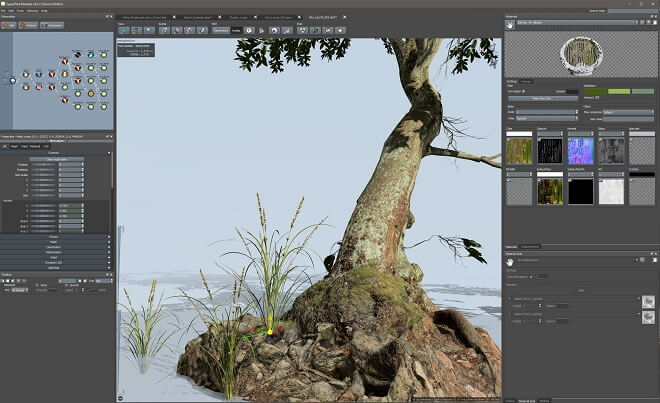
These are more or lists containing indexes of objects, arrays, and more.
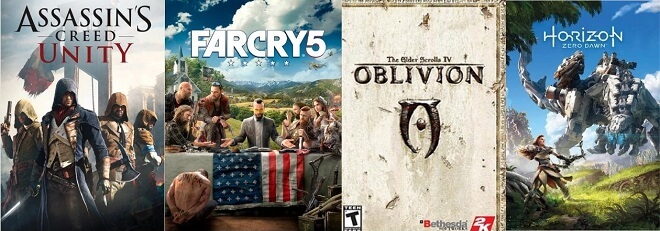
Numbers
Nothing surprising here, just numbers as we all use them. Good old 1, 2, 3.

Variables
Variables hold the values for your code. They are the things that make up nearly every bit of programming.
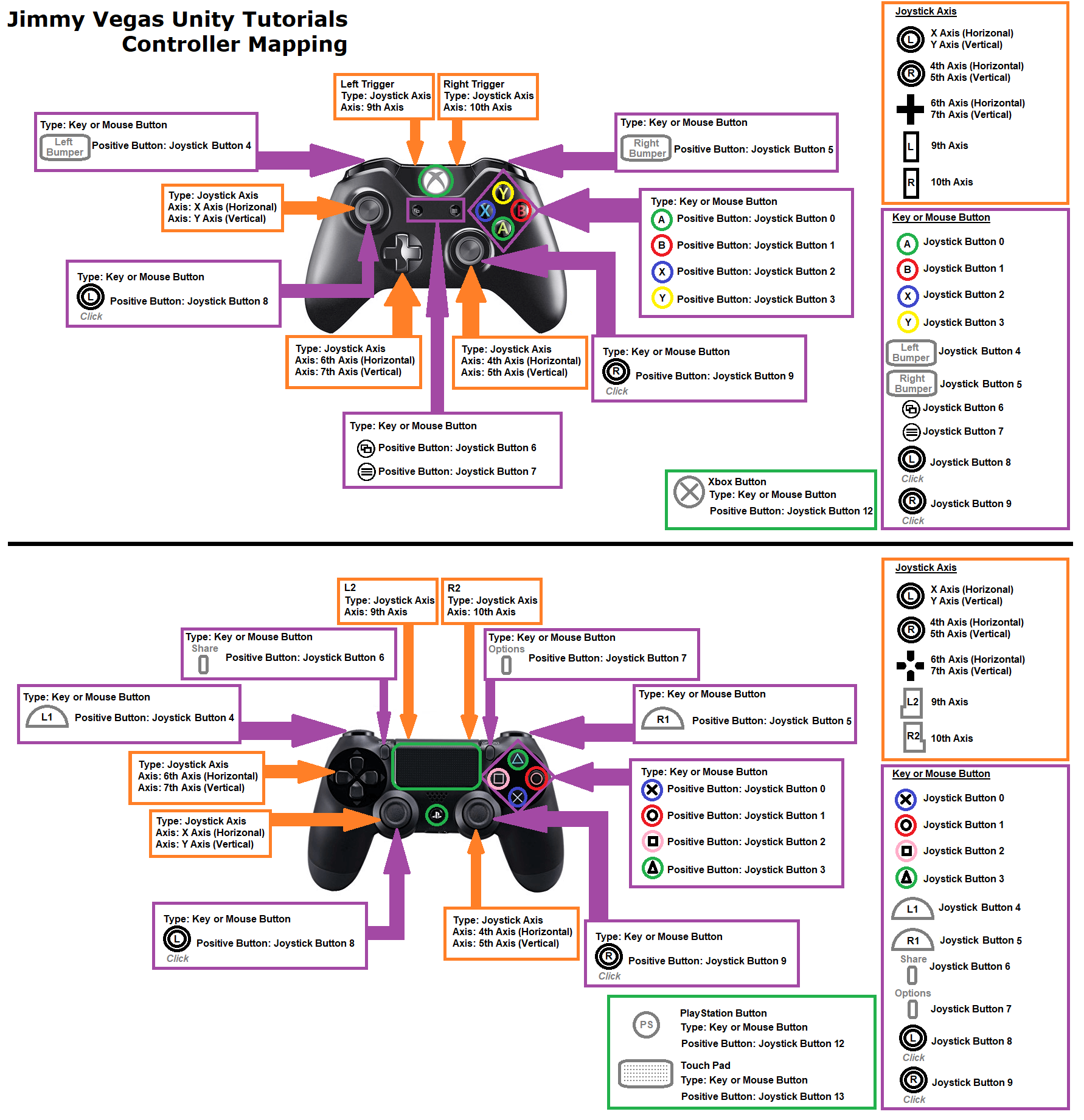
Functions
Functions are different ways in which your code can be run. For example, they can be run once or multiple times.

Statements
This is where logic comes in. These statements read like your basic logical statement: ‘If X is true, then Y is false.’ Basic Roblox coding language will mostly use ‘then,’ ‘else if,’ and ‘nil’ statements.

The Roblox Scripting Language Basics

Scripting

What is the Scripting Language Roblox Developers Use?

Roblox Lua is the main language used for Roblox scripting.

Roblox Lua vs Lua

They’re not exactly the same, but Roblox developing language is so much alike and only have a few minor differences that you could mostly say they’re the same. Roblox Lua is Roblox’s unique scripting language that utilizes the Lua programming language.

Is Lua Easy to Learn?

Compared to some other coding languages, it’s easier to learn Roblox Lua scripting for beginners.
You can learn Roblox Lua relatively quickly, and it has a ton of variety in applications and games. There are also useful learning tools like the game ‘Lua Learning’ to help you familiarize with Roblox scripting.

If you are already familiar with coding languages, you should be able to more or less learn Roblox Lua in its entirety. If you are new to coding, Lua is still very forgiving for newcomers.

Becoming a Roblox programmer

How to Learn Lua for Roblox

First thing’s first: you need to examine where you are in your Roblox programming journey.

Are you just beginning?

A few years in?

Taking inventory of your own skills and limitations is absolutely vital, as it will help you better map out a pathway to success using Roblox scripts and how to make a game on Roblox.

Roblox Studio Scripting Tutorials to Watch

The Dos and Don’ts of Learning Roblox Scripting

Do: Practice As Much As You Can

First and foremost, in order to learn Roblox Lua, you need to code. Code day and night like your life depends on it. By coding so much, you immerse yourself in the world of Lua, programming languages, and scripts.

This doesn’t just apply for Roblox, either. This is a good practice for nearly any programming endeavor you undertake.

Do: Take Online Courses

If you aren’t into the idea of learning on your own, try looking up a few online courses in how to make Roblox games from places like udemy to better acquaint you with either coding in general or Roblox Lua.

What we recommended is checking out the various video tutorials regarding Roblox scripting, which is abundant online. If videos don’t help you, try checking out the always faithful Roblox scripting wiki for more detailed, step-by-step instructions.

Do: Join a Roblox Scripting Community

Make sure to check in with a community of fellow coders or experts for valuable advice. Getting feedback on your programming projects, as well as some knowledge, is a great idea.

Do: Create Your Own Projects

Most of all, you need to work on projects that push you out of your coding comfort zone. Push the boundaries just enough where you can learn Roblox Lua programming and accomplish something new.

Do: Keep Your Code Organized

Cleanliness is a virtue: remember to keep your lines of code neat and clean. This can help you tremendously in the future to parse through your lines of code for problems and debugging processes.

Do: Take A Break When You Have to

Take breaks from learning if you need to. Know that this won’t happen overnight, so there’s no need to bog yourself down and burn yourself out. This can be difficult, especially if you have an ambitious idea when just getting started at Roblox coding.

However, taking breaks can refresh your mind and body and allow you to code more.

And of course, code, code, code!

Don’t: Just Wing It

Don’t just jump right in with no prior knowledge. If you don’t know how to script in Roblox studio, but you jump right in, you will be incredibly lost.

Don’t: Rush the Process

It can set you back. Even if you just take bits and pieces of code and try to modify them, Roblox scripting might end up confusing you more than helping you.

Don’t plagiarize!

Copying code from someone who is much better could be a great way to learn the structure of data and scripts. However, if you are going to use someone’s code, make sure you ask permission first!

The Best Roblox Games Ever

MeepCity

MeepCity Roblox
MeepCity has the unique honor of being the first game made with Roblox language that garnered over a billion hits. This game was released in 2016 and heavily emphasized socializing with other online players. It pulls a lot of influence from Club Penguin and Disney in its style and approach.

Developer alexnewtron still plays his creation to get a better feel of gamer demographics, dynamics, and what he could always improve upon. He and his team are always looking for ways to increase the satisfaction gamers get from socializing in MeepCity.

Jailbreak

Jailbreak Roblox
This game is the perfect point of reference for those wanting to learn how to code in Roblox. Product of a group of college kids programming in their spare time with Roblox programming, Jailbreak, is a nuanced and downright fun title to play. Players will be able to choose between playing as the police or criminals. The criminals have a multitude of different criminal activities to partake in, like engaging bank heists or the titular jailbreak.

The cops, on the other hand, are tasked with putting a stop to the criminals’ plans. Alex Balfanz, the creator, has made a tidy sum on Jailbreak, including physical toy deals. He hasn’t let it go to his head, though, as he and his team are continually updating and improving the game’s mechanics.

Adopt Me!

Adopt Me! Roblox
Adopt Me! has been an ever-growing popular Roblox title. It was released in July of 2017 and has been played by hundreds of thousands of players at once.

Based initially around characters adopting each other, it quickly switched into an MMORPG about adopting virtual pets. This became a huge success, with over half a million players on the Roblox platform.

This Roblox game development project was headed by users Bethink and NewFissy. Overall, through microtransactions, they have accumulated millions of dollars.

Frequently Asked Questions

Does Roblox use C++?

Yes. Roblox programming is based on a combination of Roblox Lua language and C++.

Does Roblox use Python?

No, Roblox scripting is not compatible with Python, as it is optimized for the Lua programming language.

Does Roblox teach coding?

Yes, Roblox goes above and beyond to teach everyone how to code and program. Roblox offers courses to teach people how to master Roblox development as well as imparting entrepreneurial and video game design.

Is Roblox scripting hard?

Yes, it can be difficult. Like any programming language, you need to learn the ins and outs. Unfortunately, this won’t happen overnight, even in Roblox. You need to practice and hone your basic Roblox Lua programming skills.

How long does it take to learn Lua?

Making a Roblox game can take anywhere from weeks to months. Depending on your skill level, learning Roblox Lua could be mastered in a short time. If it is your first time ever coding, then it will take considerably longer.

What is the most popular game in Roblox 2020?

The most popular game in Roblox is MeepCity, with almost 5 billion visits.

What are the best gun games in Roblox?

Island Royale, Call of Roblox, Zombie Rush, Mad Paintball 2, Phantom Forces, Counter Blox Roblox Offensive, Bad Business

What is the best simulator game in Roblox?

Theme Park Tycoon 2

Does Roblox use JavaScript?

No, the Roblox scripting language is Lua. Technically, you can use other scripting languages. But to create Roblox games, you need to be familiar with Lua, they won’t compile the same way.

Do you need to know how to code to make a Roblox game?

Yes. The Roblox scripting language is a mixture of C++ and Lua, so you would ideally want some sort of familiarity with either of both of these programming languages to create a game for Roblox.

Understanding a Gameplay Loop

0

What Is a Game Loop?

The game loop refers to the overall flow of the game program.

It is referred to as a ‘loop,’ as the program keeps looping infinitely until manually stopped.

As you can probably imagine, there is a ton of variety in game loops and which games loop in specific frames per second.

You have probably heard of frames per second or FPS. Frames per second refer to how many frames to process in one game loop.

What Is A Core Gameplay Loop?

A core gameplay loop is a gameplay loop in which a highly specified set of actions undertaken by the player, most often the main actions defining the game.

In Call of Duty or Battlefield, the core gameplay loop is more or less targeting enemies, shooting them, and seeking out new enemies.

What Is A Simple Loop?

A simple game loop is one of the more mundane game actions like walking or opening a door.

This contrasts with more complicated game loops like actually engaging with other NPCs and enemies.

The Main Idea Behind The Game Loop

Game Loop
The game loop describes the more repetitive activities that a gamer will take part in. The main mechanics that the player is introduced to upon booting up a game. Games loops are incredibly varied.

Think of leveling up in Final Fantasy VII, or completing a level in the very first Mario game. These are game loops.

Let’s break it down a little further.

In Call of Duty, an enemy appears. What do you do next? You shoot. The projectile leaves your weapon and affects the enemy. This simple progression of actions is a gameplay loop.

Of course, that’s an extremely simplified version, but it still illustrates the overall effect.

Keep in mind that these particular game loops most likely have smaller, more detailed, and nuanced game loops incorporated within them.

How Do You Make A Game Loop?

Creating a game loop can be divided into a few steps.

First, the game designer should prepare the game environment for the actual gameplay loops to take place. This includes menu options, heads-up display, and other aspects of the user experience and user interface.

Second, you add the physics, upgrade systems, and the game’s input processes.

Finally, the game designer takes these up-to-date features and implements them into the game, making them appear on the screen.

How It’s Applied

Game designers develop the core gameplay loop to make their game run. You will need to have a grasp on some programming languages to implement your game loops best. For example, you will want to make something like a JavaScript game loop.

Design Decisions

Who Owns the Game Loop?

Depending on what you are using for a game engine, the engine itself will be the author of the game loop. This can be extremely beneficial, as it already has game loops built-in, easing the burden of game loop creation considerably.

However, you may want to have complete control over the game loop. In this case, you will need to write it out using programming languages. You could use Java game loops to build your game.

Power Consumption with Game Loops

A more recent consideration is not making the players’ computers turn into lava lamps. You will quickly see that balancing both frame rate and refresh rate will be vital to creating a successful game loop. Many mobile platforms cap you off at either 30fps or 60 fps, creating a nicely balanced experience that doesn’t go too hard on someone’s device.

Perfecting the Game Loop

Grab Their Attention Quick

You need to keep peoples’ attention on your game. If the loop is flawed or not designed properly, people could determine that your game isn’t aesthetically pleasing or just too complicated to learn. This is vital to your game’s success.

Give the Player Something to Work Towards, and Keep It Simple

The best way to utilize a core game loop is to give players objectives—the fewer goals at once, the better. Once again, work on the balance of attractive and intuitive designs while keeping a robust core element of gameplay for the players.

Critical Game Loops in Game Design

The core game loop, or CGL, forms the entire framework for the game processes. The core gameplay loop entirely determines your genre, gameplay type, and more. If you can’t define your game loop, then your game has a real danger of not turning out well for the market.

Problems with the core game loop could elude game developers when there is a problem in the game design process.

Well-Defined Core Gameplay Loop

Having a well-defined core gameplay loop makes your game a tight piece of art. Within the aim, your game will drift. This could be catastrophic, as poor design decisions can effectively ax all of your great ideas and more.

You could have addictive gameplay, great characters, and art, but if the core gameplay loop isn’t well defined, it’s essentially an unfinished product.

Create a Proper Game loop

Proper Game Loop

Why Do You Need a Game Loop?

Game loops are absolutely essential for a game to run smoothly. Without a game loop, your game will be broken and virtually unplayable. You need the game’s basic mechanics to be ever-present, or else the player won’t be able to experience entire parts of the game.

Aside from the physics, graphics, and other programming information, the game loop concept is arguably one of the most important in game design.

The Benefits of a High Frame Rate

Having a higher frame rate means that you could theoretically apply more game loops to your game. This allows for more possibilities and for a lot more detail.

The more game loops you add to a game, the more framerate you will need to make the game not only function properly but to have it perform at an acceptable level. Too many game loops can make games lock or freeze-up performance-wise.

It frees up a lot of creative potentials, but it keeps games up to date and runs smoothly. This is perfect for pro gamers who need every second to pull off a headshot.

The Ideal Frame Rate for Your Game Loop

Having a lower frame rate like 12 fps would be a minimal toolkit to work with. It would be choppy and all around, not reasonable grounds for creating a game loop.

It makes sense you would want to put out all the stops and take your framerate to the top level. However, it is somewhat of a delicate balance.

There is no perfect answer, but you need to keep in mind the refresh rate of your frames. If you have a higher rate of frames per second, more system memory and screen refresh rate will be taken up, lowering performance. Ideally, you want to find the perfect balance for your game.

Shaders in Game Design: Origin, Design Types, and How to Create Your Own

0

Graphic Shaders

Overview

What Are Shaders in Games?

When you see the term ‘shader’ about a video game, it’s a program used to render different pixels. Shaders in games are used when detailing shadows, lighting, texture gradients, and more. However, they can do a lot more than just their namesake.

You can often see shaders being packaged as mods for games like Minecraft, transforming the dull, pixelated game into a stunning, sun-soaked landscape.

What Can Shaders Do?

Sometimes games use simple shaders; other times, they may seem extremely complicated. The finished product of a shader program is often impressive, showing in-game assets or environments with proper lighting and shading applied to them.

Through their coding language, shaders transform dull and dreary environments that may have lacked a cohesive look into staggeringly beautiful works of art. Y

ou will see the difference if you turn your graphics settings all the way down in a visually impressive game. Without the shaders and other aspects, the game probably looks pretty flat.

Shaders bypass hard coding and allow for customizable, programmable shading in game design. Shaders add a certain sense of realism and artistic nuance to games that didn’t exist decades ago.

It causes breathtaking visual generation on the fly, in real time.

What Can’t Shaders Do?

Both primary types of shaders have their limitations. For instance, Vertex shaders can’t create new vertices, while pixel shaders are extremely limited in terms of widespread rendering, as they focus on single output pixels. They are also limited in memory.

Once they finish their current project, they move on right ahead to the next command.

History

Pixar
As we know, the term ‘shaders’ comes straight from one of the kings of 3D animation, Pixar. In the late 1980s, their rendering program included the phrase.

Always on the front line of innovation, the company popularized the use of shaders until computers started to support them in the early 2000s.

The Nvidia GeForce 3 was the first graphics card with a programmable pixel shader. Both pixel shading and vertex shading eventually became one in the form of the unified shader model.

Design

There are two basic types of shaders. There is the pixel shader, in which the traits of a pixel are described, and a vertex shader, responsible for defining the position and color of a vertex.

These shaders follow the basic premise of a graphics pipeline, which describes all of the steps needed to complete a render.

Types of Shaders

2D: Pixel Shaders

2D Shaders: Pixel
This is where pixel shaders take center stage. Since vertex shaders aren’t included in 2D shading, pixel shaders act on textures within a game. However, a pixel shader can only work on a small scale, as it doesn’t have the lay of the land in terms of what environment it’s mapping onto.

3D: Vertex Shaders

3D: Vertex Shaders
Vertex shaders are the lifeblood of 3D video games. These shaders always require a 3D scene in a game to work correctly and alter the planes and faces of objects and scenes.

How to Get Shaders

Godot Shader

Instead of providing you with a shader, Godot creates the definitive guide on how to code your very own shader. They give you a comprehensive rundown in their fully documented tutorials for vertex shaders, fragments, and more.

Unity Shader

With Unity’s fantastic asset store, game developers can get a hold of some impressive shaders and other visual effects software in one convenient location. While they do vary in price, they are more or less pretty reasonably listed.

Minecraft Shader

There are actually quite a few notable shaders for Minecraft. Since Minecraft is basically a cultural institution, thousands of programmers and players have tooled around with shaders to enhance their playing experience.

Whether you want an even more cartoonish style or are looking for a more realistic version of the game, these shaders are creative ways to play.

You will have to download OptiFine, which optimizes Minecraft. Through OptiFine, you can download any number of shaders to make your game stand out and breathe new life into gaming sessions.

Some of the best Minecraft shaders are:

How to Debug Shaders

Although shaders streamline the graphical rendering process of games, there is no guarantee everything will run smoothly 100% of the time. This means you have to roll up your sleeves and take a look under the hood once in a while.

To debug shaders, you need to harness some knowledge of coding in OpenGL. This is a cross-language, cross-platform program for rendering vertex shaders and graphics.

To check for errors, type in the command: GLenum glGetError();

If there is indeed an error, OpenGL will come back with different codes representing what exactly is going wrong. OpenGL makes it extremely simple to check and see what’s wrong. This ensures you aren’t stumbling around in the dark, trying to figure out what wasn’t working.