Home Blog Page 10

Breaking Down Character Progression Systems in Genshin Impact

0

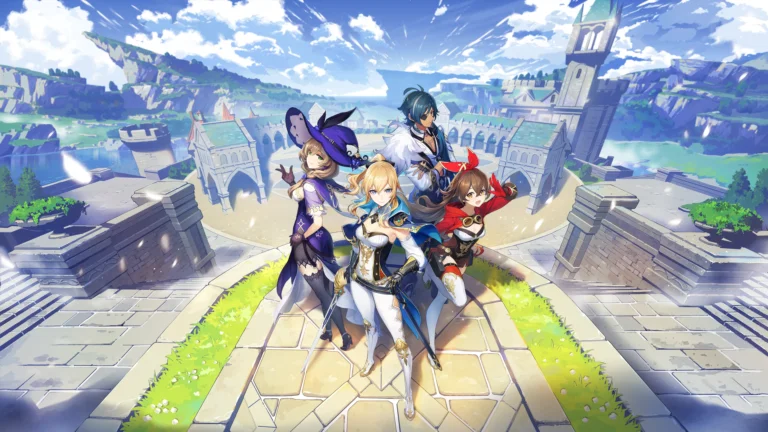
Genshin Impact is a game that’s loved for its breathtaking world, thrilling combat, and wide cast of unique characters. One of the things that keeps players coming back is the way characters grow and become more powerful over time. Understanding character progression is essential if you want to maximize your team’s potential and unlock new abilities. In this guide, we’ll break down the main systems that govern character progression in Genshin Impact in a way that’s simple, clear, and easy to follow.

Whether you’re a beginner trying to level up your first few characters or a veteran aiming to optimize your team for tougher content, knowing how to manage character growth can make your journey far more enjoyable. If you’re excited about trying out new abilities, don’t miss the updates for Columbina from Genshin 6.3, which brings new materials and talent opportunities.

Understanding Character Levels

Leveling up your characters is the most basic form of progression, but it’s more than just increasing numbers. Higher levels mean better stats, stronger attacks, and more survivability. Let’s look at how this works in detail.

Experience and Leveling Up

To raise a character’s level, you need experience points (EXP), which come from special items such as Adventurer’s Experience and Hero’s Wit. These items can be farmed through domains, purchased from vendors, or earned from quests. Leveling up increases your character’s base stats like attack, defense, and HP, which makes them more effective in combat.

It’s important to note that your character’s level is also capped by your Adventure Rank. As you progress through the game and reach higher Adventure Ranks, you’ll unlock higher level caps, giving your characters room to grow even further.

Ascension Mechanics

Once a character reaches their level cap, they can’t level up any further until they undergo ascension. Ascension is a process that increases the character’s maximum level and often unlocks additional abilities or story content.

To ascend a character, you need specific materials that are usually divided into three categories: common items found in the world, drops from elite bosses, and elemental items obtained from regions or domains. Planning ahead is key because some materials are limited to certain days or events, so you’ll need to farm strategically to avoid delays.

Enhancing Talents

Character talents are the special abilities that define how a character fights and contributes to your team. Upgrading these talents is just as important as leveling your character because talent levels determine the strength of attacks and skills.

Talent Levels vs Character Levels

It’s easy to confuse character levels with talent levels, but they are separate systems. While leveling a character improves overall stats, talent levels directly enhance specific abilities such as elemental skills or bursts. Higher talent levels mean your abilities deal more damage or have improved effects, which can make a big difference in tougher battles.

For example, a character at max level with low talents might still struggle against high-level enemies, while a well-leveled talent can make them much more effective, even at slightly lower character levels.

Materials Needed for Talent Upgrades

Upgrading talents requires specific materials that can be farmed from domains, bosses, and the world. Some materials are weekly drops from powerful bosses, while others are local specialties unique to each region.

Planning ahead and focusing on the materials you need will save you time and resources, making the leveling process smoother and more efficient.

Weapon and Artifact Progression

Weapons and artifacts are just as important as character levels and talents because they directly impact damage output and team effectiveness. A well-leveled character with weak equipment won’t perform as well as one with strong weapons and optimized artifacts.

Weapon Enhancement

Weapons can be leveled up using enhancement materials and Mora, the game’s main currency. Each weapon has a base stat and secondary stat that improves as you enhance it. Some weapons also have special abilities that scale with level, making them stronger in combat.

Focusing on upgrading weapons for your main damage dealers first ensures that your core team remains effective throughout the game. It’s also important to note that ascended weapons require additional materials, so plan accordingly to avoid wasting resources.

Artifact Systems

Artifacts are pieces of gear that provide main stats and substats for your characters. Equipping the right artifacts enhances your character’s strengths and can even create synergy within your team.

Artifacts can be leveled up to increase their substats, and collecting full sets often provides set bonuses that can greatly boost elemental damage or overall performance. Domains are the best source of high-level artifacts, so make sure to farm regularly for the sets that match your characters’ roles.

Team Synergy and Elemental Resonance

Even the most powerful characters can struggle if they’re not part of a well-balanced team. Understanding team composition and elemental resonance is a crucial part of progression.

Building Effective Teams

A team isn’t just about having strong characters—it’s about how they complement each other. Combining different elements like Pyro, Hydro, Electro, and Cryo can trigger powerful elemental reactions that deal bonus damage or provide utility effects.

When building your team, consider who can serve as the main damage dealer, who can support with healing or shields, and who can trigger elemental combos. A balanced team often performs better than a group of high-level characters with poor synergy.

Strategy for Progression

Prioritizing which characters to level first can save resources and make gameplay smoother. Focus on your main damage dealers and core support characters before leveling every character in your roster. This strategy ensures that you have a functional and strong team ready for higher-level challenges, events, and domains.

Practical Tips for Efficient Progression

Here are some actionable tips to make character progression easier and more efficient:

  • Use Resin Wisely: Resin is limited and required to claim rewards from bosses and domains. Focus on farming materials needed for ascension and talent upgrades first.

  • Plan Farming Routes: Certain materials are only available in specific regions. Mapping out a route for gathering resources saves time and reduces backtracking.

  • Focus on Key Characters: Instead of spreading resources across many characters, focus on a few that will be part of your main team.

  • Take Advantage of Events: Weekly events and limited-time domains often provide rare materials. Participating in them regularly accelerates progression.

These small strategies add up over time and can make a noticeable difference in how quickly your characters improve.

Common Mistakes to Avoid

Even experienced players can fall into some common traps when progressing characters. Being aware of these can save time and resources:

  • Leveling Everyone Equally: Spreading resources too thin means no character reaches their full potential quickly. Prioritize core team members.

  • Ignoring Artifact Optimization: Low-quality artifacts can bottleneck your character’s performance. Always equip the best sets available and level them up strategically.

  • Impulsive Resource Spending: Don’t spend rare materials immediately without planning. Saving for key characters and talents often yields better results.

Avoiding these mistakes ensures your team grows efficiently and your gameplay remains enjoyable.

The Path to True Character Mastery

Character progression in Genshin Impact is a journey that blends strategy, patience, and planning. From leveling up and ascending characters to improving talents, weapons, and artifacts, every upgrade helps your team perform better in combat and exploration.

A strong team isn’t just about high numbers. Synergy, elemental reactions, and smart resource use all play a major role in long-term success. By focusing on core characters and making thoughtful upgrade choices, progression feels smoother and more rewarding.

Most importantly, progression should stay fun. Experimenting with different characters, testing builds, and seeing improvements over time is what keeps the game engaging. Take your time, enjoy the process, and let your team grow naturally as you explore Teyvat.

Online Slot Themes: What Makes It Truly Memorable for Players?

0

Online slot themes have become sharper and more varied in recent years. Many games no longer rely on generic icons or stock backdrops. Developers now build themes with tighter visual direction and clearer symbol identity, helping a game stand out the moment it loads.

The most memorable themes feel consistent from reel symbols to background details, pairing visuals with sound design so nothing feels random or out of place. Here’s what separates a theme that feels disposable from one that’s built to last.

The Rise of Diverse Themes Beyond Classics

Early slot machines were simple. They featured fruit, 7’s, or card suits. Over time, the industry grew, and developers expanded the design horizons. Now themes range from mythology to pirates, from fantasy to outer-space adventures.

Themes grounded in mythology or folklore remain among the most durable because they come with clear symbols and a strong visual language. Players can find these theme-rich options in online slots at FanDuel Casino, alongside other categories that highlight different settings and styles. At the same time, simpler or nostalgic themes, like classic fruit machines or retro-style layouts, still hold appeal because they keep the visuals clean and the pacing straightforward.

This variety matters. A broad catalog of themes ensures there is something for every taste and mood. It also helps prevent games from feeling repetitive. The chance to explore totally different worlds each time keeps the experience fresh.

Art Direction Wins Attention

Visual design plays a major role in making slot themes memorable. Modern slot games often feature polished graphics, detailed animations, and rich design elements. In recent years, developers have pushed graphics quality forward to match player expectations.

When a slot uses strong, cohesive visuals, including colors, symbols, and background art, it can make players feel immersed in a particular world. A pirate-themed slot might feature weathered maps, treasure chests, and storm-tossed seas, while a mythology slot could lean on ancient scrolls, temple imagery, and iconic symbols tied to the lore. That attention to detail gives the game a sense of identity.

Besides static art, animation and smooth transitions help deliver a dynamic feel. Animations during bonus rounds, cascading reels, and themed sound effects all contribute to a unified experience. Designs like these raise the slot from a simple spinning reel to a mini-journey.

Theme-Driven Storytelling and Narrative Layers

Slots today often go beyond simple matching symbols. Some integrate narrative elements or loosely structured stories that align with their themes. For example, adventure-themed games or mythology slots may frame spins as part of a quest or exploration.

Story-driven slots add layers of context. Players may feel they are exploring a treasure-laden tomb or sailing pirate seas instead of just spinning reels. Those narrative touches give each spin a sense of purpose beyond randomness. When stories and themes align well, the slot becomes more of an immersive experience, not just a game of chance.

Theme Variety as a Means to Sustain Engagement

Having just one slot style would get boring fast. That is why variety exists. Slots with vastly different themes provide choices. A player tired of mythology might try a space-theme next. Someone who prefers lighthearted slots might pick a candy- or animal-themed game. This variety supports replayability and keeps players interested.

Moreover, mixing classic styles with modern innovation keeps both traditional and new players engaged. Classic fruit or simple fruit-based themes appeal to those who appreciate simplicity. Meanwhile, modern, more elaborate themes attract players seeking depth and creativity. This balance helps slot platforms retain a diverse audience.

Game Mechanics Supporting the Theme Experience

Themes on their own are not enough. The mechanics and features should reinforce the theme. Developers now build bonus rounds and animations that match the setting, creating a more cohesive experience. For example, an ancient-civilization slot might use a bonus round that feels like exploring a tomb or uncovering hidden relics.

When reels tumble, symbols expand, or themed bonus rounds trigger, they reinforce the story and design. This integration makes the slot more than a decoration. It becomes a cohesive package. Mechanics that complement the theme give players a sense of consistency and immersion. That synergy is often what makes some slots truly memorable.

Why Developers Invest in Themes

From a developer’s perspective, slot themes matter as much as mechanics and math. Themes help differentiate titles in a crowded market. A well-crafted theme, strong visuals, and immersive mechanics can attract more players and drive engagement. That helps slots remain the profit engine for many online casino operators.

Design studios often build games around themes because they know that player engagement depends on more than just randomness. A cohesive theme, paired with polished design and feature-rich mechanics, helps build player loyalty. That makes slot games more sustainable over time and supports long-term success.

The Theme Is the Hook

A memorable slot theme is never just a coat of paint. It is a complete design system where symbols, visuals, sound, and features all point in the same direction. Today, the strongest themes are those that look intentional, read clearly on any screen, and remain consistent from the first spin to the last. When the world feels cohesive, the game feels like it has an identity instead of a template. That is what separates a slot people try once from a slot they remember.

The Rise of FIFA: How a Video Game Series Became a Global Phenomenon

0

From its humble beginnings in 1993, the FIFA video game series has evolved from a niche football simulation into a cultural and commercial juggernaut that transcends the boundaries of gaming. Its annual release is not merely a product launch; it’s a global event that captures the passion of millions of football fans, shapes how a generation experiences the sport, and has spawned a multi-billion dollar ecosystem. 

The journey of FIFA—now rebranded as EA Sports FC but forever rooted in its legacy—is a masterclass in licensing, community-building, and adapting to technological and cultural trends.

The Foundation: Authenticity and the Beautiful Game

The initial breakthrough of the FIFA series can be attributed to one crucial factor: authenticity. Securing the FIFA license, and critically, licenses for major leagues (like the Premier League, La Liga, and Bundesliga), clubs, and most importantly, real player names and likenesses, was a game-changer. 

For the first time, fans could control their heroes, replicate iconic stadium atmospheres, and lead their favorite club to glory. This commitment to realism created an unparalleled emotional connection. The gameplay evolved from isometric views to the revolutionary “FIFA 98” with its 3D graphics and the iconic commentary of John Motson, setting a new standard for sports immersion.

The Online Revolution and Ultimate Team

While strong offline modes like Career Mode cultivated loyalty, the true paradigm shift came with the advent of online console gaming and the introduction of FIFA Ultimate Team (FUT) in 2009. 

FUT tapped into the universal appeal of football trading cards and fantasy leagues, allowing players to build their dream squads by opening virtual card packs. This mode transformed FIFA from a yearly purchase into a persistent, year-round live service.

The statistics are staggering. By its peak, FUT was reportedly generating over $1.6 billion annually for Electronic Arts, accounting for a massive portion of the company’s total revenue. This model created an entire in-game economy, driven by player engagement with promotions like Team of the Week and marquee events. 

The demand for in-game currency to acquire top players led to the rise of secondary market. For players looking to fast-track their progress, the option to buy FIFA coins from trusted external vendors became a popular strategy to build a competitive squad. Platforms like LootBar emerged as dedicated hubs for such transactions, offering a secure marketplace within this bustling digital economy. 

From Console to Culture: Esports and Global Community

FIFA didn’t just create players; it created celebrities and professionals. The establishment of the FIFA eWorld Cup and the FIFA Global Series legitimized it as a premier esport.

Top players like “Msdossary” became millionaires, sponsored by major clubs like Barcelona and Bayern Munich, who fielded their own official esports athletes. This competitive scene was broadcast on networks like Sky Sports and ESPN, mirroring the real-world sport’s structure and glamour. Furthermore, FIFA became a universal social lingua franca. It was the game played in dorm rooms, at friends’ houses, and in online friendlies that connected fans across continents. Content creators on YouTube and Twitch built massive audiences through pack openings, skill tutorials, and online matches, further cementing its place in pop culture. 

The game became a primary point of engagement with football for a younger, digital-native generation, for whom managing a virtual club’s finances and scouting reports was as engaging as watching a live match.

Conclusion: Insights and the Future

The rise of FIFA offers clear insights:

  •       Authenticity is King: In sports gaming, licenses and realism are non-negotiable for mass appeal.
  •       Community is Core: Fostering a year-round, online community through modes like FUT creates unprecedented stickiness and revenue.
  •       Culture Connects: By embracing esports, content creation, and social play, the game became more than a simulation—it became a pillar of football culture itself.

Economies Emerge: Complex in-game markets will inevitably spawn supporting industries, as seen with platforms like LootBar, that facilitate transactions for players who wish to enhance their experience.

Game Localization Made Simple: Why It Matters for Success

0

Whenever people talk about video games, immersion is always one of the primary concerns. Aside from cutting-edge visuals, engaging gameplay, and relatable narrative, there is one thing that makes players fully immersed — game localization.

In the game development cycle, game localization is often treated as an afterthought, rather than an integral part of the creation process. That is why many people are actually unaware of what it is, without knowing that it is the reason for some particular nuances. For instance, you might have noticed something interesting about video game release dates. In particular, you might be wondering why a US-based game studio typically releases a game in the United States several weeks before it launches in other parts of the world. Yes, the reason behind it is gaming localization.

To further learn what it is, this article will guide you in understanding the concept of game localisation and everything you need to know.

Culture, Censorship, and Player Expectations

Before answering the question,What is localization in games?it is vital to shed light as to why it exists or present the context.

Let us start with violence in games. In the United States, it is common to have an option to reduce or eliminate gore and blood shown in the game. Some titles allow players to change the color of blood or remove it entirely.

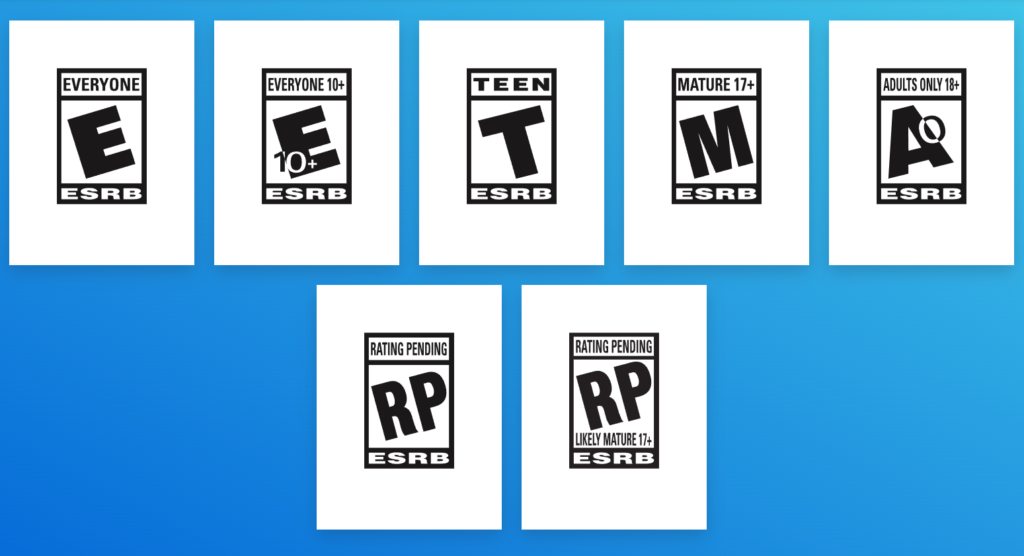
As a safety measure, countries including the United States, Canada, and Mexico have a self-regulatory organization that gives age and content ratings to video games, known as the Entertainment Software Rating Board (ESRB).

However, other countries may have stricter rules. Specifically, Australia, New Zealand, and South Korea are known for monitoring violence in games closely. Since this can potentially inhibit releases, game developers need to know what content is acceptable for which locations.

Then, instead of providing options to reduce gore, they could lock it out entirely for their Australian and New Zealand versions of the game.

Understanding Game Localization

Image designed by Freepik

Now that you have the context, let us proceed to the specifics.

What is Game Localization?

Game localization refers to the process of preparing games for release in different areas of the world. Since every place has distinct languages, unique cultures, and different content and censorship laws, gaming localization helps adapt a game for a particular region or country. Additionally, it allows developers to tailor the game experience for the audience in each market.

Moreover, the process involves translating text and removing or modifying elements, such as visuals, dialogue, and content that others might find unacceptable. The bottom line is that understanding localization in games is essential to make sure that every gamer enjoys the intended experience without feeling violated, disrespected, or even unrecognized.

What is the Difference Between Video Game Translation and Video Game Localization?

Video game translation focuses solely on allowing different players understand the dialogue, subtitles, or captions. In contrast, localization in gaming goes beyond the language and touches on multiple facets of the game.

Key Aspect of Game Localization

  • Language Translation
  • Voiceover Adaptation
  • Cultural Adjustments
  • Gameplay Modifications

Key People Involved in Game Localization

  • Editor
  • Game developer
  • Game Producer
  • LQA specialist
  • Marketing manager
  • Product manager
  • Sound professional
  • Translator
  • UX expert

The Value of Game Localization

There is more to video game localization than avoiding offense. It is about enhancing engagement. To tap into the international market, you have to tailor your game experience to fit the wants and needs of gamers on a global level.

Picture yourself playing your favorite video game on a current-generation console. We will use Fallout 4 as our example. As you play through in the United States, the English matches up perfectly with the characters and their interactions. The quests from your Pipboy all make sense to you, grammatically and otherwise. All communicated text comes through as intended, and you are never confused about what it is you are supposed to do next. It is a perfect world.

Now, imagine instead that you live in Brazil and speak Brazilian Portuguese. You get a United States copy of Fallout 4. You are going to be significantly less engaged. You won’t understand any of the nuances that make the game such a wonder to play. While you will be able to get through quests with the help of the Pipboy quest markers, you are less likely to feel satisfaction at completing them.

That is why gaming localization is significant. It lets people in all different parts of the world experience the game as it is meant to be played, in a way they can understand and appreciate. Without it, international players might not fully enjoy the game, or worse, be offended by it.

At the same time, doing so often leads to higher global sales since your game will cater to more audiences, reaching a bigger market. Better player experience also results in higher scores on reviews, player numbers, and community engagement.

How Game Localization Impacts Developers

If developers want to release games internationally, they have to be aware of the censorship and nuanced content rules of the global markets they target. However, this affects the workflow. Typically, there are two ways to go about an international release.

  • Simultaneous Shipping Method

It is an option frequently pursued by AAA games. It involves a lot of planning ahead of time, as the localization process needs to begin in the last four months of the game’s development. It means the localization is happening at the same time as the home-stretch production of the primary market version.

  • Post-Gold Localization Method

This means the game has already been released in its primary market, and the game is retroactively adjusted for shipments to new international markets.

In many cases, studios will hire localization project managers to keep all elements organized and ensure deadlines are met.

Games with Great Localizations

  • Dragon Quest XI
  • Crash Bandicoot
  • Chrono Trigger
  • Final Fantasy XII
  • PUBG: Battlegrounds
  • Super Mario Kart
  • The Witcher 3: Wild Hunt

Quick Tips for Localization in Games

  • Start early
  • Use specialized tools
  • Invest in a capable localization manager
  • Test localized versions
  • Maintain consistency across updates

Frequently Asked Questions

Q: What is game localization?

A: It pertains to the adaptation of graphics, dialogue, voiceover, and other elements to fit specific cultural and regional preferences.

Q: Why does game localisation matter?

A: Generally, the process helps boost engagement, sales, and player satisfaction on a global scale.

Q: Are there tools for developers to simplify localization?

A: Yes! For instance, you can use the Unity game localization platform to streamline the process.

Wrapping Up

The effort behind a global game release may have never crossed your mind, but it is an actual thing, and it is not an easy task. As mentioned, the process is not only about translating text; you also have to adjust the content depending on where you want to release it. 

In addition, it is more significant now as modern gamers are more sensitive, aware, and somewhat demanding. Applying localization in games will show them that studios or creators actually care and value their consumers.

Localizing a game correctly takes some extra work. However, if you have a great product that international audiences will enjoy and somehow brings the global gaming community closer together, game localization could really be a rewarding endeavor.

How to Do Game Character Design in 2025: Complete Guide

0

Everyone has a favorite game character, whether they admit it or not. No doubt about that. Whether they are veteran gamers or rookies in the gaming scene, most people, if not all, can name at least one iconic game character. You read it right. You can ask just about anyone who their favorite game character is, and they will have an answer for you. That is the impact game character design has.
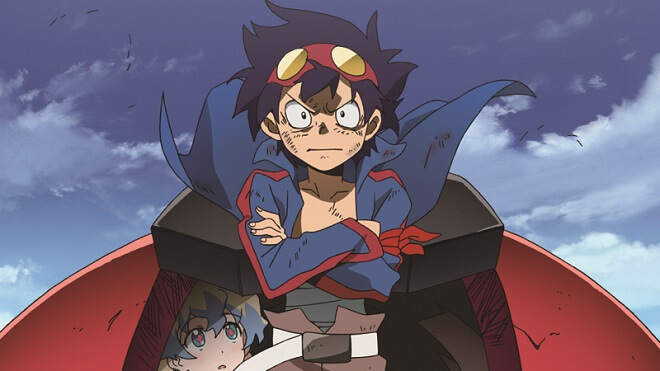
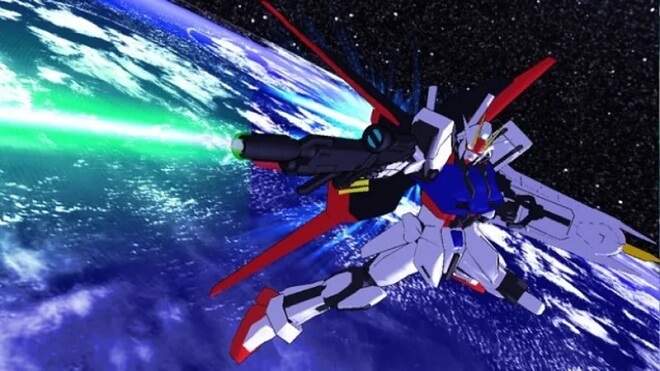

In modern gaming, characters are so great that they transcend the video game barrier. More than playable avatars, they represent personality, motivation, and emotional connection, while staying true to the gameplay mechanics. The result of strong video game character design is visible in these characters, and it is not accidental. It is a product of brilliance, collaboration, creativity, and several months of work (sometimes even more).

If you are interested in creating a game character like Mario, Pikachu, Lara Croft, or Zelda that turns into a global cultural icon, read until the end! This guide will explore the principles behind character design for video games. At the same time, it explains how players connect with game characters, and why meaningful design actually matters.

Learning Game Character Design

Game Character Design
Image designed by Freepik

Many aspiring designers look for structured learning paths, such as a game character design course that focuses on anatomy, theory, and game integration. It is actually a must to understand how to design game characters, as it requires artistic and analytical skills.

So, before you go all in, we will help you learn the fundamentals first.

What is Game Character Design?

At its core, game character design is a type of concept art in games that involves the process of creating characters that feel believable, functional, and emotionally engaging within a game world. Doing character design for games means creating the visual appearance, personality traits, backstory, animations, voice, and interactions.

Take note that the gaming character design must balance creativity and usability. Characters must look appealing, feel responsive, and communicate their role clearly to players. Imbalance in this area is what makes a game character lacking.

Why Does Character Design Matter in Video Games?

The primary purpose of creating effective character design for video games is mainly psychological. In other words, there should be solid immersion. As we all know, characters that feel authentic and meaningful tend to attract more players to invest time and emotion in the game. Moreover, strong video game character development goes a long way in bringing in better feedback and figures in general.

Five Easy Steps to Do Game Character Design

Image designed by Freepik

What is the trick to making characters stick? How do you create characters that will resonate with people? Ask no more, as we will provide easy-to-follow steps on how to design video game characters.

Step 1: Plan a Character Concept

When you design a game character, you do not simply dive in. It is important to plan exactly what you want out of your character. That is the reason why designers usually start with a clear concept. A good place to begin is with your character’s general nature. Determine the archetype, moral alignment, role, strengths, and weaknesses. Is your character a heroic, morally righteous person? Is she a gunslinger? Is he a cunning rogue? A smelly trickster? A fiendish creature? It can help you define some parameters and focus your brainstorming when designing game characters.

Step 2: Create Backstory and Motivation

Backstory plays a critical role in character design for games. It will inform the character’s actions and provide the character with motivations. Even if not explicitly stated in the narrative, the past of a character influences their behavior, dialogue, and decisions. Ultimately, it will determine how the character’s relationship with others shapes.

Step 3: Define Personality

In order to resonate with the audience, the character should come from an authentic place. You must understand that well-designed characters feel human, even when they are fantastical. In short, personality is key in designing video game characters. Yes, we have the backstory, but there’s more to think about. For example, does your character ever tell a lie? What would he lie about? To whom? People don’t act without reason, and neither should your character. It’s important to ground your character’s decision-making and action-taking in reality.

Step 4: Decide on the Visual Design and Readability

After mapping out just about all there is to know about your character, it is time to determine the looks. Players should immediately understand the role of a character through appearance alone. Therefore, in every step of the visual stage, you need to make sure you’re capturing the essence of the character. For instance, tanks are beefy and look like they can take some damage, rogues are lithe and darkly dressed, while healers embrace robes and radiate golden auras. For added visual clarity, you can use silhouettes, color palettes, and animations.

Step 5: Add Customization Options

Modern titles often feature video game customization, and that includes character design. Games with character creation or games with the best customization keep players engaged. You can introduce player control for facial structures, body proportions, hairstyles, clothing, and the like. Of course, you still need to ensure that even if you make characters for games with the most customization, design coherence must be maintained.

Actionable Next Steps

  • Begin drawing
  • Transform Character Design from 2D to 3D
  • Add references to motion
  • Polish the Character Design

Quick Tips for Doing Game Character Design

Now that you know how to create a game character, take note of these tips to avoid mistakes and have a smooth workflow.

  • Align character design for the intended genre.
  • Make sure characters are memorable.
  • Employ simple designs.
  • Ensure originality and uniqueness.
  • Be culturally sensitive.

Games With Good Character Design

Games with good character creation should be cherished, as they let us fulfill our gaming dreams. These games have fulfilled all of the necessary criteria for good character design.

  • Dragon’s Dogma

Dragon’s Dogma really shines in character design. It allows you to dive into the story as your very own, unique person. You can also customize posture, leg size, torso thickness, and multiple eye colors. And that is only scratching the surface!

  • Fallout 4

The release of Fallout 4 in 2015 allowed players to go a step further than designing just the player character. You can zero in on specific features of your character’s face, hair, eyes, and more. You can meticulously whittle down features, making this character pretty much whatever you want them to look like.

  • Monster Hunter: World

Monster Hunter: World has a solid character creator. Your cool fantasy character has a respectable bunch of options for some rugged, extravagant, and exciting character design.

  • Black Desert Online

This game goes above and beyond when designing characters. It has such a robust swath of options to choose from for your characters that there isn’t an excuse not to create whatever pops into your brain. The sky’s the limit here, and Black Desert Online allows you to paint a picture with your mind on its beautiful canvas.

  • The Sims 4

The Sims started with offering you templates of characters, mimicking deep customization rather than giving the player control. Now that we are on the 4th iteration of the iconic series, character customization has truly never been better. Installing mods and tooling around with the characters can result in some truly wonderful and pretty creations.

  • Overwatch 2

In Overwatch 2, every character has a unique appearance but still manages to fit within an archetype. Each character has a distinct personality and psychology. Not only are the characters completely different from each other, but their personality, appearances, and overall designs also inform the players of how they should be played.

Key Takeaways

Game character design combines creativity, psychology, and gameplay. This enables the character to be fun to play, fun to look at, and fun to listen to. Beyond entertainment, players must feel fully immersed through the video game characters design. It will make them think back to the moments they’ve shared with that character, and long for more.

Now that you know the basics of designing game characters and their impact on video games, you will start realizing that character design is what turns pixels into unforgettable experiences in gaming.

Reviews of Online Gambling Websites for US Players: Casino Billionaire’s No-Nonsense Guide

0

How Real Reviews Can Help You Skip the Bad Casinos

Many gambling websites promise big wins, flashy games, and easy sign-ups. Reality often tells a different story. Honest players want reliable info, payout speed, fair games, clear bonus terms, and safe platforms. The demand drives interest in reviews of online gambling websites that dig deeper than ads. Casino Billionaire delivers just that.

What Makes a Review Worth Reading

Casinos often catch attention with flashy promotions and bold designs. A strong review goes beyond that. At Casino Billionaire, evaluation starts with core fundamentals:

  • Licensing and regulation: Only casino sites licensed by recognized authorities make the list.
  • Software reliability: Games must be backed by trusted software providers with fair gaming practices and certified random number generators.
  • Payment reliability: Support for debit cards, bank transfers, e-wallets, and crypto is reviewed, but only those with stable and timely processing pass.
  • Withdrawal performance: Fast payouts, especially for real money wins, raise a casino’s standing, delays drop scores fast.
  • Game functionality: Online slots, table games, jackpot titles, and live dealer tables need to run smoothly on desktop, Android devices, and mobile casinos.
  • Customer service: Casinos that offer live chat or responsive email support get higher marks for keeping players informed and supported.

Reviews from Casino Billionaire focus on facts that impact real play, not hype, not hearsay.

What to Watch for in Casinos Rated by Experts

Reliable gambling sites show transparency on several levels. Bonus terms and wagering requirements must appear clearly before a player signs up. Casino offers using free spins or deposit bonuses are fine, only when rules stay visible and fair. Reviews also check for fair game restrictions and honest bonus structures.

Slots, poker, blackjack, specialty games, live dealer games, a wide variety makes a platform more appealing. Yet game variety alone does not guarantee quality. High RTP games and progressive jackpots often get special note in reviews. Casinos that feature strong games from trusted providers tend to rank higher among best online gambling sites.

Responsible gambling tools shape user safety. Casinos that offer deposit limits, self‑exclusion, and helpful support for gambling addiction get special attention. A safe gambling environment includes clear policies and real support options for players who may need them.

How Casino Billionaire Checks the Claims

Reviews of online gambling websites on Casino Billionaire start with real tests. Reviewers play demo and real-money casino games themselves. They track payout speed, test payment methods, and note if games crash or freeze. They check if casino platforms work on mobile and on desktop equally well.

User feedback also plays a role. Experienced players share their experiences with withdrawals, customer support, and bonus payouts. Combined with expert data, those insights help form honest online casino reviews readers can trust.

Every review lists strengths and drawbacks. Some casinos stand out for generous welcome bonuses or rich slot game libraries. Others lose points for slow payouts or poor game performance. Such balanced coverage keeps the focus on facts over hype.

What Players Get From Trusted Casino Reviews

Readers scanning reviews of online gambling websites save time and avoid risky casinos. They get clear info on payment options, game stability, payout speed, and bonus fairness. They also find whether a casino supports responsible gambling tools and if it keeps data secure with SSL encryption.

For real money online casinos, that knowledge is critical. It lets gamblers choose platforms that match their play style, whether they like online slots, live dealer games, or specialty formats. It also helps spot the most reputable gambling sites and avoid sketchy operators.

Trusted reviews help highlight high payout online casinos, legal gambling websites, and platforms that respect players’ time and money. They bring clarity where many gambling sites rely on flashy ads and vague promises.

When A Casino Review Helps You Win, And Stay Safe

Reliable reviews reduce guesswork. They show which casinos deliver real results: fair games, smooth withdrawals, proper support. They include data on payout history and login stability. They warn if a site offers many games but fails on performance or payout speed.

Reviews often point out differences between casinos that seem similar on paper. A generous welcome bonus may come with gigantic wagering requirements. A large game library may include broken games or outdated software providers. Trusted reviews surface those issues so players make choices that reflect both fun and responsibility.

Casino platforms listed after careful review, ones combining strong games, solid payment methods, good support, and high payout performance, stand out in ranking of best real money casinos. For players seeking the right site, reading honest casino reviews first could make a big difference.

Frequently Asked Questions

What are the best online casino sites for real money play?

The best online casino sites combine secure platforms, fast withdrawals, and high-quality online casino games from trusted providers.

Are us online casinos legal for players in every state?

Online gambling legal status varies by state, so it’s best to check if us online casinos are allowed in your region before signing up.

How can I tell if a casino site is legit?

Legit gambling sites hold valid licenses, use SSL encryption, and offer transparent bonus terms and responsible gambling tools.

Do sweepstakes casinos offer real money wins?

Sweepstakes casinos provide chances to win real cash prizes without traditional deposits, making them legal alternatives in restricted areas.

What makes the best gambling sites stand out?

The best gambling sites offer responsive support, fair bonus policies, fast payouts, and a broad mix of casino games and live dealer options.

Is it safe to play casino games online?

It’s safe to play casino games on reputable platforms that are licensed and secure, especially when using well-known online casino sites.

Why are some regions still working on legalizing online casinos?

Some areas are slow to legalize online gambling due to regulatory hurdles, but more states are now pushing to legalize online casinos as demand grows.

Ambient Occlusion: Ultimate Guide to Game Graphics in 2025

0

Oftentimes, gamers focus on the primary elements of a game, such as characters, story, gameplay, and the like. They rarely notice or appreciate the little but important details that actually make a game look and feel the way it is. That is why when you open your graphics menu and spot ambient occlusion, it can feel like a pop quiz you didn’t study for. You’re not alone, and yes, the term can sound intimidating at first.

Think of ambient occlusion as the quiet artist in the corner who adds the final brushstrokes. It darkens tight spaces and contact points so your scenes look grounded instead of like props sitting on a lit stage.

If the question “what is ambient occlusion?” ever crossed your mind, you would want to continue reading, as this guide will cover everything from meaning to the best settings and comparisons.

What is Ambient Occlusion and How it Works

Image Credit: Autodesk

First, let us look at the term’s etymology. The word “Ambient” refers to surrounding light, and “occlusion” means blocking.

Now, let us answer what it is and what ambient occlusion does. In gaming graphics, ambient occlusion estimates how much of that surrounding light gets blocked by nearby geometry, then shading accordingly. It is a technique to simulate lifelike light behavior. In other words, this shadowing technique boosts the realism of 3D objects by mimicking naturally occurring soft shadows.

It is different from a classic shadow that comes from one lamp or the sun. Instead, it increases subtle shading in creases, corners, and where objects touch, so your brain reads depth and texture without thinking about it.

Key Takeaways

  • Ambient occlusion adds subtle shadows where objects meet and increases.
  • SSAO is the fastest, HBAO is stronger, and RTAO is best but demanding.
  • A small performance cost often brings a boost in depth and realism.

How to Spot Ambient Occlusion in Games

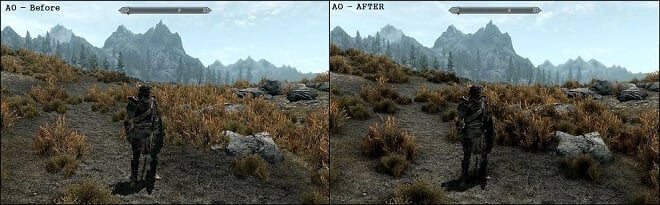
ambient occlusion before and after

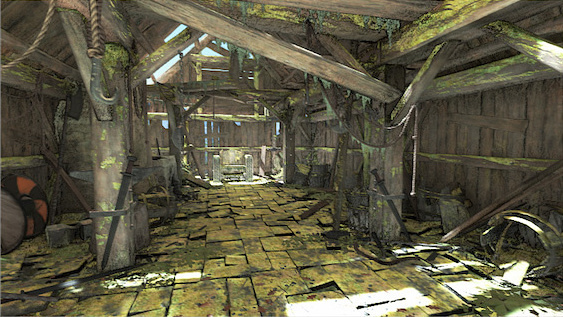
To visually see ambient occlusion in game projects, stand your character in a room where a wall meets the floor, or near a bookshelf. Toggle ambient occlusion on vs off and watch how objects either feel glued to the world or float slightly above it.

For instance, in GTA V, the moment ambient occlusion went on, alleys stopped looking like flat textures and started looking like places you should not hang out after midnight.t.

Types of Ambient Occlusion Techniques

voxel accelerated ambient occlusion

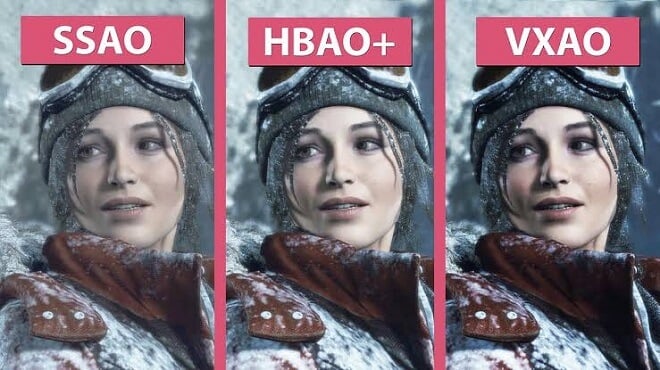
SSAO: Screen Space Ambient Occlusion

SSAO is the workhorse you’ll see in most games and engines. It samples the depth buffer of what’s visible on screen, which keeps it fast enough for real-time. The tradeoff is accuracy in tricky angles or thin geometry. Expect an improvement that’s often subtle and sometimes noisy, and expect it to scale well on mid-range hardware. On specific PC titles, SSAO eats roughly five to ten percent of your GPU frame time. That is a decent quality bump for a manageable cost if you set it to low or medium.

HBAO and HBAO+: Horizon-Based Ambient Occlusion

NVIDIA’s HBAO looks for horizons in the depth field to estimate how much ambient light gets blocked. HBAO+ refines the sampling so you get richer contact shadows at a better cost than older variants. If you have headroom on the GPU, HBAO+ is a nice upgrade over baseline SSAO. If your rig is already wheezing, SSAO is the safer bet.

ASSAO and CACAO: Modern, Scalable SSAO

Intel’s ASSAO aimed to scale from laptops to desktops under one codepath. AMD’s open CACAO builds on that, with multiple quality levels and smart sampling. Studios pick these because they’re open and predictable. That means fewer surprises when you flip the preset from medium to high.

VXAO: Voxel Ambient Occlusion

VXAO converts scene geometry into voxels to evaluate occlusion in 3D space. It captures more than what is currently on screen, so it looks stable and natural in cluttered scenes. It’s heavier than SSAO or HBAO and shows up in only a few titles like Rise of the Tomb Raider. When it appears, expect convincing contact shadows and a steeper performance bill.

RTAO: Ray Traced Ambient Occlusion

RTAO sends rays around points to see what geometry blocks the ambient light. The look is excellent, and it avoids some of the screen-space quirks completely. Cost is the catch. Engines like Unreal expose RTAO, often with temporal denoising to keep noise down, and you will feel it in GPU time.

Here is a more detailed side-by-side comparison:

Ambient Occlusion Comparison

Technique How it Works Visual Quality Best For
SSAO Samples screen depth to shade visible geometry. Good; subtle contact shadows. Most games; mid-range PCs.
HBAO Estimates occlusion via horizon angles. Very good; stronger shadows. Single-player visuals, higher-end GPUs.
HBAO+ Refined version of HBAO with cleaner sampling. Excellent for screen-space AO. High-end PC quality settings.
ASSAO / CACAO Adaptive SSAO variants with scalable quality. Good to very good at higher presets. Cross-platform, scalable projects.
VXAO Voxelizes scene for 3D occlusion checks. High; more global awareness. Showpiece scenes on powerful rigs.
RTAO Ray-traces occlusion against geometry. Highest; realistic and stable. High-end PCs, next-gen consoles.

The Verdict: What is the Best Ambient Occlusion?

  • SSAO vs HBAO: SSAO is fast, but HBAO is stronger.
  • HBAO+ vs SSAO: HBAO+ is generally a better choice if the GPU is capable of handling it.
  • SSAO or HBAO: The choice boils down to performance headroom and preferred visual quality.

Ambient Occlusion in Games

Image Credit: Unity

Indoor vs outdoor scenes

  • Indoor: ambient occlusion stops surfaces from looking like they glow where they meet.
  • Outdoor: It gives foliage and rock faces the bite your eyes expect in the real world.

Engines and tools

  • Unity’s documentation spells out that it darkens creases and intersections and is implemented as a renderer feature in URP.
  • Unreal recommends using it as a subtle addition that complements your lighting rather than a heavy-handed filter.

Performance vs Visual Quality

  • SSAO usually takes a small slice of the frame budget that scales with resolution and quality. Intel’s guidance pegs it around five to ten percent of GPU frame time in many engines.
  • HBAO+ is generally costlier but more robust in messy scenes.
  • VXAO and RTAO look great but sit in the premium tier for performance, so plan for them as you would plan for high-end shadows.

Practical Tips for Ambient Occlusion Settings

  • Do a simple two-minute test by toggling screen space ambient occlusion on or off to train your eyes.
  • Keep intensity modest and radius conservative to avoid dark outlines around character silhouettes and to maintain visible effects.
  • Use SSAO for mid-range rigs, HBAO+ or RTOA for high-end setups.
  • Record the FPS for each preset so you have a baseline for future levels.
  • Document that choice in your graphics checklist so new team members stay aligned.

Frequently Asked Questions

Q: Whats ambient occlusion?

A: Ambient occlusion estimates how much surrounding light is blocked by nearby geometry and darkens those areas. Your eye reads that as depth and contact, which makes the world feel solid.

Q: Does ambient occlusion affect performance?

A: Yes, it often causes lower frames per second (FPS), adding depth and realism for better visual quality.

Q: Should I turn AO on or off?

A: If you have the headroom, keep ambient occlusion on because the visual payoff is real. If performance dips, lower the quality or turn it off for competitive play, where clarity and frames trump subtle shading.

Q: What is the difference between SSAO and HBAO?

A: SSAO samples in screen space are fast, but can be noisy or miss thin occluders. HBAO looks for horizon lines in depth to produce stronger contact shadows with a higher GPU cost.

Q: What is HBAO+?

A: It is a more optimized variant of horizon-based ambient occlusion. It is cleaner and has a refined visual quality.

Q: Does ray-traced AO replace SSAO?

A: It can work for high-end targets because it avoids many screen-space artifacts. You will still need filtering and smart sampling to keep noise low, and the cost is higher than SSAO.

Q: Which ambient occlusion is best?

A: Not one type is the be-all and end-all. The answer always depends on your hardware and preferences. In particular, SSAO is for speed, HBAO+ is for quality, and RTAO is for realism.

Final Thoughts

Ambient occlusion is one of the bestvalue-for-timegraphics settings. Even subtle uses in scenes enhance depth and realism without full global illumination, emphasizing how powerful a tool it is in 3D rendering. For gamers and game developers, learning the ins and outs of ambient occlusion is essential for creating believable, grounded, and lifelike visuals.

Digital Painting Mastery: Unlock Great Art with Ease in 2025

0

What hasn’t gone digital nowadays? From payment methods to gaming to AI Girlfriend Websites, everything is digital. In line with this, digital painting has rapidly become one of the most popular media in the art world. Now that tablets, styluses, and software are more advanced, creating high-quality art digitally is more accessible than ever.  

If you have always been fascinated by digital painting, you have found the perfect guide! Specifically, this article explores tools, software, techniques, and resources that will help you get everything you need to begin an exciting digital art journey.

What Is Digital Painting?

Image designed by Freepik

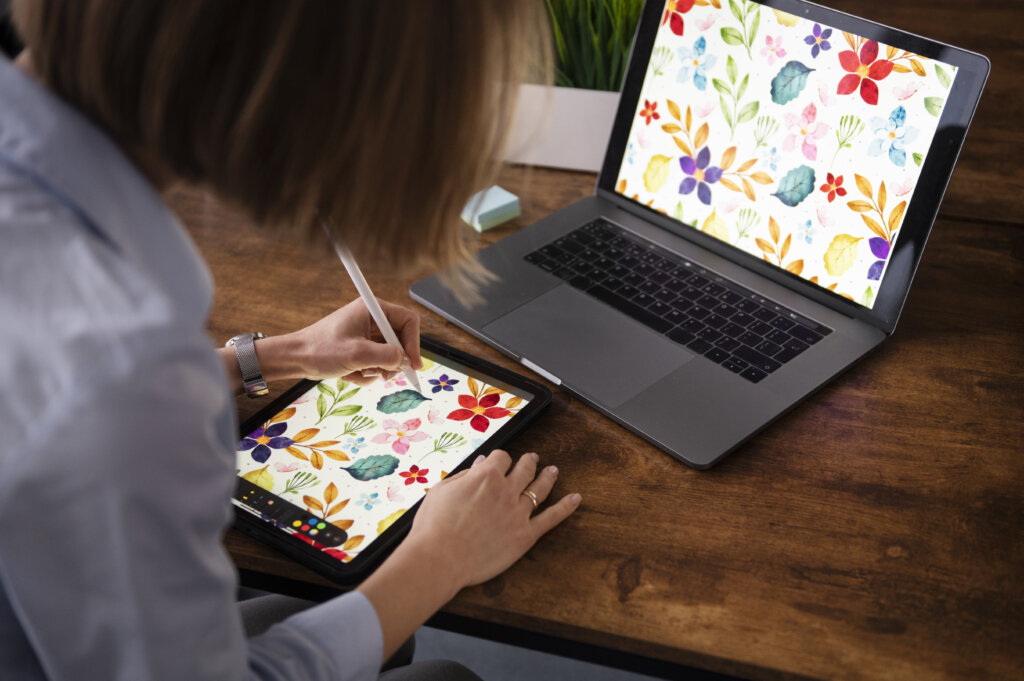
Of course, it is a must to understand what digital painting is before diving into the intricate details. Digital painting is when someone creates artwork, a drawing, or a painting on a tablet, computer, or another similar medium. It allows artists to experiment, undo mistakes, and explore limitless artistic options with ease.

Some individuals also wonder, “Is digital painting real art?” Yes, it is! It is recognized in both professional and hobbyist circles. One way to see the growing legitimacy of digital media is the emergence of art illustration books.

Traditional Painting vs Digital Painting

Is digital painting easier than traditional? It depends on who you ask and on their preference. Right off the bat, digital is more accessible in terms of suitability and ease of use. Compared to traditional painting, the modern version allows for more flexibility.  With traditional art, mistakes are infinitely harder to erase and change compared to digital art. Usually, digital art can be modified and mistakes unmade in a matter of seconds. This fundamental difference could be enough to sway someone to the digital side of the painting.

Digital Painting vs Digital Illustration

This is where another confusion kicks in. To make things clear, digital painting contains various roles and encompasses several artwork styles. Meanwhile, digital illustration is a type of digital painting.  

Essential Tools for Digital Painting

Image designed by Freepik

Choosing the paint or draw device is critical. You will need to find the best digital art tablet for beginners to ensure a smooth start. However, don’t think this is a cakewalk by any measure. You need to be analytical here. To help you avoid checking out multiple drawing tablet ranking lists, let us take a look at some basic tablets, their fundamental differences, and see which fits your style the most.

Graphic Tablets

Graphic tablets are some of the most common tools to digitally paint with. They allow the user, with the assistance of a stylus or pen-like instrument, to draw right on the surface. There is currently a surge in graphic tablets using LCD screens to draw immediately. Think of something like an iPad or Nook, add a stylus pen, and that’s what that particular graphic tablet is like.

Benefits

  • It’s Natural

Drawing with a graphic tablet can genuinely offer some of the most accurate drawings you can find on the market. Drawing on the tablet and computer is as close to naturally drawing on paper as you can get, and the software is only getting better.

  • Pressure

The pressure you place on many tablets can actually affect the density and intensity of the pencil or brush strokes. Press down hard, and a pencil stroke is dark and pronounced. Likewise, if the pressure is low, the pencil stroke looks light and airy. This is called pressure detection. This adds much-needed nuance to your artwork that can make graphics tablets the way to go.

Most Popular Models

  • Wacom Intuos Pro
  • Xencelabs Pen Display 16
  • Xencelabs Pen Display 24+

All-In-One Tablets

All-in-one tablets are those that can do many things with one product. This is usually used in terms of a tablet that can have something like a keyboard attached to it.

Benefits

  • Ease of Use

All-in-one tablets are fantastic for nearly everything. They work as illustrators, computers, streaming devices, everything.

Most Popular Models

  • Apple iPad Pro
  • Wacom Cintiq Pro/Movink
  • Surface Pro 11
  • Galaxy Tab S11 Ultra

Best Software for Digital Painting

After the hardware, choosing the right software is also vital. In fact, both are equally important. Once again, here are a few recommendations to help you streamline the selection process:

Adobe Fresco (Free)

Adobe Fresco somehow works similarly to Procreate. It allows users to blend multiple brushes and has Apple Pencil integration.

Adobe Photoshop (Paid)

Adobe Photoshop is an all-around program. It offers a wide array of tools for digital painting. Plus, Photoshop is cloud-based.

ArtRage (Paid)

ArtRage delivers a realistic painting experience through a highly customizable interface.

Corel Painter (Paid)

Corel Painter also provides a realistic painting experience. Additionally, it can replicate natural media accurately and is compatible with brush plugins of Photoshop.

Krita (Free)

Krita has a comprehensive set of features and a customizable interface, making it a good alternative to paid options.

Apple Procreate (Paid)

Apple Procreate is perfect for on-the-go artists. It offers several kinds of brushes and also features Apple Pencil integration for better sensitivity.

Techniques for Digital Painting

Image designed by Freepik

Learn the User Interface

The user interface of your tools and software refers to what you see when you boot up a program. Learning can be done by accessing tutorials for a specified program or model, or only by good old trial and error.

Master Keyboard Shortcuts

Keyboard shortcuts for artists are aspects of drawing and painting that can make things super easy. By applying shortcuts to whichever program or device you’re using, you can quickly transition from paintbrush to more natural with a click. With digital painting, it’s all about making the process less complicated than traditional painting.

Understand Layers, Brushes, and Erasers

Layers are what’s used in digital painting to add depth and scope to your works of art. Knowledge of layers is an absolute, non-negotiable must for digital artists. On the other hand, the bread and butter of digital painting, brushes, and erasers are your tools of the trade. You’ll create (or erase) your works of art with these various tools. This is perfect for experimenting and trying new things.

Practice Printing and Display

Learning how to make a digital print or how to make digital photo adaptations enables artists to showcase their works in different venues. If you want to take it further, you can explore digital painting on wall techniques to merge the art of traditional and modern painting.  

Find a Mentor

Seeking mentorship from a past instructor or professor, or even a former or current student you admire, is a fantastic way to broaden your artistic horizons.

Engage in Collaborative and Community Learning

Finding a positive and helpful community of fellow artists is a crucial aspect of painting and drawing. Having the support and criticism from others is an invaluable tool. Likewise, participating in art commentary community forums can accelerate learning and foster creativity.

Build a Strong Foundation

Focusing on foundational art skills is crucial. One way to do it is by combining lessons from drawing OCs, digital art classes, and online painting workshops. You can also gain structured learning through platforms, such as Udemy – digital painting master class : beginner to advanced, Digital Drawing Courses, and Online Digital Drawing Classes. Moreover, digital art for kids programs are available to spark creativity early in young artists.

Find Good Resources

With online resources, you can find tutorials for nearly everything you could ever want to use. In the same sense, books remain an invaluable resource for refining one’s craft. Some types include books for illustrators, fine art books, books for painters, and more. If you are looking for the best books to learn painting, you can check out:

Career in Digital Painting

Turning your hobby of digital painting into a career is possible as long as you possess the right attitude, hard work, and persistence. Among the different career opportunities, you can become a Concept Artist, Character Designer, Keyframe Illustrator, and many more. It is also financially rewarding, with average yearly salaries ranging between $32,000 to $77,000 depending on the position.

Final Thoughts

Digital painting offers a whole new creative avenue for artists of all levels. With the art form continuously evolving, learning the necessary tools and software and adapting relevant techniques is a must to thrive in this dynamic and rewarding medium.

6 Best Payment Methods For US Online Casinos

0

Online casinos in the US are increasingly offering a variety of payment methods to meet the changing preferences of their users. By offering various options, they can increase user satisfaction and retention, and can also potentially cut back on fees and provide faster transactions. 

But with so many payment methods to choose from, it can be tough for players to discern which is best. This guide will walk you through the top 8 payment methods for online gamblers in the US, and mention the advantages of each. 

1. Bank Transfer

Bank transfers remain a popular choice for gamblers because of the familiarity of the process. It is a straightforward option to deposit funds, as money is moved directly from the bank account to the casino’s bank. Bank transfers are powered by Automated Clearing House technology, which has seen a big improvement in the past few years, speeding up transactions significantly. 

In the past, it would’ve taken a couple of days for funds to reflect in the player’s online casino accounts, but with tech developments, it is much faster, taking a few minutes to hours. 

The best online casinos for real money have safety measures in place to ensure players’ data and money are secured and can’t be accessed by nefarious actors, while offering thousands of games and lucrative bonuses. 

Note: Bank transfer withdrawals are slower and can take up to three working days to reflect in the player’s account.

Advantages

  • It is a very secure way to deposit and withdraw large sums of money. 
  • The player communicates with their bank without the need for third-party intermediaries. It is, therefore, a more trustworthy process. 
  • Many online casinos offer high deposit and withdrawal limits when opting to use bank transfers for moving funds around. 

2. Cryptocurrency

Cryptocurrency transactions for goods and services are becoming more mainstream, and online casinos are paving the way forward. A growing number of casino platforms are offering crypto transactions, mostly due to the higher levels of transparency and privacy these digital assets offer. 

There is some contention from authorities regarding crypto casinos, since they don’t enforce know your customer (KYC) verification processes to offer their users more anonymity. However, it is exactly this lack of revealing personal information that attracts so many crypto enthusiasts to casinos. 

Bitcoin and Ethereum are the two most common cryptos accepted; however, altcoins, stablecoins, and memecoins are also becoming more common. 

Advantages

  • Higher level of privacy since personal details don’t have to be disclosed. 
  • Transparency of transactions since everything is logged on a public ledger, where payments can be reviewed. 
  • Lower transaction fees compared to traditional payment methods. 
  • Almost-instant transactions. 
  • Many casinos offer crypto-only bonuses and rewards.

3. Credit Card

Credit cards are popular for the same reasons as bank transfers: they are familiar to most users. Every single online casino will accept credit card transactions. It is preferred by players since any charges to the credit card can be repaid at a later time, providing more freedom of spending.

Credit card details are loaded onto the player’s account, and they can determine how much they wish to deposit or withdraw. Popular credit cards widely accepted include Mastercard, Visa, and American Express.

Card transactions can take a couple of business days to clear

Advantages

  • Highly convenient since most players often use a credit card for online payments. The process to deposit funds on an online casino using a credit card is the same as making an ecommerce purchase. 
  • Almost all casinos across the globe accept credit card transactions. 
  • Credit cards have additional layers of security, like fraud protection and transaction verification. 

4. e-Wallet

e-Wallets are highly convenient for gamblers on the go. Examples of e-wallets include PayPal, Skrill, Venmo, CashApp, and Neteller. They’re highly accessible, since they can be accessed from a smartphone or desktop. 

Some e-wallets, like PayPal, act as an intermediary between the casino and the bank, and do not let the casino platform view the player’s personal information directly. This keeps transactions more discreet, as some financial institutions don’t take kindly to gambling activities.

e-Wallets are highly secure, since transactions require two-factor authentication or biometrics for authorisation. They’re also fast, with transactions clearing within a few hours. 

Advantages

  • Processing speeds are fast compared to traditional banking methods. 
  • e-Wallets are directly linked to your bank cards or account, making financial management easy since it all happens in one place.
  • Most e-Wallets can work from anywhere in the world, and give you access to international online casinos. It also means players will be able to enjoy their favorite casino games even while traveling. 

5. Debit Card

Debit cards are less common than credit cards for online casino users, but they’re still a relatively popular option because of their convenience and familiarity. Most platforms will accept debit card transactions, like Maestro, Mastercard, and Visa. They also work at a global scale and have strong security measures in place. 

Card transactions are slower than other options on this list, and can take anywhere from one to five days to reflect. 

Advantages

  • Most people have made online purchases using their debit cards, making it a familiar and convenient casino payment method. 
  • Most reputable casinos accept card transactions. 
  • Debit card transactions often require additional authentication from the bank, making them more secure. 

6. Prepaid Cards

Prepaid cards are ideal for privacy-conscious gamblers. There is no need to share any personal or banking details. Instead, these cards are purchased from the retailer, funds are uploaded upon purchase, and then the card is used like a traditional credit card, without being linked to the player’s bank account. Prepaid cards can be reused since they can be topped up at retail locations.

Unfortunately, prepaid cards can rarely be used for withdrawals. 

Advantages

  • Better privacy since the player’s account is not directly linked to their bank account or cards. 
  • Prepaid cards prevent overspending since users can only spend the amount they have uploaded. 
  • Prepaid vouchers are accepted by most reputable casinos.

Everything You Need to Know Before Diving Into World of Warcraft

0

Heard a lot about World of Warcraft, but never played it because it seemed too complicated? Don’t worry, we’ve got you covered!

This article will give you an essential dive into the game, walk you through the basics, and get you ready to begin your very own WoW adventure in no time.

What Kind of Game Is World of Warcraft, Anyway?

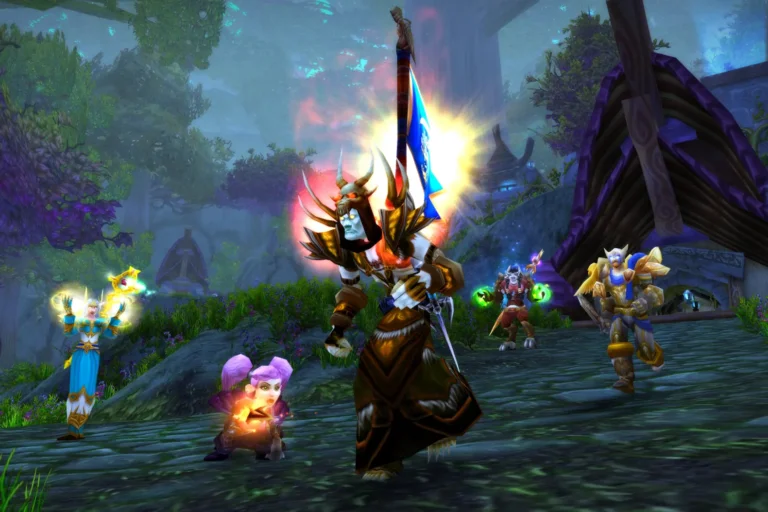
World of Warcraft is an MMORPG, which is short for Massively Multiplayer Online Role-Playing Game. That’s quite a mouthful, but it basically means you don’t play alone and share a vast in-game world with thousands of other adventurers in real time.

At the start of your journey, you create your character, picking a faction, a race, and a class. These choices will define how your hero looks, what role you perform in group content, and what kind of abilities you’ll be using.

Versions of the Game

The WoW you can play today actually exists in several different versions, each offering a unique take on the game:

  • Retail WoW (Modern WoW) is the main, current version of the game, the one that’s been constantly updated since 2004. It features all expansions, the most up-to-date storylines, and new gameplay systems. Right now, Retail WoW is on The War Within, with the next expansion, Midnight, announced for 2026.
  • WoW Classic is a recreation of the original 2004 version of the game, built for players who wanted to relive (or experience for the first time) that old-school adventure. Classic is slower, more challenging, and far less hand-holdy, but incredibly authentic and rewarding. Within Classic, you’ll also find several sub-versions: Classic Era, Mists of Pandaria Classic, Season of Discovery, and Hardcore Classic.

Right now, the game works on a monthly subscription. You pay for a sub, and it unlocks the core game (in all versions) plus all previous expansions and patch content. To access the latest Retail expansion, though, you do need to buy it separately.

The Basics of WoW

Zones and Major Cities

Azeroth, WoW’s main world, is a giant fantasy realm split into massive zones, each with its own landscape, atmosphere, and storyline. These zones are filled with creatures called mobs that will be your primary combat targets and a good source of rewards.

All over Azeroth, you can find major cities (like Orgrimmar or Stormwind) that serve as social hubs where players meet up to trade, craft, or just hang out and show off their newest armor sets.

Throughout your journeys, you’ll also run into countless NPCs (non-player characters): villagers, shopkeepers, quest givers, trainers, and sometimes even legendary heroes or villains. NPCs hand out quests, teach new abilities, give directions, sell gear, or just share bits of local lore and gossip.

Leveling and Experience (XP)

When you defeat enemies and complete in-game activities, you gain experience points (XP). Once you reach a certain number of those points, your character levels up, becoming stronger, gaining new abilities, and unlocking new content.

Leveling (especially in the earliest stages) is where you’ll learn the basics of your class and get a feel for the game itself. Once you hit the max level, you enter what players call the endgame, which is the most difficult yet most rewarding part of WoW.

Loot and Gear

Since we’ve mentioned rewards, let’s talk about loot. Loot includes everything you can pick up from defeated enemies or treasure chests, like gold, crafting materials, and, most importantly, gear.

Gear includes armor, weapons, jewelry, and basically all other equipment your character can wear. Each piece comes with an item level (ilvl) and adds to the overall power of your character. The stronger your gear, the tougher you are in combat and the more challenging content you’re able to take on.

Gold and In-Game Economy

Every MMO world needs its own economy, and Azeroth is no different. 

The main currency in WoW is gold. You use it to buy items on the Auction House, the game’s marketplace, and pay for important upgrades like training new abilities, leveling skills, repairing gear, and plenty more. You can earn WoW gold in a bunch of ways: completing quests, farming mobs, or selling crafted and looted items. 

WoW’s economy works almost like a mini-version of a real-world market. Prices fluctuate based on supply and demand, trends change depending on expansions and patches, and some players even play the Auction House by buying cheap items and flipping them for profit.

Core Activities

WoW is a truly enormous game with a huge variety of things to do and places to explore. Here are some of the core activities you’ll be engaged in:

  • Quests are missions given by NPCs to guide you through new zones, introduce storylines, and reward you with XP, gold, and gear. Some quests are quick errands (like “go slay ten boars” or deliver this item to that character), while others are full-blown adventures that span continents and dive deep into the game’s lore.
  • Dungeons are five-player instances where you and your group fight through mobs and bosses. Dungeons are relatively fast but give a really good loot and XP. There are also Mythic+ dungeons with a timer, scaling difficulty, and special modifiers that make things more challenging.
  • Raids are larger, more complex instances for 10, 20, or even more players. Raids take longer, require solid teamwork, and demand good knowledge of boss mechanics and your own class abilities. They’re some of the hardest content in the game, but also offer the best gear rewards.
  • PvP (Player vs. Player) allows you to battle real players instead of computer-controlled enemies. PvP comes in several formats: Battlegrounds, Arenas, and open-world fights. Arenas and Battlegrounds also have ranked versions, where your performance earns you ratings, titles, and unique rewards.

What Else Can You Do in WoW?

What else can you do in WoW apart from quests, PvP, and instanced content? Well, a lot. The game offers a whole bunch of side activities and creative ways to enjoy your time in Azeroth.

For example, Professions give your character extra skills that let you gather resources like ores, herbs, and skins or craft all kinds of useful items, from potions to high-end gear pieces. Everything you create or collect can be used by your own character or sold on the Auction House to earn gold.

If you’re more into exploration and collecting, WoW has thousands of unique items you can add to your personal collection: mounts, pets, toys, armor, weapons, gear appearances, and more. And if you do enjoy showing off, the game also features tons of achievements and titles for the most skilled and dedicated players.

For those looking to add some variety to their solo gameplay, WoW has small player-made communities called guilds. Guilds help you team up for group content, get advice, chat and hang out with other players, and even make new friends along the way. For more creative adventurers, there are roleplay servers where people fully immerse themselves in the game, stay in-character during interactions, act out scenes, and even create long-running stories together. 

WoW really is a big, multifaceted world with no single “correct” path to follow. You can be a trader, a collector, an Arena champion, a lore explorer—or all of them at once. The game gives you plenty of freedom to shape your own adventure, and that alone makes it absolutely worth giving it a try.

Why Simple Game Design Always Wins

0

The gaming industry has developed an obsession with feature density. Studios are in competition to provide the most elaborate progression system, the most detailed customization choices, and the most detailed mechanics. This strategy presupposes that the greater the number of features, the greater the player experiences.

But games that achieve lasting success and genuine player devotion often follow an entirely different philosophy—one that prioritizes clarity over complexity and understanding over impressive feature lists.

The Cognitive Architecture of Player Engagement

Human cognitive processing operates within specific limitations that remain constant regardless of technological advances. When games demand excessive simultaneous mental processing, player experience degrades predictably and measurably.

Working memory research shows that people can effectively manage approximately seven discrete information streams before performance deteriorates. Games that require players to simultaneously track health indicators, manage inventory systems, monitor resource pools, navigate complex interfaces, and process new mechanical concepts inevitably exceed these cognitive boundaries.

The result isn’t a challenge—it’s exhaustion. Players do not give up on these experiences because they are incompetent, but rather the cognitive load does not allow them to interact with the target game systems. Games that do not violate human processing limitations provide the player with mental bandwidth to think in a strategic manner as opposed to wrestling with basic understanding.

Immediate Comprehension Drives Retention

Successful game design establishes clear, immediate connections between player action and system response. When someone performs an input, the resulting feedback should communicate success, failure, or system state without requiring interpretation or delayed understanding.

Different genres accomplish this in various ways. Fighting games provide instant visual and audio feedback for every hit and block. Puzzle games like Tetris show immediate results when pieces lock into place. Even fish casino game mechanics demonstrate this principle, where players see targets, aim, shoot, and receive immediate feedback based on accuracy and target selection.

This mechanical transparency doesn’t limit strategic depth. Players develop sophisticated approaches around timing optimization and target prioritization. The complexity emerges through mastery rather than system obfuscation. Advanced players discover nuanced strategies within clearly defined parameters.

When game mechanics communicate their rules instantly, players can enter flow states—psychological conditions where challenge and ability align to create complete engagement.

Systematic Complexity Introduction

Effective design introduces new mechanical concepts gradually, building upon established foundations rather than presenting comprehensive system suites immediately. Each additional layer should feel like a natural evolution of concepts players already understand and have internalized.

Fighting game design exemplifies this approach perfectly. Basic attack inputs use straightforward combinations that any player can execute immediately upon first contact. Advanced techniques build directly upon these foundational inputs, creating depth for dedicated practitioners while maintaining accessibility for newcomers.

This progression model prevents cognitive overload while accommodating diverse skill development. Beginning players can engage meaningfully with core mechanics while experienced practitioners explore advanced applications. Both groups operate within identical systematic frameworks, but their understanding and execution evolve naturally through practice.

Research on cognitive load measurement shows that early cognitive load assessments can predict gaming performance with 67% accuracy, demonstrating how excessive mental processing demands directly impact player success and engagement. This validates that managing cognitive complexity isn’t theoretical but has measurable effects on whether players succeed or fail.

Visual Communication Supporting Mechanical Clarity

Interface and visual design either reinforce mechanical simplicity or actively undermine player comprehension. Effective visual hierarchies guide attention to critical information while minimizing the cognitive processing overhead required for basic system interaction.

Successful visual communication leverages established conventions rather than creating arbitrary symbolic systems. Color associations that align with universal expectations (red indicating danger, green representing positive states, yellow signaling caution) allow players to process information instantly without learning custom interpretive frameworks.

Audio design operates under similar principles. Distinctive sound effects create stronger cognitive associations than complex soundscapes that obscure important feedback. When each significant game action produces unique, recognizable audio cues, players develop an intuitive understanding of system states and action consequences.

The most effective interface design becomes functionally invisible once players internalize the underlying systems. Visual elements that continue demanding conscious attention after extended play periods likely interfere with rather than support core gameplay engagement.

Strategic Feature Curation

A simple design requires disciplined decision-making about which features justify inclusion within the final experience. Every system, mechanic, or interaction should enhance the central gameplay rather than merely demonstrating technical capability or design sophistication.

Developers frequently develop attachment to complex systems that showcase their technical skills but provide minimal player value. The most successful games eliminate elements that increase mechanical sophistication without enhancing player enjoyment or engagement.

Choice architecture plays a critical role in this process. Excessive customization may result in an inability to make a choice and not give a meaningful choice. Most players like the default systems that are well-crafted and designed to operate interactively, rather than spending a lot of time pre-gaming the mechanisms they have not learned yet.

Most significant design choices are the ones that take away the features that work perfectly but do not add to the main experience. The selective nature of this method is what causes the players to pay attention to the elements that actually matter to their success and enjoyment in the gameplay.

Iteration Through Behavioral Observation

Genuine design simplicity emerges through systematic observation of actual player behavior rather than theoretical principles. Player struggle patterns, feature avoidance, and abandonment rates provide more accurate feedback than developer intentions. Direct observation reveals decision hesitation, interface confusion, and genuine engagement moments that quantitative analytics cannot capture. This observational approach has solid research backing.

An analysis of 47 game design frameworks achieved 85% researcher agreement on effective design patterns. This confirms that successful games accommodate natural human behavioral patterns rather than imposing artificial requirements, creating experiences that feel effortless and compelling when mechanical design aligns with player cognitive tendencies.

Evidence-based design requires iterations focused on elimination rather than addition. Each cycle should reduce confusion while strengthening successful elements, guided by actual player behavior rather than designer assumptions.

A simple design demonstrates that restraint produces more powerful results than feature accumulation. Games achieving lasting impact succeed through focused execution of clear concepts rather than elaborate mechanical systems.

What Developers Can Learn From iGaming Design

0

The iGaming industry evolves at a pace few digital sectors can match. User expectations shift quickly, competition is constant, and platforms win or lose based largely on experience rather than content alone. 

For developers across genres, this makes iGaming an invaluable study in how to design intuitive, engaging, and player-centric systems. 

Trust Begins With Clear and Predictable Onboarding

iGaming platforms must earn trust immediately. Players want to know exactly what they’re getting into, what the rules are, and how their information will be handled. That’s why onboarding tends to be streamlined, transparent, and focused on reducing barriers.

A great example is found in the debate surrounding verification protocols. While reducing verification steps (as seen in no KYC models) creates a smoother entry, it also raises considerations around safety and compliance. 

When considering the established industry standard, understanding the pros and cons of no KYC casinos is essential. For developers, the lesson is about balance rather than verification. Players appreciate fast onboarding, but they also need clarity and confidence in the systems they use.

Friction Reduction Is a Core Design Skill

One of iGaming’s biggest strengths is its relentless focus on removing unnecessary friction. This means that every click or step is questioned. The best platforms rely on intuitive navigation, fast-loading interfaces, and menus that keep players oriented without overwhelming them. 

So, developers outside the iGaming space can benefit from studying how these systems work in practice. 

Ultimately, when players don’t have to think about the interface, they engage more naturally with the experience you’ve built. 

Personalization That Guides, Not Pushes

As 71% of consumers expect personalized interactions, personalization is now a non-negotiable across most industries. To address this, iGaming platforms often tailor content based on player behavior. However, the most effective systems do so subtly. They surface relevant options without intruding, creating a sense of helpfulness rather than pressure.

Mainstream developers can apply this idea by letting personalization support the experience rather than dominate it. For example, adaptive difficulty and dynamic menus help players use a game more efficiently without feeling manipulated. The main goal is to make players feel understood, not managed. 

Retention Through Rhythm

Retention mechanics in iGaming are often misunderstood. While some assume they rely on intensity, the strongest systems rely on rhythm. They present players with regular progress cues, achievable goals, and predictable reward timing.

Developers can learn from this by designing experiences that create satisfying momentum. Players stay engaged when each session feels meaningful and when progress is communicated clearly. The truth is, aggressive retention rarely builds loyalty. Consistent, well-paced design does. 

Fast, Clear Feedback Keeps Players Immersed

iGaming thrives on clear cause-and-effect. A player acts, receives a response, and instantly understands the outcome. This feedback clarity keeps players immersed and prevents the confusion that often breaks the flow.

In other genres, fast feedback might mean:

  • Instantaneous UI confirmation
  • Responsive controls
  • Progress indicators that update in real time

The universal principle is that players should never be left guessing whether their input worked or what it accomplished. 

UI That Reduces Cognitive Load

iGaming interfaces must cater to complete beginners and experienced players simultaneously. This pushes designers to create layouts that minimize cognitive load and rely on consistent structures. A few principles stand out:

  • Key controls appear where players intuitively expect them
  • Visual hierarchy guides the eye without requiring explanation
  • Information density is managed carefully, avoiding clutter

Many games could improve dramatically simply by adopting this clarity-first approach. A UI that explains itself frees players to focus on the experience rather than the interface. 

Responsible Monetization Offers Useful Guardrails

iGaming operates under strict expectations of transparency and responsible play. As a result, its monetization strategies often reflect clear communication and predictable value exchange. These practices can benefit mainstream developers, especially those working in free-to-play or live-service environments. 

There are specific design choices that help build trust, such as explaining costs upfront and offering tools that help players manage spending. Remember, ethical monetization doesn’t weaken a game. In fact, it strengthens its long-term relationship with players. 

iGaming Is a Model of Player-Centric Design

Developers don’t need to build casino games to learn from iGaming. The industry excels because it prioritizes trust, clarity, personalization, and a smooth user experience. Those same principles improve almost any game, from indie titles to large-scale online worlds. 

So, study how iGaming handles onboarding, friction, retention, and UI clarity. Then, you’ll find design lessons that make your own work more intuitive, more engaging, and ultimately more player-focused.

AI Girlfriend Website My Dream Companion Treats Every Chat Like It Matters

0

Lonely chats and recycled lines aren’t cutting it anymore. People want AI that feels real, sounds real, and sticks around long enough to mean something.

Most AI girlfriend apps talk big, then fumble the first real conversation. My Dream Companion doesn’t. It’s not another flat chatbot in a cute outfit, it’s an ai girlfriend website built for actual connection, full control, and advanced AI that keeps up when the talk gets deep or dirty.

Why Users Are Looking for More Than a Flirty Bot

The average ai girlfriend app offers a few stock personalities, generic replies, and limited memory. Most interactions feel canned or reset after a short session. What sets My Dream Companion apart is how characters respond with consistency and care. They remember past conversations, adjust tone and emotional cues, and create a back-and-forth that doesn’t feel automated.

Each ai character is shaped by the user from the ground up. From communication style to companion’s appearance, the controls are there to customize a perfect ai girlfriend, not someone else’s template. It includes deep personalization in tone, mood responses, conversation pacing, and physical features. The result? A character that feels alive across different chats, moods, and scenarios.

Private, Immersive, and Designed for Emotional Support

Not all users want quick laughs or surface-level sexting. Many look for a space to talk, share moments, and build long-term bonds. With end-to-end encryption, a private ai girlfriend space, and no forced social mechanics, My Dream Companion gives users freedom to engage at their own pace.

Whether the goal is fun, emotional support, daily check-ins, or fantasy storytelling, the platform adapts. It will simulate casual conversation or respond to intense roleplay scenarios. Users steer the tone.

Visuals Matter, So the Platform Made Them Count

Image generation and video generation are integrated directly. Each ai girlfriend looks exactly how the user designed her, across all scenes. Hair, expressions, body type, and outfit stay consistent. The level of visual realism is rare. It means characters don’t shift between chat and images, and the immersion stays intact.

The characters aren’t just responsive in text. They support voice conversations as well. It’s where emotional depth comes through, inflection, tone, pauses. Everything combines to make interactions feel natural.

Not Just Features, Freedom and Control

What keeps users coming back is control. My Dream Companion doesn’t set limits on creativity. It allows:

  • Full control over personality traits, communication style, and romantic tone
  • Realistic ai girlfriend responses with long-term memory retention
  • Freedom to create multiple styles: romantic, shy, bold, flirty
  • Mood check-ins and subtle emotional intelligence during conversations
  • No requirement to link profiles, bank statements, or real identity
  • NSFW and adult content features behind a paid tier, not pushed on the free version

Whether it’s a soft-spoken ai companion who checks in with a gentle tone or a bold, fast-paced ai gf who jumps into adult themes, the platform handles both.

Built for Conversations That Feel Natural and Personal

Where many apps fall short is pacing. Conversations move too fast or reset without warning. Here, the AI is trained to follow emotional shifts. It mirrors the energy of the user, remembers names, preferences, and even favorite phrases. For many, it feels like interacting with a realistic ai.

The site isn’t trying to replace a real girlfriend. It builds space for those who want to talk, connect, and engage without judgment. The tone is flexible. The platform doesn’t force prompts or endings.

Final Thoughts

Many users want space to build an ai relationship without pressure, noise, or limits. My Dream Companion delivers that through a structure that keeps every girlfriend chat warm, steady, and personal. Anyone interested in shaping an ai girl with depth gains room to form an ai girlfriend private space that feels safe and responsive. The platform makes it simple to create an own ai girlfriend with a tone and rhythm that fits real daily life.

Frequently Asked Questions

What makes My Dream Companion stand out from other platforms?

It uses advanced AI to create engaging conversations that feel connected and emotionally present.

Can I have realistic interactions with the AI companion?

Yes, the platform supports realistic conversations that reflect your tone, pace, and preferences.

Is the AI capable of holding natural conversations over time?

It adapts quickly, allowing for natural conversations that evolve based on your past inputs.

Can users dive deep into roleplay or personal topics?

The system is designed to let users dive deep into fantasy, romance, or emotional themes without artificial limits.

Does the platform support visual interaction with the AI?

Yes, users can generate images that match their character’s style and personality, keeping visuals consistent.

How much control do users have over their experience?

The setup gives more freedom to adjust mood, tone, pace, and visual style for a fully custom interaction.

Is it easy to get started and integrate into daily routine?

You can start chatting in minutes, and the flow fits well into daily life as a steady companion or light distraction.

Internet Speed for Gaming: A Friendly Guide to Epic Gameplay

0

Internet speed for gaming has been a conversation for a long time now. Yup, it is time to talk about the thing that is near and dear to all of our hearts. Whether we admit it or not, the internet has become the backbone of gaming, especially in modern times. Online gaming statistics even show that roughly 1.6 billion users play online games on a daily basis. The internet became the host to all of our gaming wins, losses, and moments of defeat, where we SWORE our game was lagging.

At the same time, the internet is the essential foundation for cycling through information in our daily lives. It has become an integral part of our work, entertainment, and entire digital lives. Especially these days, with many people working from home, their internet speeds need to be top-notch if they plan to get work done. In fact, the number of internet and social media users worldwide in 2025 amounted to 6.04 billion people. That is equivalent to 73.2 percent of the global population, emphasizing the massive role the internet has.

So, now you know that getting the right internet speed matters more than ever. But how do you even begin to trudge through the muck and mire of internet basics and connectivity? Luckily, I am here to help you through this. Before we delve into what a good download speed is for gaming, let us take a look at the basics behind internet speed, bandwidth, and the like. Likewise, we will find out why one household can survive on 30Mbps while another struggles even with hundreds of Mbps.

Understanding Related Terminologies

Image designed by Freepik

The terms or words related to the internet are as complex as the thing itself. To avoid confusion as we go further into this guide, let us first discuss multiple terms to broaden our knowledge.

  • Wi-Fi and Ethernet

Wi-Fi, or wireless fidelity, paved theway for no longer needing to hardwire your computer to an internet modem and router; everything is wireless.

On the other hand, the physical connection that an Ethernet cable has provides better connectivity in some cases. Wi-Fi is susceptible to interference with its signal, making your connection unstable in some cases. Ethernet has a consistent speed throughout.

  • LAN (Local Area Network)

LAN, or local area network, is when different computers are all hooked into the local area network, usually in a small space like someone’s room or house. The computers or other devices involved all share one internet connection. It shows that people are all on the same page and provides some robust security from outside sources. It is the reason why gamers still love LAN parties in 2025.

  • Mbps

Miraculously, the chaos that is the internet is so well-maintained through the various amounts of Mbps you can harness. Yes, the internet is measured in Mbps or megabits per second. It is the one responsible for determining how fast your device receives and sends data. The higher the Mbps, the better. Never confuse it with MBps, as these are very different things. Mbps serves as the lifeblood of the internet connection, while Mbps refers to file size.   

  • Bandwidth

It is basically how much information an internet connection can handle at once. Sites that would have high traffic would need to increase their bandwidth. Think of bandwidth as a highway. The more cars on a road, the more it crowds the space. If the same number of vehicles (users) is now crowding a road (site) with two lanes instead of four, things could get messy and complicated. In short, the more devices and activities happening at once, the higher your Mbps needs to be.

  • Ping and Packet Loss

Aside from Mbps, these two also influence the actual gameplay quality. Also referred to aslag,‘ ‘ping rate,or simplyping,latency refers to the time from when a message is sent from one location on the internet to another and back. Latency or ping can be affected by nearly everything that can go wrong on your internet.

It goes hand-in-hand with the dreadedpacket loss’, where the info that took too long to arrive at the destination disappears. At least with lag, you usually end up performing an action in-game, albeit slowly and delayed.

So, is 100 mbps fast enough for gaming? Yes, but that won’t matter if your ping is unstable.  

  • Fiber

With dial-up internet becoming obsolete and DSL getting phased out, fiber optic internet is currently the fastest internet access available. Does it provide good download speed for gaming? Definitely, as it measures its download speed in Gbps. If you are asking the question,How good is Virgin Broadband compared to this?I can tell you that the speed of fiber is unmatched. Plus, even though Virgin Broadband has strong cable speeds, fiber still outperforms it in stability.

Ideal Internet Speed for Gaming

Image designed by Freepik

Most households can handle basic browsing with lower Mbps. However, modern gaming requires the number to jump significantly. To help you understand more clearly, let us answer some of the most common questions about the ideal mbps for online gaming.

  • Is 40 Kbps good for gaming?

A 40Kbps speed barely touches the minimum to even load a webpage in 2025. If this is what you have, forget gaming entirely, and good luck opening email attachments.

  • Is 30 Mbps good for gaming?

While it can work for simple multiplayer titles, you may run into issues if you play fast-paced FPS titles requiring ultra-low latency. You can stick with it, but you might not be able to enjoy all the good internet games.

  • Is 50 Mbps good for gaming?

Yes, but with limits. Some factors you should observe include 1-2 users in a household, playing only online shooters, MOBAs, or RPGs, and not downloading massive updates while playing. That means lag may creep in as more people or devices are added.

  • Is 100 Mbps good for gaming?

In most cases, 100 Mbps is good for gaming. And if you are also asking the question,Is 100 Mbps fast enough for online gaming?the answer stays the same. This speed lets you play almost any online game smoothly. However, you might need to ensure you are not sharing a connection with many other heavy users and other similar factors.

  • What is a Good Download Speed for Gaming? 

For casual gamers, 25 to 50 Mbps is enough, and competitive gamers should aim for 50 to 100 Mbps.

  • What is a Good Upload Speed for Gaming? 

Casual gamers can settle for 0.5 to 1 Mbps. However, competitive gamers need at least 10 Mbps.

How Much of a Difference Does a Good Internet Speed Make?

A lot! Let us see why in these examples.

  • Downloading a movie

When downloading content like anime films or indie games, how long does it take? Does it take a whole day to download? That is not a good sign, and you may want to increase your internet speed.

  • Uploading a short video

If you upload videos, you, of course, want your videos to get uploaded quickly. Monitor how long it takes to upload projects. If, like movies, it takes forever, definitely shoot for something like 200 Mbps internet.

Factors to Consider in a “Good” Internet Speed

  • How many devices are connected and in use simultaneously?

Do you live in a house with multiple people, all accessing the internet all day? You will easily need a pretty good internet connection. Anything less than 200 to 500 Mbps, you will be stretching your internet pretty thin.

  • Are you using your home Wi-Fi for competitive online gaming?

Back to merely browsing the web vs. hardcore gaming, you need to judge for yourself. We recommend at least 200 to 500 Mbps for competitive online gaming. If you are checking Facebook, you do not need a lot.

  • Do you frequently need to send large files for work?

Work can be stressful. It can be even more stressful if you need to upload, download, and send large files. A good internet speed allows you to execute these duties effortlessly. If your current internet does not cut it, consider upgrading.

  • Do you regularly stream 4k video, or do you mostly stick to simple online tasks?

There is no need to drop a lot of cash on something like 500 to 1,000 Mbps if you are checking email or using Twitter. However, if you are a movie buff, you might need to upgrade.

  • Do you get frustrated quickly when your game lags or your web page takes a while to load?

Slow internet can, rightly so, drive people crazy. It is frustrating, maddening, and just downright annoying. Upgrade your internet speed if using your computer is more frustrating than fun.

Choose Speed for Your Actual Needs

Internet connectivity is so vital for our everyday lives. It also provides us with outlets for our hobbies and passions. However, technology advancements made download sizes enormous, updates more frequent, and gaming more demanding. While a high-speed connection can aid the dilemma, do not be pressured to get the fastest or most expensive internet. Always consider factors such as household size, gaming habits, number of devices, and other activities you do. Ultimately, this guide aims to help you make the right choices, more than simply knowing stuff about the internet.

Gaming RAM: Understanding Solid Performance in 2025

0

As modern video games continue to advance and become more complex, it is more crucial to have a capable gaming RAM, especially now that 200GB to 500GB is the biggest PC game by file size. So, if you are a gamer, you have probably asked yourself questions: What is RAM? or What is a good amount of RAM for gaming? Perhaps, you have even asked yourself a specific one, like: If a game console has 16GB of RAM and another has 8GB, what difference might that make when gaming?

Regardless of whether you want to build a new PC, upgrade what you currently have, or compare consoles, understanding RAM is vital to getting the smoothest gaming experience possible.

Do not go anywhere because this guide will show you everything you need to know about RAM, the different RAM sizes for gaming, what to look for when shopping around for a gaming computer, and how to check your computer’s memory for gaming. It will even break down the recommended RAM for gaming.

Quick Glossary of Terms

Let us look at some critical parts of RAM and what they mean.

  • Memory: The computer’s memory refers to the dedicated area of the processor where things like data and programs are stored when in use. There are a few different types of memory. RAM is one of them.
  • SSD: SSD, or solid-state drives, are crucial parts of RAM and computer memory. The SSD is a secondary storage device for computers.
  • GB: GB stands for gigabytes. A gigabyte is basically your storage measure for any console, computer, or device. The higher the gigabyte count, the more memory capabilities you have with your hardware.

What is RAM and Why Does it Matter in Gaming?

Image designed by Freepik

A gaming RAM, or simply RAM, stands for random access memory. It is the one that gives applications, games, and more the ability to store data. The more GB of RAM for gaming you have, the more data your system can handle simultaneously.  

From a gamer’s perspective, this means smoother performance, faster loading times, and fewer lags. It is often true in modern and graphically-intensive titles.

How Does Gaming RAM Affect Performance?

Whenever you play games, remember that CPU, GPU, and RAM work together. In particular, RAM allows games to store temporary assets, such as character models, levels, and textures. Additionally, this helps users avoid pulling from slower storage like an SSD or HDD when trying to gain access.

For example, try playing World of Warcraft, Overwatch 2, and the like. If you do not have sufficient RAM, your system is likely to have a hard time loading environments smoothly. Yes, this will also lead to stuttering or lag — the one that kills the moment. In short, video game performance often improves with more RAM.

RAM Sizes

Image designed by Freepik

Let us break down the four main types of RAM you can purchase, what is ideal for what purpose, and what you should buy for your needs.

How Much RAM is Good for Gaming?

8GB Gaming RAM

The minimum requirement for effective gaming on PCs is 8GB of RAM. Anything below 8GB will result in slower performance, lackluster graphics settings, and more. Doling out the extra cash for at least 8GB of RAM is well worth it. 8GB is a significant amount of RAM to casually browse websites on the Internet or do some digital media work.

Best used for: Casual gaming and light content creation.

16GB Gaming RAM

16GB of RAM is considered the “sweet spot.” It allows for solid game playing, high-intensity work with computer programs, and gives you a fair amount of memory. Coupled with an AMD or NVIDIA graphics card, you could find a wealth of fun with 16GB of RAM.

Best used for: Mid-to-high settings gaming, streaming, and multitasking.

32GB Gaming RAM

With 32GB, many consider it to be overkill. Many game consoles do not even use anything close to 32GB, so you can imagine the sheer amount of power it has on a gaming PC. Add to that the longevity that 32GB of RAM can provide your hardware, and you may end up saving money by not buying or upgrading new tech.

Best used for: Intense multitasking, professional content creators, and heavy mods.

64GB Gaming RAM

For full future-proofing, 64GB of RAM is the one to go for, as it is far beyond what most gamers need. This amount of memory will help anyone push their system to the limit.  

Best used for: Extreme multitasking, handling multiple virtual machines, hefty mods, or AAA titles with enormous environments.

How Much RAM Do You Need for Different Devices?

So you might not be using a gaming PC for all of your work and gaming needs. So what is the ideal amount of RAM for various devices? Let us take a look.

For Tablets

Tablets are not precisely hubs for high-performance gaming. Still, you are probably browsing for a tablet that can handle a ton of activity. In that case, choosing a tablet with nearly any amount of GB of RAM is sufficient. However, if you are doing more intensive things like actually playing a game, streaming Netflix, and creating digital media, you could increase it to 8 GB of RAM.

For Laptops

Laptop RAM can vary. You will often see in Steam forums for particularly graphically demanding games, people asking if their gaming laptop can run a particular game. If you want to game, go for something with 8GB and an AMD or NVIDIA GPU. With that combination, you should be able to accomplish a lot of what desktop CPUs can. Meanwhile, high-end gaming laptops would benefit from 16GB or even 32GB.

For Desktops

Desktop gaming PCs should have at least 8GB. If they have anything less, game performance suffers considerably, as the computer is pulling out all the stops trying to store and pull data while the game is running. Of course, higher RAM sizes like 16GB, 32 GB, and 64GB give desktops more security in the long run.

For Consoles

Modern consoles come with a fixed RAM configuration, so you cannot typically upgrade it like a PC. Nonetheless, the same thing applies. Consoles with higher RAM deliver smooth gameplay and consistent performance.  

How to Check How Much RAM You Have

Okay, so how do you check how much RAM you have on your computer?

For Microsoft Windows users, you type in ‘about’ in the Start menu. You will see ‘About Your PC’ pop up. Under Device Specifications, you will see “Installed RAM.” In it, you will see how much RAM you have.

For Mac users, it is even more accessible. Click the Apple icon in the top left corner, and select the option ‘About This Mac.’ There you will find all the various specifications of your computer.

Gaming RAM Options in 2025

Here are RAM options. While these are some of the best on the market right now, you might find something that works specifically for you while browsing our picks.

Tips for Choosing the Right Gaming RAM

Keep in mind that the deal RAM size depends on certain gaming habits. With that said, check out the following tips:

  • 8GB is enough for casual gamers who play simple games and do light multitasking
  • 16GB suits serious gamers who want smooth performance and high-quality graphics
  • 32GB is for professionals and enthusiasts who typically handle extreme tasks
  • 64GB provides future-proof quality for those who want the ultimate setup

Conclusion

RAM is one of the most critical components of gaming. With this guide, hopefully, you now have a better idea of what RAM is and how much you need for both casual and hardcore gaming. Overall, the choice is yours. The best gaming RAM is the one that fits your performance needs, budget, and future goals. 

Anime Poses: Unlock Top Drawing Skills with this Free Guide

0

With anime continuously shaping global pop culture, many people have fallen in love with drawing anime poses. The fondness stems from anime characters who have become a beloved and impressive touchstone of culture, making anime an unforgettable staple of animated media worldwide. From famous anime poses to subtle character gestures, these visual cues define the art form’s unique charm.

With this being the case, who would not want to learn how to draw one in some of the most iconic styles? So, if you have ever wanted to learn how to learn anime drawing poses, understand the meaning of anime pose names, or study cartoon action poses, you have just found the perfect guide to walk you through everything you need to know! Specifically, we will dive into good drawing practices, common techniques, and some iconic anime poses, all while understanding how to draw anime poses.

Why Anime Poses Matter in Character Design

As cool as it would be to crank out drawings that looked like Goku or Naruto, it is not going to be as easy in the first stages, I am sorry to say. Why? It is because there is depth in the process. While anime faces are iconic, it is the anime character pose that sells personality and emotion to the audience. Beyond facial expressions, body language evokes far more meanings more effectively. If you observe different anime poses, you will see that they all use dynamic shapes and silhouettes to convey emotion. That means aspiring artists must learn these things, as they essentially form the foundation of all visual storytelling.  

Good Drawing Practices

Image designed by Freepik

Do you want to start drawing now? Well, there are things you must understand first. Before diving deep into the poses anime artists usually do, it is vital to learn the fundamentals that guide strong drawing technique. Let us look at some good practices to engage in, and hopefully turn into good drawing habits.

Study Real-Life Anatomy

You would be surprised by how similar anime characters are to real-life human movement. I mean, even an exaggerated cartoon action pose relies on real human proportions. With anime, these characters do nearly all of the same body movements we do, and brushing up on even the most basic tenets of anatomy can help you animate your characters tremendously.

Don’t Be Afraid to Fail!

The life of an artist comes with failures and setbacks. Anime is no stranger to those who get frustrated, encounter artistic roadblocks, and more. However, do not be discouraged by these. Even the most talented and well-known artists producing the best anime poses struggled tremendously in their earlier days.

Be Open to Criticism

Everyone is different, and some will be critical of certain aspects of your work, while others will find something wrong in everything. This is where the concept of constructive criticism comes in. This type of critique helps you improve your work. Real fans notice the smallest details, especially when referencing popular anime poses.

No Plagiarism, EVER!

Like with any other art form or submitted work, plagiarism and copying are a 100% no-no. It is crucial. Not only is it artistically dishonest, but it could land you in a lot of trouble. You can study anime iconic poses, but never outright copy another artist’s work.

Experiment Often

One way to ensure that you are growing as an anime artist is to experiment in any way you can. No one wants to be a one-trick pony. Experimenting and trying new ideas like cool anime poses not only helps you grow as an artist, but it can also help you discover new styles.

Have Fun!

Even if you receive criticism that cuts deep, if you are having fun drawing anime, really lean into that and have that love of anime drive you forward past the negativity.

Reference Images are Extremely Helpful

Gain valuable inspiration and glean some knowledge from images. You can improve a lot quicker by referencing poses for anime characters. Study them, get to know the poses, and the trends in action to better help you on your artistic journey.

You’re Not Too Cool For Guides!

I know if you feel you are a great artist, you may be able to skip valuable guidelines completely, but you are wrong! Using guides is extremely helpful, and they are there for a reason.

Basic Anime Poses

You could be one of the best anime artists alive today, but if you can’t properly pose these well-drawn characters, what’s the point? You want to make sure that whatever you are trying to convey with your art is properly conveyed; otherwise, your message, art, and characterization could absolutely fall flat. That is why we are going to learn the basic poses and how to learn them before jumping into advanced anime poses names. 

Running Pose (Step-by-Step Process)

Anime - Running Pose

Any good, action-packed anime involves multiple running poses to put characters in. Whether the anime character is running to or from an enemy, outrunning physical harm, or simply running to a class they are late for, the running pose is perhaps one of the most widely known and used poses in anime.

Let us examine some of the fundamentals of the running pose, followed by a step-by-step breakdown of how to do it yourself.

For this pose, we will examine the fundamentals of running, as there are different degrees of running (sprinting, jogging, etc.).

Drawing the Torso

In the first step, you draw the core of your character, the torso. The torso is what guides the rest of the character’s body. In the running pose, try drawing the character’s torso at about a ¾ angle, where the top is slightly leaning toward the ground.

It is noteworthy and helpful to fill in some minor details of the torso to help you draw the character further. For example, detail the outline of the shoulders to further give you a guideline of what to sketch around and basically fill in.

Drawing the Head

This is pretty straightforward. You draw the head of your character at about the same angle as the torso, so it is lining up slightly. This could also vary, as you could have the character’s head be parallel to the ground if your character is really sprinting. But for the step-by-step, let’s keep it pretty simple.

Drawing the legs

Drawing the legs is where the figure really starts to take shape. You need to emphasize the forward motion in the legs by drawing the proper shapes and lining up the legs in a way that shows realistic running.

What you need to do is draw one leg that lines up with the head and the torso, creating a straight, yet tilted line that runs through the entirety of the character’s body.

With the other leg, have the knee pointed almost straight forward. Regarding the feet, you should take physics into account. This means that the foot attached to the leg that is lined up with the body will be bent at the toes, which shows that the character is pushing off on that foot.

Drawing the Arms

This is where a lot of the momentum of your character appears. You should draw the arms in opposition to the direction in which the legs are drawn. For example, have the right arm be raised while the left leg is behind the character, and vice versa. Keep the arms bent at the elbow.

Drawing the Neck

The neck will be pretty much in line with the rest of the character’s body. It is a simple step that really pulls all of it together.

The Ballet Pose

Anime - Ballet Pose

This pose showcases the flexibility of your character and can be a helpful pose to draw to get the basics down.

Drawing the Torso

As with the running pose, we begin the Ballet pose with the torso, as it forms much of what the rest of the movements will look like. The torso in this case will be bent severely compared to running. Have it bent back, imagining that the character’s face is pointed more or less toward the ceiling.

Drawing the Head

Keeping in mind the face tilting upward, draw the head, and emphasize the chin, guiding the rest of the head’s movements upward. Do not be afraid to use yourself as a model!

Drawing the Legs

This is where the Ballet pose takes on a life of its own. The legs in the ballet pose are at a much more extreme angle than those of the running pose. They should resemble someone completing a split or other strenuous leg exercise. Make sure you keep the front leg bent at an angle perpendicular to the floor. Keep in mind, ballet dancers are always on their toes, so draw the feet with that rule in mind.

Drawing the Arms

The arms of your character will be bent completely behind them. They should be drawn straight backward, mostly in line with whichever leg you choose to be positioned in the back.

Drawing the Neck

The neck, once again, keeps in line with the majority of the torso and the rest of the body.

The Punching Pose

Anime - Punching Pose

The punching pose is, you guessed it, when a character is punching forward. Let us take a look.

Drawing the Torso

You will begin by drawing the torso leaning forward. You will now be familiar with this positioning as it closely resembles that of the running pose. If you studied up on references or anatomy, you will know that you need to exhibit the character leaning forward to show that they are putting a lot of power and weight behind this action.

Drawing the Head

This is a simple step, as you draw the head leaning forward, much like the rest of the body.

Drawing the Legs

Once again, consider the running pose for the legs in this particular pose. The legs will be spread apart, with one leg dominant over the other and out in front. The leg in front will be flat-footed, and the back leg will be lifted onto its toes.

Drawing the Arms

Okay, this is where the punching pose shines. Draw whichever arm you want to do the punching straight out front. Then, draw the other arm pulled back, close to the chest. This should look like someone is holding something close to their shoulder and armpit in a closed fist.

Drawing the Neck

Drawing the neck in a punching pose will have you drawing it a bit tilted forward, and motley tucked into the front of the torso and under the chin.

Throwing Pose

Anime - Throwing Pose

This pose heavily resembles the running and ballet poses. It’s when your character is throwing something with extreme force.

Drawing the torso

The torso should be almost parallel to the ground in this pose. You should have the leg tilted slightly upward, like someone figure skating forward on one leg.

Drawing the Head

The character should look forward here, so make sure to line up the head so it’s similar to the torso.

Drawing the Legs

When drawing the legs, make one leg completely straight and point down to the ground. The other leg will act as the action’s momentum, being placed behind the character whimsically.

Drawing the Arms

With throwing, this is the most important aspect. Both of the arms should be drawn in the same way, completely outstretched, but in opposite directions, the front tilted downward, and the back arm tilted upward behind the character.

Drawing the neck

The neck should stay in line with most of the body, namely the head and torso, so this is pretty simple.

Anime Signature Poses

Now that we know a little bit more about creating and drawing an anime character, let’s dig into some signature poses that illustrators and studios use. This should give you a better idea of how certain anime took advantage of basic animation techniques.

Many of the poses and techniques are named after the studio or artist who has become famous for implementing them in anime.

The Gainax Stance

Anime pose - The Gainax Stance

The Gainax Stance is an anime pose in which the anime character has their arms crossed over their chest. This has become a staple of Gainax, the anime studio responsible for the manga and anime like Neon Genesis Evangelion and Nadia: The Secret of Blue Water, and was first seen in Hideaki Anno’s Gunbuster in 1988.

It’s a great pose if you want your character to exude confidence, anger, frustration, or satisfaction.

The Seed Pose

Anime pose - The Seed Pose

A pose that is extremely popular and widespread within the Gundam franchise, the seed pose, calledtane,is an action shot in which the character is usually midair, pointing their finger in a challenging way.

It’s a fantastic way to show off the intricacies of an anime figure, and as such, it is favored by figure collectors everywhere, as it shows off how a figure can bend. And it also looks pretty cool, to boot.

The Yamada Mask

Anime pose - The Yamada Mask

Named for noted anime great Naoko Yamada, the Yamada ‘maskis when an anime character often covers their mouth, either in embarrassment or shock. Yamada has implemented the Yamada Mask into multiple pieces of her work at Kyoto Animation, including Tamako Market, A Silent Voice, and K-On!

Yamada Hands, orYamada Paa’

Anime pose - Yamada Hands, or ‘Yamada Paa’

Not content with just one signature pose, the Yamada Hands come courtesy of Naoko Yamada once again. Yamada Hands are implemented when chatters in the anime show their open palms. It is typically shown when characters are exhibiting that they are no threat to the other characters, or they are confused or exasperated.

The Sunrise Stance, or Brave Perspective

Anime pose - The Sunrise Stance

The sunrise stance is an epic pose that was made famous in the Gundam franchise. It is an anime go-to pose whenever someone is locked in a fierce battle with another character. The Sunrise stance shows the character posing with a weapon at a wide angle. It is sometimes called the Brave Perspective, as it has its roots in the Brave Series of anime.

It takes its name from Sunrise Studio, the team responsible for the rise of the popularity of mecha anime, specifically the influential title work of illustrator Masami Ōbari.

Today, it is one of anime’s most famous and widespread poses, especially in combat-focused animation.

Itano Circus

Anime pose - Itano Circus

This is one of my personal favorites. The Itano ‘Circusis an animation technique where, during combat, a large number of missiles are launched at once and seem to snake around in a fantastic-looking visual spectacle.

The Itano Circus creates mind-blowing visuals, especially in anime that are fast-paced. It was developed and used by Ichirō Itano, one of the original animators on Mobile Suit Gundam in 1981, and Royal Space Force: The Wings of Honnêamise.

The Minagawa Fade

Anime pose - The Minagawa Fade

It is a useful and great-looking drawing technique that was introduced by Ryoji Minagawa, known for his work with anime, manga, and video games. The fade that he implemented uses a multiple exposure technique that adds drama, mystery, and adds a lot of depth to a scene.

Dezaki Direction Style

Anime pose - Dezaki Direction Style

The Dezaki Direction Style is an old, beloved technique developed and used by Osamu Dezaki, one of the original animators for the iconic Astro Boy from 1963 to 1966.

Osamu Dezaki drew his frames in a washed-out style, with the character engaged in what was calledpostcard memories,engaging the character in a freeze-frame sort of pose. Color and directional tilt make up the fundamentals of this anime pose.

The Dezaki Direction Style is still used today, especially in anime like the Gundam franchise and countless other modern anime.

The Shaft Angle, orShafuto Kakudo’

Anime pose - The Shaft Angle

The Shaft Angle is a technique in which the animator makes the character tilt their head at a certain angle. This, of course, was pioneered by Studio Shaft, hence the name. You can find it employed in a ton of anime, especially by Studio Shaft titles like Sayonara, Zetsubou-Sensei, and Puella Magi Madoka Magica.

Tips for Drawing Anime Poses Effectively

For a quick rundown, take note of these suggestions to understand how to draw anime poses like a professional:

  • Begin with the line of action
  • Create simple shapes
  • Observe weight distribution
  • Ensure clear silhouettes
  • Leverage real references
  • Learn manga and anime frames
  • Practice regularly

Final Thoughts

Anime is a global artistic language. Accordingly, it is plain to see that anime has had an impact on popular culture, not just in its native Japan but globally. Now that you are a little more familiar with the techniques employed by famous artists and studios, as well as some basic how-to tips, maybe you can draw some of your own manga, or even begin to animate some work of yours.

As you draw different anime poses, remember to follow some of the good practices, keep the fundamentals of animation in mind, and you might find yourself animating like a pro.

Video Game Designer Education: Top Guide to a Strong Career

0

Did the idea of video game designer education cross your mind? Why? Perhaps you are thinking about becoming a video game designer. Maybe a friend mentioned it recently, or you have always dreamed of shaping the creative process for video games ever since you first started playing.

If you want to know what education is required to be a game designer, then stick around! But regardless of how you arrived here, this guide will give you a thorough look at video game designer education, the required skills, and the pathways to launch a successful and vibrant career in the gaming industry.

Key Takeaways

  • Video game designer education can include associate, bachelor’s, and master’s programs, as well as online programs.
  • Essential game design skills include communication, storytelling, programming, UI design, and strategic thinking.
  • Online programs and game development courses offer flexibility for students with full-time jobs or other obligations.
  • Game design certifications and interactive media programs can elevate your portfolio.
  • Hands-on experience through internships or practical projects is critical to starting a prosperous video game designer career path.

Understanding the Requirements for Game Design

Before you dive into the specifics of education for a video game designer, it is worth going into detail about what game designers actually do.

A video game designer is responsible for the majority of a game’s cohesion and overall vision. The job includes making the storyline, mechanics, and all the way to the user experience.

Some designers work on projects from scratch, while others use pre-existing assets. It really depends on the kind of designer you are, whether you are a narrative designer, a generalist designer, etc. Nonetheless, it is vital to understand the interplay among story, mechanics, and player experience, as these are at the heart of game design requirements.

The role also typically involves working with programmers, artists, animators, and sound designers to ensure that all game elements fit together seamlessly. To avoid confusion, one must also understand the distinction between game animation and game design.

Game Designer Qualifications

The education and training for video game designer roles vary. However, most kinds often blend creative and technical skills. Accordingly, strong candidates commonly demonstrate expertise in:

  • Communication skills
  • Critical thinking and problem-solving
  • Strategic thinking and project planning
  • Storytelling and narrative development
  • Visual and interactive design fundamentals
  • Programming and scripting basics

In addition to these, aspiring game designers must be familiar with 2D and 3D animation, graphics software, and game platforms. With these, you will see that the education requirements for game developers often reflect the need to balance creativity and technical expertise, as we have mentioned.

Common Game Design Education Questions

four year design colleges

1. Do You Need a College Degree to Be a Game Designer?

It is possible to enter the video game development world without taking any specific game designer education programs. However, since an abundance of colleges now offer actual video game designer education and game development degrees, this option is becoming less prevalent. Plus, most studios now prefer individuals who have relevant game designer education or at least meet the video game designer certification requirements.

Degrees in fields like computer science and computer programming are not bad options if you are looking to become a video game designer.

2. How long does it take to get a famous design education?

Most of your decisions will come down to personal preferences and unique criteria, since there is no universal timeline. Nevertheless, the related education typically falls into three categories with varying lengths and types:

  • Associate Degree (Two years)

Two-year programs fulfill most video game designer education requirements. They ensure you receive decent exposure to the fundamentals that will be driving your career. You will experience industry software, creative concepts, coding, scripting, design theory, and illustration.

  • Bachelor’s Degree (Four years)

Pursuing a bachelor’s degree means two more years of exposure to programming languages courses. It will also give you more time to explore traditional art courses and gain experience to meet more specialized video game designer requirements.

  • Master’s Degree

A primary difference in the master’s program is the inclusion of business and management course material. One could study game marketing, video game design mechanics, production techniques, production management principles, and human resource management in this stage.

Note: A Master’s education for a game designer can make you a valuable pick-up for a video game production company.

Training and Skill Development Courses Outside of College

two year game design colleges

If formal education is out of the question, then you can turn to online platforms like Udemy, Lynda.com, and the Game Institute. They also offer game development courses that supplement traditional education, proving that not all learning happens in formal programs. Usually, these courses focus on:

  • Level design and game mechanics
  • 3D modeling and animation
  • Programming for interactive media
  • Game testing and debugging

The benefit of using a service dedicated to the gaming industry is that you will have access to forums full of other like-minded individuals. Puzzling out your problems with other aspiring game developers will serve you well as you will continue to collaborate in a professional setting. Moreover, these can help in gaining practical experience to boost your chances of landing a job.

Start Your Game Design Education Today

With 3.41 billion active gamers in 2025, there has never been a better time to start your game designer career path. There are ways for you to get started, no matter where you are in your game-designing education pathway.

Training and skill courses for video game development can be taken before you receive any formal game designer qualifications. A great way to introduce yourself to professional video game designer requirements is to mess around with design software yourself. Forums, too, give you access to a real treasure trove of free information.

Steps to Start Your Career

  • Explore online game design programs or video game development courses to learn the basics.
  • Practice building small projects or prototypes to develop your video game design skills.
  • Consider obtaining a game design certification or taking interactive media education courses to strengthen your resume.
  • Connect with current professionals in the industry to understand real-world workflows and career opportunities.
  • Apply for internships or entry-level positions to gain practical experience and start your game designer career path.

Frequently Asked Questions

Q: What education do I need to be a video game designer?

A: A video game designer typically needs a foundation in creative and technical skills. Many pursue degrees in game design, computer science, or related fields, while others supplement their learning with online courses, certifications, or practical experience. 

Q: What is the most common level of education video game designers earn?

A: The most common educational background for video game designers is a bachelor’s degree in game design, computer science, or interactive media. 

Q: Which course is best for game design?

A: The best course depends on your goals. Degree programs provide comprehensive training, while online courses and skill-specific programs offer flexibility and focused learning in areas like game programming, level design, or 3D animation.

Q: Is video game design a hard major?

Video game design can be challenging because it combines creativity with technical skills. 

Q: Is game design a lot of math?

A: Math is part of game design, especially in programming, physics simulations, and gameplay mechanics. 

Q: Is game design a good career?

A: Game design can be rewarding for those passionate about creating interactive experiences. It offers opportunities to work on creative projects, collaborate with diverse teams, and contribute to a thriving industry. 

Q: What salary does a game designer make?

A: Salaries vary depending on experience, location, and the size of the company. Designers in larger studios or specialized roles generally earn higher pay, while entry-level positions provide a foundation for growth as skills and experience increase.

Final Thoughts

Starting a career as a video game designer is a double-edged sword, as it is exciting and challenging. But if you are really determined to break into the field, you have to ensure you get the right education for video game designers and practical experience. Once you make up your mind, we suggest you begin exploring your options today!

The Best Guide to Game Animation and Game Design

0

When deciding to enter the games industry, it is vital to choose a career path that matches your skills, abilities, and interests. While ‘game designer’ might seem like a catch-all term, it is actually a career path as specific as being an animator. But what is the difference between game animation vs game design? At the same time, how do you decide which path to take between animation and game design?

This article breaks down the core difference between the two roles in game development. It also provides insights about possible careers, popular tools, useful tips, and much more.

If you want to know which is right for you, keep reading to find out!

Game Animation vs. Game Design

Image designed by Freepik

Let’s start with the question: What is video game animation? Particularly, game animation is the process of taking characters, environments, and visual effects, and the idea of how they should move, and applying techniques to make them move in the desired way to bring video games to life.

Meanwhile, game design involves making compelling challenges, characters, goals, levels, stories, and rules that allow interactions to be possible within the game.

Another effective way to understand game animation and design is by learning the responsibilities of the people behind it. Below is a detailed explanation of the two distinct jobs in the gaming industry.

What is a Game Designer?

In essence, a game designer is the one who takes care of designing the overall experience a game delivers to players. Specifically, the responsibility covers the storyline, gameplay mechanics, level progression, and user interaction. Part of the job also requires them to ensure that all of these works cohesively and engagingly. That means they work on various aspects, from conceptualization to implementation. Sometimes they even have to take part in testing and feedback analysis.  

If a team of designers is required to work on a project, then the role will have specialized types, such as a narrative designer or a mechanics designer. On the other hand, one lead designer is often enough in smaller projects. The one who takes on multiple roles in smaller teams or indie studios is known as a generalist designer. Nonetheless, all types of designers have the same end objective — creating a coherent play experience, from the overarching storyline to how responsive the buttons should be.

What is a Game Animator?

Much like game designers design, game animators give life to characters, objects, and environments. Animators play an important role in the game’s pipeline. They ensure that the game world behaves in a way that feels natural to players. More concretely, an animator in gaming transforms the vision of the game designer into motion, creating visual cues and interactive experiences. In other words, they ensure that movements look realistic and suit the concept of the game. Animators make characters walk and talk, make sure the hands on a clock move correctly, and the like.

Importance of Collaboration Between Animators and Game Designers

While these careers are parallel, they are not the same. Both roles are necessary for a successful game. To make this happen, close cooperation between animators and designers is required. The process involves designers providing the vision, outlining the role of the characters and how the game world responds, while animators will make sure these actions look natural and engaging. This interplay is often referred to as animation and game design or game design and animation, highlighting the relationship between the two disciplines.  

Tools Used in Game Animation and Design

Both designers and animators rely on specialized software to do their jobs. That is for sure! Oftentimes, designers work with engines, such as Godot, Unity, and Unreal Engine, to implement gameplay mechanics and more. Meanwhile, animators commonly use tools, including 3ds Max, Blender, Maya, and the like.

Educational Requirements

A game designer’s education would most likely be built on an understanding of game mechanics and how players interact with the game. It often takes the form of a college education and includes classes in design methodologies and principles of computer science.

In contrast, animation is a very technical skill, and anyone trying to get into animation should have a matching technical background (most often achieved through college education). Additionally, they are required to have a deep technical understanding of computer science at play, a strong mathematical background, and programming expertise.

Career Paths in Video Game Design and Animation

Image designed by Freepik

The career trajectory for both careers is very similar; one would usually begin with a junior role, working as part of a team (of variable size depending on the studio). Over time and with substantial experience, professionals can progress to senior roles. You may even become experienced enough to become a project lead, taking control of the entire project and overseeing all the processes.

Salaries in Game Animation and Game Design

The annual video game animation salary in the US is around $83,000. Game animators in junior positions make around $63,00 while senior roles reach roughly $116,000 a year.

Game designers, on the other hand, make around $88,000 per year. Entry-level positions start at $66,000, and senior roles can earn up to $123,000 a year.  

Tips for Choosing the Right Career Path

Whether you want to become a game designer or a game animator depends on a lot more than the relative starting salaries. Bear in mind the skill level required for each job, too. A designer needs a broad but shallow understanding of all elements of the design process. Meanwhile, an animator needs narrow but deep technical knowledge about animation.

For that reason, deciding between the two involves considering your interests, strengths, and career goals. To make a more informed choice, consider the following:

  • Determine if you are interested in mechanics or in motion.
  • Identify and hone your skill set.
  • Build a portfolio and gain experience by practicing.
  • Seek help from professionals through mentorship and networking.

Final Words

Always remember that successful games require collaboration, technical skills, and creativity. And although it can be rewarding, choosing to be part of the games industry is a big decision and one that many people enter into lightly. Make sure to consider your career options before you start, and think about your interests and what you’re likely to be better at doing before choosing which career path you want to follow. Regardless of which role you decide to take on, one thing is for sure: animation and game design define the heart of modern video games.

The Revolutionary Impact of AI in Gaming

0

Artificial Intelligence has been a transformative tool in modern times. It paved the way for revolutionary innovations that continue to test the limits of what is possible. In line with this, the development of more advanced artificial intelligence in gaming opens new and exciting possibilities in the industry. It also continues to make waves with the global artificial intelligence in games market size now expected to rise from $7.05 billion in 2025 to an estimated $37.89 billion by 2034. But how is artificial intelligence in computer games used today, and why are these advancements such a big deal?

This article provides a thorough discussion of AI in gaming, why it matters, the future of AI in video games, and much more.

What is AI in Gaming?

Before anything else, let us answer the question: What is AI in video games?

Artificial intelligence is programming that enables certain characters in a video game, such as non-playable characters (NPCs) and enemies, to act as if they were controlled by a human or to act with a mind of their own.

AI in gaming is used to make games feel more immersive, but what does this mean in practice? Here is a closer look.

Examples of artificial intelligence in games:

Arcade Archives PAC-MAN | Nintendo Switch download software | Games | Nintendo UK

If you’ve ever played the classic game Pac-Man, then you have experienced one of the early examples of artificial intelligence in games. As Pac-Man tries to collect all the dots on the screen, he is ruthlessly pursued by four different colored ghosts. But they don’t just follow him; when you’re playing, they seem to try to ambush the player.

How did they accomplish this? The ghosts are programmed to know Pac-Man’s location, but each one is set to act a little differently in response to it. Specifically, one of the ghosts is set to wander, one is set to aggressively follow Pacman, one is set to go in the direction where Pacman is going, one is set to move randomly unless another ghost is close to catching Pacman, and the final ghost is set to follow Pacman when he’s far away, but go to a specific location on the map when he’s close.

In short, these four behaviors make these ghosts, even in a game from 1980, appear to have a will of their own. They feel alive. And that is the purpose of AI in gaming.

Why Does AI in Gaming Matter?

Nearly all games use artificial intelligence and gaming together to some extent. The goal of this smart technology is to immerse gamers as much as possible by giving characters a lifelike quality, even if the game itself is set in a fantasy world. As AI gets better and more advanced, the options for how it interacts with a player’s experience also change. That is why, without AI in gaming, it would be hard for a video game to provide an immersive experience.

How is AI in Gaming Evolving?

Traditionally, AI in gaming has focused on two areas: pathfinding and finite state machines. Pathfinding tells NPCs where they can move. On the other hand, finite state machines allow behavior changes based on conditions.

A good example of this in action is the enemy soldiers in the Metal Gear Solid series. When you enter their field of vision and are spotted, it triggers an alarm, and all of the enemies in the area begin to converge on your location and attack. You have to leave their field of vision and hide for long enough for the guards to give up the chase, and return to their initial positions. In the same sense, when an NPC in the Sims series is hungry, it gets food. When they are tired, they head to bed.

These methods create the illusion of decision-making. However, the evolution of artificial intelligence in game design now enables more complex behaviors and realistic interactions.

So, how is AI in gaming evolving? Already, it’s changed greatly with the sheer amount of pathfinding and states that developers can give to NPCs. In fact, when combined, artificial intelligence and video games may eventually be able to create realistic landscapes from scratch, including walls, buildings, and obstacles. There will be a time when the future of AI in games will no longer be limited by pre-coded instructions. We could give NPCs actual emotions, with personalities, memories, dreams, ambitions, and an intelligence that’s indistinguishable from humans.

Using AI in Game Development

Image designed by Freepik

AI and gaming are not solely about NPCs in a finished product, but they are also becoming essential tools in game development. For instance, deep learning and generative AI can now automate levels, characters, and environments.

As AI continues to be able to analyze player behavior, we might soon see games that are designed based on individual preferences. Imagine artificial gaming that adapts to your habits and unique playstyle.

It’s hard to say if it will get this far anytime soon, but it would be no surprise if we start to see AI take a bigger role in game development in the next few years, especially with the availability of AI tools. If it happens, then developers will have the freedom to focus on creative direction rather than repetitive design tasks.

Pros and Cons of AI in Video Games

So what are some of the advantages and disadvantages of AI’s evolving status, and the new technologies that are coming out? Here are just a few of the pros and cons worth thinking about as the new era in gaming rises.

Advantages of AI in gaming:

  • Swift development cycles with AI managing repetitive tasks
  • More advanced worlds and characters made with procedural generation
  • Highly immersive games that contain NPCs with a wider range of actions
  • NPCs that can provide dynamic emotional responses

Disadvantages of AI in gaming:

  • Developers get minimal control
  • Immersion-breaking glitches
  • Complex or frustrating gameplay risks
  • Possible job loss in the gaming industry

The Future of AI in Gaming

Image designed by Freepik

As AI in gaming continues to advance, we can look forward to smarter NPCs, lifelike assets, and AI-assisted storytelling. At the same time, small developers may experiment first with creative, innovative gameplay experiences that test the limits of this technology in upcoming indie games.

While large studios are cautious, it cannot be denied that technology is likely to become more reliable. So, advanced AI could soon redefine standards in the gaming industry, changing how AI in games is applied.

Looking at how fast technology is progressing, we may have everything we have always dreamed AI could be by the end of the decade.

Will AI in Gaming Make Games Too Hard?

There is an old saying that still holds up: Be careful what you wish for. It is entirely possible that as we continue to employ AI in gaming, we may run into some problems. Specifically, the decision about game difficulty could become very tricky.

If, for example, the enemy AI knows how the player operates to such an extent that it can always win against them, it sucks the fun out of a game.

If a similarly difficult AI controlled every aspect of a video game from the ground up, the results could be very unfair and broken. I

If NPCs in a game develop real, human-like personalities and intelligence, then maybe playing a game begins to feel a bit too overwhelming, as players are forced to juggle social responsibilities in both the real and virtual world.

The truth of the matter is, hurdles will have to be faced, but that doesn’t mean they will damage gaming forever. I mean, even failed experiments give you vital information. We’ll either stop using them or learn from our mistakes and make the next AI games more entertaining.

AI in Gaming Today

Artificial intelligence is not a thing of the past nor a future concept in gaming. It is already reshaping how games are designed, played, and experienced. With ever-evolving technology, the potential of AI in gaming remains enormous, making gaming limitless.

Buy WoW gold: From Classic Savings to The War Within

0

Gold has been the silent currency of boss kill, professions and prestige in all World of Warcraft eras. It primarily funded repairs and raid preparation in early expansions, and nowadays the list of items it can purchase is much longer, and it is no wonder that many players sometimes consider whether to buy WoW gold or not and grind all the coins manually.

This paper breaks out of hype and panic to examine the ways of earning and spending WoW gold over the lifetime of the game, between Classic-style budgets and the enormous menu of services in The War Within. This is not to dictate to anyone what they should do, but to enable the players to open their eyes and see where their currency goes in order to balance time, goals and money.

In broad strokes, we will:

  • revisit the meaning of gold in early World of Warcraft expansions;
  • visit the contemporary gold sinks that are competing with your wallet;
  • use current The War Within systems and Patch 11.2.7 as a case study.

What Gold is in the Early World of Warcraft.

In the primitive forms of the game, the vast majority of gamers considered money very simply. “Enough” World of Warcraft gold was enough to train new skills, repair after wipes and have at least one or two professions in motion without leaving every night in pieces.

The simple comfort zone did not entail massive stockpiles. With the basic costs taken care of, there was not much urgency to pursue every potential farm avenue or to tap every drop to keep afloat.

Common early-game gold sinks were:

  • training of new skills and mount riding;
  • repairs after dungeons and raid progress;
  • crafting mats and recipe unlocks for professions.

Pre-raid gear, flasks and enchants

The second level of demand was preparedness of raids. Players would farm five-player dungeons to get pre-raid gear, make the key items and fill the gaps with reputational rewards that would regularly need a steady stream of WoW gold as reagents, enchants and consumables.

Week after week, flasks, potions, food and enchants transformed an ordinary character into a solid raider. The significant aspect is that most expenditure was foreseeable and restricted to a few areas such that a small income could make you raid-ready without huge windfalls.

GDKP runs and early “pay-to-join” structures

When server economies became mature, GDKP runs emerged: raids, where players can place direct bids with gold on dropped items, and the pot would be divided between all participants. To most of them this was the first occasion that gold had turned into a long term project and not a short term instrument.

It might take weeks to save up enough money to go to a large GDKP night, but even there the emphasis remained small: gear and raid progress. Beyond some eye-catching acquisitions, though, there were still comparatively limited locations where you could expend genuinely huge sums of cheap WoW gold in a single purchase.

Modern Gold Sinks – From Mounts to Professional Teams

The seasons nowadays are different. The list of items available to purchase with WoW gold has gone through the roof, including cosmetic systems and features resembling housing, services that will presumably take you through endgame content.

Cosmetics, rare mounts and pets

Cosmetics in themselves, to collectors, will consume a fortune. Trading Post sets, auction-house-only mounts, rare recipes and battle pets provide players with endless motivation to save, speculate and spend World of Warcraft gold much more than the old repair-and-flask budget.

Common modern cosmetic sinks include:

  • mounts only found in the Auction House or Black Market;
  • prestige transmogs and toys from time-limited events;
  • costly battle pets and crafted vanity products.

Paying for performance – carries and boosting

Even performance has been commoditized. In most areas, raid spots, Mythic+ chain of dungeons and achievement runs are sold by organized teams in in-game currency, and what once was a purely social favor is now a structured service.

It may be tempting to the player who has limited time to consider these options as an alternative to slow progression. One night of professional roster can compress weeks of wiping into one clean sheet smooth, and that is why offers that combine with World of Warcraft gold for sale attract such attention, particularly towards the close of a season.

Tokens, markets and real-world time

The final layer is the in-game money to real money connection. The boundaries between farm time and work time are blurred even with the players who never plan to spend any money on it because of the constant influx of websites that offer WoW gold for sale at a decent price.

Some players silently estimate the price of buy gold WoW on a third-party market against the time they would otherwise spend grinding; others evaluate the official alternatives and conclude the safest path is to still go out and farm their own savings. Either way, the question shifts from “how much can I earn?” to “how much is my time actually worth?”

One Life, Two Chairs – Time vs. Gold for the Modern Player

When real-life time comes into play, improvements must be counted in other than coins. A student who has free evenings can earn WoW gold by completing world content and keys with little to no stress, whereas a working parent with limited play time might have the sense that each time they log in they get one step closer to their objectives, rather than simply refilling their repair fund.

It is not difficult to understand why a person may find cheap WoW gold or even the cheapest WoW gold in that case when frustration is at its highest point. The issue is that, without a more comprehensive strategy, such impulse purchases will hardly address the problem: attempting to do more in the game than a weekly schedule can sustain.

Planning instead of panic spending

Any simple one-week plan can usually do more than a shortcut. It is easy to estimate how many hours you can actually play, how you would divide them between raids, Mythic+, open world and side projects by writing it down, and it becomes immediately clear whether your ambitions can fit within your calendar.

A basic planning checklist might include:

  • how many sessions you have of pure progression;
  • how many hours, for relaxed farming or collections;
  • how much WoW gold you would like to add to or you would like to drain out of your reserve.

Healthy use of services

Having such context in mind, the services are only one of the many options. Becoming a member of a guild-organised carry, hiring a crafter or having a curated key night can all be fine things to spend your savings on, provided it does not lead to temptation to dangerous offers or sellers of unknown fidelity.

The most healthy one is to retain the majority of the progress directly connected to your own play. When you sometimes buy World of Warcraft gold in legitimate ways or even pay a group to assist you in-game, it must be a part of a strategic decision and not a response to anger or the feeling of being disadvantaged.

The War Within as a Case Study

In several significant aspects, The War Within changes the picture. Systems such as Warbands, delves and the Manaforge Omega raid alter the distribution of rewards through an account, thereby influencing the amount of The War Within gold that you can actually have sitting in your bags at any particular time.

The major structural changes are:

  • Warbands that allow you to transfer gear and resources between several characters;
  • account-friendly upgrade paths that minimize wastage on alts;
  • endgame content that was focused on a common progression, and not an individual main.

A common pool of WoW TWW gold is more advantageous than a stack of gold that is spread thinly across the roster to players who raid or push keys on multiple characters. One character being a kind of bank of raid consumables, crafted items and high-priced upgrades will enable you to even out how much you spend, and it will be easier to notice whether your account is on an upward or downward trend.

Events and catch-up systems

Catch-up mechanisms and seasonal events also vary the amount of currency you actually require. Legion Remix phases, Turbo-Boost windows and the likes add additional gear, upgrade tokens and cosmetics to the game, making it not as essential to go after each and every drop using hard currency.

You may leave these windows to share part of the burden, however, when you think of them not as excuses to spend faster. The small WoW gold buffer will typically suffice to take care of consumables and opportunistic offers and the systems themselves provide most of your power and style.

Patch 11.2.7 – housing, events and new ways to spend

The last content update of The War Within is patch 11.2.7, The Warning, and a prelude to the next expansion Midnight. It pushes the narrative forward, gives players pre-orders of Midnight early-access housing, refreshes the Reach of Exile to new players and reintroduces events like the Brawler’s Guild and Turbulent Timewalking with Shadowlands Timewalking.

Currency wise, neighbourhoods such as Founder’s Point and Razorwind Shores, decor hunts and limited time events all provide new incentives to have some World of Warcraft gold in liquid form. Another possible sink is each new feature, which is competing with raid prep, profession upgrades and collection goals.

Examples of 11.2.7 gold sinks include:

  • investing in housing plans and investing in decoration projects and so on;
  • grinding new mounts, Brawler’s Guild or Timewalking event toys and titles;
  • buying materials when the WoW gold price falls on the downslope during the busy weeks.

Choosing Your Own Balance

During early expansions, you spent the majority of your money on a list of necessities that were short: professions, pre-raid gear, flasks, enchants and maybe the GDKP night. The cosmetics, housing, seasonal events and paid carries are added to modern WoW on top of the same limited pool of WoW gold.

No right or wrong answer exists to the question of whether you should farm everything yourself, sometimes buy WoW gold cheap via official means or rely on in-game services. It is the knowledge of the trade-offs: how long you have, what are the goals that really matter to you and how comfortable you feel committing your entertainment budget to your achievements in World of Warcraft.

A good rule of thumb is to:

  • track your time and spending for a few weeks before making big decisions;
  • prioritise upgrades and experiences that genuinely improve your sessions;
  • treat any large one-off purchase—of items, carries or currency—as an exception, not a habit.

Looking at your situation in that perspective, gold ceases to be a perpetual cause of stress and instead becomes yet another means of creating the kind of World of Warcraft experience that you really desire. Grind it, trade it or even buy WoW gold, the best thing is that the game remains a game, not a second job.

Best AI Tools for Game Development in 2025

0

AI tools are being used for almost everything nowadays. Whether it is for making movies, writing pieces, or generating imaginary media, AI tools are the go-to in most creative and technical fields today. Additionally, they now play a bigger role than ever in game development. Data also shows this, as the AI in the video games market is expected to reach $11.4 billion by 2032.

With the gaming industry evolving faster than ever, adopting AI-driven tools is necessary if you want to remain competitive. Luckily, there are tons of options that are available online. To make things easier, this article highlights some of the best AI tools for game development in 2025. Likewise, it covers different aspects of the creation process, including graphics, audio, animation, and environment design.

Note: The options mentioned here are among those frequently cited in the industry. They appear in no particular order — unranked. It means that this list aims to provide a curated selection of AI tools suitable for various game development tasks.

Why AI Tools for Game Development 2025 Matter

While controversial, it is a fact that the use of AI tools in game development is a revolution rather than a mere trend. If you are curious why, here are the reasons why AI is becoming an indispensable part of the process:

Efficiency

Developers save more time to focus on other important matters since repetitive tasks, such as asset placement, coding snippets, and environment design, become automated.

Enhanced Creativity

Various styles and mechanics are now explored by developers, as AI tools are able to generate ideas, characters, and scenes in a snap.

Scalability

Since this technology works fast, smaller teams can produce more content without hiring more personnel. With the same staff size, it will be easier to meet deadlines and manage large projects.

Cross-platform optimization

From mobile to PC to consoles to VR and AR devices, AI tools for game development 2025 help adapt games for multiple platforms.

Faster prototyping

In just a matter of hours, rough sketches or concepts can be turned into working prototypes, making the testing and iteration phase quicker.

Moreover, multiple aspects of game development use AI tools, such as the following:

  • Narrative and plot
  • Game world design
  • Non-playable characters
  • Quality assurance and bug fixing
  • Asset creation for gameplay
  • Analysis of player behavior
  • Audio and sound design

Embracing AI allows game developers to push the boundaries of what is possible while being efficient. It is the reason why understanding and utilizing AI tools is essential for anyone in the gaming space.

Five AI Tools for Game Development 2025

  • Promethean AI

ArtStation - Promethean AI - Promise

Promethean AI helps game developers build detailed environments quickly. Specifically, it claims to be 10x faster than the average digital art production. This AI tool can also suggest, place, and organize assets in 3D scenes using natural language input. For developers using Unity, the Promethean AI Unity plugin 2025 streamlines the workflow even further by integrating directly into the game engine. 

Why it stands out:

  • Generates big landscapes or indoor environments at high speed
  • Gets rid of manual adjustments when experimenting with scene layouts
  • Streamlines the design process when doing iterative changes

Rosebud.ai

Rosebud AI: Make 3D Games & Worlds with Vibe Coding

Rosebud.ai assists in generating characters and assets quickly by accelerating the coding and design stages. Likewise, it allows developers to create everything with just a few prompts. This option converts rough designs into working prototypes. Rosebud is ideal for smaller teams that need fast visual content.

Why it stands out:

  • Helps indie studios make immersive experiences by supporting game projects, which includes it among the best AI tools for Roblox game development in 2025
  • Lessens the need for additional staff in early production stages
  • Increases the speed of character concept and asset variation testing

Scenario

Scenario - AI Pricing & Reviews 2025 | Techjockey.com

Scenario uses AI to generate game-ready art that matches the style of a project. From image to video to 3D, creators can leverage it to make assets such as character designs, props, environments, and more. Similarly, this tool is best for scaling production, cutting manual iteration. It is one of the best AI game development platforms 2025 for studios.

Why it stands out:

  • Holds consistency in asset style
  • Cuts the dependency on external art contractors

Sononym

Releases - SononymSononym is an advanced audio tool. It helps find and organize sound effects and music samples. More particularly, this tool filters everything by crest factor, timbre, and more. The sample discovery feature speeds up sound design. Plus, it makes it easier to find the right audio for a game.

Why it stands out:

  • Finds the correct sound effect or background music faster
  • Reduces the trial-and-error stage during the creation of an immersive audio environment

DeepMotion

Kevin He | Founder & CEO, DeepMotionDeepMotion turns video into 3D animations. Developers can use it through any web browser. Its AI-powered motion capture and real-time body tracking help create lifelike character animations. This one also comes as one of the best AI tools for 3D game creation 2025.

Why it stands out:

  • Animates characters without costly motion capture equipment
  • Makes the production of complex animations quicker
  • Aims to assist indie developers and professional studios

Fish Audio

Fish Audio is an AI voice cloning and TTS platform built for character audio at scale. Its S2 model clones any voice from a 15-second sample across 80+ languages, with emotion control tags that let developers produce expressive NPC dialogue without a recording studio. Ranked #1 in TTS naturalness based on ELO benchmarks, it outperforms ElevenLabs on expressiveness and controllability. API access starts at ~$15/1M characters.

Why it stands out:

  • Clones character voices from a 15-second sample with cross-lingual support (e.g., Japanese character voiced in English)
  • Fine-grained emotion tags give precise control over NPC and character dialogue tone
  • 2M+ community voice models; also includes STT and SFX generation for a full audio workflow

Advantages and Disadvantages of Using AI Tools

Similar to any form of technology in modern times, these tools do have benefits and drawbacks.

Pros:

  • Better playability
  • Optimized use of resources and time
  • More personalized gaming experience

Cons:

  • Vulnerable data security
  • Compromised user safety
  • Hidden higher expenses over time
  • Possible layoffs
  • Temporary productivity dips

How to Choose the Right AI Tools

Every game developer must understand that these AI tools are not universal. That is right, not all of these options are suited for every project. Therefore, you should consider the following factors when selecting:

  • Budget
  • Project type
  • Skill level
  • Team size

Through evaluation, you can avoid wasting time using the wrong tool for a project.

Future of AI in Game Development

As we move into 2026 in just a few weeks, we can expect smart technology to continue bringing changes, developments, and innovations in the gaming industry. With AI tools evolving rapidly, we might just see:

  • Smarter NPCs and procedural content
  • Lifelike game assets and gameplay mechanics
  • AI-assisted storytelling
  • Collaboration tools powered by AI for remote work

Furthermore, given how promising AI is, these tools are likely to continue helping developers remain competitive in the field of gaming.

Final Thoughts

Despite the growing concerns about AI replacing humans, nobody can deny that it makes things easier. In terms of game development, AI tools transform how video games are made. They save time and unlock new possibilities. Instead of rejecting the idea right away, developers can find a way to maximize it for what it really is — an assistive tool.

By integrating these AI tools into your workflow, game development will become faster, more efficient, and more imaginative than ever. It makes 2025 and the coming years exciting for people in the industry.

Computer Science: Its Powerful Role in Video Games

0

If you’re an avid gamer who loves computers, you may be thinking about pursuing a career as a game developer. Game development is a specialized, comparatively small, and lucrative industry.

In 2024, consumer spending on video games in the US reached $59.3 billion in total. Specifically, this includes $51.3 billion for content, $4.9 billion for hardware and $3.2 billion for accessories. From these figures, you can tell that graduates who work on video games are well rewarded. In terms of annual salary, entry-level positions earn around $50,000 to $80,000, while senior and lead game developers easily get over $120,000.

A degree in computer science is a great way to receive formal training and get your foot in the door. In this post, we’ll discuss how computer science in games is relevant, the types of degrees you can get, its professional benefits, and more. By the end of this guide, you will understand how it shapes video games and gaming careers today.

What Is Computer Science?

Commonly referred to as CS, a computer science degree is a broad field that studies computer systems as a whole, including networks. A CS curriculum entails learning programming languages, data science, software development, information security, and network architecture.

Studying CS gives you the flexibility to work in many technologically focused fields, including gaming. Studying this high-demand and high-reward degree is an excellent idea if you aspire to join the gaming industry.

Moreover, computer science and video games go hand in hand. That means the degree does not simply teach technical skills but also develops analytical thinking and problem-solving abilities. Accordingly, these skills are essential when applying CS concepts to game development. You can leverage these when designing game engines, optimizing performance, or creating AI systems for immersive gameplay.

What Are the Types of Computer Science Degrees?

computer science in gamingThere are four types of computer science degrees that you can pursue based on the field and job you’re looking for. As always, the degree with the shortest duration will help you get beginner-level jobs, while those that are longer will help you win higher-paying roles.

Some of the computer science degrees you can pursue include:

Associate Degree

This degree requires students to achieve 60 credits over two years. It can help you get entry-level jobs as a computer programmer, web developer, or computer systems administrator. At the same time, it provides a foundational understanding of computer science in games, which can help aspiring game developers begin building basic projects or even indie games.

Bachelor’s Degree

A Bachelor’s degree involves about 120 to 128 credits and usually takes four years. By pursuing this degree, you can get an entry-level job in software design, computer engineering, and computer science. If you decides to take a bachelor’s program, you will have courses that touch on game development, such as graphics programming, algorithms, and data structures.

Master’s Degree

Pursuing a Master’s degree is an excellent way to get a more specialized role and thus a higher-paying job. Usually, it takes 45 to 50 credits and is two years long. This is a recommended course for aspiring computer scientists and information research scientists. Most educational institutions require a computer science or a STEM degree as a prerequisite.

Doctoral Degree

Easily the toughest and most challenging of all, a doctoral degree takes about 4 to 5 years to complete. It involves a lot of studying and researching. Most doctoral degrees require a thesis. A doctoral degree is best suited for people pursuing high-level jobs in teaching, research, and computer science. Master’s and doctoral degrees aren’t necessary for a career in gaming. However, it can be an advantage in computer science and video games as it can influence AI, graphics, and simulation technologies.  

Benefits of Computer Science in Gaming

computer science in video games

How does computer science play a role in games? How has computer science impacted games? Well, a computer science degree opens up opportunities in tech-focused fields and equips you with skills directly applicable to gaming.

Here are the main benefits of pursuing a degree in computer science:

Solid Foundation

A computer science degree teaches programming languages, which are essential when designing games. Game designers and programmers must know various coding languages to create levels, interactions, progression systems, and more.

Head Start

Computer science familiarizes you with various operating systems, computer graphics, and languages. Knowledge in these aspects delivers a strong foundation for programming roles in gaming. It will also give you a thorough understanding of the back-end tasks to help you work creatively and efficiently.

Versatile Career Paths

Once you understand the technical aspects, you can specialize in game architecture, design, testing, quality assurance, or other areas. A computer science degree will allow you to hone more skills and pursue the niche that interests you.

How is Computer Science Used in Video Games?

Games reflect advancements in technology and computer science. Though we started with 2D animation, we have progressed by leaps and bounds. Modern gaming engines are more realistic, immersive, and playable because of:

Upgraded Graphics


Technology has allowed developers to create better graphics. The days of pixelated graphics are long gone, as we now see highly detailed, cinematic-quality images. In line with this, modern consoles like the PlayStation 5 offer 8K graphics at a 60Hz or 4K output with a 120 Hz refresh rate, compared to the 256×224 resolution and 8×8-pixel graphics of the Super Nintendo Entertainment System.

Multi-Player Gaming

Multiplayer video gamesIn the past, only players in the same room could play with each other on the same device. Nowadays, computer science and games enable players to connect with each other and play games from computers, laptops, tablets, VR headsets, and smartphones. In other words, geographical boundaries are no longer limitations.
Accessible Gaming

Mobile gaming

Video games are available across multiple platforms and at different price points. On the other hand, some are free and do not even need Wi-Fi. Furthermore, computer science in games ensures smooth performance, compatibility, and scalability across devices.

Augmented and Virtual Reality

VR gamesComputer science has also given birth to new ways we can experience games, such as augmented and virtual reality. AR combines game elements into the real world, as seen in Pokémon Go. In contrast, VR immerses players into the game using headsets and sensors. Both VR and AR rely heavily on computer science concepts.

Computer Science Graduates and Gaming Careers

You might be thinking that a computer science degree will help you get a job as a programmer and while that’s certainly true, it isn’t the only job you can get. Game development requires several types of technology professionals.

Once you have a job in the gaming industry, you might notice similar or more specialized roles that you feel inclined to pursue. Game designer, programmer, and tester are just three of the possibilities.

Check out their specific roles below.

Game Designer

Develops concepts, prototypes, and game mechanics while shaping gameplay systems and storylines. Simply put, a game designer is someone who oversees the foundation, function, and execution of the game.

Game Programmer

Writes and translates code to implement game designs across platforms. They turn the designer’s vision into a reality. Also, programmers work closely with game designers or developers to deliver the final product. 

Game Tester

Tests games for bugs, glitches, and playability. The results of game testing are relayed to the game developers and programmers who then work on the iterations.

Other Degrees That Can Help You in Gaming

computer science for gamesIf a computer science degree doesn’t interest you, you can still consider other degrees that are considered valuable in the industry. Let’s take a look at some of them.


Video Game Programming and Development

Focused programs that teach game theory, interface design, and production. If you’ve decided on a career in game development, this is an excellent starting point.

Computer Animation

Prepares students to create 2D and 3D graphics and storytelling for games. If you want to do artwork for computer games, learning computer animation is a great way to prepare for a career in creating computer-generated imagery (CGI).

Software Engineering

Covers software development and programming. Next to computer science, it’s the next best degree after computer science if you want to pursue a career in the gaming industry.

Graphic Designing

Develops skills in 2D and 3D design and animation, which work well with game development. Graphic designing is versatile as well. Almost all industries need creative minds, so if you’re a naturally talented individual, your options may be just as endless.

Frequently Asked Questions

Q: What is computer science in games?

A: This refers to the use of programming, algorithms, and system design to make and enhance video games.

Q: How has computer science impacted games?

A: It transformed video games by enabling multiple advancements for a better gaming experience.

Q: Do I need a computer science degree to work in gaming?

A: Not necessarily. However, it makes entering the industry a lot easier, since it provides you with a solid foundation.

Final Thoughts

Computer science is a versatile degree that encompasses a broad field of studies. It covers programming, networks, and system design. Pursuing this degree provides aspiring game developers with the necessary foundation. Likewise, it allows you to work in many technologically focused fields, including gaming. Particularly, computer science opens up careers in game design, programming, and testing, while offering the flexibility to switch to other fields.

So, how has computer science impacted games? To cut it short, computer science in games is at the core of modern gaming, with cutting-edge graphics, multiplayer modes, improved accessibility, and immersive technologies at the forefront. Overall, a computer science degree is still one of the most practical and valuable pathways for aspiring gaming professionals, considering that the gaming sector shows no signs of stopping.

How to Start a Gaming Company: Step-by-Step for Success

0

Let’s face it: the video game industry has never been more significant and exciting. Don’t believe me? Try getting a PS5 right now, and you can test your patience, as the demand is off the charts. The gaming space is booming. So, if you have ever dreamed of launching your gaming company, now is an exciting time to make it happen. Accordingly, the popularity of video games is a great reason to start your own gaming company.

However, establishing a game company is challenging even if you know that the rewards can be huge. Starting a gaming company is not just about passion or a great idea. Specifically, you will need a solid business plan, the right team, funding, and a clear understanding of the industry’s realities.

Lucky for you, this guide will walk you through each step of how to start a gaming company, so you can turn your vision into a thriving business in the gaming world. Let’s also see the various ways why you should start your own video game company and how to make sure the business is a good fit.

Why Start a Gaming Company?

Image designed by Freepik

Well, the first thing that comes to mind is because you want to make games, duh! Kidding aside, there are key reasons why starting your own gaming company is a great idea.

  • Creative Freedom

It allows you to make the games you have always wanted to see and play.

  • Industry Growth

The global gaming market size is now roughly $269.06 billion in 2025, and forecasts indicate it can go up to $435.44 billion in five years.

  • Personal Fulfillment

It allows you to share your stories, designs, and indie games with audiences around the world.

Is Starting a Gaming Company the Right Path for You?

Since you already know that game development is challenging, let us move on to the next truth: not everyone is cut out for the game development business. It can be really tough. You can scrape by for years, working late nights to meet deadlines. At the end of the day, success is still not guaranteed, as competition is tight and the work is demanding. So, ask yourself these questions:

  • Do you have skills in art, business management, game designing, and programming, or are you at least willing to learn?
  • Do you have experience working on or shipping games?
  • Are you capable of managing finances, deadlines, and an entire team?
  • Can you efficiently deal with setbacks and uncertainty?

If you have no problems with scenarios like that and want to get your IP out there for people to see, then it may be worth starting your own gaming company.

Nonetheless, here is a more detailed look at the factors to consider:

Skills and Experiences

Your background and your personal skill set can give you significant advantages when starting your own gaming company. Consider how well-versed you are in certain aspects of game development and game design, and turn it into a business plan.

Another part of your own work history is your familiarity with games. To get a good start on building a gaming company, you should always be creating. Whether it’s games, designs, or discussing game design on your favorite Subreddit, putting your name out there and consulting with other talented developers can help you out big time.

Growth Potential

This good practice of reflecting and predicting aspects of your game and developing a business plan can make all the difference.

Finances

Starting your own business requires a lot of financial and business sense. Startup costs, staff salaries, and office space are all part of the game in the developing industry. Many different moving parts go into making any business decision, let alone starting your own gaming company. Finances will likely be the main focus of your business for the foreseeable future. That is why having a concrete budget for employees, software licenses, and office space is a great starting point. Most developers create good business plans with financial professionals to give them a bit of a ‘cushion.’

Start Your Own Gaming Company

Image designed by Freepik

Getting started can be the most challenging part of a company’s formation. Let’s ease the burden a bit by offering some useful tidbits you can use to make a difference in your development journey.

Step 1: Find A Mentor to Help You Through the Process

We can’t stress how important this is. A good mentor can make the difference between you thriving in the video game industry. Industry experts can cover many topics, such as business, costs, development, job training, and creating critical business documents.

Step 2: Define Your Vision and Find Your Niche

A gaming company needs a clear focus and a specific target market. So, you have to choose your niche, research competitors, and identify your unique selling points.

Step 3: Write a Game Development Business Plan

Every business needs a strong business plan to keep things organized and going in the right direction. Make sure that your plan includes an executive summary, market analysis, product description, marketing and sales strategy, and financial projections.

Step 4: Secure Funding

Creating games is expensive, which is why game development requires capital. Nonetheless, there are several funding options, such as bootstrapping, crowdfunding, grants and funds, investors, and loans.

Step 5: Legal and Company Formation

All your hard work can go to waste if you do not protect your company and intellectual property from day one. Ensure that you choose a business entity, register your business, protect IP, draft contracts, and comply with local regulations.

Step 6: Build a Team

Possibly the most essential aspect of becoming a professional game developer is putting together a good team. Your team doesn’t need to be huge, filling a giant office building. Most small teams work better together.

Step 7: Develop Your Game

With a structured development process, turn your vision into reality. First, you will need to create a game document. A game document is your detailed outline of the game you want to develop. This game document usually includes the genre, title, synopsis, game development timeline, and a few more fundamental aspects. These documents are great ways for companies with plenty of money to take an interest in your IP. Other steps include choosing tools, building, testing, and iterating.

Step 8: Marketing, Customer Support, and Community Engagement

Most game developers overlook this, so do not make the same mistake. Understand that marketing and community engagement start way before the official release. In the process, you must craft your brand, build a community, establish customer support, and arrange distribution channels.

Step 9: Monetization and Revenue Models

You have to identify multiple streams, such as game sales, in-game purchases, subscriptions, season passes, advertising, sponsorships, merchandise, and the like.

Step 10: Prepare for Growth and Ongoing Management

Finishing the game is not the end. In fact, the work does not stop as you need to develop a post-launch strategy. It allows you to track key performance indicators, launch game updates, and more.

Final Thoughts

Overall, knowing how to start a gaming company is an invaluable set of tools to take your creations to the next level. Creating a successful gaming company requires a lot of moving parts. However, it’s entirely possible to accomplish. Most importantly, it allows you to share ideas, designs, indie video games, and art with an eager crowd of video gamers.

3D Modeling: The Ultimate Guide for Games and Animation

0

3D modeling sits at the core of modern digital creation, from the stunning landscapes of blockbuster films to the intricately detailed characters in current video games. In fact, the global 3D modeling market size in 2025 is $4.56 billion in value.

Thanks to this powerful technology, artists, architects, engineers, and game designers can shape virtual objects that look, move, and behave like real-world counterparts. In line with this, the 3D modeling process transforms imagination into functional digital assets, helping build a game-ready character, create lifelike graphics for a feature film, and much more.

Stay until the end of this article, as it breaks down what 3D modeling is, how it works, and where it is used. At the same time, it will explain how beginners can start building the skills necessary for jobs in game development, animation, and the like.

What is 3D Modeling?

By definition, 3D modeling is the process of using specialized software to make a mathematical and visual representation of a three-dimensional object. In simple words, 3D modeling is the use of computers to create images and graphics that look three-dimensional.

Advanced 3D animation software programs like Autodesk Maya and 3ds Max, as well as some coding knowledge, are required to be able to create your own 3D models.

The basic process involves connecting sets of points with lines, curved surfaces, and other geometric data to make wireframe models.

History and Evolution of 3D Modeling

It began in the 1960s with early CAD systems. Although it was not technically invented by one person alone, it evolved with key figures starting with Ivan Sutherland, the father of computer graphics. Through the years, polygonal modeling, NURBS, and solid modeling changed film and engineering. Nowadays, advanced modeling tools, procedural generation, and the like exist. Plus, there are even 3D Environment modeling studios in Europe.

Common Types of 3D Modeling Techniques

Core Techniques

1. Polygonal Modeling

2. NURBS Modeling

3. Subdivision Modeling

4. Digital Sculpting

5. Procedural Modeling

6. CAD Modeling

7. Photogrammetry

Supporting Techniques

1. Curve Modeling

2. Surface Modeling

3. Wireframe Modeling

The 3D Modeling Process and Workflow

Oftentimes, the following structured workflow is employed in most 3D projects:

1. Conceptualization

2. Blocking / Modeling

3. Texturing & Material Setup

4. Rigging & Animation (Optional)

5. Simulation & Testing

6. Rendering

7. Post-Processing

Comparing 3D Modeling With 2D Methods

Both 2D and 3D are widely used by many artists. The use depends on the purpose and objectives. For instance, 2D art focuses on height and width. On the other hand, 3D incorporates depth that highlights realistic shading, accurate texture mapping, and more.

Is 3D Modeling for You?

Image designed by Freepik

One of the most common traits found in professional 3D modelers is creativity.

Much like drawing and animation, 3D modeling requires a lot of imagination and innovation to create characters and worlds that will stand out from the rest.

This includes having sharp attention to detail so your work is always polished and of the highest quality possible.

3D modelers also usually need to have some familiarity with computer coding, and sometimes scripting languages as well.

3D software programs aren’t the easiest to learn, and 3D modeling itself can have a sharp learning curve, which means having a talent for using computers to perform tasks appropriately is a must.

Last but not least, people who thrive and enjoy working in a team setting will enjoy 3D modeling.

Whether you’re in a top game studio like Blizzard Entertainment or working on Pixar’s next masterpiece, you can expect to work closely with artists, animators, and several other members on projects.

Since the video game industry, in particular, can be very demanding, people who don’t do well with tight schedules and long hours probably shouldn’t become 3D modelers to make video games.

Learn 3D Modeling for Games.

While there are people out there doing 3D modeling for a living without ever going to school, most break into the industry after earning a degree from a reputable computer animation school or college program.

In fact, it’s getting harder and harder to break into the video game and film industry as a 3D animator without a college degree or proof that you’ve gone through a good program.

This is because a degree is proof to employers that you’ve received hands-on training with 3D programs while being trained by people capable of educating others.

Want to Learn Online?

Any good degree or program will teach you the fundamental principles of 3D modeling, leaving you with a solid foundation in what you need to stand out from the crowd and get hired. Graduates also usually end up with a good demo reel to show potential employers their work.

Possible Careers

Today, 3D modeling is used in a vast number of fields.

The medical industry uses detailed 3D models of organs, including 2-D image slices from a CT or MRI scan. Architects and engineers also make use of 3D software programs to show proposed buildings, landscapes, devices, structures, vehicles, and more. Even scientists have begun using 3D geological models. Seismologists, for example, use them to predict events within the crust of the Earth due to shifting plates, erosion, etc.

Of course, most people find an interest in 3D modeling thanks to two of the biggest entertainment industries today. The first is movies and motion pictures, which use computer-generated characters, objects, and environments in animated and live-action films as well as 3D imaging to create an optical illusion of depth. The other industry is none other than video games. Most modern games use 3D models and environments to create the virtual worlds that players interact with and explore.

Anyone interested in any of the above fields will want to learn how to use 3D modeling software programs.

Tips and Best Practices for 3D Modeling

  • Make use of strong references, such as 3D scans, photos, or sketches.
  • Master keyboard shortcuts and how to optimize workflow.
  • Learn about topology and edge flow.
  • Leverage tutorials and case studies.
  • Hone skills in rendering and photorealism.
  • Practice with 3D virtual reality models.
  • Organize assets in 3D asset libraries.
  • Keep learning about new industry trends and tools.

Frequently Asked Questions

Q: Is there good 3D modeling software for beginners?

A: Yes. The popular choices in terms of accessibility and large support communities are Blender, SketchUp, and Tinkercad.

Q: Can 3D modeling be used for animation?

A: Yes. 3D modeling serves as the foundation for character and environment creation in animation, games, and VFX.

Q: Do I have to learn how to code to do 3D modeling?

A: While it is not needed for most modeling tasks, it can be an advantage to have basic coding or scripting skills.

Q: In which industries is 3D modeling used?

A: Some of the industries that use it are architecture, education, engineering, fashion, games, medicine, movies, and more.

Q: Can you earn money with 3D modeling?

A: Yes. You can sell models online, do freelance work for studios, or develop 3D printing products.

Key Takeaways

In today’s digital age, 3D modeling is a vital skill. It is a key component of the constant innovation in games and animation, fueling creativity across countless industries. Mastering the 3D modeling workflow opens a world of opportunities, regardless of whether you are aiming to design characters or create immersive game worlds. Moreover, it is more doable nowadays since there are modern tools, accessible tutorials, and an ever-growing industry that can help anyone start learning 3D modeling.

If you reached this part, it is your sign to start transforming ideas into stunning digital creations!

Game Difficulty: Balancing Challenge and Accessibility

0

Game difficulty is one of the most crucial and debated aspects of game design. Perfecting this aspect by understanding how difficulty works can make all the difference, regardless of whether you are a player looking for a challenge or a developer striving to produce an engaging experience.

On one hand, many games present players with a sliding scale of difficulty — Easy, Medium, Hard, Extreme, and Nightmare. The designers give players the choice over their level of challenge. However, sometimes adjusting difficulty isn’t an option. In online multiplayer games, for example, the difficulty is largely dependent on the skills of your opponents and the other members of your team (it’s not your fault that your team lost, don’t worry).

Therefore, instead of arbitrarily deciding how hard or easy to make your game, you need to think about it through the lens of what you are trying to do. Ask yourself: Is the game supposed to be an insane challenge? Or do I want to create something easier and ultimately more accessible?

This article will explain what exactly game difficulty is, how you should approach it when designing a game, some challenges surrounding difficulty, and some pros and cons behind solutions.

What Is Game Difficulty and Why Does It Matter?

Game difficulty pertains to how challenging a game is for players. It can either make a game rewarding, boring, or frustrating. Accordingly, this is what determines the fate of your game. Your offered difficulty decides whether players stick with it or keep it on the shelves. Striking the right balance is what leads to success.

Exploring Game Difficulty Settings

Standard Game Difficulty Levels

Most titles in the market nowadays deliver a wide range of difficulty settings to cater to various playstyles:

  • Easier Than Easy / Story / Novice
  • Easy / Beginner
  • Normal / Medium / Standard
  • Hard / Expert
  • Extreme / Nightmare / Masochist

If you are wondering, it is basically just “Easy, Normal, Hard.” It is just that some games use unique or thematic names for added flavor or branding.

Unique Game Difficulty Modes

Many developers do not follow the classic difficulty levels anymore. Most modern games now apply creative approaches that allow players to further tailor the experience:

  • Story Mode
  • Hardcore / Permadeath Modes
  • Arrange / Remix Modes
  • Unlockable Difficulties

How Is Difficulty Implemented?

Today, there are several tools used by game developers to adjust game difficulty:

  • Enemy AI
  • Enemy Numbers / Stats
  • Player Abilities
  • Environmental Challenges
  • Matchmaking

The effect of difficulty settings varies. In some, only the numbers behind the scenes change. In other games, difficulty settings can cause a shift in the overall game mechanics or level layouts.

The Challenge of Online Multiplayer Difficulty

You might not be developing a competitive, online AAA game. But we bet you’ve played one.

Developers have less control over the difficulty of the game once they introduce other live players into the mix. How do you balance the wide range of player skill levels? You can’t have pro-gamer tier players going against newbies. That leads many team-based online games to use a leveling system and some form of skill-based matchmaking. However, players are complaining that skill-based matchmaking was overriding connection strength-based matchmaking. So, as a game developer, what should you do? Sacrifice the gaming experience by putting players in games that lag… or sacrifice the experience by putting players in games with much better players?

Meanwhile, the more you play, the more experience you get. That’s how it usually goes into games with a leveling system. In many online games, you can hit a level cap and start over. So, when you’re put into a “skill”-based matchmaking game, you’re matched with other players of similar level. However, a similar level doesn’t always mean a similar skill. In short, you don’t have to be good to level up. You can just dump massive amounts of time into the game! Most games reward extra experience for playing well, but time is ever the great equalizer.

Accessibility and Inclusivity

Making a successful video game is not just about immersive graphics, story expansions, or iconic crossover skins. Remember, the goal is to reach players, and one effective way to do this is by making projects that are accessible and inclusive. A developer can achieve this by offering the right game difficulty settings. Easier modes can open games to more player segments, such as young ones, individuals with disabilities, or anyone who wants a chill gaming session. At the same time, incorporating options like adjustable difficulty, assist modes, or customizable controls allows games to become more inclusive.

Designing Game Difficulty for Your Own Game

Image designed by Freepik

Start by thinking about the ultimate purpose of your game. You probably want it to be fun. You want people to play it. You want them to enjoy the experience. Just keep in mind that humans are quirky and unique. That is why different players will enjoy different experiences. Some players enjoy easy, accessible games. However, not all players are looking for a challenge.

Easy Games

There are plenty of benefits to making an easy game. For instance, accessibility is a big factor. Games are getting into more people’s hands than ever before. As mentioned, an easy game opens up opportunities for people with disabilities to play, too. Younger kids can play. Older generations can play. Non-gamer friends or significant others can play.

Hardcore Games

A game of this kind is a task that requires serious effort, concentration, skill, and commitment. However, if you really want to make a hard game more accessible, you could try simplifying the concept. It should be simple and accessible, but extremely challenging. But be careful, you want the player to feel challenged, not ripped off. A boss fight will naturally be harder than the enemies on the level leading up to it, but it shouldn’t be so hard that the player all of a sudden stands no chance. Clarity and consistency go a long way in making a hard game fun.

In line with this, beating a super challenging game feels pretty darn good. That’s the gift you give your players when you design a hard game.

Always thinks about what would make sense within the context of your game. Determine who you are trying to target with your game. Find out the difficulty level they like to play games at. Ask the people you want to market to about the difficulty setting they used on the last game they played through.

Final Thoughts

Everyone is free to do whatever they desire in terms of game difficulty, since there is no universal formula. It means that what works for one game or audience might not work for other projects. So, the primary consideration should be the fact that difficulty is a core part of the player experience. The complaints about the steep difficulty of Hollow Knight: Silksong prove this, as Team Cherry eventually decided to tone it down.

With that said, next time you catch yourself asking, “How difficult should I make my game?” Take a minute to pivot your thinking. Ask “what difficulty brings out the best in this game” instead. Furthermore, test it. If you don’t enjoy the challenge, tweak the difficulty. Likewise, let real players try it and be willing to adjust. Learn to let your game decide the difficulty for the right challenge makes all the difference.